
Our readers keep the lights on and the weekend projects moving. As an Amazon Associate, I earn from qualifying purchases.
Cramped 10-inch displays force constant scrolling, zooming, and squinting—whether you’re reading sheet music, sketching a concept, or splitting two apps side by side. A true big Android tablet changes the workflow entirely, giving you a canvas that matches the task rather than fighting it.
I’m Rikta — the co-founder and writer behind FitlyFast. I’ve spent hundreds of hours analyzing screen resolution, processor benchmarks, stylus latency, and battery capacity across dozens of large-format Android tablets to separate the genuine productivity tools from the scaled-up budget phones.
This guide focuses exclusively on models with a display measuring 12 inches or larger, evaluating each for its real-world ability to handle art, music, multitasking, and media. My goal is to help you identify the very best big android tablet for your specific use case.
How To Choose The Best Big Android Tablet
Not every large screen delivers a large experience. A 12-inch tablet with a 16:10 ratio is excellent for movie watching but forces awkward portrait mode for document reading. A 14- or 16-inch model with a near-4:3 ratio mimics a physical sheet of paper, critical for musicians and students. The right choice depends entirely on how you intend to use the extra real estate.
Display Size and Aspect Ratio
Screen diagonal alone is misleading. A 12.7-inch 16:10 display has roughly the same width as a 12.4-inch 4:3 display, but the 4:3 panel offers significantly more vertical space for notes, code, and sheet music. If your work involves reading A4-format documents or following music scores, prioritize tablets with a 4:3 or 16:10 ratio over the cinematic 16:9 panels. For media consumption and gaming, 16:9 provides a wider field of view with fewer black bars.
Processor and Memory
Large screens demand more rendering power. A MediaTek Helio G99 handles casual browsing and video streaming smoothly but can stutter under heavy drawing layers or complex 3D rendering. The MediaTek Dimensity 8300 and Qualcomm Snapdragon 8s Gen 3 offer substantially more GPU headroom for creative apps and multi-app splits. Physical RAM matters more than virtual expansion claims—8GB of real RAM is the baseline for serious multitasking; 12GB is better for professional art applications.
Stylus and Drawing Experience
Pressure sensitivity levels (4096 vs. 8192), screen lamination (bonded vs. air-gap), and palm rejection quality separate a usable sketch tool from a frustrating one. Laminated displays reduce parallax—the gap between the pen tip and the on-screen ink—which is crucial for precise line work. A stylus that requires charging introduces friction; battery-free pens like Wacom’s EMR technology or Samsung’s S Pen offer immediate, worry-free use.
Quick Comparison
On smaller screens, swipe sideways to see the full table.
| Model | Category | Best For | Key Spec | Amazon |
|---|---|---|---|---|
| Samsung Galaxy Tab S10+ Plus | Premium | Professional Note Taking & Art | 12.4″ AMOLED 2X Display | Amazon |
| Lenovo Idea Tab Pro | Mid-Range | Student Multitasking & AI Features | 12.7″ 3K LCD, Dimensity 8300 | Amazon |
| TCL NXTPAPER 14 | Mid-Range | Eye Comfort & Sheet Music | 14.3″ Paper-Like Display | Amazon |
| OnePlus Pad Go 2 | Mid-Range | All-Day Battery & Media | 12.1″ Dolby Vision 120Hz | Amazon |
| TECLAST Artpadpro | Value | Drawing & Large Canvas | 12.7″ 2K IPS Display | Amazon |
| TABWEE 13.4″ Bundle | Value | All-In-One Workstation | 13.4″ 2K 120Hz Display | Amazon |
| HOOGEE 15.6″ | Budget | Ultra-Large Sheet Music Display | 15.6″ FHD, 12000mAh Battery | Amazon |
| PicassoTab A12 | Budget | Standalone Drawing for Beginners | 12″ Laminated 2K Display | Amazon |
| Samsung Galaxy Tab S8 Ultra (Renewed) | Premium | Premium Large Display Value | 14.6″ AMOLED Display | Amazon |
| MESWAO 16 Inch | Budget | Senior Friendly & XXL Media | 16″ FHD IPS Display | Amazon |
| Wacom MovinkPad Pro 14 | Premium | Professional Digital Art | 14″ OLED, 8192 Pressure Levels | Amazon |
In‑Depth Reviews
1. Samsung Galaxy Tab S10+ Plus 12.4”

The Galaxy Tab S10+ Plus sets the benchmark for a large-format Android tablet. Its 12.4-inch AMOLED 2X display delivers deep blacks and vibrant colors that make digital ink look natural, and the MediaTek Dimensity 9300+ processor handles heavy multi-window splits without hesitation. The included S Pen offers 4096 pressure levels with zero-latency tracking, and Samsung Notes integrates transcription and recording sync for students and professionals alike.
Battery life consistently reaches 8 to 10 hours of mixed use, and the 10,090mAh cell charges quickly with the right adapter. The build quality is premium—thin, light for its size, and the Moonstone Gray finish resists fingerprints. Circle to Search with Google works seamlessly across apps, and Galaxy AI features like Sketch to Image turn rough ideas into finished concepts without leaving the tablet.
The main drawback is the price point, which positions it as an investment rather than an impulse buy. The included S Pen is excellent for notes and drawing, but serious digital artists may still prefer a dedicated drawing tablet for advanced brush work. Overall, this is the most complete large-screen Android experience available today.
Why it’s great
- Stunning AMOLED 2X display with excellent contrast
- S Pen included with zero-lag writing and drawing
- Powerful Dimensity 9300+ processor for demanding apps
- Robust Galaxy AI integration for note-taking and creativity
Good to know
- Premium price reflects flagship status
- No headphone jack; requires USB-C or wireless audio
- Fast charger sold separately
2. Lenovo Idea Tab Pro

The Lenovo Idea Tab Pro delivers a 12.7-inch 3K LCD display that out-resolves most competitors in its price tier, making text crisper and images more detailed. The MediaTek Dimensity 8300 processor provides snappy app switching and supports Wi-Fi 6E for fast downloads. Google Gemini AI is integrated directly, helping with document summarization and research tasks.
The included Tab Pen Plus and folio case add immediate value—the pen is responsive for note-taking and annotations, while the folio doubles as a stand. Quad JBL speakers with Dolby Atmos deliver clear audio for lecture playback and media. The 10,200mAh battery supports 11 hours of video streaming, and the 45W fast charging replenishes quickly.
Some users note that the LCD panel feels less punchy than an AMOLED, and the 80% charge limit to preserve battery longevity can be surprising. The lack of a dedicated GPS chip means location services rely on Wi-Fi, which may affect navigation apps. For the price, however, this is a well-rounded workhorse for students and professionals.
Why it’s great
- Sharp 3K resolution on a large 12.7-inch screen
- Included pen and folio case reduce accessory costs
- AI-powered Google Gemini integration for productivity
- Excellent battery life with fast 45W charging
Good to know
- LCD panel lacks the contrast of AMOLED
- No built-in GPS; location relies on Wi-Fi
- Default battery charge limited to 80% for longevity
3. TCL NXTPAPER 14
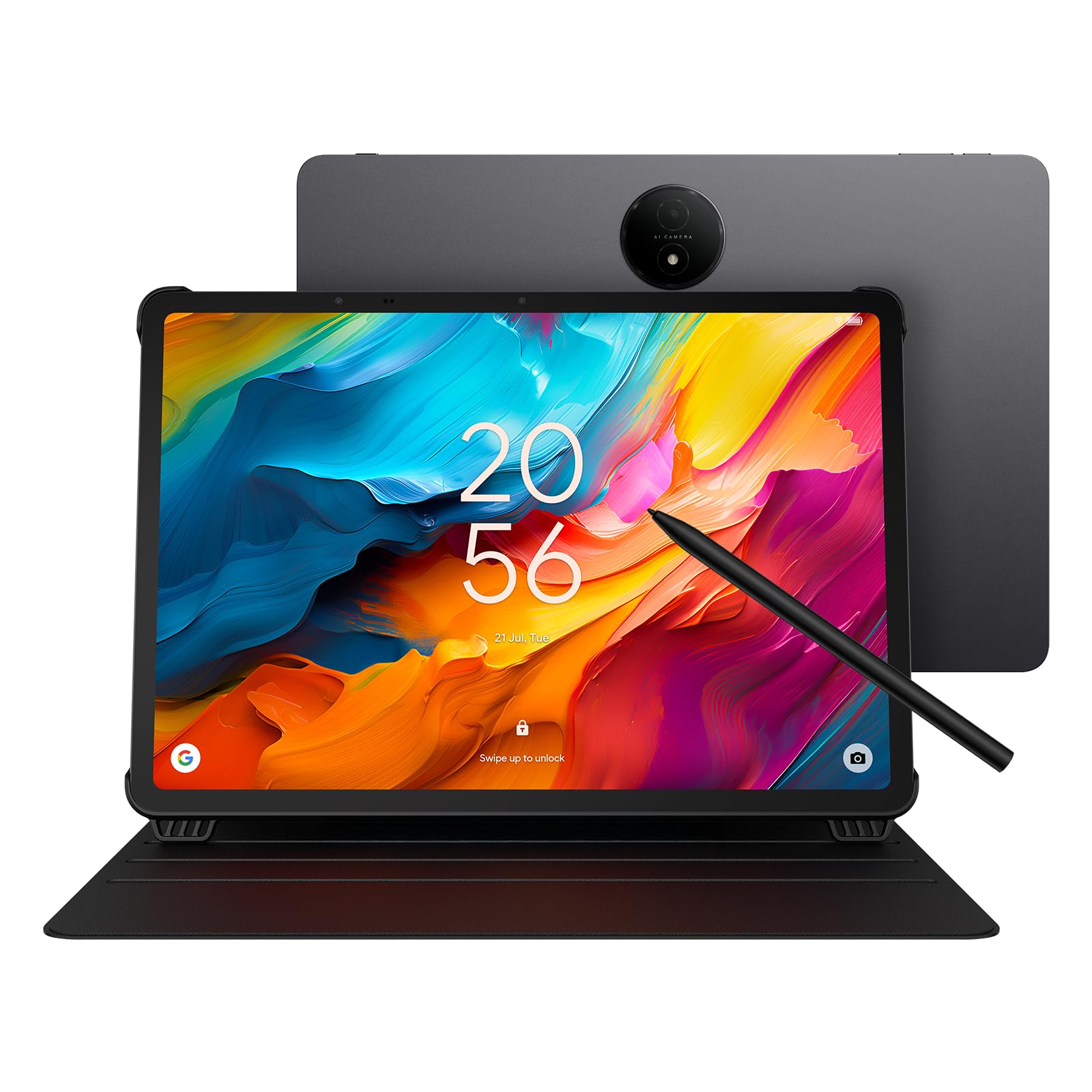
The TCL NXTPAPER 14 is a niche-defining device for musicians and heavy readers. Its 14.3-inch 2.4K display uses NXTPAPER 3.0 technology to filter blue light, reduce glare, and simulate paper reflection—making it vastly more comfortable for hours of sheet music reading or ebook browsing. The 4096-level T-PEN stylus works well for notations and annotations directly on digital scores.
Three display modes (Standard, Color Paper, Ink Paper) let you adapt the screen to the task. Color Paper Mode gives comics and sheet music a natural, matte finish, while Ink Paper Mode strips color for a Kindle-like experience. The 10,000mAh battery delivers about 10 hours of mixed use, and the 33W fast charging reaches full in roughly 2-3 hours. The included adjustable flip case is a practical addition for music stands.
The Helio G99 processor is adequate for media and note-taking but may struggle with heavy 3D gaming or complex drawing layers. The lack of a microSD slot limits expansion, and the 60Hz refresh rate feels less fluid than higher-end competitors. For its primary audience—musicians and readers—this tablet is uniquely suited and hard to beat.
Why it’s great
- Paper-like matte display reduces eye strain significantly
- Three display modes for reading, art, and standard use
- Large 14.3-inch screen ideal for sheet music
- Included stylus and adjustable flip case
Good to know
- No microSD expansion slot
- 60Hz refresh rate feels less smooth than 120Hz panels
- Helio G99 processor limited for demanding games
4. OnePlus Pad Go 2
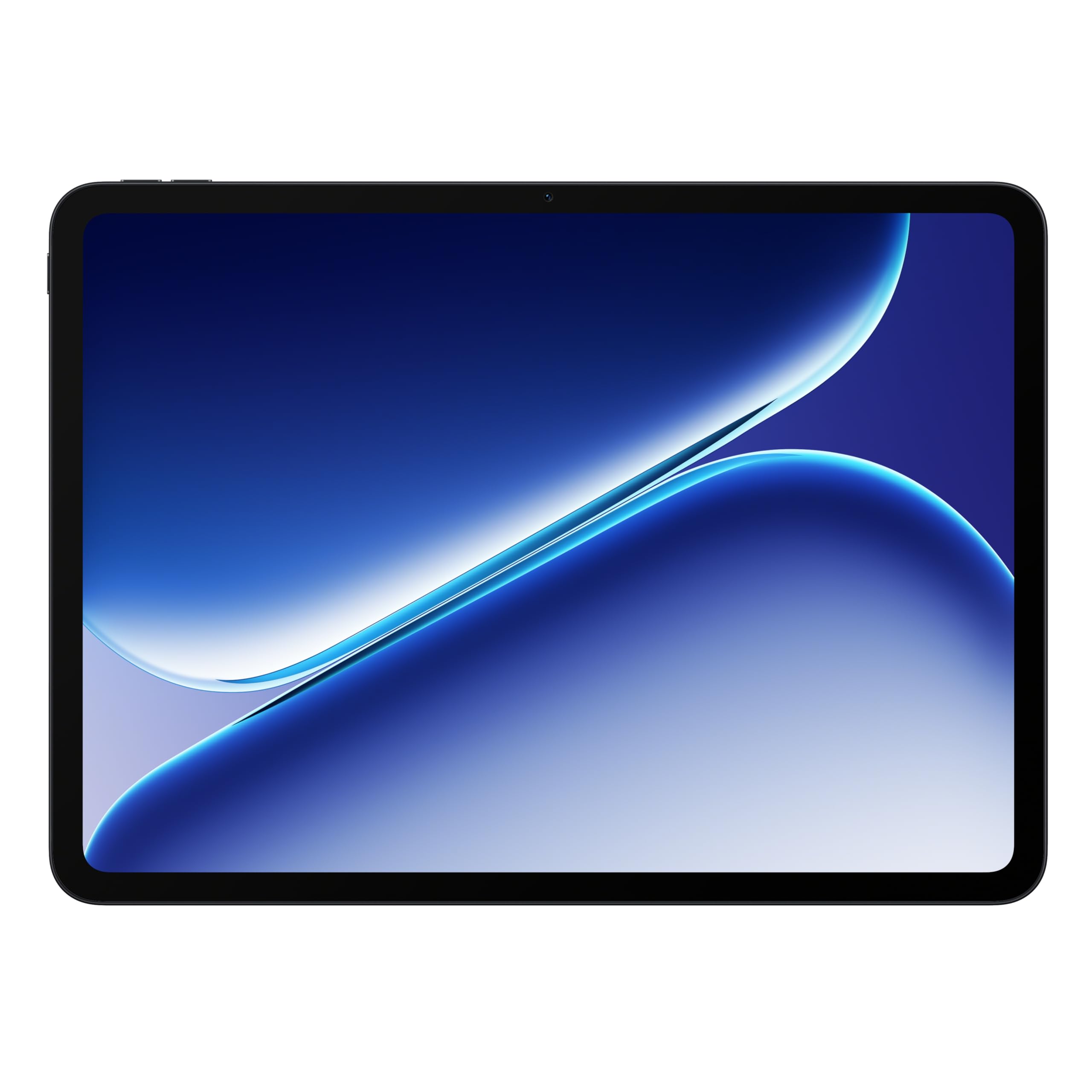
The OnePlus Pad Go 2 balances a large 12.1-inch Dolby Vision display with a smooth 120Hz refresh rate, making scrolling and video playback feel exceptionally fluid. The MediaTek Dimensity 7300-Ultra processor handles everyday multitasking, streaming, and casual gaming without fuss. The 10,050mAh battery consistently lasts a full day or more, with fast SUPERVOOC charging getting you back to full quickly.
The build quality reflects OnePlus’s design language—slim, lightweight, and clean. The Shadow Black finish is fingerprint-resistant, and the tablet is comfortable to hold for extended reading sessions. The display performs well even outdoors, with good brightness and anti-glare properties that make it usable in well-lit environments.
The included stylus works for basic note-taking but lacks the pressure sensitivity and accuracy needed for serious drawing. The 8GB of RAM is adequate for most tasks, but heavy users may feel the ceiling with many apps open. For anyone prioritizing battery life, a fluid display, and a polished software experience at a reasonable price, this is an excellent choice.
Why it’s great
- Smooth 120Hz Dolby Vision display
- Exceptional battery life with fast charging
- Lightweight and premium build quality
- Clean, intuitive software experience
Good to know
- Stylus not ideal for drawing or detailed sketching
- 8GB RAM may limit heavy multitasking
- No headphone jack
5. TECLAST Artpadpro

The TECLAST Artpadpro brings a 12.7-inch 2K IPS display with a 4:3 aspect ratio that closely matches the drawing canvas proportions of professional tablets. The 2176×1600 resolution renders fine lines and brush strokes with clarity, and the included T-Pen stylus offers 4096 levels of pressure sensitivity with palm rejection for a natural drawing feel. The Android 15 operating system runs smoothly on the Helio G99 processor.
The 10,000mAh battery supports long studio sessions, and the 30W fast charging reduces downtime. 4G LTE capability means you can stay connected without Wi-Fi, making this a solid option for artists who work on location. The 256GB of UFS storage (expandable to 1TB) provides ample space for high-resolution project files and reference images.
The stylus can feel skippy with very light pressure, and the virtual RAM expansion (8GB physical + 12GB virtual) is a marketing gimmick rather than a real performance boost. The included apps are tailored for drawing, but the overall software support and update frequency remain uncertain. For the price, the canvas size and resolution are hard to match.
Why it’s great
- Large 12.7-inch 2K display with 4:3 aspect ratio for drawing
- 4G LTE connectivity for on-the-go use
- 4096-level palm rejection stylus included
- 256GB storage expandable to 1TB
Good to know
- Stylus can skip with light pressure
- Virtual RAM expansion is primarily marketing
- Software update longevity uncertain
6. TABWEE 13.4″ Bundle

The TABWEE 13.4-inch bundle aims to replace a laptop with a single package. The 2K IPS display runs at 120Hz for smooth scrolling and is TUV eye-care certified for long work sessions. The included wireless keyboard, mouse, and stylus cover typing, navigation, and drawing from the first boot. Android 16 with Gemini AI adds document summarization and voice-to-text features.
The 10,000mAh battery with 18W charging provides all-day power for note-taking and media. The 24GB claim (8GB physical + 16GB virtual) helps with app caching, though heavy multitasking still relies on the physical 8GB. The 256GB internal storage is expandable via microSD to 1TB, and the bundle includes a screen protector and stand.
The tablet is noticeably heavy for handheld use, and the virtual RAM gimmick doesn’t replace true 12GB or 16GB physical memory. The 16:9 aspect ratio favors video over productivity tasks like document editing. For users who want a single box solution for light work and entertainment, this is a convenient pick.
Why it’s great
- Complete bundle with keyboard, mouse, stylus, and stand
- Smooth 120Hz 2K display with eye-care certification
- Runs Android 16 with Gemini AI features
- Expandable storage up to 1TB
Good to know
- Heavy for prolonged handheld use
- Virtual RAM expansion not a substitute for physical RAM
- 16:9 aspect ratio less productive for documents
7. HOOGEE 15.6”
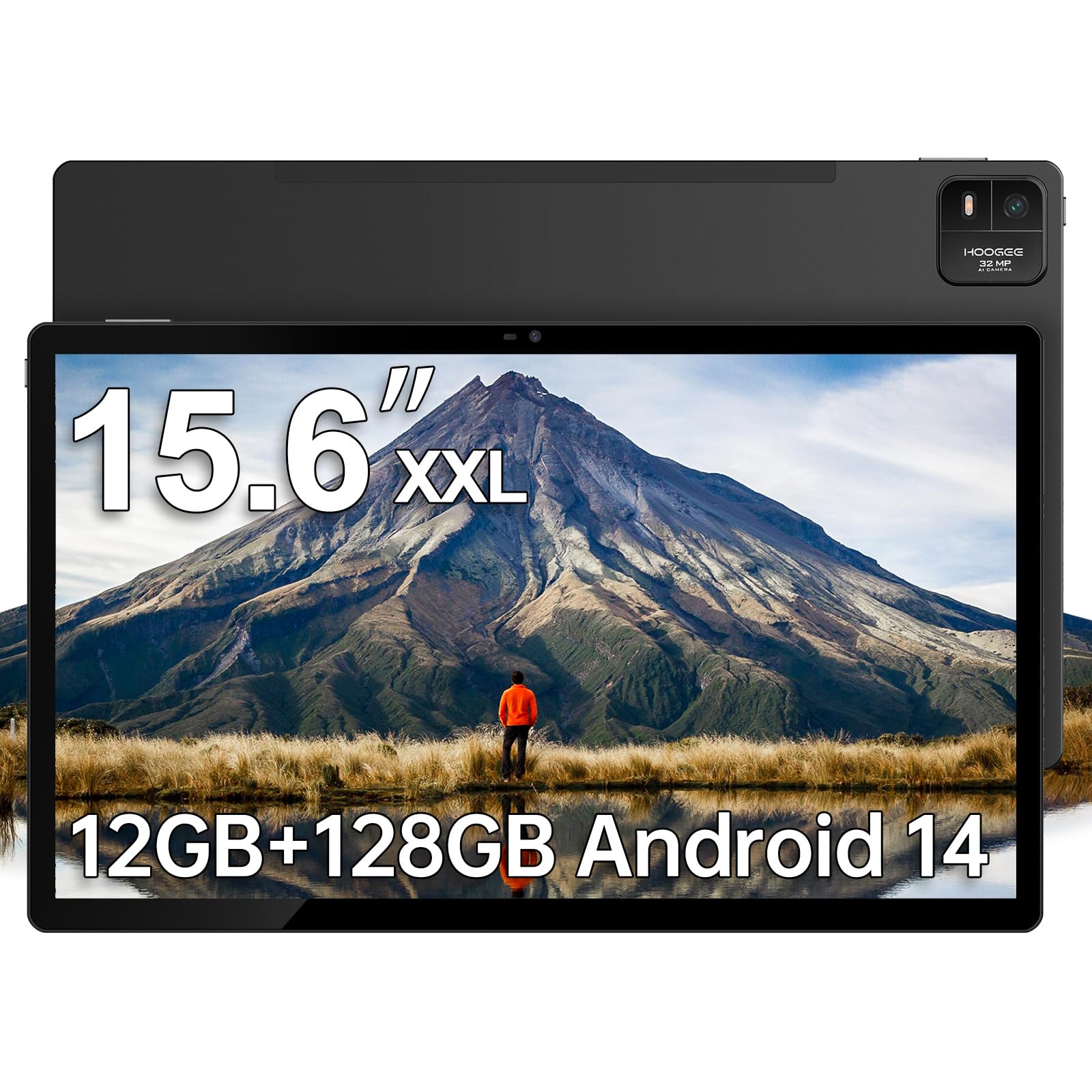
At 15.6 inches, the HOOGEE tablet delivers the largest canvas in this guide for musicians who need near-real-scale sheet music reproduction. The 1080p FHD display is bright enough for stage use, and the 16:9 aspect ratio matches widescreen video perfectly. The MediaTek Helio G99 processor handles app navigation and streaming smoothly, making this a focused tool for a specific job.
The 12,000mAh battery provides up to 11 hours of continuous use, and the 12GB of RAM (with virtual expansion) keeps multiple apps in memory. The large icons and straightforward interface options make it accessible for seniors who need a vision-friendly device. The premium metal finish feels robust, and the included type-C to 3.5mm adapter supports wired headphones.
The tablet is heavy—designed more for desk or stand use than handheld reading. The 15W charging is slow for the large battery, and the lack of cellular connectivity means Wi-Fi only. The screen resolution at this size is not as sharp as smaller 2K or 3K panels, but for its niche use case, it fills a unique role.
Why it’s great
- Massive 15.6-inch screen for sheet music and media
- Long-lasting 12,000mAh battery
- Simple interface suitable for seniors
- Solid metal build quality
Good to know
- Heavy; best used with a stand
- 1080p resolution less sharp at this size
- Slow 15W charging for the battery capacity
8. PicassoTab A12
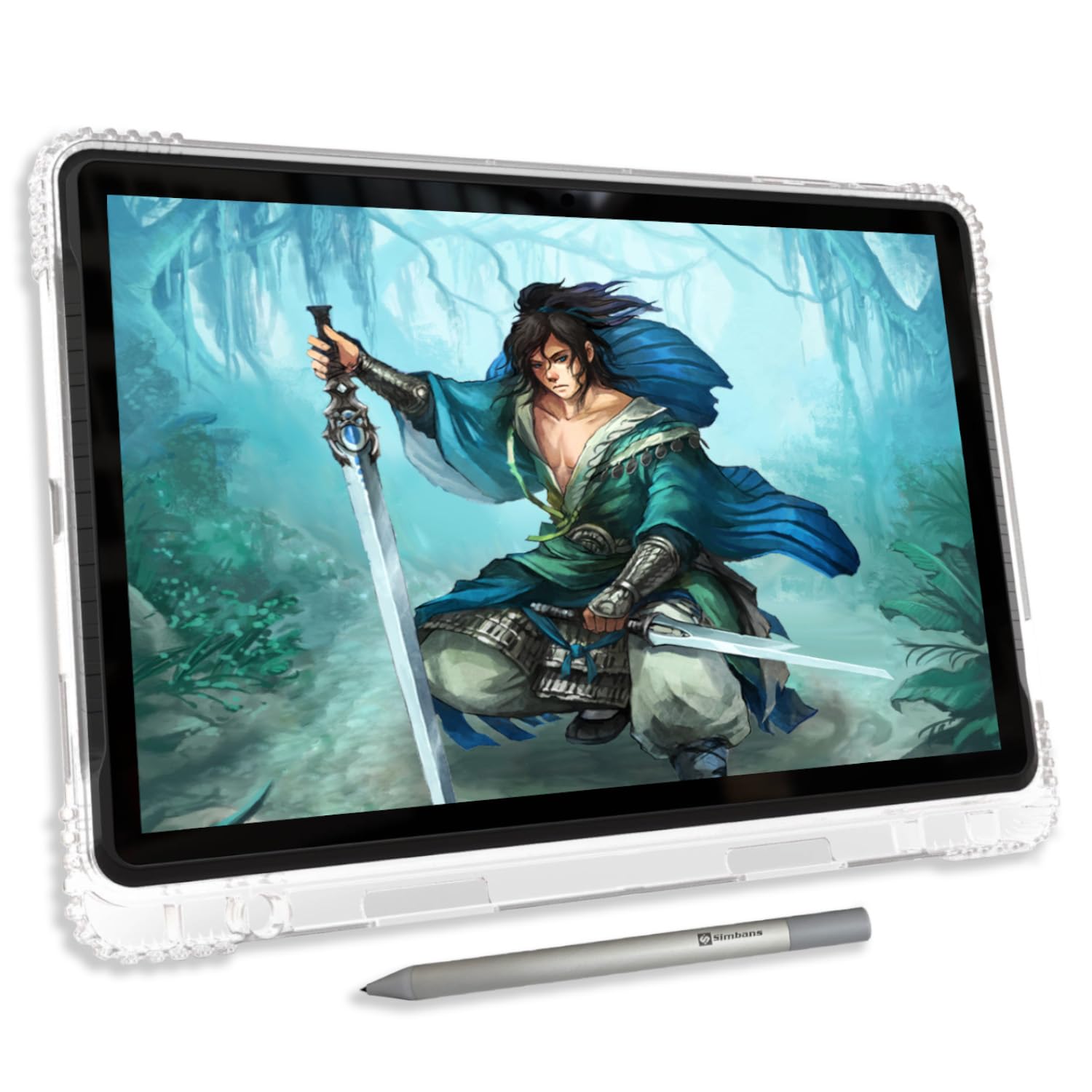
The PicassoTab A12 is designed specifically as a standalone drawing tablet for beginners. Its 12-inch laminated display reduces parallax, giving the feeling that the ink is exactly where the stylus tip touches. The Picasso Pen 3 offers 4096 pressure levels with palm rejection, and the inclusion of lifetime Pro licenses for Concepts and Infinite Painter removes the subscription barrier that frustrates new artists.
The 6GB RAM and 128GB storage (expandable to 1TB) handle drawing apps and basic multitasking without issue. The tablet comes bundled with a case, screen protector, artist glove, and charger—everything needed to start drawing immediately. The Android 14 operating system provides full access to the Google Play Store for additional apps.
The charging port has been reported as loose on some units, though the seller offers warranty replacements. The included stylus nib is hard and may scratch an unprotected screen, so the pre-installed screen protector is essential. For young artists or hobbyists taking their first steps into digital art, this all-in-one package delivers exceptional value.
Why it’s great
- Laminated display reduces parallax for accurate drawing
- Lifetime drawing and tutorial apps included
- Complete bundle with case, screen protector, and stylus
- Affordable entry point for digital art
Good to know
- Charging port durability issues reported
- Default stylus nib may scratch the screen without protector
- 6GB RAM limits heavy multitasking
9. Samsung Galaxy Tab S8 Ultra (Renewed)

The Galaxy Tab S8 Ultra remains a powerhouse even in its renewed form. The 14.6-inch AMOLED display delivers the deepest blacks and most vibrant colors in this list, with a resolution that justifies the screen size for photo editing and media consumption. The Qualcomm Snapdragon 8 Gen 1 processor, combined with 8GB or 12GB RAM, provides ample power for demanding applications.
The 11,200mAh battery lasts about 15 hours of mixed use, and the S Pen is included with no charging required—a critical advantage for professionals who need the stylus always ready. Samsung’s software suite (DeX mode, multi-window, Samsung Notes) transforms the tablet into a near-laptop experience. The renewed units often arrive in like-new condition with minimal cosmetic wear.
Renewed products carry inherent risk: battery health varies, and the 2-year-old processor is outpaced by newer chips. The massive size makes it less portable, and the high-resolution screen shows limitations in some apps not optimized for the resolution. For those who want a flagship display at a reduced price, this is a compelling option.
Why it’s great
- Stunning 14.6-inch AMOLED display with deep blacks
- Battery-free S Pen excellent for note-taking
- Samsung DeX mode provides desktop-like multitasking
- Great value for a flagship-level display experience
Good to know
- Renewed unit; battery health and cosmetic condition vary
- Processor is two generations behind current flagships
- Large size reduces one-handed portability
10. MESWAO 16 Inch
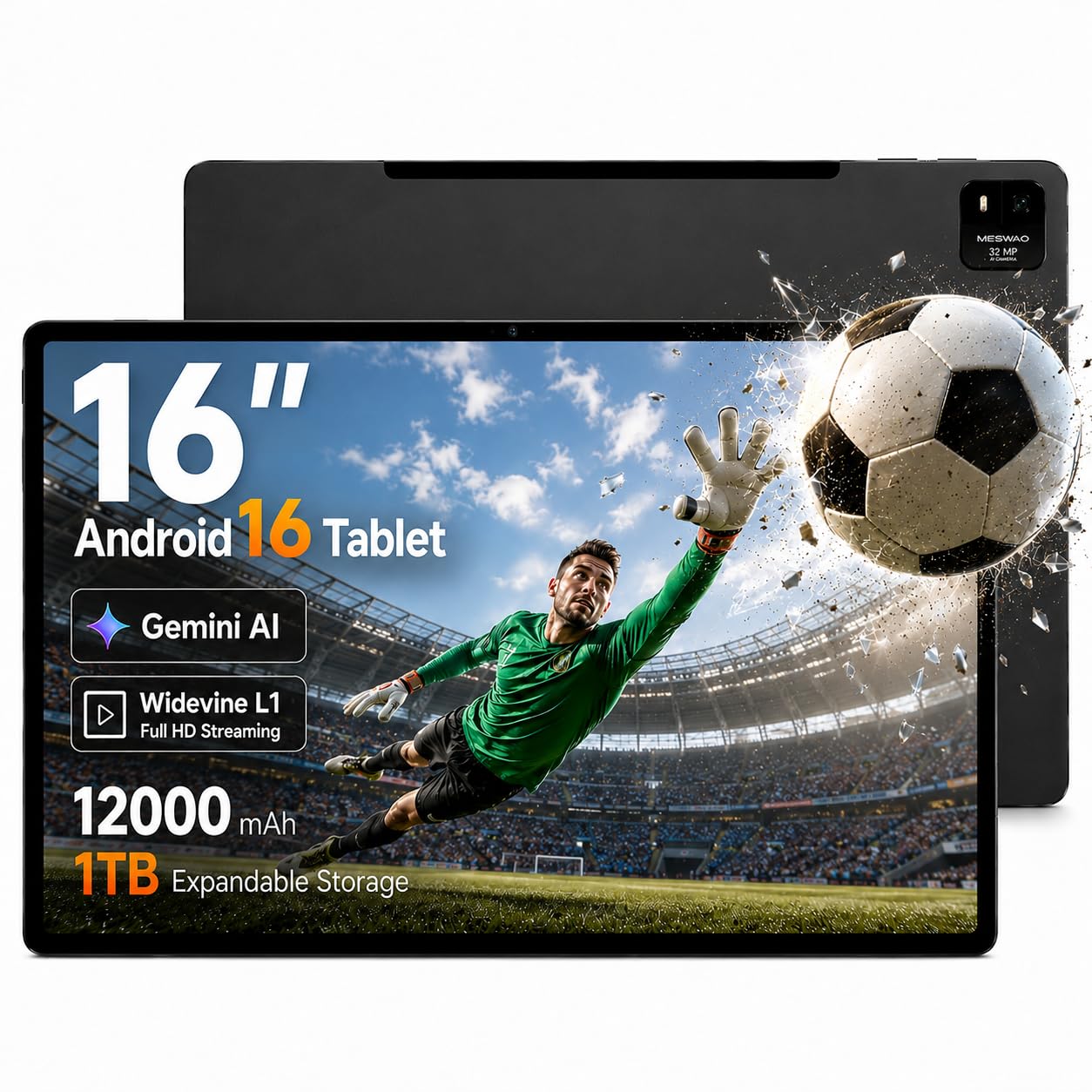
The MESWAO 16-inch tablet takes the crown for sheer screen real estate. The FHD IPS display provides a 110% larger viewing area than a standard 10-inch tablet, making it ideal for seniors or anyone who needs enlarged text and interface elements. The Helio G99 processor and Android 16 operating system keep the experience fluid, and full Google Play access means no app compatibility issues.
The 12,000mAh battery supports up to 15 hours of mixed media use, and the 30W PD fast charging significantly reduces charging time compared to other ultra-large models. The Widevine L1 certification guarantees full HD streaming on Netflix, Prime Video, and other platforms. The metal chassis provides robust structural integrity, and the dual cameras (32MP rear) are decent for video calls and document scanning.
The tablet’s weight makes it impractical for handheld use; a desktop stand or lap pillow is strongly recommended. The 60Hz refresh rate feels dated compared to 120Hz competitors, and the 16:9 aspect ratio is optimized for video rather than productivity. For users whose primary need is a massive screen for media and accessibility, this delivers.
Why it’s great
- Largest screen in this guide at 16 inches
- Excellent battery life with fast 30W PD charging
- Widevine L1 for full HD streaming
- Large interface accessible for seniors
Good to know
- Very heavy; requires a stand for comfortable use
- 60Hz refresh rate less fluid than alternatives
- 16:9 aspect ratio favors media over productivity
11. Wacom MovinkPad Pro 14

The Wacom MovinkPad Pro 14 is the most specialized and capable drawing tablet in this guide. Its 14-inch OLED display with 3K resolution (2880×1800) delivers 100% sRGB and DCI-P3 color gamut coverage, producing true blacks and vibrant colors essential for professional digital art. The battery-free Wacom Pro Pen 3 Slim offers 8,192 pressure levels with Premium Texture etched glass that provides genuine paper-like resistance.
The Snapdragon 8s Gen 3 processor and 12GB of RAM handle memory-intensive brushes and large canvases without stuttering, and the 256GB storage (expandable via microSD) accommodates extensive project files. The Android 15 operating system runs dedicated creative software like Clip Studio Paint flawlessly, and the tablet can also function as a pen display for Windows or Mac via USB-C.
This is a niche product for serious artists—it is not a general-purpose media tablet. The OLED panel is beautiful but the touchscreen response can be finicky, and the lack of a headphone jack is frustrating. The file management system feels clunky compared to a Chromebook or iPad. For the working artist who needs a portable studio, however, nothing else on this list matches the drawing experience.
Why it’s great
- Stunning 14-inch OLED with accurate color reproduction
- Battery-free stylus with 8,192 pressure levels
- Premium etched glass for paper-like drawing feel
- Functions as both standalone tablet and pen display
Good to know
- High price reflects professional-grade hardware
- Touchscreen response can be inconsistent
- No headphone jack; requires USB-C audio adapter
FAQ
What aspect ratio is best for sheet music and reading documents?
Does a bigger screen automatically mean better performance?
Is a stylus with more pressure levels always better?
Can a large Android tablet replace my laptop?
Final Thoughts: The Verdict
For most users, the big android tablet winner is the Samsung Galaxy Tab S10+ Plus because the AMOLED display, included S Pen, and Galaxy AI features combine flagship performance with genuine productivity tools. If you want the paper-like eye comfort that musicians and heavy readers need, grab the TCL NXTPAPER 14. And for a professional digital art studio that travels with you, nothing beats the Wacom MovinkPad Pro 14.