
Our readers keep the lights on and the weekend projects moving. As an Amazon Associate, I earn from qualifying purchases.
The single biggest frustration with a home or office printer isn’t the occasional paper jam—it’s the moment you go to print a critical document and the machine refuses because a color cartridge is out, even though you only ever print black text. A dedicated black and white printer eliminates that entire class of annoyance, delivering faster speeds, lower operating costs, and absolutely zero drama when you need a crisp contract, a sharp report, or a clean invoice.
I’m Rikta — the co-founder and writer behind FitlyFast. I’ve spent hundreds of hours dissecting printer specs, analyzing real user experiences across thousands of reviews, and comparing the subtle differences in toner yield, duplex speed, and connectivity reliability that separate a smart buy from a regretful one.
Whether you’re equipping a home office or a small team, choosing the best black white printer means balancing speed, running costs, and the connectivity that actually matches your workflow.
How To Choose The Best Black White Printer
Choosing a monochrome printer is simpler than picking a color model, but a few key specs separate a daily workhorse from a frustration machine. Laser technology dominates this category for a reason—toner doesn’t dry out, page yields are dramatically higher, and print speeds are consistently faster than inkjet alternatives.
Print Speed vs. First-Page-Out Time
Speed is measured in pages per minute (ppm), but for most users, the first page out time matters more. A printer that hits 40 ppm but takes 15 seconds to warm up feels slower than one that does 30 ppm with a sub-7-second first page. Look at both numbers if you print single-page documents frequently.
Automatic Duplex Printing
Automatic two-sided printing halves your paper consumption and makes multi-page reports feel professional. Every printer on this list supports it, but the speed of duplex printing varies widely. Some models slow down considerably when flipping pages, while others maintain nearly full speed.
Connectivity and Network Reliability
Wireless printers are convenient, but real-world Wi-Fi reliability differs by brand. Models with dual-band Wi-Fi and Ethernet jacks offer fallback options if your 2.4 GHz band gets crowded. USB-only printers are simpler and cheaper but force you to be physically tethered to the machine.
Quick Comparison
On smaller screens, swipe sideways to see the full table.
| Model | Category | Best For | Key Spec | Amazon |
|---|---|---|---|---|
| Xerox B230 | Mono Laser | Wireless Home Office | 36 ppm, 250-sheet tray | Amazon |
| Canon MF275dw | Mono Laser MFP | All-in-One Versatility | 30 ppm, 35-sheet ADF | Amazon |
| HP LaserJet Pro MFP 3101sdw | Mono Laser MFP | Small Team Productivity | 40 ppm, 50-sheet ADF | Amazon |
| Brother HL-L2480DW | Mono Laser MFP | Compact Scan/Copy | 36 ppm, 250-sheet tray | Amazon |
| Lexmark MS431dw | Mono Laser | High-Volume Durability | 42 ppm, steel frame | Amazon |
| Epson EcoTank ET-M2170 | Mono Supertank | Ultra-Low Running Cost | 20 ppm, ~6,000 page ink | Amazon |
| Brother MFC-L2820DW XL | Mono Laser MFP | All-in-One High Yield | 36 ppm, 4,200-page toner | Amazon |
| Canon imageCLASS D1620 | Mono Laser MFP | Heavy Daily Printing | 45 ppm, 550-sheet tray | Amazon |
| HP LaserJet M209d | Mono Laser | Simple Wired Setup | 30 ppm, auto duplex | Amazon |
In‑Depth Reviews
1. Xerox B230 Wireless Mono Laser Printer

The Xerox B230 hits the sweet spot between price and wireless convenience. With a 36 ppm print speed and built-in Wi-Fi that supports Apple AirPrint, Mopria, and Chromebook printing, it’s designed for users who print from phones, tablets, and laptops without needing a dedicated IT setup. The automatic duplex printing is fast for a machine in this class, and the compact footprint fits easily on a small desk.
Setup is straightforward for Windows users, and the ethernet port provides a hard-wired fallback if your wireless network gets congested. Print quality is crisp for text-heavy documents and line art, which covers the vast majority of monochrome use cases. The security features, including secure print release, make it a capable choice for small teams handling sensitive paperwork.
The interface relies on scrolling through an alphabet menu for Wi-Fi configuration, which some users find tedious on initial setup, but that’s a one-time inconvenience. A few early reports of driver instability on Windows have been addressed with subsequent firmware updates. For the balance of features, speed, and connectivity, the B230 is a strong all-rounder.
Why it’s great
- Excellent wireless connectivity with AirPrint and Mopria support
- Fast 36 ppm print speed maintains pace on duplex jobs
- Ethernet port for reliable wired alternative
Good to know
- Wi-Fi setup menu requires scrolling through alphabetic list
- No scan or copy functions—print only
- Some early Windows driver reports, now mostly resolved
2. Canon imageCLASS MF275dw

The Canon MF275dw is a full 4-in-1 monochrome laser that prints, scans, copies, and faxes. The 30 ppm engine is slightly slower than some competitors, but the first-page-out time of about 5.3 seconds makes it feel responsive for single-page jobs. The 35-sheet automatic document feeder enables multi-page copying and scanning without babysitting each sheet.
The adjustable 6-line touchscreen is surprisingly usable for a machine in this tier. You can navigate menus, configure wireless settings, and initiate scans directly from the panel without needing the Canon PRINT Business app, though the app works well for iOS and Android users. The 150-sheet cassette is adequate for light to moderate home-office use, but you might find yourself refilling often during heavy weeks.
Cartridge economics are solid—the starter cartridge lasts a fair while, and aftermarket 071-compatible cartridges are widely available and affordable. The scanner produces crisp black-and-white scans, though color scans appear somewhat faded since the scanner is optimized for document capture. It’s a reliable, well-rounded MFP that does everything asked of it without drama.
Why it’s great
- Versatile 4-in-1 functionality with document feeder
- Fast first-page-out time reduces wait on single prints
- Aftermarket toner support keeps long-term costs low
Good to know
- Only 150-sheet paper tray—may need frequent refills
- No duplex scanning, only duplex printing
- Initial wireless setup can be finicky for some users
3. HP LaserJet Pro MFP 3101sdw

The HP LaserJet Pro MFP 3101sdw is built for small teams that need speed and volume. At 40 ppm, it’s one of the faster machines in this roundup, and the 50-sheet automatic document feeder makes short work of multi-page copy and scan jobs. The wireless connectivity is notably reliable—users report the printer reconnects after power outages automatically, a small detail that saves consistent frustration.
Print quality is sharp and consistent, with toner designed for professional-grade black-and-white documents. The 250-sheet input tray is generous for this class, and the 7-second first-page-out time keeps you moving on single-page workflows. The compact white design doesn’t scream “office equipment,” which helps it blend into a home office aesthetic.
The major caveat is HP’s firmware policy—the printer is designed to block non-HP toner cartridges, and periodic firmware updates enforce this restriction. If you want to use cheaper generic cartridges, you must decline those firmware updates, which means missing out on potential security patches. It’s a trade-off worth knowing before you commit.
Why it’s great
- Fast 40 ppm print speed with quick duplex
- Reliable Wi-Fi that reconnects automatically after outages
- Large 50-sheet ADF for multi-page document handling
Good to know
- Firmware blocks non-HP toner; must skip updates for generics
- Initial toner cartridge is only ~1,000-page starter
- Wi-Fi can occasionally drop and require reconnection
4. Brother HL-L2480DW Wireless Mono Laser MFP

The Brother HL-L2480DW brings a feature density that punches well above its price tier. It includes a flatbed scanner and copier plus a 2.7-inch color touchscreen that makes navigating cloud apps like Google Drive and Dropbox genuinely intuitive. The 36 ppm print speed is competitive, and the automatic duplex printing is both fast and quiet, making it a pleasant office companion.
Connectivity is a standout—dual-band Wi-Fi (2.4 and 5 GHz) plus Ethernet gives you flexibility that many budget-oriented MFPs lack. The Brother Mobile Connect app allows remote printing and toner monitoring, and the Refresh subscription trial is available if you want automated toner delivery. For users who prefer to buy cartridges outright, Brother Genuine TN830 and TN830XL toners are reasonably priced and widely available.
The manual feed slot handles envelopes and thicker media, which is useful for printing shipping labels or occasional letterhead. The flatbed scan glass is adequate for documents, but the lack of an automatic document feeder means multi-page scanning requires manual page-by-page placement—a limitation to consider if you scan multi-page documents regularly.
Why it’s great
- Color touchscreen with cloud app integration
- Dual-band Wi-Fi for reliable wireless connectivity
- Quiet operation with fast duplex printing
Good to know
- No automatic document feeder for scanning or copying
- Starter toner yields fewer pages than standard cartridge
- Slightly smaller paper tray than some competitors
5. Lexmark MS431dw Mono Laser Printer
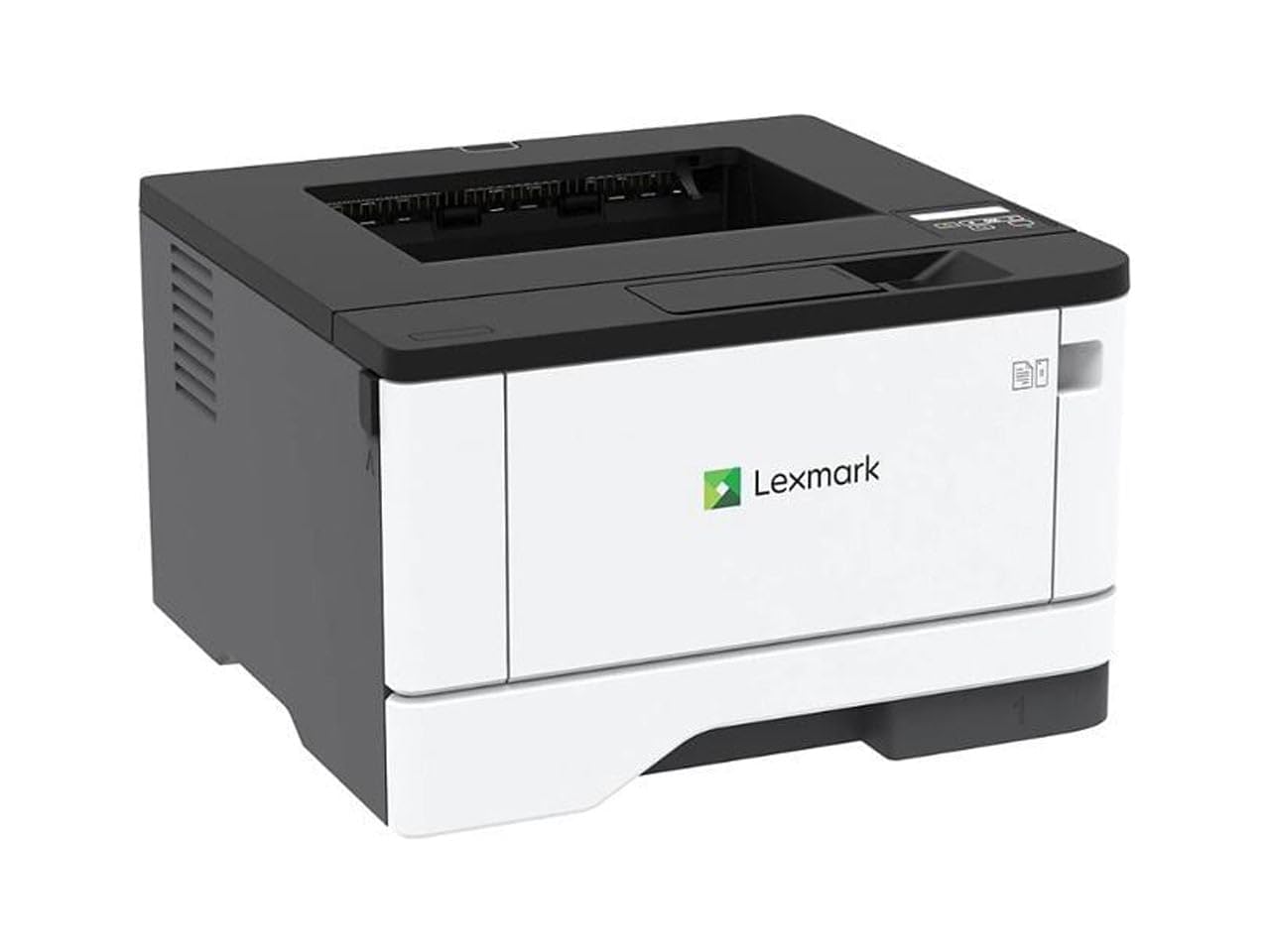
Lexmark’s MS431dw is engineered for durability. The steel-frame construction and long-life imaging components are designed for monthly page volumes of 800 to 8,000 pages, making it a genuine contender for high-demand environments. The 42 ppm print speed is among the fastest here, and the automatic duplex printing maintains a brisk pace without significant slowdown on two-sided jobs.
Connectivity includes Wi-Fi, Ethernet, and USB, and the two-line LCD display provides straightforward menu navigation for configuring network settings and monitoring consumables. Setup is plug-and-play for Windows machines, and the printer tolerates third-party toner cartridges well, which keeps operating costs manageable for heavy users.
The compact footprint is smaller than you might expect for a printer this capable, measuring 14.3 inches deep. A minority of users report occasional paper jam issues, though these appear to be isolated rather than systemic. If your print volume is consistently high and you prioritize build quality and speed, the MS431dw delivers on both fronts.
Why it’s great
- Steel frame built for high-volume daily use
- Fast 42 ppm speed with robust duplex performance
- Compatible with affordable third-party toner
Good to know
- Print-only—no scan, copy, or fax functionality
- Two-line LCD is functional but not as user-friendly as touchscreen
- A few reports of paper jam issues in select units
6. Epson EcoTank ET-M2170 Supertank MFP
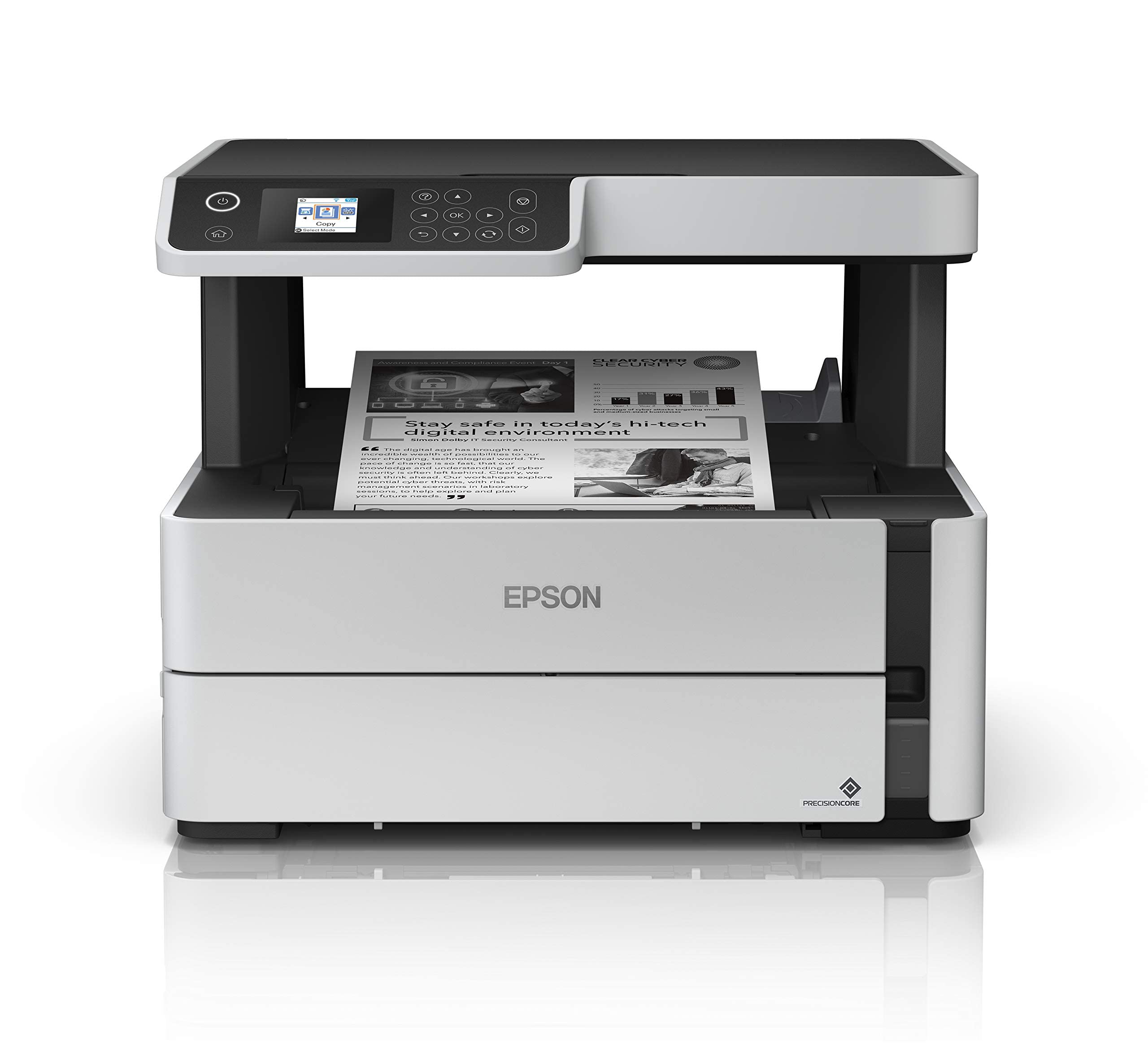
The Epson EcoTank ET-M2170 changes the cost equation entirely. Instead of toner cartridges, it uses refillable ink tanks—a single bottle of black ink yields approximately 6,000 pages, dramatically reducing per-page costs. Print speed is 20 ppm, which is slower than laser alternatives, but that trade-off is acceptable for users who prioritize long-term savings over raw speed.
Print quality is very good for a monochrome inkjet, with sharp text that satisfies most business and home-office needs, though it lacks the slightly crisper edge definition of a laser. The integrated scanner and copier add functionality, though there is no automatic document feeder—each scanning or copying job requires placing the document on the flatbed glass manually. The 250-sheet paper tray handles moderate volume without constant refilling.
Wireless setup via Wi-Fi or Ethernet is straightforward, and the Email-to-Print feature works reliably when the printer is in standby. Some users find the LCD screen poorly positioned and difficult to read from certain angles. Overall, the ET-M2170 is a compelling choice if you print in high volumes and want to virtually eliminate the recurring cost of consumables.
Why it’s great
- Extremely low cost per page with bottle ink system
- ~6,000 page yield per ink bottle
- Includes scanner and copier for basic MFP tasks
Good to know
- Slower 20 ppm print speed compared to laser alternatives
- No automatic document feeder for scanning
- LCD screen placement can be awkward to read
7. Brother MFC-L2820DW XL Wireless Mono Laser MFP

The Brother MFC-L2820DW XL is essentially the all-in-one upgrade of the HL-L2480DW, adding fax capability and a 50-sheet automatic document feeder that makes multi-page copying and scanning effortless. The XL version ships with an oversized toner cartridge yielding up to 4,200 pages—roughly six times the standard starter cartridge—which dramatically reduces how often you need to replace consumables.
Print speed is rated at 34 ppm, slightly behind the non-XL variant, but still competitive for a multi-function machine. The 2.7-inch color touchscreen is the same intuitive interface found on the HL-L2480DW, supporting cloud app connectivity for scan-to-Google Drive or Dropbox workflows. Dual-band Wi-Fi and Ethernet provide flexible networking, and the Brother Mobile Connect app handles remote printing and monitoring reliably.
The automatic document feeder handles up to 50 pages at a time, and both scanning and copying produce crisp results. Some users report the initial setup is more involved than advertised, requiring a full driver package download from Brother rather than the quick-start approach. Once configured, it’s a reliable workhorse that earned its reputation from the previous-generation models that lasted over a decade.
Why it’s great
- XL toner yields 4,200 pages out of the box
- 50-sheet ADF for batch copying and scanning
- Intuitive touchscreen with cloud app support
Good to know
- Setup instructions are minimal; driver download is needed
- Some audible processing noise during operation
- Premium pricing reflects the higher toner yield
8. Canon imageCLASS D1620 Mono Laser MFP

The Canon D1620 is a speed-focused monochrome laser that hits 45 ppm, making it one of the fastest options available for a sub-ultra-premium price. The maximum paper capacity reaches 2,300 sheets when fully expanded, suitable for offices with consistent daily volume. The standard 550-sheet cassette is generous, and the automatic duplex printing stays fast even on two-sided jobs.
Setup is straightforward for both wired and wireless configurations, and the printer is compatible with Windows 7 through 10 and Mac OS X v10.8.5 or later. The included Canon Genuine Toner 121 yields about 5,000 pages, giving you a substantial buffer before needing a replacement. The three-year limited warranty is among the best in this category, providing peace of mind for a long-term investment.
Scan-to-email functionality exists but is notoriously difficult to configure due to hidden menu settings and poor documentation—plan to use scan-to-device (USB or network folder) for a smoother experience. A USB A-to-A cable is required for wired setup, which is less common than the standard A-to-B cable. Despite these quirks, the D1620 is a reliable, fast printer that holds up well under heavy use.
Why it’s great
- Fast 45 ppm print speed with quick duplex
- Three-year limited warranty for long-term reliability
- High paper capacity supports heavy daily printing
Good to know
- Scan-to-email setup is poorly documented and difficult
- Requires USB A-to-A cable, not the common A-to-B
- Larger footprint than most home-office printers
9. HP LaserJet M209d Mono Laser Printer

The HP LaserJet M209d strips away everything extraneous to deliver a reliable print-only experience at a budget-friendly price. It is a wired-only printer—USB cable included—which means no Wi-Fi configuration headaches and no network dropouts. The 30 ppm print speed is respectable for its class, and the automatic duplex is fast, with the fastest-in-class two-sided printing speed HP advertises for this tier.
Print quality is excellent for black-and-white documents, with sharp text that suits professional correspondence, legal documents, and reports. The compact 8.07-inch width saves desk space, and the smart-guided buttons simplify the limited on-printer controls. The 150-sheet input tray is adequate for moderate use, though heavy-volume users will find themselves refilling more often than with larger trays.
The main limitation is the lack of wireless connectivity—this printer is designed for a single computer connected via USB. Mac users should note that HP’s drivers for macOS Sequoia (v12+) have not been updated since late 2024, causing compatibility issues with newer Mac hardware. It works flawlessly on Windows 11. If you need a simple, fast, wired black-and-white printer and run Windows, the M209d is a no-nonsense option.
Why it’s great
- Fast automatic duplex for a budget-friendly laser
- Compact design saves desk space
- Very affordable price for a reliable mono laser
Good to know
- USB-only—no Wi-Fi or Ethernet connectivity
- Mac driver compatibility issues with macOS Sequoia
- Only 150-sheet input tray may require frequent refills
FAQ
Is a laser printer better than an inkjet for black-and-white printing?
Can I use third-party toner cartridges in HP printers?
What does automatic duplex printing mean in real terms?
Final Thoughts: The Verdict
For most users, the black white printer winner is the Xerox B230 because it delivers fast 36 ppm speed, reliable wireless connectivity, and automatic duplex at a mid-range price that doesn’t force trade-offs. If you need all-in-one functionality with scanning and copying, grab the Canon imageCLASS MF275dw. And for the lowest long-term running costs, nothing beats the Epson EcoTank ET-M2170.