
Our readers keep the lights on and the weekend projects moving. As an Amazon Associate, I earn from qualifying purchases.
Printing personal photos at home shouldn’t mean settling for washed-out colors or spending a fortune on ink every month. The challenge is finding a printer that delivers crisp, vibrant prints without draining your wallet on consumables.
I’m Rikta — the co-founder and writer behind FitlyFast. I’ve spent hundreds of hours analyzing the specs, print technologies, and real-world performance of compact photo printers to separate the true long-term value picks from the ink-hungry traps.
This guide focuses on seven top contenders that balance upfront cost with ongoing print economics, helping you find the right affordable photo printer for your home, scrapbooking, or instant memory-making needs.
How To Choose The Best Affordable Photo Printer
The ideal photo printer for you depends on the print size you need, how often you print, and your willingness to manage consumable costs. Portable pocket printers offer convenience at 2×3 inches, while compact home units deliver true 4×6 prints with dye-sublimation or inkjet technology.
Print Technology: Inkjet vs. Dye-Sublimation
Inkjet printers like the Canon PIXMA TS7720 use liquid ink cartridges and can produce excellent text and borderless photos, but the ink cost per page is high and heads can clog if unused for weeks. Dye-sublimation printers such as the HPRT CP4100 or Liene M100 use heat to transfer dye onto paper, producing smoother gradients and a protective glossy layer that resists water and fingerprints. Dye-sub generally has a lower per-print cost and is more beginner-friendly for dedicated photo work.
Print Size and Portability
Consider where you will use the printer. Pocket-sized models like the HP Sprocket and Liene Pearl N200 Pro print 2×3-inch sticky-backed photos ideal for journals, wallets, and on-the-go sharing. For standard 4×6-inch prints that fit frames or albums, a compact desktop model like the Liene M100 or HPRT CP4100 offers a better ratio of cost per print to quality.
Ongoing Consumable Costs
The purchase price is only the beginning. Check the cost of the ink ribbon and paper bundles for each model. Dye-sub printers typically use a single ribbon cartridge for a fixed number of prints (40 to 50), making budgeting predictable. Inkjet printers often require multiple color cartridges that can run out unevenly. Models that come with a generous starter set of paper and ribbons, like the Liene M100 bundle, provide the best immediate value.
Quick Comparison
On smaller screens, swipe sideways to see the full table.
| Model | Category | Best For | Key Spec | Amazon |
|---|---|---|---|---|
| Liene M100 Bundle | Home Dye-Sub | High-volume 4×6 prints | 180 sheets + 5 ink cartridges | Amazon |
| HPRT CP4100 | Portable Dye-Sub | Vibrant 4×6 photo prints | 300 DPI, 256 color gradation | Amazon |
| HP Sprocket Studio Plus | Home Dye-Sub | Smudge-proof 4×6 prints | Tear/water resistant paper | Amazon |
| Liene Pearl N200 Pro | Pocket Dye-Sub | True color 2×3 stickers | 2×3 adhesive paper, 5 cartridges | Amazon |
| YOTON Photo Printer | Portable Dye-Sub | AR video prints | Built-in Wi-Fi, 54 sheets incl. | Amazon |
| HP Sprocket | Pocket ZINK | Ultra-portable sticker prints | 2×3 peel-and-stick paper | Amazon |
| Canon PIXMA TS7720 | All-in-One Inkjet | Versatile home doc/photo | 15 ppm B&W, 10 ppm color | Amazon |
In‑Depth Reviews
1. Liene M100 4×6” Photo Printer Bundle

The Liene M100 stands out for its exceptional bundle value — 180 sheets of 4×6 paper and five ink cartridges cover a massive number of prints right out of the box. Using thermal dye-sublimation technology, it produces vivid, archival-quality photos with a protective coating that resists water, scratches, and fading. The built-in Wi-Fi hotspot allows direct connection to your phone without needing a home network, a feature that simplifies setup in any location.
Print times hover around one minute per photo, and the companion app provides clear step-by-step guidance for any paper jams or errors. The 4×6 format is ideal for standard frames and albums, and the crop margins on each sheet keep your hands off the printable area during loading. Users consistently note the print quality rivals lab prints once the app is used for color adjustment.
One minor trade-off is the per-print speed — printing more than 20 photos back-to-back can cause the unit to overheat briefly. The pre-installed ink produces a slight yellow tint that the app can easily correct. For anyone looking to print high volumes of 4×6 photos at home with predictable consumable costs, this bundle delivers outstanding long-term value.
Why it’s great
- 180 sheets and 5 ink cartridges included for immediate high-volume printing
- Archival quality with water and scratch resistant coating
- Direct Wi-Fi hotspot works without internet connection
Good to know
- Prints take about one minute each
- May develop a slight yellow tint that requires app color correction
2. HPRT Photo Printer 4×6 CP4100

The HPRT CP4100 leverages thermal dye-sublimation with 300 DPI resolution and 256 color gradation to deliver prints that approach professional lab quality. The included starter kit — 108 sheets of 4×6 paper and two ribbons — provides ample material to begin printing immediately. The protective film applied during printing adds durability against water damage, scratches, and fading, making these photos suitable for display or gifting.
Wi-Fi connectivity through the Heyphoto app works reliably with both iPhone and Android devices, and the app offers multiple print size options down to 1-inch stamps, plus filters and borders. The AR video printing feature can bring still photos to life on screen after scanning. Setup is straightforward, with several users reporting it took under 10 minutes from unboxing to first print.
At this price point, the HPRT CP4100 competes directly with the Liene M100 but offers a more streamlined app experience and a smaller, lighter chassis. For most home users wanting lab-quality 4×6 prints without a steep learning curve, this is a strong runner-up.
Why it’s great
- True 300 DPI resolution with 256 color gradation
- AR video printing adds fun interactive element
- Compact, portable beige design fits any desk
Good to know
- Included paper supply (108 sheets) is less than some competing bundles
- App requires location permissions for full functionality
3. HP Sprocket Studio Plus 4×6
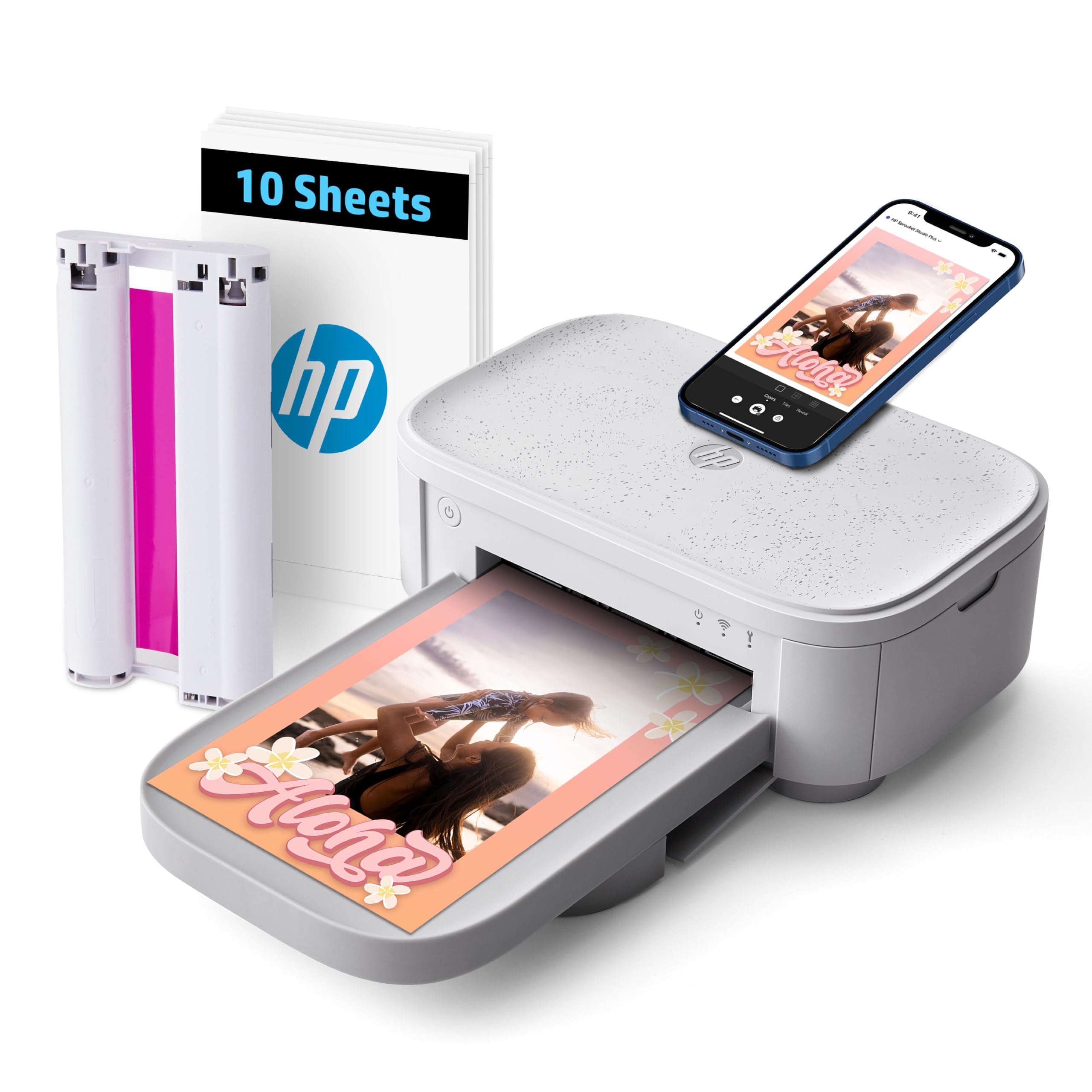
The HP Sprocket Studio Plus brings the brand’s portable expertise into a home-oriented 4×6 dye-sublimation printer. Its output is dry-to-the-touch instantly, tear-resistant, smudge-proof, and waterproof — ideal for physical photo albums or sending prints through the mail. The HP Sprocket app provides a rich editing suite with stickers, frames, collages, and photo booth effects, making it particularly appealing for parties and event printing.
Setup is quick via Wi-Fi, and the printer can handle roughly 100 prints per cartridge, which is economical for regular use. Users who take the time to adjust color settings within the app report excellent results, with vibrant colors that match the original image closely. The compact white design blends into a home office or living room setup without clutter.
Some users note the app can lose connection occasionally, and the printer is louder than expected during operation. A small percentage find the print quality underwhelming for the price, particularly regarding skin tone accuracy, though this often improves with app calibration. For those who prioritize a familiar brand, easy app features, and durable prints, the HP Sprocket Studio Plus is a reliable choice.
Why it’s great
- Prints are waterproof, tear-resistant, and smudge-proof
- Rich app with collage, photo booth, and ID print modes
- Instant dry-to-touch output
Good to know
- App connection can be unstable for some users
- Printer can be noisy during operation
4. Liene Pearl N200 Pro

The Liene Pearl N200 Pro sets the standard for pocket-sized 2×3 photo printers, using advanced dye-sublimation to produce colors that reviewers consistently call the most accurate in the portable category. Users comparing it directly against the Kodak Step and Canon IVY report the N200 Pro delivers significantly better color fidelity and sharpness, with prints that closely match the original phone image. The included starter kit contains 50 sheets of adhesive-backed paper and five ink cartridges.
AI-powered features within the Liene Photo App allow you to reimagine portraits with different artistic styles without leaving the app. The InstaPic mode enables a true shoot-and-print experience using built-in CCD camera filters, skipping the typical multi-step editing process. Bluetooth 5.0 pairing is fast, and group printing supports up to 27 prints on a single charge, making it ideal for parties and outings.
The main downsides are the ongoing cost of replacement paper and ink, which is higher per print than larger 4×6 desktop printers, and the slightly slower print speed and audible operation. The sticky backing is thinner than Zink paper, but that minimizes bulk in journals. For anyone craving true-to-life colors from a compact device that fits in a purse, this pocket printer is the top performer.
Why it’s great
- Best-in-class color accuracy for portable 2×3 printers
- AI portrait styles and InstaPic shoot-and-print mode
- Fast Bluetooth pairing with multi-device support
Good to know
- Ongoing per-print cost is higher than desktop 4×6 models
- Slower print speed with audible operation
5. YOTON Photo Printer

The YOTON photo printer uses dye-sublimation technology to produce 4×6-inch prints with vivid colors and fine texture, aided by a protective coating for longevity. Its standout feature is AR video printing — for up to 15 seconds of video, the app generates a still photo that, when scanned, plays back the video on your phone. This gives a unique interactive dimension to gifts, event favors, or family albums.
The printer creates its own built-in Wi-Fi hotspot, bypassing unreliable home networks or internet requirements. Setup is straightforward once you connect to the printer’s direct Wi-Fi, though some users report that the initial connection process can be finicky on iPhones and that the app demands extensive permissions. The included starter pack of 54 sheets and one ink ribbon is sufficient for immediate use.
Print quality is comparable to full-size desktop printers, and the compact 7x5x2.5-inch design is easy to pack. The main limitation is the single ribbon yields only 40-50 prints, so heavy users will need to purchase replacements quickly. If the unique AR video feature appeals to you and you can navigate the setup quirks, this printer adds a creative edge that other models don’t offer.
Why it’s great
- Exclusive AR video printing brings stills to life on phone
- Built-in Wi-Fi hotspot works without internet
- Print quality rivals full-size desktop photo printers
Good to know
- Initial Wi-Fi setup can be difficult on iPhone
- App requires extensive permissions to function
6. HP Sprocket (2nd Edition)
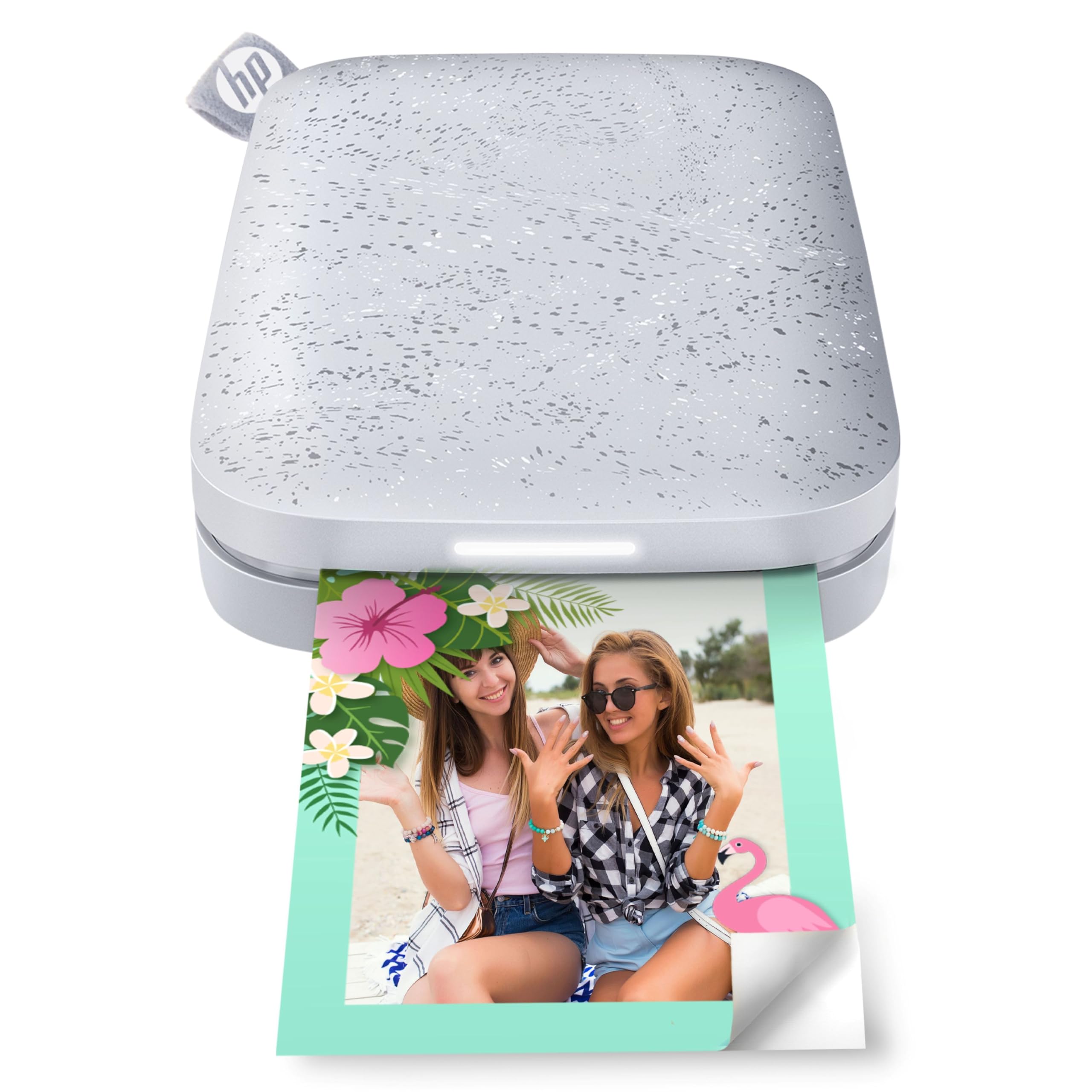
The HP Sprocket (2nd Edition) is the most portable option in this lineup, designed to fit in a pocket or purse for printing 2×3-inch sticky-backed photos anywhere. It uses ZINK (Zero Ink) printing technology, which eliminates the need for ink cartridges — the color crystals are embedded in the paper itself and activated by heat. This makes it incredibly simple to maintain, as there are no cartridges to replace or print heads to clean.
Bluetooth 5.0 keeps the printer connected and ready, and the Sprocket app offers a wide range of customization with filters, borders, stickers, and text. Multiple devices can connect simultaneously, and the LED light shows whose photo is printing. Battery life is solid, lasting several years of intermittent use, and the device can print while charging.
The trade-off is print quality: ZINK prints often have a slight blue or pink color cast that requires app calibration to correct, and the 2×3 size is limiting for larger applications. The per-print cost is higher than dye-sub alternatives, and the paper is less durable than the coated output of dye-sublimation printers. For pure convenience, scrapbooking, and instant sticker fun, though, this pocket printer remains a beloved classic.
Why it’s great
- No ink cartridges to buy or maintain
- Ultra-portable size fits in pocket or purse
- Sticky-backed paper perfect for journals and scrapbooking
Good to know
- ZINK prints can have a blue/pink color cast
- High per-print cost compared to dye-sub models
7. Canon PIXMA TS7720

The Canon PIXMA TS7720 is the only multi-function printer on this list, combining print, copy, and scan capabilities in a compact white chassis. For users who need occasional photo prints alongside regular document tasks, this all-in-one avoids the need for two separate devices. It uses only two ink cartridges (one black, one color), which simplifies replacement compared to older four-cartridge designs.
The 2.7-inch LCD touchscreen provides intuitive control for setup, copying, and maintenance, and automatic duplex printing saves paper on documents. For photo printing, it handles borderless 4×6 and 8×10 sheets with decent quality, though color vibrancy is less punchy than dedicated dye-sub printers due to the use of only one color cartridge. The Canon PRINT app enables wireless printing from smartphones after a brief manual Wi-Fi setup.
The primary risk with an entry-level inkjet is ink consumption and head clogging. Some users report the printer uses ink quickly during startup cycles and that heads can clog if left unused for extended periods. Prints from the included trial cartridges may appear less vivid than expected — upgrading to standard-capacity cartridges improves results. If you need a jack-of-all-trades that prints documents, scans, and handles the occasional photo, the TS7720 is the most versatile budget-friendly option.
Why it’s great
- All-in-one functionality: print, copy, scan
- Automatic duplex printing saves paper
- Only two ink cartridges to replace
Good to know
- Ink can run out quickly; trial cartridges are low capacity
- Photo color vibrancy is less than dedicated dye-sublimation printers
FAQ
How many prints does a dye-sublimation ribbon typically produce?
Why do my ZINK prints have a blue or pink color cast?
Can portable photo printers print borderless 4×6 photos?
Final Thoughts: The Verdict
For most users, the affordable photo printer winner is the Liene M100 Bundle because it combines a generous starter supply of 180 sheets and five ink cartridges with excellent dye-sublimation quality and a predictable low per-print cost. If you want the most vibrant true-to-life colors in a pocket-sized format, grab the Liene Pearl N200 Pro. And for a versatile all-in-one that handles both documents and the occasional photo, the Canon PIXMA TS7720 covers all bases without breaking the bank.