
Our readers keep the lights on and the weekend projects moving. As an Amazon Associate, I earn from qualifying purchases.
If your wireless internet signal fades the moment you step into the backyard, the workshop, or a detached guest house, you are not fighting your router — you are fighting physics. Standard indoor routers simply lack the antenna gain and beam directionality to push a stable connection through walls, over distances, or across tree lines. An external antenna is the only real fix, and the right one turns a frustrating dead zone into a fully connected property.
I’m Rikta — the co-founder and writer behind FitlyFast. I’ve spent hundreds of hours analyzing antenna specifications, customer field reports, and real-world performance data to build this guide on choosing the right gear for extending wireless internet across outdoor spaces.
Whether you need to send a signal to a barn 500 feet away, cover three acres of yard, or lock onto a distant cell tower for rural home internet, the antenna for wireless internet you choose must match your specific distance, obstacles, and equipment type.
How To Choose The Right Antenna For Wireless Internet
The biggest mistake buyers make is assuming all antennas are interchangeable. A high-gain directional antenna meant for a point-to-point bridge will perform poorly if you need 360-degree coverage around a yard. Conversely, an omni-directional antenna used for a 600-foot link through trees will leave you frustrated. Understand your physical environment and connection goal before picking a device.
Directional vs. Omni-Directional: Which Pattern Fits Your Property
A directional antenna — like the TP-Link CPE710 with a 23 dBi panel — concentrates all its energy into a narrow beam. This is essential for long-range links between two fixed points, such as a house and a distant barn. An omni-directional antenna, like the four 8dBi fiberglass units on the WAVLINK AX1800, radiates signal in all directions and works best when you need coverage over a wide open area, like a yard, deck, or RV parking lot.
Gain (dBi) and Real-World Range
Every 3 dBi of gain roughly doubles the effective radiated power in the antenna’s focused direction. A lower-gain antenna in the 5-8 dBi range is fine for covering a few hundred feet around a house. For point-to-point links exceeding 500 feet, look for at least 14 dBi. The Adalov CPE660 and UeeVii CPE452 both use 14 dBi directional antennas rated for up to 3 kilometers under ideal line-of-sight conditions.
Weather Resistance and Build Quality
Outdoor antennas live through rain, snow, direct sun, and temperature swings. An IP65 rating offers protection against dust and low-pressure water jets. The WAVLINK unit goes further with IP67, meaning it can survive temporary submersion. Also check for lightning and ESD protection — the BrosTrend and TP-Link units include 6kV surge protection, which is critical for roof or pole mounting.
Quick Comparison
On smaller screens, swipe sideways to see the full table.
| Model | Category | Best For | Key Spec | Amazon |
|---|---|---|---|---|
| Waveform QuadPro 4×4 MIMO | Cellular Antenna | Boosting 4G/5G home internet | 9.1 dBi, 600-6000 MHz | Amazon |
| UeeVii CPE452 Kit w/ AX3000 Router | Point-to-Point Kit | Full building-to-building bridge plus WiFi | 14 dBi, 3KM range | Amazon |
| WAVLINK AX1800 WiFi 6 | Omni Extender | Large outdoor area coverage | 4x 8dBi fiberglass antennas | Amazon |
| Adalov CPE660 Wireless Bridge | Point-to-Point Bridge | Budget-friendly long-range link | 14 dBi, 3KM, 300 Mbps | Amazon |
| TP-Link CPE710 | Directional CPE | Ultra-long point-to-point links | 23 dBi, 867 Mbps | Amazon |
| BrosTrend AC1200 Outdoor | Omni Extender | Yard and deck WiFi extension | 2x 5dBi antennas, 656 ft | Amazon |
| NETGEAR Nighthawk M6 Pro | Mobile Hotspot | Portable cellular WiFi | AXE3600, up to 32 devices | Amazon |
In‑Depth Reviews
1. Waveform QuadPro 4×4 MIMO Signal Boosting Panel Antenna Kit

The Waveform QuadPro is not a WiFi extender. It is a serious 4×4 MIMO panel antenna designed to pull faster, more stable 4G LTE and 5G signals from distant cell towers directly into your home internet gateway. Covering 600 to 6000 MHz, it supports every frequency from AT&T, Verizon, T-Mobile, and US Cellular. The kit includes everything for a no-drill install: a 20-foot UltraFlex-Quad cable, a window entry pass-through, and the FlexMount bracket. Real-world results are dramatic — users report download speeds jumping from 50 Mbps to over 300 Mbps and uploads tripling, simply by aiming the panel at the nearest tower.
The key spec here is the 9.1 dBi gain and true 4×4 MIMO architecture. Unlike a standard antenna, this unit sends and receives four separate spatial streams simultaneously, which is why it works so well with modern carrier gateways like the T-Mobile G4AR or Arcadyan KVD21. That said, installation involves opening your gateway to attach internal pigtails, which may void a warranty. But for anyone living at the edge of cellular coverage, the QuadPro delivers an order-of-magnitude improvement that no simple hotspot can match.
Field reports confirm that proper aiming — using the carrier app’s signal meter rather than generic tower maps — is essential. One user in North Texas went from 322/4 Mbps to 581/69 Mbps after a careful installation. The build quality is excellent, with high-grade connectors and clear documentation, and Waveform’s support team is known for being exceptionally helpful with tricky setups.
Why it’s great
- Full 4×4 MIMO delivers massive speed and stability gains for cellular internet
- Included Window Entry Cable eliminates drilling holes
- Excellent build quality and detailed install guide
Good to know
- Requires disassembling your gateway to attach internal connectors
- Installation is delicate and may void the gateway warranty
- Premium investment suitable for permanent setups
2. UeeVii Wireless Bridge Point to Point CPE452Kit with AX3000 WiFi Router
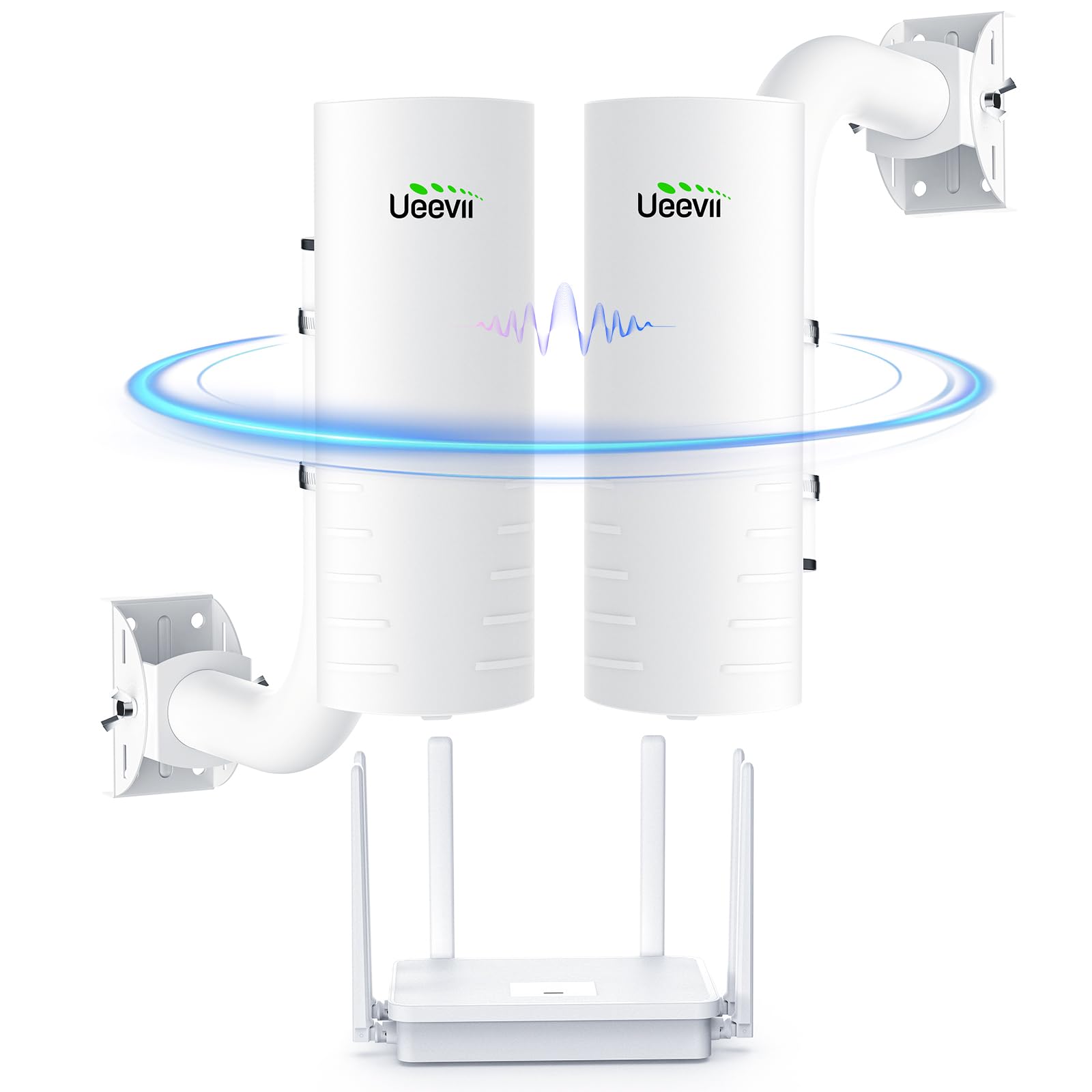
This is the most complete all-in-one solution for anyone who needs to bridge a distant building and also provide whole-home WiFi. The kit includes two CPE452 directional wireless bridges (each with a built-in 14 dBi antenna rated for 3 kilometers) plus a separate AX3000 WiFi 6 gigabit router. That means you get the long-range point-to-point link for your barn, workshop, or guest house, and the router delivers fast WiFi 6 coverage in both locations. The bridges come pre-configured with a Master/Slave DIP switch system, making setup nearly plug-and-play — one user called it “way easier than expected.”
On the bridge link itself, speeds reach up to 300 Mbps on the 5.8 GHz band, which is plenty for streaming 4K video, video conferencing, and connecting multiple devices. The dual 100 Mbps Ethernet ports on each bridge let you connect wired devices like security cameras or a gaming console directly. Users report solid performance at distances from 100 feet to 400 yards, often through trees or metal buildings, with reliable uptime over months of use. The IP65 weatherproof housing ensures the bridges survive rain, snow, and heat.
The standout value here comes from the bundled AX3000 router. Most point-to-point kits leave you needing to buy a separate router for the far-end building. UeeVii includes it, saving extra cost and complexity. The main trade-off is the manual, which is sparse — but the hardware is so straightforward that most users find YouTube tutorials unnecessary. If you need to extend wired and wireless internet to an outbuilding and want everything in one box, this is the most practical choice.
Why it’s great
- All-in-one kit includes a WiFi 6 router for the remote location
- Pre-configured plug-and-play setup with Master/Slave DIP switches
- Reliable 3KM range with 14 dBi directional antennas
Good to know
- Manual is basic; some networking knowledge helpful
- Ethernet ports are 100 Mbps, not gigabit
3. WAVLINK AX1800 Outdoor WiFi 6 Extender

If your goal is blanket coverage across a large yard, farm, or RV lot, the WAVLINK AX1800 uses four custom-engineered 8 dBi fiberglass omni-directional antennas to spray WiFi 6 signal evenly in all directions. Unlike panel antennas that require precise aiming, this unit can be mounted on a pole or under an eave and immediately broadcast to every corner of a multi-acre property. Users report four bars of signal strength at 600 feet from the unit, covering over three acres effectively.
The true IP67 rating — not just IP65 — means this unit can withstand heavy rain, snow, and even temporary submersion. The fiberglass antennas are far more durable than the rubber-coated plastic found on budget extenders. Performance-wise, it delivers AX1800 speeds (up to 1800 Mbps total), MU-MIMO, and Beamforming. It is also Starlink-compatible, making it a strong option for off-grid or rural properties where satellite internet needs outdoor distribution.
The extender supports AP, Router, Repeater, and WISP modes, giving flexibility for different network topologies. It also works with both 802.3af/at PoE and passive PoE, so you can power it through a single Ethernet cable. A notable caution: the 8 dBi antennas are optimized for outdoor line-of-sight, not indoor penetration through thick walls. If you need coverage inside a metal outbuilding, consider a dedicated point-to-point bridge instead. For open-space WiFi extension, however, this is a top-tier performer.
Why it’s great
- Four high-gain fiberglass omni antennas for true 360-degree coverage
- IP67 rating handles extreme weather better than most
- WiFi 6 with MU-MIMO handles multiple devices simultaneously
Good to know
- Setup instructions are minimal; may require several resets
- Indoor signal strength drops significantly through walls
4. Adalov Wireless Bridge CPE660

The Adalov CPE660 is a cost-effective point-to-point bridge kit that delivers solid performance for a fraction of the price of premium options. It comes as a pair of units, each with a built-in 14 dBi directional antenna, and supports 3-kilometer range at speeds up to 300 Mbps on the 5.8 GHz band. Setup is simplified with pre-configured WDS mode — most users report getting a link working in under 30 minutes without touching the GUI. A 73-year-old reviewer with home inspection experience called it “a piece of cake.”
Each bridge has two 100 Mbps Ethernet ports, which is adequate for most home networking needs — streaming TV, WiFi calling, and web browsing on multiple devices. The IP65 weatherproof enclosure ensures reliable operation through rain, snow, and heat. One user reported nine months of flawless performance, and another noted the bridges easily maintained a solid connection through severe storms. For distances under 500 feet, this kit handles everything an average property needs.
The trade-off is that 300 Mbps aggregate throughput and 100 Mbps Ethernet ports now represent last-generation specs. If you have gigabit fiber on both ends, this bridge will bottleneck your connection. But for anyone extending internet to a garage, pole barn, or guest house where the source connection itself is under 150 Mbps, the CPE660 delivers exceptional value. It’s also an ideal match for Starlink users who need to extend their satellite signal without spending several hundred dollars.
Why it’s great
- Plug-and-play setup with pre-configured WDS mode
- Solid 3KM range with 14 dBi directional antennas
- Excellent long-term reliability reported by many users
Good to know
- Ethernet ports capped at 100 Mbps
- Best performance requires clear line of sight
5. TP-Link CPE710 5GHz AC867 Long-Range Outdoor CPE

The TP-Link CPE710 is built for one job: shooting a high-speed signal over extreme distances. Its 23 dBi directional panel antenna — the highest gain on this list — combined with 2×2 MIMO, 256 QAM, and 80 MHz channel bandwidth delivers up to 867 Mbps throughput. TP-Link rates the range at up to 30 kilometers with clear line of sight, and real-world users confirm solid links at hundreds of feet through partial tree cover, metal roofs, and varying weather. One reviewer reported 360 Mbps at 350 feet with direct line of sight, and 135 Mbps at 450 feet through trees and a foil roof — a massive improvement over their previous 4-5 Mbps connection.
The CPE710 is a single-band 5 GHz device, which is intentional: the 5 GHz band offers less interference and higher throughput than 2.4 GHz, making it ideal for backhaul links. The IP65 weatherproof enclosure, combined with 15 kV ESD and 6 kV lightning protection, makes it reliable for year-round outdoor use. The snap-lock assembly and three-axis pole mount make alignment straightforward. It also includes Pharos Control software for centralized management, a feature professional network installers will appreciate.
This is not a plug-and-play device. It requires basic networking knowledge — configuring IP addressing, choosing the correct wireless mode (AP/client), and aligning the beam. It also does not function as a general-purpose WiFi access point; it is purely a bridge. If you need the absolute best price-to-performance ratio for a long-distance point-to-point link, the CPE710 is unmatched in this group. For casual users who want a simpler setup, a bundled kit like the UeeVii may be a better fit.
Why it’s great
- 23 dBi gain provides exceptional range and signal focus
- 867 Mbps real throughput with 256 QAM and 80 MHz channels
- Durable IP65 build with strong lightning/E SD protection
Good to know
- Requires networking knowledge to configure properly
- Single-band 5 GHz only — not for 2.4 GHz devices
- Not a general-purpose WiFi access point
6. BrosTrend AC1200 Outdoor WiFi Extender Long Range
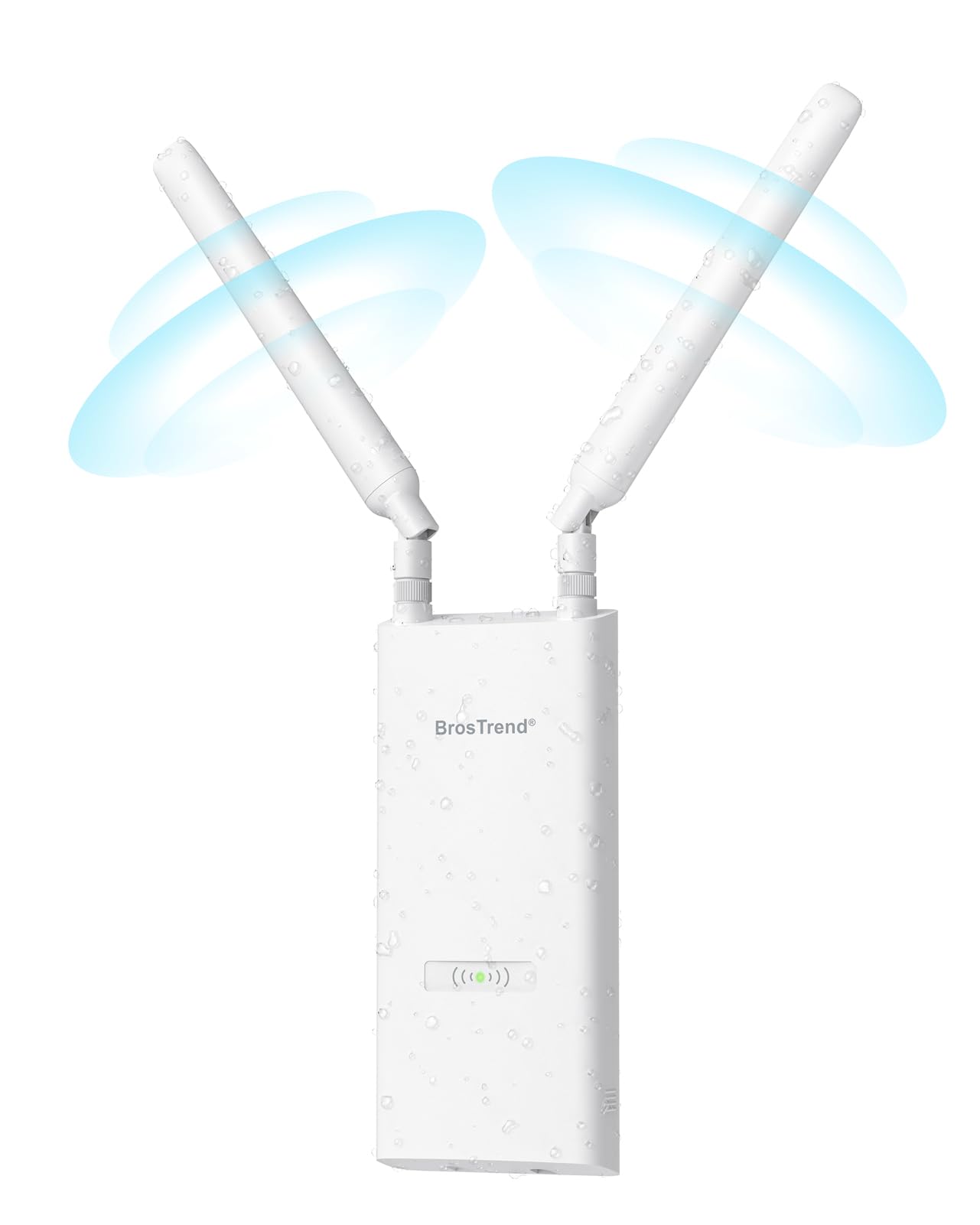
The BrosTrend AC1200 is the most approachable option on this list. It is a weatherproof outdoor extender with two adjustable 5 dBi omni-directional antennas, designed to push a dual-band (2.4 GHz at 300 Mbps and 5 GHz at 867 Mbps) signal up to 656 feet from your router. It connects to your existing WiFi network and rebroadcasts it, making it ideal for extending coverage to a yard, deck, garden, or pool area without running cables. The IP65 housing with 6 kV lightning protection keeps it safe in storms.
The extender is powered via PoE using the included passive PoE injector, meaning you only run a single Ethernet cable to the unit. This is a major convenience for areas without nearby power outlets. Users report excellent results: one reviewer saw outdoor security camera signal strength jump from 45-60 percent to 90-100 percent. Another used it to bring full WiFi into their trailer, supporting phones, tablets, two TVs, and two cameras. The dual-band support is important here — the 2.4 GHz band provides better wall penetration, while 5 GHz offers faster speeds for streaming.
The main limitation is the 5 dBi antenna gain, which is modest compared to higher-end units. This extender works best when your router is already relatively close (within a few hundred feet) and you just need to cover a gap in a partially obstructed outdoor area. The rubber antenna boots are also noted as being easy to overtighten and twist. For the price, it is a solid entry point into outdoor WiFi, but heavy users with long-distance needs should consider a dedicated bridge.
Why it’s great
- Simple setup and PoE-powered for flexible placement
- Dual-band provides good balance of speed and range
- Reliable IP65 weatherproof build with surge protection
Good to know
- 5 dBi gain is modest; range is best for open areas under 300 feet
- Antenna rubber boots can be overtightened and twisted
- Setup may require network mode adjustments for some users
7. NETGEAR Nighthawk M6 Pro Mobile Hotspot 5G mmWave (Renewed)

The NETGEAR Nighthawk M6 Pro is a different category of device — a mobile hotspot rather than a fixed external antenna — but it belongs in this guide because it solves a very specific antenna problem: what to do when you have zero wired internet and need to rely entirely on cellular networks. This device uses a Qualcomm Snapdragon X65 modem to support 5G mmWave and Sub-6 GHz bands, as well as 4G LTE, and can deliver download speeds up to 8 Gbps theoretically. It supports up to 32 connected devices over tri-band WiFi 6E (AXE3600) and includes a 2.5G Ethernet port for wired backhaul.
The M6 Pro is carrier-unlocked and works with AT&T, T-Mobile, Verizon, and international SIMs. It features a 2.8-inch color touch LCD for easy management and a 5040 mAh battery for portable use. Users who live in areas with strong 5G coverage report excellent results — consistent 100 Mbps speeds near a window, and enough bandwidth for gaming and streaming.
However, this is not a permanent antenna in the traditional sense. Its internal antennas are decent, but for weak-signal areas, you would still need an external antenna like the Waveform QuadPro to feed it. The renewed nature also means quality varies — some users received perfectly functional units, while others got defective devices with APN errors or locked SIM slots. If you need truly portable internet with the fastest possible cellular speeds, this is the class-leading tool. For fixed rural use, a dedicated MIMO panel antenna is more reliable.
Why it’s great
- Class-leading 5G speeds with mmWave and Sub-6 support
- Unlocked for all major carriers, great for travel or backup
- Touch screen and 2.5G Ethernet port add convenience
Good to know
- Renewed units have inconsistent quality; some arrive defective
- Requires strong cellular signal for peak performance
- Not a permanent replacement for wired or fixed antenna setups
FAQ
Can I use a directional antenna indoors for better WiFi?
What is the difference between an omni and a directional antenna for wireless internet?
Does a higher dBi antenna always give better performance?
Final Thoughts: The Verdict
For most users, the antenna for wireless internet winner is the UeeVii CPE452 Kit because it combines a reliable 3KM bridge with a modern WiFi 6 router in one box — solving both the distance problem and local coverage without extra hardware purchases. If you want to maximize outdoor yard coverage for smart cameras and devices, grab the WAVLINK AX1800. And for the most extreme rural cellular signal boosting, nothing beats the Waveform QuadPro 4×4 MIMO Kit.