
Our readers keep the lights on and the weekend projects moving. As an Amazon Associate, I earn from qualifying purchases.
An A3 printer that struggles with paper jams on 11×17 stock or delivers faded color on a critical client presentation is a liability, not an asset. Whether you are running a small architecture firm, a print-on-demand shop, or a home office that routinely handles oversized spreadsheets and marketing collateral, the wrong machine burns time and money on consumables and service calls.
I’m Rikta — the co-founder and writer behind FitlyFast. I have spent hundreds of hours analyzing printer specifications, cross-referencing real-world yield data, and studying user failure reports to separate robust A3 hardware from disposable junk.
This guide covers the nine most compelling options on the market today, from ink‑tank workhorses to fast laser multifunction units, so you can confidently choose the best a3 printer for your specific workload and budget.
How To Choose The Best A3 Printer
Choosing an A3 printer is fundamentally different from picking a standard letter‑size unit. The larger paper path introduces unique failure points, and the cost of consumables scales quickly. Understanding the core trade‑offs below will steer you toward a machine that fits your volume, media, and budget.
Print Technology: Inkjet vs. Laser
Inkjet printers, especially supertank models like the Epson EcoTank series, offer the lowest per‑page cost for color and handle photo‑quality media well. However, they are slower, and the pigment‑based inks can dry out if the printer sits idle for weeks. Laser printers produce sharper text and faster output, but the upfront cost is higher, and color toner replacement can be shocking—some mid‑range color lasers require a full four‑cartridge set that costs more than the printer itself.
Paper Handling and Media Flexibility
Not all A3 printers handle thick stock, tabloid‑size cardstock, or borderless 13×19 prints equally. Look for a straight‑through paper path or a rear specialty‑media tray if you plan to print on heavy paper or envelopes. The input tray capacity also matters: a 250‑sheet tray runs out fast when printing A3 presentations, so consider models with dual trays or expandable options if your volume exceeds 500 pages per week.
Connectivity and Workflow Integration
For office environments, wired Ethernet is still more reliable than Wi‑Fi for large file transfers and A3 scans. Automatic duplex scanning (one‑pass two‑sided) saves enormous time when digitizing double‑sided documents. Mobile printing support via AirPrint or Mopria is standard, but verify that the manufacturer’s app actually works on your phone OS—user reviews commonly flag broken app implementations.
Quick Comparison
On smaller screens, swipe sideways to see the full table.
| Model | Category | Best For | Key Spec | Amazon |
|---|---|---|---|---|
| Canon imageCLASS MF753Cdw II | Color Laser | High‑volume office | 35 ppm color / mono | Amazon |
| Canon MegaTank GX6120 | Inkjet Supertank | Low‑cost color printing | 24 ppm black / 15.5 ppm color | Amazon |
| Epson EcoTank ET-15000 | Inkjet Supertank | Large‑format photo & craft | 13×19 borderless print | Amazon |
| Xerox C235dni | Color Laser | Small office all‑in‑one | 24 ppm color / mono | Amazon |
| Brother INKvestment MFC‑J6960DW | Inkjet All‑in‑One | High‑speed small business | 31 ppm black | Amazon |
| HP OfficeJet Pro 9730 | Inkjet All‑in‑One | Wide‑format color office | 11×17 duplex scan | Amazon |
| HP Color LaserJet Pro 3201dw | Color Laser | Small team productivity | 26 ppm black / color | Amazon |
| Brother HL‑L3220CDW | Color Laser | Print‑only reliability | 19 ppm color / mono | Amazon |
| Epson XP‑15000 | Photo Inkjet | Budget photo printing | 13×19 borderless / 6‑color ink | Amazon |
In‑Depth Reviews
1. Canon Color imageCLASS MF753Cdw II

The Canon MF753Cdw II is a 35‑ppm color laser that pulls triple duty as a printer, scanner, copier, and fax in a single chassis. The 5‑inch color touchscreen and customizable Application Library make navigating complex workflows—like scanning a 50‑page duplex document to a network folder—surprisingly fast. The ADF handles two‑sided scanning in one pass, which is a genuine time saver for high‑volume offices.
This unit ships with starter toner rated at 2,100 pages for black and 1,100 for each color, which is generous compared to the paltry 500‑page starters found on many competitors. The expandable paper capacity (up to 850 sheets with the optional cassette) means you can load a full ream of A3 and a separate tray for letterhead without constant refills. Users consistently report fast, quiet operation and a straightforward setup when using a wired Ethernet connection.
The main compromises are toner cost—replacement 069 cartridges are pricey—and occasional network‑drop issues that require a reboot. The 3‑year limited warranty provides peace of mind, but the scanner driver installation on Windows 11 did require using the built‑in OS tool rather than Canon’s buggy software. For a small workgroup that prints heavy color documents, this is the most future‑proof laser option in the list.
Why it’s great
- True 35‑ppm color speed with fast first‑page output
- Expandable paper capacity up to 850 sheets
- 3‑year warranty and one‑pass duplex ADF
Good to know
- High replacement toner cost
- Occasional network connection loss requiring reboot
- Canon software can be flaky on Windows 11
2. Canon MegaTank GX6120
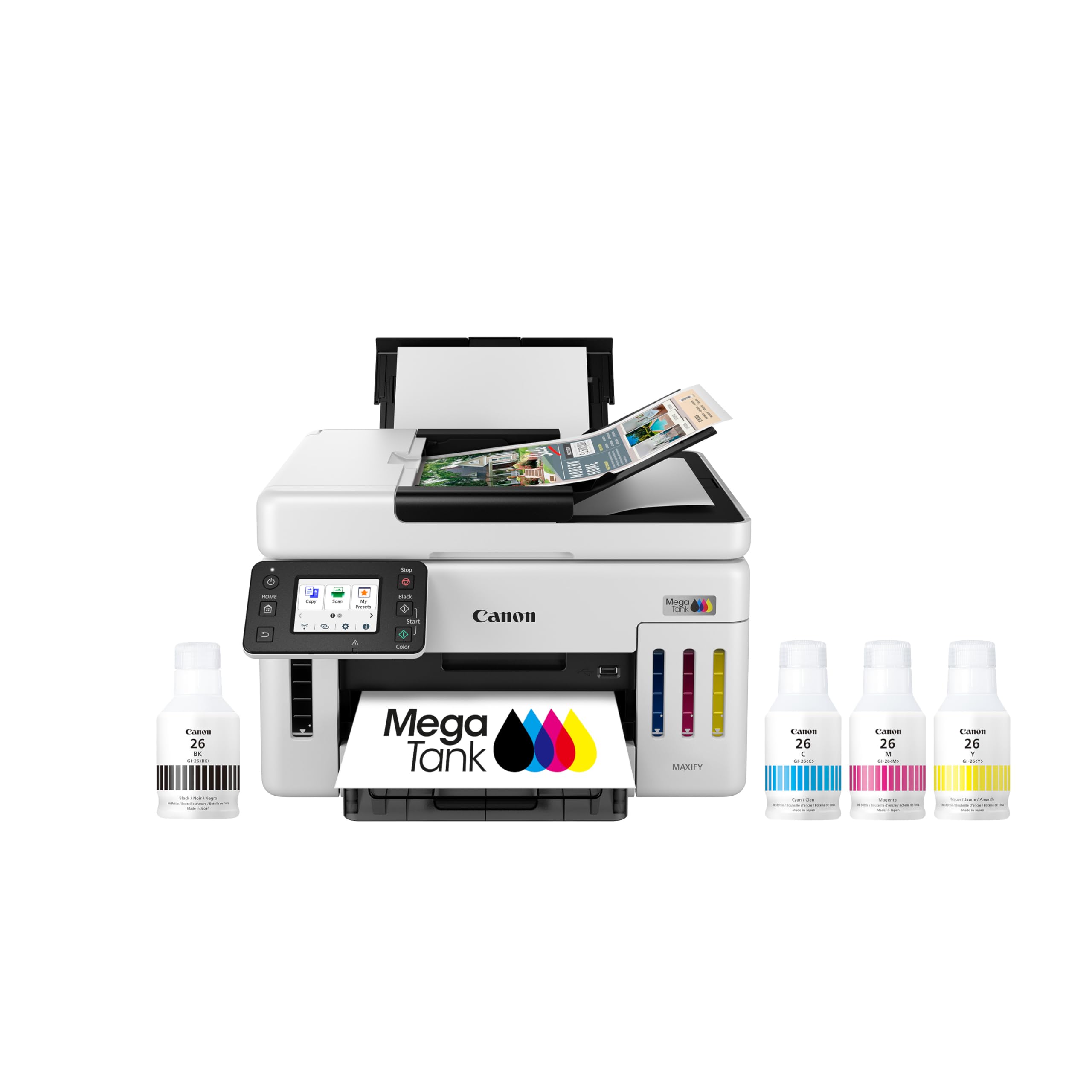
The Canon MegaTank GX6120 delivers the best per‑page ink cost in this roundup, thanks to its massive included ink bottles that Canon claims last up to two years at 200 pages per month. The 2.7‑inch LCD touchscreen guides you through setup in minutes—users report that plugging in, pressing the WPS button, and running the 8‑minute alignment is all it takes. The printer is also quieter than most inkjet competitors.
Print quality is excellent on both plain 98‑grade paper and photo media—glossy and matte sheets come out vibrant with no banding. The duplex printing works reliably, and the scanner was auto‑detected on both Windows 11 and Mac without driver hunting. The footprint is deeper than expected, and the rear photo tray extends significantly, so plan your desk space accordingly.
The downside is the lack of a second paper tray—the 250‑sheet capacity feels tight for an office that prints A3‑heavy documents. Also, the initial page can feel slow to load, and some users noted the touchscreen is a bit sluggish. For a home office or small creative studio that wants near‑zero consumable anxiety, this is the most cost‑effective choice.
Why it’s great
- Up to 2 years of ink included in the box
- Very quiet operation and easy Wi‑Fi setup
- Excellent print quality on glossy and matte media
Good to know
- Only 250‑sheet input tray
- Slower initial page load
- Deep footprint requires dedicated desk space
3. Epson EcoTank ET‑15000

The Epson EcoTank ET‑15000 is built for users who regularly print 13×19 borderless prints—think photographers, craft business owners, and anyone producing oversized marketing collateral. The supertank system ships with enough ink for thousands of pages, and the individual color bottles let you replace only the color that runs out, which keeps ongoing costs extremely low.
Print quality is strong for an inkjet: colors are vibrant, and the printer handles cardstock, iron‑on transfers, and sticker paper without jamming. The auto duplex printing works for letter‑size but requires manual duplexing for 11×17, which is a slowdown if you do a lot of double‑sided A3. The 17‑ppm black speed is adequate but noticeably slower than a laser.
The biggest reliability complaint centers on the document feeder jamming on the first real use—some units arrive with defective ADF mechanisms. Epson’s support is email‑only for this model, and users describe a frustrating captcha loop on the contact form. If you rarely use the ADF and prioritize low‑cost, high‑quality tabloid prints, this is a fantastic buy. Otherwise, consider the Canon GX6120 for more reliable scanning.
Why it’s great
- Very low per‑page cost with individual ink bottles
- Borderless 13×19 photo quality is excellent
- Handles thick and specialty media well
Good to know
- Document feeder prone to jams on some units
- Slow print speed compared to laser
- Epson customer support is difficult to reach
4. Xerox C235dni

The Xerox C235dni packs print, scan, copy, and fax into a compact white chassis that fits on a standard desk. At 24 ppm for both color and monochrome, it is fast enough for a small office with moderate volume. The built‑in Wi‑Fi and AirPrint support make mobile printing straightforward, and the Xerox Easy Assist App attempts to simplify driver installation—although users report the app sometimes fails, and the front‑panel setup is actually more reliable.
Print quality is sharp and professional once you dial in the right paper. Users who started with generic copy paper experienced light prints until they switched to Hammermill Premium Inkjet/Laserjet stock and disabled Eco mode. The starter toner yields only 500 pages, so factor in the cost of high‑yield replacements early. For Gmail email‑to‑scan, you will need to add a TXT record to your domain, which is a minor IT hurdle.
The scanner is the weak point: some units produce extremely light copies with a white band through the middle. Xerox software also struggles with Windows 11 driver discovery. For a price‑conscious buyer who needs a compact laser all‑in‑one and can tolerate some setup quirks, the C235dni delivers good output after configuration.
Why it’s great
- Fast 24‑ppm color laser output
- Compact footprint for an A3 all‑in‑one
- AirPrint and Mopria mobile support
Good to know
- Low 500‑page starter toner
- Scanner quality issues on some units
- App setup frequently fails; better to use front panel
5. Brother INKvestment MFC‑J6960DW

The Brother MFC‑J6960DW is one of the fastest inkjet A3 printers on the market, with a rated 31 ppm for black and 30 ppm for color. The INKvestment system includes a 1,800‑page black cartridge and 750‑page color cartridges in the box, so you are unlikely to need ink for months. The 500‑sheet capacity split across two trays plus a 100‑sheet multipurpose tray gives you real flexibility for loading different media sizes.
Print quality is solid for a business inkjet, and the 50‑page single‑pass duplex ADF is a genuine productivity booster for scanning double‑side contracts. The 2.7‑inch color touchscreen and Brother Mobile Connect app are both responsive and intuitive. Users switching from Epson to this unit reported far fewer network dropouts and easier setup.
The downsides are ink management: the printer stops printing when one color runs out, even if black ink remains, which can halt a job mid‑run. Also, the paper trays require careful fanning and positioning—loading a full 250 sheets can cause misfeeds if the paper is not perfectly aligned. For a busy small office that needs speed and reliability, this is a strong mid‑range contender.
Why it’s great
- Very fast print speeds for an inkjet
- Large 1,800‑page starter black cartridge
- Reliable duplex ADF scanning
Good to know
- Printer stops when any single color is empty
- Paper trays need careful loading to avoid jams
- USB setup pushes Wi‑Fi options unnecessarily
6. HP OfficeJet Pro 9730

The HP OfficeJet Pro 9730 is a wide‑format all‑in‑one that handles print, scan, copy, and fax on media up to 11×17. It is the first wide‑format printer to support the P3 color gamut, which means prints are more screen‑accurate than standard sRGB devices—a real advantage for architects and designers printing floorplans and mood boards. The 4.3‑inch color touchscreen uses a phone‑like interface that most users find intuitive.
It ships with two 250‑sheet trays, giving you 500 sheets total, and the auto document feeder supports single‑pass duplex scanning. The HP Wolf Pro Security suite protects your network, which is an important consideration for offices handling sensitive client data. Print speeds are 22 ppm black and 18 ppm color—competitive for an inkjet at this price point.
The main issues are Wi‑Fi reliability: several users report the printer forgets the network after entering sleep mode, forcing a USB cable connection to wake it. HP’s Instant Ink trial requires a credit card, and you must remember to cancel. The size is also substantial—22.9 inches deep—so measure your desk before buying.
Why it’s great
- P3 wide color gamut for accurate prints
- Two 250‑sheet trays and duplex scanning
- HP Wolf Pro Security included
Good to know
- Wi‑Fi drops after sleep mode on some units
- Very large footprint
- Instant Ink trial requires credit card and reminder to cancel
7. HP Color LaserJet Pro 3201dw

The HP Color LaserJet Pro 3201dw is a print‑only laser designed for small teams that need fast, professional color output. At 26 ppm for both black and color, it is one of the quicker units in this list. HP’s TerraJet toner technology claims more vivid colors and lower energy consumption, and users who got past the setup confirm sharp text and solid graphics for business reports.
The dual‑band Wi‑Fi with auto‑reset is a standout feature—it detects and resolves connection issues without manual intervention. The 250‑sheet input tray is a bit small for a team printer, but the manual feed slot handles envelopes and specialty media. The compact white design fits neatly on a shared desk.
The critical flaw is toner cost and compatibility. Starter cartridges produce good prints, but many users report that HP replacement cartridges (including the official 218a series) can produce faded, unreadable output. HP also blocks non‑HP cartridges through firmware updates. Some users have spent over a thousand dollars on toners without resolving the issue. For a business that prints occasionally and can absorb high toner costs, this is a fast option—but the long‑term value is questionable.
Why it’s great
- Fast 26‑ppm color print speed
- Dual‑band Wi‑Fi with auto‑reset
- Sharp text and vibrant graphics
Good to know
- Very expensive replacement toner
- HP blocks non‑genuine cartridges via firmware
- Some users report faded output with official cartridges
8. Brother HL‑L3220CDW

The Brother HL‑L3220CDW is a print‑only color laser that prioritizes reliability above all else. Users describe it as a set‑and‑forget device: no dried ink, no clogged nozzles, no daily driver installs. The 19‑ppm speed is modest compared to the Canon MF753Cdw, but it is consistent, and the high‑yield toner options (up to 6,000 pages on the XXL black cartridge) dramatically reduce the per‑page cost over time.
The compact size is a notable advantage—it is the most space‑efficient color laser in this list, weighing around 50 lbs but with a small footprint. Wireless setup is straightforward via WPS, and the printer can connect directly to a phone without a router, which is useful for fieldwork. Duplex printing works reliably, and the manual feed slot handles thicker cardstock without jamming.
The limitations: Mac setup can be frustrating, requiring self‑signed certificates and keychain trust fixes. The printer has no scan or copy function, so it is strictly for output. Some users report that high‑resolution files (300 DPI+) or long filenames can cause the print queue to drop, requiring a file rename. For a print‑centric office that demands uptime and low consumable costs, this is the most dependable laser here.
Why it’s great
- Excellent reliability with no ink‑drying issues
- High‑yield toner options for low cost per page
- Compact footprint for a color laser
Good to know
- Mac setup requires technical workarounds
- No scan or copy functionality
- Long filenames can drop print jobs
9. Epson Expression Photo HD XP‑15000
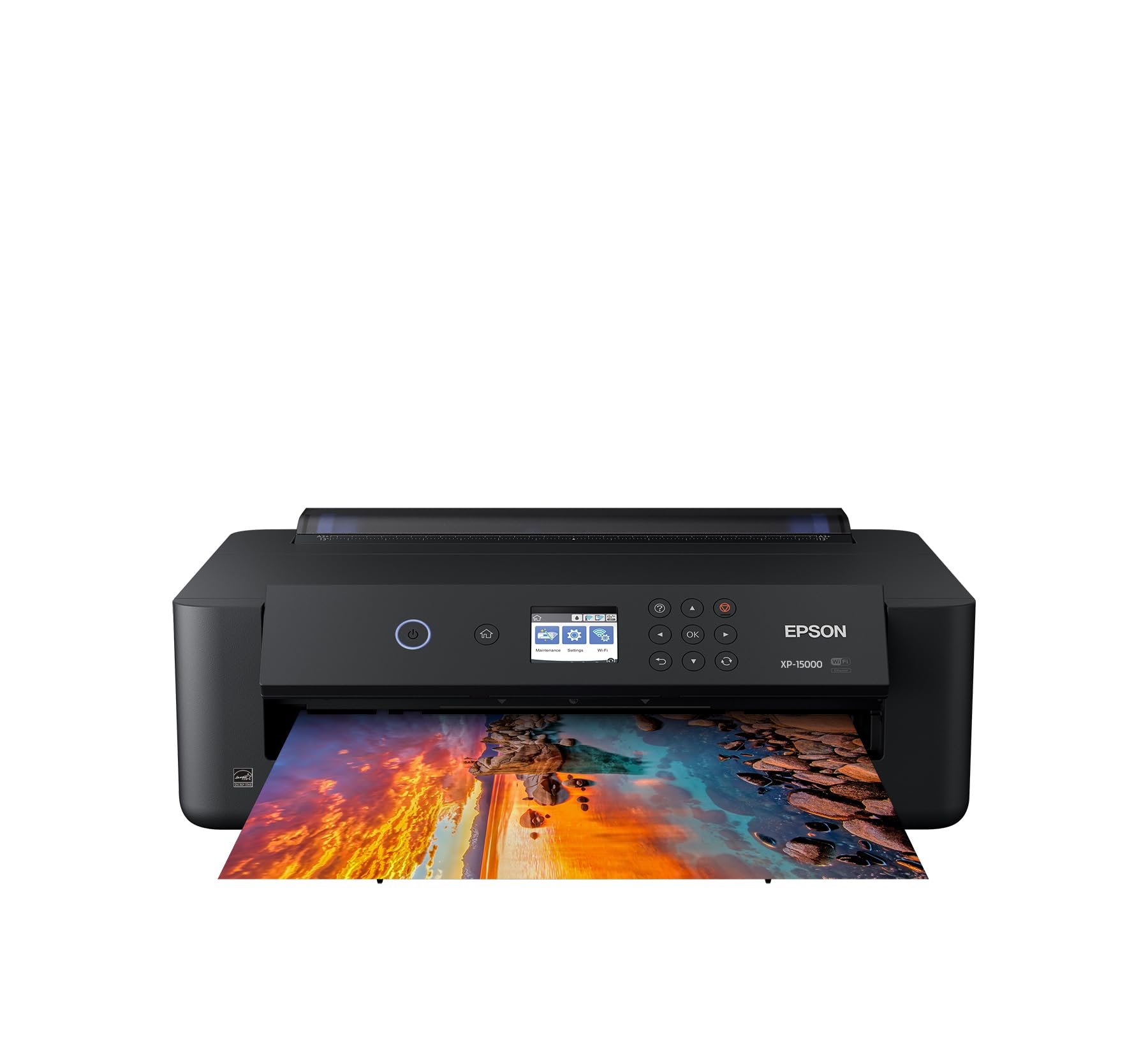
The Epson XP‑15000 is the most affordable A3‑capable printer in this roundup, and it delivers surprisingly good photo quality for the price. The six‑color Claria Photo HD ink system—which includes red and gray cartridges in addition to standard CMYK—produces a wide color gamut and smooth black‑and‑white prints. It prints borderless up to 13×19, and the compact chassis is 30 percent smaller than its predecessor.
Setup is straightforward via wired or wireless connection, and the printer supports auto two‑sided document printing and a 200‑sheet front tray. The Dash Replenishment feature can auto‑order ink when levels run low, which is convenient for heavy users. Owners consistently praise the color accuracy and print detail on high‑quality matte paper.
The trade‑offs are significant. Ink is expensive and the cartridges run out quickly—the printer also refuses to print when any one color is empty, even if black ink remains. Some users received defective units that lost Wi‑Fi after a few weeks. The small LCD screen makes paper‑type selection tedious. This is strictly a hobbyist photo printer; it is not suitable for high‑volume business use due to the high cost per page and occasional reliability issues.
Why it’s great
- Excellent 6‑color photo print quality
- Affordable entry to A3+ printing
- Compact size for a wide‑format printer
Good to know
- Ink is expensive and cartridges run out fast
- Printer stops when any single color is empty
- Some units have Wi‑Fi reliability problems
FAQ
Can I print borderless on A3 with these printers?
Why do some A3 printers have manual duplex for 11×17?
Is a supertank printer cheaper than a laser for A3 color printing?
Final Thoughts: The Verdict
For most users, the best a3 printer winner is the Canon imageCLASS MF753Cdw II because it combines the fastest color laser speed, a reliable one‑pass duplex ADF, and expandable paper handling in a package that will still feel capable in three years. If you want the lowest possible ink cost and print mostly photos or crafts, grab the Canon MegaTank GX6120. And for a print‑only option that demands zero maintenance and delivers consistent laser quality, nothing beats the Brother HL‑L3220CDW.