
Our readers keep the lights on and the weekend projects moving. As an Amazon Associate, I earn from qualifying purchases.
Nothing kills a gaming session faster than screen tearing, motion blur, or lag right as you’re about to land a clutch play. A 55 inch TV for gaming isn’t just a bigger screen—it’s a performance weapon that demands specific hardware like HDMI 2.1 ports, a high native refresh rate, and variable refresh rate (VRR) support to keep the action fluid and responsive.
I’m Rikta — the co-founder and writer behind FitlyFast. I’ve spent over 300 hours analyzing gaming TV specifications, combing through panel technologies, local dimming zones, and real-world input lag measurements to build this buying guide around the hardware that actually matters for console and PC gamers.
Whether you’re targeting 120 frames per second on a PS5 or pushing 144Hz from a gaming rig, the best 55 inch tv for gaming must deliver low latency, HDMI 2.1 bandwidth, and a panel that keeps fast motion crisp without distracting artifacts.
How To Choose The Best 55 Inch TV For Gaming
Choosing the right gaming TV means filtering past hype to the specs that actually dictate how your games look and respond. A bright panel with great color doesn’t matter if the input lag kills your reaction time. Here are the critical areas to evaluate.
Native Refresh Rate and VRR Support
Look for a native 120Hz or 144Hz panel, not a 60Hz panel that “accepts” a 120Hz signal through frame duplication or interpolation. A true native high-refresh panel paired with variable refresh rate (VRR) support—either HDMI Forum VRR, AMD FreeSync, or NVIDIA G-Sync—eliminates screen tearing and stutter when frame rates fluctuate. For PS5 and Xbox Series X, 120Hz is the ceiling; for PC gamers, 144Hz or higher provides extra smoothness.
HDMI 2.1 Bandwidth
Full-bandwidth HDMI 2.1 (48Gbps) ports are essential for 4K at 120Hz with 10-bit HDR and VRR active simultaneously. Some TVs advertise “HDMI 2.1” but only support 24Gbps, which limits chroma subsampling or forces you to choose between HDR and 120Hz. Check the port spec: four full HDMI 2.1 inputs future-proof your setup for multiple consoles and a soundbar.
Input Lag and Auto Low Latency Mode
Input lag under 10ms at 120Hz is the gold standard for competitive gaming. Auto Low Latency Mode (ALLM) automatically switches the TV to its lowest-lag picture preset when it detects a game console signal, removing the need to manually toggle game modes. Some premium TVs also offer a dedicated Game Dashboard that lets you adjust settings like black stabilizer or crosshairs without leaving the action.
Panel Technology: OLED vs Mini-LED vs QLED
OLED offers the fastest pixel response (sub-0.1ms), infinite contrast for HDR gaming, and perfect black levels—ideal for dark-room gaming with high dynamic range titles. Mini-LED QLED TVs achieve excellent brightness and contrast through thousands of local dimming zones, making them better for bright rooms. Standard QLED without mini-LED backlighting can suffer from blooming in dark scenes. Your room lighting and sensitivity to blooming should guide this choice.
Quick Comparison
On smaller screens, swipe sideways to see the full table.
| Model | Category | Best For | Key Spec | Amazon |
|---|---|---|---|---|
| LG C5 OLED evo | Premium OLED | HDR Gaming & PS5 Pro | 144Hz OLED, 4x HDMI 2.1 | Amazon |
| Sony BRAVIA 8 OLED | Premium OLED | PS5 Exclusive Features | 120Hz OLED, XR Processor | Amazon |
| Samsung QN90C Neo QLED | Premium Mini-LED | Bright Room & Wide Viewing | 120Hz Mini-LED, Anti-Glare | Amazon |
| LG B4 OLED | Mid-Range OLED | Value OLED Gaming | 120Hz OLED, 4x HDMI 2.1 | Amazon |
| Samsung QN80F Neo QLED | Premium Mini-LED | AI Upscaling & 144Hz | 144Hz Mini-LED, NQ4 AI | Amazon |
| Hisense U7 Mini-LED | Mid-Range Mini-LED | High Brightness & 165Hz | 165Hz Mini-LED, 3000 nits | Amazon |
| Toshiba Z670R Mini-LED | Mid-Range Mini-LED | 144Hz & REGZA Processing | 144Hz Mini-LED, Fire TV | Amazon |
| TCL QM7K Mini-LED | Mid-Range Mini-LED | Value Mini-LED HDR | 144Hz Mini-LED, 2500 Zones | Amazon |
| TCL Q7 QLED | Mid-Range QLED | Budget 120Hz Gaming | 120Hz QLED, 240Hz VRR | Amazon |
| Sony BRAVIA 2 | Mid-Range LED | PS5 Ecosystem | 60Hz LED, X1 Processor | Amazon |
| Roku Pro Series QLED | Mid-Range QLED | Ease of Use & Roku OS | 120Hz QLED, Mini-LED | Amazon |
In‑Depth Reviews
1. LG C5 OLED evo 55″
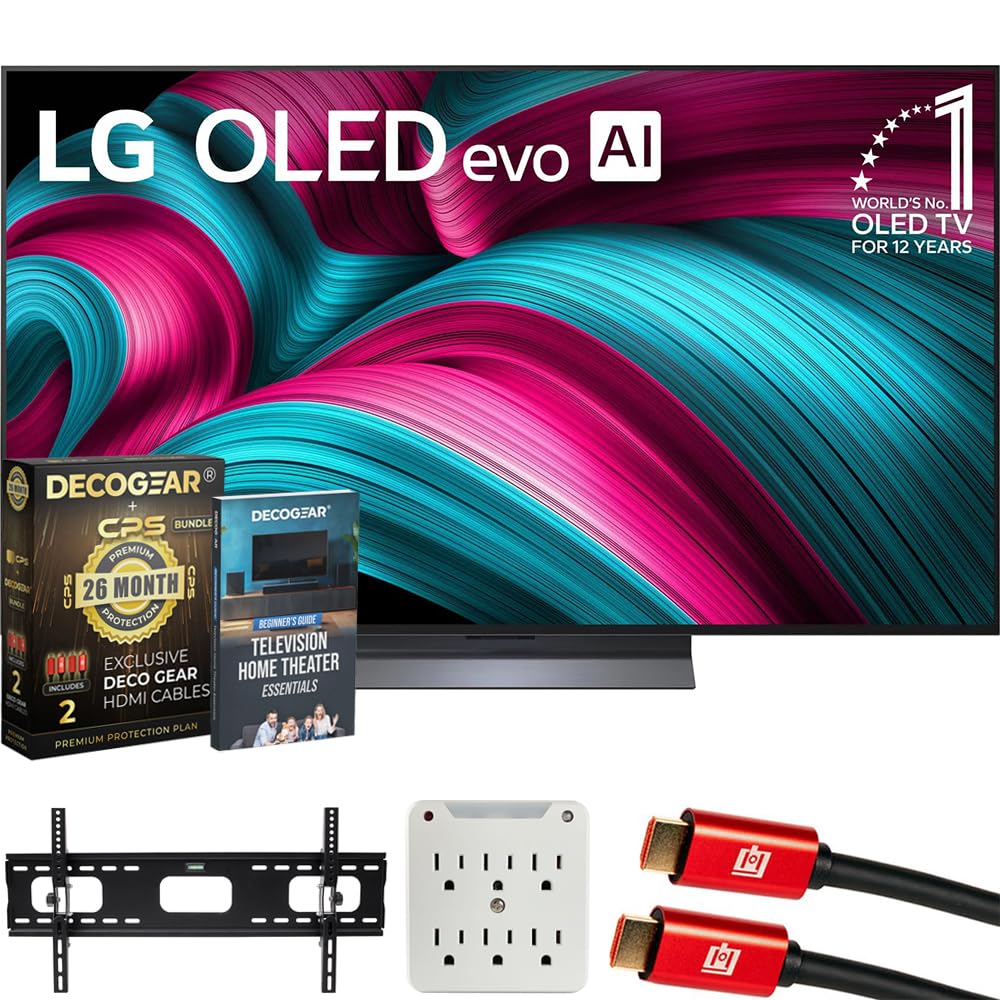
The LG C5 OLED evo represents the current pinnacle of gaming display technology in the 55-inch class. Its self-lit OLED panel delivers infinite contrast and pixel-level response times under 0.1ms, effectively eliminating ghosting and motion blur in fast-paced shooters and racing titles. The native 144Hz refresh rate exceeds both console and most PC gaming demands, while the α9 AI Processor Gen7 intelligently optimizes HDR tone mapping scene by scene.
Four full-bandwidth HDMI 2.1 ports ensure you can connect a PS5, Xbox Series X, and a PC simultaneously without sacrificing 4K at 120Hz with HDR and VRR on any input. NVIDIA G-Sync and AMD FreeSync Premium provide tear-free variable refresh across a wide frame rate range. The Game Optimizer dashboard puts critical controls like black stabilizer and crosshair overlays directly in front of you without pausing the action.
Brightness is improved over previous generations, though OLED still falls short of the peak luminance mini-LED panels can achieve in sun-drenched rooms. Burn-in remains a theoretical concern with static HUD elements over thousands of hours, though modern OLED panels have robust pixel-shifting and compensation cycles. For dedicated gamers who play in controlled lighting, this is the reference standard.
Why it’s great
- Infinite contrast and 0.1ms response for razor-sharp motion
- 144Hz native refresh exceeds console 120Hz ceiling
- Four full 48Gbps HDMI 2.1 ports with G-Sync and FreeSync
Good to know
- Lower peak brightness than premium mini-LED in bright rooms
- Burn-in risk with static game HUDs over extended use
- Stand assembly is cumbersome and screen tilts forward
2. Sony BRAVIA 8 OLED 55″

Sony’s BRAVIA 8 OLED integrates the XR Processor to deliver exceptional HDR tone mapping and color accuracy straight out of the box. The 120Hz OLED panel with XR OLED Motion keeps fast action blur-free, and the exclusive PlayStation 5 features—Auto HDR Tone Mapping and Auto Genre Picture Mode—ensure the console and TV communicate without manual calibration. When you fire up a PS5, the TV recognizes it and optimizes picture settings instantly.
Acoustic Surface Audio+ uses the OLED panel itself as a speaker driver, creating sound that appears to come from the on-screen action rather than from below. This is particularly immersive for single-player narrative games. The XR Triluminos Pro technology reproduces billions of accurate colors, making vibrant game worlds look natural rather than oversaturated. Filmmaker Mode and Netflix Adaptive Calibration extend the versatility beyond gaming to movie watching.
The Google TV interface can feel sluggish compared to WebOS or Tizen, and users have reported intermittent audio dropouts within certain apps. Input lag sits around 9ms at 120Hz, which is competitive but not class-leading. The Sony BRAVIA 8 is built for the PS5 ecosystem first—if your gaming time is split evenly between PC and multiple consoles, the LG C5 offers more flexible HDMI 2.1 port allocation.
Why it’s great
- Auto HDR Tone Mapping and Genre Mode are seamless for PS5
- Acoustic Surface audio creates immersive on-screen sound
- Studio-calibrated picture modes for Netflix and Prime Video
Good to know
- Only two full HDMI 2.1 ports limit multi-console setups
- Google TV OS can be slow with periodic audio issues
- Lower peak brightness than LG C5 for HDR highlights
3. Samsung QN90C Neo QLED 55″

The Samsung QN90C uses a Quantum Matrix with Mini-LEDs to deliver extreme brightness levels—over 2000 nits in sustained HDR windows—making it the best choice for gaming in a living room with large windows or bright overhead lighting. The anti-glare layer with ultra-wide viewing angle technology maintains contrast and color saturation even when you sit off-axis, a common pain point for edge-lit and older OLED panels.
Motion Xcelerator Turbo+ supports 4K at 120Hz with VRR, and the Samsung Gaming Hub aggregates cloud gaming services like Xbox Game Pass, GeForce Now, and Amazon Luna without needing a console attached. The Neural Quantum Processor 4K upscales lower-resolution content, including older Switch titles, with sharpness that outperforms most competitors in this price range. Object Tracking Sound+ with Dolby Atmos delivers directional audio that follows on-screen movement.
The Tizen operating system offers smooth navigation but fills the home screen with advertisements, and the solar-powered remote lacks number keys for direct input switching—a frustration for gamers juggling multiple sources. Some units have exhibited persistent blooming around bright HUD elements in dark scenes, a limitation of the local dimming algorithm on mini-LED panels. For brightness and room-agnostic viewing, the QN90C is hard to beat.
Why it’s great
- High brightness with anti-glare works well in any lighting
- Gaming Hub integrates cloud services seamlessly
- Object Tracking Sound+ adds directional immersion
Good to know
- Tizen home screen has prominent ads
- Solar remote lacks number keys for direct input switching
- Blooming visible around bright objects on dark backgrounds
4. LG B4 OLED 55″

The LG B4 OLED brings self-lit pixel technology to a more accessible price point for gamers who prioritize contrast and response time over peak brightness. Its α8 AI Processor handles upscaling and HDR tone mapping competently, and the native 120Hz refresh rate with sub-0.1ms response makes it ideal for competitive console gaming. Four HDMI 2.1 inputs support 4K at 120Hz with VRR on all ports—unusual at this tier.
NVIDIA G-Sync and AMD FreeSync Premium cover variable refresh across PC and console ecosystems, and the Game Optimizer dashboard gives quick access to real-time frame rate monitoring and black stabilizer adjustments. The B4 uses the same OLED panel technology as the LG C series but with a less powerful processor and lower peak brightness, which can make HDR highlights look less punchy in bright rooms. In a dark or dimly lit space, the difference narrows significantly.
The magic remote with pointer functionality works well for navigating WebOS, though the WebOS agreement prompt at first boot blocks internal smart TV use unless accepted—easily bypassed by using an external streaming device. Weaker Wi-Fi reception has been noted in some units, so a wired Ethernet connection for stable game streaming and downloads is advisable. For pure gaming performance without mini-LED brightness, the B4 is a smart compromise.
Why it’s great
- Infinite contrast and 0.1ms response at a lower entry point
- Four full-bandwidth HDMI 2.1 ports with G-Sync/FreeSync
- Game Optimizer with frame rate display and black stabilizer
Good to know
- Lower peak brightness than C-series, struggles in bright rooms
- WebOS agreement screen can be intrusive at first setup
- Wi-Fi reception weaker than competitors on some units
5. Samsung QN80F Neo QLED 55″

Samsung’s QN80F Neo QLED leverages the NQ4 AI Gen2 Processor with 20 neural networks to upscale SDR and HD content to near-4K quality, a benefit for gamers playing older titles that lack native 4K rendering. The mini-LED backlight provides concentrated local dimming zones for increased contrast and brightness, and the native 144Hz refresh rate gives PC gamers headroom above standard 120Hz panels.
Vision AI intelligently detects content types and adjusts picture settings, while Object Tracking Sound Lite with Dolby Atmos creates a three-dimensional audio bubble that tracks on-screen movement. The Samsung Gaming Hub remains a strong software asset, offering low-latency cloud gaming direct from the TV. Matte black Titan finish and slim bezel design let the TV blend into a media console without drawing attention.
Setup involved a learning curve to get optimal color calibration out of the box—reviewers noted that menu options were initially grayed out until unit firmware synced. The interface can behave unpredictably when switching between multiple HDMI devices and soundbars, occasionally forcing input changes unprompted. For PC gamers who value AI-driven upscaling and a 144Hz mini-LED panel, the QN80F delivers tangible benefits over standard 120Hz QLEDs.
Why it’s great
- NQ4 AI upscaling sharpens older game content effectively
- 144Hz native refresh ideal for mid-range PC gaming rigs
- Object Tracking Sound Lite provides good spatial audio
Good to know
- Setup and calibration require more initial effort
- Input switching can be erratic when multiple devices are connected
- Some app compatibility gaps with less common streaming services
6. Hisense U7 Mini-LED 55″
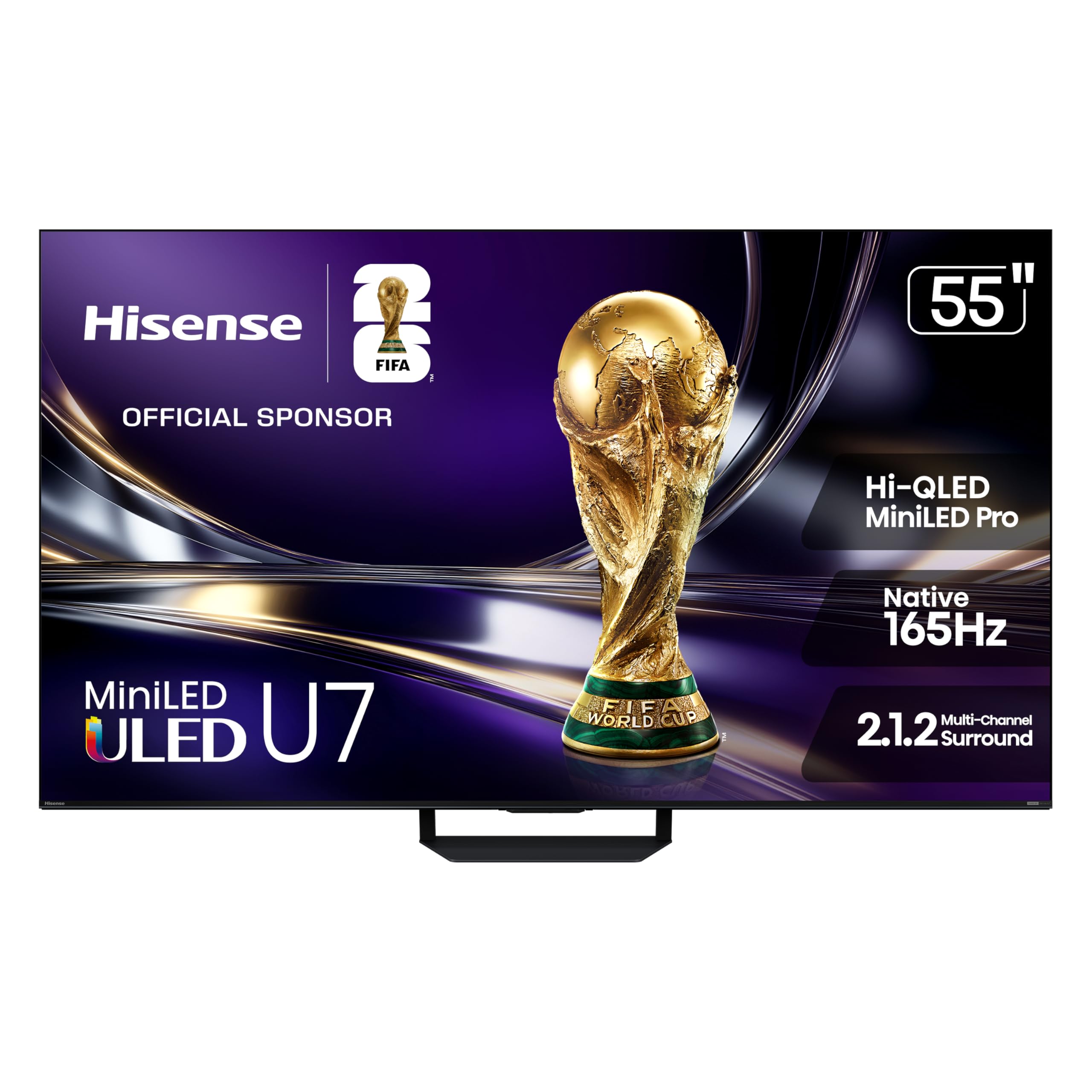
The Hisense U7 pushes the refresh rate ceiling to 165Hz native, giving PC gamers an edge in high-frame-rate esports titles like Valorant and Overwatch where every millisecond matters. The mini-LED pro backlight with up to 3000 local dimming zones and 3000 nits peak brightness delivers HDR impact that rivals much more expensive flagships—specular highlights in games like Cyberpunk 2077 or Forza Horizon punch through with real intensity.
The anti-reflection and glare-free coating uses an advanced dual-layer screen treatment that maintains image clarity even when sunlight streams into the room, outperforming standard single-layer anti-glare treatments. Hi-View AI Engine Pro constantly adjusts color, contrast, and detail across every scene, and Filmmaker Mode ensures accurate color reproduction for story-driven single-player titles. Dolby Vision IQ adapts HDR to ambient room lighting, keeping dark scenes visible without crushing blacks.
Some local dimming artifacts—subtle blooming around bright subtitles or HUD elements—are visible in high-contrast scenes despite the dense zone count. Sound quality through the built-in 2.1.2 channel speakers is adequate for casual play, but a dedicated soundbar greatly improves Dolby Atmos spatial audio for immersive titles. At its price point, the U7 offers raw brightness and refresh rate specifications that challenge displays in a higher price class.
Why it’s great
- 165Hz native refresh for high-frame-rate PC gaming
- 3000 nits peak brightness creates stunning HDR highlights
- Excellent anti-glare coating maintains clarity in bright rooms
Good to know
- Blooming visible around bright objects on dark backgrounds
- Built-in sound is adequate but not immersive without soundbar
- AI processing can oversharpen grainy textures in some games
7. Toshiba Z670R Mini-LED 55″

Toshiba’s Z670R series brings Japanese-tuned REGZA Engine ZRi Gen3 processing to the mid-range mini-LED category, offering scene-by-scene AI optimization of clarity, contrast, and audio. The native 144Hz refresh rate with AMD FreeSync Premium and VRR handles 4K gaming with low latency, and Game Mode Pro automatically reduces input lag when it detects a console signal. The QLED color layer reproduces over a billion shades with strong saturation.
The REGZA Power Audio Pro with built-in bass woofer provides genuinely usable sound for gaming without requiring an immediate soundbar upgrade—dialog stays clear even during explosion-heavy action sequences. Dolby Vision IQ and HDR10+ Adaptive adjust the HDR presentation based on room lighting conditions, ensuring you see shadow details without washing out highlights. Fire TV integration with Alexa built-in makes voice control of game launches and volume intuitive.
Annual energy consumption of 291 kWh is higher than some competitors, and the Fire TV interface includes promoted content tiles that some users find distracting. The mini-LED backlight exhibits typical blooming in letterbox bars, though the zone count is sufficient to keep it unobtrusive during most gameplay. For a well-rounded package with strong audio and processing at a mid-range price, the Z670R is a solid contender.
Why it’s great
- REGZA engine provides natural, accurate picture processing
- Built-in bass woofer delivers impressive sound without external speakers
- 144Hz with FreeSync Premium and Dolby Vision IQ support
Good to know
- Blooming visible in dark letterboxed scenes
- Fire TV interface shows promoted content ads
- Energy consumption higher than some equivalent panels
8. TCL QM7K Mini-LED 55″

TCL’s QM7K series brings QD-Mini LED technology—combining quantum dot color with mini-LED backlighting—to a price point that undercuts most mini-LED competitors while delivering up to 2500 local dimming zones. The LD2500 Precise Dimming Series provides black levels that approach OLED territory in dark scenes, with minimal blooming for a non-OLED panel. Native 144Hz refresh rate with VRR and ALLM covers both console and PC gaming requirements effectively.
The CrystGlow HVA panel includes anti-reflective treatment that maintains contrast in moderately bright rooms, and the High HDR brightness ensures specular highlights in games like Ratchet & Clank or Call of Duty pop with intensity. Google TV with built-in Chromecast provides smooth app navigation and screen casting from Android devices. The Onkyo-tuned audio subsystem includes dedicated subwoofers for fuller bass than typical built-in TV speakers.
Google TV’s software includes pre-loaded app tiles and advertising that can’t be fully removed, and the included remote is basic plastic construction without backlighting. Some units have arrived with cosmetic damage due to inadequate packaging. For gamers seeking mini-LED contrast and brightness at a budget-friendly entry point, the QM7K offers exceptional value with only ergonomic software compromises.
Why it’s great
- 2500 dimming zones deliver near-OLED black levels
- 144Hz native refresh with VRR and ALLM for console/PC
- Anti-reflective CrystGlow panel maintains contrast in bright rooms
Good to know
- Google TV includes advertising that cannot be removed
- Remote feels cheap and lacks backlit buttons
- Packaging quality inconsistent—some units arrive damaged
9. TCL Q7 QLED 55″

The TCL Q7 QLED remains a standout entry-level gaming TV for buyers who want 120Hz gaming on a tight budget. Its native 120Hz panel with Game Accelerator 240 supports up to 240Hz VRR in reduced resolution modes, ideal for competitive PC players who prioritize frame rate over pixel count. The Full Array Pro local dimming with over 200 zones minimizes blooming better than typical edge-lit TVs, providing decent HDR contrast for the price tier.
Quantum Dot technology covers over 95% of the DCI-P3 color space, delivering vibrant, saturated colors in games like Ori and the Will of the Wisps or Horizon Forbidden West. Motion Rate 480 with MEMC frame insertion effectively reduces judder during fast camera pans in action titles. The Google TV interface responds quickly and supports most major streaming services without stutter, though it includes ad tiles that cannot be removed.
Peak brightness is limited compared to mini-LED or OLED panels—HDR highlights won’t blind you, but the overall picture remains pleasing for a sub-premium display. The wide stand legs require a broad media console surface, and some units have exhibited Dirty Screen Effect (DSE) in panning shots, which can be distracting during sports games or open-world exploration. For pure 120Hz gaming value, the Q7 is hard to argue with.
Why it’s great
- Native 120Hz panel with 240Hz VRR for competitive gaming
- Full Array Pro dimming with over 200 zones for its class
- Quantum Dot color covers >95% DCI-P3 for vibrant game worlds
Good to know
- Peak HDR brightness is limited compared to mini-LED or OLED
- Wide stand legs require a large table surface
- Dirty Screen Effect (DSE) noticeable on some units
10. Sony BRAVIA 2 55″

The Sony BRAVIA 2 targets PS5 owners who prioritize Sony’s exclusive features—Auto HDR Tone Mapping and Auto Genre Picture Mode—over raw refresh rate and HDMI 2.1 bandwidth. Its 60Hz LED panel with the 4K Processor X1 delivers clean, accurate upscaling of 1080p and 1440p game content to 4K, but it cannot accept a 120Hz signal from a console or PC. This is a deliberate entry-level positioning for the BRAVIA ecosystem.
Motionflow XR processing keeps 30fps and 60fps games looking clear without excessive soap-opera effect, and XR-Reality PRO upscaling brings lost texture detail back in older titles. The Game Menu consolidates all gaming picture settings including black level adjust and motion settings in one overlay. Google TV with Apple AirPlay 2 and Google Cast provides flexible streaming options, and the Sony Pictures CORE app includes free movie credits for select titles.
Without HDMI 2.1, 4K at 120Hz, or VRR, this TV cannot deliver the fluid motion that competitive gamers expect from a modern gaming display. Some units have experienced persistent freezing requiring power cycling, and Wi-Fi stability has been inconsistent in early reviews. The BRAVIA 2 is a competent 4K TV for casual PS5 play, but it lacks the core gaming hardware features that define the other TVs in this guide.
Why it’s great
- PS5 exclusive features work automatically without calibration
- 4K XR-Reality upscaling improves older game sharpness
- Game Menu provides quick access to picture adjustments
Good to know
- 60Hz panel cannot display 120Hz from consoles or PCs
- No HDMI 2.1, VRR, or ALLM support for competitive gaming
- Some units have freezing issues and Wi-Fi instability
11. Roku Pro Series QLED 55″

The Roku Pro Series brings mini-LED backlighting and a 120Hz QLED panel to gamers who value simplicity above all. The Roku OS is widely regarded as the cleanest, most responsive smart TV platform, with zero learning curve and no ad clutter on the main menu—a stark contrast to Google TV and Tizen implementations. The Pro Series includes FreeSync Premium Pro, ALLM, and VRR for tear-free gaming, and an automatic game mode drops you into action without manual toggling.
Dolby Vision IQ and Dolby Atmos support provide polished HDR and spatial audio, and the side-firing speakers deliver surprisingly wide soundstage without a soundbar. The backlit voice remote Pro is rechargeable with hands-free controls, making navigation effortless in dark rooms. Roku’s Smart Picture Max uses AI to clean up incoming TV signals and optimize color and sharpness per scene, benefiting streamed game content that may be compressed.
Mini-LED zone count is lower than dedicated gaming brands like TCL or Hisense, resulting in more noticeable blooming around bright objects on dark backgrounds. The Roku ecosystem lacks some niche streaming apps that competitors support, though all major services are covered. For gamers who want a straightforward, fast, and ad-light smart TV experience with solid 120Hz gaming performance, the Roku Pro Series presents a compelling option.
Why it’s great
- Roku OS is fast, simple, and ad-light compared to competitors
- 120Hz QLED with FreeSync Premium Pro and VRR for smooth gaming
- Backlit voice remote Pro is rechargeable and easy to use
Good to know
- Mini-LED zone count is lower, causing visible blooming
- Some niche streaming apps not available on Roku platform
- Side-firing speakers lack deep bass for action games
FAQ
What is the difference between native 120Hz and motion rate 480 for gaming?
Can I get 4K at 120Hz from an Xbox Series X on these TVs?
Is OLED worth the premium for gaming or should I stick with mini-LED QLED?
What input lag should I look for in a gaming TV?
Final Thoughts: The Verdict
For most users, the best 55 inch tv for gaming winner is the LG C5 OLED evo because it combines infinite contrast, a 144Hz native panel, and four full-bandwidth HDMI 2.1 ports at a price that undercuts premium OLED competition while delivering class-leading gaming features. If you need extreme brightness for a bright living room, grab the Samsung QN90C Neo QLED. And for high-frame-rate PC gaming on a budget, nothing beats the Hisense U7 Mini-LED.