
Our readers keep the lights on and the weekend projects moving. As an Amazon Associate, I earn from qualifying purchases.
Stepping into direct-to-film printing means finally bypassing the tedious weeding of vinyl and the fabric limits of sublimation. A dedicated DTF setup lets you print full-color, soft-hand transfers onto cotton, polyester, and blends in a single workflow — no pre-treatment chemicals or expensive white toner required.
I’m Rikta — the co-founder and writer behind FitlyFast. After analyzing the specs, price tiers, and real-world feedback on over a dozen DTF bundles, I’m breaking down exactly which machines save beginners the most headaches and hardest cash on clogged printheads and color calibration.
Whether your goal is a weekend side hustle or a full production line, this guide to the best beginner dtf printer cuts through the jargon to help you buy the right one the first time.
How To Choose The Best Beginner DTF Printer
DTF printers combine a high-resolution CMYK inkjet with a white ink station and a powder-shaking oven. For a first-time buyer, the wrong choice means frequent clogs, poor opacity on dark shirts, and costly proprietary ink. Here is where to focus your attention.
White Ink Circulation & Anti-Clog Tech
White ink is pigment-heavy and settles fast. Machines without an active circulation system — usually a peristaltic pump that stirs the white ink every few minutes — will clog the printhead within days of idle time. Look for a “white ink stirring” or “automatic cleaning” feature. The best bundles also include a Holiday or Vacation Mode that cycles the ink during downtime.
Printhead Choice: Speed vs. Repairability
The Epson XP600 printhead offers a solid balance of speed (roughly 3 minutes per A4 transfer) and wide availability. The newer F1080 is faster still but less common. The older L1800 head is slower but easier to find replacement parts for. Beginners should favor heads with a large installed base so third-party inks and replacement parts are plentiful.
Complete Bundle vs. Bare Printer
A true beginner bundle includes a shaker oven, starter film, software with RIP, and at least five 250ml ink bottles. Without these, you will spend the first week sourcing individual components that may not be compatible. All-in-one kits like the DXZ or Lancelot M1630 Pro bundles let you print transfers out of the box rather than troubleshooting driver conflicts.
Maximum Print Width
A 13-inch or 14-inch print width covers the majority of adult T-shirt and hoodie designs without tiling. A3 (13-inch) is the standard for small-shop production. Wider machines exist but cost considerably more. If you plan to print mostly on child sizes and tote bags, an A4 printer like the EXPLUX will work but limits your market later.
Quick Comparison
On smaller screens, swipe sideways to see the full table.
| Model | Category | Best For | Key Spec | Amazon |
|---|---|---|---|---|
| EXPLUX XP600 A4 Bundle | A4 Bundle | Kitchen-table startup | 3-min print + built-in cutter | Amazon |
| PLK XP600 A4 Bundle | A4 Bundle | Reliable white ink stirring | 6-color XP600 printhead | Amazon |
| PUNEHOD R1390 A3 | A3 Printer | A3 transfers for hoodies | 13-inch print width | Amazon |
| MZK A3 L1800 | A3 High-Speed | Volume production daily use | L1800 head, one-touch fill | Amazon |
| Lancelot M1630 Pro Bundle | A3 All-in-One | Laptop + powder shaker included | Auto-cleaning Holiday Mode | Amazon |
| DXZ U14 F1080 | 14-Inch Pro | Fastest speed, widest width | 14-inch print + 500 mm/s | Amazon |
| Lancelot M1630 Pro Station | Mobile Station | Professional mobile studio | Oven + shaker + workstation | Amazon |
| Sawgrass SG500 | Sublimation Only | Polyester-centric creators | Anti-clog, 1200×600 dpi | Amazon |
| Epson SureColor F170 | Sublimation Only | Beginner sublimation printing | PrecisionCore, 150-sheet tray | Amazon |
| Brother SP1 Sublimation | Sublimation Only | Artspira app design flow | 41ml ink, fast warm-up | Amazon |
| Canon imagePROGRAF TC-21 | Large Format | Posters and banners | 24-inch wide roll printing | Amazon |
In‑Depth Reviews
1. EXPLUX A4 DTF Printer XP600 Bundle

The EXPLUX XP600 bundle is the most complete starter kit in the mid-range tier. It ships with an oven, 100 meters of transfer film, five 250ml ink bottles, DTF powder, cleaning tools, and two practice T-shirts. The built-in white ink stirring and semi-automatic cleaning system directly addresses the biggest pain point for beginners — nozzle clogs from settled white ink.
Print speed hits about one A4 transfer every three minutes thanks to the XP600 printhead, which also delivers 2880×1440 dpi resolution. The integrated film cutter trims excess material automatically, reducing waste and the mess of manual trimming. The software is Windows-only and ships on a virus-free USB drive with lifetime updates.
Customer feedback consistently praises the responsive after-sales support, though a few users reported printhead failures within two months that required warranty handling. The two-year ink supply program (ink delivered every two months for just shipping) lowers ongoing costs significantly. For someone converting a spare room into a shirt-printing operation, this bundle removes nearly every friction point.
Why it’s great
- Complete all-in-one kit with oven, film, and inks
- White ink circulation reduces clog headaches
- Aggressive 2-year ink supply program
Good to know
- No macOS support
- Printhead warranty only 6 months
2. PLK A4 DTF Printer XP600 Bundle
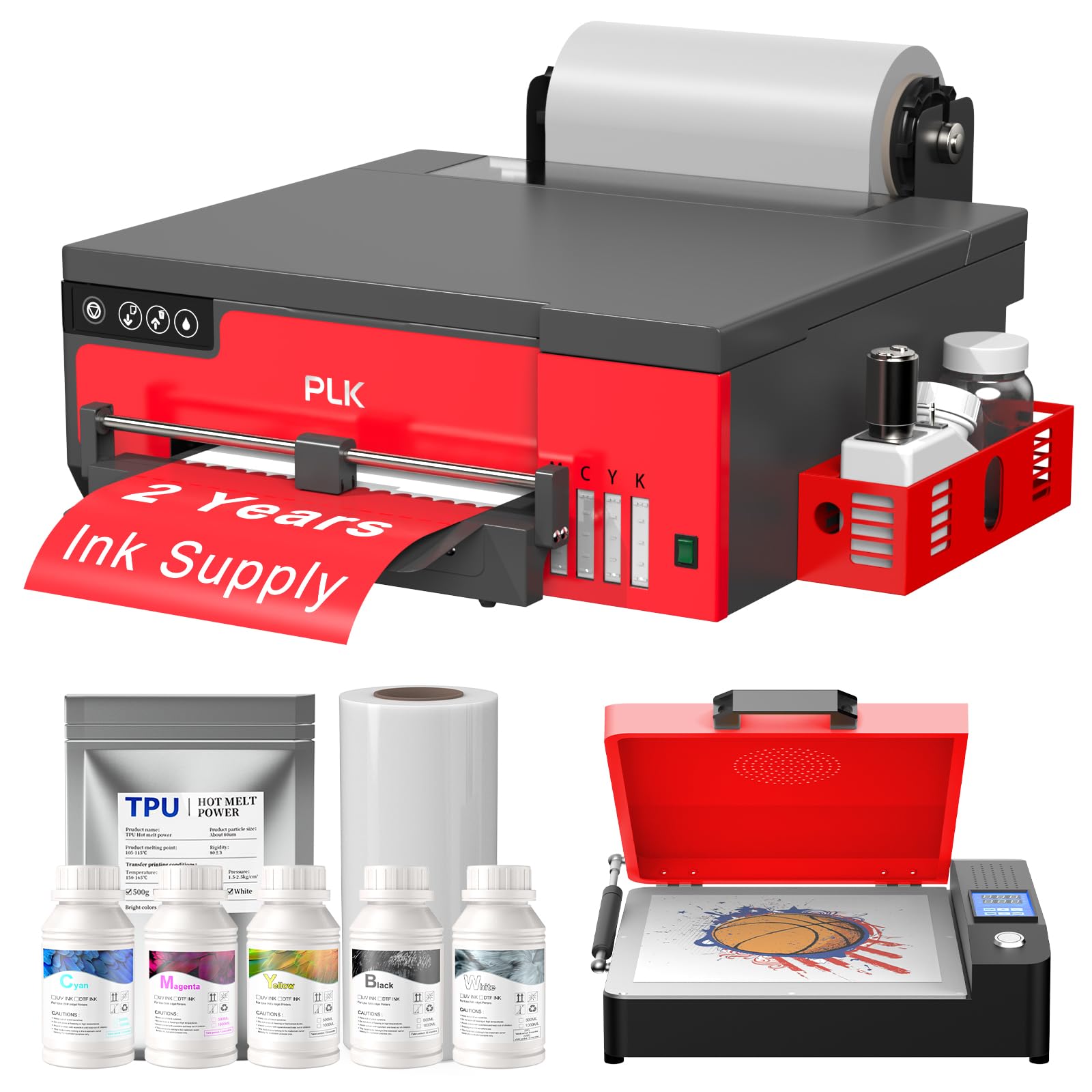
The PLK A4 bundle mirrors the EXPLUX in specs — same XP600 printhead, same 2880×1440 dpi resolution, and the same white ink circulation system. The key difference is the PLK’s focus on a stable roller feeder that minimizes film jams during roll-to-roll printing. The integrated film cutter works in tandem with the feeder to slice film precisely after each print cycle.
At three minutes per A4 transfer and a rated capacity of 180 sheets per day, the PLK handles light commercial use without breaking a sweat. The package includes an A4 oven, 100m of transfer film, five 250ml ink bottles, and 500g of powder. The two-year ink supply agreement mirrors the EXPLUX program — ink and powder every two months for just shipping costs.
Owner experiences are mostly positive, with the Portuguese- and German-language reviews noting excellent post-sale support via WhatsApp. A few buyers complained about late delivery and non-functioning USB tutorial drives. Once running, the machine produces consistent, vibrant transfers, and the white ink opacity on dark fabrics earns consistent praise from hobbyists.
Why it’s great
- Excellent roller feeder reduces paper jams
- Built-in cutter saves time and film waste
- Two-year ink supply with low ongoing cost
Good to know
- USB tutorial drives reported faulty by some buyers
- Windows-only software
3. PUNEHOD R1390 DTF Printer A3 Bundle
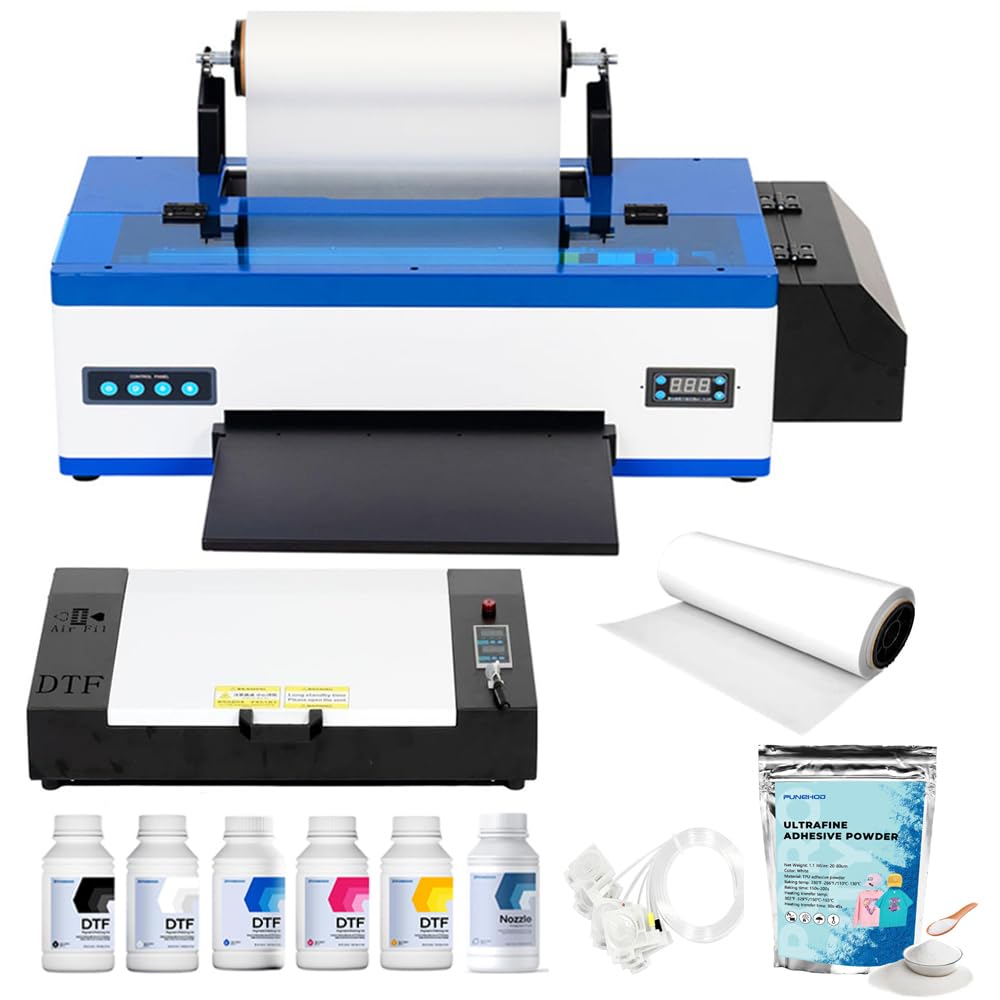
Moving up to A3 size, the PUNEHOD R1390 offers a 13-inch print width capable of covering the full front of most adult hoodies and back-of-shirt designs for children. The white ink circulation system includes automatic stirring and a cleaning function that prevents the pigment from settling during idle periods. A detachable reel supports up to 100 meters of PET film.
The package includes a full A3 oven, 100 meters of PET film, six 250ml ink bottles, 500g of powder, and RIP software. The bundle is genuinely ready to print out of the box. Users report that the print quality is crisp and vibrant after an initial configuration session — one customer noted a 30-minute engineer-assisted fix for a blurry startup issue.
Support is handled by a team of engineers reachable via WhatsApp, and the company offers remote installation debugging. A few buyers found the lack of an included USB drive (discontinued due to virus concerns) slightly inconvenient, but the online resources cover the gap. For beginners who want larger transfers without jumping to a 14-inch machine, the PUNEHOD hits a sweet spot.
Why it’s great
- True 13-inch A3 print width for larger designs
- Automatic white ink circulation + cleaning
- Comprehensive bundle with oven and six inks
Good to know
- Requires 30-60 minute initial calibration
- No USB drive included; download software online
4. MZK A3 L1800 Printhead DTF Printer
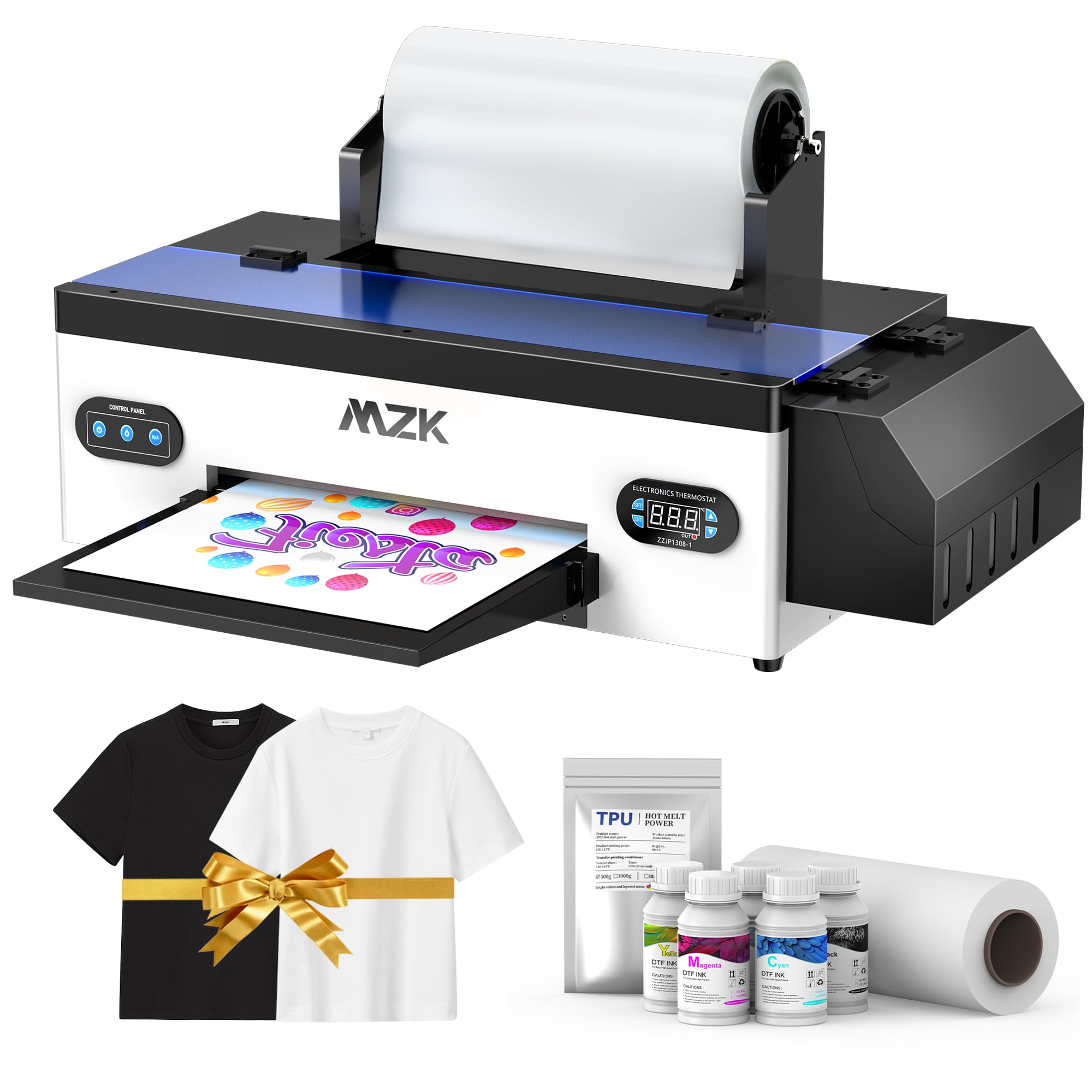
The MZK uses the L1800 printhead, which trades raw speed for reliability and easier part sourcing. It includes a one-touch ink fill system and a built-in three-in-one recirculation, mixing, and automatic cleaning system. The negative pressure ink suction membrane prevents the head from starving during long runs, which directly reduces banding in solid areas.
Print resolution reaches 2880×1440 dpi, and the machine handles A3 and A4 sheets plus roll media. The built-in pre-heating function warms the film before printing, reducing ink pooling and improving dot placement. The bundle ships with 100 meters of 33cm-wide DTF film, five 250ml ink bottles, powder, and a comprehensive video tutorial.
Users consistently rate the color vibrancy and the support team highly, with several mentioning that the machine sat idle for days and still printed without clogs — a strong testament to the anti-clog system. The setup instructions come mostly in non-English with subtitles, which a few first-timers found frustrating. Once running, it delivers consistent, commercial-quality output for a mid-range investment.
Why it’s great
- L1800 head is easy to repair and find parts for
- Pre-heating function prevents ink pooling
- Excellent idle-time clog resistance
Good to know
- Setup guide is non-English with subtitle errors
- Windows-only software
5. Lancelot M1630 Pro DTF Bundle (Printer + Oven)

The Lancelot M1630 Pro bundle ups the ante by including a pre-configured laptop with drivers and software already installed. This eliminates the single most frustrating step for beginners — finding a compatible PC and fighting with driver conflicts. The printer itself features a patented Holiday Mode that cycles white ink and moisturizes the printhead during downtime, preventing clogs even after a week of inactivity.
Print speed is roughly double that of an L1800 or R1390 machine, and the smart auto-film-cutting system trims each transfer to length automatically. The bundle also includes an oven, a full set of consumables, and a maintenance toolkit. The white ink circulation system is designed to extend printhead life by 40% compared to passive systems.
Long-term users report that after a year of daily use the printer still performs like new, with the Lancelot support team (especially the engineer Levi) getting high marks for remote troubleshooting. The only consistent complaint is the lack of a printed manual, though the included video tutorials and remote setup session compensate. This is the best pick for a beginner who wants a turnkey solution without building a PC from scratch.
Why it’s great
- Pre-loaded laptop eliminates driver setup
- Holiday Mode prevents clogs during downtime
- Doubled speed over L1800/R1390 machines
Good to know
- No physical manual included
- Uses proprietary RIP software
6. DXZ U14 A3 DTF Printer with F1080 Printhead

The DXZ U14 is the speed king of this list, driven by an F1080 printhead that hits 500 mm per second while maintaining 2880×1440 dpi resolution. The true 14-inch print width (35.56 cm) means you can print full hoodie front panels and large tote designs without tiling or splicing — a real advantage for scaling a small business.
The Vacation-Proof Auto Maintenance system (Holiday Mode) performs automatic moisturizing, nozzle cleaning, and white ink circulation while the printer sits idle. The one-click print-to-bake workflow reduces the manual steps between pressing print and curing the powder. The bundle includes an oven, transfer film, five 250ml ink bottles, powder, and a full maintenance kit.
Customer support receives top marks for remote troubleshooting, with technicians like Jack setting up the machine via WhatsApp. The two-year ink supply program (ink and powder every two months for shipping cost) makes the long-term cost per transfer lower than many competitors. The main risk is the same as with any highly automated machine — when something breaks, you are reliant on the manufacturer for parts and remote diagnostics.
Why it’s great
- Fastest print speed at 500 mm/s
- True 14-inch print width for large garments
- Fully automated maintenance cycle
Good to know
- Time zone difference can delay support responses
- Occasional shipping damage reports
7. Lancelot M1630 Pro All-in-One Station

This Lancelot variant is the most complete physical station on the market. It bundles the M1630 Pro printer with an intelligent powder shaker, a heater dryer, and a mobile workstation cart — effectively a DTF production line in a single footprint. The printer uses the EP XP600 (F1080) printhead and delivers 720×1440 dpi at speeds double that of older DTG and L1800-based machines.
The Holiday Mode smart maintenance system keeps the printhead alive during idle periods, which is critical for beginners who won’t print every single day. The station also includes a laptop with pre-loaded software, so the entire setup is truly plug-and-play. Users report consistent, vibrant colors on both light and dark fabrics, with one reviewer calling it a “life changer” for their small business.
Noise is the main trade-off — the powder shaker and oven combination is noticeably louder than simpler bundles. The powder refill process is also messier than users would like. However, for someone who wants to move from a few orders a week to a reliable daily production system, this all-in-one station removes the need to buy and integrate three separate machines.
Why it’s great
- Complete production station with powder shaker
- Pre-loaded laptop for instant setup
- Excellent support from Lancelot engineers
Good to know
- Noisy operation and messy powder handling
- Proprietary software limits customization
8. Sawgrass SG500 Sublimation Printer

The Sawgrass SG500 is a purpose-built sublimation printer, not a DTF machine. It uses SubliJet UHD inks designed specifically for polyester and poly-coated substrates. The print quality is professional-grade, with 1200×600 dpi resolution and Wi-Fi connectivity for easy placement in a home office. The 20ml starter ink cartridges ship with the unit.
The MySawgrass online platform provides template-driven design tools and preset color profiles, which reduces the learning curve for beginners who just want to design and print without calibrating ICC profiles manually. The printhead auto-maintenance feature cycles a small amount of ink periodically to prevent clogs during idle days.
The biggest downside is the ink cost — replacement cartridges are expensive, and the printer locks out unauthorized inks. Several reviewers mention that the starter cartridges trigger a low-ink warning almost immediately, forcing a purchase of a full set. The SG500 is a strong choice only if your target material is almost exclusively polyester-based apparel and hard goods like mugs.
Why it’s great
- Excellent print quality on polyester garments
- Wi-Fi connectivity for convenient placement
- Auto-maintenance reduces clogs
Good to know
- High ink replacement costs
- Locks out third-party ink cartridges
9. Epson SureColor F170 Dye-Sublimation Printer
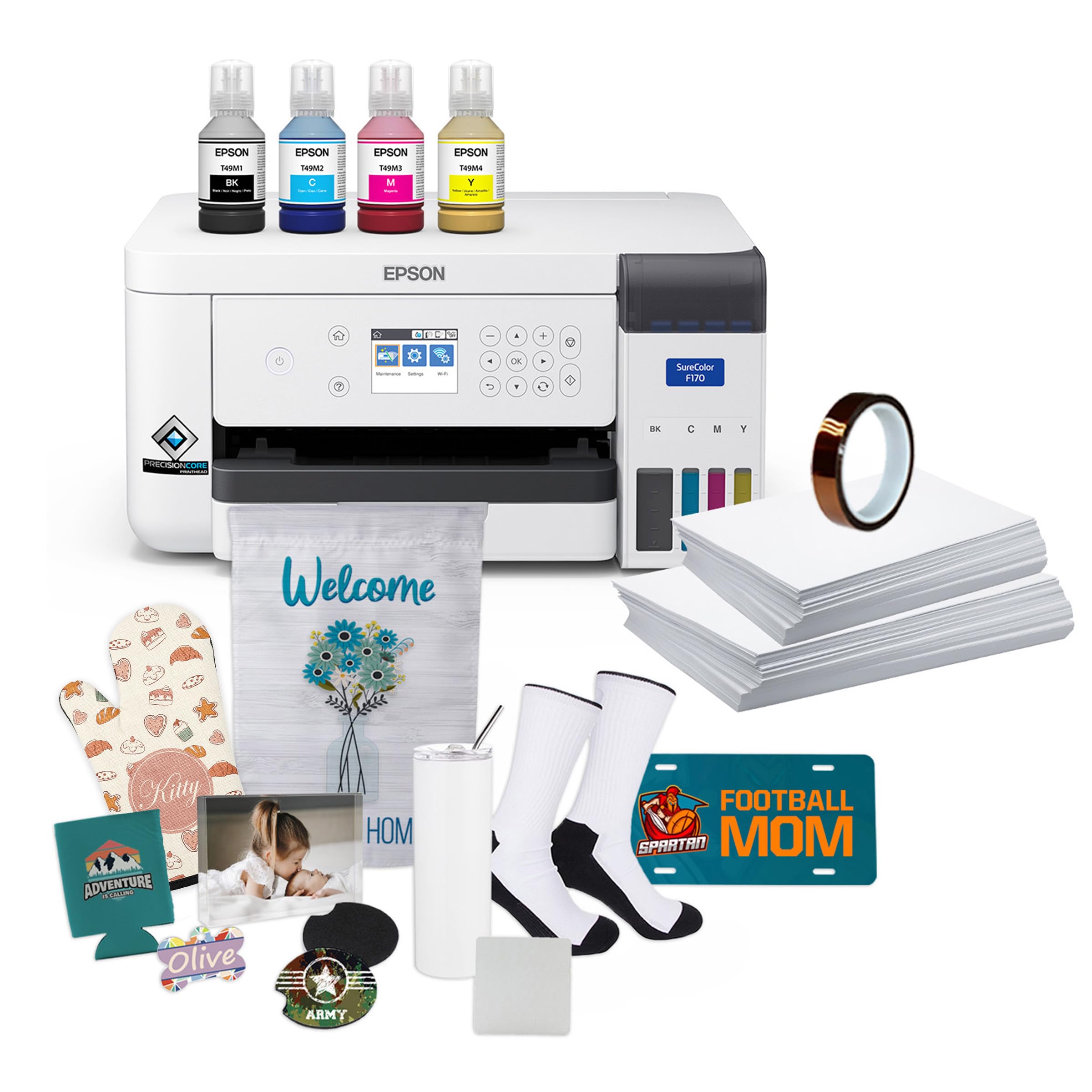
The Epson SureColor F170 is another sublimation-only entry, but it uses an integrated PrecisionCore printhead with high-capacity ink bottles rather than cartridges. The auto-stop fill mechanism makes refilling less messy. The dust-resistant paper tray holds 150 sheets and accepts sizes up to 8.5 x 14 inches, which is larger than many desktop sublimation printers.
Print quality is consistently described as “astoundingly good” by users, with vibrant colors and crisp details on poly fabrics. The printer ships with a full set of OEM inks that are certified ECO PASSPORT by OEKO-TEX for safety on textiles. The bundle includes thermal tape, starter blanks, and paper, so sublimation beginners can make their first mugs and shirts immediately.
The biggest limitation is the 1 page per minute speed, which is noticeably slower than dedicated DTF machines. Users upgrading from a converted inkjet report cleaner results and fewer alignment issues. The F170 is ideal for someone who already owns a heat press and wants to start producing sublimation transfers for polyester items — but it cannot print white ink for dark garments.
Why it’s great
- High-capacity ink bottles reduce per-print cost
- OEKO-TEX certified ink safe for apparel
- Dust-resistant tray produces cleaner prints
Good to know
- Slow 1 ppm print speed
- Sublimation only — no white ink capability
10. Brother SP1 Sublimation Printer

The Brother SP1 is an entry-level sublimation printer that works via the Artspira mobile and desktop app. It stores up to 20 printing images in the app and gives access to over 100 pre-made sublimation designs. The workflow is simple: design, print, heat press, finish. The 41ml ink cartridges are larger than the Sawgrass 30ml starters, meaning more prints before the first replacement.
Print speed is fast for its class, and the Brother reliability reputation carries over — most users report easy setup and excellent image quality. The tray-feed system works well for standard paper sizes, while the rear feed accommodates mug-sized sublimation paper for curved substrates. The ink prints in muted tones on paper and activates to bright colors after heat pressing.
However, a significant number of negative reviews mention complex setup with error codes, inconsistent color output despite calibration, frequent paper jams, and flimsy build quality. The printer is also bulky for a desktop unit. The SP1 works best for casual crafters who already use other Brother products and want a simple app-driven workflow for polyester items — not for anyone planning commercial-scale sublimation production.
Why it’s great
- App-driven design flow with 100+ pre-made designs
- Larger 41ml ink cartridges than many competitors
- Fast printing for a desktop sublimation unit
Good to know
- Frequent setup errors and paper jam reports
- Inconsistent color calibration from some units
11. Canon imagePROGRAF TC-21 24-Inch

The Canon imagePROGRAF TC-21 is a 24-inch large-format printer designed for posters, banners, and CAD plots — not for DTF garment transfers. It uses a 4-color ink system (CMYK) with 70ml tanks per color, which is the largest starter ink volume in its class. The roll feeder and automatic sheet feeder handle media up to 24 inches wide.
Print quality is excellent for poster applications, with crisp text and vibrant colors on glossy and matte media. Wireless and wired connectivity options are included. The intuitive tiltable touchscreen and animated installation guides make the initial setup relatively painless. ENERGY STAR and EPEAT Gold ratings confirm a low power draw for a device of this size.
Users who need architectural sheets wish for better support of US-standard media sizes, and the software has some localization quirks. At 71 pounds and 44 inches deep, it requires dedicated floor space. This printer belongs in a shop that prints large signage or banners and wants to occasionally produce oversized transfer sheets — it is not a beginner’s DTF machine for T-shirts.
Why it’s great
- Generous 70ml ink tanks per color
- 24-inch roll width for large banners
- Quick setup with animated guides
Good to know
- Large footprint and heavy weight
- Software has US architectural sizing quirks
FAQ
Can I use a sublimation printer for DTF transfers?
How often will I need to clean the printhead on a beginner DTF printer?
What size transfer should I start with as a complete beginner?
Why do DTF printers need a separate oven?
Final Thoughts: The Verdict
For most users, the beginner dtf printer winner is the EXPLUX XP600 A4 Bundle because it combines a reliable XP600 printhead, active white ink stirring, and the most complete starter kit — including oven, film, inks, and powder — all at a mid-range investment. If you want the larger A3 print width for hoodies and oversized designs, grab the PUNEHOD R1390. And for a completely hands-off turnkey experience with a pre-loaded laptop and Holiday Mode anti-clog tech, nothing beats the Lancelot M1630 Pro Bundle.