
Our readers keep the lights on and the weekend projects moving. As an Amazon Associate, I earn from qualifying purchases.
Listening to a compact PC case or NAS spin up a noisy 92mm fan is the kind of irritation that erodes your focus over time. Whether you are building a silent home-theater setup, reviving an old workstation, or modding a GPU for lower temps, the right 92mm fan delivers measurable airflow without the whine — and the wrong one amplifies every vibration through thin sheet metal.
I’m Rikta — the co-founder and writer behind FitlyFast. I’ve spent hundreds of hours analyzing decibel ratings, bearing longevity specs, and static pressure curves to separate the quiet performers from the noisy duds in the compact 92mm fan market.
This guide cuts through the marketing noise to pinpoint the best 92mm fan for your specific build, from ultra-quiet PWM options to high-RPM industrial workhorses.
How To Choose The Best 92mm Fan
Selecting a 92mm fan for a small-form-factor PC, a NAS, or a CPU cooler is different from picking a standard 120mm unit. Space constraints, required static pressure, and acceptable noise levels all shift when you shrink the frame. Understanding a few core specs will prevent a costly mistake.
Bearing Technology Drives Longevity
The bearing is the single most important reliability factor. Fluid Dynamic Bearings (FDB) use an oil film to reduce friction, offering a rated life of 40,000 to 150,000 hours with very low noise. Sleeve bearings are the cheapest and shortest-lived (< 40,000 hours) and are prone to drying out in hotter environments. Dual ball bearings last longer (60,000+ hours) but tend to be noisier, making them better for industrial or high-speed applications where silence is not the priority.
Noise vs. Airflow Balance
For a 92mm fan, the noise ceiling is usually lower than for larger fans because the smaller impeller spins faster to move the same volume of air. A target under 25 dB(A) is considered quiet for most desktop environments. Fans rated above 30 dB(A) are noticeable and should only be chosen when maximum cooling is non-negotiable, such as in a server rack or a ventilation project.
Connector Type and PWM Control
A 4-pin PWM connector allows the motherboard to dynamically adjust fan speed from a low idle (often 300-500 RPM) up to the maximum, giving you near-silent operation at low loads. A 3-pin connector runs at a fixed voltage speed or a single speed unless the motherboard supports voltage control, which is less precise. For a system that idles quietly, a PWM fan is the clear choice.
Quick Comparison
On smaller screens, swipe sideways to see the full table.
| Model | Category | Best For | Key Spec | Amazon |
|---|---|---|---|---|
| Noctua NF-A9 PWM | Premium | Ultra-quiet PC & NAS | 22.8 dB(A) / 150,000 h MTTF | Amazon |
| Scythe Kaze Flex 92mm RGB | Premium | RGB builds & GPU mods | 48.9 CFM / 2.03 mmH₂O | Amazon |
| ARCTIC F9 Pro TC | Mid-Range | Temp-sensor automation | 0.4 Sone (@ 1800 RPM) | Amazon |
| ID-COOLING TF-9215 ARGB | Mid-Range | Space-constrained builds | 15mm slim / 44.3 CFM | Amazon |
| GDSTIME 2 Pack 92mm | Mid-Range | Refrigerator & NAS swaps | 39.8 CFM / 24.8 dB(A) | Amazon |
| PANO-MOUNTS 2 Pack 92mm | Budget | RV fridge & project boxes | 32 CFM / 3300 RPM | Amazon |
| AC Infinity AXIAL 9225 | Premium | 120V AC ventilation | 37 CFM / UL-Certified | Amazon |
In‑Depth Reviews
1. Noctua NF-A9 PWM

The Noctua NF-A9 PWM is the gold standard for quiet 92mm cooling. Its Flow Acceleration Channels and Advanced Acoustic Optimisation frame cut turbulence noise without sacrificing airflow. At maximum 2000 RPM, it pushes 78.9 m³/h while staying at just 22.8 dB(A) — a figure many competitors can’t touch at half the speed.
The SSO2 bearing gives a staggering >150,000-hour MTTF, which means this fan will outlive most of the hardware it cools. The included accessory kit is comprehensive: anti-vibration mounts, a Low-Noise Adaptor that drops max RPM to 1550, an extension cable, and a Y-cable to run two fans off one header.
Users consistently report whisper-quiet operation in NAS units like the UGREEN DXP2800 and ASUS ROG desktops, with direct-fit installation using standard screws. The beige and brown color scheme is polarizing, but for pure acoustic and thermal performance, nothing else in this size matches its refinement.
Why it’s great
- Industry-leading 22.8 dB(A) noise floor at max RPM
- Generous accessory bundle (LNA, Y-cable, mounts)
- SSO2 bearing rated for 150,000+ hours
Good to know
- Beige/brown color scheme doesn’t match all builds
- Premium pricing reflects the engineering investment
2. Scythe Kaze Flex 92mm RGB LED Fan

The Scythe Kaze Flex trades a few decibels of silence for dramatically higher airflow and static pressure. With a maximum of 48.9 CFM and 2.03 mmH₂O static pressure, it is the best-performing 92mm fan for radiator use or GPU mods where you need to punch through dense fin arrays. The sealed precision Fluid Dynamic Bearing handles up to 250°C internally and is rated for 120,000 hours.
The 8 built-in LEDs use a 4-pin 12V RGB connector, which syncs with ASUS Aura Sync, MSI Mystic Light, Gigabyte RGB Fusion, and ASRock Polychrome. Note that the RGB header must be 12V — connecting it to a 5V ARGB header will result in only blue light and issues with sleep mode.
Reviewers have used this fan to mod GPUs with micro 4-pin adapters, achieving temperature drops of over 20°C compared to stock fans. The included anti-vibration rubber pads decouple the frame from the mounting surface, keeping the higher RPM range from transmitting resonance into the case.
Why it’s great
- Highest static pressure (2.03 mmH₂O) for radiator use
- Bright 12V RGB with motherboard sync compatibility
- Sealed FDB bearing for long-term reliability
Good to know
- Requires 12V RGB header — not compatible with 5V ARGB
- Audible at max 2300 RPM (28.8 dB(A))
3. ARCTIC F9 Pro TC
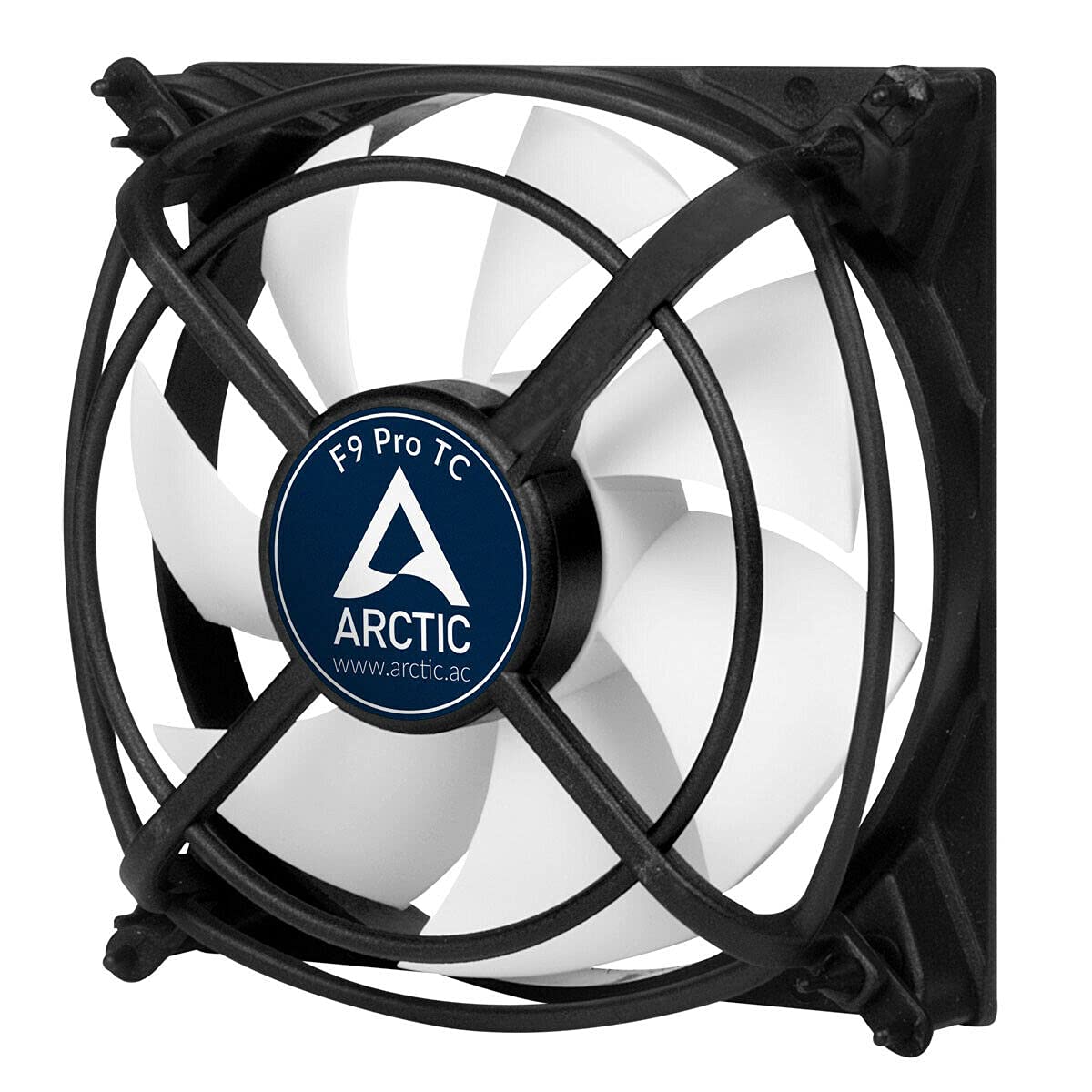
The ARCTIC F9 Pro TC stands out because of its integrated temperature sensor on a 40 cm cable. This allows the fan to self-regulate speed based on ambient heat rather than relying on a motherboard PWM curve. It spins from 500 to 1800 RPM, keeping temperatures below 38°C in the sensor’s location, which makes it ideal for enclosures or retrofits without PWM headers.
Its Fluid Dynamic Bearing uses an oil capsule to prevent lubricant leakage, combining the quiet operation of a sleeve bearing with much higher longevity. At 1800 RPM, noise is rated at just 0.4 Sone — roughly equivalent to 24 dB(A) — so it remains barely audible even under load.
Users have deployed it in microwave radio enclosures, HP-Compaq cases with no factory fan, and general computing rigs, noting immediate temperature drops of over 10°C. The 3-pin connector means you lose the tachometer feedback on some boards, but the self-contained temperature control compensates by making it a drop-in solution for any 12V power source.
Why it’s great
- Built-in 40 cm temperature sensor for self-regulation
- Nearly silent at all speeds (0.4 Sone max)
- Excellent for enclosures without PWM control
Good to know
- 3-pin connector limits motherboard RPM monitoring
- Sensor placement requires planning for accurate readings
4. ID-COOLING TF-9215 ARGB

When space is at a premium — think ITX builds, low-profile CPU coolers, or HTPCs — the ID-COOLING TF-9215 is often the only 92mm fan that fits. Its 15mm thickness shaves 10mm off the standard 25mm frame, yet it still moves 44.3 CFM at max 2500 RPM. The PWM range from 800 to 2500 RPM gives you solid control for balancing noise and cooling.
The 5V 3-pin ARGB lighting diffuses evenly through the milky-white blades, syncing with motherboard software for addressable effects. Build quality is strong for the price point, with a frame that feels rigid. Noise tops out at 33.4 dB(A) at full tilt, which is acceptable but not whisper-quiet — the GPU fan in most builds will likely be louder.
Users frequently pair it with the Thermalright AXP90-X36 cooler in sub-4L cases, calling it a noticeable upgrade over the stock slim fan. A small number of units have been reported to develop a rattle after a few months, so checking the fit and screw tension during installation is wise.
Why it’s great
- Only 15mm thick for ultra-compact builds
- Strong 44.3 CFM airflow for its size class
- 5V ARGB with motherboard sync
Good to know
- Noise reaches 33.4 dB(A) at maximum RPM
- Some units have reported bearing rattle over time
5. GDSTIME 2 Pack 92mm (3-Pin)
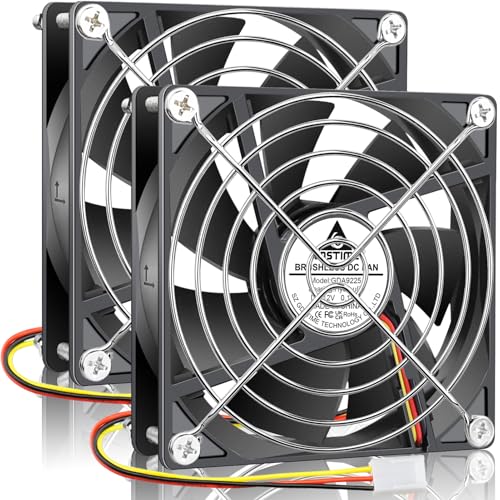
The GDSTIME 2 Pack delivers two 92mm fans at a very accessible price point, making it an easy choice for multi-fan projects like case swaps, refrigerator ventilation, or NAS upgrades. Each fan uses a hydraulic bearing rated for 40,000 hours, running at 1800 RPM with a noise rating of just 24.8 dB(A) — genuinely quiet for the category.
Airflow is rated at 39.8 CFM, which is competitive with more expensive single-fan options. The 3-pin connector provides tachometer feedback, and the kit includes metal fan guards and mounting screws, removing the need for extra purchases. The static pressure is a modest 0.1 inH₂O, so these are best suited for open case ventilation rather than radiator duty.
Customer feedback highlights successful installations in Acer desktops (replacing noisy stock fans), RV refrigerator compartments, and small ITX builds. The included metal guards add protection for external use. A few users note the cabling is shorter than some premium fans, so plan your routing carefully.
Why it’s great
- Two fans with metal guards included for the price of one premium unit
- Very quiet 24.8 dB(A) at 1800 RPM
- Hydraulic bearing offers reliable 40,000-hour lifespan
Good to know
- Static pressure too low for radiator use
- Short cables may require extensions in larger cases
6. PANO-MOUNTS 2 Pack 92mm (3-Pin)
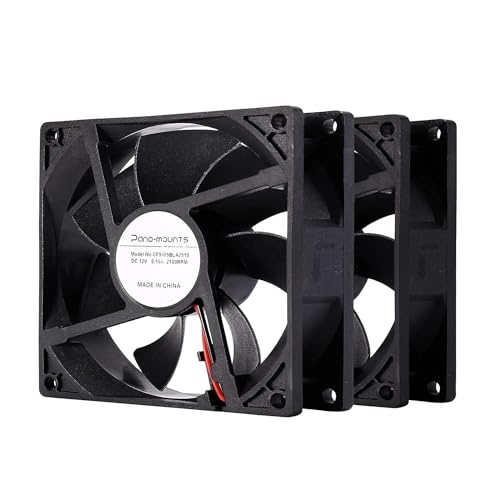
The PANO-MOUNTS 2 Pack is a pure entry-level solution for non-critical cooling tasks where cost is the primary concern. Each fan uses a sleeve bearing rated up to 40,000 hours, spinning at 2000 RPM to push 32 CFM. The noise rating of 33 dB(A) is noticeable, but for applications like RV refrigerator vents or project enclosures, it is perfectly acceptable.
The 2-wire 3-pin connector simplifies installation: connect red to positive, black to negative, and the fan runs at full speed. The reversed polarity protection means a wrong connection won’t damage the fan — it simply won’t spin. The plastic frame is made from polybutylene terephthalate (PBT) for decent heat resistance.
Buyers have used these successfully as replacements for Norcold refrigerator fans and Airstream Atlas house battery cooling fans, praising the value of getting two units. Some find the noise level a step down from Noctua, but for a fraction of the cost, these are effective for concealed spaces where sound is less critical.
Why it’s great
- Two fans at the lowest cost tier in the category
- Reverse-polarity protected for safe DIY installation
- Works on 7V to 12V for speed adjustment
Good to know
- Sleeve bearing shorter lifespan than FDB or hydraulic
- 33 dB(A) noise is audible in quiet rooms
7. AC Infinity AXIAL 9225
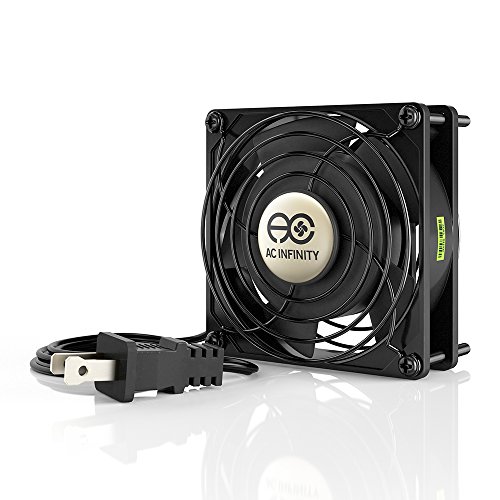
The AC Infinity AXIAL 9225 is a completely different beast: a 120V AC-powered muffin fan designed for non-computer projects. Its heavy-duty aluminum frame and dual ball bearings give it an industrial lifespan of 67,000 hours, and the UL certification makes it safe for permanent installation in ventilation systems, greenhouse intake ducts, or workshop exhaust setups.
At 2900 RPM, the 37 CFM airflow is moderate, but the 37 dB(A) noise level is decidedly industrial. This is not a fan for a quiet bedroom PC — it is for a project where moving air reliably matters more than silence. The package includes two fan guards and a mounting screw set, so it is ready to install out of the box.
Users have deployed it in reptile egg incubators, Halloween prop fog movers, and hobbyist spray booths, consistently praising the build quality and the detachable power cord that simplifies routing through tight openings. If your project runs on mains voltage and needs a compact 92mm footprint, this is the only AC-powered option that ticks all the boxes.
Why it’s great
- UL-certified for safe AC-powered installation
- Heavy-duty aluminum housing and dual ball bearings
- Includes guards and mounting hardware
Good to know
- 37 dB(A) is loud for desktop environments
- Fixed speed — no PWM or voltage control
FAQ
Can I use a 92mm fan on a CPU cooler designed for 80mm fans?
What is the difference between 3-pin and 4-pin PWM for a 92mm fan?
Why is my new 92mm fan making a ticking or rattling noise?
Final Thoughts: The Verdict
For most users, the best 92mm fan winner is the Noctua NF-A9 PWM because it combines the lowest noise floor with the highest reliability and the most generous accessory kit in the category. If you want maximum RGB effects and the static pressure needed for a radiator, grab the Scythe Kaze Flex 92mm RGB. And for a budget-friendly twin-pack that works reliably in non-critical applications such as refrigerator vents or case swaps, nothing beats the PANO-MOUNTS 2 Pack 92mm.