
Our readers keep the lights on and the weekend projects moving. As an Amazon Associate, I earn from qualifying purchases.
Every small business owner reaches the same breaking point with their office printer: the moment a client presentation comes out streaked, the ink dries up mid-project, or the cost-per-page quietly eats into your monthly budget. A color laser all-in-one eliminates those pain points by swapping liquid ink for dry toner powder that won’t dry out, delivering sharp, water-resistant prints on demand with integrated scanning, copying, and faxing.
I’m Rikta — the co-founder and writer behind FitlyFast. I’ve spent countless hours analyzing print engine durability, toner yield economics, wireless protocol compatibility, and real-world driver stability across dozens of laser all-in-ones to build a guide that makes sense for actual business workflows.
Whether you are equipping a home office or a ten-person team, choosing the right all in one color laser printer for small business means balancing page-per-minute speed against cost-per-page efficiency and mobile connectivity that just works.
How To Choose The Best All In One Color Laser Printer For Small Business
A color laser all-in-one is a long-term investment, not a disposable purchase. The right one saves money over time, integrates with your existing workflow, and rarely needs service. The wrong one wastes toner, frustrates your team, and ends up as an expensive paperweight. Focus on these four areas during your evaluation.
Toner Yield and Cost-Per-Page
A printer’s sticker price is misleading if the toner replacement costs shock you every sixty days. Look for models that offer standard and high-yield cartridge options — a high-yield black cartridge rated for 3,000-plus pages will dramatically lower your per-page cost. Starter cartridges included in the box are intentionally low-yield (typically 500–700 pages per color), so budget for your first full set of replacements within the first few months. Printers that accept generic or compatible cartridges can save money, but some brands actively block third-party toner through firmware updates, so verify compatibility before committing.
Print Speed and Warm-Up Time
Small businesses rarely run continuous batch jobs, so first-page-out time matters as much as rated pages-per-minute. A printer that needs twenty seconds to warm up feels sluggish when you’re printing a single invoice between phone calls. Look for engines that deliver the first color page in under eleven seconds, and aim for at least nineteen pages per minute if you share the printer across two or more users. Automatic duplex printing is non-negotiable: it cuts paper use in half and makes multi-page handouts look professional without manual page flipping.
Connectivity and Mobile Support
Your business network probably mixes Windows PCs, Macs, Linux machines, phones, and tablets. A printer that only supports USB direct connection will become a bottleneck. Look for dual-band Wi-Fi (2.4 GHz and 5 GHz) plus Ethernet for a wired fallback. Apple AirPrint and Mopria certification ensure that iPhones, iPads, and Android devices can find and print without installing manufacturer apps. Wi-Fi Direct is useful if your office lacks a shared router or if you need to print from a device that can’t join your corporate network.
Paper Handling and Duplex ADF
A single 250-sheet tray fills fast if you print brochures, contracts, and shipping labels daily. An adjustable second tray or a multi-purpose slot for envelopes and cardstock expands your versatility without an upgrade. The automatic document feeder should support duplex scanning — that means it can flip a double-sided document and capture both sides in one pass. A fifty-sheet ADF with duplex capability saves enormous time when you need to digitize a signed contract or a client binder.
Quick Comparison
On smaller screens, swipe sideways to see the full table.
| Model | Category | Best For | Key Spec | Amazon |
|---|---|---|---|---|
| HP Color LaserJet Pro MFP 4301fdw | Premium | High-volume teams up to 10 users | 35 ppm color, HP Wolf Pro Security | Amazon |
| HP Color LaserJet Pro MFP 3301fdw | Premium | Professional color documents | 26 ppm, TerraJet toner, duplex ADF | Amazon |
| Epson EcoTank Pro ET-5800 | Premium | Ultra-low cost-per-page with ink tank | 25 ppm black, 7,500-page ink yield | Amazon |
| Xerox C325dni | Premium | High-speed scanning and cardstock | 35 ppm, 4.3-inch touchscreen | Amazon |
| Lexmark CX431adw | Mid-Range | Secure office with steel-frame build | 26 ppm, analog fax, ethernet | Amazon |
| Brother MFC-L3720CDW | Mid-Range | Cloud workflow and mobile management | 19 ppm, 3.5-inch color touchscreen | Amazon |
| Canon Color imageCLASS MF665Cdw | Mid-Range | Three-year warranty and large touchscreen | 26 ppm, 5-inch color display | Amazon |
| Xerox C235dni | Mid-Range | Simple smartphone-first setup | 24 ppm, high-yield cartridges | Amazon |
| Lexmark CX331adwe | Mid-Range | Steel-frame durability for small office | 26 ppm, secure wireless LAN | Amazon |
| Canon MegaTank MAXIFY GX2020 | Value | Zero-cartridge ink tank system | 15 ppm black, 3,000-page ink yield | Amazon |
| Brother HL-L3220CDW | Budget | Compact print-only color laser | 19 ppm, automatic duplex, 250-sheet tray | Amazon |
In‑Depth Reviews
1. HP Color LaserJet Pro MFP 4301fdw

The HP 4301fdw is the most complete all-in-one on this list, designed for small teams printing up to 10 users with a rated 35 pages per minute in color. That speed, combined with a first-page-out time of under nine seconds, means it keeps pace with a busy office where multiple people queue jobs throughout the day. The TerraJet toner system produces vivid color graphics and crisp black text without the graininess that plagues older laser engines.
Security is a standout here: HP Wolf Pro Security lets you set user permissions, block unauthorized firmware changes, and receive threat alerts directly on the printer’s control panel. The 4301fdw also includes a 50-sheet automatic document feeder that scans both sides in one pass, a feature that saves serious time when digitizing double-sided contracts. The intelligent dual-band Wi-Fi automatically switches channels to maintain connectivity, which reduces dropped jobs compared to single-band alternatives.
Replacement toner costs are high if you stick with genuine HP cartridges — the high-yield black cartridge runs about 7,500 pages, but the initial set of starter cartridges (1,200 black, 1,000 color) will require early replacements. Non-HP toner is not recommended because the printer may block third-party chips after firmware updates. For teams that prioritize print quality, speed, and security over toner frugality, this is the top contender.
Why it’s great
- Excellent color print quality with minimal grain
- Fast 35 ppm keeps multi-user queues moving
- Duplex ADF scans both sides in one pass
- HP Wolf Pro Security protects sensitive documents
Good to know
- Starter toner cartridges deplete quickly
- Firmware updates may block third-party toner
- Some units report persistent false paper jam errors
2. HP Color LaserJet Pro MFP 3301fdw

The 3301fdw strips away some of the high-speed performance of the 4301 model while keeping the core print quality improvements from HP’s TerraJet toner technology. At 26 pages per minute for both black and color, it is fast enough for a team of four to six people without the premium price of the 4301 series. The 5-inch color touchscreen makes scanning to email, network folders, or cloud services intuitive — no manual diving through menus.
This model includes automatic duplex printing and a 50-sheet automatic document feeder that handles two-sided scanning in a single pass. The compact footprint is narrower than many competitors, which helps on a crowded desk or shared office credenza. Wireless setup is simpler than older HP generations, and the printer automatically detects and resolves Wi-Fi disconnections, though some users report occasional connectivity drops that require a restart.
The main drawback is HP’s cartridge locking system: the printer only works with cartridges containing original HP chips, and firmware updates enforce that restriction. Starter toner yields are low (around 700 pages for black and 500 for colors), so you will need to budget for replacements quickly. Users who experienced streaking or fusing defects early on reported difficulties getting replacement toner from HP support due to initial stock shortages.
Why it’s great
- Vivid color output with TerraJet toner technology
- Responsive 5-inch touchscreen with customizable shortcuts
- Duplex ADF scans both sides without manual flipping
Good to know
- Starter toner runs out after about 50 pages
- HP blocks non-genuine toner through firmware
- Some early units had color quality defects
3. Epson EcoTank Pro ET-5800

The ET-5800 is not a laser printer — it uses Epson’s PrecisionCore heat-free inkjet technology with refillable ink tanks — but its cost-per-page is so aggressive that it competes directly with color laser for small business buyers who print high volumes. The included ink bottles yield up to 7,500 black pages and 6,000 color pages, which eliminates the cartridge replacement cycle for months. Pigment-based DURABrite inks produce waterproof, instant-dry prints that rival laser output for text and graphics.
Paper handling is excellent for the price: two front paper trays give you 500 sheets total, plus a rear feed slot for cardstock and envelopes. The motorized output tray extends automatically, and the large tilting LCD screen makes navigation painless. Setup involves filling the tanks with keyed bottles that prevent spills, a cleaner process than most inkjet refills. The printer also supports Ethernet, dual-band Wi-Fi, and email-to-print with a customizable address.
The ET-5800 delivers faster monochrome speed than color — 25 ppm black versus 12 ppm color — so mixed-batch jobs can feel unbalanced. Error handling is a weak point: some users report frustrating messages that don’t correspond to actual problems, and Epson’s support often defaults to scripted steps that ignore specific router configurations. Photo quality is decent but not photo-lab grade; for photo-focused work, consider Epson’s dedicated photo series.
Why it’s great
- Ultra-low cost-per-page with high-yield ink bottles
- 500-sheet total capacity with two front trays
- Keyed ink bottles make refilling clean and simple
Good to know
- Color print speed is slower than black (12 vs 25 ppm)
- Error messages can be misleading on the display
- Output tray does not auto-retract when powering off
4. Xerox C325dni

The Xerox C325dni shares the same 35 ppm engine as the HP 4301fdw but at a lower upfront cost, making it a compelling choice for businesses that need high throughput without the HP premium. Its 4.3-inch color touchscreen is responsive and supports shortcut customization for common tasks like scan-to-email, copy-to-USB, or fax-to-folder. The duplex ADF scans both sides of a stack of documents in one pass, a feature that matches machines in a higher price bracket.
Paper handling is robust: the C325dni handles cardstock, envelopes, and labels through the manual feed without jamming, and the output tray keeps printed pages within its boundaries rather than spilling onto the floor as some models do. The included starter toner yields are generous — 1,500 black and 1,000 color — compared to the typical 500-page starters from competitors. The printer’s web-based interface gives you control over scan-to-network folder setup, but the learning curve for that configuration is steeper than with a dedicated software utility.
Customers report that toner costs add up quickly, with each color cartridge priced similarly to full-page-coverage engines despite the 35 ppm speed. Some users experienced toner depletion far below the rated yield, suggesting that the starter cartridges may not consistently hit their advertised page counts. The German-based customer support team is competent but slow, with typical resolution times extending past two hours.
Why it’s great
- Fast 35 ppm color printing with one-pass duplex scanning
- Generous starter toner yields reduce early costs
- Handles cardstock and specialty media without jams
Good to know
- Replacement color toner costs add up quickly
- Toner yield ratings may not match real-world results
- Customer support response time is slow
5. Lexmark CX431adw
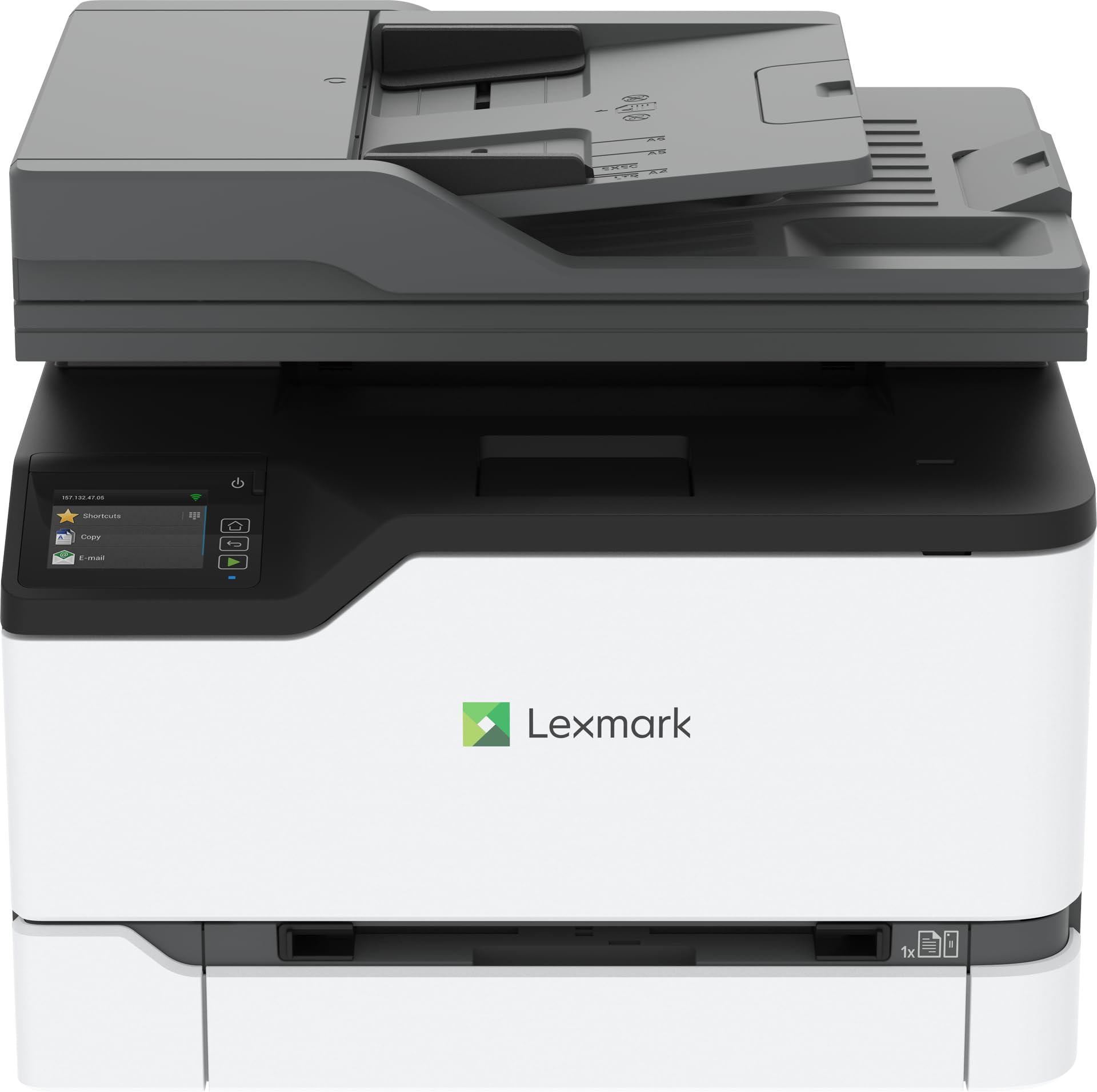
Lexmark positions the CX431adw as a security-first color laser all-in-one for offices that handle sensitive data. Its steel-frame chassis is noticeably heavier and sturdier than plastic-bodied alternatives, contributing to fewer vibration issues during long print runs. The 26 ppm print speed matches the Canon MF665Cdw, and automatic duplex printing comes standard. The printer also includes analog fax, a feature some small businesses still rely on for signed contracts and medical forms.
The 4.3-inch touchscreen is functional but the interface feels dated compared to the Canon and HP panels. Scanning requires navigating through the on-screen menu rather than a dedicated PC utility, which makes scan-to-folder setup cumbersome. Some users reported needing to reset the printer multiple times during initial Wi-Fi configuration, and the tiny display text makes menu reading difficult for anyone without perfect vision.
Lexmark’s support structure has changed after its merger with a Xerox entity, which has created confusion about where to get help. Customers who called support reported being routed to Morocco for troubleshooting, with slow resolution and no option to escalate to US-based staff. The printer itself prints and copies reliably once configured, but the setup frustration and limited PC control make it a better fit for users comfortable with on-device configuration.
Why it’s great
- Steel-frame construction provides exceptional durability
- Analog fax capability for document workflows
- Automatic duplex print and scan are reliable
Good to know
- No PC control for scanning — all via the display
- Tiny screen text makes setup difficult
- Support quality and response time are inconsistent
6. Brother MFC-L3720CDW

The MFC-L3720CDW is Brother’s mid-range color laser all-in-one that packs a surprising amount of workflow software into a compact chassis. The 3.5-inch color touchscreen supports up to 48 customizable shortcuts — you can assign one tap to scan to Google Drive, another to copy to a specific network folder, and a third to email a PDF to a client. This saves clicks on repetitive tasks and reduces the friction of daily scanning and copying.
Print quality is consistent with the HL-L3220CDW’s engine: sharp text with minimal toner scatter, vibrant but not oversaturated color, and duplex printing that aligns pages correctly. The 50-sheet ADF handles multi-page documents reliably, though it does not support duplex scanning — you will need to flip the stack manually for two-sided originals. Wireless connectivity is solid across both 2.4 GHz and 5 GHz bands, and Wi-Fi Direct allows printing from devices that are not on your network.
A known flaw in the previous generation (the MFC-L3750CDW) involved a premature waste toner error that bricked the printer. Several user reports on the L3720CDW indicate the same issue: after roughly 1,000 pages, a “Replace Waste Toner” error appeared, and a new waste toner box triggered a “No Waste Toner Detected” message, rendering the unit inoperable. Brother offers no firmware rollback for this, so check the warranty terms carefully if you plan to keep this printer beyond two years.
Why it’s great
- 48 customizable one-touch shortcuts streamline workflow
- Dual-band Wi-Fi and Wi-Fi Direct for flexible connectivity
- Sharp color output with efficient toner usage
Good to know
- ADF does not scan both sides in one pass
- Waste toner error may render printer unusable after ~1,000 pages
- No firmware rollback available for waste toner issue
7. Canon Color imageCLASS MF665Cdw

Canon packs a lot of hardware into the MF665Cdw: a 26 ppm color laser engine, a 5-inch color touchscreen that is the largest display in this mid-range group, and a three-year limited warranty that outpaces the competition. The Application Library on the touchscreen lets you organize scan-to-email, copy-to-USB, and cloud connectors into a grid of tiles, which makes daily operation feel more like using a tablet than a printer control panel.
The 50-sheet automatic document feeder supports duplex scanning in one pass, matching the HP 3301fdw’s capability. Paper handling includes a 250-sheet cassette and a single-sheet multipurpose tray. Print quality is very good for text and standard business graphics, though colors appear slightly less vivid than HP’s TerraJet output. The printer is physically large and heavy — expect to dedicate a solid desk section to it — and the cooling fan is audible during extended print runs.
Canon’s software for Mac users is a frequent pain point: the printer works with Apple AirPrint, but the full driver suite can cause unexpected stops, default to wrong paper sizes, and disable the ability to turn off duplex after installation. Customer support is helpful once you reach them but can be slow to respond. For Windows and Linux users, driver installation is more straightforward, and the printer works well with the open-source driver community.
Why it’s great
- Three-year limited warranty provides peace of mind
- 5-inch color touchscreen with Application Library shortcuts
- Duplex ADF scans double-sided documents in one pass
Good to know
- Mac software can cause unexpected driver errors
- Colors are slightly less vivid than HP equivalents
- Fan noise is audible during continuous printing
8. Xerox C235dni

The Xerox C235dni is designed for small businesses that want a straightforward all-in-one without the complexity of enterprise-grade software. The Xerox Easy Assist App guides you through smartphone-based setup instead of requiring a PC driver installation, which reduces the chance of misconfiguration. The 24 ppm print speed is competitive for its tier, and the printer supports high-yield cartridges to keep cost-per-page manageable for offices printing up to 1,500 pages per month.
Print quality is crisp on standard office paper, but users discovered that using cheap generic copy paper produces noticeably lighter output. Switching to a premium laser paper like Hammermill Premium Inkjet/Laserjet resolves the fade issue. The front panel layout is straightforward: you can configure Wi-Fi, scan to email, and set up shortcuts without referencing the manual. The printer includes built-in Wi-Fi with AirPrint and Mopria support, so mobile printing works out of the box.
The starter toner yield is a low 500 pages, so factor in the cost of a full set of replacement cartridges within the first few weeks of use. Some units arrived with cosmetic wear that suggests they may have been returned or refurbished, though Xerox’s packaging is generally secure. Email-to-print configuration requires adding a TXT record to your Gmail settings, which is a minor hassle for non-technical users.
Why it’s great
- Smartphone-based setup via Xerox Easy Assist App
- AirPrint and Mopria certified for mobile printing
- High-yield cartridge option reduces cost-per-page
Good to know
- Starter toner yield is only 500 pages
- Cheap paper produces washed-out colors
- Some units show signs of prior use
9. Lexmark CX331adwe

The Lexmark CX331adwe is the most affordable entry into Lexmark’s business-class color laser lineup. It uses the same steel-frame chassis as the CX431adw, providing durability that plastic-bodied alternatives cannot match. The 26 ppm print speed is identical to the more expensive CX431 model, and the automatic duplex printing works reliably for standard letter-size documents. The printer includes wireless LAN plus Ethernet and USB, giving you wired redundancy if your Wi-Fi network is unreliable.
Lexmark emphasizes built-in security — the printer encrypts data on the device, over the network, and during transmission. This matters if you handle customer PII, medical records, or legal documents. The control panel uses a basic remote interface; there is no touchscreen, so you navigate via a small LCD screen and physical buttons. Scan-to-computer functionality is not intuitive — it requires setting up a destination on the printer’s web interface rather than clicking “scan” from a PC application.
Several customers received units with a “full waste toner” message straight out of the box, which suggests waste toner containers are not cleared during final quality checks. More concerning, multiple reports indicate the printer died completely after 10 months of light use — the power supply refused to turn on, and Lexmark offered no out-of-warranty repair assistance. For the price, the build quality is good, but the reliability record suggests you should treat this as a short-term printer and budget for a replacement within two years.
Why it’s great
- Steel-frame construction offers exceptional rigidity
- Built-in security features for sensitive data handling
- Automatic duplex print works consistently
Good to know
- Waste toner error may appear immediately out of box
- Scan-to-computer process is unintuitive
- Some units fail completely after 10-12 months
10. Canon MegaTank MAXIFY GX2020

The MAXIFY GX2020 is Canon’s answer to the Epson EcoTank: a refillable ink tank system that replaces cartridges for good. One set of GI-25 pigment ink bottles yields up to 3,000 black and 3,000 color pages, which brings the cost-per-page close to laser territory. The printer includes print, copy, scan, and fax functions, plus a 35-sheet automatic document feeder. The 2.7-inch color touchscreen is smaller than the premium models but responsive enough for basic navigation.
Print quality for plain paper is excellent — sharp text and solid color fill with no banding. Duplex printing works reliably, and the ADF handles multi-page documents without paper jams. The quiet operation is a notable advantage over the louder laser engines on this list. The printer is also compact: it takes up less desk space than any color laser all-in-one, which matters in tight office layouts.
The ink system has a significant drawback: color prints can come out with a grayish or muted tint, especially on photos and graphics with fine gradients. Multiple users reported that deep cleaning cycles consume significant ink without fixing the issue, and Canon’s support provides limited help for this problem. The printer also struggles with cardstock — high-quality prints develop a pronounced curl, and standard quality settings leave visible streaks. If your work is primarily plain-paper documents with occasional color, the GX2020 is a low-cost champion. If you need reliable photo or cardstock output, look elsewhere.
Why it’s great
- Extremely low cost-per-page with refillable ink tanks
- Compact footprint saves desk space
- Quiet operation compared to color laser engines
Good to know
- Color prints can appear grayish or muted
- Cardstock output shows curl and streaks
- Deep cleaning cycles waste significant ink
11. Brother HL-L3220CDW

The HL-L3220CDW is a print-only color laser — no scanner, no copier, no fax. For small businesses that already own a dedicated document scanner or rely on a phone camera for quick digitization, this saves you money and desk space while delivering the same print engine that powers Brother’s all-in-one lineup. The 19 ppm color speed is identical to the MFC-L3720CDW, and automatic duplex printing is standard.
Print quality is among the best in its class: text is razor-sharp, color graphics are vibrant without oversaturation, and toner adhesion is strong enough to withstand highlighter marks without smearing. The printer supports high-yield TN229 series cartridges — the standard black cartridge yields 1,500 pages, and the ultra-high-yield XXL black cartridge reaches 4,500 pages. Wireless setup on Windows 10 and 11 is straightforward through Brother’s installer, but Mac users frequently encounter driver issues that require creating a self-signed certificate and modifying keychain trust settings.
The printer is heavy — about 40 pounds in the box — and its compact dimensions compared to all-in-one models mean it fits on a shelf or credenza. A handful of users reported that high-resolution PDFs can cause the print queue to stall; renaming the file or reducing the resolution typically resolves it. The lack of a scanner means you lose the convenience of all-in-one workflow, but for pure color laser printing at a budget-friendly price, this is a strong option.
Why it’s great
- Compact footprint with the same engine as Brother all-in-ones
- Ultra-high-yield toner option (4,500 black pages)
- Excellent print quality with sharp text and vibrant color
Good to know
- Print-only — no scanner, copier, or fax
- Mac driver setup can require manual certificate fixes
- High-res files may stall the print queue
FAQ
What is the difference between starter toner and standard toner cartridges?
Can I use generic or third-party toner in a color laser printer?
How many pages per minute do I actually need for a small business?
Is an ink tank printer a good alternative to color laser for business?
Final Thoughts: The Verdict
For most users, the all in one color laser printer for small business winner is the HP Color LaserJet Pro MFP 4301fdw because its 35 ppm color speed, one-pass duplex scanning, and HP Wolf Pro Security deliver enterprise-level features at a mid-market price point. If you want the lowest cost-per-page over your printer’s lifetime,grab the Epson EcoTank Pro ET-5800 — the included ink bottles can run for months without replacement. For a reliable, straightforward color laser with a three-year warranty, nothing beats the Canon Color imageCLASS MF665Cdw.