
Our readers keep the lights on and the weekend projects moving. As an Amazon Associate, I earn from qualifying purchases.
An at-home laser cutter promises the ability to turn raw materials into finished products, but the gap between marketing hype and real-world capability is vast. The wrong choice leaves you with slow engraves, safety headaches, and a machine that struggles to cut through simple plywood.
I’m Rikta — the co-founder and writer behind FitlyFast. After analyzing the specifications, safety certifications, and real user feedback across the to diode laser market, this guide separates the tools from the toys.
Whether you need a compact engraver for small-scale crafts or a fully enclosed system for batch production, understanding the critical specs of power stability, spot size, and software integration will lead you to the best at home laser cutter for your specific workflow.
How To Choose The Best At Home Laser Cutter
Buying a laser cutter for home use requires balancing three factors: the actual material you want to process, the safety features that protect you, and the software that translates your designs into motion. In this section, we break down the key decisions.
Optical Power vs. Spot Size
A 40W diode module sounds more capable than a 10W unit, but finer engraving detail depends on the laser spot size. A 0.08mm spot delivers sharper logos on stainless steel than a 0.15mm spot, even at lower wattage. If fine text and photo engraving matter, prioritize spot size over raw power.
Safety Certifications and Enclosure Design
Home environments demand Class 1 certification, which means the machine is enclosed so that no harmful radiation escapes during operation. Look for physical door interlocks that cut the laser beam the moment the lid opens and flame sensors that halt the unit if burning material ignites. These features are not luxuries — they are non-negotiable for a residential workspace.
Software Compatibility and Workflow
LightBurn is the industry standard for laser control, offering granular control over power, speed, and passes. Some machines require proprietary software that may limit file types (SVG, DXF, PNG) or lack advanced features like offset fill and material libraries. A machine that supports LightBurn out of the box gives you the most flexibility.
Quick Comparison
On smaller screens, swipe sideways to see the full table.
| Model | Category | Best For | Key Spec | Amazon |
|---|---|---|---|---|
| xTool S1 40W | Enclosed Diode | Production-ready cutting | 40W, 600mm/s, auto-focus | Amazon |
| xTool F1 Ultra | Fiber + Diode | Metal & 3D engraving | 20W fiber + 20W diode, 16MP camera | Amazon |
| Creality Falcon2 Pro S 40W | Enclosed Diode | Cutting thick acrylic & wood | 40W, auto-focus, smart cutting | Amazon |
| Genmitsu L8 20W | Enclosed Diode | All-in-one safety & precision | 20W, 40000mm/min, Class 1 | Amazon |
| AlgoLaser Alpha MK2 20W | Semi-Enclosed | Touchscreen offline operation | 20W, 20000mm/min, 32GB memory | Amazon |
| CREALITY FALCON A1 Pro 20W | Enclosed Diode | Fast batch production | 20W, 600mm/s, app control | Amazon |
| Mecpow X4 Pro 40W | Enclosed Diode | Dual-power flexibility | 40W/20W switchable, 30000mm/min | Amazon |
| CREALITY FALCON A1 10W | Enclosed Diode | Beginner-friendly enclosed unit | 10W, 600mm/s, smart camera | Amazon |
| Twotrees TTS-20 Pro | Open Frame | High-speed laser cutting | 20W, 500mm/s, ±0.1mm accuracy | Amazon |
| AlgoLaser Pixi 10W | Semi-Enclosed | Portable touchscreen engraving | 10W, 0.08mm spot, offline | Amazon |
| LONGER RAY5 10W | Open Frame | Large format & expandability | 10W, 10000mm/min, 400x400mm | Amazon |
In‑Depth Reviews
1. xTool S1 40W Laser Cutter

The xTool S1 delivers the most balanced combination of power, safety, and ease of use for home production. Its 40W diode module cuts through 18mm cherry wood in a single pass, and the 600mm/s engraving speed lets you batch-produce items like coasters or custom keychains efficiently. The 23.93″ x 15.16″ bed accommodates larger projects like door signs without requiring a separate extension kit.
Safety is comprehensive: the enclosed design filters 99% of laser light, five flame sensors auto-stop the machine if a fire starts, and the lid-open interlock cuts power immediately. The Pin-point Positioning technology allows accurate 3D engraving on curved surfaces like spoons and plates — a feature that competitors struggle to match without a rotary attachment.
The xTool Creative Space software includes pre-tested parameters for over 400 materials, reducing trial-and-error burn tests. While the bundled rotary works well for tumblers, initial setup of the rotary module can trigger firmware errors that require a call to support. Overall, the build quality and software ecosystem make this the most reliable choice for serious hobbyists and small businesses.
Why it’s great
- Single-pass cuts through 18mm cherry wood
- Five flame sensors with auto-shutdown
- Proven software with 400+ material presets
Good to know
- Rotary module can cause firmware confusion
- Thin plexi lid feels less durable than metal frame
2. xTool F1 Ultra 20W Fiber & Diode

The F1 Ultra is the only machine in this roundup that combines a 20W fiber laser with a 20W diode laser in one unit. The fiber laser engraves metals like gold, silver, stainless steel, and titanium in seconds, while the diode laser handles wood, acrylic, leather, and glass. The 10,000mm/s marking speed is an order of magnitude faster than conventional diode lasers, making it ideal for on-the-spot customization in retail settings.
The 16MP smart camera provides live preview and perfect alignment every time, eliminating the need for manual positioning. The machine automatically recognizes shapes when paired with the optional conveyor, enabling non-stop batch engraving. The 3D embossing feature allows deep engraving on metal and wood for high-value products like custom coins or jewelry.
Despite its power, the F1 Ultra is a Class 4 laser (not Class 1), meaning the enclosure is critical for safe operation. A small number of users reported laser module failure within the first 30 days, though xTool’s customer service was proactive in replacing units. For shops that need to engrave both metal and organic materials from a single machine, the F1 Ultra is unmatched.
Why it’s great
- Fiber laser marks metals in seconds
- 16MP camera for perfect alignment
- Batch production via auto conveyor
Good to know
- Class 4 laser requires strict safety compliance
- Small number of early failures reported
3. Creality Falcon2 Pro S 40W
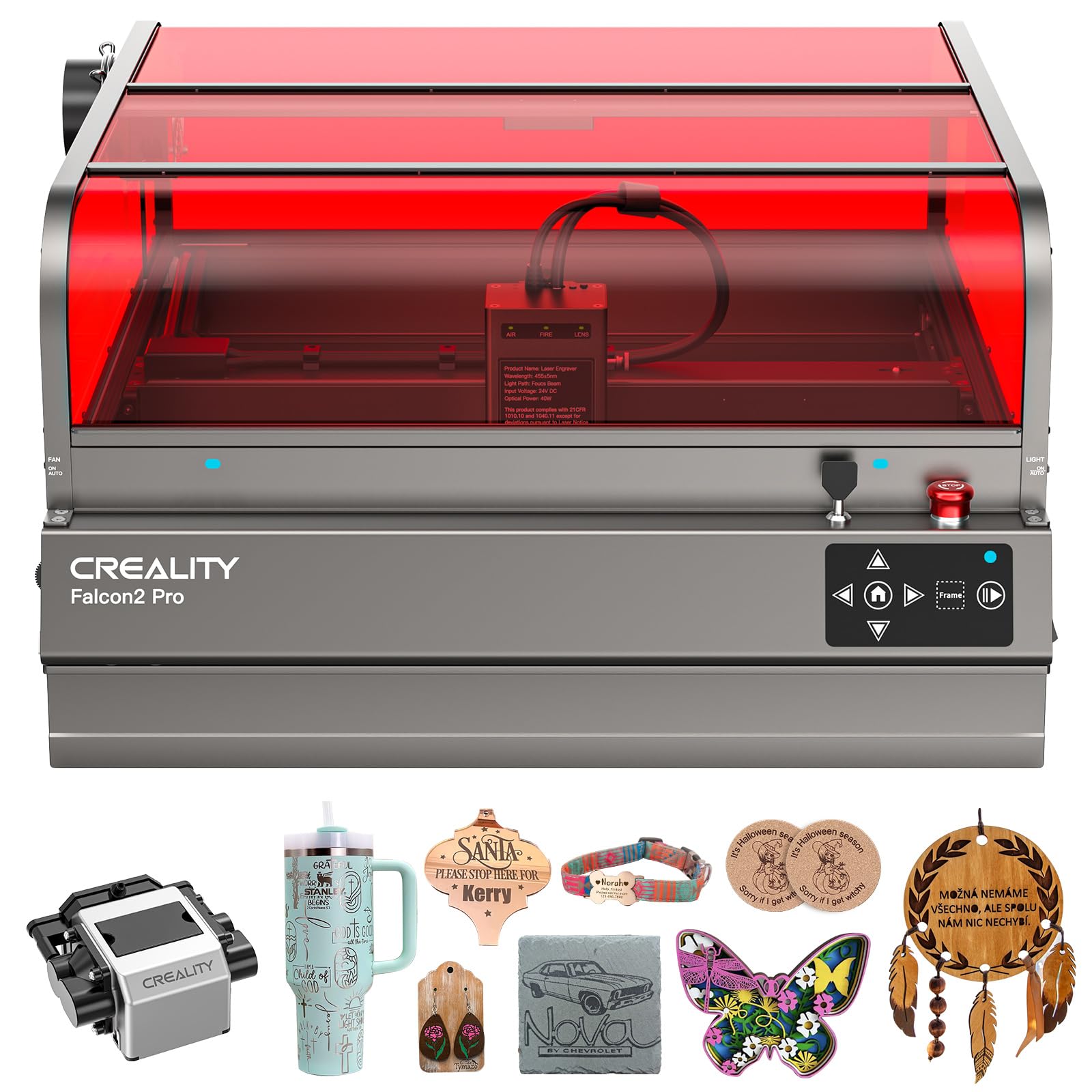
The Falcon2 Pro S is built for users who need to cut thick materials consistently. Its 40W laser module cuts through 20mm basswood and 30mm black acrylic cleanly, and the smart cutting system automatically adjusts the laser path to reduce material waste and deliver clean edges. The auto-focus system adjusts height in seconds, removing the guesswork when switching between materials of different thicknesses.
The 360° visual enclosure is Class 1 certified, meaning the laser is completely contained. The machine supports both Falcon Design Space (free, with template library) and LightBurn, giving you flexibility as you progress from beginner to advanced. The 60.9-pound total weight adds stability during high-speed engraves, and the fan system does a reasonable job of venting smoke.
Some users found the manual unhelpful for advanced settings, and the camera functions as a still preview only — not a live feed. The machine also lacks a built-in honeycomb panel, which means you’ll need to purchase one separately to prevent scorching on the underside of materials. For pure cutting power in an enclosed package, this is a strong contender.
Why it’s great
- Cuts 30mm black acrylic in one pass
- Auto-focus in seconds
- LightBurn compatible
Good to know
- Camera is still image only
- Honeycomb panel not included
4. Genmitsu L8 20W Laser Engraver
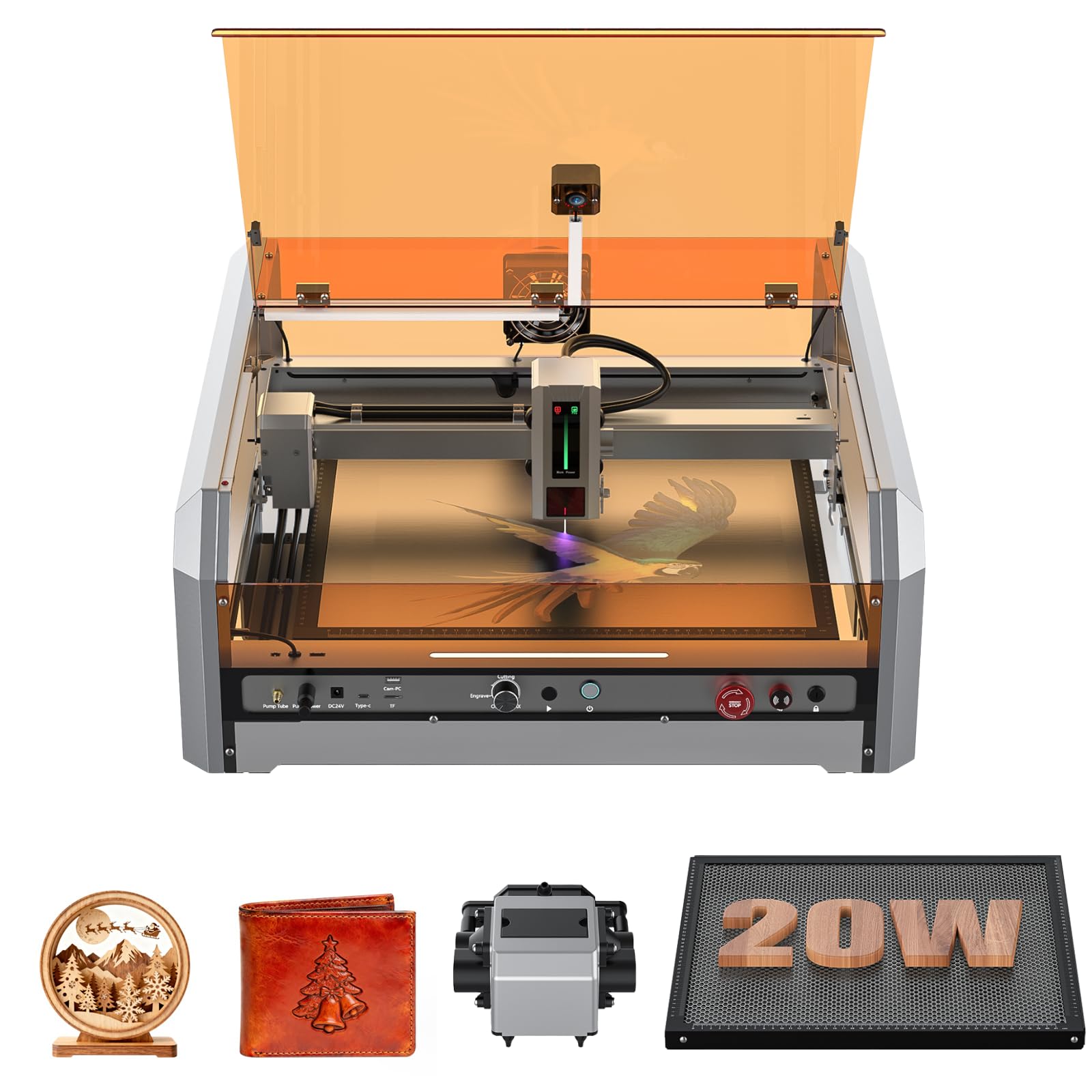
The Genmitsu L8 arrives fully assembled and includes a built-in acrylic enclosure with vent, air assist pump, honeycomb panel, and a camera for LightBurn alignment. The 20W diode cuts 12mm pinewood and 8mm black acrylic in a single pass, and it can engrave on stainless steel, aluminum, and plastics. The 30L/min smart air assist pump ensures clean cuts with minimal charring.
Safety features are extensive: door sensor interlock, tilt sensor, flame monitor buzzer, limit switches on both X and Y axes, emergency stop, and child safety lock. The machine is Class 1 certified, so the enclosure contains the laser entirely. A power indicator bar and fault reporting light keep you informed of operating status at a glance.
The main drawback is that some units have arrived with loose screws or unreadable USB drives, pointing to inconsistent quality control. The vendor (Sainsmart) has generally responsive support, but the initial QC gap is frustrating for a mid-range investment. When set up correctly, the L8 offers the best safety-to-power ratio in this price tier.
Why it’s great
- Fully assembled with enclosure, pump, and camera
- 20W diode cuts 12mm wood in one pass
- Comprehensive safety sensors
Good to know
- Inconsistent quality control on arrival
- Manual setup instructions could be clearer
5. AlgoLaser Alpha MK2 20W

The Alpha MK2 eliminates the need to tether to a computer for basic operations. Its built-in 3.5″ smart touchscreen and AlgoOS system allow you to select files, adjust settings, and start engraving directly from the machine. The 20W COS laser module cuts up to 15mm wood and handles fine engraving on stone, metal, and glass with impressive detail. The semi-enclosed design and smart air pump reduce smoke and debris.
The machine includes 32GB of onboard memory, meaning you can store hundreds of design files and operate entirely offline. It supports Wi-Fi, USB-C, and accessory port connections, and works with AlgoLaser’s app, LightBurn, and LaserGRBL. The dual-core CPU delivers 20,000 mm/min speed, and seven safety features including flame detection and emergency stop provide reasonable protection.
Users consistently praise the machine’s ability to create detailed memorial engravings on polished stone, capturing fur texture and eye glints. The main limitation is the semi-enclosed design — while the air assist keeps the workspace clean, it is not fully sealed, so you still need dedicated ventilation. For offline operation without a PC, the MK2 is a standout.
Why it’s great
- Touchscreen eliminates PC dependence
- 32GB onboard storage for offline use
- Excellent fine detail on stone and metal
Good to know
- Semi-enclosed requires external ventilation
- Touchscreen UI can lag with complex files
6. Creality Falcon A1 Pro 20W
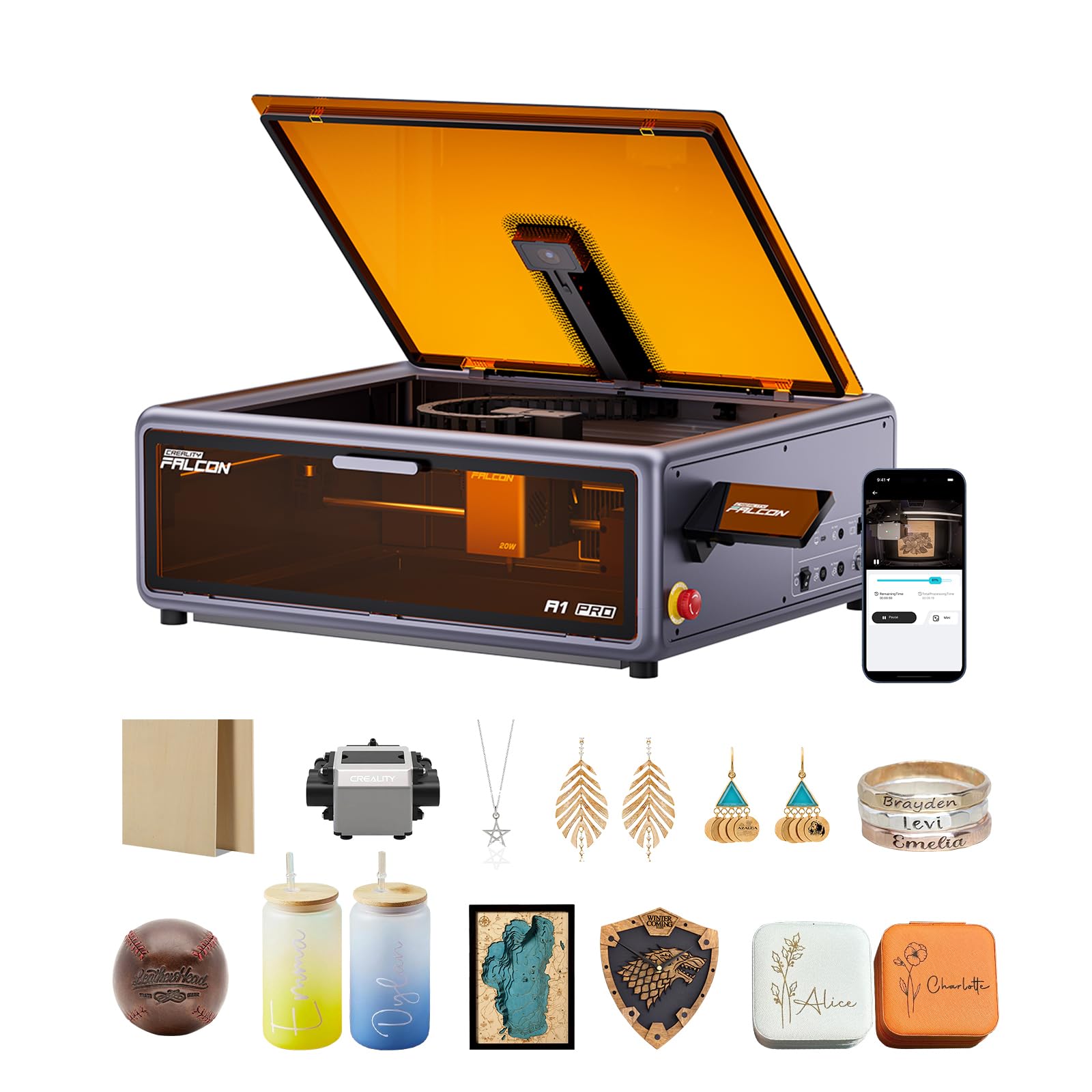
The Falcon A1 Pro prioritizes workflow speed and convenience. Its smartphone-style touchscreen and app control let you monitor engraving progress from another room, and the 600 mm/s engraving speed is three times faster than many traditional diode lasers. The 20W blue laser cuts through 10mm basswood and 8mm black acrylic comfortably at that speed.
The dual protective covers filter 99% of laser light, removing the need for goggles, and the enclosed design blocks smoke and noise effectively. The internal fan accelerates smoke removal. The machine arrives 80% pre-assembled — you just mount the gantry and attach the enclosure panels. The Falcon Design Space software integrates model browsing, vector design, and device control in one interface.
A notable feature is the optional 2W infrared laser module (sold separately) that offers a 0.03mm ultra-fine spot for photograph engraving on metal and plastic. The main critique is that the enclosure lacks a solid bottom — fumes escape underneath unless you add a foam base. The clear acrylic screen may also not fully block the blue laser diode light, so wearing safety glasses is still recommended.
Why it’s great
- 600 mm/s speed with app remote monitoring
- Compatible with optional 2W IR module
- 80% pre-assembled for quick setup
Good to know
- Fumes escape through open bottom
- Clear screen may not fully block blue light
7. Mecpow X4 Pro 40W/20W

The Mecpow X4 Pro offers a unique dual-power laser module that switches between 40W and 20W modes via a mechanical switch. In 20W mode, the spot size shrinks to 0.08 x 0.1mm for fine engraving details. In 40W mode, the larger 0.1 x 0.15mm spot cuts through 25mm wood and 30mm black acrylic efficiently. This eliminates the need to swap laser modules for different tasks.
The machine includes a built-in camera for full-frame positioning, a 30L/min air pump that auto-activates based on software commands, and an efficient exhaust system that filters smoke. Safety features include a lid-interlock, flame sensor, tilt sensor, four limit switches, child lock, and emergency stop. The Class 1 certification makes it suitable for home use.
The 30,000 mm/s high-speed engraving mode delivers fast batch production, while the precision mode slows down for more accurate cuts. Some users reported that the Wi-Fi hub can crash computers when the camera is active, requiring a direct USB connection for camera use. The instructions are minimal, but assembly is straightforward with YouTube guidance. For the price, the X4 Pro delivers impressive power versatility.
Why it’s great
- Switchable 40W/20W laser module
- 30L/min auto air assist
- Full-frame camera positioning
Good to know
- Wi-Fi hub can crash with camera active
- Limited written instructions
8. CREALITY FALCON A1 10W

The Falcon A1 10W is designed for absolute beginners who want an enclosed system that works out of the box. It comes with pre-set parameter values for different materials, so you can start engraving without running material tests. The HD camera provides a full-frame view of the 381 x 305mm work area, and the CoreXY motion system hits 600mm/s — fast for a 10W unit.
The dual-door enclosure filters 99% of laser radiation and includes auto-lock, emergency stop, and smoke control. The Falcon Design Space software offers vector design and device control in one place, and the graphic outline extraction feature automatically converts images into engraving paths. The machine supports LightBurn and LaserGRBL for advanced users.
There are important limitations: the 10W laser struggles to cut acrylic (engraving only, no cutting), and reflective materials like mirror-finished metals are prohibited entirely. The included wood sheet is just one piece, so you need to stock up on materials immediately. Some users found metal engraving requires many low-power passes, making it slow. For simple wood and leather projects, this is a solid entry point.
Why it’s great
- Pre-set parameters for immediate use
- 600mm/s engraving speed
- Enclosed design with auto-lock
Good to know
- Cannot cut acrylic, only engrave
- Slow metal engraving with many passes
9. Twotrees TTS-20 Pro 20W

The TTS-20 Pro prioritizes raw speed with its MKS ESP32 PRO mainboard and TMC2209 silent drivers, delivering engraving and cutting speeds up to 500mm/s with ±0.1mm accuracy. The 20W diode laser cuts through 20mm acrylic and 30mm pine boards in single passes, making it one of the fastest open-frame lasers in its class. The 418x418mm work area is generous for medium-sized projects.
The machine is fully compatible with LightBurn and LaserGRBL across Windows, macOS, and Linux. Built-in Wi-Fi allows wireless control from a phone, tablet, or PC browser. The unit holds CE, FCC, and RoHS certifications, and the package includes protective eyewear and basic tools. Assembly is quick — most users report 30 minutes from box to first engrave.
The main trade-off is the open-frame design: there is no enclosure, honeycomb panel, or air pump included. You must supply your own ventilation system and workspace enclosure for safe operation, especially when cutting materials that produce smoke. The instructions are adequate but not detailed, and dialing in the correct LightBurn settings requires some experimentation. For experienced users who already have a ventilated workspace, this is a high-value speed machine.
Why it’s great
- 500mm/s engraving speed with silent drivers
- Cuts 30mm pine in one pass
- Wi-Fi control from any device
Good to know
- Open frame — no included enclosure or air assist
- Settings require LightBurn experimentation
10. AlgoLaser Pixi 10W Portable

The Pixi 10W is designed for maximum portability and ease of use. Its 3.5″ touchscreen and AlgoOS system let you hand-draw designs, upload files, and start engraving without any PC connection. The 0.08mm spot size produces crisp detail on wood, leather, and thin metal, and the reverse engraving function delivers high-contrast results on acrylic and glass. The machine weighs only 8.53 pounds, so you can move it between workstations easily.
Connectivity options include USB-C, Wi-Fi, and accessory ports, and the unit supports offline operation with stored files. The safety features include an auto-pause door interlock (certified Class 1), password lock, and real-time fault alerts. The AlgoSketch feature captures hand-drawn art, while AlgoType generates professional text — both useful for small business customization of gifts and leather goods.
Some users reported that the safety door interlock can be finicky, with reports of the laser firing when the shield is not fully closed. The lack of a built-in ventilation system means smoke can leak into the room, so it still requires a well-ventilated workspace. The 10W power limits material thickness — you won’t cut thick hardwood or acrylic with this unit. It excels as a portable engraving tool for lightweight materials.
Why it’s great
- Touchscreen operation with hand-draw support
- Ultra-fine 0.08mm spot for sharp details
- Lightweight and portable design
Good to know
- Safety interlock reported unreliable in some units
- Limited to thin materials and light engraving
11. LONGER RAY5 10W Laser Engraver
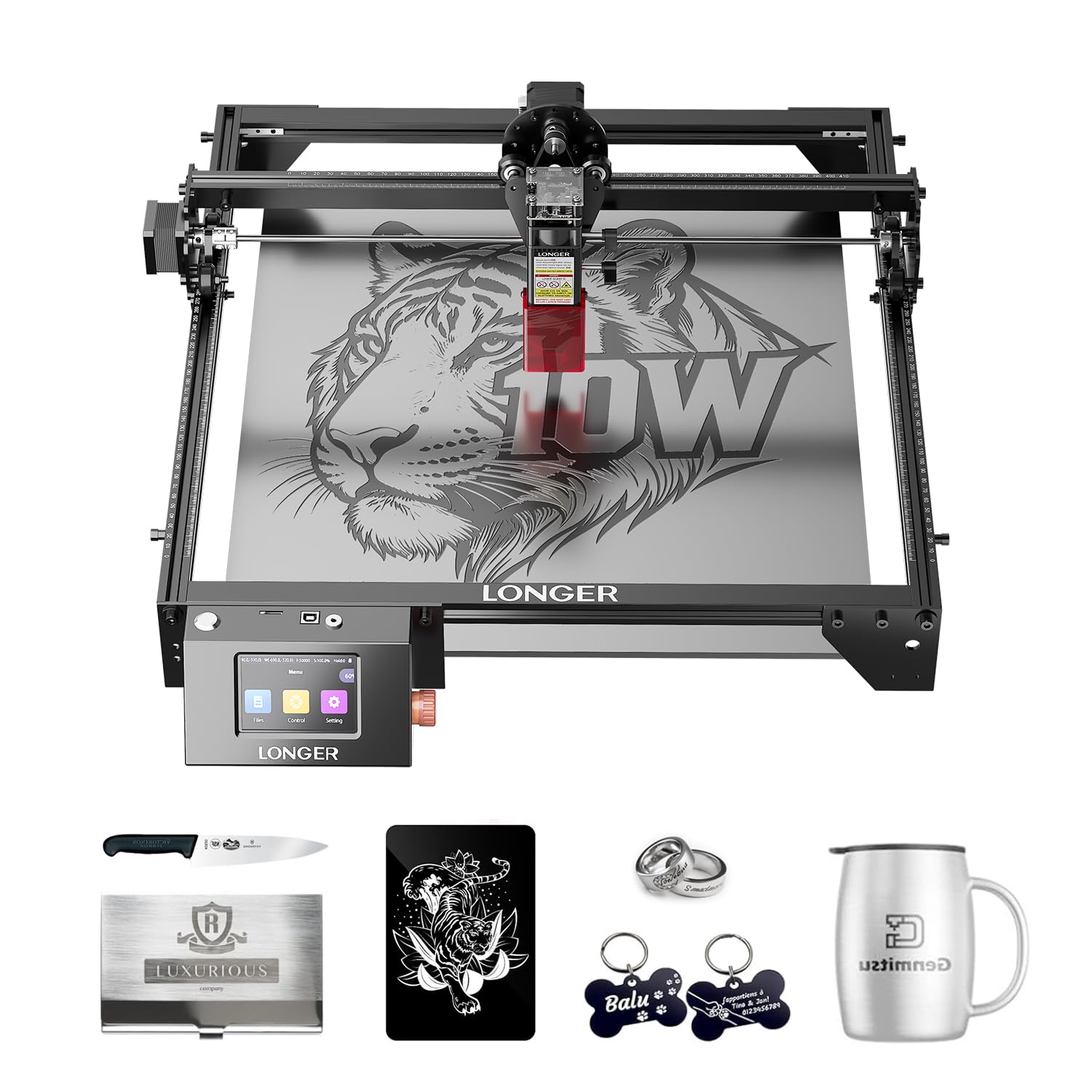
The LONGER RAY5 is a well-established entry-level laser engraver with a dedicated user base and consistent firmware updates. Its 10W output engraves at up to 10,000 mm/min and cuts through 20mm wood and 30mm acrylic (multiple passes required for thick materials). The 400x400mm base work area can be expanded to 850x400mm with a separately purchased extension kit, offering a large format for an entry-level price.
The machine includes a 3.5-inch color touchscreen for offline operation and supports data transfer via Wi-Fi, USB, app, and TF card. The 32-bit motherboard provides stable operation, and the protective cover and included glasses reduce eye strain. LONGER provides decent technical support and an active community forum where users share LightBurn settings for various materials.
The open-frame design means you need to provide your own enclosure and ventilation. Assembly instructions are sometimes unclear, with some users relying on YouTube videos to get the gantry aligned correctly. The 10W power is adequate for hobbyist engraving on wood and leather, but it will struggle with dense hardwood and thick acrylic. For the price-conscious maker who wants expandability and community support, the RAY5 is a proven starting point.
Why it’s great
- Large expandable work area (400x400mm base)
- Multiple data transfer methods including Wi-Fi
- Active community and responsive support
Good to know
- Open frame requires separate enclosure
- Assembly instructions can be confusing
FAQ
What is the difference between a diode laser and a CO2 laser for home use?
Can a 10W laser cutter cut through 1/4-inch plywood?
Do I need to wear safety glasses when using an enclosed laser cutter?
Final Thoughts: The Verdict
For most users, the best at home laser cutter winner is the xTool S1 40W because it combines production-grade cutting speed with a proven safety ecosystem and the most intuitive software on the market. If you need to engrave both metals and wood from a single machine, grab the xTool F1 Ultra with its dual fiber and diode lasers. And for the best value in a fully enclosed, feature-rich workstation, the Genmitsu L8 20W delivers strong performance without the premium price tag.