
Our readers keep the lights on and the weekend projects moving. As an Amazon Associate, I earn from qualifying purchases.
A laggy cursor or a loud click in a quiet room can ruin a productive workflow. The challenge is finding a reliable pointer that doesn’t drain your wallet or your patience with constant battery swaps and stuttering connections.
I’m Rikta — the co-founder and writer behind FitlyFast. I’ve spent hours parsing tracking sensors, battery ratings, and connectivity chipsets to separate the genuinely functional cheap wireless mice from the ones that will frustrate you after a week.
After comparing dozens of budget-friendly models, I’ve zeroed in on the most reliable options that deliver responsive tracking, comfortable ergonomics, and true wireless freedom without the headache. Here is my definitive guide to finding the best cheap wireless mouse that actually performs.
How To Choose The Best Cheap Wireless Mouse
Not every budget mouse is a good value. The cheapest models often cut corners on the optical sensor, battery retention, or click durability. To avoid buyer’s remorse, focus on these four criteria before clicking ‘add to cart’.
Battery Life and Power Source
The biggest hidden pain point in this category is dead batteries. A mouse quoting “36 months” usually measures idle time with aggressive auto-sleep. Look for real-world estimates: a 800mAh rechargeable cell should last 3-4 weeks at 8 hours per day. AA-powered models can last much longer, but you’ll pay for replacement batteries over time. Rechargeable options with a USB-C port are the more eco-friendly and cost-effective choice in the long run.
Connectivity: 2.4GHz Dongle vs Bluetooth
A 2.4GHz dongle offers a near-lag-free, plug-and-play connection that works before your OS even loads, making it ideal for older PCs and BIOS navigation. Bluetooth 5.0+ eliminates the need for a USB port, which is crucial for tablets and MacBooks with only USB-C ports. The best budget mice now offer dual-mode connectivity, letting you switch between a dongle for your desktop and Bluetooth for your laptop with one button.
DPI and Sensor Quality
DPI, or dots per inch, defines how far the cursor moves per inch of physical mouse movement. For standard 1080p and 1440p screens, 1200 to 1600 DPI is the sweet spot for daily work. A cheap mouse with a fixed 1000 DPI can feel sluggish on a large monitor. Budget models offering at least three DPI levels (800, 1200, 1600) give you the flexibility to switch between precise photo editing and fast screen sweeping.
Ergonomics and Build Feel
The “cheap” price tag often shows up first in the plastic quality. A mouse that is too small or too flat will cause hand fatigue within an hour. Look for ambidextrous or right-handed sculpted shapes with a contoured grip and a smooth scroll wheel. The unit weight also matters: anything over 100g feels heavy for travel, while sub-70g models are easy to toss in a bag but can feel insubstantial on the desk.
Quick Comparison
On smaller screens, swipe sideways to see the full table.
| Model | Category | Best For | Key Spec | Amazon |
|---|---|---|---|---|
| TECKNET Lavender | Premium | Multi-Device Productivity | 4800 DPI / 6-Level / Silent | Amazon |
| AOC Vertical | Premium | Ergonomic / Wrist Relief | 52° Angle / 4800 DPI | Amazon |
| Logitech M185 | Mid-Range | Simple Plug-and-Play | 1000 DPI / 12-Month Battery | Amazon |
| Logitech MK270 Combo | Mid-Range | Full Desktop Setup | Full Keyboard + Mouse | Amazon |
| Lenovo 350 | Mid-Range | Minimalist / Silent Office | 36-Month Battery / BT 5.3 | Amazon |
| FYBC RGB Mouse | Budget | Style / Jiggler Mode | BT+2.4G / 7-Color LED | Amazon |
| Kovess Rose Gold | Budget | MacBook / Travel Companion | 800mAh / Jiggler Mode | Amazon |
In‑Depth Reviews
1. TECKNET Wireless Mouse (BT5.0/3.0 & 2.4G) Rechargeable 4800 DPI
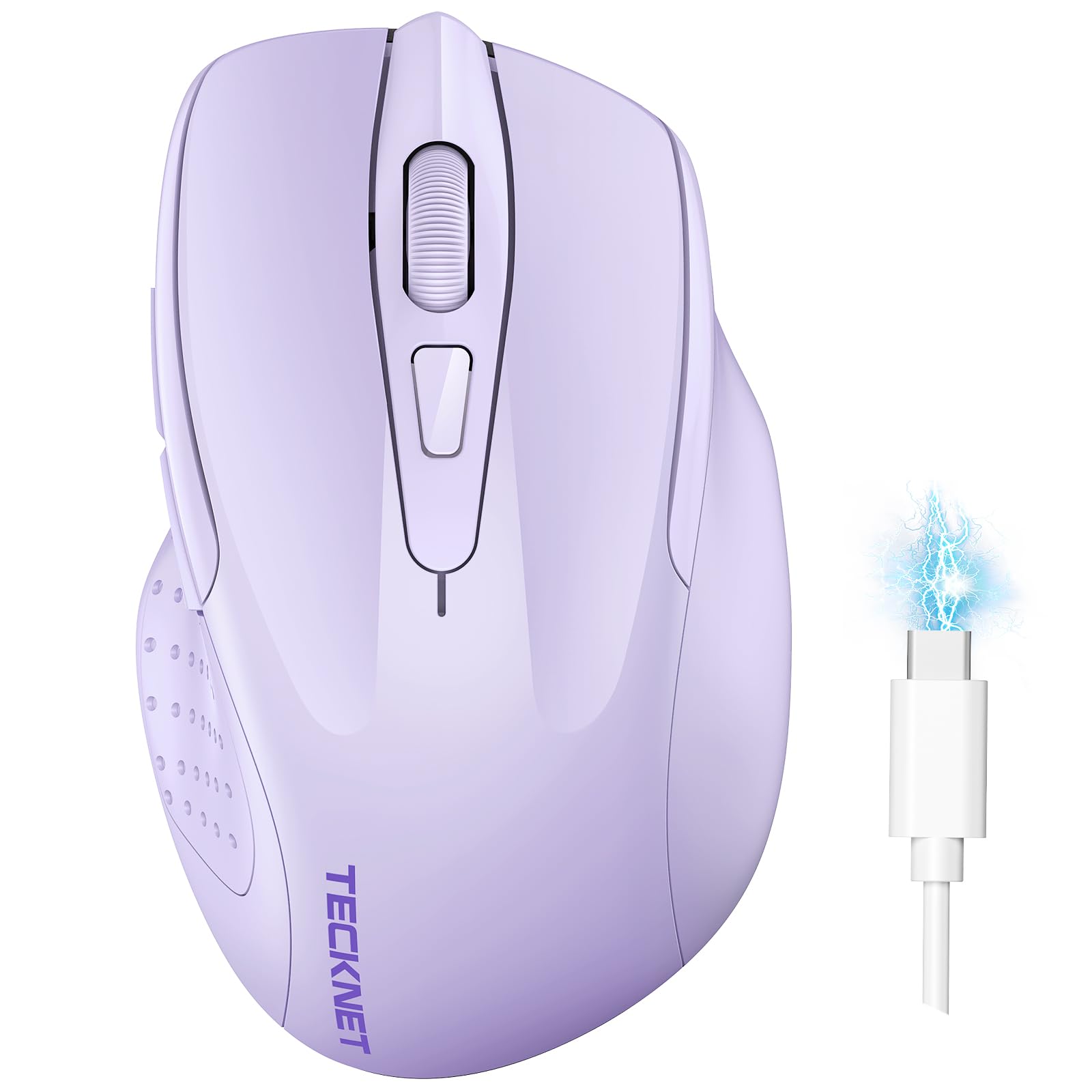
The TECKNET Lavender mouse brings premium-tier specs into the budget conversation. With six adjustable DPI levels peaking at 4800, this unit is overkill for basic browsing but a genuine asset for users who switch between a 4K monitor and a standard laptop screen. The dual-mode connectivity (Bluetooth 5.0/3.0 plus USB-A) lets you pair two devices and toggle with a single slide switch, which is a feature typically reserved for mice costing twice as much.
The silent click mechanism delivers a truly muted experience — the buttons produce a soft tap rather than a plastic snap, making this ideal for shared library spaces or late-night work sessions. The built-in rechargeable battery fills in about 90 minutes and provides roughly three weeks of daily use based on a standard work schedule. The overall build is lightweight, though the smaller footprint favors small to medium hand sizes.
One consistent user note is that the side thumb buttons are positioned a bit far forward, which can make the “forward” key feel out of reach. Additionally, the mouse lacks a hardware toggle to disable the random “wiggle mode” that some units exhibit, so verifying this behavior early in your return window is wise. For the feature density here, the trade-offs are minor against the incredible value.
Why it’s great
- Six DPI levels up to 4800 for precision work
- Dual-device Bluetooth+USB switching
- Truly silent clicks under 35dB
Good to know
- Best suited for small to medium hands
- Side button placement feels awkward for some
- Occasional phantom jiggler mode reported
2. AOC 2.4GHz Ergonomic Vertical Mouse, 4800 DPI
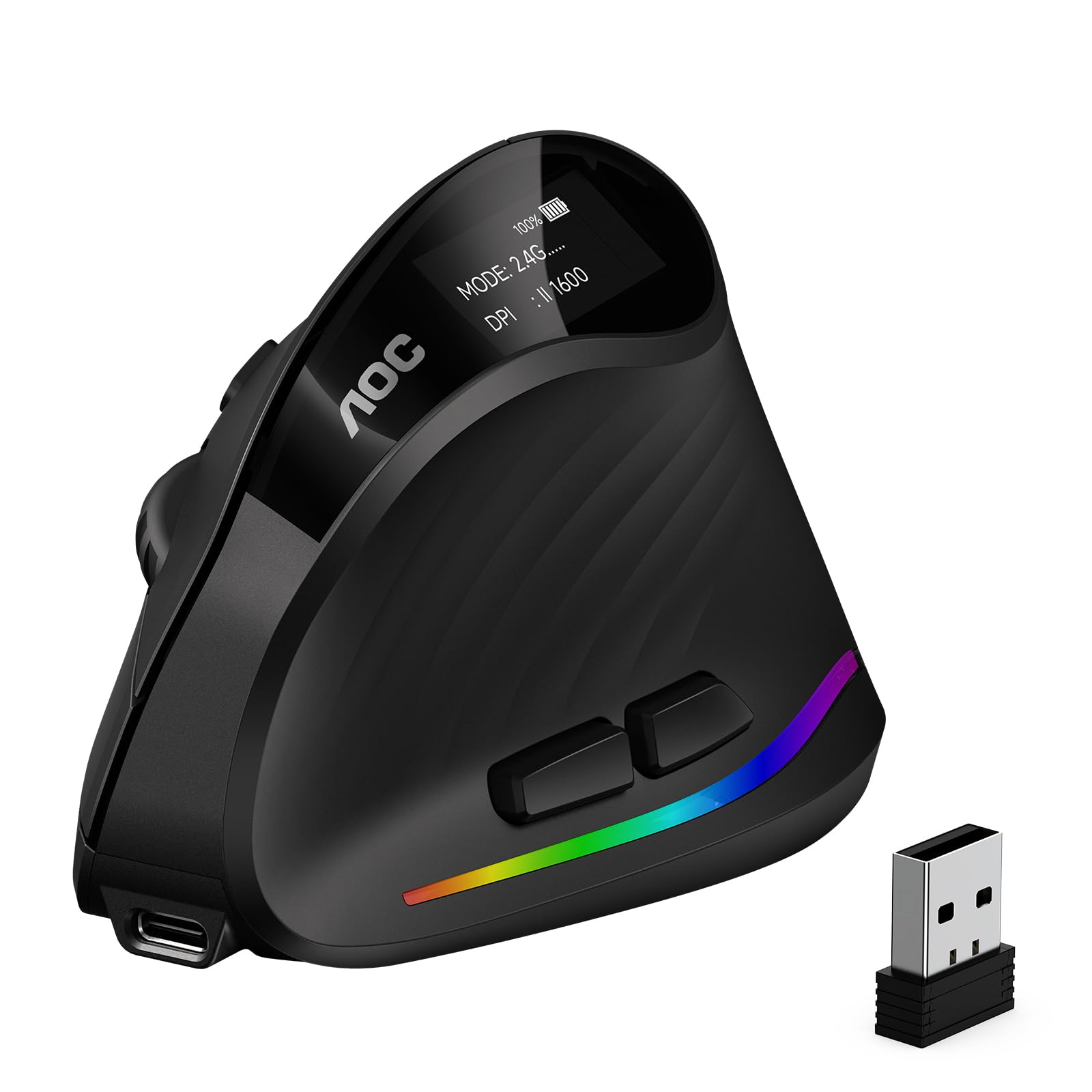
The AOC Vertical Mouse is a relief-focused design that positions your hand at a 52-degree angle to reduce forearm tension and wrist twisting. This isn’t a gimmick — the handshake grip genuinely alleviates the fatigue that builds up after hours of standard mouse use. It supports Bluetooth 5.4, a 2.4GHz dongle, and even a wired USB connection, giving you three ways to stay connected across a desktop, a laptop, and a tablet without re-pairing.
The optical sensor tracks up to 4800 DPI with five adjustable levels, and the included software lets you remap all seven buttons, including the RGB lighting. The 800mAh battery delivers up to 200 hours of use without the LEDs active, and the Type-C port supports pass-through charging so you can keep working while the battery tops up. The matte ABS plastic feels sturdy in hand and the non-slip texture provides a confident grip even during rapid movements.
The vertical shape is not recommended for small hands — the palm rest is designed for medium to large grips, and smaller users may struggle to reach the top buttons comfortably. The battery life with RGB active drops significantly to around 40 hours, so if you want the glow, be prepared to charge weekly. For anyone battling wrist strain on a budget, this is the most ergonomic option in this price bracket.
Why it’s great
- 52° vertical angle reduces wrist strain
- Triple connectivity: BT 5.4, 2.4GHz, wired USB
- Programmable buttons with RGB customization
Good to know
- Too large for small hands
- RGB drains battery to ~40 hours
- Right-hand only orientation
3. Logitech M185 Wireless Mouse, 2.4GHz with USB Mini Receiver

The Logitech M185 is the definition of no-fuss reliability. There are no Bluetooth menus, no multi-device switching, and no RGB gimmicks — you plug the nano USB receiver into a port and the mouse works instantly. The 1000 DPI optical tracking is adequate for standard 1080p workflows, and the line-by-line scroll wheel provides tactile feedback without the rattling feel of cheaper models.
The contoured ambidextrous shell is comfortable for both left and right-handed users, and the smart sleep mode extends the included AA battery to a full year of typical use. The compact size makes this an excellent travel companion, easily slipping into a laptop bag pocket. The build quality is signature Logitech — the plastic creaks less than competitors and the buttons retain their springiness after months of heavy clicks.
The M185 lacks a DPI switch, so you are stuck at a single 1000 DPI speed. This can feel sluggish on a 1440p or 4K monitor where you need more cursor travel per inch of hand movement. There is also no power indicator on the bottom, so the first sign of a dying battery is usually a stuttering cursor. For pure simplicity and longevity, though, this mouse is a proven workhorse.
Why it’s great
- True plug-and-play with nano receiver
- 12-month battery life on a single AA
- Ambidextrous and comfortable for small hands
Good to know
- Fixed 1000 DPI only, no adjustment
- No power indicator light
- Not ideal for large monitors
4. Logitech MK270 Wireless Keyboard and Mouse Combo

The included compact mouse is ambidextrous with smooth cursor control, but the real story is the full-size keyboard with a spill-resistant design, low-profile quiet keys, and eight dedicated multimedia hotkeys for volume, playback, and internet access. Both devices share a single USB-A nano receiver, freeing up a port on your laptop or desktop.
The 2.4GHz connection reaches up to 33 feet and maintains a stable link without the pairing delays common with Bluetooth. The keyboard also includes a full number pad and arrow keys, which is a non-negotiable feature for spreadsheet work and data entry.
The mouse itself is the weakest link here: it’s a basic 1000 DPI pointer with no DPI adjustment, no side buttons, and a relatively flat profile that can cause hand fatigue during long sessions. The keyboard’s number pad keys can feel slightly mushy compared to mechanical alternatives. If you already own a decent keyboard and only need a mouse, buying this combo for the mouse alone is wasteful — but for a fresh setup, the value of the full bundle is hard to beat.
Why it’s great
- Full keyboard + mouse with single receiver
- Long battery life (36mo keyboard, 12mo mouse)
- Spill-resistant keyboard with media keys
Good to know
- Mouse is basic, no DPI switch
- Keyboard keys feel slightly mushy
- Requires USB-A port, no Bluetooth
5. Lenovo 350 Wireless Bluetooth Mouse, Silent Click, 36 Month Battery
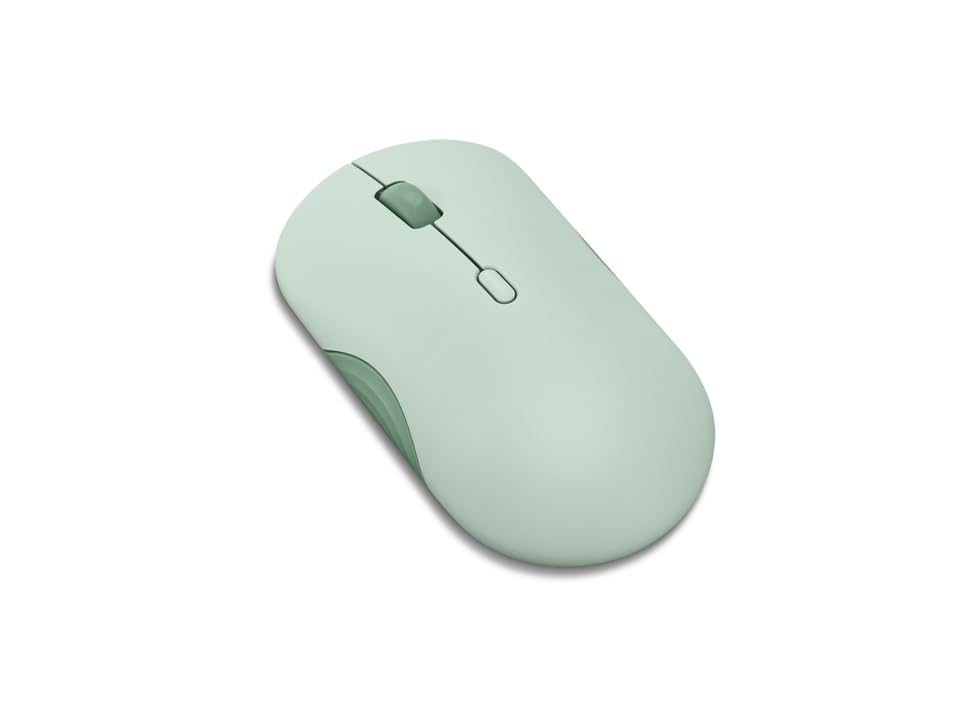
The Lenovo 350 is a minimalist’s dream. It connects via Bluetooth 5.3, which provides a stronger, more energy-efficient link than older Bluetooth standards, and it pairs with up to two devices simultaneously. The silent click mechanism is genuinely quiet at approximately 30dB, and the 3-level DPI adjustment (1000, 1600, 2400) gives you flexibility for different screen sizes without needing any software installation.
The headline feature is the 36-month battery life, which Lenovo achieves through a single AA battery and an aggressive auto-sleep circuit that wakes instantly on touch. The shell has a subtle Breeze Moss color option that stands out on a desk without being gaudy, and the ambidextrous shape fits medium hands comfortably. The six buttons include a dedicated DPI button and a mode switch for toggling between paired devices, making multitasking seamless.
The AA battery requirement is a double-edged sword: you avoid the inevitable degradation of internal rechargeable cells, but you’ll need to keep a spare AA around for the eventual swap in year two or three. The plastic feels light, which some users might interpret as cheap, though it contributes to the mouse’s portability. For a no-nonsense, low-maintenance pointer that just works, this Lenovo is a strong contender.
Why it’s great
- Industry-leading 36-month battery life
- Silent clicks and dual-device Bluetooth 5.3
- 3-level DPI switch for screen flexibility
Good to know
- Runs on AA battery, not rechargeable
- Light plastic build feels less premium
- No included USB dongle, BT only
6. FYBC Bluetooth LED Wireless Mouse, 3 Mode BT 5.2 & 2.4G

The FYBC RGB Mouse brings a splash of personality to the budget aisle with its 7-color breathing LED effect. But the real utility lies in the built-in mouse jiggler mode: holding the DPI button for 3-5 seconds activates an undetectable random movement pattern that keeps your computer awake during meetings or downloads. This is a niche but welcome feature for remote workers who step away from their desk frequently.
Connectivity is flexible with Bluetooth 5.2 and a dual-port 2.4GHz receiver that combines USB-A and USB-C in one dongle, meaning you don’t have to choose between your desktop and your MacBook. The 65g weight makes it ultra-portable, and the silent clicks reduce noise by roughly 90% compared to standard switches. The optical sensor tracks at three DPI levels (800, 1200, 1600), which is adequate for most productivity tasks.
The battery life is the main trade-off for the RGB lighting and jiggler feature. The internal rechargeable cell lasts around 60 days with moderate use, but leaving the LED on continuously will cut that significantly. The slim profile is designed for small to medium palms — users with larger hands report cramping after extended use. For the price, you get a feature set that punches above its weight, especially if you appreciate the jiggler and RGB aesthetics.
Why it’s great
- Built-in jiggler mode for remote work
- Single dongle with USB-A and USB-C
- Ultra-light 65g for travel
Good to know
- Slim shape not comfortable for large hands
- RGB drains battery noticeably faster
- Only three DPI levels
7. Kovess Wireless Bluetooth Mouse with Jiggler Mode, Dual Mode Switch

The Kovess Wireless Mouse in Rose Gold is one of the most affordable dual-mode options with a jiggler feature. It supports Bluetooth 5.2, Bluetooth 3.0, and 2.4GHz via a dual-port receiver that houses both USB-A and USB-C connectors in a single unit. The 800mAh rechargeable battery is generous at this price point, providing three to four weeks of real-world use on a single charge, with a standby time of up to 90 days.
The ergonomic profile is slim and contoured, with a smooth surface finish that looks premium but can get slightly slippery during long sessions. The three DPI levels (800, 1200, 1600) are accessible via a short press of the DPI button, and the jiggler mode is activated by holding the same button for three seconds. The optical tracking is precise enough for daily office work and basic graphic design.
The primary downsides are the glossy finish, which attracts smudges, and the small overall size that makes it a tight fit for larger hands. The built-in media includes a charging cable and both USB-A and USB-C receivers, but the lack of a storage slot for the receivers inside the mouse means they are easy to misplace. For the feature set, including dual-mode connectivity and jiggler functionality, this is one of the strongest entry-level picks available.
Why it’s great
- Dual-port 2-in-1 receiver (USB-A + USB-C)
- Large 800mAh rechargeable battery
- Built-in jiggler mode included
Good to know
- Glossy finish attracts fingerprints
- Small form factor, not for large hands
- No onboard receiver storage
FAQ
Is a 2.4GHz dongle mouse better than Bluetooth for gaming?
How long does a rechargeable mouse battery actually last?
Can I use a cheap wireless mouse with a MacBook or iPad?
Final Thoughts: The Verdict
For most users, the best cheap wireless mouse is the TECKNET Lavender because it combines high-DPI precision, dual-device switching, and silent clicks in a lightweight rechargeable package that covers nearly every use case. If you need ergonomic wrist relief, go with the AOC Vertical Mouse. And for the simplest, most reliable plug-and-play experience, nothing beats the Logitech M185.