
Our readers keep the lights on and the weekend projects moving. As an Amazon Associate, I earn from qualifying purchases.
An address label maker machine that doesn’t slow you down is the difference between a clean mailing station and a chaotic stack of handwritten envelopes. The wrong thermal printer wastes your time with drifting alignment, forced app subscriptions, or tape sizes that don’t match standard shipping labels. The right one delivers crisp, waterproof black print on BPA-free thermal stock with zero ink costs, cutting your envelope prep from minutes to seconds.
I’m Rikta — the co-founder and writer behind FitlyFast. I’ve spent hundreds of hours researching and comparing the technical specs of label printers, analyzing print resolutions, battery capacities, tape widths, and app ecosystem lock-ins to separate the serious tools from the gimmicks.
Whether you’re a small business owner shipping products or a home user organizing holiday cards, choosing a reliable address label maker that matches your workflow keeps your operation tidy, fast, and free of recurring ink expenses.
How To Choose The Best Address Label Maker
An address label maker has three jobs: print clearly on the right size stock, stay connected without frustration, and keep consumable costs low. The wrong choice forces you into expensive proprietary tape cartridges or an app that demands a monthly fee for basic text layouts. Focus on these four factors to avoid buyer’s remorse.
Tape Width and Label Size Limits
Most handheld models accept 12mm (0.5 inch) wide tape, which works fine for return-address stickers on envelopes. For mailing labels that include a full name, street, city, state, and ZIP across four or five lines, you need a printer that handles at least 18mm (0.75 inch) tape. Desktop thermal printers that accept rolls up to 3.35 inches wide let you print standard 4×6 shipping labels as well, making them a single-device solution for both envelopes and packages.
Bluetooth vs USB vs Standalone Keyboard
A standalone QWERTY keyboard model requires no phone or computer — you type the address directly and hit print. This approach works best for low-volume home use where speed is not critical. Bluetooth-connected label makers let you design addresses on your phone using a free companion app, then print wirelessly. USB-only desktop printers offer faster throughput and are the most reliable choice for small businesses printing dozens of addresses per day, since they avoid wireless dropouts entirely.
App Ecosystem and Hidden Costs
Several label printers in the budget tier require a paid subscription to unlock advanced features like custom fonts, barcode generation, or batch printing. Before buying, check whether the free version of the app gives you access to two-line printing and the font size you need for addresses. Premium models include full-featured free design software that never asks for a credit card.
Power Source and Battery Life
Handheld models typically run on 4 to 6 AAA batteries, which adds recurring expense and waste. Units with built-in rechargeable lithium-ion batteries rated at 1200mAh or higher can print thousands of labels per full charge and save money over the long term. Desktop printers plug into AC power and are the right choice if you never need to label outside your home office.
Quick Comparison
On smaller screens, swipe sideways to see the full table.
| Model | Category | Best For | Key Spec | Amazon |
|---|---|---|---|---|
| DYMO LetraTag LT-100H Pink | Handheld Thermal | Home organization & entry-level address labels | 12mm tape, 7mm/sec print speed | Amazon |
| Phomemo M108 | Bluetooth Thermal | Portable address & price labels on the go | 1200mAh battery, 2 inch max width | Amazon |
| NIIMBOT B1 | Bluetooth Thermal | Quick home/small business with free app fonts | 203 dpi, 50x80mm max label size | Amazon |
| Brother P-Touch PT-N25BT | Handheld Bluetooth | Custom address labels with app templates | 12mm Btag tape, 2-line print height | Amazon |
| Phomemo M250 | Bluetooth Thermal | 3-inch wide address & barcode labels | 2200mAh battery, 30-50mm/sec speed | Amazon |
| Brother P-Touch PT-D410 | Desktop USB | 5-line labels on 18mm TZe tape | 18mm tape width, 700 symbols | Amazon |
| iDPRT SP310 | Desktop Thermal | High-volume mailing & shipping labels | 80ppm, 1-3.35 inch roll width | Amazon |
In‑Depth Reviews
1. Brother P-Touch PT-D410

The Brother PT-D410 is the most versatile address label maker for users who need professional-grade labels with up to five lines of text. Its USB connection to a PC or Mac bypasses Bluetooth lag entirely, making it ideal for bulk address lists from spreadsheets or CRM exports. The 18mm TZe tape width accommodates return addresses and full mailing addresses without truncation, and the preloaded library of 120 frames and 700 symbols gives you complete design freedom without any app subscription.
The stand-out feature here is the ability to print on Brother’s durable TZe laminated tapes, which are resistant to fading, moisture, and abrasion — critical for envelopes that travel through postal sorting machines. Users consistently report that after months of intermittent use the unit never jams and the battery charge lasts for weeks, even when printing several tape cartridges per session. The manual cutter requires a firm press but produces clean, straight edges every time.
The main caveat is that the LCD display lacks backlighting, making it hard to preview your text in dim home offices. The unit also does not support auto-cutting, so you must manually advance and cut each label. And while the adapter is sold separately, the overall build quality and zero-cost design software make this the most reliable long-term investment for heavy address-label users.
Why it’s great
- Prints up to five lines on 18mm tape for full addresses
- USB connection eliminates wireless interference for fast batch jobs
- Free P-Touch Editor software with 120 frames and no subscription fees
- Durable laminated TZe tapes resist water, sun, and scuffing
Good to know
- LCD screen has no backlight for low-light use
- No auto-cutter — labels must be manually cut
- AC adapter sold separately from the printer
2. Phomemo M250

The Phomemo M250 bridges the gap between a handheld label maker and a full desktop thermal printer by accepting label rolls up to 3.14 inches wide. That width covers standard shipping labels, return address stickers, and even small barcode tags, making it a single-device solution for small businesses. The built-in 2200mAh rechargeable battery is the largest in this roundup, rated for up to 5,000 labels per full charge — you can take it to a packing station or craft fair without hunting for an outlet.
The Print Master app includes over 200 templates, 110 fonts, and OCR text extraction from photos, which is incredibly convenient when you need to turn a business card into a quick address label. Users praise the fast Bluetooth connection and the quiet, steady feed at 30-50mm per second. The label stock included in the box is waterproof and oil-resistant, holding up well against envelope-handling wear.
On the downside, the app experience is fragmented — some users report needing to juggle two separate apps (Print Master and Labelife) for different features, and the Windows driver download process is poorly organized. The automatic sleep mode engages after five minutes of inactivity, which saves battery but can be annoying during intermittent use. The side latch that secures the label roll also prevents any protective case from fitting the printer.
Why it’s great
- 3.14-inch print width fits full address strips and 4×6 shipping labels
- 2200mAh battery prints up to 5,000 labels per charge
- Waterproof, oil-resistant labels included out of the box
- OCR and voice-to-text input speeds up address entry
Good to know
- App ecosystem requires downloading two separate programs
- No case available due to protruding side latch
- Windows driver setup can be confusing for non-technical users
3. iDPRT SP310

The iDPRT SP310 is a desktop thermal printer built for high-throughput mailing rooms and e-commerce sellers. Its unlocked roll system accepts any generic 1-inch to 3.35-inch thermal label from any third-party brand, eliminating the proprietary microchip restrictions that drive up consumable costs on other models. At up to 80 sheets of 2×3 labels per minute, it is the fastest unit in this guide — useful for printing address labels in bulk before a shipping rush.
The intelligent label calibration module automatically detects the gap between labels on the roll, then self-aligns each print so your addresses stay centered without manual adjustment. The free HereLabel design software supports serialized batch printing, which is handy for inventory SKU labels that include sequential numbers. Users report the perforated tear bar cuts cleanly and the USB connection is completely drop-out free — no Bluetooth pairing issues to troubleshoot.
The drawbacks are mainly around setup friction and support. The driver installation requires more technical steps than a plug-and-play USB device, and a handful of users report unresponsive customer service based in China. The included label roll is small for testing rather than production use, so factor in the cost of a bulk thermal roll purchase. The SP310 is the right choice if you already have a PC workstation and need speed and low per-label cost, but less ideal for a casual home user.
Why it’s great
- Unlocked system uses any third-party thermal roll, saving on tape costs
- 80ppm speed prints bulk address labels without bottlenecking
- Smart calibration auto-aligns labels for centered prints
- Free HereLabel software with batch and serial number printing
Good to know
- Driver installation requires moderate technical comfort
- Customer support response times can be slow for warranty issues
- No Bluetooth — USB only, so not portable
4. Brother P-Touch PT-N25BT
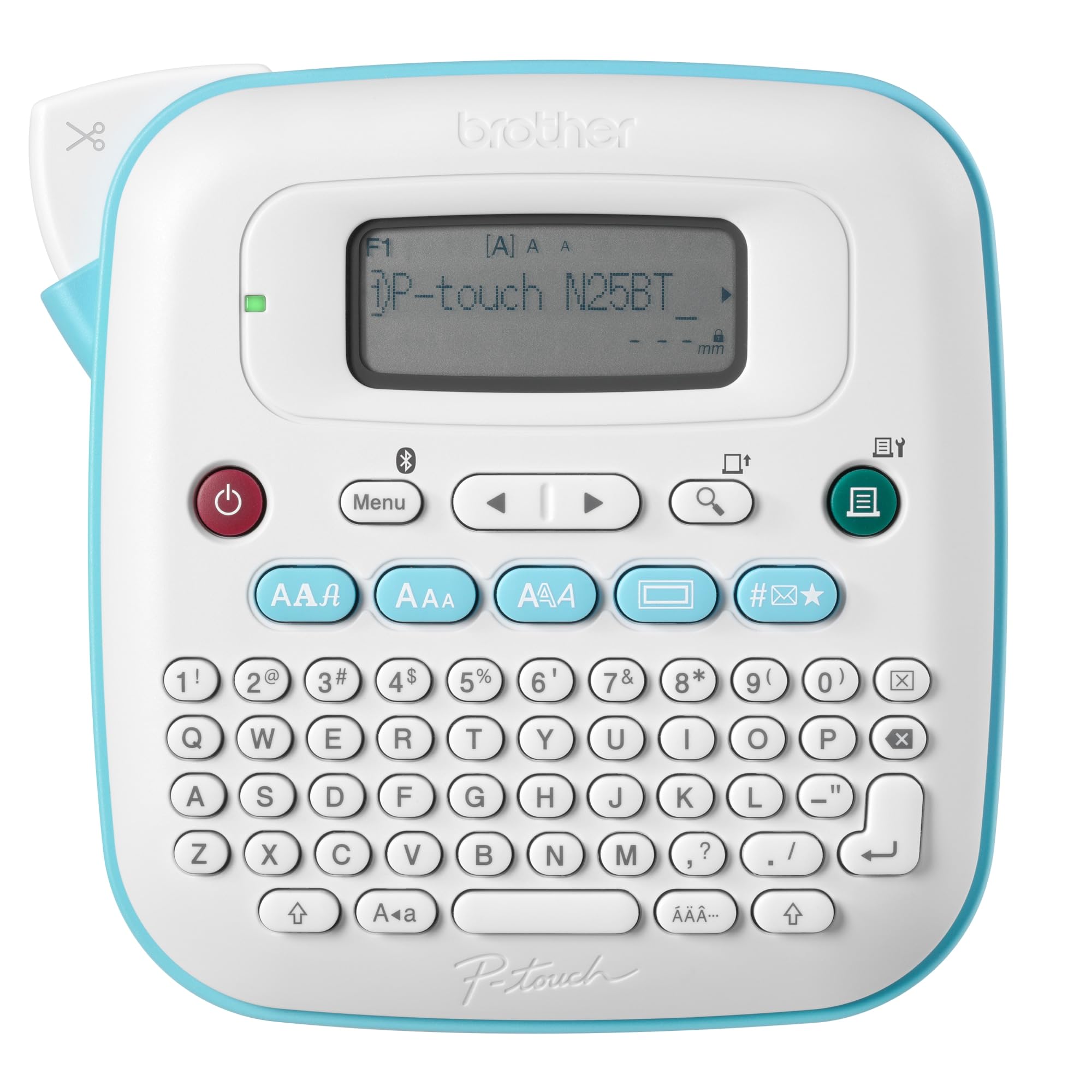
The Brother PT-N25BT is a Bluetooth-connected handheld label maker that pairs with the free Design&Print2 app for additional font styles, frames, and symbols beyond what the on-device keyboard offers. The machine itself includes a full QWERTY layout, a 16-character LCD preview, and a built-in cutter — so you can type and print a return address without ever touching your phone. The included sample Btag tape measures 12mm wide, which is adequate for a two-line return address but a tight fit for a full multi-line destination label.
The build quality matches Brother’s reputation for reliability: the click of the keyboard is tactile, the tape cartridge snaps in cleanly, and the cutter produces straight edges without tearing. The app adds valuable templates for tools, kitchen items, and shipping labels, making this a versatile choice for both home organization and occasional mailing duty. Users switching from older Brother models appreciate the familiar workflow with the added benefit of Bluetooth connectivity.
The biggest frustration is the power situation — the PT-N25BT requires six AAA batteries with no rechargeable pack option, and the AC adapter is sold separately. The screen lacks backlighting, so previewing labels in dim rooms is difficult. Several users also note that the tape is not sticky enough for porous surfaces like corrugated boxes, and the included sample tape roll is very short. Despite these drawbacks, the PT-N25BT is the most polished entry-level Bluetooth label maker for low-volume home address labels.
Why it’s great
- Standalone QWERTY keyboard works without a phone or computer
- Free Design&Print2 app adds hundreds of templates and fonts
- Compact, ergonomic body with reliable built-in cutter
- Btag tape is designed for easy peel and damage-free removal
Good to know
- Requires six AAA batteries; no rechargeable battery included
- LCD screen is not backlit for low-light use
- 12mm tape width limits you to two-line addresses
5. NIIMBOT B1

The NIIMBOT B1 is a compact Bluetooth thermal label printer that delivers solid 203 dpi print quality at a mid-range price point, making it a strong contender for home offices and small retail shops that need address labels and product tags. The printer auto-identifies the loaded label size via the NIIMBOT app, so you do not need to manually select a template for each new roll. The app includes over 30 fonts, 100 borders, and 1,500 symbols — all accessible without a subscription — which is a rare advantage at this price tier.
The printer ships with three rolls of white labels in different sizes (50x30mm, 50x80mm, and 50mm round), giving you immediate flexibility for address strips, name tags, or jar lids. The Bluetooth connection to iPhone and Android is stable and quick, with users reporting that prints start within seconds of hitting the button. Battery life is excellent during real-world use, and the compact blue body is lightweight enough to toss into a tote bag for labeling at a craft fair or co-working space.
The primary limitation is compatibility: the B1 is explicitly not recommended for use with iPads, which reduces its versatility for tablet-only workflows. A small number of users mention that the more advanced design templates require a premium subscription to unlock, though the free tier is generous enough for most address-label needs. The build quality is plastic but feels solid, and the lack of a screen means you must always have a phone connected to preview and print.
Why it’s great
- Free app includes 30 fonts and thousands of symbols with no subscription
- Auto-size detection saves time when switching between label sheets
- Comes with three different label rolls for versatile first use
- Fast Bluetooth pairing and quick start-up time
Good to know
- Not compatible with iPads; iPhone and Android only
- Premium templates require paid subscription
- No built-in screen — phone or tablet is required for all operations
6. Phomemo M108
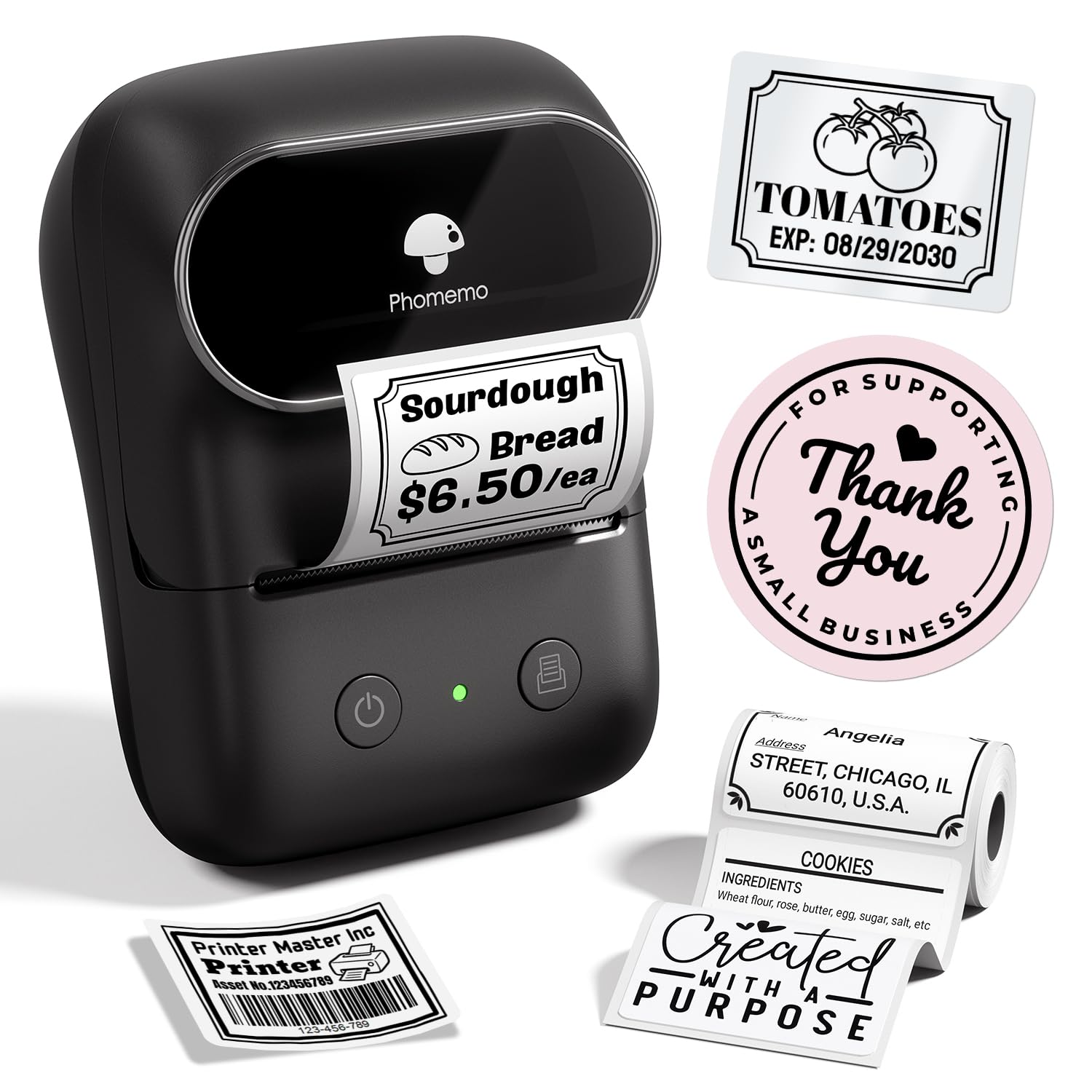
The Phomemo M108 is a featherlight Bluetooth label printer weighing just 22.8 grams, making it the most portable address label maker in this lineup. Its 2-inch maximum print width fits standard address strips, and the built-in 1200mAh rechargeable battery is rated for up to 6,000 labels per full charge — enough to handle an entire season of holiday card addressing on a single charge. The inkless thermal technology means you will never need to buy toner or cartridges, and the BPA-free label stock is safe for everyday handling.
The Print Master app offers image-to-text conversion and voice-to-text transcription features that speed up address entry considerably. Users appreciate the fast print speed, with the M108 rated at 50 pages per minute for smaller label sizes. The Type-C charging port is a welcome modern convenience, and the compact form factor slips into a desk drawer or jacket pocket effortlessly. For small business owners who need to print price tags, QR codes, and addresses from a single device, the M108 covers all those bases without hogging desk space.
The most significant drawback is the app paywall: customizing labels in any meaningful way requires a subscription to the Print Master app’s premium tier. Users who need only basic address text with a standard font will be fine on the free version, but anyone wanting borders, icons, or custom layouts will face an unexpected recurring cost. A handful of users also report that the Bluetooth connection occasionally drops when switching between iPhone and Android devices mid-session.
Why it’s great
- Ultra-light 22.8g body is the most portable option available
- 1200mAh battery delivers up to 6,000 labels per charge
- Voice-to-text and OCR features speed up address entry
- Type-C charging with fast 50ppm print speed
Good to know
- Advanced app features require a paid subscription
- Bluetooth can be finicky when switching between phone brands
- Maximum print width of 2 inches limits multi-line address layouts
7. DYMO LetraTag LT-100H Pink

The DYMO LetraTag LT-100H in pink is the most approachable address label maker for casual users who want a dedicated standalone keyboard without the complexity of a smartphone app. It prints on 12mm LetraTag tapes in paper, clear opaque plastic, and textile finishes — all BPA-free and backed by FSC-certified packaging. The 13-character LCD screen lets you preview your address before printing, and the fast 7mm-per-second thermal print head delivers smudge-free black text every time. It ships with three sample tape rolls so you can start organizing immediately.
The keyboard is ergonomic and well-spaced for a handheld device, with dedicated keys for date stamping, two-line printing, and various font styles. The pink color is a deliberate design choice for users who want a label maker that stands out visually on a desk or shelf rather than hiding in a drawer. Multiple users report that after years of weekly use, the LT-100H still functions reliably with no degradation in print quality — the direct thermal mechanism has no moving parts to wear out.
The primary compromise is that the LT-100H uses AAA batteries (four required) instead of a built-in rechargeable pack, which adds long-term consumable cost. The 12mm tape width is ideal for return address labels but too narrow for a full multi-line destination address on a standard envelope. Some users also note that the adhesive on the paper tape rolls is moderate — labels may peel over time on textured surfaces. For a low-volume home office that needs a simple, colorful, and reliable label maker, the LetraTag LT-100H delivers on all fronts.
Why it’s great
- Dedicated QWERTY keyboard works without any phone or app
- Thermal printing delivers crisp, smudge-free text with no ink
- BPA-free tape with FSC-certified packaging for eco-conscious users
- Compact, lightweight pink design that brightens a workspace
Good to know
- Runs on four AAA batteries; no rechargeable option built in
- 12mm tape width limits you to short return address labels
- Adhesive strength on paper tape is moderate for textured surfaces
FAQ
Can I print full mailing addresses with a 12mm label maker?
Do Bluetooth label makers require a paid app subscription for address labels?
How long do thermal address label prints last before fading?
Final Thoughts: The Verdict
For most users, the address label maker winner is the Brother P-Touch PT-D410 because it prints up to five lines on durable 18mm laminated tape, includes free full-featured design software with no subscription fees, and offers the most reliable USB connection for batch jobs. If you want a portable 3-inch printer that handles both address strips and shipping labels from a large rechargeable battery, grab the Phomemo M250. And for high-volume mailing rooms that need the fastest throughput and lowest per-label cost, nothing beats the iDPRT SP310.