
Our readers keep the lights on and the weekend projects moving. As an Amazon Associate, I earn from qualifying purchases.
Digitizing artwork presents a unique challenge: how do you capture the texture of a canvas, the exact gradient of a watercolor wash, or the fine lines of an ink drawing without distortion, glare, or color shift? A flatbed scanner designed for documents often crushes the dynamic range of art, while a general-purpose camera introduces shadows and lens distortion. The solution is a dedicated device built to bridge the physical and digital worlds with fidelity.
I’m Rikta — the co-founder and writer behind FitlyFast. This guide is built on weeks of cross-referencing sensor types, DPI claims, color-bit depths, and real-world user feedback from artists, archivists, and graphic designers to find the machines that truly serve creative work.
Whether you’re archiving a portfolio, preparing work for print submission, or building a digital catalog of your pieces, selecting the right tool is critical. The following analysis of the best art scanner options on the market cuts through the marketing to focus on the specs that matter: resolution, color accuracy, and format handling.
How To Choose The Best Art Scanner
The right scanner for your art depends on the media you work with most. A 35mm film photographer has entirely different needs than a painter working on A3 canvas boards. You must weigh resolution, sensor type, color fidelity, and physical size against your budget and workflow.
Sensor Type: CCD vs. CIS
For fine art, a CCD (Charge-Coupled Device) sensor is almost always superior. It offers a wider dynamic range (measured as Dmax) and deeper color depth, which is essential for capturing subtle gradations in shadows and highlights. CIS (Contact Image Sensor) scanners are thinner, faster, and cheaper, but they produce a flatter image with less depth of field, making them poor choices for textured art or anything not perfectly flat against the glass.
Resolution and Bit Depth
Don’t be fooled by interpolated resolution numbers. Look for the *optical* DPI. For large format art you plan to print at the same size, 300-600 DPI is sufficient. For film or small originals you intend to enlarge, you need 2400 DPI or higher. A 48-bit color depth (16 bits per channel) is the baseline for any serious art scanner, as it provides the headroom to correct exposure and color balance in post-processing without introducing banding.
Format and Media Handling
An A4 flatbed is useless if you paint on 11×17 inch paper. Measure your largest common piece and buy a scanner that accommodates it comfortably. For photographers, dedicated film holders are critical to keep the negative perfectly flat. If you work with fragile, thick, or bound media, an overhead book scanner with a V-cradle or curvature-flattening software is the safer and more accurate choice than pressing a book onto a flatbed glass.
Quick Comparison
On smaller screens, swipe sideways to see the full table.
| Model | Category | Best For | Key Spec | Amazon |
|---|---|---|---|---|
| Epson Perfection V800 | Premium Flatbed | High-end photo and film | 6400 dpi / CCD / 4.0 Dmax | Amazon |
| Epson FastFoto FF-680W | High-Speed Photo | Batch photo digitization | 1 photo/sec at 300 dpi | Amazon |
| Plustek OpticFilm 8200i SE | Film & Slide | 35mm negative & slide scanning | 7200 dpi / 48-bit / IR dust removal | Amazon |
| ScanSnap iX2500 | Document & Cloud | Office document digitization | 45ppm duplex / 100-sheet ADF | Amazon |
| CZUR ET24 Pro | Overhead Book | Delicate & bound media | 24MP / A3 / 3rd-gen auto-flatten | Amazon |
| Plustek OS1180 | Large Flatbed | A3/tabloid format graphics | A3 / 48-bit / LED light source | Amazon |
| VIISAN S21 | Overhead A2 | Large format archival | A2 / 26MP / adjustable height | Amazon |
| ScanSnap iX1300 | Compact Document | Small space document scanning | 30ppm duplex / Wi-Fi / USB | Amazon |
| CZUR Shine Ultra | Portable Book | Quick A3 book & document capture | 13MP / A3 / 1-sec capture / foot pedal | Amazon |
In‑Depth Reviews
1. Epson Perfection V800 Photo Scanner

The Epson Perfection V800 is the benchmark for serious art and photo reproduction. Its true CCD sensor and Dual Lens System mean you get professional-grade depth of field and sharpness whether scanning a 35mm slide or an 8×10 print. The 4.0 Dmax ensures shadow detail in dark paintings does not turn into muddy black.
For artists working with mixed media or fine art prints, the 48-bit color depth provides the editing headroom needed to match the original. The Epson Scan software is robust, though it can be persnickety on newer macOS versions. The included film holder system supports up to 120 medium format, but some users find the 35mm strip holder forces a landscape orientation.
This is not a speed demon; scanning a full page at 6400 dpi takes time. The weight is substantial, and dust management is a recurring chore due to the exposed glass. For the artist or photographer who demands archival quality from a desktop machine, this remains the go-to choice.
Why it’s great
- Exceptional 4.0 Dmax dynamic range for shadow detail
- Dual Lens System optimizes for film or reflective media
- High 6400 dpi optical resolution captures fine texture
Good to know
- Slow scan speeds at high resolution
- Heavy, taking up significant desk space
- Driver compatibility can be tricky with modern macOS updates
2. Epson FastFoto FF-680W
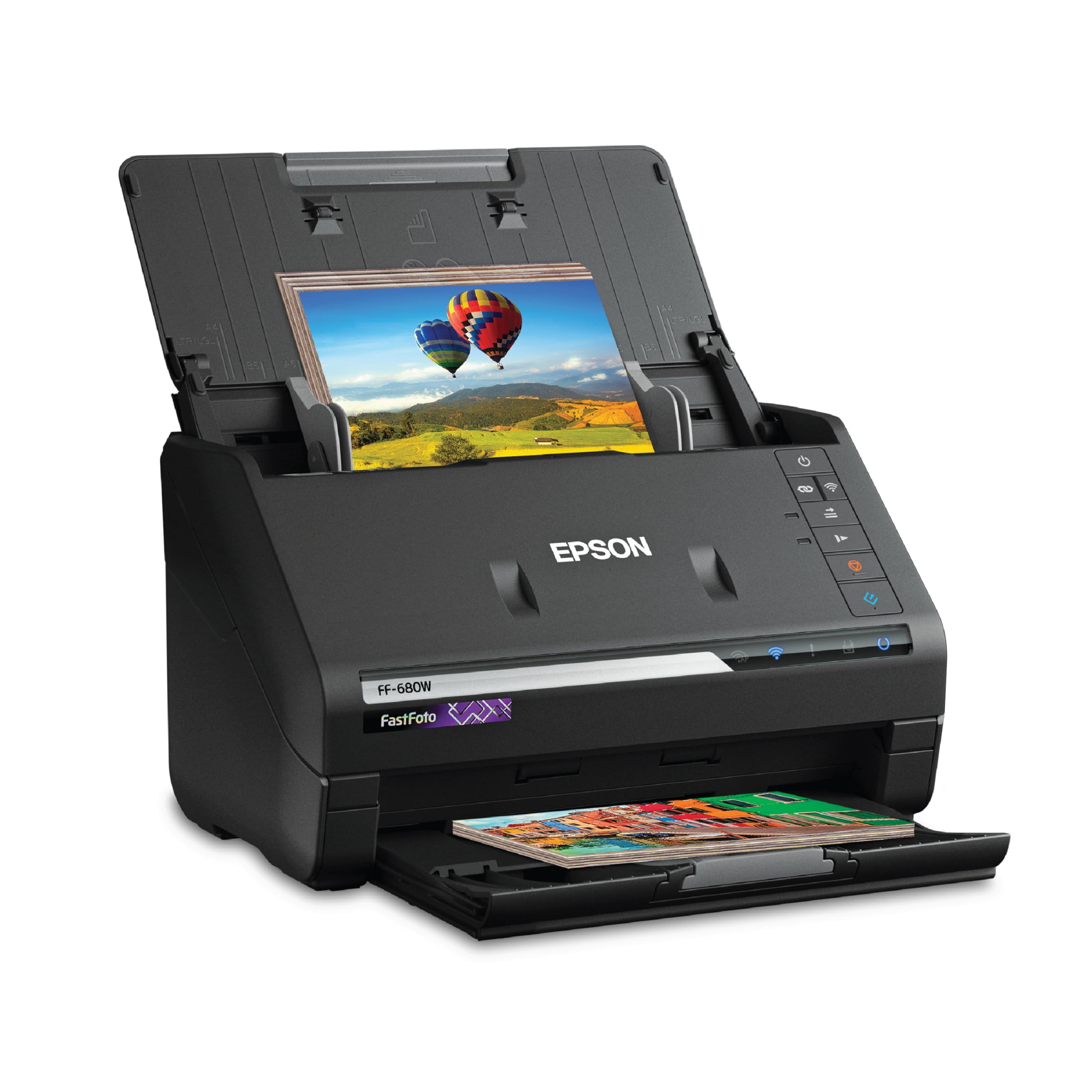
The Epson FastFoto FF-680W is the antithesis of a slow flatbed. It is engineered for one specific task: digitizing thousands of photographs in a single sitting. At 300 dpi, it processes roughly one photo per second, making it the only sensible tool for clearing out decades of family archives or an artist’s stack of reference prints.
Its duplex scanning is a unique benefit for photos, capturing handwritten dates or notes from the back side in the same pass. The auto-enhancement features, including red-eye reduction and color restoration, are effective but can occasionally make images look over-processed. You have the option to save raw scans and apply corrections selectively.
The machine is not designed for fine art originals, thick canvas boards, or textured paper. Photos that are curled or have glued-on decorations may jam. It also has no capability for scanning 35mm slides or negatives. If your work involves high-volume prints and snapshots, this is indispensable, but it will not replace a flatbed for original art.
Why it’s great
- Incredible batch speed, digitizing thousands of photos quickly
- Duplex scanning captures back-side notes automatically
- Auto color restoration and enhancement improve faded prints
Good to know
- Cannot handle thick, textured, or original artwork
- No film or slide scanning capability
- Curled or delicate photos may jam in the feeder
3. Plustek OpticFilm 8200i SE

The Plustek OpticFilm 8200i SE is a dedicated 35mm film scanner, and for that narrow task, it outperforms most flatbeds. Its 7200 dpi optical resolution resolves individual film grain, and the integrated infrared channel detects and removes dust and scratches without softening the image, a massive time-saver for restoration work.
The bundled SilverFast SE Plus software is incredibly powerful but has a steep learning curve. Many experienced users recommend a workflow where you only use SilverFast for the scan itself and perform color correction in a dedicated editor. The Multi-Exposure feature does provide a subtle boost in shadow detail, though it roughly doubles scan time.
The main drawback is speed: high-resolution scans with dust removal active are slow, taking several minutes per frame. The film holder can feel stiff and some users report breakage over time. It does not support 120 medium format. For a photographer committed to 35mm who wants the absolute best digital capture from their negatives, this is the dedicated tool.
Why it’s great
- True 7200 dpi optical resolution resolves film grain
- Infrared dust and scratch removal is highly effective
- Produces superior scans compared to flatbed film holders
Good to know
- Slow scan speed, especially with Multi-Exposure enabled
- Steep learning curve for SilverFast software
- No support for 120 or larger film formats
4. ScanSnap iX2500

The ScanSnap iX2500 is the newest flagship from PFU, designed for high-volume document digitization. Its 45ppm duplex speed and 100-sheet auto document feeder make it ideal for artists who need to scan correspondence, contracts, or reference sheets. The large 5-inch touchscreen allows for profile selection without a connected computer.
Scan quality for documents is excellent at 600 dpi, with strong OCR that recognizes text in scanned images. The built-in Wi-Fi 6 provides a stable wireless connection, and the USB-C option adds versatility. The brake roller and multi-feed sensor are effective at preventing jams, a common problem with mixed paper stocks.
This scanner is not meant for art reproduction. The CIS sensor produces a notably flatter image than a CCD flatbed. It cannot handle thick media like canvas board, and the ADF is unsuitable for any original you do not want to risk creasing. For running a business alongside your art practice, it is indispensable; for scanning artwork, look elsewhere.
Why it’s great
- Very fast duplex scanning with a large 100-sheet feeder
- Stable Wi-Fi 6 and USB-C connectivity
- Touchscreen profiles for quick, computer-free scanning
Good to know
- CIS sensor produces flat, less dynamic scans for art
- ADF cannot handle thick, fragile, or bound media
- Bundled software is cloud-oriented and can feel bloated
5. CZUR ET24 Pro

The CZUR ET24 Pro is an overhead scanner purpose-built for books and bound materials, but its utility for artists is significant. The 24MP camera captures up to A3 size, and the third-generation auto-flattening technology removes curve distortion from open books without squashing the spine. The included foot pedal makes the workflow hands-free and fast.
Resolution is a stable 320 DPI at full A3, which is enough for digital reference or web portfolios but may fall short for large fine art prints at high magnification. The side and head LED lights are adjustable to reduce glare on glossy or coated papers, a feature that works well with careful positioning. HDMI output allows the scanner to double as a live document camera for demonstrations.
OCR is powered by ABBYY and handles 180 languages, making it excellent for digitizing art books or text-heavy reference materials. The software is compatible with Windows, macOS, and Linux. The main limitation is the camera-based capture; it struggles with highly reflective surfaces and does not offer the color depth of a dedicated photo flatbed.
Why it’s great
- Excellent for digitizing books without damaging the spine
- Auto-flatten and finger removal save significant editing time
- Foot pedal and HDMI output enhance workflow and presentation
Good to know
- Camera-based capture limited to roughly 320 DPI at A3
- Struggles with high-gloss or very reflective paper
- Not ideal for high-resolution fine art print reproduction
6. Plustek OS1180

The Plustek OS1180 fills a critical gap for artists working larger than A4: it is an A3 flatbed scanner at a price point that undercuts most large-format competitors. The 48-bit color depth and LED light source provide accurate, consistent scans without a warm-up period, making it reliable for color-critical work like reproducing paintings or prints.
Setup is straightforward, and the bundled ABBYY OCR software adds value for document work. The one-touch buttons simplify common tasks. Users report excellent results scanning comic book art at 10×15 inches and large scrapbook pages. The scanning speed is reasonable for a flatbed, completing an A3 scan in about 9 seconds at moderate resolution.
The build quality is adequate for a home studio or small office, but some units have exhibited issues with horizontal lines on scans, though customer support is generally responsive. The resolution is capped practically at 1200 dpi, which is not class-leading. For the artist who regularly works on A3 or tabloid-sized paper and needs a dedicated flatbed, this is the most rational choice in the mid-range.
Why it’s great
- True A3 flatbed scanning without the premium price tag
- 48-bit color depth provides good editing headroom
- LED light source requires no warm-up time
Good to know
- Practical resolution limit of 1200 dpi
- Occasional reports of horizontal line artifacts on scans
- Software interface is basic with limited fine-tuning controls
7. VIISAN S21

The VIISAN S21 is an overhead scanner designed to capture the largest formats, up to A2 (594×420 mm), without requiring a massive flatbed footprint. Its 26MP camera and adjustable height arm let you switch between A2 and A3 shooting areas. This is a practical tool for digitizing maps, large manuscripts, newspapers, and oversize artworks.
The bundled OfficeCam software includes intelligent features like auto-flattening for curved pages, fingerprint removal, and edge repair. It also splits double-page spreads into separate image files and provides OCR for converting scans to editable formats. The built-in 3-level LED light helps compensate for low ambient light, though very glossy papers can still be a challenge.
The build quality is functional, but the hinge mechanism for height adjustment has been noted as unreliable by some long-term users. The image resolution is sufficient for documentation and web use, but for fine art printing, the camera-based capture does not match the pixel-level precision of a high-resolution flatbed CCD scanner. It is best suited for archival project documentation and large-reference cataloging.
Why it’s great
- Captures A2 size media, eliminating the need for stitching
- Intelligent software automates flattening and finger removal
- Adjustable height and built-in LEDs adapt to various media
Good to know
- Hinge mechanism can feel unreliable over time
- Resolution insufficient for high-quality fine art prints
- Built-in lighting struggles with highly reflective surfaces
8. ScanSnap iX1300

The ScanSnap iX1300 is the small-footprint champion for getting documents digitized quickly. Its space-saving design folds into a compact unit that can be stored in a drawer, yet it still manages dual-sided scanning at 30 pages per minute. For an artist, this is perfect for scanning receipts, correspondence, source material, and contracts.
The scanner handles a variety of media, including plastic cards and thick items, through a combination of an auto document feeder and a manual feeder slot. The Quick Menu software allows you to scan and drag-and-drop files directly to your preferred applications, streamlining office tasks. Wireless connectivity is stable and easy to set up.
Like other document-focused scanners, the iX1300 is not designed for original art. The CIS sensor limits dynamic range, and the ADF mechanism can damage delicate paper. Some users report occasional jams with different paper weights. It is the ideal secondary scanner for the business side of an art practice, not for capturing portfolio pieces.
Why it’s great
- Highly compact design saves significant desk space
- Fast, reliable duplex scanning for everyday documents
- Stable Wi-Fi and easy integration with cloud services
Good to know
- CIS sensor produces flat scans unsuitable for art
- ADF can jam or wrinkle thinner or thicker paper stock
- Not built for high-volume media or fragile originals
9. CZUR Shine Ultra

The CZUR Shine Ultra is an entry-level overhead scanner that packs surprising utility into a lightweight, foldable body. At just 4 pounds and with a 90-degree folding arm, it is genuinely portable. The 13MP CMOS sensor captures an A3 area in roughly one second, making it the fastest way to digitize flat documents, thin books, and reference sheets on the go.
The patented flattening technology works well for thinner books, correcting page curve distortion automatically. Auto-cropping and finger removal are standard, and the included foot pedal allows for a hands-free workflow that is hard to beat for speed. The USB connection means no battery anxiety, and the software OCR supports 180 languages.
The main trade-off is image quality. At roughly 245 DPI for A3, the resolution is best suited for text-heavy reference materials, not for high-quality art reproduction. The software is PC and Mac only, with no iOS or Android support, limiting its use with a tablet. For an artist who needs to quickly catalog books, magazines, or large flat reference sheets, it is a fast and affordable solution.
Why it’s great
- Lightweight and folds flat for true portability
- Fast ~1 second capture with foot pedal for hands-free use
- Auto-flatten and auto-crop work well for thin books
Good to know
- Resolution limited to roughly 245 DPI at A3
- No mobile app support for Android or iOS devices
- Software interface can be basic and lacks advanced fine-tuning
FAQ
What DPI should I use to scan my paintings for print reproduction?
Can an overhead book scanner replace a flatbed for fine art scanning?
Why is my scanner producing curved or distorted scans of my artwork?
Is a 48-bit scanner worth the extra money for an artist?
Can I scan 35mm film or slides with a regular flatbed photo scanner?
Final Thoughts: The Verdict
For most users, the best art scanner winner is the Epson Perfection V800 because its CCD sensor, 4.0 Dmax, and high optical resolution provide the professional-grade color accuracy and detail required for fine art reproduction. If you need to digitize thousands of photos or prints quickly, grab the Epson FastFoto FF-680W. And for those who work primarily with books, bound materials, or large A3 originals, the CZUR ET24 Pro offers a fast, non-contact solution that preserves the integrity of your source material.