
Our readers keep the lights on and the weekend projects moving. As an Amazon Associate, I earn from qualifying purchases.
You want a 3D printer that actually prints — not one that spends all its time leveling the bed, clogging the nozzle, or making you wait hours for a simple part. The real question is which machine gives you great quality, speed, and reliability without forcing you to become a full-time technician. This guide breaks down nine top hobbyist printers, comparing what matters most: how often your first print succeeds, speed, what materials you can use, and real-world dependability.
I’m Rikta — the co-founder and writer behind FitlyFast. This guide is built by comparing the manufacturers’ published specifications and the patterns across verified customer reviews, so you get each pick’s real strengths and trade-offs instead of marketing spin.
You do not need an engineering degree to pick the right machine. Here is exactly which 3d printer for hobbyists will make your projects a joy instead of a chore.
How To Choose The Best 3D Printer For Hobbyists
Picking your first (or next) hobbyist 3D printer comes down to a handful of key specs. Here is what actually decides whether you love the experience or fight it at every turn.
Print Speed & Acceleration
Speed tells you how fast the print head moves, measured in millimeters per second (mm/s). The real spec to watch is acceleration (mm/s²) — how quickly the printer can change direction. A printer rated at 600mm/s with 20,000mm/s² acceleration finishes a Benchy boat (a small standard test print) in about 14-18 minutes. An older model at 180mm/s can take over an hour. Faster is better, but only if the printer’s frame is stiff enough to avoid shaking.
Build Volume
This is the maximum size of the object you can print, measured in millimeters. For action figures or functional parts, you generally need at least 220x220x220mm — roughly the size of a large shoebox. If you plan to make helmets, lamp shades, or large cosplay props, look for volumes over 300mm on at least one axis. For highly detailed miniatures, a smaller build plate with higher resolution works fine.
Auto Bed Leveling & Calibration
Manual bed leveling — turning thumbscrews to adjust the print surface — is the single biggest frustration for beginners. Auto bed leveling uses sensors to map the surface and adjust the print head automatically, saving you this hassle and guaranteeing a successful first layer. Look for printers that advertise “auto leveling” or “LeviQ” systems; they will save you hours.
Filament Compatibility
The nozzle temperature, measured in degrees Celsius (°C), decides what materials you can use. PLA (the standard beginner material) works at 200-230°C. PETG and ABS need 240-260°C. Carbon fiber, nylon, and polycarbonate require 280-350°C. If you only plan to print toys and decorations, a 260°C nozzle is fine. If you want functional, heat-resistant parts, look for a nozzle rated to at least 300°C.
Quick Comparison
On smaller screens, swipe sideways to see the full table.
| Model | Category | Best For | Key Spec | Amazon |
|---|---|---|---|---|
| Anycubic Kobra X | FDM / Multi‑Color | Multicolor Projects | 600 mm/s, 4‑color built‑in | Amazon |
| Bambu Lab P1S | FDM Enclosed | Advanced Materials / ABS | 500 mm/s, enclosed, up to 16 colors | Amazon |
| Bambu Lab A1 mini | FDM / Entry-Level | Beginners / Quick Start | ≤48 dB quiet, auto calibration | Amazon |
| FLASHFORGE Adventurer 5M Pro | FDM Enclosed | Quiet Filtration | 600 mm/s, HEPA + carbon filter | Amazon |
| ELEGOO Centauri Carbon | FDM Enclosed | Out‑of‑Box Ease | 500 mm/s, 320°C nozzle | Amazon |
| QIDI Q1 Pro | FDM / Engineering | Carbon Fiber / Nylon | 600 mm/s, 60°C chamber | Amazon |
| ELEGOO Saturn 4 Ultra 16K | Resin | Ultra‑Detailed Miniatures | 16K LCD, 150 mm/h, tank heating | Amazon |
| Creality K2 Combo | FDM / Multi‑Color | Multi‑Color / Large Prints | 600 mm/s, up to 16 colors | Amazon |
| Longer LK5 Pro | FDM / Open Source | Budget / Large Volume | 180 mm/s, 300x300x400mm | Amazon |
In‑Depth Reviews
1. Anycubic Kobra X Multicolor 3D Printer

The Anycubic Kobra X takes the top spot because it has native 4-color printing built in and prints at 600mm/s. That is 20% faster than the ELEGOO Centauri Carbon‘s 500mm/s top speed. It delivers crisp layers without sacrificing reliability. This is the printer for the hobbyist who wants to print multi-color action figures, signs, or cosplay props from day one without manually swapping filament spools.
The 260mm³ build volume gives you room for helmets and lamp shades. The LeviQ 3.0 auto bed leveling (a sensor-based system) uses a 49-point calibration to guarantee a perfect first layer every time. Buyers report it ran 265 hours across PLA, PETG, and TPU (different plastic types) with only one user-caused failure. One reviewer noted “zero adhesion/clogging/spaghetti issues” and called it “reliable and beginner-friendly.” The AI camera also watches for spaghetti failures — when a print detaches and spills melted plastic — so you do not waste a whole print.
The honest trade-off is that the ACE 2 Pro system, which enables those 4 built-in colors, shoots waste “blobs” of purged filament during color changes. You will need a catch cup nearby. But for the speed, reliability, and multi-color built right in, this is the most complete package for the money.
Why it’s great
- Native 4-color printing without manual spool swaps — up to 19 colors with additional ACE units
- 600mm/s top speed; prints a Benchy in 14 minutes
- LeviQ 3.0 auto leveling, AI camera, and dual-band Wi-Fi
Good to know
- Color change purges create waste “blobs” you need to collect
- ACE 2 Pro is not compatible with older ACE Pro
2. Bambu Lab P1S 3D Printer

Pick the Bambu Lab P1S over the top pick if you need materials that warp in open air. Its fully enclosed body lets you print ABS and ASA — plastics that shrink and crack without a warm, sealed environment. With an optional AMS unit (Automatic Material System), you can expand to up to 16 colors, beating the top pick’s 4. It matches that fast 500mm/s speed with 20,000mm/s² acceleration, so it finishes prints quickly even with advanced materials.
Reviewers consistently say it “buries my previous printer” and outperforms machines they have used for years. At 38.9 pounds, it is a heavy, solid machine that minimizes vibration at high speeds. The auto bed leveling and filament runout detection (a sensor that pauses printing if the spool empties) mean you can walk away from a 10-hour print and trust it will finish or pause cleanly.
Choose this over the top pick if you want a proven, reliable enclosed printer for ABS and ASA. Just know you will need to buy the AMS unit separately for multi-color, which pushes the total cost higher.
Where it shines
- Fully enclosed for ABS, ASA, and advanced filaments
- 500mm/s speed with 20,000mm/s² acceleration
- Up to 16 colors with optional AMS
Worth noting
- AMS for multi-color sold separately
- Carbon/glass fiber reinforced filaments not recommended
3. Bambu Lab A1 mini 3D Printer + LED Lamp Kit
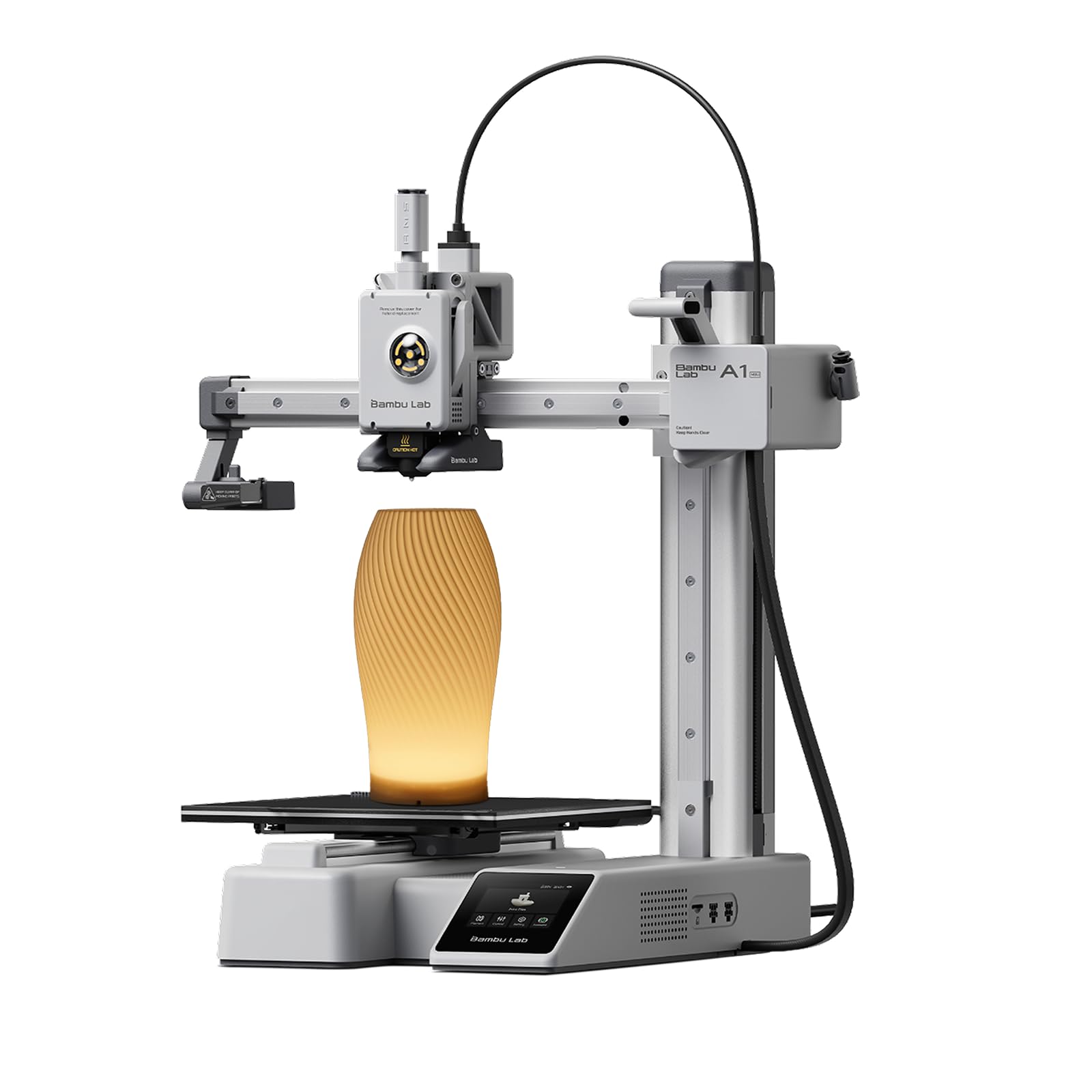
The A1 mini is the perfect first printer for a brand-new hobbyist — especially a parent buying for an 11-year-old. Reviewers confirm their granddaughter “creates daily, manages independently” with the app. It arrives with automatic calibration, so you unbox, plug in, and print within 20 minutes. The included LED Lamp Kit lets you print functional decorative lights as your first project.
At just 17.46 pounds — 51% lighter than the 38.5-pound ELEGOO Centauri Carbon — it is compact enough to sit on a desk or shelf. The standout spec is the noise level: ≤48 dB (decibels), quieter than a normal conversation. It will not disturb you while you work or sleep.
The real ease comes from the Bambu Handy app and MakerWorld ecosystem. You can browse thousands of ready-to-print models from your phone, tap print, and walk away. That ease of use makes it the best gateway into the hobby. If you outgrow its small build volume, step up to the Anycubic Kobra X for more space and multi-color.
What stands out
- ≤48 dB quiet — quietest printer in this comparison
- Full auto calibration; set up in 20 minutes
- Access to MakerWorld library via Bambu Handy app
The trade-offs
- Small build volume; not ideal for large cosplay parts
- No enclosed chamber; not suitable for ABS
4. ELEGOO Centauri Carbon 3D Printer

The single number that matters most in this price tier is the nozzle temperature. At 320°C, the Centauri Carbon can handle carbon-fiber reinforced filaments and other engineering materials that cheaper printers cannot touch. It also comes fully assembled and pre-calibrated — so you open the box, plug it in, and the auto bed leveling takes care of the rest. You are printing in minutes.
The catch is reliability. Even though reviewers love the print quality and value, at least one experienced buyer reported their first unit failed after 6 days due to what they called a “poor USB-C cable design,” and the replacement process took 7 weeks. That said, the second unit has run 300-400 hours error-free with PETG and PLA+. The 38.5-pound die-cast aluminum frame keeps vibrations minimal at 500mm/s speeds.
For the price, you get a fully enclosed CoreXY (a stiff, fast gantry design) machine that prints ABS, carbon fiber, and PLA beautifully. It is the best price-to-performance ratio in the enclosed category, especially compared to the pricier Bambu Lab P1S.
The upsides
- 320°C nozzle handles carbon fiber and advanced filaments
- Fully enclosed CoreXY, pre-assembled, auto-leveling
- Built-in camera and dual-sided build plate
Keep in mind
- Some units have required tech support for early failures
- USB-C cable placement has been a reported weak point
5. FLASHFORGE Adventurer 5M Pro 3D Printer

At this lower price, you get a quiet, enclosed CoreXY printer with a built-in HEPA and activated carbon air filtration system — a feature the Bambu Lab P1S and ELEGOO Centauri Carbon lack — plus a 600mm/s top speed and a nozzle that heats to 200°C within 35 seconds.
The downside vs the P1S is build volume: the 220x220x220mm capacity fits action figures and small tools but is too small for helmets or large cosplay pieces. Owners mention the “limited 220mm build volume” but say it is “sufficient for most projects.” The pressure-sensing auto bed leveling is excellent — no manual adjustments, no rafts needed — and the dual-sided PEI platform lets you remove finished prints without tools.
The price-to-performance here is excellent: you get a filtered printer that handles PLA, ABS, PETG, TPU, and even PLA-CF for less than a comparable Bambu Lab P1S. The one caution: the door seals are not completely airtight, so some ultrafine particles may still escape. This makes it perfect for the budget buyer who needs to print ABS or ASA in a small apartment where fumes are a concern.
Why we’d pick it
- Built-in HEPA + carbon air filtration for fume-sensitive users
- 600mm/s speed with 20,000mm/s² acceleration
- Heats to 200°C in 35 seconds
A few caveats
- 220mm build volume smaller than most competitors
- Some reported software compatibility issues with macOS
6. QIDI Q1 Pro 3D Printer

The QIDI Q1 Pro is for the serious hobbyist who wants engineering-grade materials like carbon fiber, nylon, polycarbonate, and glass fiber. These all require a nozzle temperature of 350°C and an actively heated chamber (up to 60°C) to avoid warping. That 60°C chamber temperature is the highest in this comparison, beating the ELEGOO Centauri Carbon (enclosed but not actively heated) by a wide margin for ABS and PA (nylon) prints.
It prints at 600mm/s with 20,000mm/s² acceleration — as fast as the Anycubic Kobra X — and the dual Z-axis motors with CoreXY chassis maintain precision at those speeds. Reviewers are emphatic: “The value of this printer is so good I ended up getting two.” They also highlight that customer service (specifically “Elenor”) is fast and helpful when spare parts are needed.
The honest limit is that this printer lacks a built-in exhaust filter, and the side spool mount is flimsy. You will likely want to print an aftermarket filter box and a sturdier spool holder. But for the ability to run carbon fiber and glass fiber filaments at this price, it is unmatched.
Strong points
- 350°C nozzle + 60°C actively heated chamber for advanced materials
- 600mm/s speed with dual Z-axis and CoreXY frame
- Open-source Klipper firmware, fully customizable
Before you buy
- No built-in air filter; side spool mount is wobbly
- Chamber door and top glass have some gaps
7. ELEGOO Saturn 4 Ultra 16K Resin 3D Printer

At a higher price than most FDM options in this guide, the ELEGOO Saturn 4 Ultra 16K justifies its cost with the best resolution on the list — a 16K LCD screen that no other pick here can match for detail.
What that resolution means in practice is prints with lifelike textures straight off the build plate, with no sanding or post-processing needed. The smart tank heating keeps the resin at a steady 30°C (86°F) for consistent flow and fewer defects like bubbles or layer separation. Reviewers call it “quiet, reliable” and say it has a “massive build plate for large models.” The AI camera gives you real-time monitoring and alerts for failed layers.
The trade-off with any resin printer is that you must handle liquid resin and isopropyl alcohol for cleaning — it is a messier, more involved workflow than FDM. But for detail, the Saturn 4 Ultra delivers “incredible print detail” that even a fast FDM printer like the Anycubic Kobra X cannot match — that is the one clear reason to choose it.
What we like
- 16K Mono LCD for ultra-fine detail on miniatures
- Smart tank heating at 30°C for flawless resin flow
- AI camera with time-lapse and failure alerts
The downsides
- Resin printing is messier (liquid resin, wash, cure) vs FDM
- Build volume smaller (8.33″x4.66″) than FDM counterparts
8. Creality K2 Combo (A) 3D Printer

The 600mm/s top speed and 260x260x260mm build volume make the Creality K2 Combo the pick for hobbyists who want fast, large-format multi-color printing while staying affordable. It arrives 95% pre-assembled, so setup is just installing the screen and spool holder. You can be printing multi-color models the same day.
Reviewers praise the “excellent print quality, quiet, easy setup” and the auto bed leveling that only probes the area your print actually uses — saving time compared to full-bed leveling systems. The “step-servo motors” (a hybrid of stepper and servo motors with torque feedback) keep the machine quieter than a laptop keyboard, thanks to dynamically balanced fans and advanced motor control.
One reason to choose this over the Bambu Lab P1S is the Creality ecosystem. The 4-slot CFS auto-feeder also works as a dry box, keeping moisture-sensitive filaments like PETG and nylon from absorbing humidity. Just note that the CFS does not accept standard spools — you will need to print adapters (4-5 hours each) to use generic filament. For fast, large-format multi-color printing with a quiet, time-saving leveling system, the K2 Combo is a confident choice.
Why it’s great
- Up to 16 colors via CFS with auto-feed and dry box
- 600mm/s speed with step-servo motor quiet operation
- 95% pre-assembled, auto-leveling, AI camera
Good to know
- CFS requires printed adapters for standard spools
- Wi-Fi is 2.4GHz only; some early units had CFS feeder errors
9. Longer LK5 Pro 3D Printer with Dual Z-Axis Upgrade
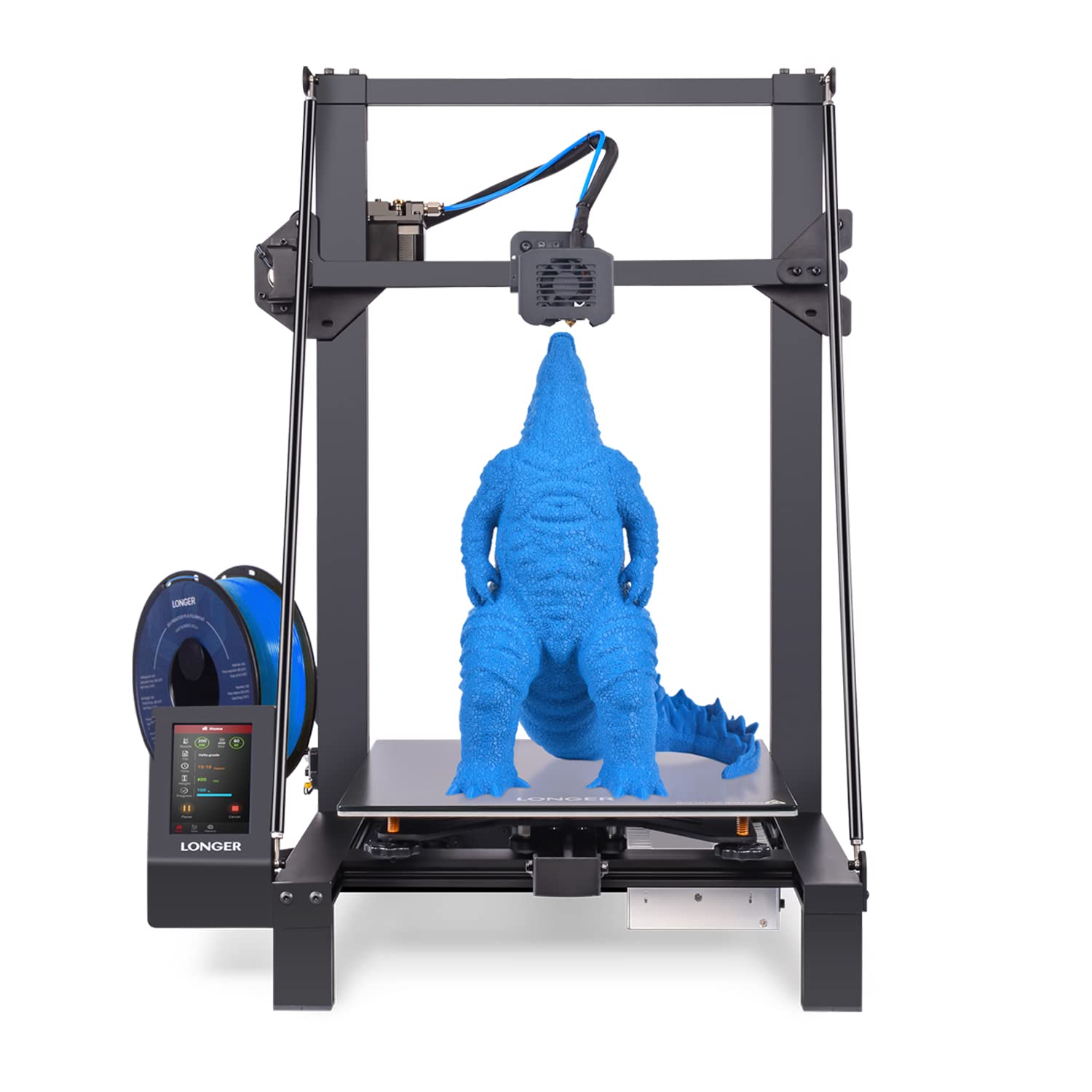
At this price point, you get a massive 300x300x400mm build volume — 1.9 times larger than the top-pick Anycubic Kobra X‘s 260mm³ cube. The LK5 Pro is the best choice for printing life-size cosplay helmets, large planters, or big functional parts. The dual Z-axis upgrade (stabilizing the vertical lead screws) improves layer consistency compared to the older single-Z LK5 design.
What you give up for this budget price is speed — 180mm/s vs the 600mm/s of the Kobra X — and auto bed leveling. The LK5 Pro requires manual leveling with thumbscrews, which reviewers universally describe as “a chore.” Many recommend upgrading to a BLTouch auto-leveling sensor. There is also a notable reliability concern: one buyer mentioned “fan failures (nozzle and PSU) within 7 hours” and “slow support from Longer.” After replacing the fans themselves, though, the machine ran 600+ hours flawlessly.
This printer is for the budget-conscious hobbyist who does not mind a few hours of initial tweaking — manual leveling, firmware updates, and an optional BLTouch install — in exchange for the largest build volume their money can buy. Choose this over the top pick if you need the extra Z-height for tall prints and are willing to trade speed and convenience for sheer size.
Where it shines
- Huge 300x300x400mm build volume — best in class for size
- Dual Z-axis for improved stability
- Open-source firmware; highly moddable community
Worth noting
- Manual bed leveling; no auto leveling included
- Slow 180mm/s max speed; some reported early fan failures
Understanding the Specs
Print Speed (mm/s) & Acceleration (mm/s²)
Print speed is how fast the print head moves, measured in millimeters per second. A model like the Anycubic Kobra X at 600mm/s finishes a small boat (a Benchy) in 14 minutes, while the Longer LK5 Pro at 180mm/s takes about 45 minutes. The more important number is acceleration — how fast the printer changes direction. 20,000mm/s² (millimeters per second squared) means the printer can reach top speed quickly and slow down for corners without overshooting. Higher acceleration means faster print times without sacrificing accuracy.
Nozzle Temperature (°C) & Heated Chamber
The nozzle temperature decides which materials you can print. PLA works at 200-230°C, PETG at 230-250°C, and ABS at 240-260°C. Advanced materials like carbon fiber, nylon, and polycarbonate require 280-350°C. A heated chamber (60°C on the QIDI Q1 Pro, for example) keeps the entire print area warm, preventing ABS and nylon from warping and cracking during cooling. Open-frame printers like the A1 mini cannot print ABS reliably because the plastic shrinks too fast without a warm enclosure.
Build Volume (mm)
This is the maximum size of the object you can print, measured in width, depth, and height (X × Y × Z). A 220x220x220mm volume fits most action figures, phone cases, and small tools. A 300x300x400mm volume (like the Longer LK5 Pro) fits full-size helmets and large cosplay props. If you mostly print miniatures or jewelry, resin printers like the Saturn 4 Ultra have smaller plates (210x118x220mm) but much higher detail resolution.
Auto Bed Leveling & Calibration
Auto bed leveling uses a sensor to measure the print surface’s flatness at multiple points — the LeviQ 3.0 on the Anycubic Kobra X uses 49 points — and adjusts the print head height automatically to compensate for any slight tilt or bump. Without it, you have to manually turn thumbscrews to get the first layer to stick. This is the single biggest time-saver for a beginner. Printers without it, like the Longer LK5 Pro, can require 15-30 minutes of fiddling before every print.
FAQ
What is the difference between FDM and resin 3D printing?
How long does a typical 3D print take?
Do I need to level the bed manually on these printers?
Is a multi-color printer worth the extra cost for a hobbyist?
Which printer is best for a complete beginner?
Final Thoughts: The Verdict
For most hobbyists, the 3d printer for hobbyists winner is the Anycubic Kobra X because it combines native 4-color printing, 600mm/s speed, and auto bed leveling in a package that works out of the box without needing upgrades or mods. If you want top-tier enclosed performance for ABS and advanced materials, grab the Bambu Lab P1S. And for the absolute easiest entry into 3D printing with near-silent operation, the Bambu Lab A1 mini is the perfect first printer for any new maker.