
Our readers keep the lights on and the weekend projects moving. As an Amazon Associate, I earn from qualifying purchases.
You have probably seen the difference an OLED panel makes — perfect blacks instead of gray, rich colors that pop, and motion so clear it feels like real life. But a 27-inch OLED monitor is a serious purchase, and the wrong pick can leave you with fuzzy text, a screen that reflects your window like a mirror, or annoying burn-in after a year. This guide walks you through seven top contenders at different price and performance levels, with the real trade-offs you need to know. You will know exactly which one fits your room, your games, and your budget before you buy.
I’m Rikta — the co-founder and writer behind FitlyFast. This guide is built by comparing the manufacturers’ published specifications and the patterns across verified customer reviews, so you get each pick’s real strengths and trade-offs instead of marketing spin.
When you look for the best 27 inch oled monitor, you mainly balance refresh speed (how many frames the screen shows per second), panel generation (how bright and long-lasting the screen is), and real-world brightness behavior in your own room.
How To Choose The Best 27 Inch OLED Monitor
The specs on an OLED monitor box look similar at a glance, but a few key differences determine whether your purchase delights or frustrates you a month later. Here is how to cut through the noise.
Pick the Right Panel Type: WOLED vs. QD-OLED
Two internal technologies dominate. WOLED (White OLED) uses a white light source with color filters; it delivers true black in any lighting but can look slightly less punchy in colors than its rival. QD-OLED (Quantum Dot OLED) uses blue OLED with quantum dots to produce wider color volume — it looks spectacular in a dark room but can show a faint purple or magenta tint on blacks in a bright sunlit room. If you game in a controlled dim environment, QD-OLED offers more vivid colors. If your desk is near a window or you game during the day, a WOLED panel with anti-glare coating is the better experience.
Refresh Rate and Response Time: What You Actually Notice
All modern 27-inch OLED monitors advertise response times of 0.03ms GtG (gray-to-gray, which measures how fast a pixel changes color) — that near-instant speed eliminates motion blur completely, something even high-end LCDs cannot match. Refresh rate (how many times the screen redraws per second, measured in Hz) matters if you play fast competitive games. At 240Hz, motion is already liquid smooth. Jumping to 280Hz or 360Hz provides a 17% to 50% gap in motion clarity that competitive players in games like Valorant or Overwatch will feel, but most single-player gamers will struggle to notice the difference between 240Hz and 280Hz.
Burn-In Protection Is Not Optional Anymore
Burn-in, permanent image retention from static elements like taskbars or HUDs, is the biggest long-term worry with any OLED monitor. Every brand now includes an automatic “pixel refresh” or “OLED care” suite that shifts pixels slightly and runs cleaning cycles — but the quality of these systems varies. Look for models with at least a 2-year or 3-year burn-in warranty if you plan to keep the monitor for four-plus years. Models with a custom heatsink (like the ASUS ROG Strix) or a pulsating heat pipe (like the Samsung Odyssey G6) run cooler, which directly reduces the long-term risk of permanent image retention.
Brightness and Glossy vs. Matte Finish
OLED monitors typically max out around 250 to 400 nits (a measure of screen brightness) in full-screen white, which is lower than top LED monitors. HDR peak brightness can hit 1000 to 1500 nits on small highlights, but overall brightness matters for a room with ambient light. A glossy screen produces richer colors and deeper blacks in a dark room but reflects overhead lights like a mirror — perfect for a dedicated gaming den. A matte or anti-glare coating reduces reflections if you have windows or lamps behind you, but it softens the raw pop of the image slightly. Match the finish to your actual room lighting, not the hype.
Quick Comparison
On smaller screens, swipe sideways to see the full table.
| Model | Category | Best For | Key Spec | Amazon |
|---|---|---|---|---|
| Samsung Odyssey OLED G6 | Premium | Competitive esports at 360Hz | QD-OLED, 360Hz, 0.03ms | Amazon |
| ASUS ROG Strix XG27AQDMG | Premium | Glossy WOLED with premium build | WOLED, 240Hz, custom heatsink | Amazon |
| MSI MAG 271QPX QD-OLED | Premium | High refresh on a budget | QD-OLED, 360Hz, True Black 400 | Amazon |
| LG 27GS93QE Ultragear | Mid-Range | Bright-room WOLED with warranty | WOLED, 240Hz, 2-year warranty | Amazon |
| GIGABYTE MO27Q28GR | Mid-Range | KVM + 4th gen WOLED brightness | 4th Gen WOLED, 280Hz, KVM | Amazon |
| AOC Agon PRO AG276QZD2 | Mid-Range | Pure gaming with new revision | QD-OLED, 240Hz (280Hz V2) | Amazon |
| INNOCN 2780s | Value | OLED entry under premium prices | QD-OLED, 280Hz, HDMI 2.1 | Amazon |
In‑Depth Reviews
1. Samsung 27” Odyssey OLED G6 (G60SD)

The Samsung Odyssey OLED G6 earns the top spot because it packs a 360Hz refresh rate — 50% faster than the 240Hz panels many rivals ship — with a QD-OLED panel that produces deeply vibrant colors and inky blacks. This is the monitor for the competitive FPS player who also wants a gorgeous picture for single-player titles and movies.
Samsung’s exclusive Dynamic Cooling System uses a pulsating heat pipe that buyers report diffuses heat five times better than older graphite sheet methods, reducing the long-term risk of OLED burn-in significantly. The anti-glare coating cuts reflections without washing out the image, and the 3-year warranty covers burn-in, so you have real protection for your investment. The monitor measures just 3.9mm at its thinnest point, making it one of the sleekest designs you can mount.
The catch is that several buyers confirm the HDMI port caps out at HDMI 2.0, not the advertised 2.1 — you must use DisplayPort 1.4 with DSC (Display Stream Compression, which can cause a 1-2 second blackout on alt-tab) to hit the full 360Hz at QHD resolution. That quirk aside, it is the strongest all-rounder for speed, color, and peace of mind.
Why it’s great
- 360Hz refresh provides the smoothest motion in competitive shooters
- Dynamic Cooling System with pulsating heat pipe reduces burn-in risk
- 3-year burn-in warranty included
Good to know
- HDMI 2.1 claim is inaccurate; real port is HDMI 2.0
- DSC required for 360Hz causes brief blackout on alt-tab
- Built-in speakers do not work in HDR mode
2. ASUS ROG Strix 27” XG27AQDMG

The ASUS ROG Strix trades the 360Hz top speed of the Samsung G6 for a 240Hz refresh rate but beats it on panel maturity and reflection handling. It uses a glossy third-generation WOLED panel — the same underlying technology the Samsung uses but without the QD quantum-dot layer — meaning you get true blacks with no purple tint in a bright room, while the Samsung QD-OLED can look slightly magenta on dark scenes when sunlight hits the screen.
ASUS packs a custom heatsink and advanced airflow design that owners mention keeps thermals low, and the ROG-exclusive Anti-flicker technology eliminates the flicker you often see when frame rates jump around during VRR (Variable Refresh Rate) gaming. The 99% DCI-P3 color gamut (a wide color standard used in film production) is among the highest measured, and the uniform brightness setting keeps luminance consistent across the whole panel — a rare feature on OLED monitors. It comes with a 3-year warranty that explicitly covers burn-in.
One missing piece is that there are no built-in speakers, which is unusual at this price tier, and pixel cleaning takes about six minutes each session and cannot be skipped. If you want a premium build and true-black WOLED that works trouble-free in typical room lighting, choose this over the Samsung G6.
Where it shines
- Glossy WOLED panel delivers true blacks with zero purple tint in bright rooms
- Custom heatsink and OLED Anti-flicker technology reduce wear and visual artifacts
- 3-year warranty includes burn-in coverage
Worth noting
- No built-in speakers — external audio required
- Mandatory 6-minute pixel cleaning cycle can be annoying
- Text clarity slightly less sharp than a premium IPS panel
3. MSI MAG 271QPX QD-OLED

If you’re a competitive gamer who needs 360Hz motion clarity but can’t justify the premium of Samsung’s G6, the MSI MAG 271QPX delivers the same QD-OLED speed for noticeably less money, skipping extras like a cooling heat pipe or remote to hit a lower price.
MSI uses a third-generation QD-OLED panel with Delta E≤2 color accuracy and VESA DisplayHDR True Black 400 certification for deep blacks with proper highlight detail. Buyers describe the image as “crystal clear” and praise the sturdy stand and easy OSD navigation. The 48 Gbps HDMI 2.1 port delivers the full 360Hz bandwidth without Display Stream Compression, avoiding the alt-tab blackout issue that plagues the Samsung G6.
The downside is that MSI OLED Care 2.0 burn-in prevention is less aggressive than Samsung’s or ASUS’s systems, and the warranty covers defects but is less explicit about burn-in compared to the three-year burn-in warranty on the Samsung and ASUS. If you play fast shooters and want the speed without the extra premium, this is your angle: 360Hz QD-OLED speed, no DSC blackouts, for less.
What stands out
- 360Hz QD-OLED at a price that undercuts competing 360Hz monitors
- HDMI 2.1 with full 48 Gbps bandwidth — no DSC blackouts
- Delta E≤2 factory color calibration for accurate out-of-box colors
The trade-offs
- Burn-in warranty coverage is less explicit than competitors
- VRR flicker can appear during loading screens
- DSC is still needed for 360Hz over DisplayPort, slowing alt-tab slightly
4. LG 27GS93QE Ultragear OLED

The single number that matters most in this category when your desk faces a window is the anti-glare coating quality — and the LG 27GS93QE has one of the best. Its Low Reflection OLED finish is a matte coating that customers note feels “near-glossy” with no fuzziness, blocking reflections without dulling the image pop. This makes the LG the top pick for anyone who cannot control room lighting or who games with sunlight streaming in.
The trade-off you accept is a 240Hz refresh rate (a 17% lower ceiling than the 280Hz or 360Hz competition) and a max brightness of roughly 400 nits full-screen, which is average for OLED. But the anti-glare treatment means you do not need to pull the blinds every time you sit down to play. The LG uses a true WOLED panel, not QD-OLED — so blacks stay black, never purple, even in bright rooms. It also comes with a useful remote control, which no other monitor in this list offers.
At its effective price, the LG delivers a complete package: a 2-year UltraGear OLED warranty covering the panel, G-Sync and FreeSync Premium Pro compatibility, and a flexible stand with height, tilt, and pivot adjustment. For the price-to-value read, this is the smart buy for the bright-room gamer who values a hassle-free, no-glare experience over the absolute fastest frame rate.
The upsides
- Best-in-class anti-glare matte finish that blocks reflections without losing clarity
- WOLED panel provides true black in any lighting — no purple tint
- 2-year warranty covers the OLED display panel
Keep in mind
- 240Hz refresh rate is lower than the 280Hz/360Hz competition
- Brightness caps at around 400 nits — not as punchy for HDR highlights
- Built-in media only includes the monitor and power adapter; no premium cables included
5. GIGABYTE MO27Q28GR
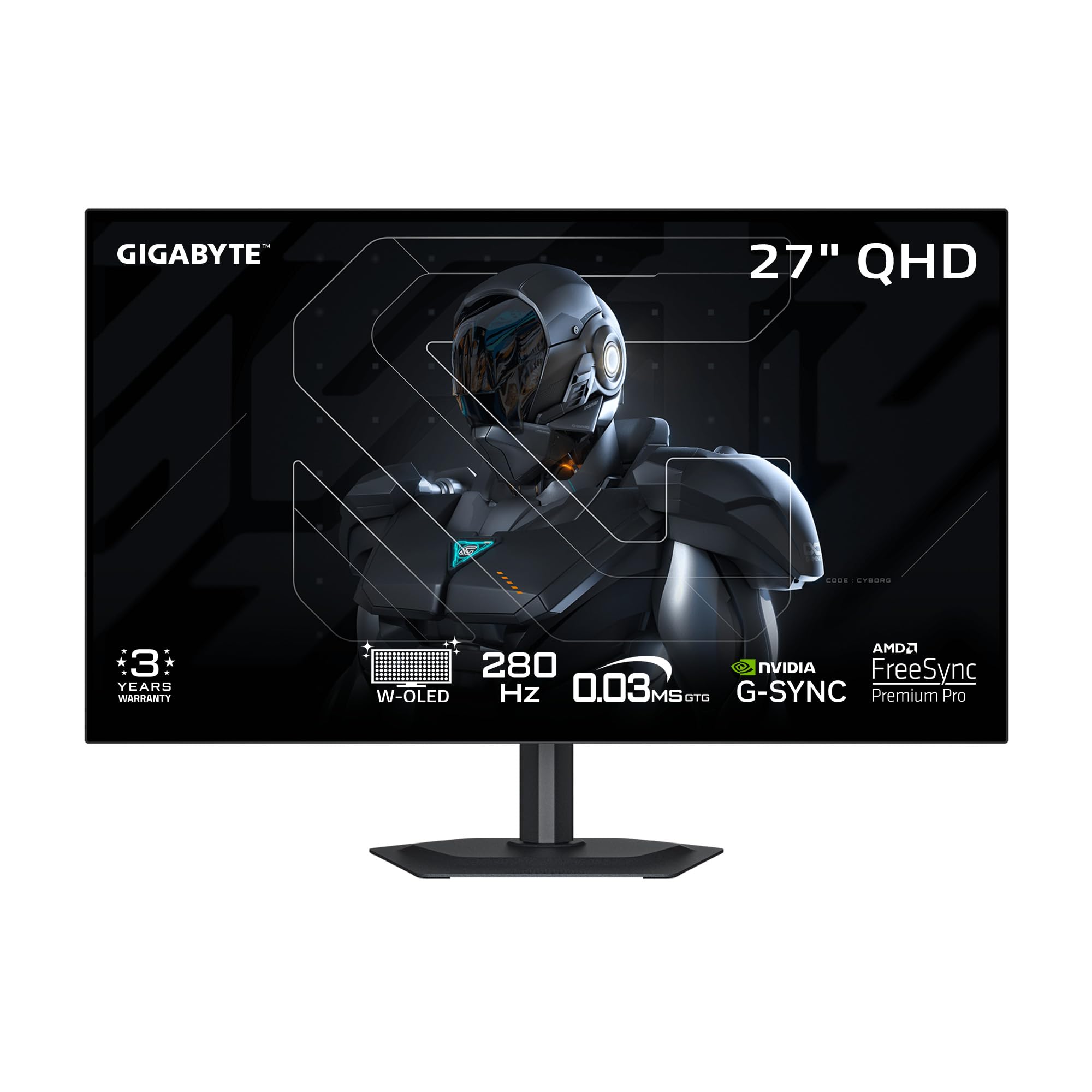
What you actually get at this lower price is the only monitor on this list with a built-in KVM (Keyboard, Video, Mouse) switch, meaning you can control a desktop PC and a work laptop with the same keyboard and mouse plugged into the monitor — no extra hardware needed. This makes it uniquely suited for the buyer who games on the desktop and works on a laptop from the same desk without wanting to swap cables or peripherals.
It uses a 4th-generation WOLED panel with Primary RGB Tandem technology, which reviewers point out reaching 1500 nits peak brightness on small HDR highlights — noticeably brighter than the 400 to 1000 nits typical of other panels here. The 280Hz refresh rate sits between the 240Hz and 360Hz camps, a 17% gap faster than 240Hz models. The four-sided borderless design is among the cleanest in this review, and the AI-based OLED Care runs automatically to minimize burn-in risk with minimal interference.
The honest limit is that several shoppers say noticeable gray banding artifacts on solid gray backgrounds, and the text clarity is weaker than IPS monitors due to the WOLED subpixel layout. GIGABYTE support also gets poor marks for responsiveness. If you need the KVM convenience and want the highest peak brightness in this tier, this monitor delivers — but check your tolerance for gray uniformity before buying. If you switch between a gaming PC and a work laptop daily, this is your monitor — the exact budget buyer it is perfect for.
Why we’d pick it
- Built-in KVM switch for controlling two computers with one keyboard and mouse
- 4th Gen WOLED panel hits 1500 nits peak brightness for impressive HDR highlights
- 280Hz refresh offers a 17% speed gain over 240Hz panels
A few caveats
- Gray banding and dirty-screen effect reported by multiple buyers
- Text clarity is noticeably softer than IPS panels
- Customer support responsiveness is weak
6. AOC Agon PRO AG276QZD2

The AOC Agon PRO is the right choice for the risk-aware gamer who knows that panel revisions can turn a decent monitor into a great one. Buyers report that recent units ship as revision V2, which bumps the native refresh rate from the advertised 240Hz to a true 280Hz — essentially giving you the same speed as the GIGABYTE at a similar price without the gray banding lottery.
The QD-OLED panel delivers 1.07 billion colors with a wide 101% DCI-P3 gamut and 136.7% sRGB coverage (exceeding industry color standards), translating to vibrant and accurate colors straight out of the box. The glossy finish makes games like Doom Eternal and Valorant look “stunning” according to buyers, and the factory calibration report included in the box confirms color accuracy. The AOC G Menu software lets you tweak settings without reaching for the physical buttons.
The honest limit is that the built-in speakers are mediocre, the stand feels wobbly and cheap for a mid-range monitor, and text fringing (color artifacts around letters due to the non-standard pixel layout) makes it noticeably worse for office work than a standard IPS panel. If you use this purely as a gaming screen, you will love it. If you split time between games and spreadsheets, it will frustrate you.
Strong points
- Recent V2 revision bumps refresh to a native 280Hz
- Factory color calibration with 101% DCI-P3 for accurate out-of-box colors
- Excellent glossy QD-OLED image quality for gaming
Before you buy
- Stand feels cheap and wobbly for its price tier
- Built-in speakers are mediocre at best
- Text fringing makes desktop productivity unpleasant
7. INNOCN 27″ 2780s

The INNOCN 2780s proves you can get a 27-inch QD-OLED monitor with a 280Hz refresh rate and 0.03ms response time without spending premium-tier money. Buyers describe the image as “really crisp” and “a huge difference from VA panels,” offering perfect blacks and vibrant colors that outperform non-OLED 4K screens for gaming at this budget-friendly tier. The built-in speakers and fully adjustable stand with height, tilt, and pivot add genuine value.
What you give up to hit this price point is HDR performance (HDR400 is entry-level, not the True Black 400 cert you see on pricier models) and overall brightness headroom — this panel cannot match the 1500-nit peak of the GIGABYTE or the 1000-nit highlights of the Samsung. One reviewer noted, “The only reason for the 4 star is it doesn’t have much adjustment for dark or light picture,” meaning the OSD lacks fine-grained brightness and gamma controls. The speakers are weak — owners mention “the speakers are not very good” — so plan on using headphones or external speakers.
This is the exact monitor for the budget buyer who wants to experience OLED gaming without a stretch. If you have ever looked at a VA or IPS panel and wished for true blacks, the INNOCN 2780s delivers that core upgrade for less than any other monitor in this review, and it includes a lifetime technical support offer with a free replacement warranty within 30 days.
What we like
- Lowest cost entry point to 27-inch QD-OLED with a 280Hz refresh rate
- Includes a fully adjustable stand with height, tilt, and pivot
- HDMI 2.1 supports high-refresh console gaming
The downsides
- HDR400 is entry-level — not True Black certified
- Built-in speakers are weak; headphones or external speakers recommended
- Limited brightness and gamma adjustments in the OSD
Understanding the Specs
WOLED vs. QD-OLED Panel
The panel type determines how colors and blacks look in your room. WOLED uses a white OLED light with color filters — it produces true black even under bright lights and avoids the purple-tint issue on dark screens, making it better for mixed-use or bright rooms. QD-OLED uses blue OLED with quantum dots to create a wider color volume and higher peak brightness, looking spectacular in dark rooms but showing a faint magenta tint on blacks when ambient light hits the screen. For most buyers, a glossy QD-OLED is best for a dedicated dark gaming setup, while an anti-glare WOLED is better for a desk near a window.
Refresh Rate and Response Time
Response time — 0.03ms GtG across every monitor here — means pixels change color nearly instantly, eliminating the motion blur you see on standard LCDs. Refresh rate (240Hz, 280Hz, or 360Hz) determines how many new frames the monitor shows each second. The jump from 240Hz to 360Hz is a 50% increase in fluidity that competitive players can feel and see in fast-turning scenarios. The jump from 240Hz to 280Hz is a 17% improvement, noticeable but less dramatic. If you play single-player or story-driven games, 240Hz is already excellent and you can prioritize other features like panel type or build quality.
Burn-In Prevention and Warranty
All modern OLED monitors include automatic pixel-cleaning cycles that shift static content slightly and run cleaning routines after a few hours of use. The quality of these systems varies by brand. Samsung uses a Dynamic Cooling System with a pulsating heat pipe; ASUS uses a custom heatsink; MSI and GIGABYTE use software-based OLED Care. Two brands (ASUS and Samsung) offer explicit 3-year burn-in coverage on their warranties. LG covers the panel for 2 years. MSI and AOC cover defects but do not explicitly promise burn-in replacement. If you plan to keep your monitor for 4+ years, prioritize a model with a stated burn-in warranty and a physical cooling solution.
Brightness, HDR, and Finish
Full-screen brightness on these OLEDs typically maxes out between 250 and 400 nits — lower than a typical LED monitor’s 600+ nits, but OLEDs compensate with perfect blacks that make HDR highlights look much more impactful. HDR certifications like VESA DisplayHDR True Black 400 mean the monitor can maintain proper black levels while hitting 400 nits on bright highlights. The screen finish matters: glossy panels produce richer colors and look deeper in a dark room but reflect ambient light, while matte panels cut reflections and work better in bright rooms but slightly soften image punch. Your room’s lighting should drive this decision more than the advertised brightness number.
FAQ
Will OLED burn-in happen on a 27-inch gaming monitor if I play the same game every day?
Can I use a 27-inch 1440p OLED monitor for coding and office work without eye strain?
Is 240Hz enough for competitive gaming or do I need 360Hz?
What is the difference between HDR400 and DisplayHDR True Black 400?
Do I need HDMI 2.1 for a 1440p 240Hz OLED monitor?
Final Thoughts: The Verdict
For the majority of shoppers, the best 27 inch oled monitor winner is the Samsung Odyssey OLED G6 because it delivers the fastest 360Hz refresh rate on a gorgeous QD-OLED panel with a robust 3-year burn-in warranty and a dynamic cooling system that adds long-term reliability. If you want a premium build that handles bright rooms perfectly with anti-glare and true-black WOLED, grab the ASUS ROG Strix XG27AQDMG. And for the budget-conscious gamer who refuses to compromise on OLED quality, the INNOCN 2780s delivers the core OLED experience at the most accessible price in the entire field.