
Our readers keep the lights on and the weekend projects moving. As an Amazon Associate, I earn from qualifying purchases.
Specs are compiled from manufacturer listings and verified buyer reviews and can change over time — please confirm the key details on the product page before buying.
If your desktop or laptop has no built-in Bluetooth — or the built-in connection keeps dropping every few minutes — the fix is a tiny adapter you plug into a USB port and forget about. The catch is that not all dongles deliver the same stable connection, range, or audio features. This guide walks you through the five best options for different setups, from plug-and-play convenience to better wireless headphone support.
I’m Rikta — the founder and writer behind FitlyFast. This guide is built by comparing the manufacturers’ published specifications and the patterns across verified customer reviews, so you get each pick’s real strengths and trade-offs instead of marketing spin.
if you need a reliable link for your wireless mouse and keyboard or better audio support for your premium headphones, these are the best bluetooth dongle picks for range and stability.
Quick Picks
- ASUS USB-BT500 — Top Performer
- Sennheiser Consumer Audio BTD 600 — Audiophile Pick
- Techkey USB Bluetooth 6.0 Adapter — Max Range
- hakimonoe BT548 Long Range Bluetooth 5.4 Adapter — Linux Favorite
- Kinivo USB Bluetooth Adapter BTD500 — Budget Champion
How To Choose The Best Bluetooth Dongle
The right dongle depends on what you plug into it, how far away those devices sit, and what operating system your computer runs. Here are the three specs that separate a good dongle from a frustrating one.
Bluetooth Version and Real-World Speed
Bluetooth 5.0 is the baseline you should aim for — it delivers up to 3Mbps data transfer (how fast information moves between your PC and a device) and supports Bluetooth Low Energy (BLE, a power-saving mode that helps battery-powered gadgets last longer). Newer versions like 5.4 and 6.0 improve interference handling, so your connection stays stable even when other wireless signals crowd the 2.4GHz frequency band. The version number matters most for stability, not raw speed.
Range and Antenna Type
The transmission range of a dongle in open air typically falls between 66 feet (20 meters) for basic models and up to 600 feet (200 meters) for long-range adapters with external antennas. An antenna with a 5dBi rating (a measure of signal strength gain) pulls in a stronger, more reliable signal through walls than a tiny antenna hidden inside the USB housing. If your PC sits in a different room from your Bluetooth speaker, a dongle with a detachable antenna is worth the upgrade.
Audio Codec Support
For anyone connecting wireless headphones or speakers, the audio codec (the compression method used to transmit sound) is more important than the Bluetooth version. Basic dongles use the SBC codec (the standard, low-bitrate option). Higher-end models support aptX or aptX Low Latency, which preserve more detail in music and keep audio synced with video so there is no lip-sync delay. The Sennheiser BTD 600, for example, supports aptX codecs for noticeably clearer sound.
Quick Comparison
| Model | Best For | Bluetooth Version | Range (Open Air) | Data Rate | Amazon |
|---|---|---|---|---|---|
| ASUS USB-BT500 | Ultra-compact daily driver | 5.0 | — | 4 Mbps | Amazon |
| Sennheiser BTD 600 | Wireless headphone audio | 5.2 | — | — | Amazon |
| Techkey Bluetooth 6.0 | Maximum range | 6.0 | 600ft / 200m | 3 Mbps | Amazon |
| hakimonoe BT548 | Linux compatibility | 5.4 | 492ft / 150m | 3 Mbps | Amazon |
| Kinivo BTD500 | Budget simplicity | 5.0 | 66ft / 20m | 3 Mbps | Amazon |
In‑Depth Reviews
1. ASUS USB-BT500

A flush-fit adapter you plug in and genuinely forget is there.
The ASUS USB-BT500 is the smallest daily-driver dongle on this list — it stands just 0.69 inches tall, so it barely sticks out of your USB port and stays safe during travel. It uses Bluetooth 5.0 (the modern standard for stable connections) and delivers a data rate of 4 Megabits Per Second, which is faster than the 3 Mbps on the Kinivo or Techkey models for transfers between your PC and a phone. Unlike the Techkey with its external antenna, the ASUS has a subtle internal design with no protruding parts.
Buyers report it works instantly on Windows, with one reviewer noting they paired a device within 30 seconds of plugging it in. Another owner called it “completely problem-free” after years of daily use with Bluetooth headphones. On Linux, you need to blacklist the default drivers and install firmware from source, but once configured, several users say it runs reliably.
The effective range for audio is about 15 feet, according to one reviewer. That is far shorter than the Techkey’s 600 feet. For a desk where your mouse, keyboard, and headphones sit within arm’s reach, this is a solid and simple choice.
What stands out
- Ultra-compact design stays flush in the port
- Faster data transfer rate (4 Mbps)
- smooth plug-and-play on Windows 10/11
What to consider
- Short effective range for audio (~15 feet according to one reviewer)
- Linux setup requires manual driver installation
Desk setup balance: Ideal if your PC is near your Bluetooth devices and you want the smallest possible profile with zero fuss on Windows.
Look elsewhere if: You need to connect devices across a large room or through multiple walls.
2. Sennheiser Consumer Audio BTD 600

A dongle focused on wireless headphone audio with aptX codec support.
The Sennheiser BTD 600 is the audio-focused pick in this lineup. It uses Bluetooth 5.2 with aptX audio codecs. Owners mention improved sound clarity, with one reviewer noting the firmware update lifted the bitrate from 280kbps to 350-430kbps. Another owner who pairs it with the Momentum 4 headset says it finally resolved Windows 11 issues where the built-in Bluetooth forced AAC codecs.
Compared with the ASUS or Kinivo, the BTD 600 is positioned more specifically for headphone use. It also helps keep audio and video in sync for low-latency calls and movies. It comes with a detachable USB-C adapter, so it works with both older USB-A ports and modern USB-C laptops without an extra converter.
One catch buyers mention: you must pair your headphones directly to the dongle, not the computer’s internal Bluetooth — otherwise you get no improvement. The range is modest, with one reviewer mentioning occasional stutter unless the headphones have a clear line of sight to the adapter. For a premium audio upgrade from a standard dongle, this is the one.
Why it shines for music
- Supports aptX codecs for wireless headphone use
- Dual USB-A and USB-C connectors included
- Firmware-updatable for performance improvements
Trade-offs
- Requires headphones to be paired to the dongle, not the PC
- Range is average; occasional stutter without line-of-sight
Wireless-audio pick: Grab this if you own good wireless headphones and want a dongle aimed at better PC audio support.
skip it if: You only need to connect a basic mouse or keyboard — the cheaper dongles handle that fine without the audio premium.
3. Techkey USB Bluetooth 6.0 Adapter
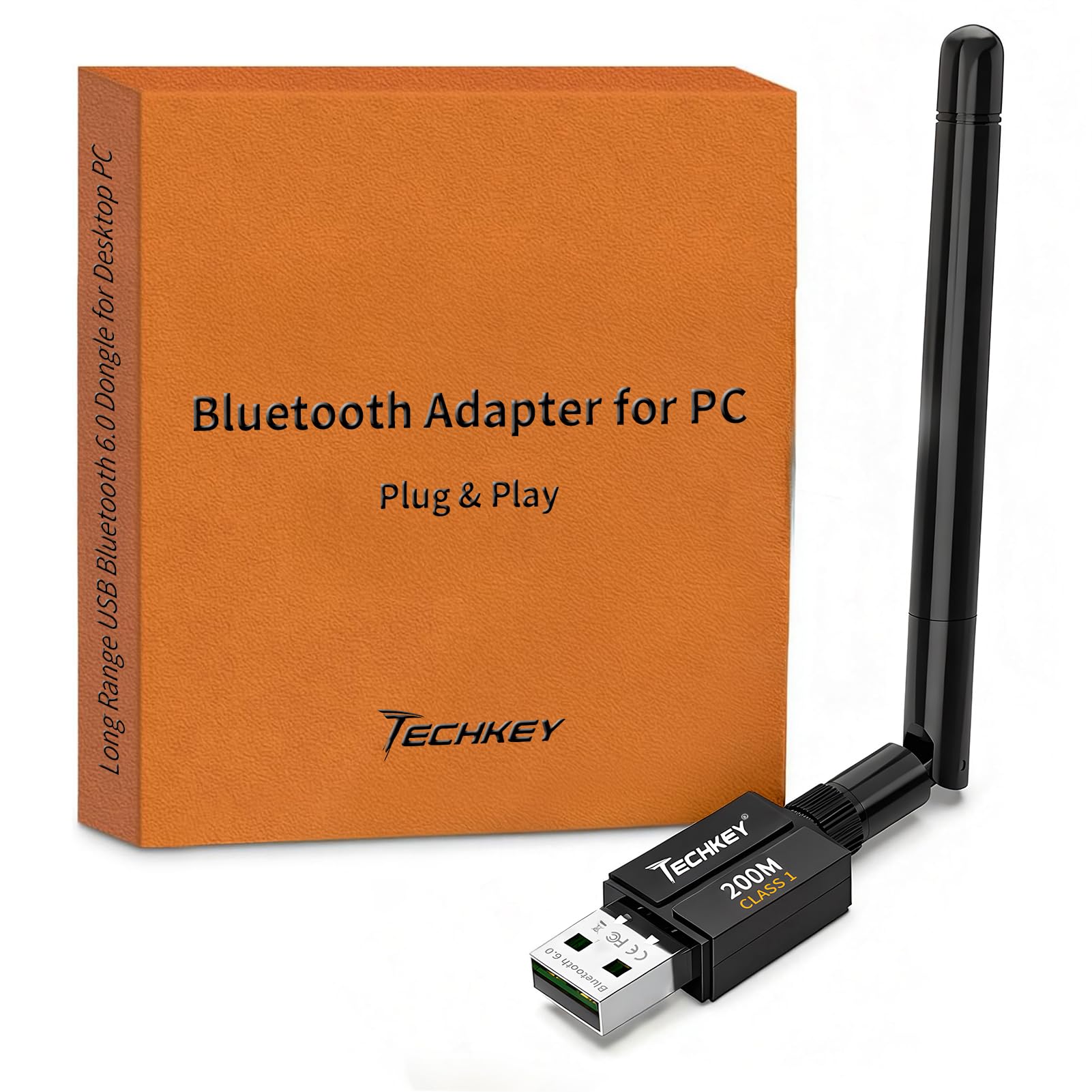
600 feet of range with an antenna that punches through walls.
The Techkey Bluetooth 6.0 dongle delivers a claimed transmission range of up to 600 feet (200 meters) in open areas, versus the hakimonoe BT548’s 492 feet (150 meters). It uses a 5dBi external antenna (the dBi rating measures how much the antenna boosts signal strength). Customers note the antenna gives a “strong, stable long-range signal,” with one reviewer connecting headphones, a speaker, keyboard, and printer without any lag or drops.
This dongle runs Bluetooth 6.0 with EDR (Enhanced Data Rate, a technology that speeds up data transfers and reduces interference in the crowded 2.4GHz band). It supports up to seven simultaneous connections, so you can run a mouse, keyboard, headset, and speaker at once.
The main limitation: it works only on Windows 11, 10, and 8.1. No Linux or Mac support. The antenna sticks out about an inch from the port, which some buyers find bulky for a laptop bag. For a desktop in a different room from your devices, the range advantage is genuine.
Where it dominates
- Longest open-air range on this list (600ft / 200m)
- External 5dBi antenna for stable signal through obstacles
- Up-to-7-device simultaneous connection
Constraints
- Windows-only; no Linux or Mac support
- Antenna protrudes, adding bulk
Whole-house coverage: Pick this if your PC sits far from your Bluetooth devices and you need a signal that reaches across floors or through walls.
Not for you if: You run Linux or want a tiny, flush adapter for a laptop.
4. hakimonoe BT548 Long Range Bluetooth 5.4 Adapter
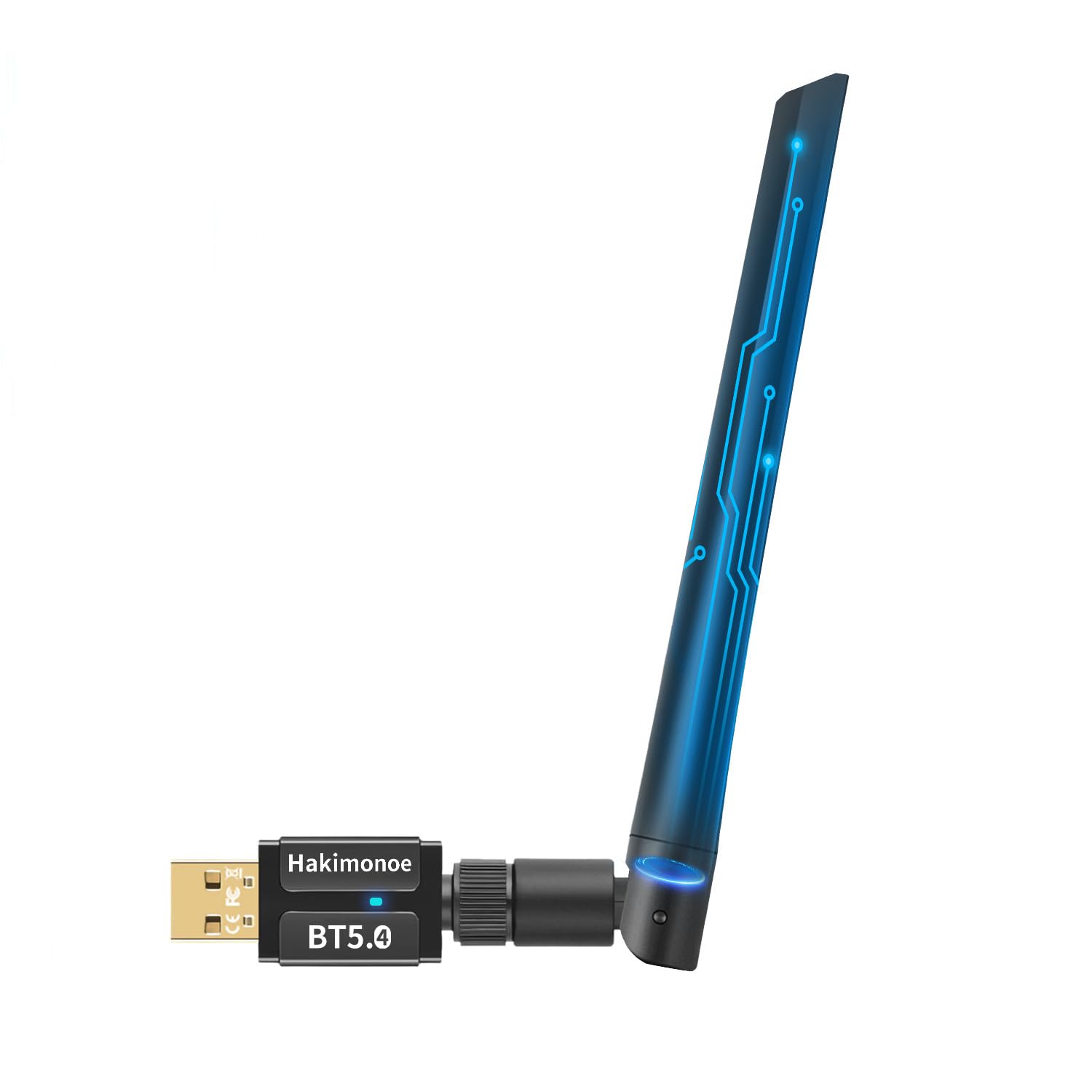
The Ubuntu-ready dongle that works without a single driver tweak.
The hakimonoe BT548 runs on a Realtek Bluetooth 5.4 chipset with a 5dBi detachable antenna, giving a transmission range of up to 492 feet (150 meters). That is close to the Techkey on range, but unlike the Techkey, it works flawlessly on Linux. Multiple reviewers point out plug-and-play operation on Ubuntu 24.04 and 25.10 with zero setup. One reviewer wrote: “Works flawlessly with Ubuntu 24.04/25.10, no setup needed,” and another confirmed the same on Kubuntu.
Compared to the Kinivo BTD500 at 66 feet (20 meters), the BT548 is rated for 492 feet (150 meters). The detachable antenna means you can swap it for a larger one or remove it entirely for a lower profile when traveling. Like the Techkey, it supports up to seven simultaneous connections and is backward-compatible with Bluetooth versions down to 1.1.
Some shoppers say mixed results: one reviewer found the range lacking with frequent disconnects, while another tested it up to 400 feet with great sound and no drops. On Windows, it is plug-and-play for 8.1, 10, and 11, but Windows 7 needs a driver download. For a Linux-first buyer who wants wide range, this is the best fit, but Windows users may find the ASUS or Techkey more consistent.
Linux compatibility wins
- True plug-and-play on Ubuntu 24.04/25.10
- Long range with detachable 5dBi antenna (492ft / 150m)
- Backward compatible with Bluetooth versions back to 1.1
Potential issues
- Some buyers report connection drops and range inconsistency
- Windows 7 requires manual driver download
Linux-first choice: Get this if you run Ubuntu or Kubuntu and want a wide-range dongle that works straight from the start.
Consider otherwise if: You need rock-solid reliability on Windows — the ASUS or Techkey may be more consistent.
5. Kinivo USB Bluetooth Adapter BTD500

The tiny low-cost fix for a desktop or laptop that has zero Bluetooth.
The Kinivo BTD500 is the entry-level option for adding basic Bluetooth at a low cost. It uses Bluetooth 5.0 with a data rate of 3 Megabits Per Second and a range of up to 66 feet (20 meters) — enough for a typical desk where your mouse, keyboard, and headphones sit in the same room. Its small size barely protrudes from the port, making it laptop-friendly.
One reviewer noted: “After struggling for weeks to connect BT devices to Ubuntu, the Kinivo dongle resolved all issues instantly!” Other reviewers confirm it works from the start on Ubuntu 24.04 and Linux Mint 22.2 with no drivers needed. On Windows, it is plug-and-play for 11 and 10, though 8.1 needs a driver install. It connects Xbox, PS4, and PS5 controllers when plugged into a PC.
The catch is the range: the Kinivo is rated for 66 feet (20 meters), while the Techkey is rated for 600 feet (200 meters) and the hakimonoe for 492 feet (150 meters). If your PC sits across the room from your speaker, you will likely lose the connection. Also, the manufacturer says it may not work with TWS (True Wireless Stereo) earbuds. For a low-cost way to add basic Bluetooth to an old desktop, it does the job.
Why it works
- Reliable plug-and-play on Linux and Windows 10/11
- Compact size stays flush in the port
- Kinivo two-year warranty with US-based support
Shortcomings
- Short range (66ft / 20m) vs long-range competitors
- May not work with TWS earbuds
Simple budget add-on: Pick this if you just need basic Bluetooth for a single room and want the most affordable reliable option.
Upgrade if: You need range beyond the same room, want to connect TWS earbuds, or plan to run multiple devices simultaneously.
Understanding the Specs
Bluetooth Version and Codecs
The Bluetooth version number (5.0, 5.4, 6.0) indicates the generation of wireless technology inside the dongle — newer versions generally handle interference from other wireless signals better and use less power. What most people overlook is the audio codec, which is the method the dongle uses to compress sound. A basic dongle uses the SBC codec (the default, lowest-quality option), while the Sennheiser BTD 600 supports aptX, a codec that preserves more detail in music and keeps audio in sync with video for calls and movies. If you primarily connect a mouse and keyboard, any version works. If you connect headphones, the codec matters more than the version number.
Antenna Design and Effective Range
The range number you see on the box — like 600 feet (200 meters) or 66 feet (20 meters) — is the open-air maximum with zero obstacles. In a real home with walls, furniture, and other electronics, the actual usable distance is typically about half that. A dongle with a visible external antenna, like the Techkey and hakimonoe models, uses a 5dBi antenna (dBi is the unit of antenna gain, meaning how much the antenna boosts the incoming signal). That external antenna lets the signal punch through one or two walls better than a tiny chip antenna hidden inside the USB plug. For a desktop under a desk or in a separate room from your devices, an external antenna makes a noticeable difference.
FAQ
Will a Bluetooth dongle work with my existing devices?
Does the Bluetooth version on the dongle matter for audio quality?
Can I plug a Bluetooth dongle into a PS5 or Xbox to use wireless headphones?
Do I need to install drivers for a Bluetooth dongle?
Will a long-range dongle like the Techkey work in a laptop bag while traveling?
How many devices can I connect to one Bluetooth dongle at the same time?
Can I use a Bluetooth dongle to transfer files between my PC and phone?
What should I do if my computer already has built-in Bluetooth?
Do all Bluetooth dongles work with Mac computers?
Why does my Bluetooth dongle disconnect when I leave the room?
Final Thoughts: The Verdict
Across the board, the bluetooth dongle winner is the ASUS USB-BT500 because it combines a tiny flush profile, fast 4 Mbps data rate, and rock-solid plug-and-play on Windows — perfect for a desk where devices sit nearby. If you want high-fidelity aptX audio from your headphones, grab the Sennheiser BTD 600. And for whole-house range where your PC sits far from your Bluetooth speaker or keyboard, the standout is the Techkey Bluetooth 6.0 Adapter with its 600-foot reach.
How We Picked
We do not accept paid placement. Every pick is matched to a real buyer and a real use-case; we do not hands-on test units.
Sources & Methodology
Specifications: manufacturer listings and product documentation. Review insights: verified customer reviews, as of July 2026. Pricing: not shown on this page (it changes often); check the current price via the retailer link.
As an Amazon Associate, FitlyFast earns from qualifying purchases. This does not affect which products we feature.