
Our readers keep the lights on and the weekend projects moving. As an Amazon Associate, I earn from qualifying purchases.
Specs are compiled from manufacturer listings and verified buyer reviews and can change over time — please confirm the key details on the product page before buying.
You want a clean, uncrowded Wi-Fi highway for your new laptop, but picking the wrong 6E router just wastes your money on a feature you never really use. This guide shows you which mesh system or single router actually turns the 6 GHz band into real speed, how much coverage you realistically get, and which model handles 100-plus devices without stuttering.
I’m Rikta — the founder and writer behind FitlyFast. This guide is built by comparing the manufacturers’ published specifications and the patterns across verified customer reviews, so you get each pick’s real strengths and trade-offs instead of marketing spin.
If you are tired of Wi-Fi dead spots in a multi-story home or want your new laptop’s full gigabit potential, here is the practical breakdown of which 6e router fits your home and budget.
Quick Picks
- TP-Link Deco XE70 Pro AXE4900 — Best Overall
- TP-Link Deco XE75 AXE5400 — Best Value Mesh
- Amazon eero Pro 6E (Like-New) — Easiest Setup
- Linksys Velop Pro 6E (MX6200) — Cognitive Mesh
- TP-Link Archer AXE300 (AXE16000) — Gaming Beast
- NETGEAR Orbi Quad-Band RBRE960 — Premium Power
How To Choose The Best 6E Router
Picking the right 6E router depends on three things: the size and layout of your home, how many devices you throw at it, and whether your internet plan is fast enough to justify the upgrade. Here is what actually matters.
Coverage: One Router vs. Mesh
A single powerful 6E router works well for open-plan spaces or apartments up to around 2,000 sq. ft. For multi-story houses or homes with thick walls and concrete, a mesh system spreads satellite nodes around to form one smooth network. Check the rated coverage per node—covered area shrinks fast through floors.
Tri-Band vs. Quad-Band: The Backhaul Factor
Tri-band 6E routers dedicate one of the three radio bands (usually the 6 GHz or a 5 GHz band) as a backhaul to talk between nodes. This leaves the other bands free for your devices. Quad-band routers add a fourth radio, which helps in dense mesh setups or homes with more than 200 devices. Most households are fine with a good tri-band system.
Wired Ports: 2.5 GbE and 10 GbE
If your internet plan is faster than 1 Gbps, look for a 2.5 Gigabit Ethernet (2.5 GbE) port or better. A 10 Gigabit Ethernet (10 GbE) port future-proofs you for multi-gig fiber. Without these wired ports, a gigabit+ plan is bottlenecked the second it hits the router.
Quick Comparison
| Model | Best For | Speed | Coverage | Key Port | Amazon |
|---|---|---|---|---|---|
| TP-Link Deco XE70 Pro | Whole-home mesh balance | 4.9 Gbps | 2,900 sq ft | 2.5 GbE | Amazon |
| TP-Link Deco XE75 | Tri-band mesh upgrade | 5.4 Gbps | 2,900 sq ft | Gigabit LAN | Amazon |
| Amazon eero Pro 6E | Quick set-and-forget setup | 2.3 Gbps | 2,000 sq ft | 2.5 GbE | Amazon |
| Linksys Velop Pro 6E | Intelligent self-optimizing mesh | 5.4 Gbps | 3,000 sq ft | Gigabit LAN | Amazon |
| TP-Link Archer AXE300 | Max speed gaming | 15.6 Gbps | 4,200+ sq ft | 2x 10 GbE | Amazon |
| NETGEAR Orbi RBRE960 | Premium multi-gig fiber | 10.8 Gbps | 3,000 sq ft | 10 GbE | Amazon |
In‑Depth Reviews
1. TP-Link Deco XE70 Pro AXE4900

The mesh router that stops dead zones without forcing a second mortgage.
This white Deco unit covers up to 2,900 square feet, but the real reason it works for most homes is the 2.5 Gigabit Ethernet port. You plug a gaming PC or NAS drive (network-attached storage) into that port for wired speeds that do not cap at the old 1 Gbps limit—so your fast internet plan is not wasted. The tri-band 6E system runs across 4.9 Gbps total bandwidth and handles up to 200 devices without breaking a sweat. Buyers report speeds jumped from 15-20 Mbps to 360-380 Mbps on Ethernet backhaul in a large old house with thick walls.
Setup takes about 15 minutes through the Deco app. The AI roaming technology learns your daily device habits and automatically steers you to the fastest band—so your phone switches to 6 GHz when you walk into the living room. One buyer with a 3,500 sq ft home measured a solid 850 Mbps down on their Mediacom plan. The only real grumble: the status light is annoyingly bright, and you can only set it to off or on a schedule (no dimmer). For the price, this is the most balanced 6E mesh for a typical family with mixed internet demands.
Why It Works
- 2.5 GbE port unlocks gigabit+ wired speeds
- AI roaming optimizes band selection without manual config
- Covers up to 2,900 sq ft and 200 devices
A Few Gripes
- Status light can’t be dimmed—only on/off or scheduled
- No in-app speed test for remote monitoring
Smart buy for: Large homes that need a solid 6E backbone with a wired backhaul option and enough headroom for 200 devices.
Consider someone else: If you need a built-in speed test tool or a router you can set up blindfolded with zero app interaction.
2. TP-Link Deco XE75 AXE5400

Tri-band mesh that gives you the 6 GHz backhaul without the complexity.
The Deco XE75 delivers tri-band speeds up to 5.4 Gbps across 200 devices. Unlike the Deco XE70 Pro, this model defaults to using the 6 GHz band as the wireless backhaul (the dedicated link between nodes), leaving the full 5 GHz and 2.4 GHz bands free for your phones and laptops. Covering up to 2,900 square feet, this single pack handles a 3,000 sq ft house, garage, and yard—one buyer managed all three floors without a third node. Setup takes roughly 10 to 15 minutes through the Deco app.
The catch: early-adopter teething. A few buyers reported the 6 GHz backhaul dropping out until a firmware update fixed it by switching from 160 MHz to 80 MHz channel width. If you are not comfortable with a possible initial configuration tweak, this may frustrate you at first. But once dialed in, it delivers rock-solid speeds—one reviewer saw 400+ Mbps everywhere after replacing a Google Nest that topped out at 20 Mbps. The free app lacks an in-device speed test, so you cannot check speeds from a remote location.
Advantages
- 6 GHz backhaul frees up the other bands for your devices
- True tri-band hits up to 5.4 Gbps aggregate speed
- Easy app setup, works with Spectrum and most ISPs
Disadvantages
- Some early units needed firmware tweak for stable backhaul
- No built-in app speed test for remote checks
Grab this if: You want a budget-friendly 6E mesh that prioritizes a dedicated backhaul so every device gets a clear lane—think of it as the XE70 Pro’s cheaper sibling with a 6 GHz backhaul focus instead of a 2.5 GbE port.
Look elsewhere if: You need a completely plug-and-play experience with zero chance of initial troubleshooting.
3. Amazon eero Pro 6E (Like-New)
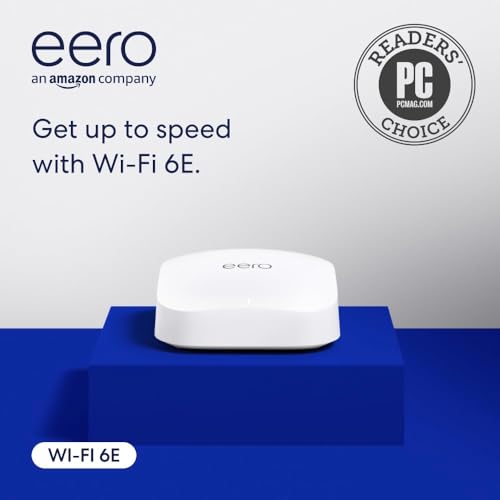
A refurbished powerhouse that sets up in half an hour, not half a day.
Do not let the “Like-New” tag fool you—this is a fully tested, certified refurb unit that comes with the same limited warranty as a new eero. It supports network speeds up to 2.3 Gbps thanks to a 2.5 Gigabit Ethernet port that handles internet plans up to 2.5 Gbps. Coverage is rated at 2,000 square feet with support for 100+ connected devices. The stand-out feature is the built-in smart home hub: it controls compatible Thread and Zigbee devices (two different wireless protocols for smart bulbs and sensors) through Alexa, doubling as a Thread border router (a device that connects Thread gadgets to your Wi-Fi network).
Owners mention the biggest difference is the setup speed. One reviewer noted setup took 30 minutes compared to four-plus hours for a TP-Link system, and the app transferred 70 devices smoothly from the old network. The TrueMesh technology (the brand’s claim of intelligent traffic steering) moves traffic to avoid dead spots, and Echo Dots in your home can act as Wi-Fi extenders. The catch: the first unit one buyer received failed during setup and had to be returned, but the replacement worked perfectly. Also, the software is often outdated from the start and required a two-hour update before first use. For an Amazon household that values speed of deployment over tinkering, this is a strong pick.
Strengths
- Certified refurbished with full warranty, saves cash
- Setup under 30 minutes with 70+ device transfer
- Built-in Thread and Zigbee hub for smart home
Weaknesses
- Outdated software requires a lengthy initial update
- First-unit failure reported by some buyers
Choose this for: A streamlined, quick deployment with smart home control—ideal for Amazon-heavy households.
skip it if: You prefer advanced router settings and are not interested in the Amazon ecosystem.
4. Linksys Velop Pro 6E (MX6200)

A self-optimizing mesh that learns congestion and avoids it in real time.
Linksys calls it Cognitive Mesh technology—the system monitors real-time data on congestion, signal strength, and channel usage to dynamically steer traffic to the clearest path. That means it does not just sit there; it adapts as your family adds devices. The Velop Pro 6E delivers speeds up to 5.4 Gbps (AXE5400) and covers 3,000 square feet per node, with internal antennas that keep the cylindrical design sleek. A buyer who self-identified as a veteran networking pro got signal readings above -65 dBm (a measure of signal strength; -65 dBm is considered strong) across a 2,600 sq ft home and maxed out a 500 Mbps ISP connection.
Setup takes about 10 to 20 minutes via the free Linksys app, and the system supports WPA3 encryption (the latest Wi-Fi security standard) for better protection. A big plus is the 3.5-year warranty and 24/7 worldwide tech support—longer than the typical 1-2 years from many rivals like TP-Link or Amazon. However, one review flagged a gray unit that arrived with a “1.5 year warranty” sticker covering the printed “3 YEAR WARRANTY”—Linksys confirmed the full three years but noted the reseller may have tampered. Another user had a white unit that died after a few weeks. Free parental controls include separate schedules for device groups, which is rare at this price tier without a subscription. If you want a mesh that thinks for itself and comes with a strong warranty, this is a compelling option.
Pros
- Cognitive Mesh auto-resolves congestion without manual tune-ups
- 3.5-year warranty and 24/7 support
- Free parental controls with per-device group schedules
Cons
- Reseller units may have mismatched warranty stickers
- Some users experienced unit failure after a few weeks
Best for: A hands-off buyer who wants a self-optimizing mesh with strong warranty backup and free, sturdy parental controls.
Consider a different pick if: You want a router with deep, advanced settings for VLANs or firewall rules—this one keeps configuration simple.
5. TP-Link Archer AXE300 (AXE16000)

Quad-band speeds that make gigabit downloads feel like a quick sip of coffee.
This router is massive in every sense—quad-band Wi-Fi hitting a theoretical 15.6 Gbps, two 10 Gigabit Ethernet ports, and eight antennas that project coverage through concrete walls. One buyer measured consistent speeds between 1020 and 1033 Mbps across 4,200+ square feet with concrete walls and floors. The dual 10 GbE ports (one RJ45 combo with SFP+, a port for fiber connections) let you wire a high-speed NAS or gaming PC directly at multi-gig speeds, while the 2.5 GbE WAN/LAN port handles a fast internet plan. It also supports VPN server and client (OpenVPN/PPTP/L2TP) and VLAN/IoT segmentation for advanced setups.
The honest catch: this is not a plug-and-play device. One buyer warned you need to know how to configure MAC address, port selection, and potentially restart your ISP node. Another reported a unit that failed after seven hours and a replacement that required daily restarts with a 5 GHz band that drops every 2-3 days—making it less reliable than the simpler Deco XE70 Pro. The coverage is also not as floor-penetrating as some mesh systems—signal drops fast through walls at close range. This is squarely for the enthusiast who wants raw speed and is willing to troubleshoot.
Highlights
- Quad-band with 15.6 Gbps total speed
- Two 10 GbE ports for multi-gig wired connections
- Covers 4,200+ sq ft with VLAN/IoT segmentation
Drawbacks
- Lengthy setup requires networking know-how
- Some units had reliability issues after days of use
Ideal for: Power users and gamers with gigabit+ fiber who want a massive speed bump and are comfortable with advanced configuration.
Not for you: If you want a set-and-forget mesh for a family home—the AXE300 demands attention and occasional troubleshooting.
6. NETGEAR Orbi Quad-Band RBRE960

The router that turns your fiber plan into a firehose—if your wallet can take it.
With speeds up to 10.8 Gbps and a dedicated 10 Gigabit internet port, this Orbi is built for the fastest cable or fiber service available today and tomorrow. It covers up to 3,000 square feet and handles 200 devices on a quad-band split. The patented antenna design pushes signal surprisingly far—one buyer mentioned coverage reaching down the block and full-quality streams on Google doorbells that used to stutter. It replaced two Google Pro units that capped at 900 Mbps and now delivers 1400 Mbps.
The price is high, and NETGEAR Armor security software comes with a 30-day trial before you start paying. One review from a six-month owner reported a frustrating pattern of device disconnects and no-internet periods lasting 30 minutes, even after support sent a replacement. Another buyer who replaced an Eero Pro found the Orbi to be completely reliable. The catch is you need to buy additional satellites separately to expand coverage beyond the single unit—and you cannot turn off the 5 GHz band if some old smart home devices refuse to connect. For someone with a multi-gig fiber plan who wants a no-compromise single-hub speed leader, this is it.
Why It Is a Beast
- 10.8 Gbps quad-band speed handles any household load
- 10 GbE port future-proofs for multi-gig fiber
- Exceptional real-world range beyond 3,000 sq ft
The Downside
- High price with Armor software requiring subscription
- Some units developed intermittent connectivity after months
Go with this if: You have a fiber plan faster than 1 Gbps and want the rawest speed available from a single 6E hub—faster than the Deco XE70 Pro’s 2.5 GbE port can handle.
Think twice if: Your home has lots of older 2.4 GHz smart devices that may not connect with the 5 GHz band locked on.
Understanding the Specs
Tri-Band vs. Quad-Band
A tri-band router uses three radio channels (2.4 GHz, 5 GHz, and 6 GHz) to split traffic. The benefit is that one band can serve as a dedicated backhaul to talk between router nodes, keeping your devices on the others. Quad-band adds a fourth radio, usually a second 5 GHz channel, which helps in very dense mesh setups where every band is contested. For a typical home with 30–100 devices, a good tri-band 6E mesh is sufficient.
WAN Port Speed (2.5 GbE and 10 GbE)
The WAN port connects your router to the modem or fiber ONT. A standard Gigabit Ethernet port caps at 1 Gbps. A 2.5 GbE port lets you use internet plans up to 2.5 Gbps, while a 10 GbE port can handle up to 10 Gbps. If your plan is 1 Gbps or less, a Gigabit Ethernet port is fine. If you plan to upgrade to multi-gig fiber soon, look for a 2.5 GbE port at least.
FAQ
Do I need a 6E router if none of my devices support 6 GHz yet?
How much coverage does a single 6E router provide?
Will a 6E router work with my existing internet plan?
What is the difference between tri-band and quad-band Wi-Fi 6E?
Can I use a 6E router with a gigabit (1 Gbps) internet plan?
Do I need a mesh system or a single router?
How many devices can a 6E router handle?
Is the 6 GHz band faster than 5 GHz?
How long do 6E routers typically last before needing an upgrade?
Can I mix a 6E router with older Wi-Fi 5 or Wi-Fi 6 devices?
Final Thoughts: The Verdict
For most homes, the 6e router that balances speed, coverage, and simplicity is the TP-Link Deco XE70 Pro—its 2.5 GbE port and AI roaming keep a 200-device household running smoothly without constant tinkering. If you want the purest plug-and-play experience with built-in smart home control, grab the Amazon eero Pro 6E. And for the gaming or pro-sumer who needs raw quad-band power and dual 10 GbE ports, the standout is the TP-Link Archer AXE300. Each of these picks delivers on the 6 GHz promise—the right one just depends on your home’s shape, your device count, and how deep you want to dive into network settings.
How We Picked
We do not accept paid placement. Every pick is matched to a real buyer and a real use-case; we do not hands-on test units.
Sources & Methodology
Specifications: manufacturer listings and product documentation. Review insights: verified customer reviews, as of July 2026. Pricing: not shown on this page (it changes often); check the current price via the retailer link.
As an Amazon Associate, FitlyFast earns from qualifying purchases. This does not affect which products we feature.