
Our readers keep the lights on and the weekend projects moving. As an Amazon Associate, I earn from qualifying purchases.
Specs are compiled from manufacturer listings and verified buyer reviews and can change over time — please confirm the key details on the product page before buying.
You want an e-reader that makes reading vanish — no glare, no eye strain, no distractions — just pages that feel like they are printed on paper. The real trick is figuring out which budget-friendly model actually delivers that experience without hiding a gotcha like a locked-down bookstore or a screen that flickers. This guide walks through six picks that balance price against the specs that actually matter: resolution (sharpness of text), battery life, storage, and how easy it is to borrow library books.
I’m Rikta — the founder and writer behind FitlyFast. This guide is built by comparing the manufacturers’ published specifications and the patterns across verified customer reviews, so you get each pick’s real strengths and trade-offs instead of marketing spin.
The right affordable e-reader depends on where you get your books and how much storage you need to carry.
Quick Picks
- Barnes & Noble Nook Glowlight 4 (Renewed) — Highest Capacity
- Amazon Kindle 16 GB (newest model) — Best Overall
- PocketBook Verse Lite — Library Lover
- Amazon Kindle Kids 16GB (newest model) — Kid-Tough
- PocketBook Verse — Format Champion
- Kobo Libra Colour — Color Upgrade
How To Choose The Best Affordable E-Reader
Picking the right affordable e-reader starts with one question: where do your books come from? If you borrow from a library, a model with built-in OverDrive or Adobe Digital Editions saves you plugging it into a computer. If you buy everything from one store, the device tied to that store (Kindle or Nook) keeps things simple. Once that is settled, a few specs decide whether the device feels good to use every day.
Screen resolution and front lighting
The screen is what you look at for hours, so a resolution of 300 ppi (pixels per inch — how many tiny dots make up an inch of text) is the benchmark for sharp, newspaper-quality text. A front light with adjustable warmth means you can read comfortably in the dark without harsh blue light — the amber glow helps your eyes wind down at bedtime.
Storage — 8 GB vs 16 GB vs 32 GB
Storage determines how many books you can carry at once. An 8 GB e-reader holds roughly 6,000 books without audiobooks. Doubling to 16 GB brings that to about 12,000. The 32 GB models can hold over 24,000 eBooks. The real trade-off is price: higher storage costs more, but if you read one or two books at a time and swap often, 8 GB is plenty.
Library integration and file format support
Not all e-readers let you borrow library books with a tap. Kindle works with Libby for library loans, but the process goes through the Libby app on your phone. Nook and PocketBook have built-in Adobe Digital Editions, which means you can borrow and return library books directly from the device. Kobo includes OverDrive right in the menu, making it the smoothest library experience among these picks.
Quick Comparison
| Model | Best For | Storage | Display | Battery Life | Amazon |
|---|---|---|---|---|---|
| Barnes & Noble Nook Glowlight 4 (Renewed) | High storage on a budget | 32 GB | 6″, 300 dpi | Weeks | Amazon |
| Amazon Kindle 16 GB (newest model) | Ultra-light portability | 16 GB | 6″, 300 ppi | Up to 6 weeks | Amazon |
| PocketBook Verse Lite | Library books from Libby | — | 6″ E-Ink Carta | Up to 2 months | Amazon |
| Amazon Kindle Kids 16GB | Young readers (ages 3-12) | 16 GB | 6″, glare-free | Up to 6 weeks | Amazon |
| PocketBook Verse | Format flexibility + SD card | 8 GB (+ up to 128 GB microSD) | 6″ E-Ink Carta HD | Up to 1 month | Amazon |
| Kobo Libra Colour | Color screen + library loans | 32 GB | 7″ color E Ink Kaleido 3 | Up to 4 weeks | Amazon |
In‑Depth Reviews
1. Barnes & Noble Nook Glowlight 4 (Renewed)

You get 32 GB of storage, physical page-turn buttons, and a 300 dpi (dots per inch — same as ppi) screen for less than most new 8 GB models cost.
If your main priority is fitting your whole library on one device, this renewed Nook gives you 32 GB of storage — double the Amazon Kindle 16 GB (newest model), which holds 16 GB. That is enough room for about 24,000 books, and you get physical page-turning buttons plus a touchscreen so you can read whichever way feels natural. The 6-inch, 300 dpi screen has a built-in glare-resistant lens, meaning you can read on a sunny porch without squinting at reflections.
Buyers report this is a “major upgrade from Kindle PW 6th gen,” praising the fast, smooth performance and the warm amber backlight that is gentler on eyes at night. The catch is that Libby library loans do not transfer directly; you need to download ePub files to a computer and then manually side-load them onto the Nook. But as one reviewer put it, you can “download free books from your library’s online database to a computer and transfer to the Nook” — so it works, just with an extra step.
What Stands Out
- 32 GB holds roughly 24,000 books — more than any other pick here at this price
- Physical page-turn buttons prevent accidental screen touches while you hold it
- Renewed unit looks and works like new at a much lower cost
Know Before You Buy
- No direct Libby integration; side-loading library books requires a computer
- Bluetooth is not available, so no audiobook listening via wireless headphones
- Side bezels are larger, which some may find bulky
Who it suits: Bargain hunters who want maximum storage without a premium price and are comfortable manually transferring books.
One real limitation: The extra step for library book loads means it is less convenient than a Kobo or PocketBook for regular borrowers.
2. Amazon Kindle 16 GB (newest model)

It is the lightest and most compact Kindle ever made — reviewers describe it as “shockingly light.”
This is the lightest and most compact Kindle Amazon has made, and reviewers describe it as “shockingly light” — it practically vanishes whether you toss it in a jacket pocket or hold it one-handed for hours. The 6-inch, 300 ppi (pixels per inch — tiny dots that form crisp text) glare-free display now has a front light that is 25 percent brighter at the maximum setting, so you can read in a dim room or under direct sun without any eye strain. A single charge lasts up to 6 weeks, and the 16 GB is enough for thousands of books.
Unlike the Nook Glowlight 4, the Kindle lacks physical page-turn buttons and has no warm-light setting or waterproofing, which matters if you read in the bath. But the distraction-free ecosystem — no social media, no emails — is exactly what many buyers want. One fan summed it up: “Extremely lightweight and compact… distraction-free, flawless portable reading experience.” It is the purest, simplest reading tool here, though it is tied to Amazon’s bookstore unless you convert files.
Why It Wins
- Weighs the least of any current Kindle, making it ideal for commuting or travel
- 300 ppi screen with 25% brighter front light is sharp and readable anywhere
- Battery life measured in weeks means you rarely think about charging
The Trade-Offs
- No warm light or adjustable color temperature for late-night reading
- Not waterproof, so keep it away from the pool or bath
- Library book borrowing requires the Libby phone app instead of on-device integration
Bottom line: Anyone who wants a no-distractions, ultra-portable reading machine and buys most books from the Kindle store.
skip it if: You need on-device library book support, physical page-turn buttons, or warm lighting for bedtime.
3. PocketBook Verse Lite

Built-in Adobe Digital Editions means you borrow and return library books from Libby directly on the device — no computer needed.
Built-in Adobe Digital Editions means this PocketBook handles library loans from Libby directly — a feature the Kindle and Nook cannot match without workarounds. One reviewer confirmed you can “read library books from Libby via the browser and also return them on the device too.” The 6-inch E-Ink Carta touchscreen is glare-free and has an integrated frontlight, so you can read in the dark without a clip-on lamp. It supports over 25 file formats including EPUB, PDF, MOBI, and DRM-protected files, which means almost any book you download from anywhere will open without conversion.
The trade-off is speed: several reviews mention the screen flickers noticeably during page turns, and one called it “extremely slow, flickering screen when changing pages.” It is also not as responsive as the Kindle in navigation. But if borrowing library books is your primary habit, no other budget pick makes it this easy. The battery claim — up to two months — is also among the longest of any device here.
Best Feature
- Adobe Digital Editions built in for direct library book borrowing and returning on the device
- Compatible with 25+ file formats — no need to convert EPUB, PDF, or DRM books
- Battery life up to 2 months between charges is class-leading
Watch For
- Slow page turns with noticeable flicker compared to Kindle or Kobo
- No physical page-turn buttons, which some miss for one-handed reading
- Cases are hard to find, and the screen collects fingerprints easily
Reach for this if: You borrow most of your books from the public library and want to handle everything — borrowing, reading, returning — without a computer.
Look elsewhere if: Snappy page turns and a smooth interface matter more to you than library integration.
4. Amazon Kindle Kids 16GB (newest model)

You get the same 6-inch glare-free display and 16 GB storage as the standard Kindle, but with a cover, a 6-month Amazon Kids+ subscription, and a 2-year low-maintenance guarantee (if it breaks, Amazon replaces it for free).
The Kindle Kids gives you the same 6-inch glare-free display and 16 GB storage as the standard model, but adds a cover, a 6-month Amazon Kids+ subscription, and a 2-year low-maintenance guarantee (if it breaks, Amazon replaces it free). The Parent Dashboard lets you add books from your own account, set bedtime reading limits, and adjust age filters. The big appeal, as one parent put it, is that it delivers “electronic illusion with limited access” — no apps, no videos, no games beyond the Kindle itself.
Owners mention the touch response is a bit slow and the parental controls are not the easiest to navigate, but the lightweight build and included case protect the screen during daily use. Kids aged 3-12 can access thousands of age-appropriate books through the Kids+ subscription, and after the trial ends it is per month if you keep it.
Parent-Friendly Perks
- 2-year low-maintenance guarantee — if the device breaks, Amazon replaces it for free
- 6-month Amazon Kids+ subscription gives access to thousands of age-appropriate books
- Included cover protects the screen from drops and backpack wear
Know Before Purchasing
- Touch response is slower than the standard Kindle; some pages feel laggy
- Parent Dashboard is powerful but not intuitive to set up
- No warm light, so reading in the dark is a cold white light
Whose shelf it belongs on: Parents who want a durable, limited-distraction reading device for a child age 3-12, with a safety net if it breaks.
Not for: Older teens or adults — the content restrictions and kid-focused interface will feel limiting.
5. PocketBook Verse
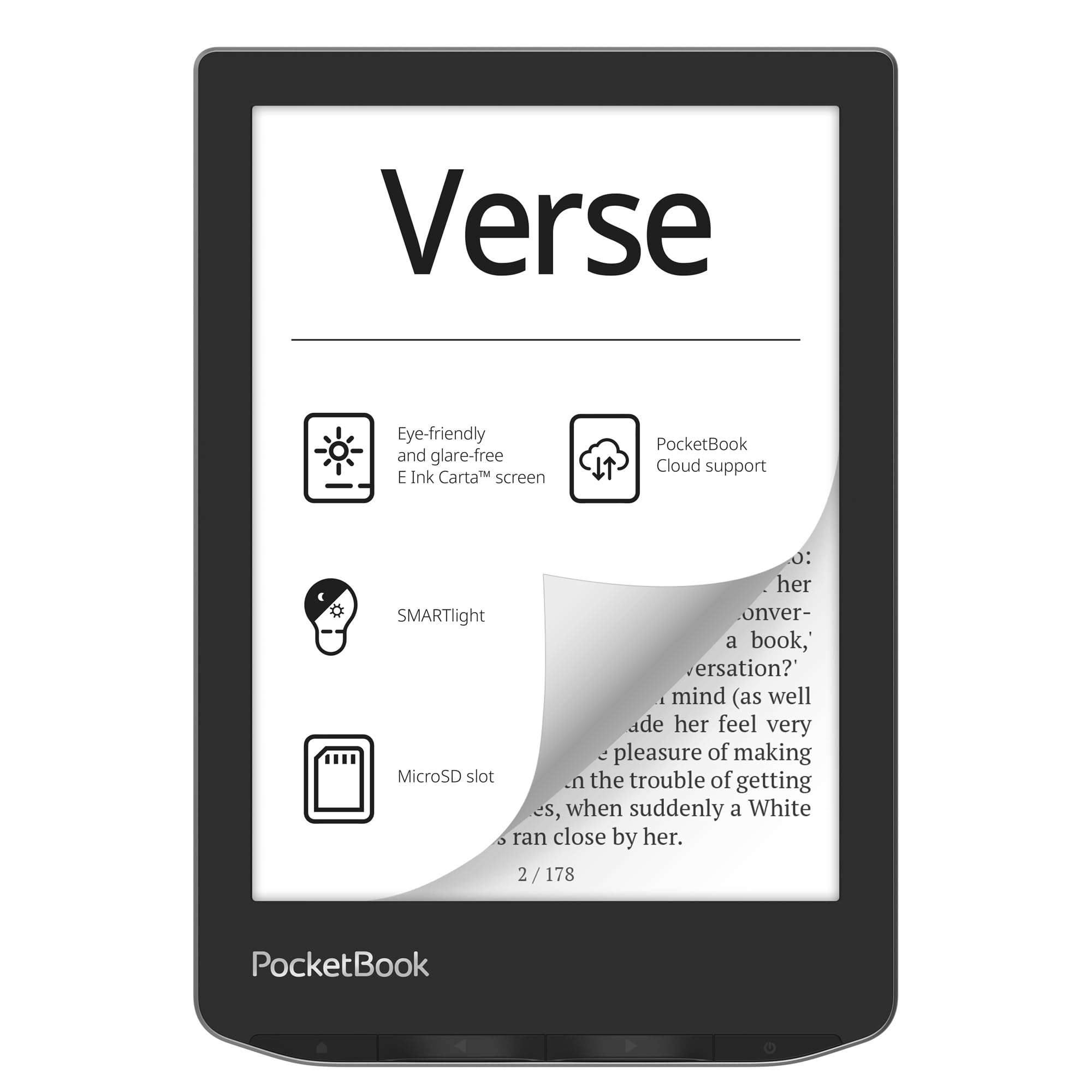
The microSD slot lets you add up to 128 GB, and the adjustable SMARTlight shifts from cool daylight to warm amber for bedtime.
The PocketBook Verse supports 25 formats without conversion, including EPUB, FB2, DOC, DJVU, PDF with DRM, CBR, and CBZ — meaning it handles everything from novels to comic book archives. The adjustable SMARTlight changes both brightness and color temperature, so you can shift from a cool daylight tone during the afternoon to a warm amber glow at night — something the Kindle Kids and basic Kindle lack.
One reviewer who manages a huge Calibre library said the device handled “5000+ Calibre ebook library, no problem” and reported battery was at 57 percent after three months with Wi-Fi off. The catch is that PocketBook Cloud services were discontinued in the US, and the store is pricey. But if you load your own books and want an open ecosystem that does not lock you into one bookstore, this is the most flexible choice here.
Why It Stands Out
- microSD card slot accepts up to 128 GB, making storage effectively limitless
- Adjustable SMARTlight changes both brightness and color temperature from cool to warm
- Supports 25 native formats — no conversion needed for EPUB, PDF, comic files, and more
One Concern
- Cloud services ended for US users; Dropbox integration is reportedly glitchy
- 8 GB internal storage is half of what the basic Kindle offers, despite the expandable slot
- Some users experience light glitches where settings reset unexpectedly
Perfect for: Readers who maintain a large personal library of mixed-format files and want the freedom to expand storage cheaply.
pass on it if: You prefer buying books from a single store with smooth cloud syncing.
6. Kobo Libra Colour

OverDrive is built right into the menu — you borrow and return library books without touching a computer — and the 7-inch color E Ink Kaleido 3 screen shows comic covers and illustrations in full color.
Kobo Libra Colour has a 7-inch color E Ink Kaleido 3 display that shows book covers, comics, graphic novels, and your own notes in full color — though customers note the color screen is slightly darker and grainier than a standard black-and-white e-reader like the Kindle Paperwhite. What makes it a standout for library borrowers is OverDrive built directly into the device, so you can browse your local library’s collection, borrow a book, and start reading without touching a computer or phone. The 32 GB storage holds up to 24,000 eBooks or 150 Kobo Audiobooks, and the IPX8 waterproof rating means it survives a drop in the bath or a splash from the pool.
Buyers who switched from Kindle praise the ergonomic grip and page-turn buttons, with one calling it “less glitchy” than Kindle’s interface. The catch is the stylus (needed for note-taking) is sold separately and adds significantly to the cost, and the color screen is not as sharp as a standard 300 ppi panel. But for a mix of library books, color comics, and waterproof durability, it delivers features no other affordable e-reader here can match in a single device.
The Strongest Features
- Built-in OverDrive for direct library book borrowing and returning without a computer
- 7-inch color E Ink Kaleido 3 display brings comic covers and illustrations to life
- IPX8 waterproof rated for up to 60 minutes in 2 meters of water
Before You Buy
- Color screen is grainier and slightly darker than a standard black-and-white e-reader
- Stylus for note-taking and annotation is not included and costs extra
- No external memory card slot, so you are limited to the 32 GB built-in
Best for: Avid library borrowers who also want to read graphic novels or comic books in color and need waterproofing for poolside or bath reading.
Consider alternatives if: Crisp black-and-white text clarity is your top priority and you rarely borrow library books.
Understanding the Specs
E‑Ink Carta vs E‑Ink Kaleido
E‑Ink Carta is the standard black-and-white display technology used in most e-readers. It gives you sharp, paper-like text that is readable in direct sunlight without glare. E‑Ink Kaleido (used in the Kobo Libra Colour) adds a color filter layer on top, so book covers, comics, and notes appear in full color — but the screen is slightly darker and grainier than a Carta display at the same resolution. If you mostly read novels and text-heavy books, Carta is sharper and cheaper. If you read color comics, magazines, or graphic-heavy books, Kaleido is worth the trade-off.
Front light vs backlight
An e-reader’s front light shines light downward onto the display, mimicking a lamp shining on a printed page. That is different from a phone or tablet backlight that shines light up from behind the screen directly into your eyes. Front-lit screens cause significantly less eye fatigue over long reading sessions, and models with adjustable color temperature (like the PocketBook Verse and Nook Glowlight 4) let you shift from cool daylight to a warm amber tone that reduces blue light exposure before bed.
FAQ
Can I borrow library books on an affordable e-reader?
How many books can 8 GB hold compared to 32 GB?
Do all affordable e-readers have a front light?
Is the Kobo Libra Colour worth the extra cost for color?
Can I read Kindle books on a non-Kindle e-reader?
How long does the battery last on an e-reader?
What is the difference between 300 ppi and 212 ppi?
Can I take notes or highlight text on an affordable e-reader?
Final Thoughts: The Verdict
For most readers shopping for an affordable e-reader, the standout pick is the Amazon Kindle 16 GB (newest model) because it combines the lightest body, the sharpest 300 ppi screen, and weeks-long battery life at a price that does not force trade-offs in core reading quality. If your main reading habit involves borrowing library books without fiddling with a computer, the PocketBook Verse Lite does that better than anything else here. And if you want maximum storage on the smallest budget, the renewed Barnes & Noble Nook Glowlight 4 gives you 32 GB for less than most new 8 GB models cost.
How We Picked
We do not accept paid placement. Every pick is matched to a real buyer and a real use-case; we do not hands-on test units.
Sources & Methodology
Specifications: manufacturer listings and product documentation. Review insights: verified customer reviews, as of July 2026. Pricing: not shown on this page (it changes often); check the current price via the retailer link.
As an Amazon Associate, FitlyFast earns from qualifying purchases. This does not affect which products we feature.