
Our readers keep the lights on and the weekend projects moving. As an Amazon Associate, I earn from qualifying purchases.
Specs are compiled from manufacturer listings and verified buyer reviews and can change over time — please confirm the key details on the product page before buying.
If your game audio cuts out or your controller inputs lag when you move a few feet from your PC, your computer’s built-in Bluetooth is the problem. A dedicated adapter fixes that instantly by giving you a much stronger, more stable signal that handles multiple devices at once without the stutter. The real choice depends on range versus latency — some adapters let you roam your whole house, while others sacrifice distance for near-zero audio delay so your gunshot syncs perfectly with the screen.
I’m Rikta — the founder and writer behind FitlyFast. This guide is built by comparing the manufacturers’ published specifications and the patterns across verified customer reviews, so you get each pick’s real strengths and trade-offs instead of marketing spin.
The bluetooth adapter for pc gaming you choose depends on matching range and latency to your specific setup. if you need to connect a gaming headset, controller, mouse, or keyboard without the dropouts, the right one solves that.
Quick Picks
- UGREEN USB-C Bluetooth Adapter for PS5, Gaming Consoles & PC — Best Overall
- Sennheiser BTD 700 Bluetooth USB Dongle — Premium Pick
- Avantree DG80-Gaming – USB Bluetooth 5.3 Adapter Dongle — Console Ready
- FMA120 LE Audio Bluetooth Adapter for Phone, PC & Console — Tech Forward
- Techkey USB Bluetooth 5.4 Adapter for Desktop PC — Long Range Champ
- hakimonoe Long Range Bluetooth 5.4 Adapter for PC — Outdoor Range
- Kinivo USB Bluetooth Adapter for PC (BTD500) — Linux Hero
How To Choose The Best Bluetooth Adapter For PC Gaming
Not all Bluetooth dongles handle gaming well. A standard adapter meant for a keyboard and mouse might work fine for typing but will ruin your headphone experience with noticeable audio delay. Here are the three specs that separate a gaming-ready adapter from a basic one.
Latency: The millisecond that decides whether audio syncs
Latency is the delay between something happening on screen and you hearing it through your headphones. For competitive gaming, anything above about 40 milliseconds (ms) can cause your audio to feel slightly off. Adapters that support aptX Low Latency or aptX Adaptive can get down to around 30-55ms, which is tight enough that your brain does not register the gap. A basic adapter with standard SBC or AAC codecs often delivers 150ms or worse, making dialogue and footsteps feel noticeably delayed.
Range: How far you can roam without dropouts
Range is measured in feet (or meters) in an open area, but walls, floors, and interference from other electronics cut that number significantly. A Class 1 adapter with an external antenna can claim up to 492-500ft in ideal conditions, though in a typical house you might get 80-150ft. A Class 2 adapter (the kind built into most laptops) is usually capped at around 33ft (10m). If you want to walk to another room while staying on a call or listening to music, look for a dongle with an extended antenna and Class 1 radio.
Codec support: The language your headphones speak for better sound
A codec is the method the adapter uses to compress and send audio over Bluetooth. The basic SBC codec works with everything but sounds compressed and adds latency. Higher-quality codecs like aptX, aptX HD, and aptX Adaptive preserve much more detail and cut delay. The newest LE Audio codec (LC3) can deliver good quality at very low latency while using less power, but both your adapter and your headphones must support it for it to work.
Quick Comparison
| Model | Best For | Bluetooth Version | Range | Latency / Codec | Amazon |
|---|---|---|---|---|---|
| UGREEN Bluetooth 6.0 Adapter | Ultra-low latency gaming | 6.0 | — | aptX Adaptive / LE Audio (15–30ms) | Amazon |
| Sennheiser BTD 700 | High-fidelity audio streaming | 5.4 | — | aptX Lossless / aptX Adaptive (30ms) | Amazon |
| Avantree DG80-Gaming | Console + PC gaming | 5.3 | 100ft / 30m | aptX-LL / aptX-Adaptive (≤55ms) | Amazon |
| FMA120 LE Audio Adapter | LE Audio / Auracast sharing | 5.3 (LE) | — | aptX Adaptive / LC3 | Amazon |
| Techkey Bluetooth 5.4 Adapter | Longest range / multiple devices | 5.4 | 500ft / 150m | 3 Mbps (EDR + BLE) | Amazon |
| hakimonoe Bluetooth 5.4 Adapter | Outdoor-range stability | 5.4 | 492ft / 150m | 3 Mbps (Class 1 + 5dBi antenna) | Amazon |
| Kinivo BTD500 | Linux compatibility / simplicity | 5.0 | 33ft / 10m | 3 Mbps (Class 2 + BLE) | Amazon |
In‑Depth Reviews
1. UGREEN USB-C Bluetooth Adapter for PS5, Gaming Consoles & PC
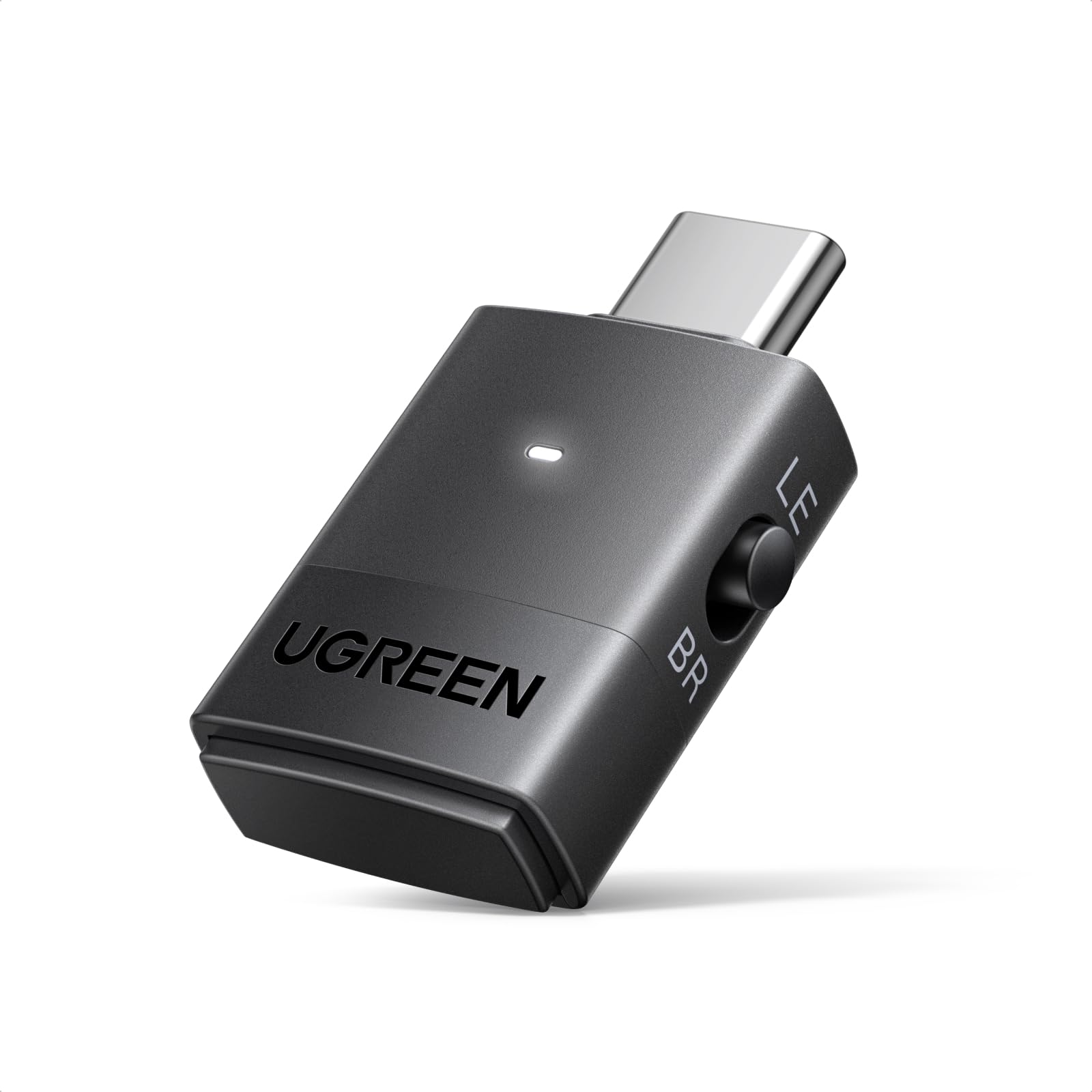
The closest you can get to wired audio without the wire, with proper sub-30ms lag.
This adapter gives you near-perfect audio sync for competitive shooters or fast-paced games. It uses the latest Bluetooth 6.0 standard with a Qualcomm QCC3086 chip, which enables LE Audio modes that you can toggle between Low Latency (15–30ms) for gaming or High-Quality for music. The dongle also supports aptX Adaptive, aptX HD, and aptX — so it automatically picks the best codec your headphones can handle. Unlike the Sennheiser BTD 700 which focuses more on audiophile streaming, the UGREEN lets you pair two headphones at once in Classic mode or broadcast to multiple listeners using Auracast in LE mode, which is a rare feature at this level.
Buyers report that it solves the persistent Windows 11 audio-video sync issue that plagues built-in Bluetooth controllers, and that pairing is as simple as a double-press of the button. One reviewer noted that with Sony WH-1000XM6 headphones the latency sat between 15–45ms depending on the LE Audio mode selected, which keeps action on screen perfectly matched to the sound. A limitation some users flag: the dongle uses USB-C natively, so older PCs without a USB-C port may need an adapter, though the UGREEN is not bundled with one.
Why it wins for gamers
- LE Audio Low Latency mode hits 15–30ms — you will not notice any delay
- Supports dual-pairing in Classic mode so you and a friend can listen together
- Qualcomm QCC3086 chip keeps the connection rock-stable even with interference
One catch to know
- USB-C connector may require an extra adapter for older desktop PCs without a Type-C port
Reach for this if: you need the lowest possible latency for competitive gaming and want future-proof LE Audio support without paying Sennheiser prices.
2. Sennheiser BTD 700 Bluetooth USB Dongle
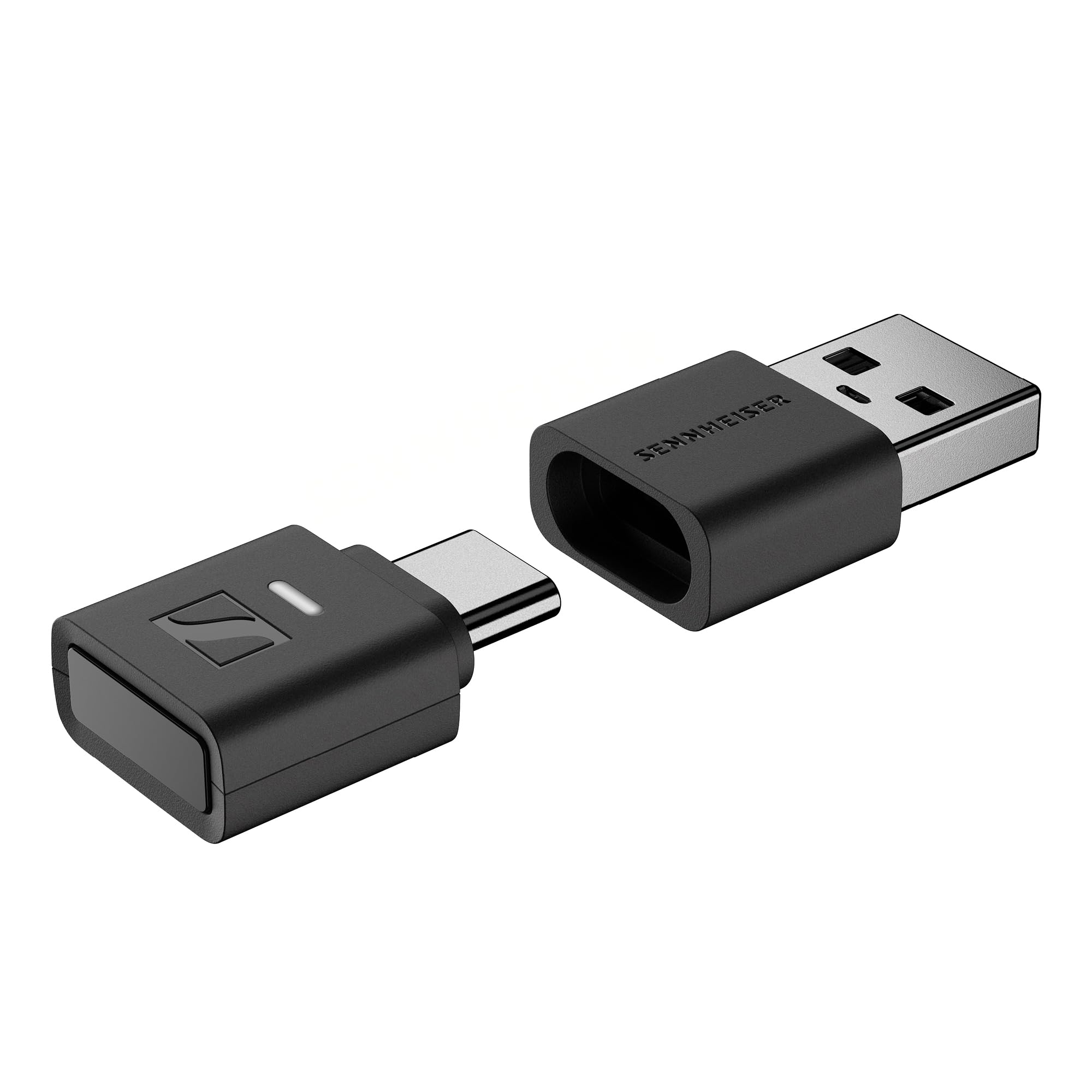
Audiophile-grade wireless audio from a brand that knows sound better than almost anyone.
If you own premium headphones — especially Sennheiser models like the Momentum 4 or PXC-550 — this dongle open up their full potential by supporting aptX Lossless, which transmits CD-quality audio over Bluetooth without compression. The gaming mode cuts latency to just 30 milliseconds, so your audio stays synced during gameplay while maintaining higher fidelity than most adapters can deliver. Unlike the UGREEN which favors low-latency LE Audio, the BTD 700 prioritizes sound quality first, making it a better match for single-player games with rich soundtracks or for watching movies.
Owners mention that after firmware updates, the dongle fixes the issue of headphones auto-shutting off during quiet moments, and that once paired, it automatically reconnects Sennheiser headphones as soon as you plug it in. One reviewer shared that they could walk 30 feet away from their desk and still maintain a crisp connection — far better than the built-in Intel Bluetooth that dropped signal after just five feet. The trade-off is that the BTD 700 only supports one connected device at a time, so you cannot quickly swap between headphones and earbuds without re-pairing, which is a limitation compared to the UGREEN’s dual-pairing capability.
What you are paying for
- aptX Lossless delivers true CD-quality Bluetooth audio — nothing else at this size matches it
- Gaming mode at 30ms latency keeps audio perfectly synced without sacrificing sound detail
- Comes with both USB-C and USB-A adapters so it works with any PC or console
Worth noting
- Only one device can connect at a time — swapping headphones means re-pairing
- Initial pairing can be finicky; some users needed to install the Sennheiser Dongle Control software for full function
Best for: anyone with high-end audiophile headphones who wants lossless wireless audio for rich single-player games and music.
Consider another if: you need to switch frequently between different headphones or earbuds during a gaming session.
3. Avantree DG80-Gaming – USB Bluetooth 5.3 Adapter Dongle

The simplest way to get zero-lag wireless audio on a PS5 without Sony’s proprietary headset.
If you game on a PS5 or PS4 but do not want to use a wired controller or Sony’s own Pulse 3D headset, the DG80 is the easiest fix. It plugs directly into the console’s USB port, pairs with any Bluetooth headphone that supports aptX Low Latency or aptX Adaptive, and delivers audio at 55ms or less — which is good enough that you will not notice any desync. That range of up to 100 feet (30 meters) also means you can hear the game from across the room. Where it falls short of the UGREEN is that the Avantree is designed purely for audio: it will not connect a mouse, keyboard, or controller, so it is a dedicated audio dongle rather than a general-purpose adapter.
Customers note that it works flawlessly with the Skullcandy Crusher ANC2 and EarFun Air Pro 4 on PS5, with zero lag and clear audio. One buyer mentioned that the microphone does not work over Bluetooth due to a Sony restrictions, so voice chat still requires a separate mic. On PC, another user highlighted that the dongle lasted almost a year before failing with a Code 34 error, but Avantree replaced it for free — reflecting the manufacturer’s two-year warranty and responsive support.
Why console gamers love it
- Genuine plug-and-play on PS5 — no drivers, no app, just pair and go
- aptX-LL and aptX-Adaptive keep latency at or below 55ms
- 100ft range lets you game from across the room
Before you buy
- Does not support microphone passthrough on PS5 over Bluetooth
- Only works with audio devices — no mice, keyboards, or controllers
Grab this if: you own a PS5 and want to use your favorite Bluetooth headphones for game audio without the lag.
Look elsewhere if: you need a single adapter that handles both audio and controller input on PC.
4. FMA120 LE Audio Bluetooth Adapter for Phone, PC & Console
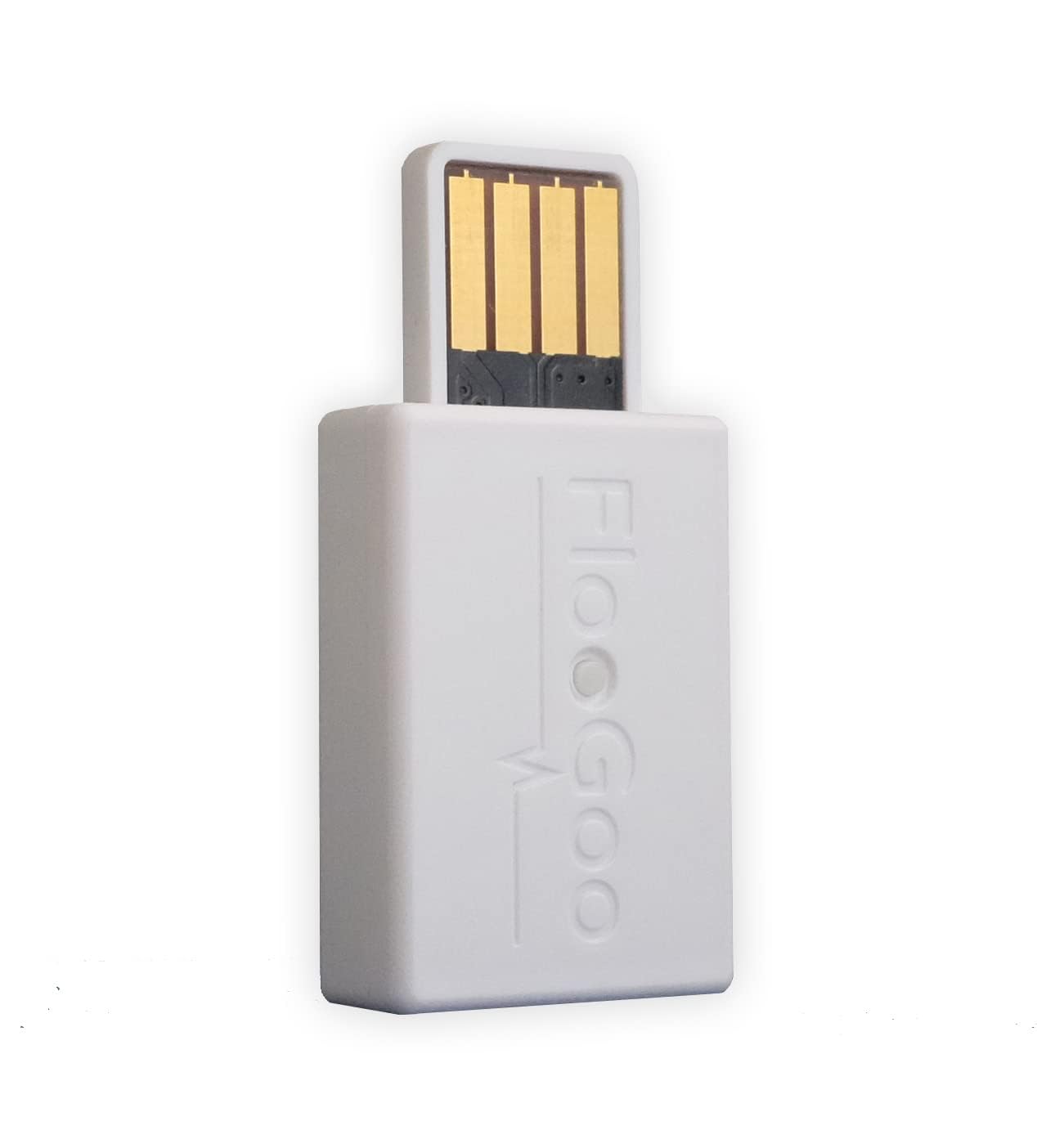
The most versatile adapter on this list — it sends, receives, and relays Bluetooth audio across multiple devices.
The FMA120 stands apart because it does not just act as a transmitter (TX mode, sending audio from your PC to headphones); it also works as a receiver (RX mode) and as an Auracast relay, meaning it can rebroadcast audio from a TV or iPhone to an unlimited number of Auracast-compatible headphones. For gamers, the key feature is LE Audio support with aptX Adaptive and Lossless, which keeps latency low while preserving sound detail. Unlike the Avantree DG80 which is console-specific, the FMA120 works on Windows, Mac, Linux, PS4, PS5, and Switch from the start — no drivers needed.
Reviewers point out that this is the only USB audio adapter that reliably works with Phonak and Oticon hearing aids, making it uniquely suited for gamers who also need hearing assistance. One reviewer described the manufacturer’s custom firmware support as “class-leading,” noting that they crafted a specialized firmware version to fix a niche pairing issue. The complexity is the trade-off: the FMA120 requires a companion app, firmware upgrades, and sometimes manual codec selection (turning off AptX and enabling only LC3) to pair with hearing aids, which is far more hands-on than plug-and-play options like the Kinivo BTD500.
Its superpower
- Tri-mode operation (TX / RX / Auracast Relay) works for PC, TV, console, and phone
- Direct LC3 support for hearing aids — no other adapter matches this
- aptX Adaptive with Lossless delivers very low latency and high fidelity
The learning curve
- Setup requires an app, firmware updates, and manually toggling codecs
- Some users experience difficulty with phone call switching when paired to a PC
Ideal for: users who need hearing aid compatibility or want an Auracast broadcaster for multi-headphone sharing.
skip it if: you want a simple plug-and-play adapter without any software tinkering.
5. Techkey USB Bluetooth 5.4 Adapter for Desktop PC
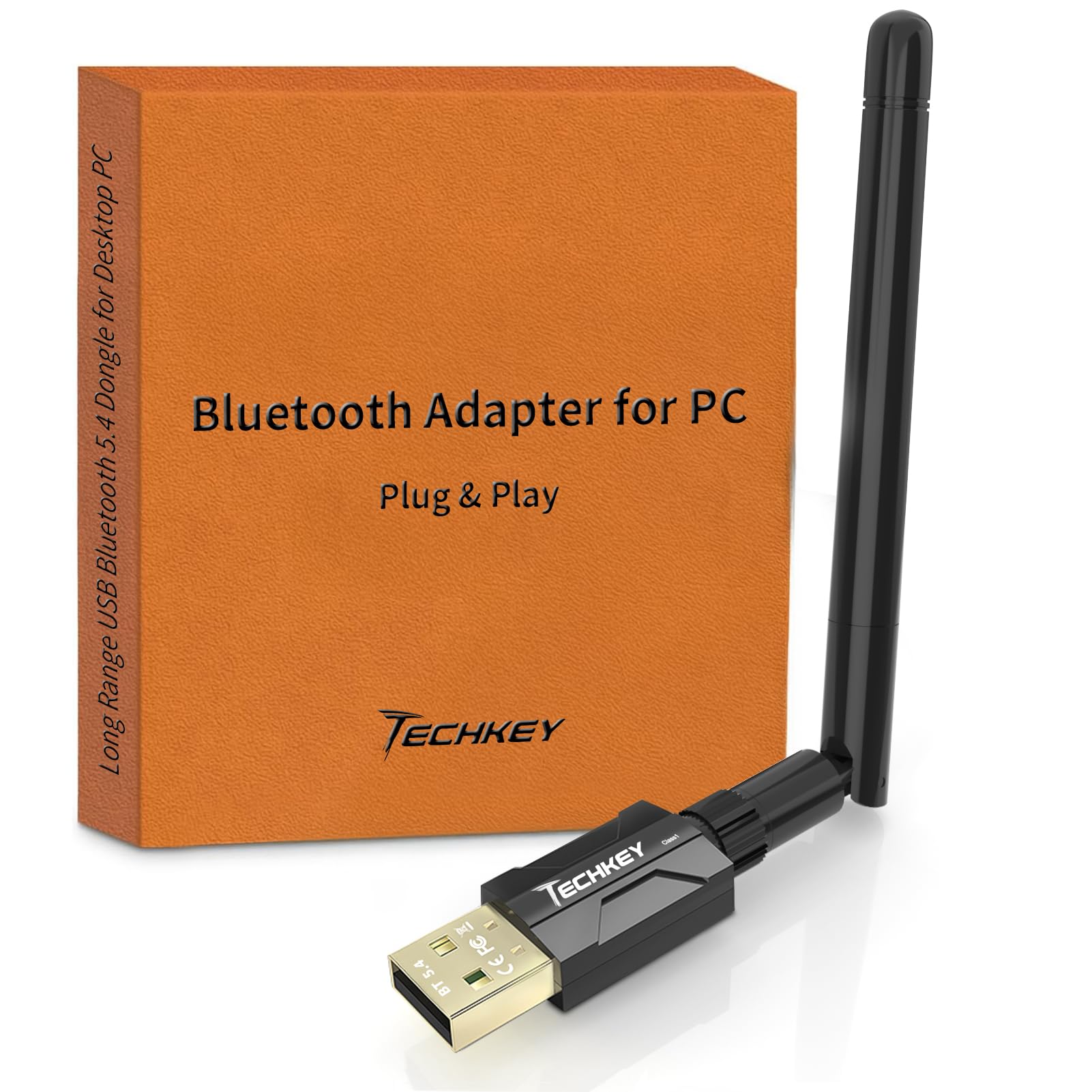
A pocket-sized dongle that punches a signal through walls without breaking your budget.
If your desk is far from your router or you need to keep a stable connection while moving around the house, the Techkey delivers with a 5dBi antenna and Class 1 radio that claims up to 500 feet (150 meters) in open air. Shoppers say that the plug-and-play setup on Windows 11 works instantly, and that the “5dBi antenna provides strong, stable long-range signal” for connecting headphones, speakers, a keyboard, and a printer all at once — up to seven devices simultaneously. The data transfer speed of 3 Mbps using EDR and BLE technology keeps audio streaming smooth and keyboard inputs responsive, though it lacks the advanced codecs (aptX, LE Audio) that gamers chasing the lowest possible latency would want.
Compared to the hakimonoe BT09 adapter below, the Techkey holds the same raw specs (Bluetooth 5.4, 3 Mbps, 500ft range, 7-device support) but often costs less at the point of purchase, making it the better value for general-purpose use. Where it bows out of serious gaming is codec depth: without aptX-Adaptive or LE Audio support, the audio latency sits higher than what the UGREEN or Sennheiser achieve.
What stands out
- Actual 500ft range in open areas with the external 5dBi antenna
- Supports seven simultaneous devices — mice, keyboards, headsets, speakers, and printers
- True plug-and-play on Windows 11 and 10 with zero driver installation
Where it falls short for gaming
- Lacks aptX or LE Audio codecs, so audio latency is higher than premium gaming adapters
- Incompatible with Mac OS, Linux, game consoles, or TVs — Windows-only
Pick this if: you need to cover a large house or office with a single Bluetooth signal and connect many devices at once.
Look at the UGREEN instead if: low-latency game audio is your priority and you can sacrifice range.
6. hakimonoe Long Range Bluetooth 5.4 Adapter for PC
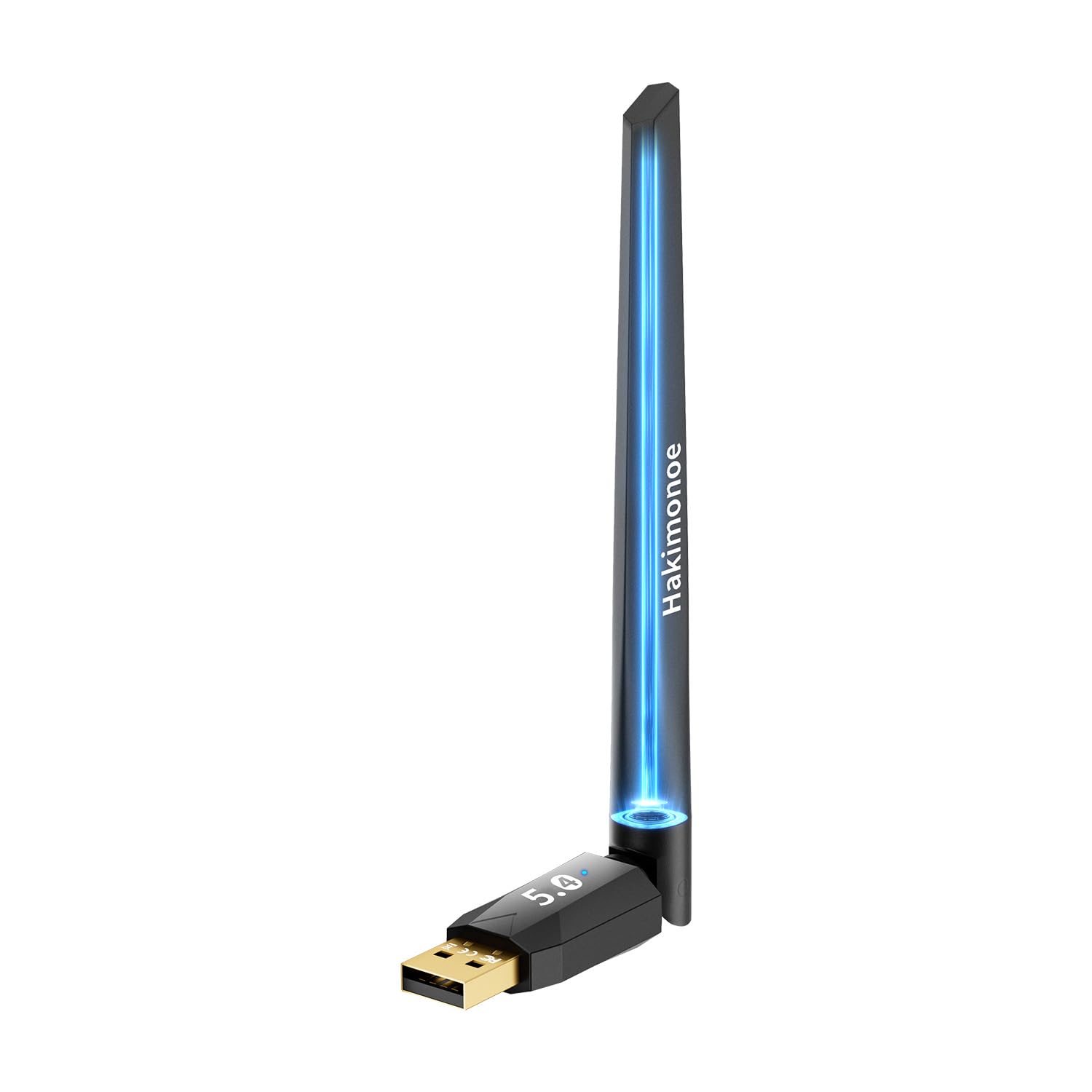
A long-range performer that one reviewer took to the extreme test — and it passed.
The BT09 from hakimonoe shares nearly identical range specs with the Techkey (492 feet / 150 meters with a 5dBi antenna) but adds wider compatibility by supporting Linux from the start — the Techkey does not. Buyers report spectacular real-world range: one reviewer wrote that they “limit tested and in a best case scenario 150ft. Worst case ~ 80ft when it sending though the house,” calling it “incredible hardware” for the price. Another user explicitly stated, “it in fact really increased the range to at least double and transmission has greatly improved,” which is a stronger real-world endurance claim than the Techkey attracts.
Like the Techkey, the BT09 hits 3 Mbps data transfer and supports up to seven connected devices. But a critical note: the product packaging itself says “does not support Linux” despite the Amazon description claiming Linux support — one reviewer returned it for that exact contradiction, so you should verify compatibility with your specific distro before buying. For pure PC gaming on Windows, the UGREEN or Avantree offer much better latency; this adapter is better suited for long-distance keyboard/mouse use or for listening to music across a large home.
Why range buyers love it
- Real tested range of ~80ft through walls and up to 150ft line-of-sight
- plug-and-play on Windows 8.1, 10, 11, and some Linux distros
- 5dBi antenna provides stable, interference-resistant signal
Be aware
- Amazon description says Linux compatible, but packaging does not — potential mismatch
- No aptX or LE Audio codecs, so audio latency is higher than gaming-focused adapters
Get this for: keeping a rock-solid Bluetooth connection across a large home or for Linux users who need range.
Skip it for: competitive gaming where every millisecond of audio delay matters.
7. Kinivo USB Bluetooth Adapter for PC (BTD500)

The one Linux users buy after weeks of frustration with adapters that refuse to work.
If you run Ubuntu, Kubuntu, Linux Mint, or Nobara and have been struggling to connect Bluetooth devices, the Kinivo BTD500 is the dongle owners mention “resolved all issues instantly.” It uses Bluetooth 5.0 with BLE and Class 2 radio, giving it a rated range of about 33 feet (10 meters) — noticeably shorter than the Techkey or hakimonoe adapters. One reviewer with a decade-old Dell laptop running Linux Mint 22.2 reported that it worked “well” after past failures with other dongles, though noted the connection only activates a few minutes after boot, requiring a manual connection for faster pairing.
This is the simplest adapter on the list: no drivers needed for Windows 10/11 or Ubuntu, no antennas, no app, just plug and pair. The trade-off for that simplicity is that it is strictly a Class 2 dongle (about 33ft / 10m max range), so it cannot match the 500ft reach of the Techkey. It also ships with an older Bluetooth 5.0 version, lacks aptX support for low-latency audio, and some buyers reported receiving units that arrived with damaged packaging, suggesting inconsistent shipping quality. For Linux-first setups, though, its plug-and-play reliability beats every other adapter here.
Why Linux users swear by it
- 100% plug-and-play on Ubuntu 24.04, Kubuntu, Linux Mint, and Nobara
- Compact size — one owner reported it is tiny enough not to snap off like larger USB thumbs
- Works with Xbox/PS4/PS5 controllers when connected to a PC
Limitations to keep in mind
- Class 2 range caps at ~33ft / 10m — far shorter than the 500ft Class 1 adapters
- Bluetooth 5.0 lacks the low-latency codecs needed for serious gaming audio
- Some units arrive with damaged packaging; quality control can be inconsistent
Perfect for: Linux PC users who need a tiny, no-fuss dongle that just works with their distro.
Not ideal for: gamers wanting low-latency wireless audio or anyone needing multi-room range.
Understanding the Specs
Latency (Measured in Milliseconds)
Latency is the gap between something appearing on your screen and you hearing it through your headphones. At 150ms, footsteps and gunshots feel out of sync, which ruins immersion and hurts reaction time. Gaming-focused adapters aim for 55ms or less — at that point, your brain stops noticing the delay. The UGREEN and Sennheiser models can drop below 30ms using aptX Adaptive or LE Audio, which is tight enough for competitive play where a split-second audio cue matters.
Range (Measured in Feet)
Range is how far the adapter can maintain a stable signal in open air before the connection drops. Class 1 adapters with external antennas (like the Techkey and hakimonoe) advertise 492–500 feet in open conditions — enough to cover a large house or even a small yard. Class 2 adapters (like the Kinivo) are capped at roughly 33 feet (10m) and are better suited for a single room. Walls and interference from other electronics cut real-world range by 40–70% regardless of the rating.
FAQ
Will any Bluetooth adapter work for gaming on my PC?
What is the difference between Class 1 and Class 2 Bluetooth range?
Can I use a Bluetooth adapter to connect a PS5 controller wirelessly to my PC?
Does the Avantree DG80 support microphone input on PS5?
What is LE Audio and do I need it for gaming?
Will a Bluetooth 5.4 adapter work with older Bluetooth 4.0 devices?
Can I get aptX Lossless audio on PC without a Sennheiser dongle?
How many devices can I connect to one Bluetooth adapter at the same time?
Why does my built-in Bluetooth keep dropping signal when I move away from my PC?
Will a Bluetooth adapter work for gaming on a Linux PC?
Final Thoughts: The Verdict
For most buyers, the bluetooth adapter for pc gaming winner is the UGREEN Bluetooth 6.0 Adapter because it combines the lowest possible latency (15–30ms in LE Audio mode), the latest Bluetooth standard, and the flexibility to pair two headphones at once or broadcast to many. If you want uncompressed CD-quality audio for rich single-player games, grab the Sennheiser BTD 700. And for a console-first setup on PS5, the Avantree DG80-Gaming is the most straightforward way to get zero-lag wireless audio without Sony’s proprietary headset.
How We Picked
We do not accept paid placement. Every pick is matched to a real buyer and a real use-case; we do not hands-on test units.
Sources & Methodology
Specifications: manufacturer listings and product documentation. Review insights: verified customer reviews, as of July 2026. Pricing: not shown on this page (it changes often); check the current price via the retailer link.
As an Amazon Associate, FitlyFast earns from qualifying purchases. This does not affect which products we feature.