
Our readers keep the lights on and the weekend projects moving. As an Amazon Associate, I earn from qualifying purchases.
Specs are compiled from manufacturer listings and verified buyer reviews and can change over time — please confirm the key details on the product page before buying.
Thinking a super-high refresh rate is all that matters in a big gaming monitor? You could end up with a blurry, washed-out image. The panel type (how the monitor creates its picture), the resolution, and the contrast ratio (the difference between the darkest black and brightest white) actually shape what you see far more than the hertz number alone. This guide covers six screens that are 32 inches or larger, each made for a different kind of player.
I’m Rikta — the writer behind FitlyFast. I built this guide by comparing the manufacturers’ published specs and patterns from verified customer reviews, so every pick shows real strengths and honest trade-offs instead of marketing spin.
This guide on the big gaming monitor market will explain which specs actually change your experience and which ones you can safely ignore. You’ll learn why a 0.03ms response time (the time a pixel takes to change color, measured in milliseconds) reduces ghosting more than a 1ms response time, while a 1ms response time can still leave a faint blur.
Quick Picks
- LG 32GX850A-B 32″ UltraGear Glossy OLED — Best Overall
- Samsung 32” Odyssey QD-OLED G8 (G81SF) — Anti-Glare OLED
- MSI MPG 321URX QD-OLED — Versatile Pick
- ASUS ROG Swift 32” PG32UCDM QD-OLED — Top Performer
- AOC 32 inch 4K Gaming Monitor (U32G4) — Mid-Range Dual
- Gawfolk 32 Inch 4K 240Hz Curved Gaming Monitor — Budget Champion
How To Choose The Best Big Gaming Monitor
Picking a large gaming monitor means balancing size, resolution, refresh rate (how many times per second the screen draws a new image), and panel technology. Your graphics card and the types of games you play will dictate where you should focus your budget.
Panel Type: The Foundation of the Image
The panel type determines contrast, color accuracy, and viewing angles. IPS (In-Plane Switching) panels offer wide viewing angles and good color but lower contrast, so dark scenes look grayish. VA (Vertical Alignment) panels deliver deeper blacks and higher contrast (like 3000:1, meaning the brightest white is 3000 times brighter than the darkest black) but can have slower response times. OLED (Organic Light Emitting Diode) panels give you perfect blacks (each pixel lights itself, so it can turn off completely) and instant response times (0.03ms) but cost significantly more and have a risk of burn-in over many years.
Refresh Rate and Resolution: Finding the Balance
A 4K (3840 x 2160) monitor at 240Hz delivers a stunning, smooth image, but you need a powerful graphics card to push that many pixels at high frame rates. A dual-mode monitor lets you play in 4K at a lower refresh rate for story-driven games, then switch to 1080p at a much higher refresh rate (like 320Hz or 330Hz) for competitive shooters where every millisecond counts.
Adaptive Sync: G-Sync vs. FreeSync
Adaptive sync technologies synchronize your monitor’s refresh rate with your graphics card’s frame output to stop screen tearing and stuttering without the input lag of traditional V-Sync. G-Sync is Nvidia’s standard, and FreeSync is AMD’s. Most modern monitors support both to some degree, but checking compatibility with your specific graphics card is always a good idea.
Quick Comparison
| Model | Best For | Panel Type | Max Refresh Rate | Response Time | Amazon |
|---|---|---|---|---|---|
| LG 32GX850A-B | Brilliant glossy OLED | OLED | 330Hz (FHD) | 0.03ms | Amazon |
| Samsung Odyssey G8 (G81SF) | Reflection-free QD-OLED | QD-OLED | 240Hz | 0.03ms | Amazon |
| MSI MPG 321URX | Versatile QD-OLED | QD-OLED | 240Hz | 0.03ms | Amazon |
| ASUS ROG Swift PG32UCDM | Premium QD-OLED | QD-OLED | 240Hz | 0.03ms | Amazon |
| AOC U32G4 | Dual-mode value | IPS | 320Hz (FHD) | 0.5ms (MPRT) | Amazon |
| Gawfolk 32″ 4K 240Hz | Curved budget 4K | VA | 240Hz | 1ms | Amazon |
In‑Depth Reviews
1. LG 32GX850A-B 32″ UltraGear Glossy OLED

A glossy OLED screen that turns every game into a visual showcase.
This 32-inch LG UltraGear is for the gamer who values image quality above everything else. The glossy OLED panel, with a resolution of 3840 x 2160, delivers perfect blacks (each pixel turns off completely) and colors that look alive. It has a blazing-fast 0.03ms response time versus the Gawfolk 32-inch curved monitor’s 1ms response time, so there is very little visible ghosting (no blurry trail behind moving objects) in fast action scenes. The monitor is VESA DisplayHDR True Black 400 certified, meaning dark scenes in games have incredible depth without looking gray, so you can spot enemies hiding in shadows.
You get a dual-mode feature: 4K at up to 165Hz for rich single-player games, or you can switch to Full HD at up to 330Hz for competitive shooters where you need every frame. Buyers report that this is a “massive upgrade from 1440p IPS,” noting “true blacks, amazing colors, clean image, perfect text, great HDR.” The stand offers height, tilt, swivel, and pivot adjustments, so you can dial in your perfect viewing angle.
One thing to know: the glossy screen can reflect light from windows or lamps behind you. If your gaming room is very bright, you might prefer a matte-coated OLED like the Samsung G8 below. But for pure, uncompromising picture quality in a controlled room, this LG is the standout pick.
Where it shines
- Glossy OLED delivers perfect blacks and vibrant, lifelike colors directly from the start.
- Dual-mode (165Hz 4K / 330Hz FHD) covers both single-player and competitive gaming.
- 0.03ms response time means virtually no motion blur.
- Fully adjustable stand (height, tilt, swivel, pivot) for ergonomic comfort.
The trade-offs
- Glossy finish is reflective, not ideal for brightly lit rooms.
- Premium price that puts it in the high-end tier.
- Without a powerful graphics card, you will struggle to hit high frame rates at 4K.
Best for the image purist: If you play single-player games and want the best possible picture quality from a monitor with perfect blacks and instant response, start here.
Watch out for: The reflective glossy coating means a bright window behind your seat will create noticeable glare.
2. Samsung 32” Odyssey QD-OLED G8 (G81SF)

QD-OLED brilliance that fights reflections so you can see in a bright room.
The Samsung Odyssey G8 uses a QD-OLED (Quantum Dot OLED, a hybrid panel that uses quantum dots for vivid color and OLED for deep blacks) at 32 inches and 4K resolution. This gives you rich colors and deep blacks with a contrast ratio of 1000000:1, so dark caverns in games look truly black instead of gray. Where it beats the LG is its anti-glare coating. Samsung claims the screen is less glossy than conventional anti-reflection film. This means you can game in a sunlit room without your own face reflecting back at you. It also runs at a native 240Hz refresh rate with a 0.03ms response time, identical to the MSI and ASUS QD-OLEDs in this list.
The monitor features a VESA DisplayHDR TrueBlack 400 certification, making dark scenes look accurate without light bleed. Owners mention it has “stunning picture quality with richer colors and jet blacks.” It also includes a Thermal Modulation System that uses algorithms to control brightness and prevent overheating, plus Logo & Taskbar Detection that reduces brightness on static images to prevent burn-in. The ergonomic stand lets you tilt and adjust height for comfort.
Unlike the LG 32GX850A, this Samsung is suited for a bright room thanks to its matte-like coating. However, some customers note the matte finish can make text look slightly less crisp compared to a glossy screen, even at 4K resolution. If your setup is in a living room with big windows, this is the OLED to pick.
Key strengths
- Industry-leading anti-glare coating keeps the screen clear in bright rooms.
- QD-OLED technology delivers excellent color volume and deep blacks.
- Burn-in prevention features (thermal modulation, static image detection) provide confidence.
Limitations
- Matte coating can slightly soften text sharpness compared to glossy panels.
- Some reviewers point out a finicky mini-joystick button for navigating menus.
- Warranty confusion: some paperwork is for one year while the listing says three years.
Great for bright-room gamers: If your monitor is near a window and you want QD-OLED colors without annoying reflections, the G8 is your best bet.
3. MSI MPG 321URX QD-OLED

A QD-OLED that doubles as a productivity hub with a 90W USB-C port.
The MSI MPG 321URX is a 31.5-inch QD-OLED monitor with a 4K resolution, a 240Hz refresh rate, and a 0.03ms response time. what separates it from the other QD-OLEDs is the 90W USB Type-C port. This single cable can charge a laptop (like a MacBook Pro) while sending a 4K video signal to the monitor, cleaning up your desk. It is VESA DisplayHDR True Black 400 certified, and with a DCI-P3 99% color gamut (a wide color space for more vibrant reds and greens) and Delta E ≤2 accuracy (color error so small the human eye can’t detect it), it is also suitable for photo or video editing work.
The monitor includes KVM support with Picture-in-Picture and Picture-by-Picture modes, letting you control two different computers (like a gaming PC and a work laptop) with one keyboard and mouse. Buyers rave that “HDR colors (reds, oranges) are stunning” and that the upgrade from a standard IPS panel is “breathtakingly beautiful.” Compared to the Samsung G8, the MSI offers a glossy screen finish, so colors pop a bit more, but you get reflections back.
One reviewer noted an issue with Mac dual-monitor setups requiring a specific Display Stream Compression (DSC) disable fix in the monitor’s settings. If you use a Mac, check if that workflow works for you. This is a fantastic all-rounder that handles gaming and desk work better than the competition.
What makes it special
- 90W USB-C charging simplifies connecting a laptop with a single cable.
- KVM switch with PiP/PbP is great for managing a gaming PC and a work computer.
- QD-OLED delivers excellent color accuracy and deep blacks for gaming and creative work.
What to consider
- Mac users might need to tweak DSC settings for dual-monitor setups to work stably.
- Glossy screen finish can be reflective in brightly lit environments.
- Premium pricing that is typical for high-end QD-OLED panels.
Best for the hybrid desk: If you game on a desktop PC but also connect a laptop for work, the 90W USB-C and KVM features make this the most practical QD-OLED on the list.
4. ASUS ROG Swift 32” PG32UCDM QD-OLED

The premium QD-OLED that pulls out every stop for a no-compromise gaming rig.
The ASUS ROG Swift PG32UCDM is a 32-inch QD-OLED monitor with a 4K resolution that pushes the spec sheet to the top tier. It matches the others with a 240Hz refresh rate and a 0.03ms response time, but it packs a custom heatsink with an advanced airflow design and graphene film for better heat management, which helps reduce the risk of burn-in. It hits a peak brightness of 1000 candela per square meter (cd/m², or nits), versus 275 nits for the LG OLED and 250 nits for the MSI QD-OLED, making HDR highlights in games like explosions or sunsets look incredibly vibrant.
The monitor covers 99% DCI-P3 color gamut and is true 10-bit, meaning it can display over a billion colors with smooth gradients, so a sunset in a game looks smooth instead of banded. It supports Dolby Vision, which is rare on PC monitors and gives supported games and movies a stunning dynamic range. Buyers confirm it offers “stunning clarity, vibrant colors, deep blacks,” and that switching from a 144Hz IPS panel to this 240Hz QD-OLED is a night-and-day difference for competitive shooters like Halo Infinite.
The most premium pick here comes with the highest price tag. It is for the enthusiast who wants the best heat management, the brightest HDR performance, and the broadest HDR format support (Dolby Vision, HDR10). If budget is a primary concern, the LG or MSI options deliver similar gaming performance for less money.
Standout features
- Custom heatsink and graphene film for top-tier heat management to protect against burn-in.
- Peak brightness of 1000 nits makes HDR content pop much more than other OLEDs.
- Dolby Vision support provides superb dynamic range for compatible games and movies.
- Glossy screen provides the sharpest image and most vivid colors.
Things to note
- Highest price in this list, reserved for a no-compromise setup.
- OLED burn-in is still a potential long-term risk, though the cooling helps mitigate it.
For the uncompromising enthusiast: If you have the budget and want the absolute brightest HDR, best cooling, and Dolby Vision support in a big gaming monitor, the PG32UCDM is the top dog.
5. AOC 32 inch 4K Gaming Monitor (U32G4)
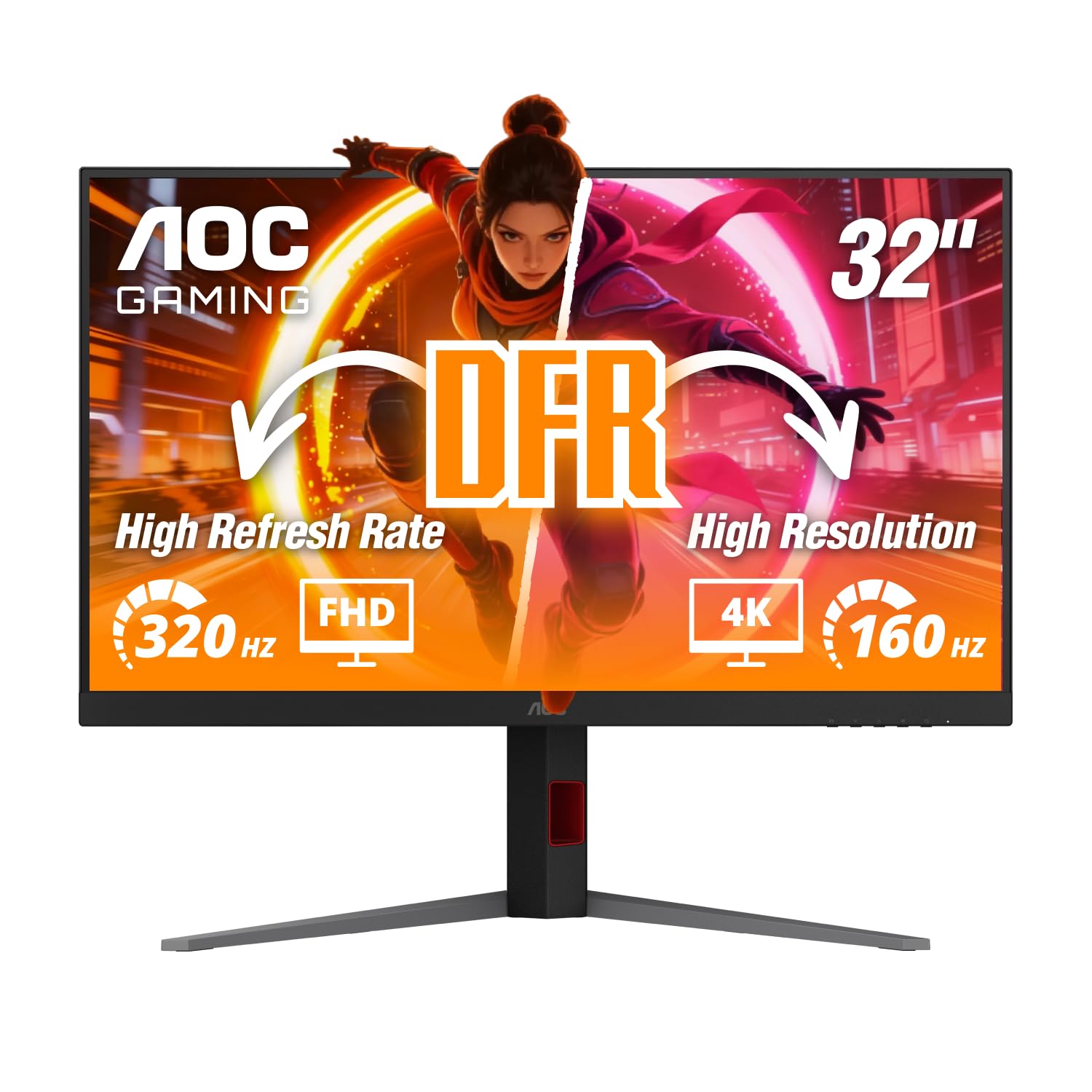
An IPS dual-mode monitor that offers serious value without jumping to OLED.
The AOC U32G4 is a 31.5-inch 4K IPS monitor that brings a dual-mode feature similar to the LG OLED, but at a lower price. You can run games at 4K with a 160Hz refresh rate for story-driven titles, then switch to Full HD for an ultra-fast 320Hz refresh rate in competitive shooters. It has a 0.5ms MPRT (Moving Picture Response Time, a measure of perceived motion blur) at 4K and 0.3ms at FHD, which keeps motion clear. The monitor supports G-Sync compatibility, which works well with Nvidia graphics cards to reduce screen tearing.
Shoppers say mixed first impressions. One noted the “first unit had dead backlights and non-functional DP; replacement works great,” saying the high refresh rate is nice and the brightness exceeds advertised nits once calibrated. Others say the image is “great value, bright out-of-box” with “excellent viewing angles and clear motion.” The contrast ratio of 80000000:1 is a dynamic rating (an inflated marketing figure, not the real native contrast), so blacks will not look as deep as on a VA or OLED panel, but the IPS panel delivers better color consistency from wide viewing angles.
Where the AOC falls short of the OLED options is contrast. In a dark room, the blacks on an IPS panel look grayish compared to the perfect blacks of an OLED. But for a mid-range buyer who wants high refresh rates at two resolutions and does not want to spend OLED money, this is a very strong option.
Why it works
- Dual-mode offers 160Hz at 4K for visuals and 320Hz at FHD for competitive speed.
- G-Sync compatible for smooth, tear-free gaming with Nvidia graphics cards.
- Fully adjustable stand (130mm height, tilt, swivel, pivot) is excellent for ergonomics.
Its limits
- IPS panel contrast is low; blacks look gray in dark rooms compared to OLED or VA panels.
- Some units arrive with defects (dead backlights, non-functional ports) as noted by buyers.
- On-screen display buttons are reportedly hard to press and feel clunky.
Strong value for competitive gamers: If you want a high refresh rate for esports and 4K for single-player games, the AOC gives you both modes while staying affordable.
6. Gawfolk 32 Inch 4K 240Hz Curved Gaming Monitor
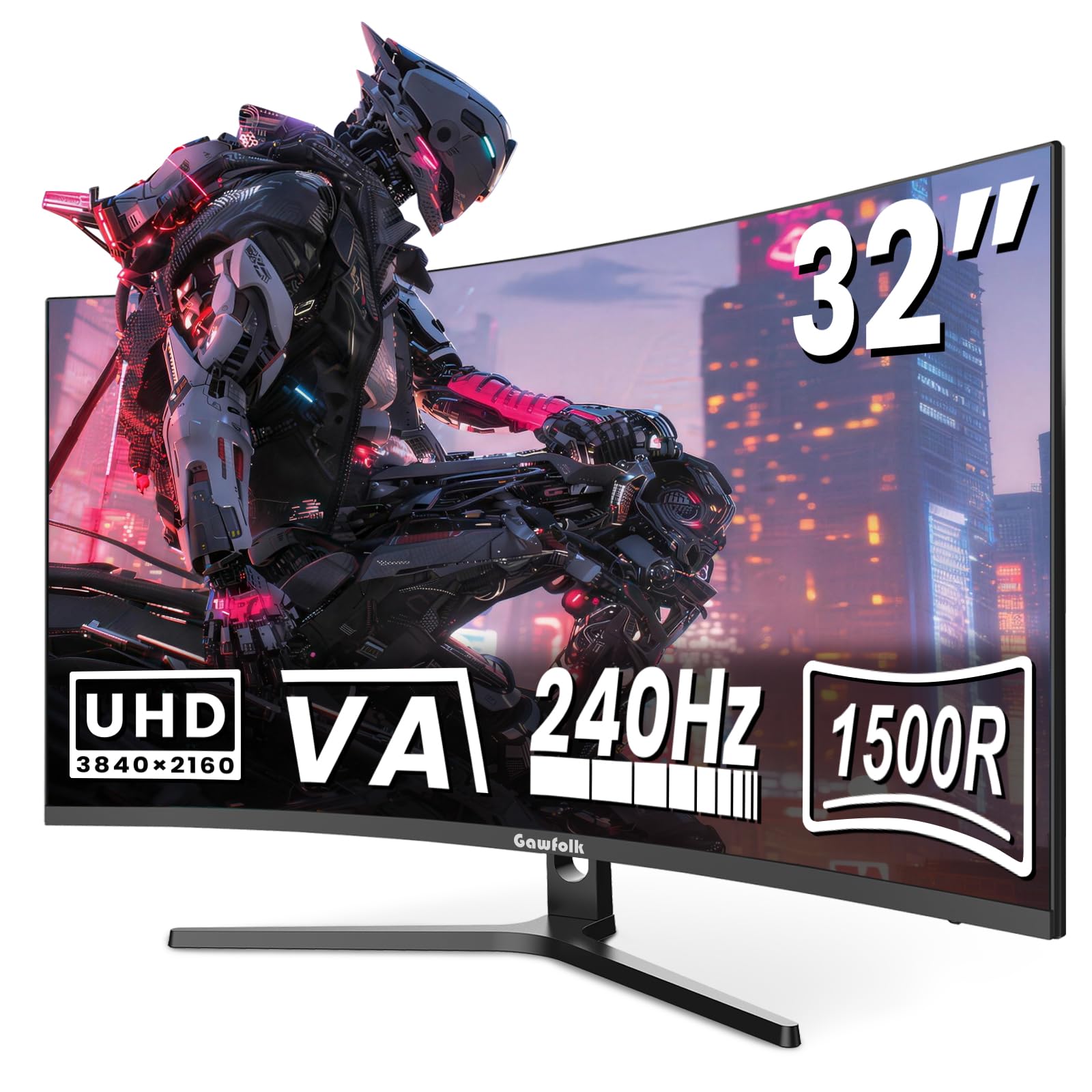
A curved 240Hz 4K monitor that costs less than many lower-specced flat screens.
The Gawfolk 32-inch monitor uses a VA panel with a 1500R curve (a radius of 1500mm, wrapping the edges toward you for more immersion). It is among the most affordable ways to get a 4K 240Hz monitor, featuring a 1ms response time. The VA panel gives you a 3000:1 native contrast ratio, versus the AOC IPS panel’s 80000000:1 dynamic contrast rating discussed above, for dark room gaming. The monitor includes FreeSync support to smooth out screen tearing and built-in speakers for basic audio.
Buyers are generally positive, with one saying it is a “fantastic monitor with a great price” and noting “unreal clarity/picture quality.” Another mentioned the monitor is “perfect for 12 VDC Applications” for a mobile off-grid setup. There is a common sentiment that the specs are generous for the price. The monitor uses standard 75x75mm VESA mounting holes, so you can easily attach it to an arm or wall mount. It is a solid entry point into large, fast 4K gaming.
The catch is build quality and feature depth. Reviewers point out “inconsistent specs/manual,” a flimsy stand attachment, and a lack of height adjustment. The 240Hz refresh rate is appealing on paper, but a 1ms response time versus the 0.03ms you get on the OLED monitors in this list means there will be more motion blur during very fast action. This is a good monitor for the budget-minded gamer, but you are making trade-offs in build quality and response speed.
The appeal
- Budget-friendly entry point for a 32-inch 4K screen with a 240Hz refresh rate.
- VA panel offers a strong 3000:1 contrast ratio for deep blacks in dark scenes.
- 1500R curve creates a more rich viewing experience for single-player games.
The compromises
- 1ms response time versus 0.03ms on the OLED options leads to more visible motion blur.
- Build quality is less sturdy with a flimsy stand and no height adjustment.
- Built-in speakers are mentioned as possibly non-functional by some buyers.
Smart budget buy: If you want a very large, very fast 4K screen on a tight budget and are willing to accept a plastic build and slower motion handling, the Gawfolk is the price-to-performance king.
Understanding the Specs
Response Time (GtG)
This is the time it takes a pixel to change from one color to another, measured in milliseconds (ms). A lower number means less ghosting (blurry trails) behind fast-moving objects. A 0.03ms response time (common on OLEDs) is effectively instant and leaves no visible trail. A 1ms response time (common on budget VA monitors) is still very fast, but you will see a faint blur on very fast objects compared to an OLED.
Refresh Rate (Hz)
This tells you how many times per second your monitor draws a new image. A 240Hz monitor updates the picture 240 times every second, which makes motion look incredibly smooth. You need a graphics card that can output 240 frames per second (FPS) in your game to get the full benefit. A 60Hz monitor is the standard, while 144Hz is the balance for most competitive players, and 240Hz or higher is for serious esports.
Contrast Ratio (Native vs Dynamic)
The contrast ratio defines the difference between the darkest black and the brightest white a monitor can show. A high native contrast ratio (like 3000:1 on a VA panel or 1,500,000:1 on an OLED) produces deep, inky blacks and vibrant colors. A low native ratio (like 1000:1 on an IPS panel) makes dark scenes look washed out and gray. Do not confuse native contrast with “dynamic contrast,” which is a marketing number that is often wildly inflated and not a real performance spec.
Panel Types (IPS, VA, OLED)
IPS (In-Plane Switching) panels offer wide viewing angles and good color accuracy but have low native contrast. VA (Vertical Alignment) panels offer high contrast ratios (deep blacks) but can have slower response times and narrower viewing angles. OLED (Organic Light Emitting Diode) panels offer perfect blacks (each pixel lights itself), instant response times, and excellent colors, but they are more expensive and have a risk of permanent burn-in if static images (like a taskbar) are displayed for thousands of hours.
FAQ
What size monitor is considered a big gaming monitor?
Is 240Hz better than 160Hz for gaming?
Do I need an expensive graphics card for a 4K 240Hz monitor?
What is the difference between G-Sync and FreeSync?
Can I use a big gaming monitor for office work?
What does 0.03ms response time mean for gaming?
How does a curved screen help in gaming?
What is the risk of burn-in on OLED gaming monitors?
Does a higher contrast ratio always mean a better picture?
Is a 32-inch monitor too big for a desk?
Final Thoughts: The Verdict
If you want one dependable pick, the big gaming monitor that delivers the best all-around experience is the LG 32GX850A-B because its glossy OLED panel delivers the most incredible picture quality for both rich single-player and fast-paced competitive games, and it does so with a fully adjustable stand and smart dual-mode feature that lets you switch between 165Hz 4K and 330Hz FHD. If you want 240Hz speed with stellar anti-glare coating for a bright room, grab the Samsung Odyssey G8. And for someone on a strict budget who still wants a 32-inch 4K screen with a fast 240Hz refresh rate, the Gawfolk curved monitor is a fantastic entry-level pick that gets the job done.
How We Picked
We do not accept paid placement. Every pick is matched to a real buyer and a real use-case; we do not hands-on test units.
Sources & Methodology
Specifications: manufacturer listings and product documentation. Review insights: verified customer reviews, as of July 2026. Pricing: not shown on this page (it changes often); check the current price via the retailer link.
As an Amazon Associate, FitlyFast earns from qualifying purchases. This does not affect which products we feature.