
Our readers keep the lights on and the weekend projects moving. As an Amazon Associate, I earn from qualifying purchases.
Specs are compiled from manufacturer listings and verified buyer reviews and can change over time — please confirm the key details on the product page before buying.
A finicky extruder is the fastest way to turn a promising print into a tangled mess of wasted filament. The right extruder feeds consistently, handles flexible materials without jamming, and simplifies filament swaps.. This guide breaks down six options by gear reduction, feeding force, and filament sensor smarts to pinpoint the fix for your specific issue..
I’m Rikta — the founder and writer behind FitlyFast. This guide is built by comparing the manufacturers’ published specifications and the patterns across verified customer reviews, so you get each pick’s real strengths and trade-offs instead of marketing spin.
Each option here targets a specific bottleneck — whether it’s achieving smooth feeding for abrasive materials or a drop-in replacement for a broken stock unit — to help you settle on the best 3d printer extruder for your machine and filament type.
Quick Picks
- Creality Official K2 Plus Extruder Kit — Best Overall
- Official Creality Ender 3 Sprite Direct Drive — Budget Champion
- Creality Official DXC Extruder — Premium Upgrade
- Upgrade Phaetus K1 DXC Extruder — Smart Pick
- Original Creality Sprite Extruder Pro Kit — High-Temp Specialist
- FLASHFORGE Adventurer 5M Series Assembled Extruder Kit — Easy Swap
How To Choose The Best 3D Printer Extruder
Not every extruder fits every printer or every material. Focusing on a few key specs will stop you from buying one that under-extrudes or can’t handle abrasive filaments like carbon-fiber-filled nylon.
Gear Reduction Ratio and Extrusion Force
The gear reduction ratio tells you how much torque the extruder can apply. A higher ratio, like 6.25:1, gives more force to push filament through the nozzle — useful for flexible or fiber-reinforced materials. A lower ratio, like 3.5:1, is often enough for standard PLA and PETG and keeps the assembly lighter.
Filament Break Detection
A built-in sensor that spots when filament runs out or breaks mid-print saves you from a half-finished object and a head full of tangled plastic. Some sensors sit close to the extruder, which reduces wasted filament during a changeover.
Compatibility and Installation
Some extruders are designed as direct drop-in replacements for specific printer models, while others require you to adjust firmware settings like E-steps or even print a custom mounting bracket. Check whether the extruder works with your exact printer model — and whether it needs extra parts like a cable chain riser or a lid extender — before you buy.
Quick Comparison
| Model | Best For | Gear Reduction | Extrusion Force | Weight | Amazon |
|---|---|---|---|---|---|
| Creality K2 Plus Extruder Kit | High-torque feeding on K2/K1 Pro series | 6.25:1 | Up to 80N | 2.08 ounces | Amazon |
| Creality Ender 3 Sprite Direct Drive | Budget direct-drive upgrade for Ender 3/5 series | 3.5:1 | — | 9.9 ounces | Amazon |
| Phaetus K1 DXC Extruder | Drop-in upgrade for Creality K1 series printers | — | — | 2.36 ounces | Amazon |
| Creality Official DXC Extruder | Reducing filament wear on K1 series machines | — | — | 3.52 ounces | Amazon |
| Creality Sprite Extruder Pro Kit | High-temp all-metal direct drive for Ender 3 S1/Max | — | 80N | 1.81 pounds | Amazon |
| FLASHFORGE Adventurer 5M Series Extruder Kit | Quick nozzle swaps on Adventurer 5M/5M Pro | — | — | 1 pounds | Amazon |
In‑Depth Reviews
1. Creality Official K2 Plus Extruder Kit

The heavy-lifter that pushes through tough materials without flinching.
This extruder brings a 6.25:1 gear reduction ratio — a 79% higher ratio than the 3.5:1 you get on the Sprite Direct Drive below — which translates to up to 80N of extrusion force (the amount of push it can apply to filament). That muscle makes it well-suited for abrasive fiber-reinforced filaments that would stall a weaker unit. The built-in “zero-distance” filament break sensor sits close to the extruder so it spots a runout fast and cuts down wasted material.
Buyers report that it “fixed filament backup and ruined prints,” which points to the dual hardened steel gears handling consistent feeding without wearing down. One reviewer noted the compact size (47x40x23.5mm) and light build of 2.08 ounces make installation straightforward, though the sensor can trigger false alerts if the filament path isn’t kept straight. At 6.25:1, this is the gear-reduction champ of the list — but if you own an Ender 3 or an Adventurer 5M, double-check your printer model; this kit is designed specifically for the K2 Plus, K2 Pro, and K2.
Where It Excels
- 6.25:1 gear reduction gives you massive torque for abrasive and flexible filaments.
- 80N extrusion force ensures smooth, consistent feeding without stalls.
- Built-in filament break sensor catches runouts quickly to save prints.
Where It Stumbles
- Sensor can give false alerts if the filament path isn’t perfectly straight.
- Compact build is fiddly to open for maintenance.
- Installation screws may come lock-tighted and need heat or acetone to remove.
Best pick if: you run a K2-series printer and want the highest torque available here, plus a reliable filament sensor for reducing waste.
Skip this one if: your printer isn’t in the K2 or K1 Pro family — compatibility is model-specific.
2. Official Creality Ender 3 Sprite Direct Drive
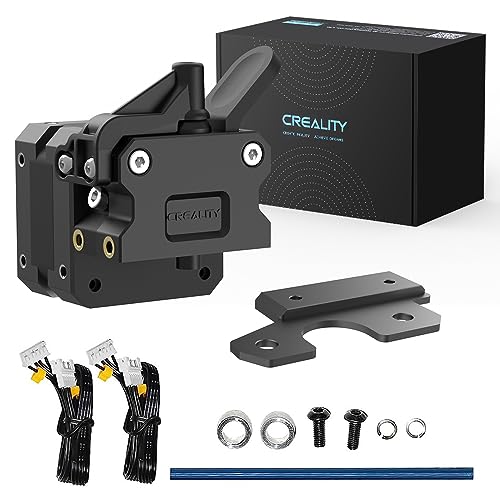
The lightest direct-drive upgrade that makes TPU printing simple.
This Sprite SE kit converts your Bowden-style printer into a direct-drive setup, meaning the extruder sits right above the hotend instead of pushing filament through a long PTFE tube. That change is a big deal for flexible materials like TPU 95A — one reviewer called pushing TPU through a Bowden tube “like pushing wet spaghetti in a straight line.” The 3.5:1 gear reduction provides enough torque for smooth printing, and the dual-gear drive grips filament firmly without deforming it.
The extruder weighs 9.9 ounces, which is 4.8 times heavier than the 2.08-ounce K2 Plus kit above, so you will feel the extra mass on the gantry. Owners mention it works great after tuning, though installation requires you to change the E-steps value to 424.9 in the firmware (a step new users should not skip). One reviewer who ran “about 6-8 prints” over a week confirmed the reliability after setup. It’s compatible with Ender 3, Ender 3 V2, Ender 3 Pro, Ender 5, Ender 5 Plus, and CR-10 — but the mounting plate may not fit every variant, so check before buying.
Strong Points
- 3.5:1 gear reduction provides smooth, consistent extrusion for standard filaments.
- Direct-drive design handles flexible TPU without jams.
- Dual-gear drive grips filament without damaging it.
Weak Points
- 9.9 ounces is noticeably heavier on the gantry than lighter options.
- Requires firmware E-steps adjustment to 424.9, which can confuse beginners.
- Mounting plate may not fit CR-10 V2 without a custom bracket.
Great for: Ender 3 or Ender 5 owners who want a budget-friendly direct-drive upgrade to print flexible materials.
Not ideal if: you want a lightweight extruder or prefer a truly plug-and-play installation with no firmware changes.
3. Creality Official DXC Extruder
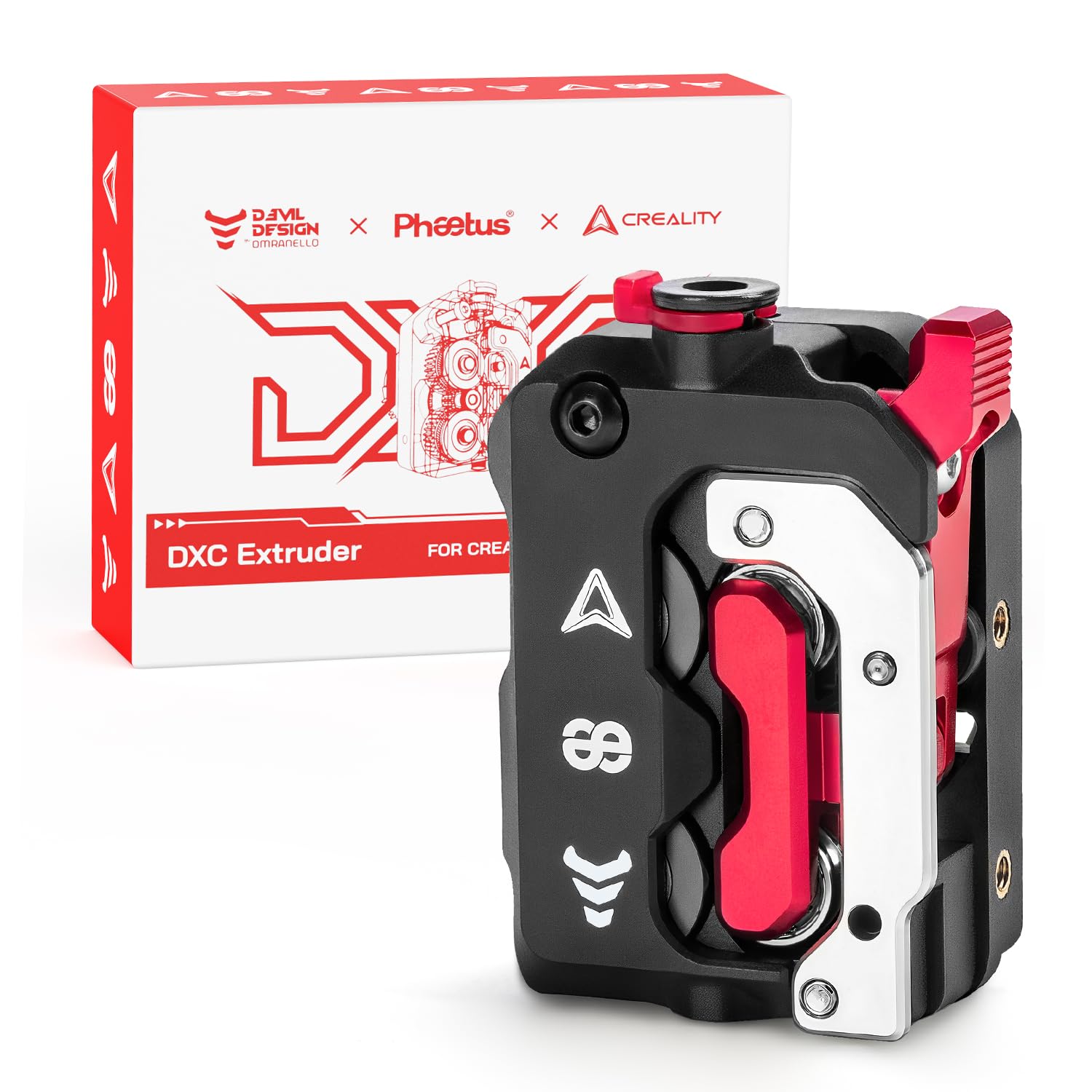
The helical-gear specialist that chews less on your expensive filament.
Creality’s Official DXC Extruder uses a helical gear system with spiral teeth that engage filament progressively, reducing the wear rate by 60% compared to traditional straight-cut gears. That’s a real advantage if you regularly print with carbon-fiber-filled or glass-fiber-filled materials that can grind down standard gears quickly. The patented RNC ultra-wear-resistant coating on the gears extends gear life 3x longer than ordinary gears, according to the manufacturer.
The adaptive pressure rocking arm automatically adjusts for filaments of different hardnesses — from soft TPU 85A to rigid PA-CF — so you don’t need to manually tweak tension between material swaps. Customers note it works like a charm on K1 series printers, with one reviewer calling it “the first upgrade you want to make to the K1C printer.” However, installation can be a real challenge: one experienced user described the process as “a massive pain,” noting that the motor cable is barely long enough and that the extruder adds 15-20mm of height, which may require a top cover extender on the K1 Max. At 3.52 ounces, it is heavier than the Phaetus K1 DXC (2.36 ounces), so expect a slight weight difference on the print head.
What Stands Out
- Helical gears reduce filament wear by 60% versus straight-cut gears.
- RNC coating extends gear life 3x longer than ordinary gears.
- Adaptive pressure rocking arm auto-adjusts for different filament hardness.
What to Watch For
- Installation is difficult — may require a top cover extender and cable chain riser on K1 Max.
- Incompatible with CFS (Creality Filament System).
- Runout switch may be wired backwards, requiring firmware root or use of stock sensor.
Ideal for: K1 series owners printing abrasive composites who want to minimize gear wear and get consistent layer quality.
skip it if: you want a simple drop-in replacement without hardware modifications or are using a CFS system.
4. Upgrade Phaetus K1 DXC Extruder
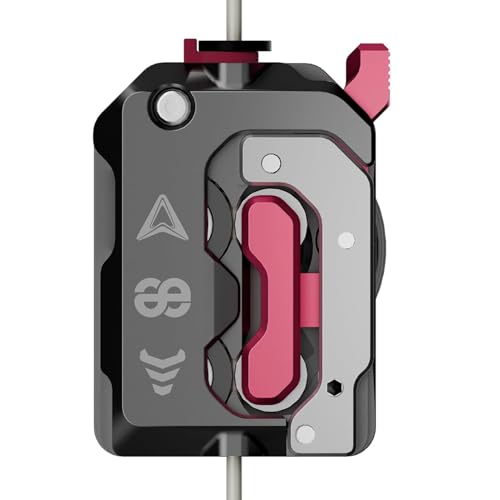
A light plug-and-play swap that banishes the stock extruder’s clogs.
At just 2.36 ounces, this Phaetus K1 DXC Extruder is lighter than the Creality Official DXC (3.52 ounces), which means less strain on the gantry during fast movements. It uses helical dual-drive gears with a patented RNC ultra-wear-resistant coating that the maker claims extends service life 3x longer. The progressive engagement of the spiral teeth reduces filament wear by 60% versus straight-cut gears, similar to the Creality DXC above.
One reviewer who switched from the stock extruder noted “I have been printing way more recently and have had flawless prints since making the switch. No more heat creep, clogged nozzles, or inconsistent extrusion.” The adaptive pressure rocking arm automatically adjusts for filaments of varying hardness, so it handles PLA, ABS, PETG, and even PA-CF without manual tweaking. However, one buyer received a used unit that was missing filament sensor wiring, so inspect the package thoroughly upon arrival. It works with Creality K1, K1 MAX, K1 SE, and K1C without requiring any firmware rooting.
Highlights
- Plug-and-play for K1 series — no firmware rooting needed.
- Helical gears reduce filament wear by 60% versus straight-cut gears.
- Light 2.36-ounce build reduces gantry weight.
Downsides
- Some units arrive used — check for missing filament sensor wiring.
- Extruder can be too tight from the start, causing filament to bend and break.
- Limited online support if you run into issues.
Reach for this if: you own a K1-series printer and want a lightweight, no-firmware-fuss upgrade that stops clogging.
Look elsewhere if: you prefer buying from the printer manufacturer or want sturdy customer support documentation.
5. Original Creality Sprite Extruder Pro Kit
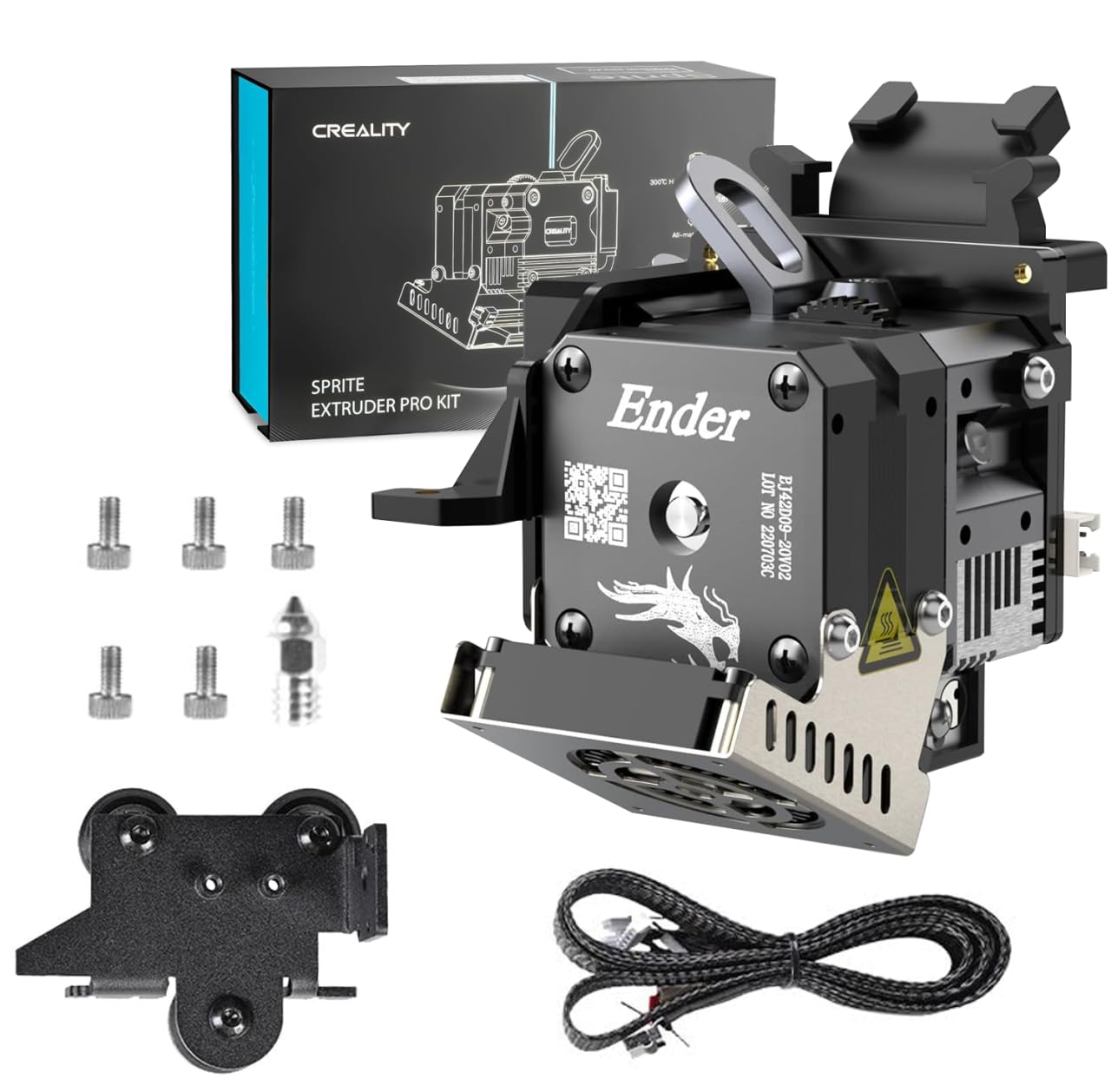
The all-metal workhorse for high-temp materials like ABS and polycarbonate.
This Sprite Pro kit combines an all-metal hotend with a titanium heatbreak that lets you print at up to 300°C — well beyond the 260°C limit of PTFE-lined hotends. That temperature range opens up engineering filaments like PETG, ABS, and polycarbonate (PC) that need higher heat to flow properly. The dual-drive design grips filament firmly with less deformation, so you get more reliable feeding without jams.
The extruder delivers 80N of force, matching the K2 Plus kit above, but at a much heavier 1.81 pounds — that is the heaviest unit here by a large margin. Reviewers point out it works well as a replacement for the stock Sprite on Ender 3 S1 printers, with one reviewer calling it “literally a plug and play product.” However, installation can be problematic: one buyer received a defective unit with a short that fried their CR Touch and hotend MOSFET, so verify the unit works on arrival. This kit is compatible with Ender 3 S1, Ender 3, Ender 3 V2, Ender 3 Pro, and Ender 3 Max, but it cannot be used with 3D-touch, BL-touch, or CR-touch sensors.
Strengths
- All-metal hotend supports printing up to 300°C for high-temp materials.
- Dual-drive design provides firm grip with less filament deformation.
- 80N extrusion force handles tough filaments reliably.
Weaknesses
- 1.81 pounds is very heavy — adds significant mass to the gantry.
- Not compatible with 3D-touch, BL-touch, or CR-touch sensors.
- Some units have arrived defective — check packaging and test immediately.
Perfect for: Ender 3 S1 or Max owners who need to print high-temperature filaments like ABS or polycarbonate with an all-metal hotend.
Not the right fit if: you want a lightweight extruder or rely on a BL-touch/CR-touch for auto bed leveling.
6. FLASHFORGE Adventurer 5M Series Assembled Extruder Kit
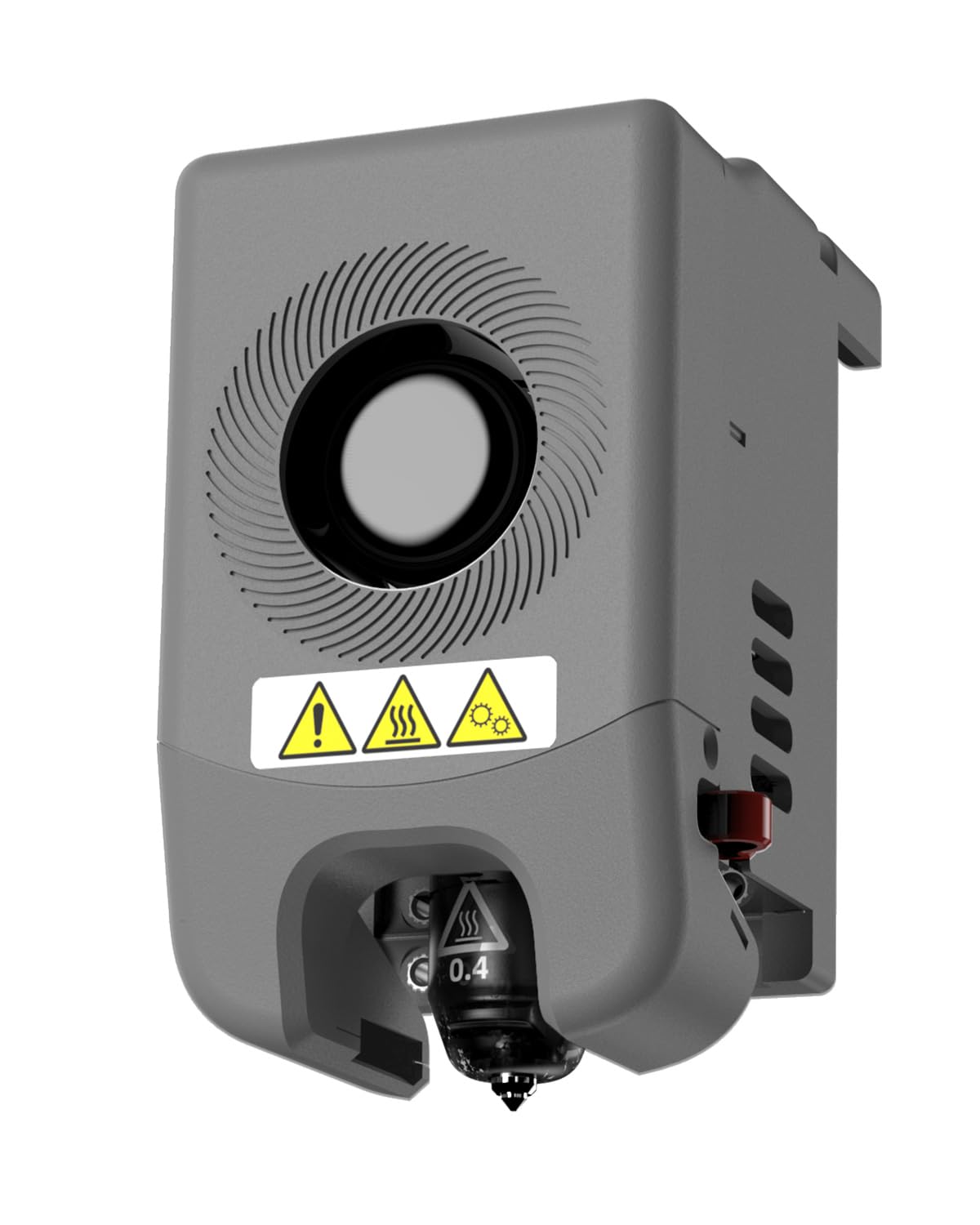
The complete assembly that gets you back to printing in 15 minutes.
This whole extruder assembly from FLASHFORGE is designed as a direct swap for the Adventurer 5M and 5M Pro — you unbolt the old unit, bolt this one on, and you are printing again. One buyer mentioned being “able to get the old extruder off and this one on and printing in 15 minutes.” The 0.4mm high-flow nozzle supports a 32mm³/s flow rate, which lets you print faster without starving the nozzle of material. The max temperature of 280°C covers most common filaments, from PLA to PETG and ABS.
The 3S quick-detachable nozzle system lets you swap nozzles without any tools, which is handy when switching between filament types or clearing a clog. It weighs 1 pound, so it is heavier than the Creality K2 Plus kit (2.08 ounces) but lighter than the Sprite Pro (1.81 pounds). This kit is specific to the Adventurer 5M series — it will not fit other printer brands or models. Shoppers say it is “a direct replacement for the original” and a “literal lifesaver” when your printer is down.
Advantages
- Complete pre-assembled unit makes replacement fast and simple.
- 3S quick-detachable nozzle system allows tool-free swaps.
- High-flow 32mm³/s nozzle supports faster print speeds.
Limitations
- Only compatible with FLASHFORGE Adventurer 5M and 5M Pro printers.
- Requires a factory reset if it does not work immediately after install.
- No built-in filament break sensor included.
Best for: Adventurer 5M or 5M Pro owners who need a simple, complete extruder swap to get their printer running again quickly.
Pass on this if: you own a printer outside the Adventurer 5M family or want advanced features like gear reduction or a filament sensor.
Understanding the Specs
Gear Reduction Ratio
This number tells you how many times the motor has to turn to spin the drive gear once. A 6.25:1 ratio means the motor turns 6.25 times for every single rotation of the gear that pushes filament — that gives you more torque, which helps push stubborn filaments like carbon-fiber-filled nylon or flexible TPU. A lower ratio like 3.5:1 moves the gear faster with less torque, which is fine for standard PLA and keeps the assembly lighter.
Extrusion Force (N)
This spec, measured in newtons (N), tells you how much pushing force the extruder can apply to the filament. An extruder rated for up to 80N can push through tighter nozzles and more viscous materials without stalling. Higher force usually comes with a higher gear reduction ratio, which also tends to mean a heavier and slightly slower-feeding unit.
FAQ
What is a direct drive extruder and do I need one?
What does the gear reduction ratio mean for printing?
Will a Creality extruder work on my Ender 5 printer?
How do I know if an extruder can handle carbon fiber filaments?
What is a filament break sensor and when do I need one?
Why does my new extruder need firmware changes?
Can I use a BL touch with a Sprite Extruder Pro kit?
How often should I replace the gears in my extruder?
What is the difference between helical gears and straight-cut gears?
Is a higher flow rate nozzle better for faster printing?
Final Thoughts: The Verdict
For most people, the best 3d printer extruder all-around is the Creality Official K2 Plus Extruder Kit because its 6.25:1 gear reduction and 80N force give you the torque to handle anything from PLA to carbon-fiber nylon, plus a filament sensor to catch runouts. If you want a budget-friendly direct-drive upgrade for an Ender 3 or Ender 5, grab the Official Creality Ender 3 Sprite Direct Drive — it makes flexible TPU printing simple. And for K1 series owners fighting clogged prints, the standout is the Creality Official DXC Extruder with its helical gears that reduce filament wear by 60%.
How We Picked
We do not accept paid placement. Every pick is matched to a real buyer and a real use-case; we do not hands-on test units.
Sources & Methodology
Specifications: manufacturer listings and product documentation. Review insights: verified customer reviews, as of July 2026. Pricing: not shown on this page (it changes often); check the current price via the retailer link.
As an Amazon Associate, FitlyFast earns from qualifying purchases. This does not affect which products we feature.