
Our readers keep the lights on and the weekend projects moving. As an Amazon Associate, I earn from qualifying purchases.
Specs are compiled from manufacturer listings and verified buyer reviews and can change over time — please confirm the key details on the product page before buying.
The difference between a novelty trinket and a functional prototype often depends on a single, unyielding spec: reliability. You need a machine that pushes out dimensionally accurate parts, layer after layer, on a schedule that matches your workflow — not your troubleshooting time. The core trade-off in this market is between a fully open ecosystem you can hack to perfection versus an appliance that just prints, with every choice carrying a different cost in your daily output.
I’m Rikta — the founder and writer behind FitlyFast. This guide is built by comparing the manufacturers’ published specifications and the patterns across verified customer reviews, so you get each pick’s real strengths and trade-offs instead of marketing spin.
Whether you are scaling a print farm or engineering a one-off jig, knowing which heated chamber, build volume, and speed actually deliver repeatable results is the only path to a smart purchase — here is what you need to know about the professional 3d printer market right now.
Quick Picks
- Snapmaker U1 3D Printer Multi Color — Best Overall
- QIDI Q2 Combo 3D Printer — Material Master
- Creality K2 Pro Combo 3D Printer — Balanced Performer
- Creality Ender 5 Max 3D Printer — Speed Champion
- Creality K2 Plus Combo 3D Printer — Production Ready
- QIDI Max4 Combo 3D Printer — Engineering Workhorse
- Original Prusa MK4S High-Speed 3D Printer — Refined Workhorse
- Original Prusa XL Assembled 2-Toolhead 3D — Dual-Tool Professional
- Original Prusa XL 5-Toolhead 3D Printer — Multi-Material Flagship
How To Choose The Best Professional 3D Printer
Buying a machine in this tier means you are looking beyond the hobbyist gateway. You need a printer that handles long runs, tough materials, and minimal supervision. Here are the four things that actually separate a workhorse from a project.
Build Volume vs. Footprint
A larger build envelope means fewer part splits, but the printer’s own footprint dictates your shop layout. Compare the internal dimensions (like 390 x 390 x 340mm on the QIDI Max4) against the outer dimensions of the machine — a 27.95-inch-wide unit like the Creality K2 Plus Combo takes up a real desk area. Measure your doorway and your bench before you look at specs.
Heated Chamber Temperature
For engineering materials like ABS, ASA, or polycarbonate, an actively heated chamber suppresses warping and layer delamination. Look for a spec that states a sustained temperature — 60°C or 65°C is the real threshold for reliable high-temp prints. A printer that only relies on a heated bed will struggle with tall, thin walls in these materials, no matter how good the leveling is.
Motion System and Speed
CoreXY frames handle high speeds (600-800 mm/s) with better stability than a moving bed, especially on large or tall parts. The acceleration rate (measured in mm/s²) tells you how quickly the head changes direction — higher acceleration means shorter print times on complex geometries. Linear rails on all axes reduce vibration artifacts, so you get cleaner surfaces at those speeds.
Multi-Material Approach: Waste and Reliability
Multi-color printing comes in two flavors: tool-head swapping (like the Snapmaker U1’s 5-second swap) or single-nozzle filament changes (like the Creality CFS system). Tool-head swaps produce almost zero purge waste, while single-nozzle systems purge a “poop” pile between every color transition. For production runs, that waste volume matters — and so does the mechanical complexity of each system’s filament handling.
Quick Comparison
| Model | Best For | Build Volume | Max Speed | Chamber Temp | Amazon |
|---|---|---|---|---|---|
| Snapmaker U1 | Multi-Color Efficiency | 270 x 270 x 270 mm | 500 mm/s | — | Amazon |
| QIDI Q2 Combo | Versatile Materials | 270 x 270 x 256 mm | 600 mm/s | 65°C | Amazon |
| Prusa MK4S | Reliability & Support | 250 x 210 x 220 mm | — | — | Amazon |
| Creality K2 Pro Combo | Multi-Color Value | 300 x 300 x 300 mm | 600 mm/s | 60°C | Amazon |
| Creality Ender 5 Max | Large Format Speed | 400 x 400 x 400 mm | 700 mm/s | — | Amazon |
| Creality K2 Plus Combo | Production Farm | 350 x 350 x 350 mm | 600 mm/s | 60°C | Amazon |
| QIDI Max4 Combo | Engineering Materials | 390 x 390 x 340 mm | 800 mm/s | 65°C | Amazon |
| Prusa XL 2-Tool | Open Ecosystem | 360 x 360 x 360 mm | — | Segmented Bed | Amazon |
| Prusa XL 5-Tool | Multi-Material Max | 360 x 360 x 360 mm | — | Segmented Bed | Amazon |
In-Depth Reviews
1. Snapmaker U1 3D Printer Multi Color

The multi-color specialist that cuts waste to almost zero while swapping tools in seconds.
Most multi-color systems purge a pile of wasted filament with every color change — the Snapmaker U1 takes a completely different route. It uses four independent toolheads that stay preheated and preloaded, so swapping between colors takes around 5 seconds instead of the usual two-minute purge cycle. This 4-toolhead design reduces filament waste by up to 5X during color changes and speeds up multi-material jobs by a similar margin.
Under the hood, a rigid CoreXY motion system with lightweight carbon fiber X-axis rails pushes speed up to 500 mm/s across a 270 x 270 x 270 mm build volume. Smart calibration handles toolhead offset, vibration compensation, and first-layer tuning automatically. Buyers report that the “spaghetti detection” (a camera system that watches for print failures) and proactive alerts make a huge difference for unsupervised printing. One reviewer noted that setup took under 20 minutes, and the machine can print materials like TPU and rigid filament in a single job without any purge waste. The 1-year warranty covers the full unit, and the open-source Orca slicer means you are not locked into a proprietary ecosystem.
The trade-off is that this is a dedicated multi-tool system — if you only ever print one color in PLA, you are paying for four toolheads you may rarely use. The machine weighs 59 pounds and measures 22.6 x 13 x 14.2 inches, so it needs a dedicated spot on your bench.
Why it Wins
- Zero-purge multi-color via 4 independent preheated toolheads
- 500 mm/s CoreXY with carbon fiber rails for stability
- Smart calibration and AI print monitoring from the start
- Open-source slicer and LAN-based printing, no account required
Consider This
- 4-toolhead system is overkill for single-color workflows
- 59 lbs weight requires a sturdy, dedicated table
- One review reported a lost connection issue that could not be resolved
Your Pick If: You print multi-color or multi-material parts regularly and want the lowest waste, fastest tool-change system available at this price.
Look Elsewhere If: You only need a single-color, high-temperature machine for engineering materials — the unheated chamber here limits you to PLA, PETG, and TPU.
2. QIDI Q2 Combo 3D Printer
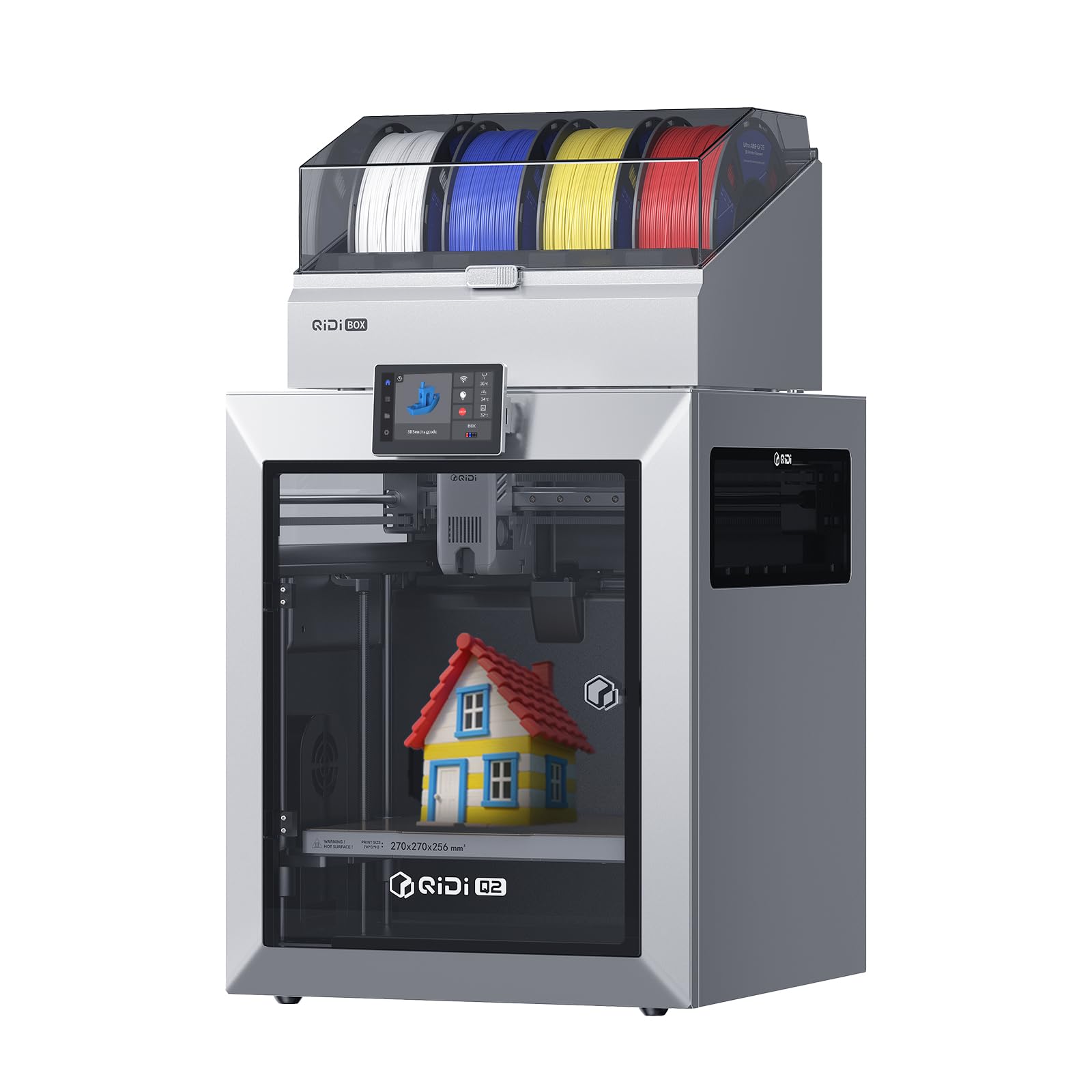
An enclosed workhorse that prints carbon-fiber composites with the same ease as standard PLA.
The QIDI Q2 Combo brings a 65°C actively heated chamber and a 370°C high-temp nozzle, so you can print abrasive engineering materials like carbon-fiber-reinforced nylon without a second thought. The hardened steel dual-gear extruder handles these tough filaments reliably, while the built-in QIDI BOX adds 16-color multi-material capability, dry-while-print technology, and an automatic filament reloading system that minimizes manual intervention.
On the speed side, the full-metal CoreXY structure and precision linear rails push up to 600 mm/s. The auto-leveling system uses the nozzle itself as the leveling sensor, which means you get a perfect first layer regardless of bed surface imperfections. The triple filtration system (G3 pre-filter + H12 HEPA + activated carbon) keeps fumes and particulates under control for safer indoor operation — a feature not every enclosed printer offers. Reviewers consistently praise the perfect first-layer adhesion and the ease of setup for users coming from open-frame printers. The product dimensions are 21 x 20 x 23 inches, and it weighs 54.9 pounds. The printer also includes an AI camera for real-time monitoring and automatic failure detection.
One buyer mentioned that TPU can jam in the filament box, requiring disassembly to clear. Another criticized reliability on long, complex prints, suggesting Bambu Lab as a more consistent alternative. At 600 mm/s, it is slightly slower than the Ender 5 Max’s 700 mm/s, but the heated chamber gives it a distinct edge for high-temperature materials. The Q2’s chamber reaches 65°C, which is 5°C hotter than the Creality K2 Pro Combo’s 60°C chamber.
Standout Features
- 65°C actively heated chamber for warpage-free ABS and polycarbonate
- Hardened steel dual-gear extruder for abrasive composites
- Triple filtration (G3 + H12 HEPA + activated carbon) for safe indoor use
- 16-color multi-material with dry-while-print and auto-reload
Watch Out For
- TPU can clog the filament box, requiring disassembly
- Vague quick-start guide left some users redoing PTFE connections
- Some failures reported on long, advanced prints
Best Match: Users who need a versatile enclosed machine that prints everything from standard PLA to carbon-fiber composites with minimal manual tweaking.
Maybe Not: If you need a massive build volume (this caps at 270 x 270 x 256 mm) or prioritize raw speed over material range.
3. Creality K2 Pro Combo 3D Printer
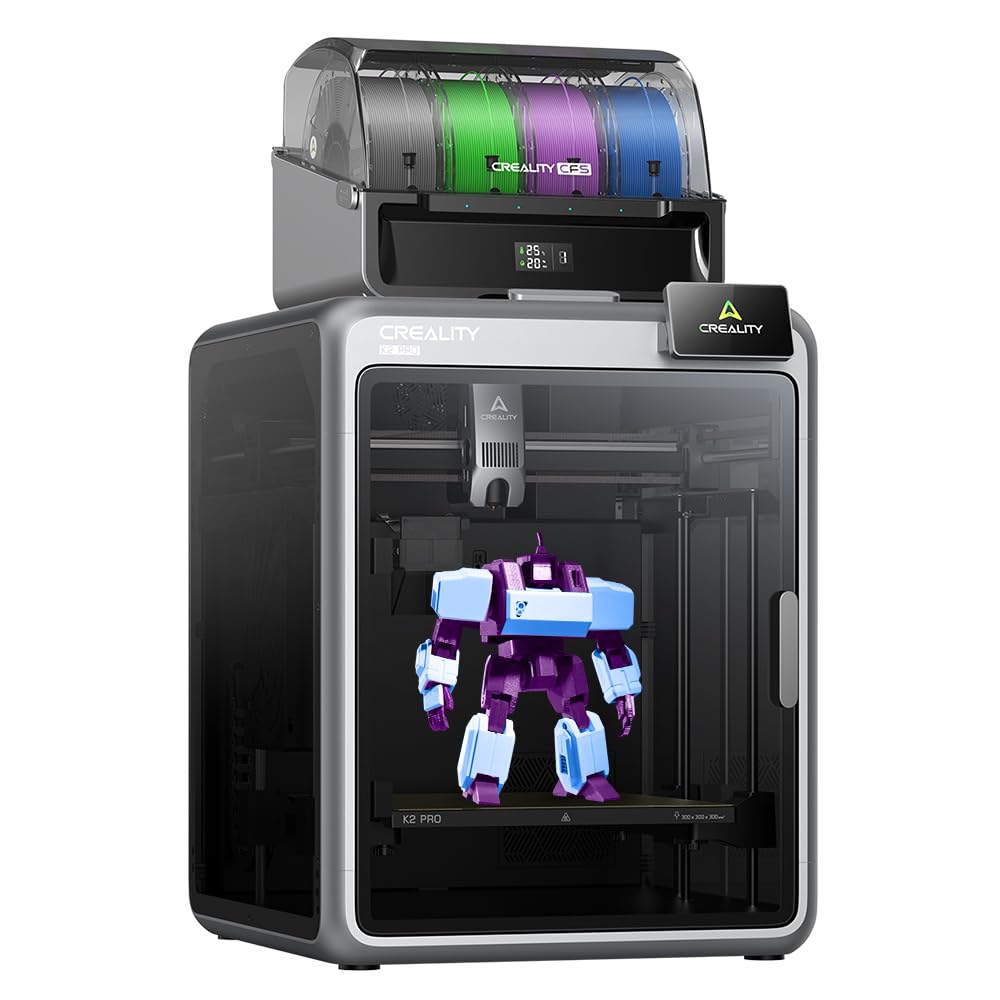
A mid-size multi-color machine that pairs an actively heated chamber with dual AI failure detection.
The Creality K2 Pro Combo gives you a 300 x 300 x 300 mm build volume, a 60°C actively heated chamber for high-temp materials like ASA and PPA, and a dual AI camera system that watches both the nozzle and the chamber. The nozzle AI adjusts flow rate in real-time to prevent over- or under-extrusion, while the chamber AI detects print failures like spaghetti, foreign objects, or an empty heatbed. This combination makes it a strong mid-range choice for users who want multi-color (up to 16 colors via the CFS filament system) without jumping to the highest premium tier.
The direct-drive extruder uses hardened steel gears and an 80W heater to push a 40mm³/s flow rate at 280°C for ABS. The printer ships with a 200g sample roll of filament for the test print — owners mention that the sliced test file takes around 11.5 hours and uses more than 50% of that sample roll. The machine weighs 52.2 pounds and has product dimensions of 23 x 23 x 24 inches, making it the most compact among the Creality large-format options. Some reviewers noted that the magnetic bed can cause adhesion failures, switching to a glass bed solved that issue for them. One owner reported the test print “took 11.5 hours, used >50% filament.” The included Cura profile is a helpful starting point for slicing.
The K2 Pro Combo’s 52.2-pound weight makes it noticeably lighter than the Ender 5 Max at 68.9 pounds, which matters if you need to move the machine around your shop. The main limitation is the build height — 300 mm is adequate for most items but falls short of the 400 mm on the Ender 5 Max or the QIDI Max4’s 390 x 390 x 340 mm envelope.
Why It Works
- Dual AI cameras (nozzle + chamber) provide two layers of failure detection
- 60°C actively heated chamber suitable for ASA, PPA, and PPA-CF
- 300 mm cubic build volume is a practical balance
- Multi-color with CFS for up to 16 colors
Limitations
- Test print takes over 11 hours and uses >50% of the included filament
- Magnetic bed adhesion can be inconsistent — some users switched to glass
- Manual is outdated for wiring and bed attachment on newer units
Great For: A buyer who wants multi-color capability and a heated chamber at a mid-range price point, with minimal assembly fuss.
Skip If: You need the largest possible build volume or require a proven track record for unsupervised production runs — the bed adhesion and test print issues suggest some dialing-in is needed.
4. Creality Ender 5 Max 3D Printer

The large-format speed demon that hits 700 mm/s, designed for high-throughput print farms.
The Creality Ender 5 Max is built around a CoreXY motion system and high-torque motors that achieve a max printing speed of 700 mm/s — the fastest rated speed in this lineup. The build volume is a generous 400 x 400 x 400 mm cube, giving you room to print large single parts or batch multiple items on one bed. The all-metal die-cast aluminum frame minimizes vibration, and a precision X-axis linear rail improves accuracy across the full width of the bed.
For production environments, the WLAN multi-printer control lets you manage a group of Ender 5 Max machines from a single interface, with a tri-color status indicator visible from across the room. The 1000W rapid-heating bed reaches working temperature in minutes, and the direct-drive dual-gear extruder with hardened gears is rated for continuous 24/7 operation. The 64-point auto-leveling system with automatic Z-offset means you do not touch the knobs between prints. The printer supports PLA, PETG, ABS, ASA, PA, and more. Buyers’ experiences are polarized: one reviewer calls it “everything I could have ever dreamed of,” while another reports catastrophic failures — “First one broke after 8hrs into its very first print.” A third reviewer describes severe shaking that broke the extruder casing and loose parts that re-loosen after tightening. The machine weighs 68.9 pounds, which is 32% heavier than the K2 Pro Combo at 52.2 pounds.
The reliability reports make this a high-risk pick for anyone needing a guaranteed uptime. The shaking and adhesion issues described in critical reviews are serious concerns for production environments. On the upside, the massive 400mm build volume and 700 mm/s speed are class-leading in this list for raw throughput on single-color jobs.
Performance Edge
- 700 mm/s max speed is the fastest in this comparison
- 400 mm cubic build volume for large single parts or batch printing
- WLAN multi-printer control for print farm management
- 1000W rapid-heating bed for quick start on production runs
Risk Factors
- Critical reviews report early failures and severe shaking during prints
- Bed adhesion issues reported as “worse than nonstick cookware”
- Replacement parts reportedly unavailable at launch
- No heated chamber — limited to materials that don’t require ambient temperature control
Target User: Experienced users who need a huge build volume and top speed for single-color production and are prepared to handle potentially significant early-life issues.
Better Avoid: Beginners or anyone who needs a reliable, “set and forget” machine — the QA reports are too frequent to ignore.
5. Creality K2 Plus Combo 3D Printer
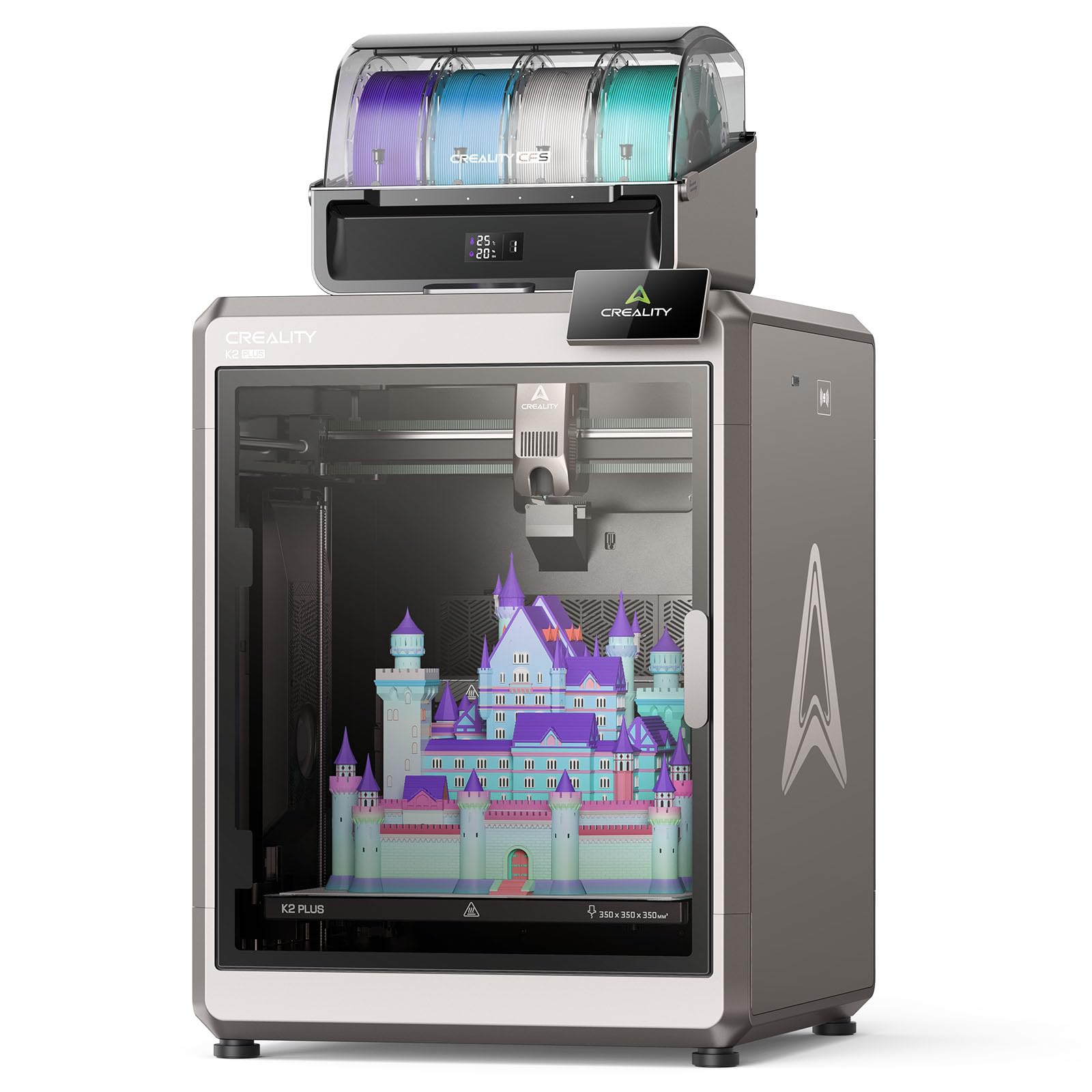
A heavy-duty, actively heated production platform with active belt tensioning and dual AI cameras.
The Creality K2 Plus Combo is a significant step up in build quality and features from the K2 Pro. Its 350 x 350 x 350 mm build volume gives you a 35% larger printing area than the K2 Pro, and the actively heated chamber reaches 60°C for high-end materials like PPA-CF and PPS. The 40mm³/s high-flow hotend is powered by an 80W heater, delivering a flow rate that is 66% higher than Creality’s previous designs, and the tri-metal nozzle curbs heat creep to minimize clogs.
Unique to this model is the active belt tensioning system — a pressure sensor checks and adjusts belt tension automatically, removing a frequent maintenance task. Two auxiliary cooling fans on the left and right sides of the chamber nearly double the part cooling airflow. The 112.4-pound weight anchors this machine firmly on the bench; it is the heaviest 3D printer in this roundup, so plan your workspace accordingly. The dual AI cameras watch for spaghetti failures and foreign objects, and the toolhead camera analyzes the model to generate optimal PA values and flow rates. Product dimensions are 27.95 x 23.23 x 24.41 inches. The CFS system enables up to 16-color multi-material printing.
Customers note that the initial test print took over 11 hours and consumed more than half of the included 200g filament roll. Some found the bed slightly warped from the start, but the seller replaced the part quickly. The manual is outdated for bed attachment wiring on newer units. One reviewer recommended upgrading to a glass bed for reliably smooth bottom surfaces and a consistent print experience.
Professional Features
- Active belt tensioning via pressure sensor, no manual adjustment needed
- 60°C actively heated chamber for PPA-CF, PPS, and other high-temp materials
- Two auxiliary fans double part cooling airflow
- Dual AI cameras with nozzle flow analysis for automatic calibration
Notable Drawbacks
- Very heavy at 112.4 pounds — difficult to move once placed
- Bed warping reported in some units; seller support was responsive
- Outdated manual for bed wiring and attachment on newer production runs
- Test print takes over 11 hours and uses >50% of included filament
Built For: A production environment where you need a large, actively heated chamber, automated maintenance, and the capacity to handle multi-color engineering materials at scale.
Not For: Budget-sensitive buyers or anyone who doesn’t need a machine that takes up a 28 x 24 inch footprint and weighs over 100 pounds.
6. QIDI Max4 Combo 3D Printer

The largest build volume in its class with closed-loop motors for precision on engineering-grade filaments.
The QIDI Max4 Combo offers an expansive 390 x 390 x 340 mm build volume, which is 55% larger than its predecessor, the MAX3. This lets you print industrial parts, molds, and prototypes in a single run without splitting the model. The machine is powered by closed-loop motors on the X and Y axes, achieving a max speed of 800 mm/s and an acceleration of 30,000 mm/s² — that combination of speed and feedback-driven accuracy is rare at this price point. The 2mm lead screw with anti-backlash nut on the Z axis reduces vertical gaps for smooth, precise surfaces.
This is a machine built for engineering materials. The 40mm³/s high-flow hotend with a hardened steel nozzle handles carbon-fiber-reinforced nylon and other abrasive composites. The 65°C actively heated chamber, combined with the self-developed Polar Cooler system (which must be purchased separately), creates ideal conditions for high-temperature filaments like ABS-CF, PC, and PPS-CF. The built-in AI camera automatically pauses printing when it detects spaghetti failures or other abnormalities. QIDI BOX connectivity enables up to 16-color multi-material printing with intelligent filament management. The printer’s product dimensions are 28 x 28 x 30 inches, and the machine weighs 120 pounds — plan for a dedicated stand or reinforced workbench. Buyers with over 700 hours of printing report minimal issues and praise the build quality, though one noted a warped bed that the seller replaced and guided the user through repair.
The Max4 has a long pre-print time and high purge waste, according to users. Some reviewers mention a temperamental toolhead sensor and filament jamming in the tangle sensor and MMU boxes. The MMU gears can shred filament if a blockage occurs. A key note from the manufacturer: the Polar Cooler is not included and must be bought separately.
Large-Format Strengths
- 390 x 390 x 340 mm build volume for industrial-scale parts
- 800 mm/s max speed and 30,000 mm/s² acceleration with closed-loop X/Y motors
- 65°C heated chamber for high-temp engineering materials
- Excellent reliability record — verified 700+ hour user with minimal issues
Areas to Manage
- 120-pound weight requires a reinforced, dedicated workspace
- Polar Cooler must be purchased separately for optimal high-temp performance
- Some users report filament jamming in the tangle sensor and MMU boxes
- Long pre-print time and high purge waste during color changes
Ideal For: Professionals who routinely print large, high-temperature engineering parts and value speed, chamber temperature, and proven long-term reliability over lower initial cost.
Not Ideal: Users with limited bench space or anyone who needs a plug-and-play experience without managing potential filament-path jams.
7. Original Prusa MK4S High-Speed 3D Printer

The quiet, reliable open-source benchmark that just works, backed by lifetime support.
The Prusa MK4S is not the fastest or the largest printer in this list, but it earns its place through consistent, day-to-day reliability and a fully open-source ecosystem. This 15.4-pound desktop FDM printer delivers a build volume of 250 x 210 x 220 mm — modest compared to the giants in this roundup, but precisely what many workshops need for functional parts, jigs, and detailed prototypes. Input shaping reduces ringing and vibrations, keeping edges sharp even at higher speeds. The printer ships fully assembled and tested, includes a 1kg spool of Prusament PLA Galaxy Black, and comes with lifetime technical assistance from Prusa Research.
Reviewers consistently rate the print quality as excellent, with one noting “smooth, no supports needed for complex overhangs.” The setup process scores a 9.7 out of 10, and the simple menu and easy filament loading make it accessible to users at all experience levels. The open-source design means you get long-term firmware updates and hardware upgrade paths — you are not locked into a proprietary ecosystem. One buyer who switched from a cheap, unreliable printer called the MK4S “incredible,” noting that its parts print perfectly on the first try without Cura adjustments. The machine is also notably quiet, with excellent part cooling that works well with generic profiles for PETG and PLA from various brands. Prusa Connect and its companion mobile app function reliably for wireless printing and monitoring.
The biggest limitation is the price point: at the premium tier, you pay significantly more per cubic millimeter of build volume than any other printer here. The build size also restricts you to smaller prototypes — you cannot print a full-size helmet or a large production mold in one piece. Some users found the kit version challenging to assemble correctly, with fine belt tensioning being tricky.
Rock-Solid Foundation
- Open-source, upgradeable platform with lifetime technical support
- Excellent out-of-box print quality — one reviewer rated it 9.7/10 for ease of setup
- Works reliably with generic filament profiles, not just Prusament
- Quiet operation suitable for an office or shared studio environment
The Trade-Off
- Small 250 x 210 x 220 mm build volume limits part size
- Very expensive for its build volume compared to larger-format competitors
- Kit assembly requires careful attention to belt tension and alignment
Choose This If: You value reliability, print quality, and a proven open ecosystem over raw build size and speed — and you want a machine that works from the start without endless tweaking.
Pass On If: You need to print large parts, multi-color objects, or high-temperature engineering materials that require an actively heated chamber.
8. Original Prusa XL Assembled 2-Toolhead 3D Printer

A large-format, dual-tool CoreXY machine with a segmented heated bed for energy-efficient, warpage-free printing.
The Prusa XL 2-Toolhead is a large-format CoreXY that brings professional-grade features like a segmented heated bed system with intelligent heating zones. This design improves energy efficiency and reduces warping on large prints by only heating the zones where the part is being printed. The 360 x 360 x 360 mm build volume gives you a 14.17-inch cube to work with, and the dual-tool system enables smooth switching between two materials — ideal for soluble support structures or combining rigid and flexible materials in one print. The machine includes a 1kg spool of Prusament PLA and one Satin print sheet, and is backed by lifetime technical assistance and 24-hour professional customer service.
The stable CoreXY motion system maintains accuracy during complex multi-material operations, and smart tool management keeps purge waste low. The print quality is excellent, and the open, non-cloud design means you have full user control without forced updates or logins — a point that multiple reviewers emphasize positively. One customer observed that the printer is “made by people who actually care about the maker community.” However, there are significant caveats: the “assembled” label is misleading. Some fragile parts (LCD, extruder assembly, Wi-Fi antenna, and spool holder) are packed separately for transport safety and require installation. One reviewer described a half-day assembly process and noted buggy software with Wi-Fi/Ethernet issues, blue screen crashes, and a clunky UI. Another reported that several plastic parts arrived broken, requiring half a day to print replacements. The printer ships at 63.4 pounds and measures 35.43 x 31.49 x 31.49 inches — it is a large, heavy system that needs a dedicated and open workspace.
The 2-toolhead version is a step down from the 5-toolhead model, but it is also significantly more affordable. For a professional who only needs two materials or colors per print, this hits a practical balance — but only if you are prepared for the partial assembly and software quirks reported by early buyers.
Professional-Grade
- Segmented heated bed reduces warping and saves energy on large prints
- 360mm cubic build volume is large enough for most industrial prototyping
- Full user control — no forced cloud updates or logins
- Open-source ecosystem with PrusaSlicer integration
Known Annoyances
- “Assembled” label is misleading — extruder and LCD must be installed, taking half a day
- Some units ship with broken plastic parts that require printing replacements
- Buggy Wi-Fi/Ethernet and blue screen crashes reported by some users
- Requires advanced troubleshooting skills — not for novices
Best Suited For: Experienced users and engineering teams who need a large-format, open platform with the option to upgrade to five toolheads later, and who can handle a more involved setup process.
Not For: Anyone expecting a true “from the start” experience — the assembly and software issues demand patience and troubleshooting ability.
9. Original Prusa XL 5-Toolhead 3D Printer

The ultimate open-platform tool changer for full-color prototypes and multi-material production without compromise.
The Prusa XL 5-Toolhead is the top-tier machine in this comparison, designed for professional environments that need maximum flexibility in material and color combinations. With five independent toolheads, you can print up to five materials or colors in a single job — think a full-color visual model with soluble supports, rigid structural parts, and rubber-like overmolding, all in one print. The build volume is the same as the 2-toolhead version: 360 x 360 x 360 mm (14.17 inches cubed). The segmented heated bed uses intelligent heating zones to improve energy efficiency and combat warping, and the CoreXY motion system maintains speed and precision even during frequent tool changes. Smart tool management minimizes purge waste for each transition.
This printer includes a 1kg spool of Prusament PLA and one Satin print sheet. It is fully integrated with PrusaSlicer and Printables.com for streamlined multi-material workflows. The machine weighs 75 pounds and has the same 35.43 x 31.49 x 31.49 inch footprint as the 2-tool model. Like its sibling, the “assembled” label is somewhat misleading — the LCD, extruder assembly, Wi-Fi antenna, and spool holder are packed separately and require installation. Reviewers echo the same pattern: the printer itself performs outstandingly with high-quality prints and full user control (no forced cloud updates), but the assembly process and early software issues (Wi-Fi/Ethernet connectivity, blue screen crashes, clunky UI) are recurring frustrations. One buyer broke down the shipping complaint bluntly: “gummy bears scattered inside box, several plastic parts arrived broken.” Despite these launch hiccups, the long-term sentiment from those who got it running is strongly positive — “made by people who actually care about the maker community” and “meets expectations” for advanced prototyping needs.
This machine is not intended for beginners. The cost is the highest in the lineup, and the five-toolhead system is only justified if you regularly need complex multi-material prints. For single-material work, the 2-toolhead version or the MK4S is a far more sensible investment.
class-leading Capability
- Five independent toolheads for up to 5 materials/colors in a single print
- Segmented heated bed reduces energy use and prevents warping on large prints
- Full open-source ecosystem with no cloud lock-in or forced updates
- Excellent print quality and dimensional accuracy for critical prototypes
Reality Check
- Very high cost — the most expensive machine in this comparison
- “Assembled” required significant partial assembly (extruder, LCD)
- Early software bugs (Wi-Fi, crashes) frustrate the setup experience
- Some units arrived with broken parts; requires half a day to print replacements
For The: Engineering team or advanced maker who needs a true multi-material, full-color prototype platform in an open-source ecosystem, and who has both the budget and the technical skill to handle the setup curve.
Better Choices: The 2-toolhead XL or the MK4S for anyone who does not need five toolheads — the extra cost and complexity only pay off when you are regularly switching between multiple materials in a single job.
Understanding the Specs
Max Printing Speed
This number (measured in mm/s, millimeters per second) tells you how fast the print head can move while extruding filament. Higher numbers mean shorter print times, but real-world speed depends on acceleration, part geometry, and layer height. A printer rated at 700 mm/s may only average 150 mm/s on a complex, twisty model. Compare speed alongside acceleration values (mm/s²) — a higher acceleration rate lets the machine reach that top speed faster on small moves, which is where most time savings happen.
Heated Chamber Temperature
An actively heated chamber maintains a warm environment around the print, measured in degrees Celsius (°C). For materials like ABS, ASA, and polycarbonate, a chamber at 60°C or 65°C prevents the outer layers from cooling too fast and warping away from the bed. A printer with only a heated bed (no chamber heating) will struggle with tall, thin-walled parts in these materials, even if the bed adhesion is perfect. Check if the printer’s chamber temperature is actively maintained or just passively built up from the bed heat.
Build Volume
This is the maximum size of an object the printer can create, given in three dimensions (width x depth x height, in millimeters). A 400 x 400 x 400 mm volume lets you print a single large part or many small ones in one batch. Larger volumes mean longer print times and bigger machines on your bench. For professional use, consider whether your parts fit in a 300mm cube or you need the 390mm envelope of the QIDI Max4 — splitting a large model and gluing it together adds time and weakness to the final part.
Multi-Color vs. Multi-Material
Multi-color printing swaps filament to change the color of a part during the print, usually through a single nozzle (which produces purge waste) or multiple independent toolheads (which produce almost no waste). Multi-material printing uses the same tool-swapping principle but lets you combine materials with different properties — for example, rigid PLA for the structure and flexible TPU for rubber grips or overhangs. Most printers in this roundup offer up to 16 colors. The key spec to check is how the system handles filament transitions and what the waste (“poop”) volume looks like per swap.
FAQ
Will a heated chamber printer run PLA without issues?
What is the real-world speed difference between 600 mm/s and 800 mm/s?
How often do I need to replace the nozzle on a professional 3D printer?
Can I print directly from a USB drive, or do I need a PC connected?
Is a CoreXY frame always better than a bedslinger?
How much electricity does a large-format 3D printer consume?
Can I print soluble supports with these printers?
What maintenance does an enclosed CoreXY printer need every month?
How do I know if I need a 2-toolhead or 5-toolhead printer?
Is it worth paying a premium for the Prusa ecosystem compared to open-source Klipper machines?
Final Thoughts: The Verdict
If you want one dependable pick, the professional 3d printer winner is the Snapmaker U1 because it brings zero-waste multi-color printing, fast toolhead swapping, and a clean open-source ecosystem in a single package that actually works from the start. If you want a heated chamber for engineering materials and a proven large-format machine, grab the QIDI Max4 Combo. And for a reliable, well-supported workhorse that prints accurate parts every time without fuss, the standout is the Original Prusa MK4S.
How We Picked
We do not accept paid placement. Every pick is matched to a real buyer and a real use-case; we do not hands-on test units.
Sources & Methodology
Specifications: manufacturer listings and product documentation. Review insights: verified customer reviews, as of July 2026. Pricing: not shown on this page (it changes often); check the current price via the retailer link.
As an Amazon Associate, FitlyFast earns from qualifying purchases. This does not affect which products we feature.