
Our readers keep the lights on and the weekend projects moving. As an Amazon Associate, I earn from qualifying purchases.
Specs are compiled from manufacturer listings and verified buyer reviews and can change over time — please confirm the key details on the product page before buying.
Your desk probably looks like two big plastic monitor stands just ate the whole surface. You have no room for a keyboard, a notebook, or even a coffee. A dual monitor arm lifts both screens off the desk and hands you back every inch. You just need one that holds your monitors steady, adjusts to your eye level, and does not cost a fortune.
I’m Rikta — the founder and writer behind FitlyFast. This guide is built by comparing the manufacturers’ published specifications and the patterns across verified customer reviews, so you get each pick’s real strengths and trade-offs instead of marketing spin.
The mount that works for a pair of 24-inch office monitors is different from the one that manages a giant ultrawide. Below you will find the best budget dual monitor arms that actually deliver stability, range of motion, and long-term durability without emptying your wallet.
Our Picks at a Glance

How To Choose The Best Budget Dual Monitor Arms
Picking a monitor arm on a budget means you cannot afford a dud. A few specs separate the ones you forget are there from the ones that sag, tilt, or frustrate you every single day. Here is what to look for.
Weight Capacity Per Arm
Each arm has its own weight limit, usually between 19.8 and 22 lbs. If you run a heavy 32-inch monitor on one side and a light 24-inch on the other, check that the heavier screen stays under that arm’s rating. Most budget arms handle this fine, but exceeding the limit causes gradual sag or wobble.
Screen Size Range
Every mount lists a minimum and maximum screen size. A 13-inch minimum means it fits small secondary screens; a 32-inch maximum covers most standard home-office monitors. If you own an ultrawide larger than 32 inches, you need a specific heavy-duty version.
Mounting Style
The two standard options are a C-clamp (grips the back edge of your desk) and a grommet mount (bolts through a pre-drilled hole). C-clamp is simpler and works on most desks up to about 3.25 inches thick. Grommet mounting is more stable if your desk has a lip or metal frame that a clamp cannot grip cleanly.
Range of Motion
Tilt (up/down angle), swivel (left/right), and rotation (landscape/portrait) let you dial in the exact position for your eyes and neck. A tilt range of at least 45 degrees and a 180-degree swivel are the balance for sharing screens with a colleague or switching between sitting and standing.
Quick Comparison
| Model | Best For | Max Screen Size | Weight Capacity Per Arm | Tilt Range | Amazon |
|---|---|---|---|---|---|
| HUANUO Dual Monitor Mount★ Best Overall | Best Overall Value | 32 Inches | 22 lbs | 90 Degrees | Amazon |
| Dual Monitor Stand (MOUNT PRO)Vertical Stack | Vertical Stacking | 32 Inches | 22 lbs | 45 Degrees | Amazon |
| WALI Dual Monitor Mount (GSDM002) | Wide Swivel Range | 32 Inches | 19.8 lbs | 90 Degrees | Amazon |
| VIVO Dual Monitor Desk Mount (STAND-V002W) | Sturdy Steel Build | 30 Inches | 22 lbs | 90 Degrees | Amazon |
| VIVO Premium Ultra Wide Mount (STAND-TS38C) | Ultrawide Screens | 38 Inches | 22 lbs | 90 Degrees | Amazon |
| MOUNTUP Dual Monitor Desk Mount (MU0024) | Die-Cast Aluminum | 32 Inches | 19.8 lbs | 45 Degrees | Amazon |
| Putilsen Mount Dual Monitor Arm | Heavy Duty Ultrawide | 57 Inches | 59.4 lbs | 20 Degrees | Amazon |
In‑Depth Reviews
1. HUANUO Dual Monitor Mount
The no-compromise balance of weight, reach, and price that leaves nothing to chance.
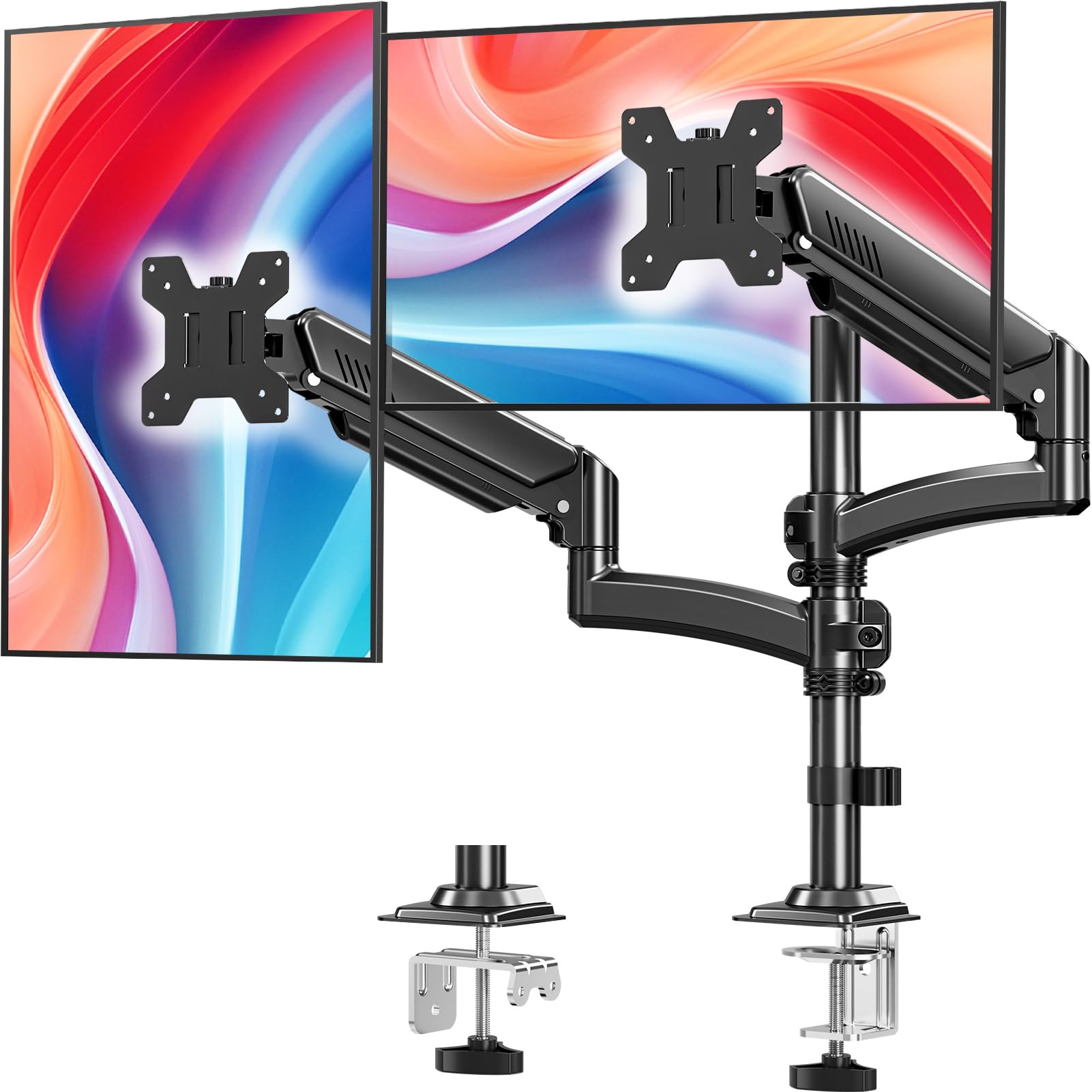
The best overall value is the HUANUO Dual Monitor Mount because it gives you a 90-degree tilt — at 90 degrees versus the MOUNT PRO’s 45-degree tilt — and a 22-lb capacity per arm that holds nearly any monitor up to 32 inches. You get aerospace-grade aluminum alloy to keep the mount rigid, so sagging or wobble is not something you will deal with here. Buyers report they have been using this mount for three weeks and note it holds both screens very securely with no wobbling or sliding.
The arm extends 17.5 inches forward and raises 17.5 inches above the desk, so you can pull screens to eye level without leaning. That 90-degree tilt range is 90 degrees, compared to the MOUNT PRO’s 45-degree tilt, which helps you cut glare or share your screen with someone beside you. A stripped screw on one unit was mentioned as a rare assembly hiccup.
If you plan to stack monitors vertically rather than side-by-side, the MOUNT PRO with its taller pole is a better fit. For the buyer who wants maximum adjustability (especially tilt) in a budget-friendly package that fits 17- to 32-inch monitors — this is the one.
What Stands Out
- Generous 90-degree tilt for fighting glare or sharing screens
- Supports monitors as small as 17 inches on each arm
- C-clamp and grommet options fit desks from 0.39 to 2.56 inches thick
Minor Snags
- Occasional stripped screw on the cable cover reported by a few buyers
- Not designed for ultrawide screens larger than 32 inches
2. Dual Monitor Stand (MOUNT PRO)
The tall-pole specialist that stacks monitors to reclaim width when your desk is squeezed.
The MOUNT PRO is your vertical-stacking specialist. Its tall 16.5-inch column bumps the maximum VESA (the four-hole pattern on the back of your monitor) center height to 26.6 inches above the desktop — 26.6 inches above the desktop, compared to the HUANUO’s 17.5 inches. The gas spring (a pneumatic cylinder) is the star here; one buyer wrote that it works perfectly with two monitors, smooth and sturdy. Each arm handles 4.4 to 22 lbs for screens 13 to 32 inches.
The minimum supported screen size is 13 inches (compared to 17 inches on the HUANUO), so it pairs well with a small secondary monitor. The mount is tested to 20,000 motion cycles, a spec that adds long-term confidence if you adjust the arms daily. The tilt is limited to 45 degrees — less than the HUANUO’s 90 degrees — so glare adjustment is tighter. A few users note height balancing requires patience on first setup.
Reach for this if you need a stacked (one-above-the-other) configuration or you are tall and want monitors higher than a standard arm can reach. Look elsewhere if you want the widest possible tilt range.
Why It Wins
- Tall column (26.6-inch max height) for vertical stacking or improve viewing
- Gas spring tested for 20,000 cycles
- Fits screens as small as 13 inches
Keep in Mind
- Tilt is limited to 45 degrees — less range for glare adjustment
- A few users note height balancing requires patience on first setup
3. WALI Dual Monitor Mount (GSDM002)

The budget staple with a fan-favorite swivel that out-rotates most at this price.
The WALI GSDM002 stands out for its 180-degree swivel — a 180-degree swivel compared to the HUANUO’s 90-degree tilt. You swing one monitor far to the side for collaboration or a shared desk setup. It also tilts 90 degrees and rotates 360 degrees for portrait mode. One reviewer called it an easy install, sturdy, holds 27-inch and 24-inch monitors, adjustable angles/hinges, good value vs. expensive options. The two-stage locking system uses a 2.76-inch C-clamp or a 1.97-inch grommet base.
The trade-off is a lower capacity: 19.8 lbs per arm, compared to the 22 lbs of the HUANUO or MOUNT PRO. If you run heavy 32-inch screens, you may not be able to push the arm to its full extension without some sag over time. The alloy steel construction feels solid for the price, though some owners mention subpar packaging.
Ideal if you need to swing one monitor far to the side. skip it if your monitors are 32 inches and heavy — the 19.8 lb limit gets tight.
Top Features
- 180-degree swivel — the widest sideways range in this list
- Supports screens 13 to 32 inches (the same as the MOUNT PRO)
- Over 6,000 ratings with a strong 4.4-star average
Not Perfect
- 19.8 lbs per arm is lower capacity than the 22 lb competition
- Some buyers received units with subpar packaging
4. VIVO Dual Monitor Desk Mount (STAND-V002W)
The over-achiever that sells a million units for a reason — steel, warranty, and sheer reliability.
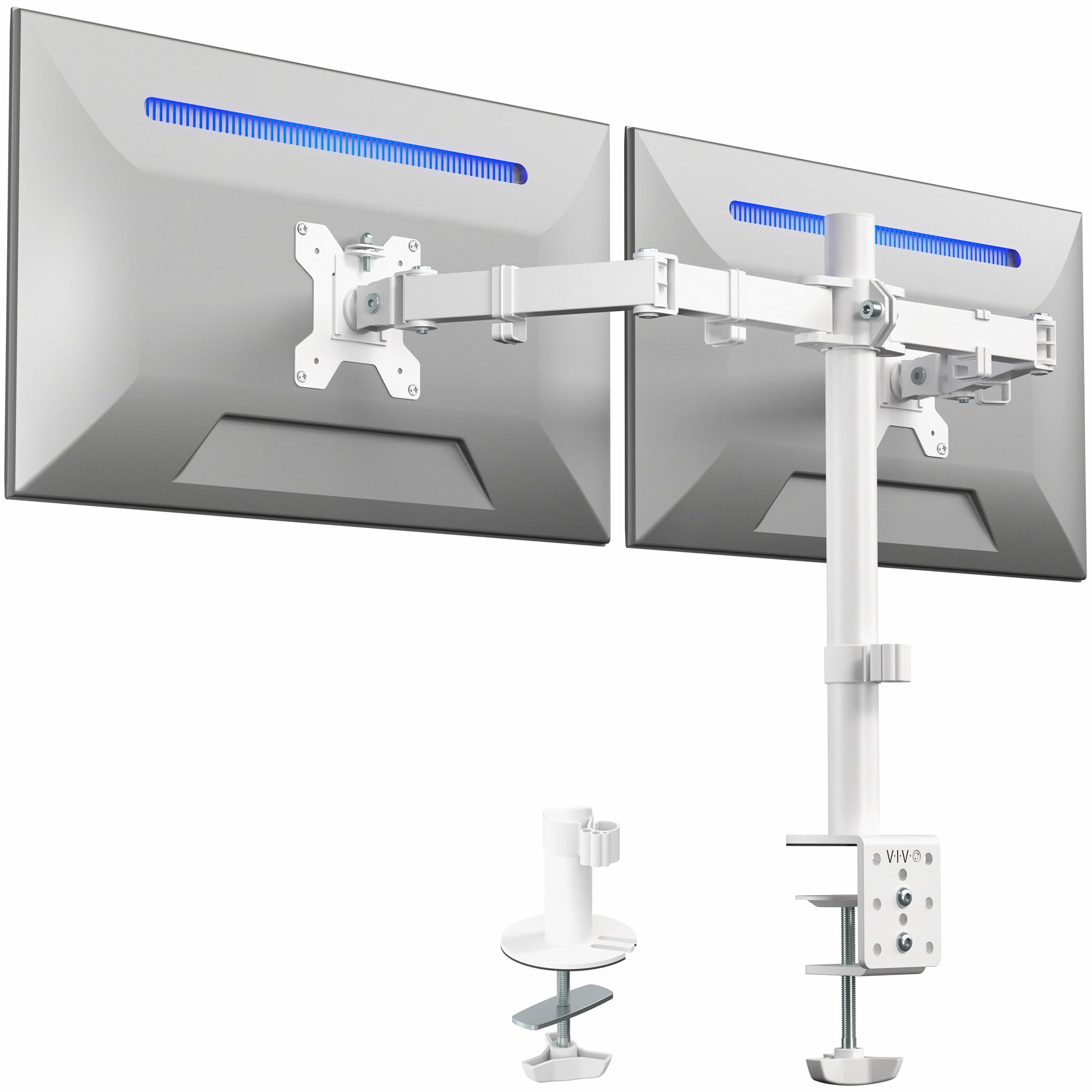
The VIVO STAND-V002W comes in a rare white colorway (plus standard black) and gives you a 3-year manufacturer warranty — the best in the budget tier. It handles screens 13 to 30 inches with a heavy-duty C-clamp that grips desks up to 3.25 inches thick. Each arm holds 22 lbs, same as the HUANUO. The tilt range is 90 degrees, swivel is 180 degrees, and you get 360-degree rotation for portrait orientation. Over 60,000 ratings and a 4.6-star average tell you buyers keep coming back.
Unlike the HUANUO’s independent arms, the VIVO uses a shared center pole for height adjustment. Both monitors move together vertically. That is fine if they are the same size but harder to offset if one is a 24-inch and the other is a 27-inch. The 30-inch max screen size is smaller than the 32-inch options above.
Go for this if you value long-term confidence and a white finish — the only warranty-backed steel build at this level. Not for a 32-inch screen or a setup where two different-size monitors need independent height.
Why People Love It
- Rare white colorway plus standard black available
- 3-year warranty — best in the budget tier
- Steel construction with over 60,000 positive ratings
One Drag
- Shared center pole makes independent height adjustment tricky for mismatched monitors
- Limited to 30-inch max screen size (smaller than the 32-inch options above)
5. VIVO Premium Ultra Wide Mount (STAND-TS38C)
The flush-to-wall trick that folds twin ultrawides into a near-smooth panorama.
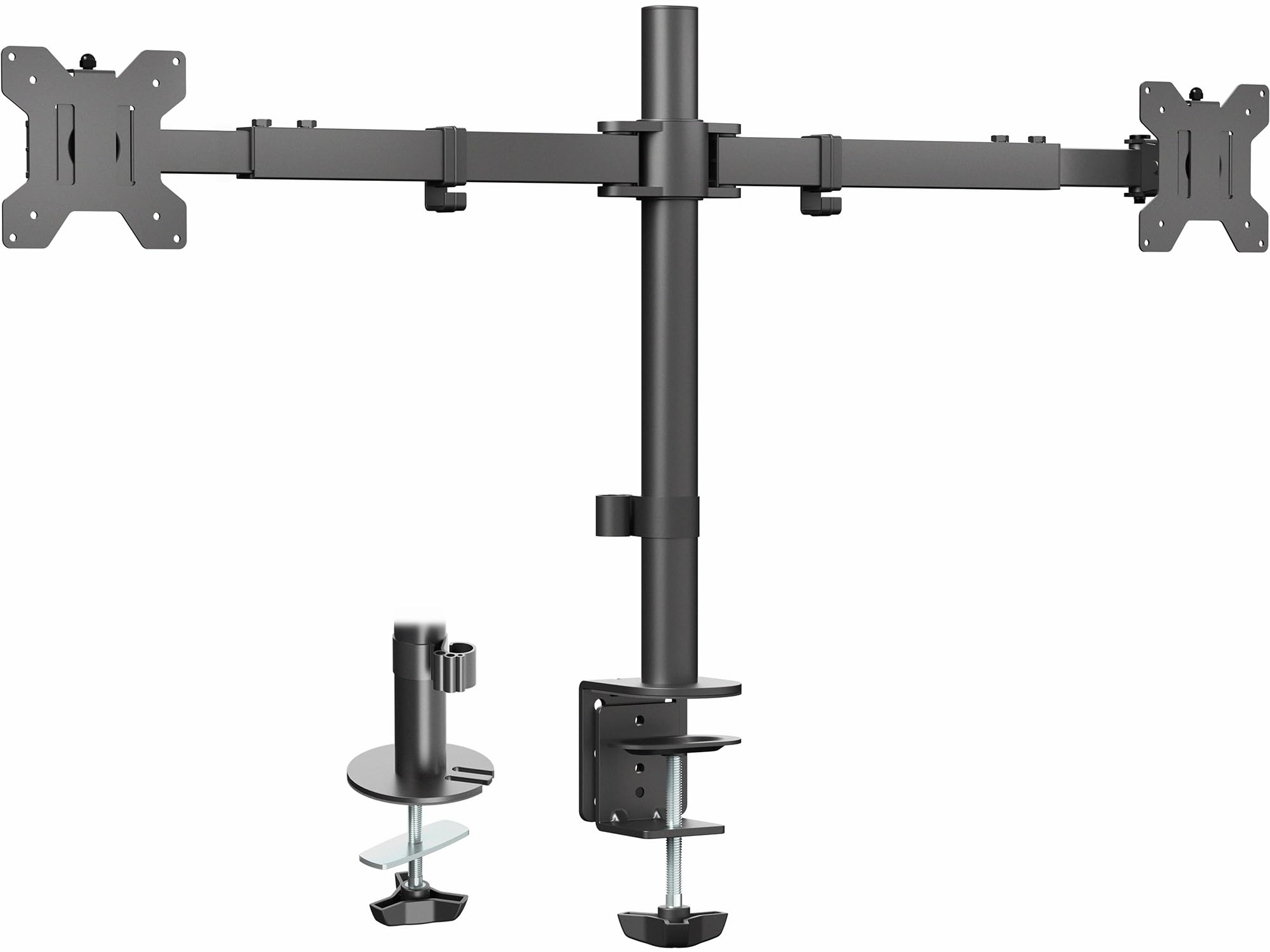
The VIVO STAND-TS38C is the ultrawide expert. Its telescoping arms (arms that slide in and out) expand outward from 24 to 39.5 inches between brackets, so you can fit screens 27 to 38 inches. It keeps everything flush against the wall — nothing sticks out past the back edge of your desk, unlike the HUANUO or MOUNT PRO arms that project forward. Each arm holds 22 lbs, matching the standard VIVO and HUANUO capacities. One reviewer noted it easily holds two 32-inch monitors and frees desk space.
The trade-off: both screens mount on a shared horizontal pole. Pulling one monitor closer pushes the other back. If you prefer independent arm movement like the MOUNTUP or HUANUO give you, this design may feel restrictive. The max tilt is 90 degrees and swivel is 180 degrees, but the telescoping arms do not articulate side-to-side like individual gas-spring arms.
Ideal for two large ultrawides (27-38 inches) on a desk pushed flat against a wall. Hold off if you want each monitor to move independently.
Standout Trick
- Telescoping arms slide in and out for a flush-to-wall setup
- Fits ultrawide screens up to 38 inches
- Patented design eliminates rear overhang
The Catch
- Shared horizontal pole — moving one monitor affects the other
- No independent arm articulation; less flexible than gas-spring arms
6. MOUNTUP Dual Monitor Desk Mount (MU0024)
The die-cast aluminum frame that shrugs off wobble while keeping weight under control.
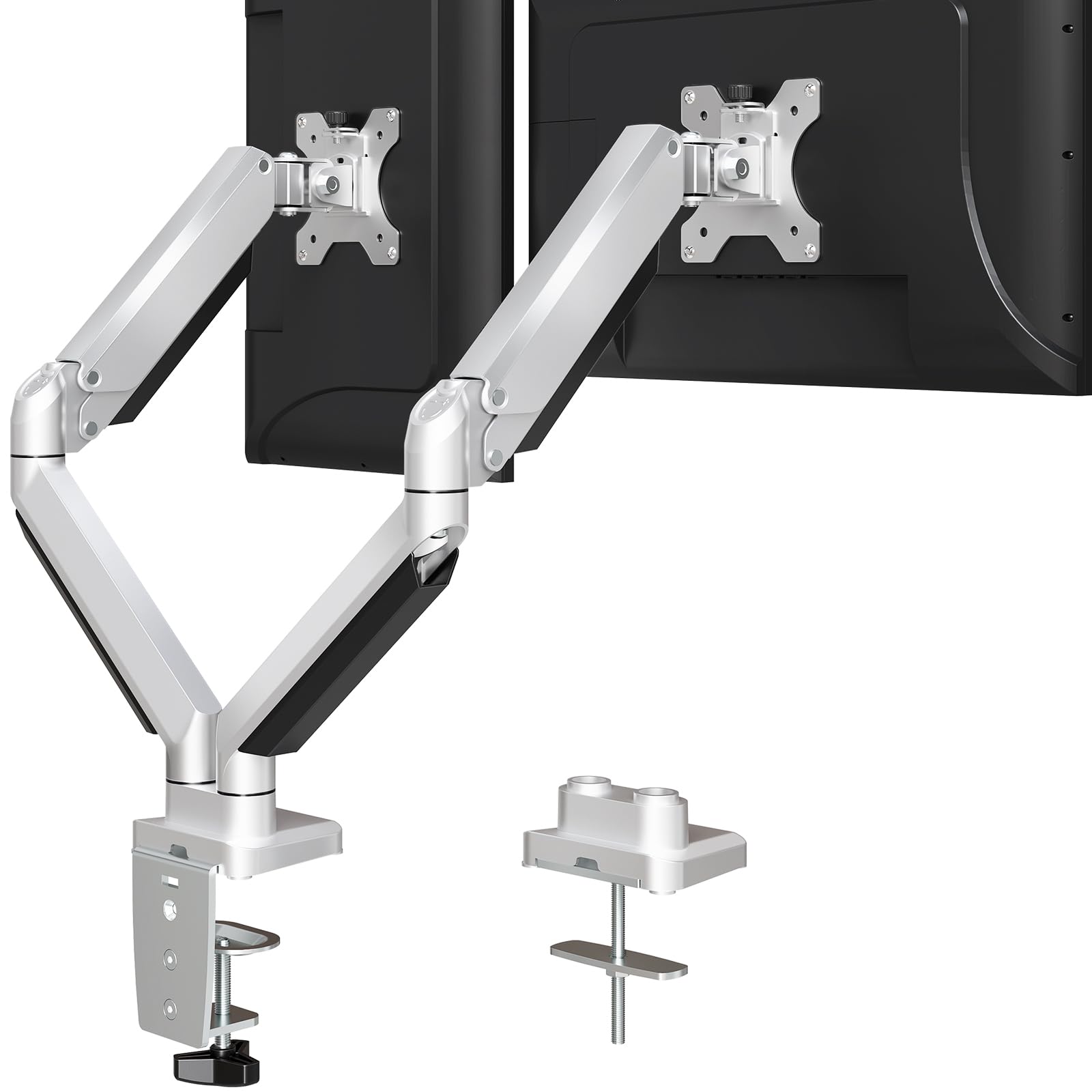
The MOUNTUP MU0024 uses die-cast aluminum — a heavier, denser material than stamped steel — that resists flexing. A buyer who used it for about two years reported it is excellent long-term and the suspension design prevents shaking or wobbling. Each arm holds 4.4 to 19.8 lbs for screens 17 to 32 inches, with a 45-degree tilt and 180-degree swivel. The desk clamp tolerates a thickness up to 3.35 inches, the widest range in this lineup alongside the Putilsen.
The 45-degree tilt range is 45 degrees, while the HUANUO offers 90 degrees, which limits glare adjustment. The full range of motion also requires the desk to sit a few inches from the wall to accommodate the arm’s rearward reach.
Choose this if stability is your top worry — the die-cast aluminum frame and wider clamp range give the most wobble-free experience in the budget tier. If you want a wider tilt range for less money, the HUANUO covers more angles.
Built Tough
- Die-cast aluminum construction is heavier and more stable than standard steel
- Clamp fits desks up to 3.35 inches thick
- 3-year support backing the purchase
Small Gripes
- 45-degree tilt limits glare adjustment vs the 90-degree alternatives
- Arms project rearward, requiring desk clearance from the wall
7. Putilsen Mount Dual Monitor Arm
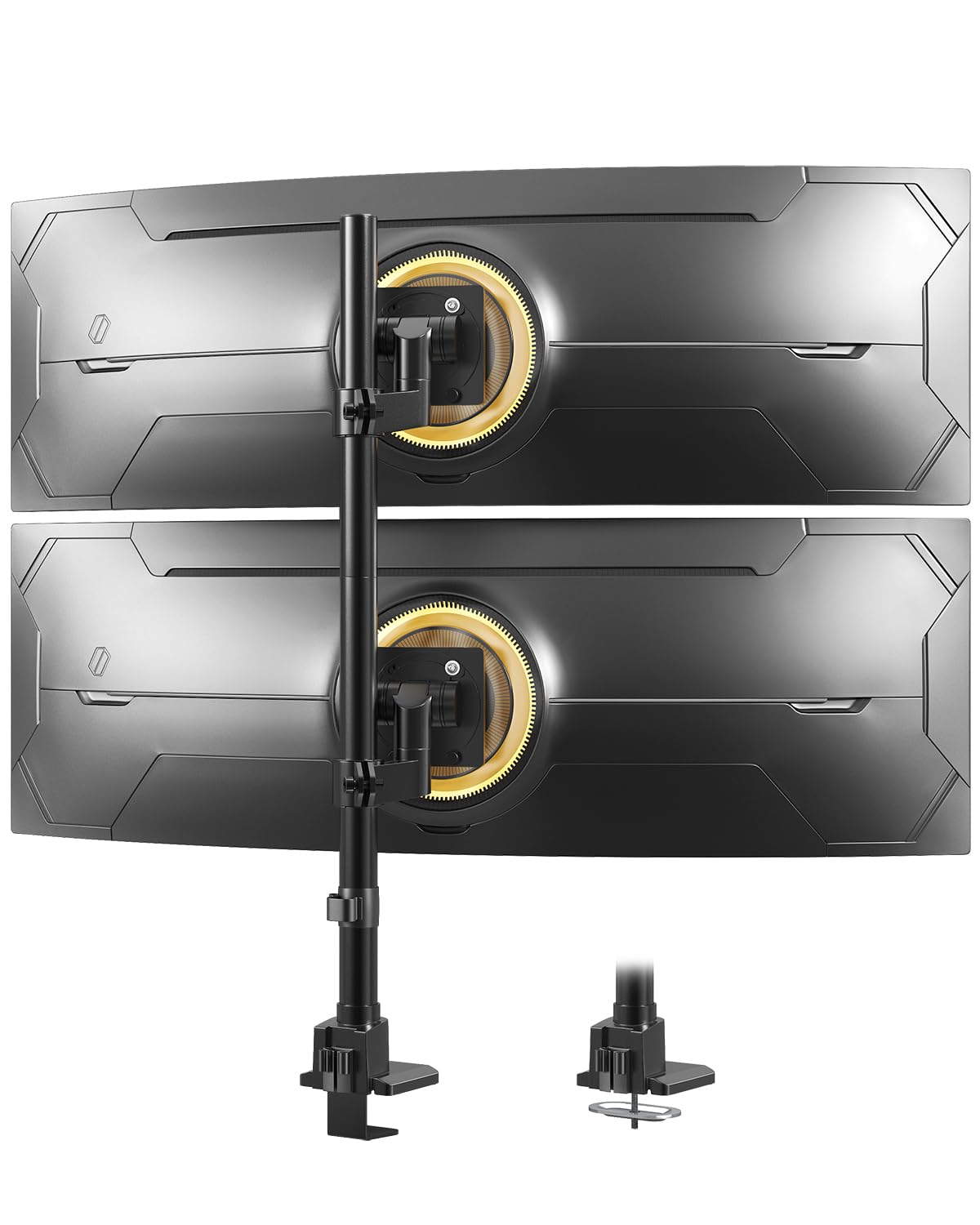
The monster-duty arm that lifts a 49-inch ultrawide like a standard 24-incher.
The Putilsen Mount is the only option here for massive curved gaming or productivity screens. Each arm supports up to 59.4 lbs for flat screens (48.4 lbs for curved), and the maximum screen size is 57 inches. That capacity is 59.4 lbs compared to the HUANUO’s 22 lbs, and the screen range is 57 inches compared to the VIVO Premium’s 38 inches. One reviewer confirmed it holds a Samsung 49-inch OLED and an older 49-inch LCD without sagging.
The tilt range is just 20 degrees — far tighter than the 90-degree options — because the focus is raw lifting power, not articulation. The mount works best in a vertical stacked configuration for space-constrained desks. The clamp only fits desks up to 1.97 inches thick (compared to 3.25 inches on the VIVO). Some ultrawides require an additional steel VESA adapter that the monitor ships with but the mount does not include.
Only for owners of heavy ultrawide monitors (40-57 inches) who need vertical stacking and do not require extreme tilt flexibility. Not for standard 24-32 inch monitors — the MOUNTUP or HUANUO give you more adjustment range for less money.
class-leading Power
- 59.4 lbs per arm — far exceeds any other mount on this list
- Fits 24- to 57-inch screens, including the largest ultrawides
- Vertical stacking frees desk width in compact setups
Specialized Trade-Offs
- 20-degree tilt is very limited — not for glare-sensitive users
- Clamp fits desks only up to 1.97 inches thick
- May need a separate VESA adapter for some 49-57 inch monitors
Understanding the Specs
VESA Pattern
The set of four screw holes on the back of your monitor. Almost all budget dual arms accept 75x75mm or 100x100mm patterns. Measure yours before buying — if the holes are wider or narrower, the mount will not attach without an adapter.
Gas Spring vs Fixed Pole
A gas spring arm uses a pneumatic cylinder to let you lift or lower the monitor with a light touch. Fixed-pole arms rely on manual screws and a shared center column — they are cheaper but you lose independent height adjustment per screen. The HUANUO and MOUNT PRO use gas springs; the VIVO STAND-V002W uses a fixed pole.
FAQ
Will a budget dual monitor arm hold two different-size screens?
What is the difference between C-clamp and grommet mounting?
Can I use a dual monitor arm with a curved ultrawide monitor?
How much desk space do I lose with a dual monitor arm?
How do I know if my monitor is VESA compatible?
Will a dual arm work on a standing desk?
What is the weight capacity I actually need?
Can I tilt a monitor vertically for portrait mode?
Final Thoughts: The Verdict
For the majority of shoppers, the budget dual monitor arms winner is the HUANUO Dual Monitor Mount because it delivers the widest 90-degree tilt, a solid 22-lb capacity per arm, and both mounting options at an unbeatable price. If you need vertical stacking for space-constrained desks, grab the MOUNT PRO Dual Monitor Stand with its tall 26.6-inch column. And for owners of massive ultrawide screens, the standout is the Putilsen Mount with its 59.4-lb weight capacity per arm.
How We Picked
We do not accept paid placement. Every pick is matched to a real buyer and a real use-case; we do not hands-on test units.
Sources & Methodology
Specifications: manufacturer listings and product documentation. Review insights: verified customer reviews, as of July 2026. Pricing: not shown on this page (it changes often); check the current price via the retailer link.
As an Amazon Associate, FitlyFast earns from qualifying purchases. This does not affect which products we feature.