
Our readers keep the lights on and the weekend projects moving. As an Amazon Associate, I earn from qualifying purchases.
Specs are compiled from manufacturer listings and verified buyer reviews and can change over time — please confirm the key details on the product page before buying.
You want sharp 1440p (2560 x 1440 pixels) resolution and a fast refresh rate for smooth gaming, but you do not want to empty your wallet. The difference between a great budget monitor and a bad one depends on a few key specs that actually affect your gameplay.
I’m Rikta — the founder and writer behind FitlyFast. This guide is built by comparing the manufacturers’ published specifications and the patterns across verified customer reviews, so you get each pick’s real strengths and trade-offs instead of marketing spin.
These are the monitors that give you the most playable performance for your dollar. This is your practical blueprint for finding the best budget 1440p gaming monitor that fits your setup and your games.
Our Picks at a Glance


How To Choose The Best Budget 1440P Gaming Monitor
Picking the right 1440p gaming monitor on a budget means knowing which specs give you real in-game benefits and which are just marketing numbers. Here is what actually matters.
Refresh Rate: Match It To Your GPU And Games
Refresh rate — measured in Hertz (Hz) — is how many times the screen updates per second. A 180Hz monitor feels dramatically smoother than a standard 60Hz display. But to actually see 180 frames per second, your graphics card needs to push that many. For fast competitive shooters like Valorant or Overwatch, aim for 240Hz or higher. For slower, story-driven games, 180Hz is plenty and lets you spend more on other features.
Panel Type: IPS Versus QD-OLED
Fast IPS panels give you vibrant colors, wide viewing angles, and good response times at a reasonable price — they are the safe, versatile choice. QD-OLED panels deliver incredible, inky blacks and class-leading contrast (1,000,000:1 is common on OLEDs), but they cost more. If you play in a dark room and care deeply about image quality, an OLED is worth the stretch. In a bright room or for mixed use (spreadsheets, web browsing), an excellent IPS monitor is often the better value.
Connectivity: Check The Ports To open up Full Speed
Many monitors limit their maximum refresh rate over HDMI versus DisplayPort. A monitor that advertises 180Hz might only reach 144Hz over its HDMI port. If you want the full advertised speed, you almost always need a DisplayPort cable. Also, check if you need USB-C for a laptop — some USB-C ports only deliver low power (7.5W), which is not enough to charge a laptop.
Quick Comparison
| Model | Best For | Refresh Rate | Response Time | Panel Type | Amazon |
|---|---|---|---|---|---|
| Alienware AW2725DM★ Best Overall | Sturdy Budget Pick | 180Hz | 1ms | IPS | Amazon |
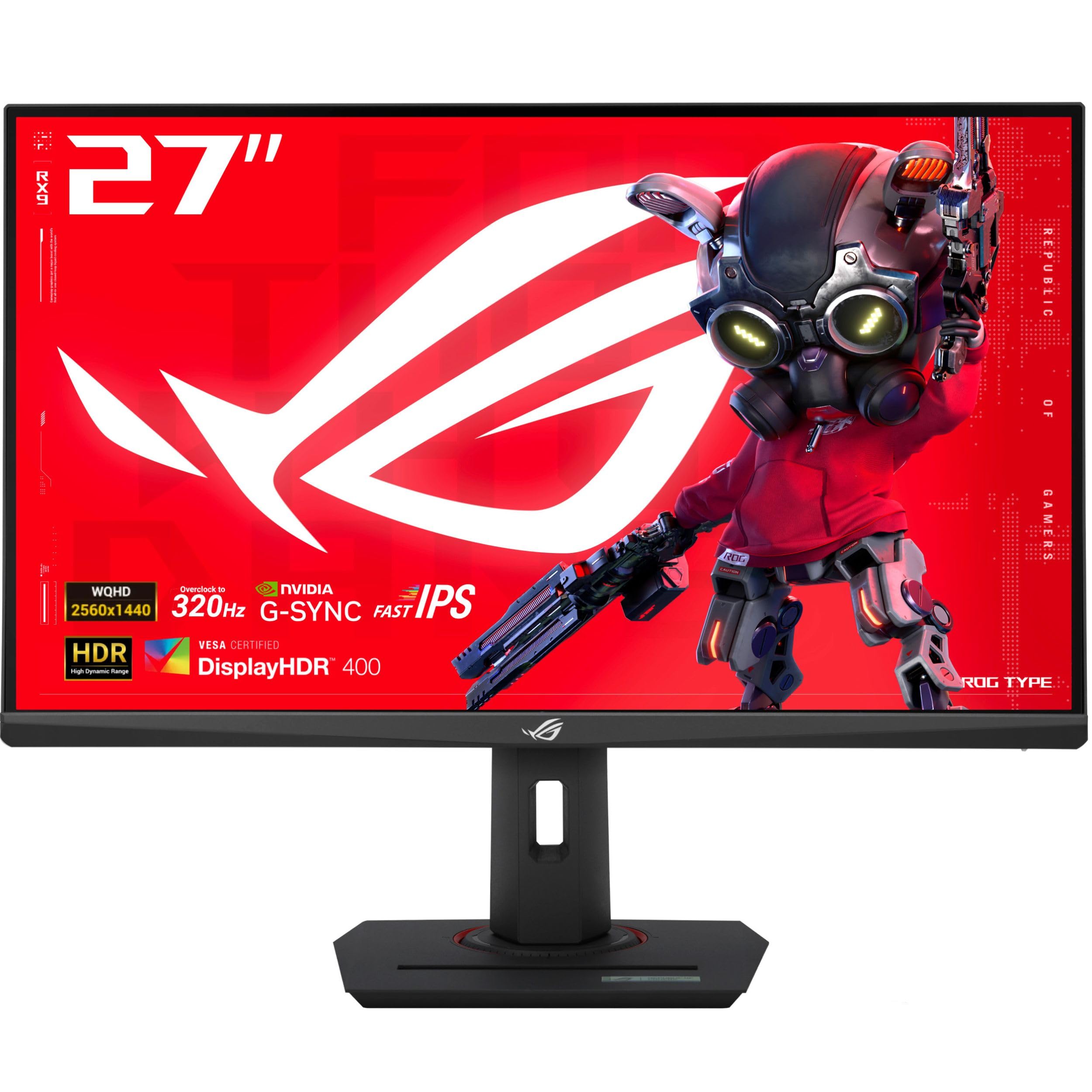
| ASUS ROG Strix XG27ACMSAlso Great | Competitive Esports | 320Hz | 0.3ms | Fast IPS | Amazon |
| ASUS TUF Gaming VG27AQM5ATop Performer | Fast IPS Value | 300Hz | 0.3ms | Fast IPS | Amazon |
| LG 27G640A-B | All-Round Speed | 300Hz | 1ms | IPS | Amazon |
| LG 27GR83Q-B | Console + PC Hybrid | 240Hz | 1ms | IPS | Amazon |
| AOC Q27GAZD | Entry-Level OLED | 240Hz | 0.03ms | QD-OLED | Amazon |
| Samsung Odyssey OLED G5 | OLED Immersion | 180Hz | 0.03ms | QD-OLED | Amazon |
| AOC Q27GAZDV | Premium OLED | 240Hz | 0.03ms | QD-OLED | Amazon |
| Samsung Odyssey OLED G6 | Refined OLED | 240Hz | 0.03ms | QD-OLED | Amazon |
In‑Depth Reviews
1. Alienware 27 Gaming Monitor – AW2725DM
A reliable, well-built workhorse that nails the essentials without the flash.
Alienware’s AW2725DM focuses on getting the core specs right. The 180Hz refresh rate and 1ms response time are not the fastest on this list — the ASUS ROG Strix runs at 320Hz — but for the majority of gamers, 180Hz is buttery smooth and pairs well with a mid-range graphics card. The IPS panel covers 95% DCI-P3 color gamut and carries VESA DisplayHDR 400 certification, giving you vibrant colors and decent highlight detail without any of the tuning fuss some monitors require.
Buyers consistently praise the build quality, with one saying it “feels sturdy” and the stand is easy to adjust. A critical note from a reviewer: you only get 144Hz over the HDMI port — to reach the full 180Hz, you must use DisplayPort. The monitor also lacks a USB-C port, so laptop users will need an adapter. The hardware-based low blue light solution reduces eye strain during long sessions without washing out colors, which is a thoughtful inclusion.
Why It Works
- Sturdy, premium-feeling stand with smooth height, swivel, and tilt adjustments.
- Hardware low blue light reduces eye strain without losing color.
- Excellent build quality and easy setup from the start.
Limitations
- HDMI limited to 144Hz — DisplayPort required for full 180Hz.
- No USB-C port for modern laptop connectivity.
- 180Hz is lower than many 1440p competitors at this price tier.
Right for you if: you value rock-solid build quality and need a no-nonsense workhorse for 1440p gaming at good frame rates.
skip it if: you want the highest refresh rate possible, need USB-C, or plan to connect via HDMI at full speed.
2. ASUS ROG Strix 27” 1440P USB-C HDR Gaming Monitor (XG27ACMS)
The speed king that leaves nearly every rival in the dust.
The ASUS ROG Strix XG27ACMS hits a 320Hz refresh rate and a 0.3ms response time (gray-to-gray, the time a pixel takes to change between shades of gray). That combination means motion blur and ghosting are virtually eliminated, giving you a crisp, fluid picture in fast shooters like Valorant or Apex Legends. The Fast IPS panel also covers a wide 130% sRGB color gamut, making the image look rich and vibrant right from the start.
Buyers report that colors need calibration at first, but once dialed in, the monitor is “excellent” for 1440p gaming. A real-world catch to be aware of: the USB-C port with DisplayPort Alt mode only delivers 7.5W, which is far too low to charge a laptop that needs 65W. Several reviewers noted you will need a separate docking station for a dual-monitor laptop setup. The included ROG pouch and sticker are a nice touch, and the ASUS DisplayWidget Center software makes adjusting settings with a mouse genuinely convenient.
What Stands Out
- 320Hz refresh rate is class-leading for this price tier.
- Extremely low 0.3ms response time for razor-sharp motion.
- ASUS ELMB Sync works alongside variable refresh rate to eliminate tearing.
Consider This First
- USB-C power delivery is only 7.5W — not enough for a laptop.
- Colors need manual calibration from the start.
- No built-in speakers.
Your go-to for: serious competitive gaming where every millisecond advantage counts, and you use a desktop or a docked laptop.
Look elsewhere if: you need a USB-C port that can actually charge your laptop or you play mostly cinematic single-player games.
3. ASUS TUF Gaming 27” 1440P Monitor (VG27AQM5A)
Nearly as fast as the premium pick, with a more forgiving price.
If the ROG Strix is just out of your budget, this TUF Gaming sibling delivers almost identical speed — a 300Hz refresh rate and the same 0.3ms Fast IPS response time — for a lower entry point. The monitor covers 100% of the DCI-P3 color gamut, so you get vivid and accurate colors whether you are gaming or editing media. A 1300:1 contrast ratio gives slightly deeper blacks than many IPS panels, and the built-in speakers are a rare convenience at this performance level.
Reviewers call it an “excellent value” 27-inch monitor with tear-free performance thanks to Adaptive-Sync, FreeSync Premium, and G-SYNC compatibility. The Shadow Boost feature brightens dark game scenes without washing out highlights, which is helpful for spotting enemies in shadows. One reviewer noted their unit arrived with a single dead pixel and a faint cracking noise. The monitor delivered flawless gaming performance despite that minor quality variance.
What We Like
- 300Hz refresh rate with 0.3ms response time is elite-level speed.
- Built-in speakers save desk space and headphone hassle.
- Shadow Boost enhances visibility in dark scenes.
Potential Downsides
- Owners mention brightness and contrast are just average for an IPS panel.
- Some units have arrived with dead pixels.
- HDR performance is minimal — HDR10 support, not full HDR.
Best suited for: value-focused gamers who want near-flagship speed and appreciate built-in speakers for casual use.
Who might skip it: anyone needing rich HDR or who is sensitive to the risk of a pixel defect.
4. LG 27G640A-B 27-inch Ultragear QHD IPS Gaming Monitor

A versatile speedster built for both PC and modern consoles.
This LG UltraGear packs a 300Hz refresh rate and a 1ms response time into a feature set that connects to everything. You get dual HDMI 2.1 ports and a USB-C port with 15W power delivery — a noticeable step up from the 7.5W on the ASUS ROG Strix, though still not enough to charge a full laptop. The 27-inch QHD IPS panel covers 95% of the DCI-P3 color gamut and comes with VESA DisplayHDR 400 certification, so colors pop and highlights look punchy during gameplay.
Customers note that this monitor exceeded expectations for the price, with one calling the 300Hz and FreeSync combination a “great deal.” Game-specific tools like Dynamic Action Sync (reduces input lag), Black Stabilizer (brightens dark areas), and a built-in Crosshair mode give you fine control without extra software. The stand supports height, tilt, swivel, and pivot adjustments, making it easy to find your ideal ergonomic position.
Key Strengths
- Dual HDMI 2.1 ports for full-speed console connections.
- Ergonomic stand with full height, swivel, and pivot adjustments.
- USB-C port offers 15W power delivery for accessories or phones.
Things to Note
- Some buyers found the on-screen menu system confusing.
- Included DisplayPort cable caused issues for one buyer.
- Built-in speakers are weak, according to several reviews.
Ideal for: gamers who split time between PC and PS5/Xbox Series X, plus those who want full ergonomic adjustability.
Not for: users who want simple plug-and-play menus or rely on built-in speakers.
5. LG 27GR83Q-B 27-inch Ultragear QHD IPS Gaming Monitor

A smooth 240Hz IPS panel that works perfectly with consoles and PCs.
The LG 27GR83Q-B hits a balance with a 240Hz refresh rate and 1ms response time, making it fast enough for competitive games while also catering to console gamers through its two HDMI 2.1 ports — a rarity at this price. The IPS panel delivers 95% DCI-P3 color coverage and VESA DisplayHDR 400 support, so in-game environments look vibrant and detailed. NVIDIA G-SYNC and AMD FreeSync Premium compatibility ensure you get tear-free gameplay whether you run an Nvidia or AMD graphics card.
Reviewers point out that colors are “SO CLEAN and saturated,” and the stand feels high-quality and responsive. However, multiple reviews mention a recurring issue with stuck pixels — one buyer received two separate units, both with multiple stuck pixels of different colors. This is a real lottery risk. The monitor also includes a 4-pole headphone jack with DTS Headphone:X for spatial 3D audio, which is a neat addition for late-night gaming sessions.
What Shines
- 240Hz over both HDMI 2.1 and DisplayPort — no speed cap.
- HDMI 2.1 makes it fully compatible with PS5 and Xbox Series X.
- DTS Headphone:X provides convincing 3D audio through the headphone jack.
Watch Out For
- Stuck pixel issues are a known complaint in customer reviews.
- LG’s customer support for warranty claims has frustrated some buyers.
- Monitor is heavy — cable management clip on the back is hard to remove.
Choose this for: a fast, console-friendly monitor with great color and the headphone audio feature.
Think twice if: you are risk-averse about pixel defects or prefer a lightweight, simple build.
6. AOC 27″ QD OLED Gaming Monitor – Q27GAZD

Your cheapest ticket to true OLED blacks and a 240Hz picture.
The AOC Q27GAZD brings genuine QD-OLED technology — with a 1,500,000:1 contrast ratio — to a price that undercuts most OLED competition. The 240Hz refresh rate and 0.03ms response time are spectacular for fast-paced games, producing motion clarity that IPS panels simply cannot match. The panel covers 147.6% sRGB and 110.2% DCI-P3 color gamut, so colors are rich, saturated, and deeply accurate. HDR400 True Black certification means dark scenes have genuine depth rather than the greyish blacks common on IPS monitors.
Reviewers rave about the picture quality, with one saying it “destroys older VA and IPS panels” and calling the colors a “great deal” that matches a much more expensive ASUS monitor. The main trade-offs: the included stand is poor — most users recommend a monitor arm — and the HDMI port is limited to 165Hz, so you need DisplayPort to hit the full 240Hz. The glossy screen also shows reflections in bright rooms during dark scenes.
The Upside
- True QD-OLED image quality with a 1,500,000:1 contrast ratio.
- 240Hz and 0.03ms response time deliver incredible motion clarity.
- HDR400 True Black gives deep, realistic shadows.
The Trade-Offs
- Stand is not great — plan to use a VESA monitor arm.
- HDMI capped at 165Hz; full 240Hz requires DisplayPort.
- Glossy screen can be reflective in bright rooms.
Go for it if: you want the dramatic contrast and color of OLED on a tighter budget and are fine using a monitor arm.
Pass if: you game in a bright room or need a premium stand from the start.
7. Samsung 27” Odyssey OLED G5 (G50SF)

An OLED panel that prioritizes picture quality over peak speed.
The Samsung Odyssey OLED G5 uses a QD-OLED panel to deliver stunning colors, a 1,000,000:1 contrast ratio, and Pantone-validated accuracy that reproduces more than 2100 colors (a Pantone validation means the screen can display a specific library of standardized colors accurately). Samsung’s OLED Safeguard uses a Thermal Modulation System to actively prevent burn-in, which is a major plus for long-term ownership.
Buyers call it a “bargain price” for OLED visuals, praising the deep blacks and vibrant colors. The Glare Free technology keeps reflections under control, making it easier to use in a lit room. However, the stand only offers tilt adjustment — no height or swivel — and the monitor has only one HDMI port and one DisplayPort, so multi-device setups are limited. For competitive FPS games, some reviewers found the OLED too dark to spot enemies in shadows.
What Excels
- QD-OLED with Pantone validation and a 1,000,000:1 contrast ratio.
- OLED Safeguard helps prevent burn-in over long use.
- Glare Free screen works well in moderately bright rooms.
What You Give Up
- Only tilt adjustment on the stand — no height or swivel.
- Limited to 1 HDMI and 1 DisplayPort input.
- No built-in speakers.
Great for: gamers who prioritize cinematic single-player experiences, movies, and media consumption over raw esports speed.
Not for: competitive FPS players who need maximum brightness in dark scenes or multi-console setups.
8. AOC 27 Inch OLED Gaming Monitor (Q27GAZDV)

Fixes the shortcomings of the base AOC OLED with a full ergonomic stand.
This step-up AOC model keeps the same excellent QD-OLED panel with a 1,500,000:1 contrast ratio, 240Hz refresh rate, and 0.03ms response time, but adds a height-adjustable stand with tilt, swivel, and pivot adjustments — solving the biggest complaint about the cheaper Q27GAZD. It also includes HDMI 2.1 connectivity, so PS5 and Xbox Series X owners can enjoy full-speed 1440p at 120Hz without compromise. A USB 3.2 hub adds handy front-facing ports for peripherals.
Buyers call it a “great budget QD-OLED,” with one reviewer noting the “inky blacks” and saying HDR looks “good” with no ghosting in high-fps games. The monitor supports both G-SYNC and FreeSync, ensuring smooth gameplay on either GPU ecosystem. The trade-off for OLED perfection is modest peak brightness — rated at 200 nits (a unit of brightness) — which can feel dim compared to a high-end IPS monitor. The lack of built-in speakers means you will need headphones or external desktop speakers.
What It Delivers
- Full ergonomic stand with height, swivel, tilt, and pivot.
- HDMI 2.1 supports full-speed console gaming at 1440p 120Hz.
- USB 3.2 hub adds convenient peripheral ports.
Things to Keep in Mind
- Peak brightness of 200 nits is lower than many IPS alternatives.
- No built-in speakers.
- Glossy panel may show reflections in very bright rooms.
Perfect for: someone who wants true OLED quality with a proper adjustable stand and console-friendly HDMI 2.1.
Consider something else if: you need a very bright screen for a sunlit room or want built-in speakers.
9. Samsung 27″ Odyssey OLED G6 (G61SH)

Samsung’s refined OLED monitor that nails the full package — speed, stand, and vivid color.
The Odyssey OLED G6 combines a QD-OLED panel with a 240Hz refresh rate and 0.03ms response time, giving you the same exceptional motion clarity and infinite contrast as the other OLEDs on this list. what separates it is the Pantone-validated screen that reproduces more than 2100 colors and 110 skin-tone shades, plus a height-adjustable stand that pivots, tilts, and swivels. The HDR10 support provides brighter highlights and deeper shadows, and the Glare Free technology keeps the screen clear of reflections — a practical advantage over glossy OLED screens.
Shoppers say it is a “worthwhile upgrade” from a 1440p 144Hz monitor, praising the vibrant colors and blacks. The OLED Safeguard system helps prevent burn-in by keeping the panel temperature in check. One buyer’s tip is to calibrate HDR in Windows — factory settings are poor, but after tuning, the display is “beautiful.” The monitor retains power to perform pixel refresh cycles; if you cut power completely, your dual-monitor window arrangement may shift, so plug it into an always-on power strip.
What Stands Out
- Height-adjustable ergonomic stand with full pivot, tilt, and swivel.
- Pantone-validated color accuracy with more than 2100 colors.
- OLED Safeguard actively prevents burn-in.
To Be Aware Of
- HDR needs manual calibration in Windows for best results.
- Pixel refresh cycles can shift window positions if power is cut.
- No built-in speakers.
Best for: the gamer who wants a complete, polished OLED experience with an excellent stand and no glaring omissions.
Maybe not if: you want a simple plug-and-play setup and do not want to calibrate HDR.
Understanding the Specs
Refresh Rate (Hz)
Refresh rate is how many times per second your screen redraws the image. A 144Hz monitor shows 144 frames each second, making motion look smooth and fluid. For competitive shooters, 240Hz or 300Hz gives a slight edge in reaction time. For most single-player games, 180Hz is already a big leap from standard 60Hz monitors and pairs well with mid-range GPUs. The higher the number, the smoother the motion, but your graphics card has to be powerful enough to deliver that many frames.
Response Time (GtG)
Response time, measured in milliseconds (ms), tells you how fast a pixel can change from one color to another. A lower number means less ghosting or blur behind fast-moving objects. On IPS monitors, 1ms is common and very good. QD-OLED monitors achieve 0.03ms, which is effectively instant and eliminates visible ghosting entirely. In real-world gameplay, the difference between 1ms and 0.03ms is small but noticeable when you are tracking fast targets on screen.
FAQ
Is 1440p worth it over 1080p for gaming?
What refresh rate do I need for a budget 1440p monitor?
Can my PS5 or Xbox Series X run 1440p at high refresh rates?
What is the difference between IPS and QD-OLED for gaming?
Do I need G-Sync or FreeSync?
How important is the stand on a budget gaming monitor?
Why does my monitor show lower refresh rate than advertised?
Will a budget 1440p monitor work for photo or video editing?
How long does a QD-OLED gaming monitor last before burn-in?
Can I use a 1440p monitor with a laptop via USB-C?
Final Thoughts: The Verdict
For most people, the {“@context”: “https://schema.org”, “@graph”: [{“@type”: “ItemList”, “name”: “9 Best Budget 1440P Gaming Monitor”, “url”: “https://fitlyfast.com/best-budget-1440p-gaming-monitor/”, “numberOfItems”: 9, “itemListElement”: [{“@type”: “ListItem”, “position”: 1, “name”: “ASUS ROG Strix 27” 1440P USB-C HDR Gaming Monitor (XG27ACMS)”, “url”: “https://fitlyfast.com/best-budget-1440p-gaming-monitor/#product-1”}, {“@type”: “ListItem”, “position”: 2, “name”: “ASUS TUF Gaming 27” 1440P Monitor (VG27AQM5A)”, “url”: “https://fitlyfast.com/best-budget-1440p-gaming-monitor/#product-2”}, {“@type”: “ListItem”, “position”: 3, “name”: “LG 27G640A-B 27-inch Ultragear QHD IPS Gaming Monitor”, “url”: “https://fitlyfast.com/best-budget-1440p-gaming-monitor/#product-3”}, {“@type”: “ListItem”, “position”: 4, “name”: “Alienware 27 Gaming Monitor – AW2725DM”, “url”: “https://fitlyfast.com/best-budget-1440p-gaming-monitor/#product-4”}, {“@type”: “ListItem”, “position”: 5, “name”: “LG 27GR83Q-B 27-inch Ultragear QHD IPS Gaming Monitor”, “url”: “https://fitlyfast.com/best-budget-1440p-gaming-monitor/#product-5”}, {“@type”: “ListItem”, “position”: 6, “name”: “AOC 27\” QD OLED Gaming Monitor – Q27GAZD”, “url”: “https://fitlyfast.com/best-budget-1440p-gaming-monitor/#product-6”}, {“@type”: “ListItem”, “position”: 7, “name”: “Samsung 27” Odyssey OLED G5 (G50SF)”, “url”: “https://fitlyfast.com/best-budget-1440p-gaming-monitor/#product-7”}, {“@type”: “ListItem”, “position”: 8, “name”: “AOC 27 Inch OLED Gaming Monitor (Q27GAZDV)”, “url”: “https://fitlyfast.com/best-budget-1440p-gaming-monitor/#product-8”}, {“@type”: “ListItem”, “position”: 9, “name”: “Samsung 27\” Odyssey OLED G6 (G61SH)”, “url”: “https://fitlyfast.com/best-budget-1440p-gaming-monitor/#product-9”}]}, {“@type”: “Product”, “position”: 1, “name”: “ASUS ROG Strix 27” 1440P USB-C HDR Gaming Monitor (XG27ACMS)”, “image”: “https://m.media-amazon.com/images/I/81R8A3G4p2L.jpg”, “brand”: {“@type”: “Brand”, “name”: “ASUS”}, “url”: “https://www.amazon.com/dp/B0F2349MJT/?tag=fitlyfast00-20”, “offers”: {“@type”: “Offer”, “url”: “https://www.amazon.com/dp/B0F2349MJT/?tag=fitlyfast00-20”}}, {“@type”: “Product”, “position”: 2, “name”: “ASUS TUF Gaming 27” 1440P Monitor (VG27AQM5A)”, “image”: “https://m.media-amazon.com/images/I/71-woCs5tFL.jpg”, “brand”: {“@type”: “Brand”, “name”: “ASUS”}, “url”: “https://www.amazon.com/dp/B0F233D6W1/?tag=fitlyfast00-20”, “offers”: {“@type”: “Offer”, “url”: “https://www.amazon.com/dp/B0F233D6W1/?tag=fitlyfast00-20”}}, {“@type”: “Product”, “position”: 3, “name”: “LG 27G640A-B 27-inch Ultragear QHD IPS Gaming Monitor”, “image”: “https://m.media-amazon.com/images/I/81ryaV511VL.jpg”, “brand”: {“@type”: “Brand”, “name”: “LG”}, “url”: “https://www.amazon.com/dp/B0FLLKBNY7/?tag=fitlyfast00-20”, “offers”: {“@type”: “Offer”, “url”: “https://www.amazon.com/dp/B0FLLKBNY7/?tag=fitlyfast00-20”}}, {“@type”: “Product”, “position”: 4, “name”: “Alienware 27 Gaming Monitor – AW2725DM”, “image”: “https://m.media-amazon.com/images/I/71-0nIz4DBL.jpg”, “brand”: {“@type”: “Brand”, “name”: “Alienware”}, “url”: “https://www.amazon.com/dp/B0F146MYKD/?tag=fitlyfast00-20”, “offers”: {“@type”: “Offer”, “url”: “https://www.amazon.com/dp/B0F146MYKD/?tag=fitlyfast00-20”}}, {“@type”: “Product”, “position”: 5, “name”: “LG 27GR83Q-B 27-inch Ultragear QHD IPS Gaming Monitor”, “image”: “https://m.media-amazon.com/images/I/81E61XAb1RL.jpg”, “brand”: {“@type”: “Brand”, “name”: “LG”}, “url”: “https://www.amazon.com/dp/B0C63HDHPR/?tag=fitlyfast00-20”, “offers”: {“@type”: “Offer”, “url”: “https://www.amazon.com/dp/B0C63HDHPR/?tag=fitlyfast00-20”}}, {“@type”: “Product”, “position”: 6, “name”: “AOC 27\” QD OLED Gaming Monitor – Q27GAZD”, “image”: “https://m.media-amazon.com/images/I/71KPbGXGhAL.jpg”, “brand”: {“@type”: “Brand”, “name”: “AOC”}, “url”: “https://www.amazon.com/dp/B0FTS1KC43/?tag=fitlyfast00-20”, “offers”: {“@type”: “Offer”, “url”: “https://www.amazon.com/dp/B0FTS1KC43/?tag=fitlyfast00-20”}}, {“@type”: “Product”, “position”: 7, “name”: “Samsung 27” Odyssey OLED G5 (G50SF)”, “image”: “https://m.media-amazon.com/images/I/818+AiwCClL.jpg”, “brand”: {“@type”: “Brand”, “name”: “Samsung”}, “url”: “https://www.amazon.com/dp/B0FNQDNGXY/?tag=fitlyfast00-20”, “offers”: {“@type”: “Offer”, “url”: “https://www.amazon.com/dp/B0FNQDNGXY/?tag=fitlyfast00-20”}}, {“@type”: “Product”, “position”: 8, “name”: “AOC 27 Inch OLED Gaming Monitor (Q27GAZDV)”, “image”: “https://m.media-amazon.com/images/I/71GBlMiclTL.jpg”, “brand”: {“@type”: “Brand”, “name”: “AOC”}, “url”: “https://www.amazon.com/dp/B0GT2JP76J/?tag=fitlyfast00-20”, “offers”: {“@type”: “Offer”, “url”: “https://www.amazon.com/dp/B0GT2JP76J/?tag=fitlyfast00-20”}}, {“@type”: “Product”, “position”: 9, “name”: “Samsung 27\” Odyssey OLED G6 (G61SH)”, “image”: “https://m.media-amazon.com/images/I/81reQfGuQjL.jpg”, “brand”: {“@type”: “Brand”, “name”: “Samsung”}, “url”: “https://www.amazon.com/dp/B0GDSC8K2H/?tag=fitlyfast00-20”, “offers”: {“@type”: “Offer”, “url”: “https://www.amazon.com/dp/B0GDSC8K2H/?tag=fitlyfast00-20”}}, {“@type”: “FAQPage”, “mainEntity”: [{“@type”: “Question”, “name”: “Is 1440p worth it over 1080p for gaming?”, “acceptedAnswer”: {“@type”: “Answer”, “text”: “Yes — 1440p (2560 x 1440) has 78% more pixels than 1080p, making images noticeably sharper and more detailed. On a 27-inch monitor, the difference is clear in game textures, UI elements, and reading text. You will need a mid-range or better graphics card to drive 1440p at high frame rates.”}}, {“@type”: “Question”, “name”: “What refresh rate do I need for a budget 1440p monitor?”, “acceptedAnswer”: {“@type”: “Answer”, “text”: “For most gamers, 144Hz to 180Hz is a great balance of smoothness and cost. Competitive players benefit from 240Hz or 300Hz, but only if your GPU can push those frame rates in your favorite games. Spending extra on 300Hz is wasted if your graphics card maxes out at 150 fps.”}}, {“@type”: “Question”, “name”: “Can my PS5 or Xbox Series X run 1440p at high refresh rates?”, “acceptedAnswer”: {“@type”: “Answer”, “text”: “Yes — both consoles support 1440p output. To get the full 120Hz on PS5 or Xbox Series X, you need a monitor with HDMI 2.1. Some monitors limit refresh rate over HDMI, so check the specs: the LG 27GR83Q-B and AOC Q27GAZDV both support full-speed 1440p over HDMI 2.1.”}}, {“@type”: “Question”, “name”: “What is the difference between IPS and QD-OLED for gaming?”, “acceptedAnswer”: {“@type”: “Answer”, “text”: “IPS panels offer good color accuracy, wide viewing angles, and high brightness at a lower cost. QD-OLED panels provide superior contrast (1,000,000:1 or higher), true blacks, and near-instant 0.03ms response times, but they cost more and are less bright in well-lit rooms. For dark-room gaming, OLED is transformative; for mixed use in a bright space, a good IPS monitor is often the smarter buy.”}}, {“@type”: “Question”, “name”: “Do I need G-Sync or FreeSync?”, “acceptedAnswer”: {“@type”: “Answer”, “text”: “Adaptive sync technologies (G-Sync for Nvidia GPUs, FreeSync for AMD GPUs) eliminate screen tearing by matching the monitor’s refresh rate to your game’s frame rate. Most modern 1440p monitors support both, so you are covered regardless of your graphics card brand. It is a very useful feature that makes gameplay feel smoother.”}}, {“@type”: “Question”, “name”: “How important is the stand on a budget gaming monitor?”, “acceptedAnswer”: {“@type”: “Answer”, “text”: “A good stand saves you the cost of a separate monitor arm. Look for height adjustment, tilt, and swivel — these let you set the screen at eye level, reducing neck strain. Some budget monitors only offer tilt, which is a compromise. If a monitor has a poor stand, factor in the cost of a VESA-compatible monitor arm.”}}, {“@type”: “Question”, “name”: “Why does my monitor show lower refresh rate than advertised?”, “acceptedAnswer”: {“@type”: “Answer”, “text”: “Check your cable. Many monitors only reach their full refresh rate over DisplayPort, not HDMI. For example, the Alienware AW2725DM needs DisplayPort to hit 180Hz; HDMI is limited to 144Hz. Always use the cable that matches the monitor’s full capability.”}}, {“@type”: “Question”, “name”: “Will a budget 1440p monitor work for photo or video editing?”, “acceptedAnswer”: {“@type”: “Answer”, “text”: “Yes, if it covers a wide color gamut like 95% DCI-P3 or 100% sRGB. The ASUS TUF Gaming VG27AQM5A covers 100% DCI-P3, and the Samsung Odyssey OLED G6 is Pantone-validated for accurate color reproduction. For professional-grade color work, look for monitors with factory calibration reports or wider coverage.”}}, {“@type”: “Question”, “name”: “How long does a QD-OLED gaming monitor last before burn-in?”, “acceptedAnswer”: {“@type”: “Answer”, “text”: “Modern QD-OLED monitors include burn-in prevention features like Samsung’s OLED Safeguard, which uses a thermal management system to keep the panel cool. With normal mixed use (gaming, browsing, media), these panels can last several years. Static UI elements (taskbars, HUDs) are the main risk — using pixel-shift and screen-saver settings helps extend the life.”}}, {“@type”: “Question”, “name”: “Can I use a 1440p monitor with a laptop via USB-C?”, “acceptedAnswer”: {“@type”: “Answer”, “text”: “Yes, but check the power delivery rating. The ASUS ROG Strix XG27ACMS provides only 7.5W over USB-C, which is not enough to charge a laptop — you will need a separate power cable for your laptop. The LG 27G640A-B offers 15W, which is still too low for laptops but fine for phones and tablets.”}}]}]}