
Our readers keep the lights on and the weekend projects moving. As an Amazon Associate, I earn from qualifying purchases.
Specs are compiled from manufacturer listings and verified buyer reviews and can change over time — please confirm the key details on the product page before buying.
A curved monitor wraps the edges of the screen toward you, so your eyes move less to take in the whole picture, which means less neck strain and a more natural feel whether you are gaming, working, or watching a movie. The trick is finding one that gives you that rich bend without pushing past a tight budget — and that is exactly where this guide comes in.
I’m Rikta — the founder and writer behind FitlyFast. This guide is built by comparing the manufacturers’ published specifications and the patterns across verified customer reviews, so you get each pick’s real strengths and trade-offs instead of marketing spin.
After looking closely at the specs and what real buyers report, the top budget curved monitor picks separate themselves by combining a fast refresh rate, solid color accuracy, and a curvature that actually makes a difference for everyday use — without the price tag feeling like a compromise.
Our Picks at a Glance


How To Choose The Best Budget Curved Monitor
Picking a curved monitor on a budget means paying attention to a handful of specs that determine how good the screen actually looks and feels, not just marketing numbers. Three things matter most: the curvature rating, the refresh rate, and the panel type.
Curvature: 1500R vs 1800R
The curvature number tells you how tight the bend is — a smaller number means a more aggressive curve. 1500R (the radius in millimeters) wraps around your field of vision more closely, which helps with immersion, especially on a 27-inch screen. 1800R is gentler and still works well for general use without feeling like you are sitting inside a bowl.
Refresh Rate: 100Hz vs 240Hz vs 280Hz
Refresh rate is how many times the screen updates per second — measured in hertz (Hz). A 100Hz monitor is smooth enough for everyday work and casual gaming. Jumping up to 240Hz or 280Hz makes fast motion in shooters and racing games feel dramatically smoother, with less blur. For a budget curved monitor, you can often find high refresh rates without paying a premium.
Panel Type: Why VA Panels Dominate Curved Budget Monitors
Most budget curved monitors use a VA (Vertical Alignment) panel. VA panels are known for a high contrast ratio, often 3000:1 or more, which means deeper blacks and better shadow detail than IPS or TN panels. The trade-off is that viewing angles are slightly narrower, but for a single person sitting in front of the screen, that is rarely an issue.
Quick Comparison
| Model | Best For | Refresh Rate | Curvature | Contrast Ratio | Amazon |
|---|---|---|---|---|---|
| Sceptre C275B-FWT240★ Best Overall | Best Value 240Hz | 240Hz | 1500R | 3000:1 | Amazon |
| Acer Nitro XZ270Also Great | Best Overall | Up to 280Hz | 1500R | 100,000,000:1 | Amazon |
| AOC C27G4ZHFastest Response | Fastest Response | 280Hz (DP) / 240Hz (HDMI) | 1500R | 3000:1 | Amazon |
| ASUS TUF VG27VQ3B | Smooth Tear-Free | 180Hz | 1500R | 3000:1 | Amazon |
| SANSUI 27″ 240Hz | Color Accuracy | 240Hz | 1500R | 4000:1 | Amazon |
| Samsung S39GD 27″ | Everyday & Work Use | 100Hz | — | 3000:1 | Amazon |
| CRUA 27″ 200Hz | Budget 200Hz | 165Hz / 200Hz | 1800R | 3000:1 | Amazon |
| Samsung S36GD 24″ | Small Desk Setup | 100Hz | 1800R | 3000:1 | Amazon |
In‑Depth Reviews
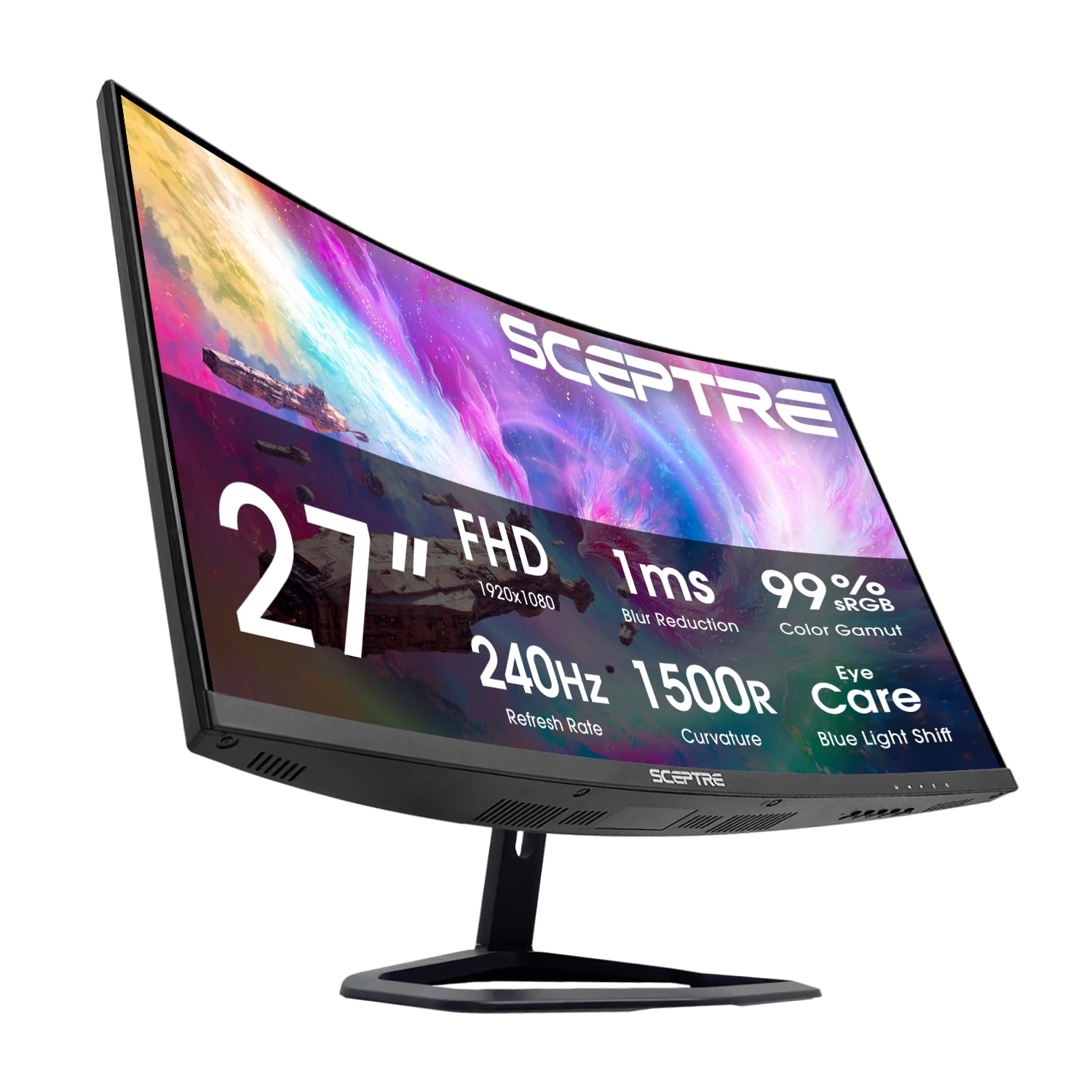
1. Sceptre 27-Inch Curved Gaming Monitor C275B-FWT240
240Hz smoothness with built-in speakers at a price that is hard to argue with.
You get a 240Hz refresh rate and a 1500R curve that makes the screen feel more rich without the high cost. The 3000:1 contrast ratio on the VA panel gives solid black levels, and the 1ms (BR) response time keeps motion clear. One owner reported that “240Hz feels significantly smoother than 60Hz,” which is the jump you will notice immediately. The monitor includes two HDMI ports and two DisplayPort inputs, giving you flexibility to connect a PC and a console at the same time.
Built-in speakers are included, though multiple shoppers say the audio is “tinny” and “poor” — fine for system sounds or casual video, but you will want a headset or external speakers for gaming and music. The blue-light shift (a mode that reduces blue light emissions) helps reduce eye strain during long sessions. At 100% sRGB color gamut, the colors are accurate but not as wide as the SANSUI’s 130%. For the price, this is a very capable entry-level high-refresh monitor.
Perks
- 240Hz refresh rate makes competitive gaming feel fluid
- Built-in speakers reduce desktop clutter, even if audio quality is basic
- Two HDMI and two DisplayPort inputs allow multiple device connections
Compromises
- Speakers sound tinny according to most user reviews
- Color gamut at 100% sRGB is good but not as vibrant as higher-end panels
Ideal for: gamers on a strict budget who still want 240Hz smoothness and the convenience of built-in speakers for casual use.
Just be aware: you will want a separate audio solution if sound quality matters to you.
2. Acer Nitro XZ270
The complete package that nails speed, curve, and comfort without the premium price.
You get a smooth gaming experience with a 280Hz refresh rate that keeps fast action clear. The 1500R curve wraps the 27-inch display around your view, which makes it feel more engaging than a flat panel — owners mention that the curve is rich without being extreme. With AMD FreeSync Premium, screen tearing is eliminated, and the 1ms VRB (Visual Response Boost) response time ensures you do not see ghosting during quick movements.
Customers note the picture quality is excellent and that the monitor replaced a broken Sceptre without disappointment. The Zero-Frame design means the bezel is very thin, so if you ever want to set up two monitors side by side, the seam between them is minimal. The Acer Nitro XZ270 offers a 100,000,000:1 contrast ratio, a figure that far exceeds typical VA panels in this price range, giving you deeper black levels. It also includes a height-adjustable stand with 3.93 inches of range and tilt from -5° to 25°, which is rare at this price.
What Makes It Great
- Up to 280Hz refresh rate keeps competitive shooters fluid
- Height, tilt, and swivel adjustments make finding your ideal sitting position easy
- 100,000,000:1 dynamic contrast ratio delivers rich blacks
The Trade-Offs
- Full HD resolution at 27 inches means pixel density is lower than a 1440p panel
- No built-in speakers, so you will need external audio
Your best bet if: you want a versatile curved monitor with a high refresh rate and a stand that actually lets you adjust the height, tilt, and swivel — ideal for gamers who also use their monitor for daily productivity.
One thing to know: the lower 1080p resolution at 27 inches is noticeable for reading small text up close, so if sharp pixel density is your top priority, you might prefer a smaller screen.
3. AOC 27″ Curved Gaming Monitor C27G4ZH
Blistering 280Hz refresh with a 0.3ms response that leaves almost no blur behind.
That combination means motion blur is cut to an absolute minimum. The 1500R curvature adds a mild wrap effect that keeps your peripheral vision engaged without distorting straight lines.
One reviewer noted that the 280Hz over DP provides ultra-smooth motion and the 0.3ms MPRT reduces blur, calling it “ridiculously smooth gameplay that I can actually feel.” The VA panel delivers a 3000:1 contrast ratio, so blacks are deep and shadow detail is present. The stand is height-adjustable, tiltable, and swivels, which is a big bonus for a monitor at this price. AMD FreeSync Premium syncs the refresh rate with your graphics card to remove screen tearing.
Why It Stands Out
- 280Hz refresh rate is among the highest you can get at this price
- 0.3ms MPRT response is exceptionally fast for a budget monitor
- Full ergonomic stand with height, swivel, and tilt adjustments
Limitations
- 1080p resolution on a 27-inch screen means the pixel pitch is 0.311mm, which is less sharp than smaller monitors at the same resolution
- No built-in speakers
Grab this if: you are a competitive gamer who wants the absolute fastest response and highest frame rate available on a budget curved monitor — especially for first-person shooters.
Keep in mind: the 1080p resolution limits pixel density at 27 inches, so the image is not as crisp as a 1440p display for reading small fonts or detailed textures.
4. ASUS TUF Gaming 27” Curved Monitor VG27VQ3B

A sharp 180Hz panel with ASUS proprietary blur-reduction that keeps motion crisp.
ASUS packs its Extreme Low Motion Blur (ELMB) SYNC technology into this 180Hz 1500R curved monitor, which works alongside AMD FreeSync to reduce ghosting and motion blur without introducing tearing. That combination is harder to find at this price — most budget monitors force you to choose between a variable refresh rate (VRR) and blur reduction. The 1ms GTG (Gray to Gray) response time keeps transitions snappy, and Shadow Boost lifts dark areas so you can spot enemies hiding in shadows without washing out bright parts of the scene.
A long-time gamer reviewer mentioned they play Call of Duty on it with “no lag” and that the monitor delivers “great performance” exactly as described. The static contrast ratio is 3000:1, which gives solid depth to dark scenes. The stand is not height-adjustable, but it does tilt. The 90% DCI-P3 color coverage (a wider color space standard used in film production) means colors are more vibrant than a basic sRGB panel.
What Works Well
- ELMB SYNC eliminates motion blur and tearing simultaneously
- Shadow Boost helps visibility in dark game areas
- 90% DCI-P3 color gamut provides richer colors than standard sRGB monitors
The Catch
- No height adjustment on the stand
- Some reviewers point out receiving units that appear to be used or returned
Pick this if: you play a lot of dark-themed shooters and want ASUS’s blur-reduction tech that works alongside FreeSync without tearing — the ELMB Sync is genuinely useful for competitive gamers.
Something to watch: the stand does not adjust height, so check your desk setup and eye level before committing.
5. SANSUI 27 Inch Curved 240Hz Gaming Monitor
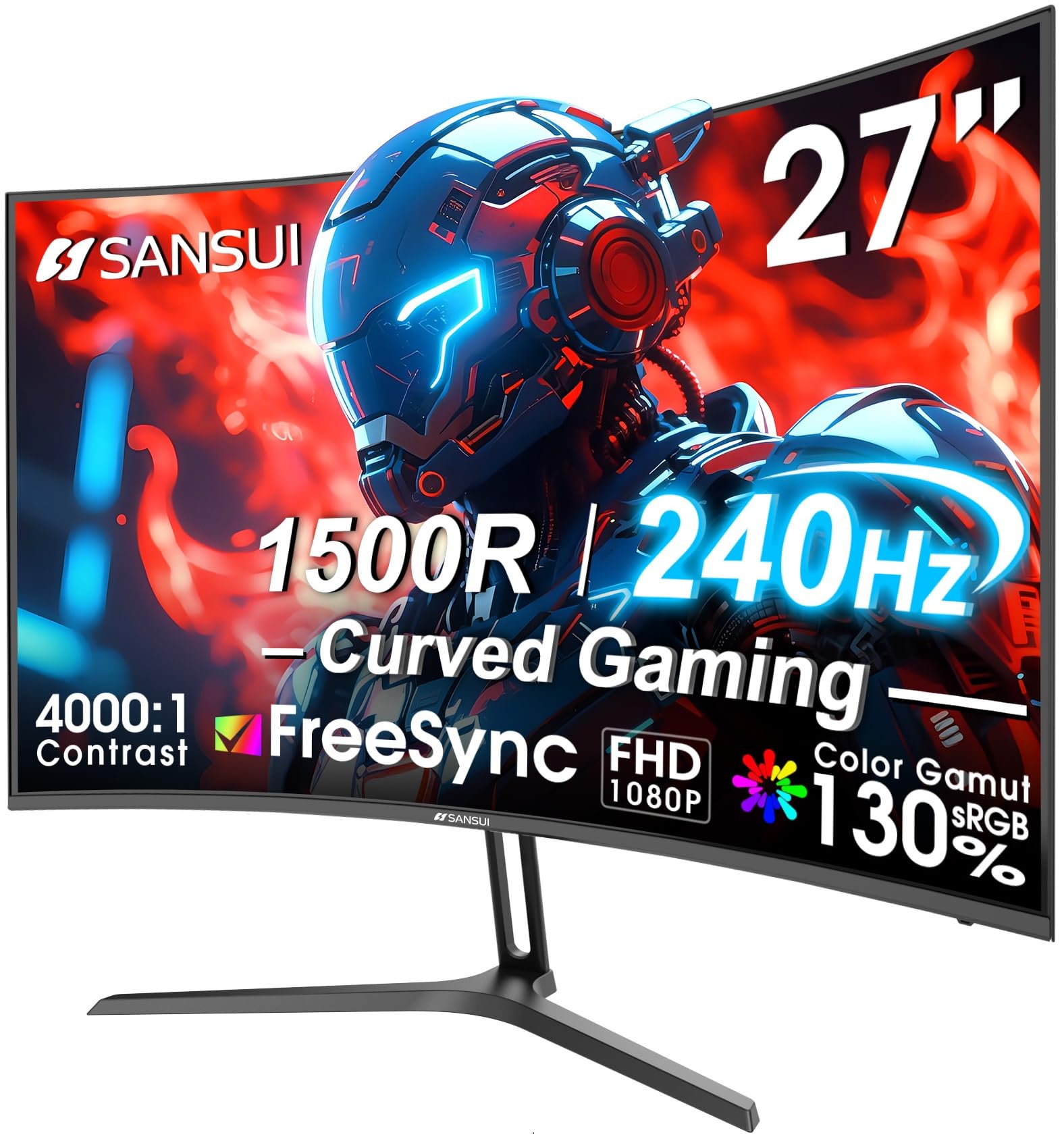
Rich 130% sRGB coverage and a 4000:1 contrast ratio make colors pop and blacks sink deep.
The SANSUI beats the Sceptre on color reproduction with a 130% sRGB color gamut versus the Sceptre’s 100% sRGB (a 30% more coverage gap). Its 4000:1 contrast ratio is also 33% higher than the 3000:1 on the Sceptre, so blacks look deeper and more inky. The 240Hz refresh rate and 1ms MPRT response keep fast motion clear — one buyer mentioned that “180Hz/1ms MPRT delivers smooth motion for FPS/racing,” which matches the performance for competitive titles.
The 1500R curve is standard for immersion at this size, and the metal stand gives it a sturdy feel that some budget monitors lack. It includes both HDMI and DP1.4 ports and an audio jack, but there are no built-in speakers. The 300 nits brightness is decent for indoor use. Reviewers mention it is “surprising quality for the price” and easy to set up, with one programmer noting it “reduces eye strain vs. flat monitors” for long work sessions.
Strong Points
- 130% sRGB color gamut offers vivid, punchy colors for gaming and media
- 4000:1 contrast ratio delivers deeper blacks than typical budget curved monitors
- Durable metal stand feels more premium than plastic alternatives
Areas to Note
- No built-in speakers
- Some users mention the panel feels flimsy when adjusting tilt, despite the metal stand
Choose this for: vibrant color and deep contrast — if you want a budget curved monitor that makes HDR games and movies look rich, this is your best option.
One honest drawback: the stand is metal but the rest of the chassis feels light, so handle adjustments with care.
6. Samsung 27-inch S3 S39GD Curved Monitor
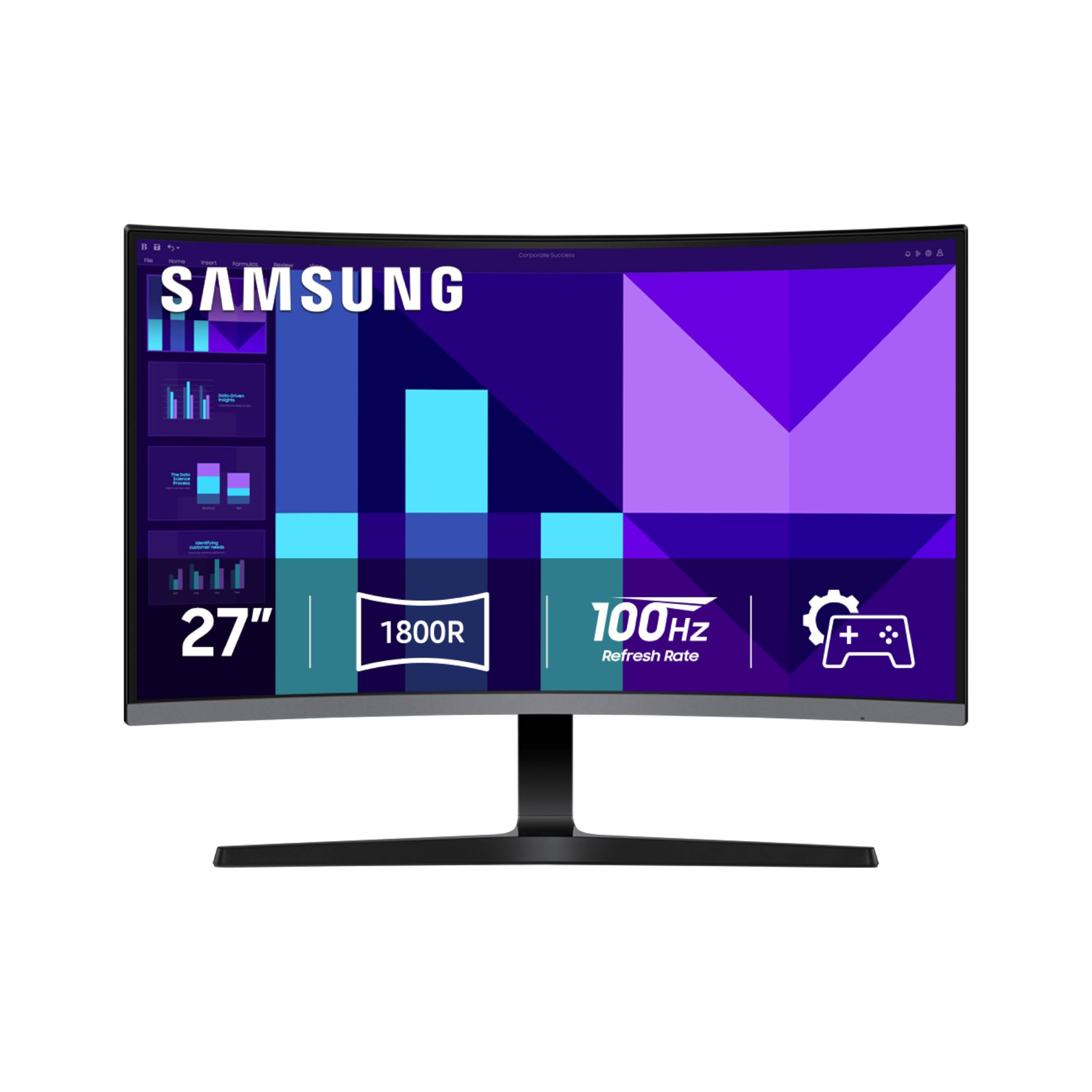
A Samsung curved screen for daily computing that is gentle on your eyes and simple to set up.
This 100Hz curved monitor from Samsung is built for comfort and general use, not extreme high-speed gaming. The 100Hz refresh rate is enough to make scrolling through documents and web pages feel smooth, and the 3000:1 contrast ratio gives good depth to images and video. Advanced eye comfort technology, certified by TÜV (a German safety certification organization), reduces blue light and flicker, so your eyes feel less tired after a full work day. Buyers report that it is “easy on the eyes” and a user noted that they did not know why they waited so long to get a curved screen.
The monitor has built-in speakers, though reviewers describe them as “tinny and terrible for music/video/social media.” At 250 nits brightness, it is adequate for indoor rooms but not for bright, sunny spaces. The included HDMI port connects easily to laptops and desktops. The curvature is not rated in the specs, but user reactions suggest a gentle curve that reduces peripheral distraction without feeling extreme.
What You Get
- TÜV-certified eye care reduces strain during long sessions
- 100Hz refresh rate smooths everyday tasks like scrolling and video
- Built-in speakers free up desk space
What to Expect
- 250 nits brightness is low for rooms with a lot of natural light
- Built-in speakers are low quality for music and gaming
Reach for this if: you spend long hours in front of a screen for office work, browsing, or streaming and want a trusted brand with solid eye care features.
skip it if: you are a competitive gamer — the 100Hz refresh rate will feel sluggish compared to the 240Hz+ options in this list.
7. CRUA 27″ Curved Gaming Monitor
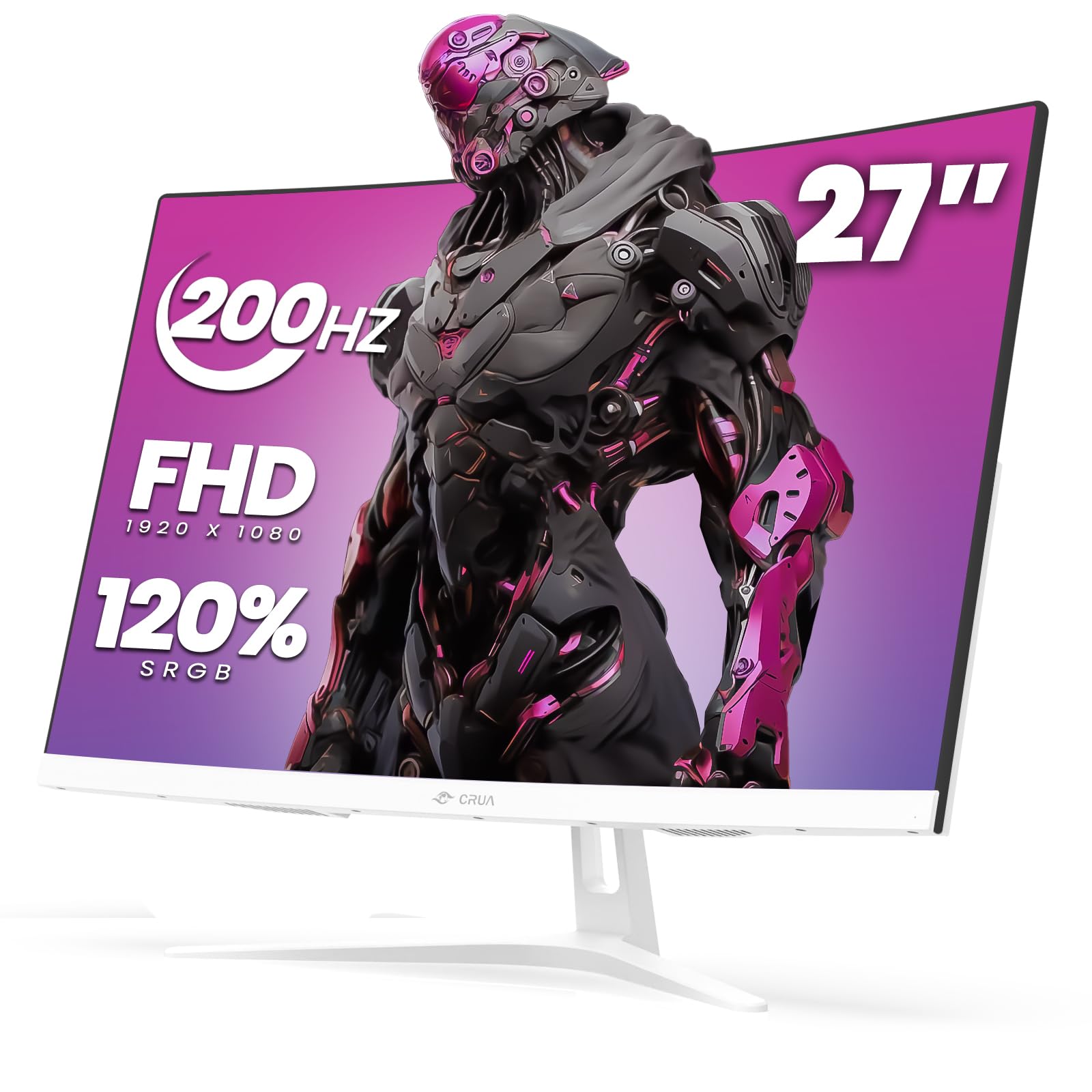
A high-refresh 200Hz curved monitor with a gentle 1800R bend at a rock-bottom price.
The CRUA monitor offers up to 200Hz over DisplayPort, which is a 20% more gradual curve than the tighter 1500R on the Sceptre (1800R vs 1500R). The 120% sRGB color gamut and 3000:1 contrast ratio deliver decent colors and black levels for the price. AMD FreeSync support helps reduce screen tearing in games. The design is white, which pairs well with minimalist or light-colored desk setups.
The 1800R curvature is less aggressive than the 1500R found on many other budget monitors, so the image feels flatter and may be more comfortable for general use. However, reliability is a concern — one customer observed that the “screen failed after 3 months (fuzzy/dark)” and that the manufacturer warranty was not honored despite the listing claiming a 1-year term. Another reviewer noted that the 250 nits brightness is “hard to see in sunny rooms even at max.”
Good Points
- Up to 200Hz refresh rate for smooth motion in fast games
- 120% sRGB color gamut offers above-average color for the price
- White finish fits clean desk aesthetics
Risks to Know
- Multiple reviews report premature failure and poor warranty support
- 250 nits brightness is too low for bright or sunlit rooms
Consider this if: you are on a very tight budget and prioritize a high refresh rate over long-term durability — and you keep your monitor in a dimly lit room.
A real concern: the reliability track record is weaker than other picks here, so you may face issues after a few months.
8. Samsung 24″ Essential S3 S36GD Curved Monitor
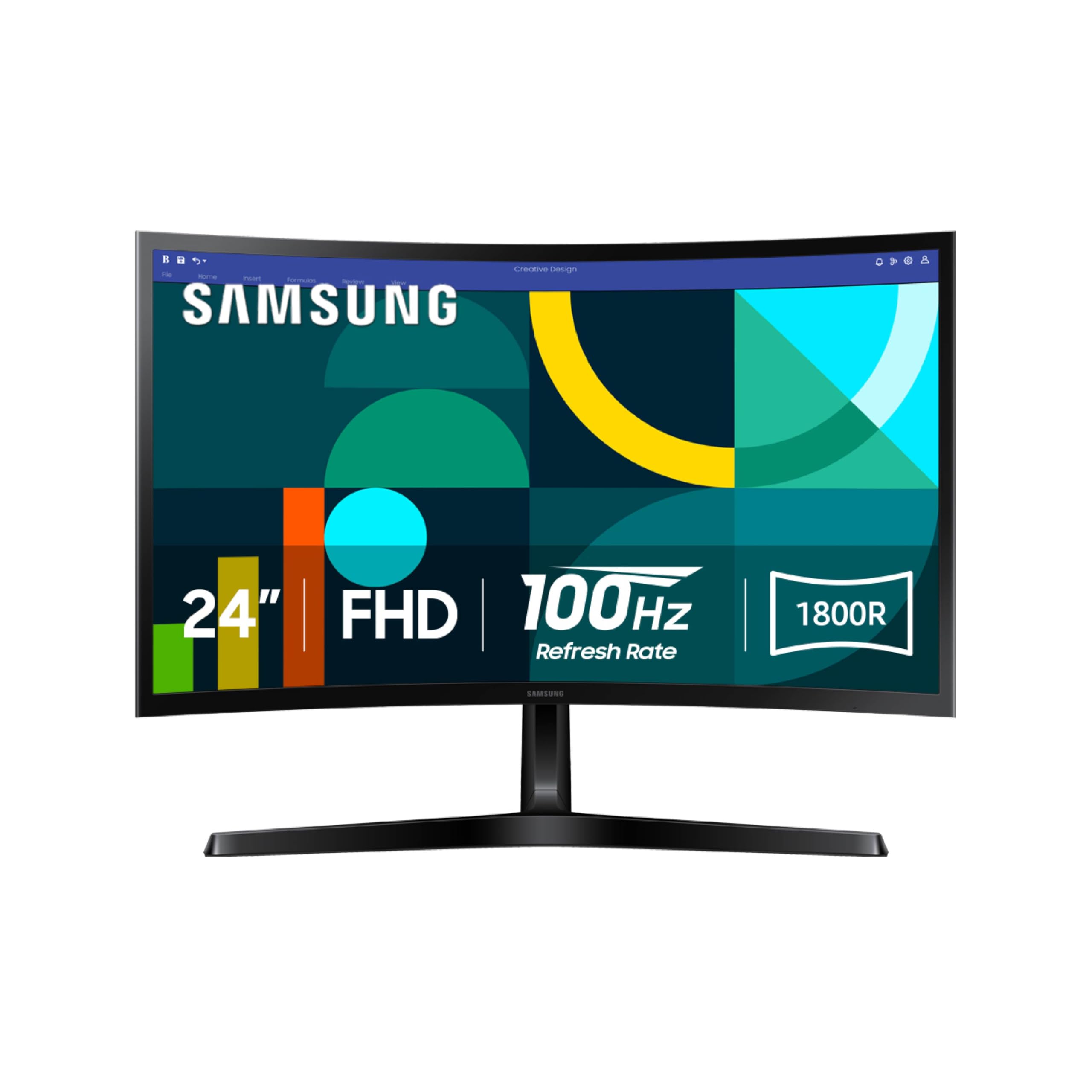
A compact 24-inch curved monitor that fits small desks while keeping a solid picture.
If a 27-inch screen is too big for your space, this 24-inch Samsung with an 1800R curve is a smart alternative. The 100Hz refresh rate is enough for smooth scrolling and casual gaming, and the 3000:1 contrast ratio on the VA panel keeps blacks deep. The TÜV-certified eye saver mode (a feature that reduces blue light and flicker) is a real benefit for long work or study sessions — one buyer called it “good quality at a great price” for their 11-year-old son’s gaming setup.
The monitor has a slim profile and comes with an HDMI cable and power cable in the box. The only connectivity options are HDMI and D-Sub (an older VGA-style port), so you need HDMI for modern devices. The stand is not height-adjustable, which some users pointed out as a limitation, but the picture quality and Samsung’s reputation for durability make this a reliable pick for a secondary or small-space monitor.
Why It Works
- 24-inch size is ideal for smaller desks or dual-monitor setups
- 1800R curve is subtle and comfortable for general use
- TÜV-certified eye care reduces strain over long hours
Limitations
- Stand is not adjustable in height
- Only HDMI and D-Sub ports — no DisplayPort
Best for: anyone with a compact desk who wants a reliable curved monitor for everyday tasks like browsing, office work, and light gaming — Samsung’s build quality is a plus here.
Not ideal if: you need height adjustment or plan to use it for competitive gaming where higher refresh rates matter.
Understanding the Specs
Refresh Rate (Hz)
Measured in hertz (Hz), this is how many times the screen updates the image each second. A 60Hz monitor refreshes 60 times per second, while a 280Hz monitor does so 280 times per second. The higher the number, the smoother motion looks during fast games and scrolling. For a budget curved monitor, 100Hz is enough for everyday use, but 240Hz or 280Hz makes a real difference in shooters and racing games by reducing motion blur and making quick movements feel more fluid.
Curvature (R Value)
The curvature is written as a number followed by “R”, for example 1500R or 1800R. This number is the radius of the circle the curve would make if it were a full circle, measured in millimeters. A 1500R curve is tighter, meaning the screen wraps around you more and fills more of your peripheral vision. An 1800R curve is gentler and feels closer to a flat screen. For a single user sitting directly in front, 1500R at 27 inches is the balance; for a 24-inch screen, 1800R is often more natural.
FAQ
Does a curved monitor work better for gaming than a flat monitor?
Is 1080p resolution enough on a 27-inch curved monitor?
What is the difference between 1500R and 1800R curvature?
Do I need FreeSync or G-Sync on a budget curved monitor?
How important is response time in a curved gaming monitor?
Can I use a curved monitor for office work and programming?
What does MPRT mean on a monitor spec sheet?
Are the built-in speakers on budget curved monitors any good?
Will a 27-inch curved monitor fit on a standard desk?
Can I mount a curved monitor on a wall or monitor arm?
Final Thoughts: The Verdict
Across the board, the best budget curved monitor is the Acer Nitro XZ270 because it balances a 280Hz refresh rate, a height-adjustable stand, and strong contrast at a competitive price. If you want the fastest response time for competitive shooters, grab the AOC C27G4ZH with its 0.3ms MPRT. And for vibrant colors and deep blacks without sacrificing refresh rate, the SANSUI 27″ 240Hz delivers 130% sRGB and a 4000:1 contrast ratio that outperforms pricier rivals.
How We Picked
We do not accept paid placement. Every pick is matched to a real buyer and a real use-case; we do not hands-on test units.
Sources & Methodology
Specifications: manufacturer listings and product documentation. Review insights: verified customer reviews, as of July 2026. Pricing: not shown on this page (it changes often); check the current price via the retailer link.
As an Amazon Associate, FitlyFast earns from qualifying purchases. This does not affect which products we feature.