
Our readers keep the lights on and the weekend projects moving. As an Amazon Associate, I earn from qualifying purchases.
Specs are compiled from manufacturer listings and verified buyer reviews and can change over time — please confirm the key details on the product page before buying.
Picking a budget gaming monitor means you want real speed without emptying your wallet. The catch is that most affordable screens cut corners somewhere — either on response time, color quality, or that critical refresh rate that makes fast-paced games feel buttery smooth. This guide focuses on monitors that hit 144Hz or higher, so you get genuine competitive performance for the money.
I’m Rikta — the founder and writer behind FitlyFast. This guide is built by comparing the manufacturers’ published specifications and the patterns across verified customer reviews, so you get each pick’s real strengths and trade-offs instead of marketing spin.
These options also cover a range of sizes and features so you can find the right fit for your setup and gaming style. Use this breakdown of the best budget monitors for gaming to match a screen to your play style and desk without overspending.
Our Picks at a Glance


How To Choose The Best Budget Monitors For Gaming
A budget monitor for gaming needs to prioritize a few key specs over flashy extras. Your goal is a fast, responsive panel with a high refresh rate, decent colors, and a size that fits your desk and graphics card. Here is what to focus on.
Refresh Rate: 144Hz Is The Starting Line
The refresh rate, measured in hertz (Hz), tells you how many frames the screen can show each second. A standard 60Hz monitor feels sluggish in fast shooters or racing games. A 144Hz panel delivers a much smoother image, and the monitors here range from 144Hz up to 310Hz. Higher numbers mean less motion blur and a clearer view of fast-moving targets.
Response Time: Look For 1ms Or Faster
Response time, usually listed in milliseconds (ms), is how quick a pixel changes color. A slower response (like 4ms or 5ms) can cause ghosting — a faint trail behind moving objects. All the picks here offer a 1ms or faster response time, with the fastest hitting 0.3ms. You want the lowest number you can find for competitive play.
Panel Type: IPS Gives You Better Colors
The panel technology determines viewing angles and color quality. IPS (In-Plane Switching) panels have become the standard for budget gaming. They offer accurate colors (often 99% sRGB) and wide viewing angles so the image does not wash out when you look from the side. Older TN panels are faster but look duller. Every monitor on this list uses an IPS or Fast-IPS panel.
Adaptive Sync: FreeSync And G-Sync Compatibility
Screen tearing happens when your graphics card sends frames faster than the monitor can display them. Adaptive sync tech syncs them up. AMD FreeSync is the most common on budget monitors, and many models are also officially ‘G-Sync Compatible,’ meaning they work smoothly with NVIDIA cards too. Look for FreeSync Premium for a guaranteed minimum refresh rate.
Quick Comparison
| Model | Best For | Refresh Rate | Response Time | Screen Size | Amazon |
|---|---|---|---|---|---|
| Acer Nitro KG271 P6bip | Value 27-inch 144Hz | 144Hz | 1ms (VRB) | 27″ | Amazon |
| LG 24G411A-B | Best Overall Value | 144Hz (OC) | 1ms MBR | 24″ | Amazon |
| Acer Nitro KG271 X1biip | Speed For Less | 200Hz | 0.5ms (GTG) | 27″ | Amazon |
| Dell SE2726HG | High Refresh 27″ | 240Hz | 0.5ms | 27″ | Amazon |
| ASUS VG259QMR5A | Highest Frame Rates | 310Hz | 0.3ms (GTG) | 24.5″ | Amazon |
| ASUS VG249QM5A | Compact 240Hz Speed | 240Hz | 0.3ms (min) | 23.8″ | Amazon |
| LG 27GS50F-B | Big Screen Speed | 180Hz | 1ms MBR | 27″ | Amazon |
In‑Depth Reviews
1. LG 24G411A-B 24-inch Ultragear
The 24-inch all-rounder that balances speed, color, and price flawlessly.
You get vivid colors (99% sRGB coverage) on this LG Ultragear’s IPS panel, a native 120Hz refresh rate that overclocks to 144Hz, and a 1ms MBR (Motion Blur Reduction — a feature that reduces blur in fast-moving scenes) to clean up fast motion — all at a price that undercuts many 60Hz office screens. The 1500:1 contrast ratio is a genuine stand-out here, beating the typical 1000:1 on rivals, so dark scenes in games like *Dead by Daylight* have noticeably deeper blacks.
Buyers report the monitor “seems to be running at 120Hz, which makes the gameplay feel super smooth” when paired with a PS5. The image quality from the start is good, but several reviewers mention that following a calibration guide tightens the color further — common at this price tier. The included stand is a weak point, described as wobbly when you bump the desk, but replacing it with a VESA mount solves that completely. If you want a fast, colorful 24-inch screen that feels like it cost more, this is the one.
Why It Wins
- 1500:1 contrast ratio beats the 1000:1 standard on most budget IPS monitors
- G-Sync Compatible and AMD FreeSync for tear-free play on any GPU
- Black Stabilizer and Dynamic Action Sync improve visibility in dark areas
The Catch
- Stand is cheap and causes screen jiggle on desk bumps
- Brightness is only 250 cd/m², adequate indoors but not exceptional
- Needs a DisplayPort cable (not included) to hit the overclocked 144Hz
the balance pick: Get this LG if you want a smaller, color-rich IPS panel with a standout contrast ratio and smooth 144Hz gaming — it is the best overall value here.
Look elsewhere if: You need a 27-inch screen or absolutely must have the stand included; the wobble will annoy you and a separate mount adds cost.
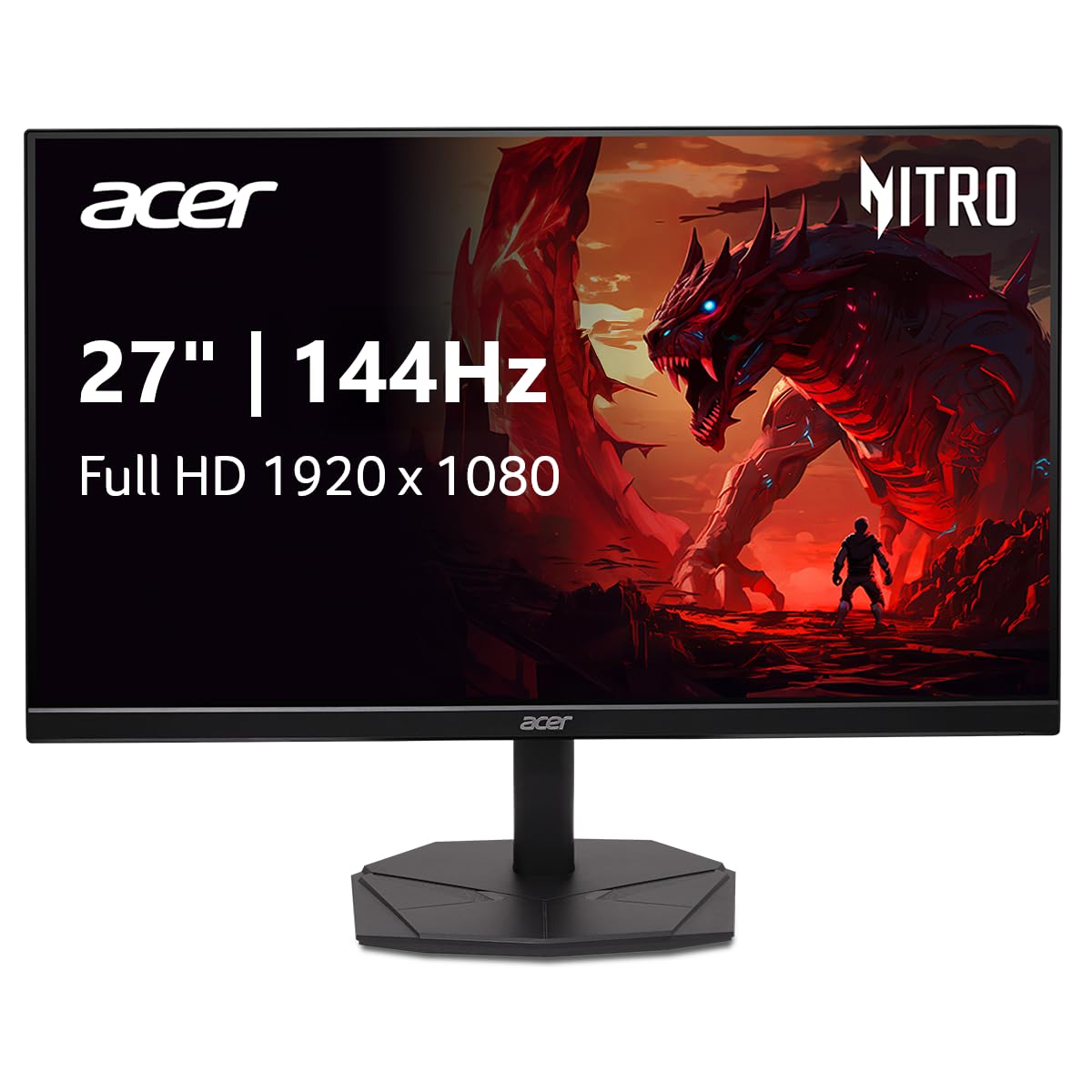
2. Acer Nitro KG271 P6bip 27″
A big 27-inch IPS screen at 144Hz that does not look or feel cheap.
The first thing you notice is the zero-frame design — the bezel is incredibly thin, so the monitor feels like almost all screen. That matters when you are running a dual-monitor setup, as one buyer confirmed: “the stand does not take up a lot of room which is good for dual monitor usage.” The 27-inch 1080p IPS panel covers 99% sRGB and delivers a 1ms VRB (Visual Response Boost — a feature that reduces ghosting in fast motion) to cut ghosting. One reviewer noted the “144Hz vs 60Hz, clearer graphics and faster response for drawing,” making this a solid choice if you do creative work between gaming sessions.
It supports AMD FreeSync (a technology that syncs the monitor’s refresh rate with your graphics card to reduce screen tearing), but there is no G-Sync Compatibility certification, so NVIDIA users may rely on generic adaptive sync. The stand offers tilt adjustment only, no height swivel, and the headphone jack placement was an issue for one buyer: “Mine didn’t come with the spot to plug in headphones as advertised.” The contrast ratio sits at 1000:1, a step below the LG 24G411A-B. If you want a large entry-level gaming screen with slim bezels and good color, this Acer covers the basics well.
What Stands Out
- Zero-frame bezel boost screen space, ideal for dual monitor setups
- 99% sRGB color gamut for accurate colors from the start
- 1ms VRB keeps fast action clear
Check Before Buying
- No G-Sync Certification — adaptive sync on NVIDIA cards is not guaranteed
- Headphone jack might be missing on some units per buyer reports
- Stand is tilt-only with no height adjustment
Ideal for dual-screen gamers: The thin bezel and large 27-inch size make this Acer a top pick for anyone running two monitors on a desk — it looks clean and leaves more room for the second screen.
skip it if: You game with an NVIDIA card and want official G-Sync support, or if the lack of a height-adjustable stand is a deal-breaker.
3. Acer Nitro KG271 X1biip 27″
200Hz and 0.5ms response — the fastest 27-inch monitor on a tight budget.
Where most budget 27-inch monitors stop at 144Hz or 165Hz, this Acer pushes to 200Hz with a 0.5ms GTG (Gray to Gray) response time. For a 27-inch IPS panel, those numbers are unusually high for the price. The jump from 144Hz to 200Hz is noticeable in competitive titles like *Valorant* or *Apex Legends* — motion feels tighter, and the 0.5ms response keeps ghosting to a minimum. The 99% sRGB coverage means colors do not get sacrificed for speed, unlike older TN panels. Owners mention the “screen quality, accurate colors, and feel bigger than expected” and that it is “great for daily use and for gaming.”
It uses FreeSync Premium, which adds a minimum refresh rate guarantee — no tearing even if your frame rate dips. The catch is the contrast ratio is a standard 1000:1, so blacks are good but not deep, and the stand only tilts. One buyer mentioned theirs “didn’t come with the spot to plug in headphones as advertised,” but added the headphone port omission was not an issue because they plugged into their Xbox controller. If speed on a big screen is your priority and you can live with a basic stand, this Acer delivers more frames per dollar than most.
Why It Is Fast
- 200Hz refresh rate at 27 inches is rare at this price point
- 0.5ms GTG response time minimizes ghosting
- FreeSync Premium guarantees tear-free play when fps dips
Trade-Offs
- 1000:1 contrast ratio — blacks look gray in dark rooms
- Stand offers tilt only, no height or swivel adjustment
- Missing headphone jack on some units, per buyer reports
For the competitive big-screen gamer: If you play fast shooters on a 27-inch monitor and want the smoothest motion you can afford, this Acer’s 200Hz and 0.5ms response is a serious value play.
Pass on this if: You need deep blacks for cinematic single-player games, or if a height-adjustable stand matters to your setup.
4. Dell SE2726HG 27″ 240Hz

240Hz speed with Dell’s dependable build quality and a joystick OSD.
This Dell delivers 240Hz and a 0.5ms response time on a 27-inch IPS panel — a combination that competes with higher-end ASUS and LG models. It is a massive jump over the Acer Nitro 27-inch 144Hz: at 240Hz versus the Acer Nitro’s 144Hz, giving you a noticeable edge in reaction-time games. The monitor is TÜV Rheinland 3-star certified for low blue light, so eye strain is reduced without washing out colors. Customers note the “image quality is sharp, vibrant, and crisp,” and that the “240Hz refresh rate makes a huge difference, providing incredibly smooth gameplay.”
It supports FreeSync Premium and HDMI VRR, making it console-friendly as well. The stand uses a joystick control for the OSD (on-screen display), which is a nice touch over fiddly buttons. One key trade-off: it has no built-in speakers, so you need headphones or external speakers. A few buyers noted the monitor did not come with a power cord as expected, though it uses a standard figure-8 connection that many people have lying around. For a 27-inch 240Hz panel, this Dell is a polished choice that prioritizes reliability as much as speed.
Built Smart
- 240Hz at 27 inches with a premium Dell build and joystick OSD
- TÜV Rheinland 3-star low blue light certification reduces eye strain
- FreeSync Premium and HDMI VRR work with PC and consoles
Know Before You Buy
- No built-in speakers — you will need headphones or a soundbar
- Some units shipped without a power cord, per buyer feedback
- Stand is tilt-only, no height adjustment
Best for the reliability-focused gamer: You get 240Hz speed in a 27-inch IPS panel from a brand known for solid quality control.
Consider something else if: You need built-in speakers or a stand with height adjustment, or you want the absolute highest refresh rate available.
5. ASUS TUF VG259QMR5A 24.5″ 310Hz
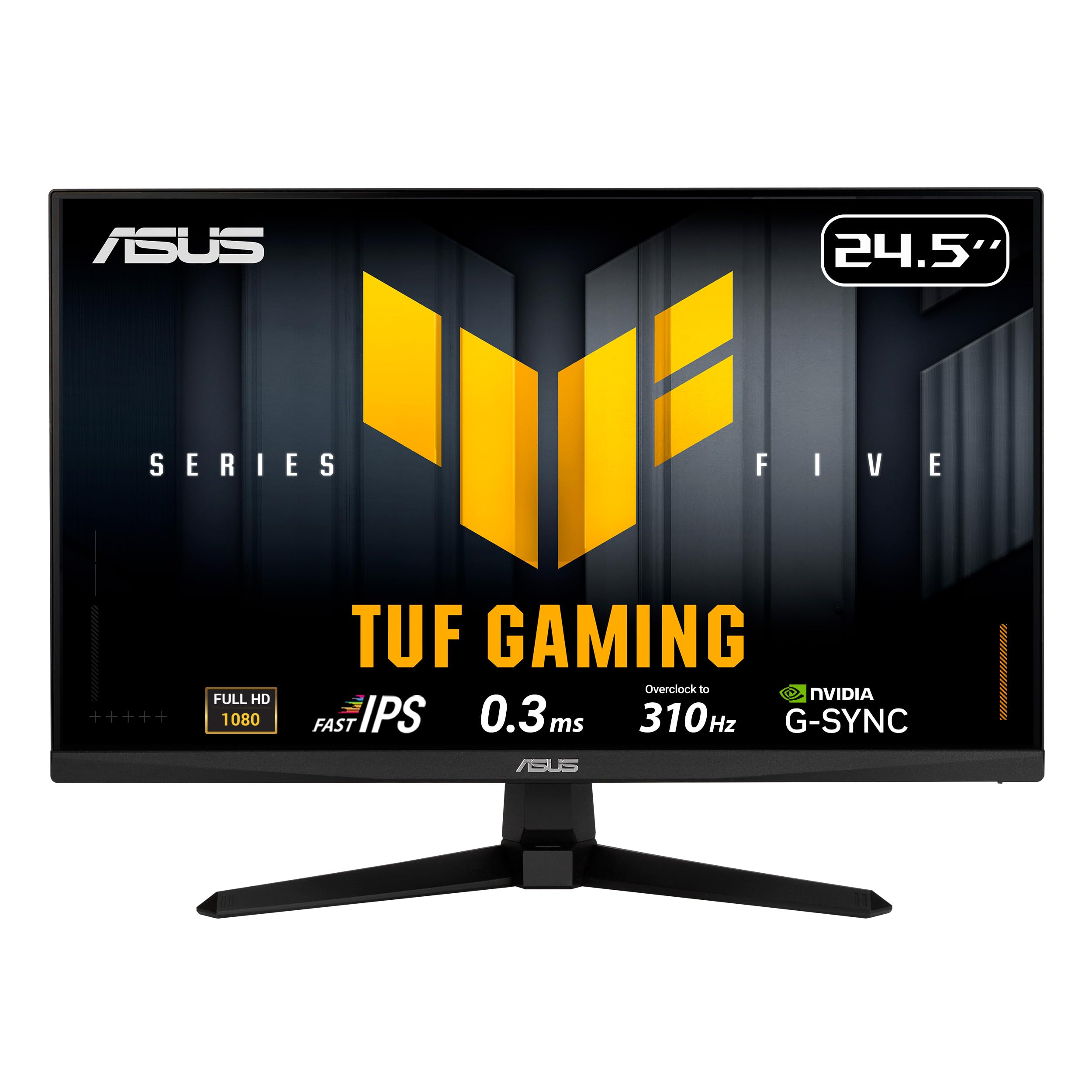
310Hz overclocked speed with 0.3ms response — pure competitive edge.
This ASUS TUF monitor is built for players who want every possible frame rate advantage. It features a 24.5-inch Fast-IPS panel that overclocks to 310Hz, paired with a 0.3ms GTG response time. That makes it the fastest monitor on this list by a clear margin. The Extreme Low Motion Blur Sync (ELMB SYNC) lets you use motion blur reduction alongside variable refresh rate — a feature usually reserved for pricier screens — so you get sharp motion without screen tearing. Buyers call it “great for the price” and note that “the high refresh rate makes this super fun to play on definitely on a competitive level.”
It includes DisplayWidget Center, which lets you adjust monitor settings with your mouse instead of pressing buttons. There is also a set of Gaming AI features like Dynamic Crosshair and Dynamic Shadow Boost, though these are more gimmicks than essentials for most players. The catch is the stand does not offer height adjustment, only tilt. At 24.5 inches, this is a smaller screen that focuses entirely on speed, making it ideal for esports titles where pixel response matters more than screen real estate.
What Makes It Fast
- 310Hz overclocked refresh rate leads this entire list
- 0.3ms GTG response time eliminates ghosting
- ELMB SYNC works alongside FreeSync/G-Sync for blur-free action
The Downsides
- Stand is tilt-only with no height adjustment
- 24.5-inch screen feels small for rich single-player games
- Gaming AI features are mostly novelties
Built for esports: If you play *CS2*, *Valorant*, or *Overwatch* and want every frame of advantage, this ASUS 310Hz monitor is the speed king on a budget.
Not for you if: You want a larger screen for cinematic games, or you need a stand that adjusts in height and swivel.
6. ASUS TUF VG249QM5A 23.8″ 240Hz
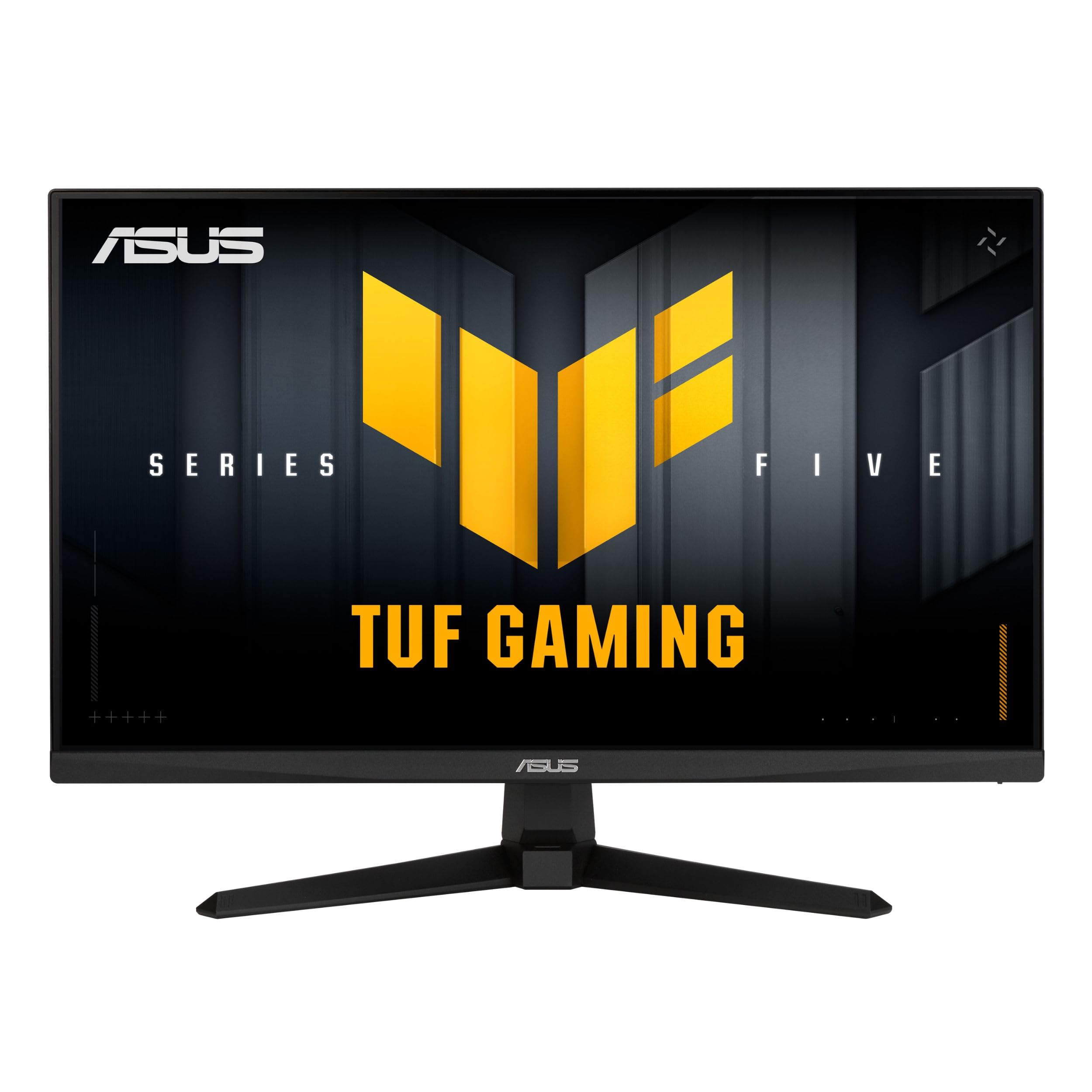
240Hz speed with built-in speakers and a budget-friendly price tag.
This 23.8-inch ASUS TUF monitor packs 240Hz and a 0.3ms response time into a compact size that fits most desks without dominating. It uses the same Fast-IPS panel technology as its 310Hz sibling, so you get rich 99% sRGB colors and wide viewing angles, but at a more accessible price. The ELMB SYNC feature is included too, pairing motion blur reduction with variable refresh rate for smooth, tear-free play. One buyer called it “the best budget friendly monitor,” noting the “color and picture quality has exceeded my expectations.”
A practical advantage here: this model includes built-in speakers (2Wx2), which many gaming monitors skip. They are not loud enough for rich gaming, but they save you from needing external speakers for YouTube or casual use. The main limitation is the 23.8-inch size — it is great for competitive play where you sit close, but it will feel small for cinematic titles or movie watching. The stand is tilt-only, but the compact footprint makes it easy to pair with a monitor arm.
Packed In
- 240Hz refresh rate with 0.3ms response at a low price point
- Built-in 2Wx2 speakers are rare at this price
- ELMB SYNC and FreeSync Premium for tear-free gaming
Keep In Mind
- 23.8-inch screen feels small for some setups
- Built-in speakers are functional but not impressive
- Stand only tilts — no height or swivel adjustment
Perfect for compact desks: The small footprint and built-in speakers make this ASUS a neat all-in-one package for a bedroom or dorm setup.
Better options exist if: You are set on a 27-inch screen, or you want a stand that adjusts in height for ergonomic comfort.
7. LG 27GS50F-B 27″ 180Hz

A 27-inch LG with 180Hz speed and a three-side borderless design.
If you want a larger 27-inch screen but do not need the full 240Hz, this LG offers 180Hz and a 1ms MBR response time, delivering smooth gameplay at a lower cost. The three-side virtually borderless design makes the screen feel rich, and the HDR10 support adds a bit more pop to colors and contrast — though at 250 cd/m² brightness, it is not true HDR. The contrast ratio is listed at 3000:1, which is surprisingly high for an LCD and gives blacks a richer look than the 1000:1 panels on other IPS monitors here. A buyer summed it up simply: “Perfect for first time gaming monitor. Picture quality is crisp and clear. Fast refresh rate.”
It includes LG’s gaming GUI with Gamer, FPS, and RTS modes, plus Dynamic Action Sync, Black Stabilizer, and an on-screen Crosshair. The color gamut covers 72% — lower than the 99% sRGB on most picks, so colors are not as vibrant for creative work. The stand is tilt-only and feels basic, but the panel itself is solid. For a big-screen budget gaming monitor that feels like a step up from entry-level, this LG is a balanced choice.
Big Screen Perks
- 27-inch IPS screen with a 180Hz refresh rate is smooth and spacious
- 3000:1 contrast ratio delivers deeper blacks than most budget IPS
- Three-side borderless design looks clean and modern
Drawbacks
- 72% color gamut is less vibrant than 99% sRGB competitors
- 250 cd/m² brightness — adequate indoors but not for bright rooms
- Stand is basic with tilt-only adjustment
Great for a first gaming monitor: The large screen, solid 180Hz speed, and higher contrast ratio make this LG a simple, effective entry point into competitive play.
Look elsewhere if: Color accuracy for design work is a priority, or you want a higher 240Hz refresh rate for the fastest esports titles.
8. ASUS TUF VG259QM5A 24.5″ 240Hz
Response Time (ms)
Response time measures how quickly a pixel can change from one color to another. Faster response times (1ms or less) prevent ghosting, where a trail of the previous image lingers behind moving objects. The two main types you will see are GTG (Gray to Gray) and MBR (Motion Blur Reduction). GTG is the raw pixel speed. MBR is a technique that blinks the backlight between frames to reduce perceived blur, but it can sometimes cause flickering or dim the image.
Adaptive Sync (FreeSync / G-Sync)
Screen tearing happens when your graphics card sends a new frame while the monitor is still drawing the old one. Adaptive sync synchronizes the monitor’s refresh rate to your GPU’s frame rate output. AMD FreeSync is an open standard found on most budget monitors. FreeSync Premium adds a minimum refresh rate guarantee. ‘G-Sync Compatible’ means the monitor passed NVIDIA’s validation to work with GeForce cards. Both standards deliver the same smooth result: no tearing, less stutter.
Panel Types: IPS vs VA vs TN
IPS (In-Plane Switching) panels offer the best color accuracy and wide viewing angles, meaning the image stays accurate even if you are not sitting directly in front. VA (Vertical Alignment) panels have deeper black levels but slower response times and narrower viewing angles. TN (Twisted Nematic) panels are rare in modern gaming monitors because they have poor color and angle performance, though they can be the fastest. For a budget gaming monitor, IPS is the safest choice — you get good speed without sacrificing image quality.
FAQ
Can a 144Hz monitor run at 60 fps without problems?
Do I need a special cable for 240Hz or 310Hz?
Is a 27-inch 1080p monitor too pixelated for gaming?
What does FreeSync Premium do that standard FreeSync does not?
Will a G-Sync Compatible monitor work with an AMD graphics card?
How long should a budget gaming monitor last?
Can I use a 144Hz gaming monitor for photo or video editing?
What does ‘1ms MBR’ mean compared to ‘1ms GTG’?
Do budget gaming monitors have good viewing angles for watching movies with others?
Is it worth buying a 240Hz monitor if I mostly play single-player games?
Final Thoughts: The Verdict
Across the board, the best budget monitors for gaming winner is the LG 24G411A-B because it combines a 144Hz overclocked IPS panel, 1500:1 contrast ratio, and G-Sync/FreeSync compatibility at a price that leaves room for other upgrades. If you want a large 27-inch screen with speed, grab the Acer Nitro KG271 X1biip with its 200Hz and 0.5ms response. And for the highest possible frame rates while staying affordable, the standout is the ASUS TUF VG259QMR5A at 310Hz.
How We Picked
We do not accept paid placement. Every pick is matched to a real buyer and a real use-case; we do not hands-on test units.
Sources & Methodology
Specifications: manufacturer listings and product documentation. Review insights: verified customer reviews, as of July 2026. Pricing: not shown on this page (it changes often); check the current price via the retailer link.
As an Amazon Associate, FitlyFast earns from qualifying purchases. This does not affect which products we feature.