
Our readers keep the lights on and the weekend projects moving. As an Amazon Associate, I earn from qualifying purchases.
Specs are compiled from manufacturer listings and verified buyer reviews and can change over time — please confirm the key details on the product page before buying.
This guide sorts through five real-world models to find the machine that gives you the most reliable prints for the least hassle.
I’m Rikta — the founder and writer behind FitlyFast. This guide is built by comparing the manufacturers’ published specifications and the patterns across verified customer reviews, so you get each pick’s real strengths and trade-offs instead of marketing spin.
Whether you are a student, a remote worker, or just tired of running to the library, finding the right budget home printer means looking past the sticker price to what actually breaks, fades, or empties too fast once you hit print.
Our Picks at a Glance

How To Choose The Best Budget Home Printer
Start by forgetting the “base model” price. A cheap printer can cost you triple in ink and frustration if the feeder is weak or the cartridges are undersized. Focus on three things: running costs, build quality, and how easily it connects to your phone without a tech-support call.
Ink Cost: The Hidden Second Price Tag
Most budget printers ship with “starter” cartridges that hold far less ink than the retail versions you buy later. You might get 250 pages from the starter black cartridge but 600 from the full-size replacement. Always check what kind of ink the model uses and whether you can refill with third-party or generic cartridges without the printer blocking them.
Duplex and the Auto Document Feeder
Auto two-sided (duplex) printing cuts your paper usage in half — a must for multi-page school or work documents. An ADF (Auto Document Feeder — a slot that pulls in a stack of papers automatically) lets you stack a pile of originals for scanning or copying without standing at the machine feeding one sheet at a time. For light home use, these are not non-negotiable, but they dramatically improve daily convenience.
Quick Comparison
| Model | Best For | B&W Speed | Color Speed | Paper Tray | Amazon |
|---|---|---|---|---|---|
| Canon PIXMA TR4720★ Best Overall | Entry-level staple | 8.8 ppm | 4.4 ppm | 100-sheet | Amazon |
| HP OfficeJet Pro 8139Full-Featured Powerhouse | Full-featured home office | 20 ppm | 10 ppm | 225-sheet | Amazon |
| HP OfficeJet Pro 8125 | Best value pro quality | 20 ppm | 10 ppm | 225-sheet | Amazon |
| Brother Work Smart 1410 | Reliable all-arounder | 16 ppm | 9 ppm | 150-sheet | Amazon |
| Canon PIXMA TR7120 | Compact budget buy | 14 ppm | 9 ppm | Small | Amazon |
In-Depth Reviews
1. Canon PIXMA TR4720 All-in-One Wireless Printer
The entry-level warrior that does everything a student or home user needs — and then some.
You get wireless 4-in-1 capability (print, copy, scan, fax) in a compact package — the Canon PIXMA TR4720 is an incredible value for anyone who needs a do-it-all machine at the lowest possible entry cost. The auto document feeder (a slot for multi-page scanning) and auto two-sided printing are features you normally find on pricier models, and they make a real difference when you need to scan a multi-page assignment or print double-sided handouts. The 100-sheet tray is modest, but for a desk in a dorm room or a corner of the kitchen, it is exactly right.
The standout trick is Alexa connectivity: you can ask Alexa to reorder ink when you run low, and if you enroll in smart reorders — as described by the manufacturer — cartridges show up before you even realize you are out. That convenience is rare at this price tier. Speed is the obvious trade-off: at 8.8 ppm black and 4.4 ppm color, the TR4720 is the slowest on this list. Color prints come out at 4.4 ppm versus 10 ppm on the HP OfficeJets. Compared to the Canon PIXMA TR7120, it prints at 8.8 ppm black versus 14 ppm.
Durability reports are split. Some owners describe this as the “easiest and most productive printer ever used,” while others report the paper feeder snapping after around 50 pages. The build is described as “flimsy” and the screen as “hard-to-read” in some accounts, so treat it gently. Photo quality is “washed out” per several owners, so if vibrant pictures matter, step up to the TR7120 or an HP. The ink starter pack depletes quickly — factor in the cost of a full set of replacement cartridges right away.
The crowd favorite: This is the most-reviewed printer in the lineup by a massive margin, with 16,000+ owners weighing in. For pure value and feature set at the bottom of the price ladder, it is tough to top.
Who should pass: Anyone who prints more than 50 pages a week or relies on sharp photo output — the slower speeds and less sturdy feeder become a daily frustration.
Perfect for: the lightest home use — school forms, the occasional recipe, a few pages of color here and there — where the low upfront cost is everything.
Not for: anyone who needs to print a 20-page report in color or handles stacks of papers that test a plastic feeder.
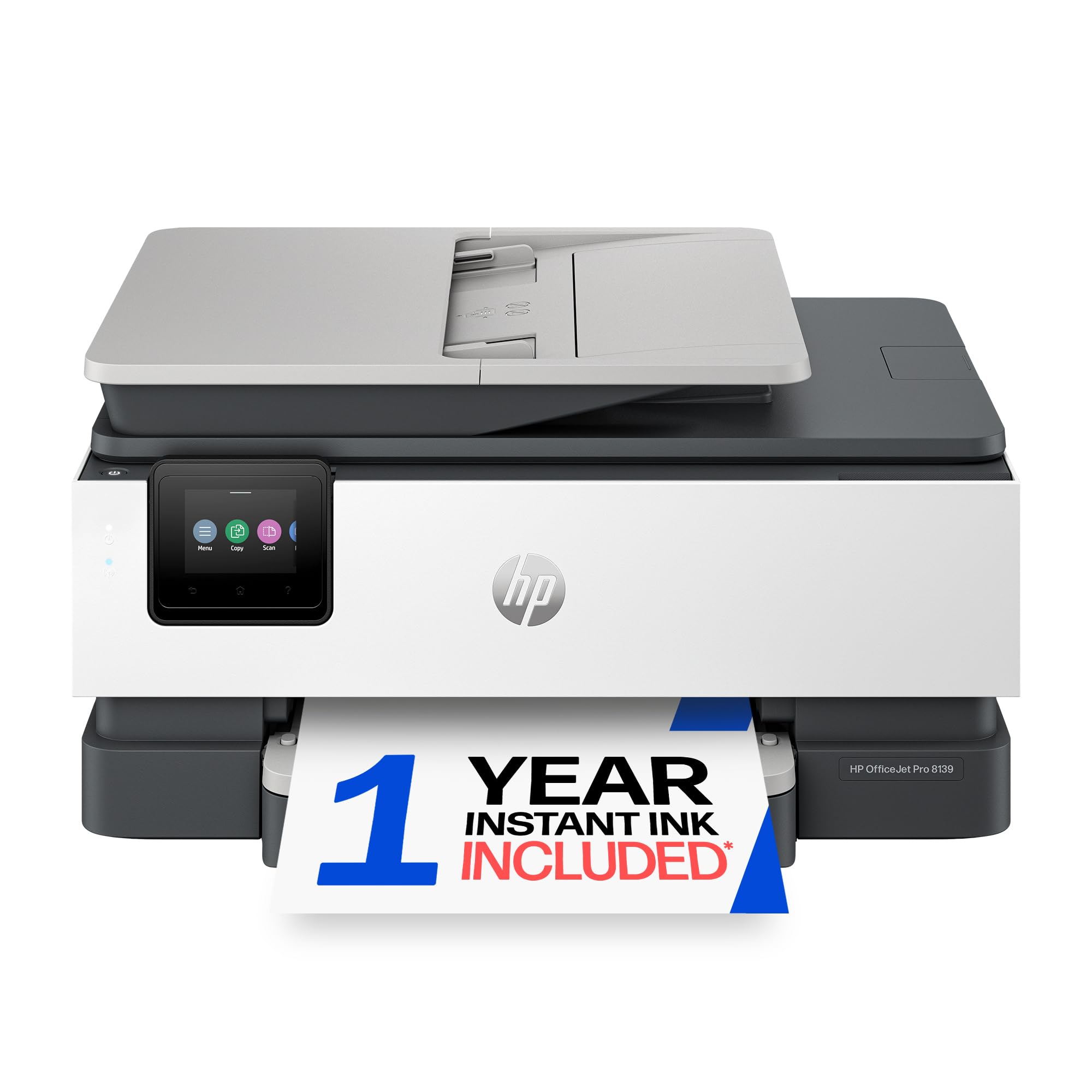
2. HP OfficeJet Pro 8139 Wireless All-in-One
The speed demon that prints color documents as fast as most do black-and-white.
You get crisp text and vivid color reproduction on flyers, school projects, and presentations — owners across the board agree the print quality is the star here. At 20 ppm black and 10 ppm color, the HP OfficeJet Pro 8139 handles 10-plus page jobs without the wait. That color speed is 10 ppm, versus the Canon PIXMA TR4720 at 4.4 ppm.
The longest ink subscription among the group sets this model apart: a 1-year trial of Instant Ink (HP’s service that delivers new cartridges before you run out). HP claims you save up to 50% on each cartridge through its Instant Ink subscription. But you lock into HP-branded cartridges only — the firmware blocks third-party refills. The 225-sheet tray handles larger jobs well, and the 2.7-inch touchscreen makes navigating menus feel more like your phone than a printer panel.
Connectivity is the one area to watch. Some buyers report easy Wi-Fi pairing, but owners mention others hit snags when connecting a second computer or using Bluetooth. As owners sum it up: “easy to install” and “great printing quality” when it works, but prepare for a possible hiccup if your home network is complex. It is also noticeably larger than the Canon options, with a footprint of 18.12 inches wide by 13.29 inches deep — bigger than the Brother Work Smart 1410’s 17.1 x 13.3 inches. This is the pick for a dedicated desk, not a cramped shelf.
Who it fits: Home offices and power users who want professional color output, fast speeds, and do not mind HP’s proprietary ink model in exchange for reliability and a year of auto-delivered supplies.
The trade-off: The most expensive upfront option here, and connectivity can be a hit-or-miss experience depending on your router and device setup.
Reach for this if: you print 50+ pages a week and want color that pops without a trip to the office supply store.
Not for you if: you want to use off-brand ink cartridges or need a smaller footprint — this machine is wider and deeper than the Canon competitors.
3. HP OfficeJet Pro 8125 Wireless All-in-One

Setup is its superpower — you can be printing in minutes, owners say.
Ease of use is the most-praised aspect of the HP OfficeJet Pro 8125. One long-time user put it: “Set up was not hard at all and I’m not a freaking computer genius. Minutes, literally minutes. Test prints were good.” That reputation extends to dual-band Wi-Fi that automatically detects and fixes connection glitches—a relief compared to finicky competitors like the Canon PIXMA TR4720, where some customers note sporadic disconnects.
At 20 ppm black and 10 ppm color, this model matches the 8139’s speed and prints color at 10 ppm versus the Canon PIXMA TR4720’s 4.4 ppm. The 225-sheet tray, auto document feeder (a slot for multi-page scanning), and auto two-sided printing round out a productivity package that feels business-grade at a home-office price. Print quality is the second most-cited positive, with owners reporting sharp text and reliable copies across laptops, phones, and iPads.
The catch is the 3-month Instant Ink trial (shorter than the 8139’s full year), so the subscription savings clock runs out faster. The same HP-chip lockout applies — no generic cartridges. The build reliability is solid, with one repeat buyer noting they came back after 7 years of happy use. Pick this over the 8139 if minutes of setup time matter more than a longer ink trial.
Best for: value-focused home offices that want pro-level speed and reliable setup without paying extra for a longer ink trial they may not even use.
Think twice if: you plan to refill with third-party cartridges — HP’s firmware enforcement makes that a no-go.
4. Brother Work Smart 1410 Wireless Inkjet All-in-One

The printer that plays nice with generic cartridges and a dual-band router.
Owners praise the print quality most — vivid colors and crisp text that rivals printers costing twice as much. The Brother Work Smart 1410 delivers that with a 2.7-inch color touchscreen that makes scanning to cloud apps like Google Drive and Dropbox genuinely easy. The 20-sheet ADF (Auto Document Feeder) lets you stack and scan multi-page documents without standing over the machine.
Here is the big difference from the HP options: this Brother openly works with generic ink cartridges. Owners confirm “can use generic ink cartridges!” without any firmware blocks, which can slash your per-page costs dramatically. Speed is 16 ppm black and 9 ppm color — noticeably slower than the HP models (20/10 ppm), but for typical home or small-office volumes that throughput is plenty. The first page comes out in about 6.2 seconds for black, so you are not staring at a blank screen long — faster than the HP OfficeJet Pro 8125’s 7.5-second first page out.
The reliability aspect is reported as mixed, with a handful of owners describing frustration with ink availability if you stick with Brother Genuine cartridges (stories of wrong ink shipped or long wait times). Durability gets positive marks, with one buyer noting the front paper tray and quiet operation day-to-day. At 150 sheets, the paper tray is smaller than the HP 225-sheet trays, so high-volume users will refill more often. The printer measures 17.1 x 13.3 inches, a touch more compact than the HP OfficeJet Pro 8139 at 18.12 x 13.29 inches.
What owners rave about
- Excellent print quality for both text and color images (the top-cited positive).
- Accepts generic ink cartridges — a huge long-term cost saver.
- Fast initial page out (6.2 seconds black) and easy Wi-Fi setup on dual/tri-band routers.
Where to be cautious
- Mixed ratings on reliability — a few owners had trouble with ink supply from Brother directly.
- Paper tray holds 150 sheets vs 225 on the HP OfficeJets.
Grab this if: you want top-tier print quality and the freedom to use cheaper third-party cartridges.
Hard pass if: you need the fastest throughput for heavy daily print volumes — the HP OfficeJets print at 20 ppm black versus 16 ppm on the Brother.
5. Canon PIXMA TR7120 Wireless Color Inkjet

A pint-sized all-in-one that punches above its weight on print quality and value.
For the money, the Canon PIXMA TR7120 delivers on the essentials: sharp text, easy smartphone connection via AirPrint and Mopria (universal mobile printing standards), and auto two-sided printing that saves paper on school packets and office drafts. The 1.42-inch monochrome OLED (a small, bright screen that shows text and icons) display shows ink levels and printer status at a glance — a feature often missing from ultra-budget machines. At 14 ppm black and 9 ppm color, it prints at 14 ppm black versus the TR4720’s 8.8 ppm, a real advantage for frequent short print jobs. That color speed ties the Brother Work Smart 1410 at 9 ppm.
Reviewers point out the straightforward setup is a big plus. The consensus is clear: “Easy set up, nice compact footprint, prints like a printer should print.” It uses a 2-cartridge hybrid ink system (pigment black for text, dye-based colors for photos), which gives documents a crisp, professional look. The Auto Document Feeder handles multi-page scanning well, and the compact white design fits neatly on a desk shelf without dominating the room.
The downside mentioned most is the paper tray — “a little on the small side” as one owner put it. High-volume users will find themselves reloading often. Ink consumption is noted as mixed, with some owners finding the starter cartridges run out quickly. That said, it uses standard Canon cartridges (PG-275/CL-276 type), so replacements are widely available, and the price point is undeniably competitive. One reviewer noted the printer “doesn’t take up much space,” which matters if your desk is tight.
Best suited for: a home user who needs a compact, reliable wireless printer for occasional color printing and does not mind a smaller paper tray.
Consider a different model if: you frequently print stacks of 30+ pages in one sitting — the tray size will become a nuisance.
Understanding the Specs
Pages Per Minute (ppm)
This is the manufacturer’s stated speed for printing standard letter-size pages without stopping. Black-and-white (mono) ppm is always higher than color ppm. The numbers you see — 8.8, 14, 16, 20 — come from lab tests using the simplest print mode. Real-world speed when printing mixed documents is typically slower, but it is the best apples-to-apples number between models.
Auto Document Feeder (ADF)
An ADF is a slot on top of the scanner where you stack multiple pages. The machine pulls each sheet through automatically, scanning or copying the whole stack in sequence without you lifting the lid for each page. A 20-sheet ADF can handle a typical homework packet or client contract in one go; no ADF means you feed pages one by one.
Duplex (Auto Two-Sided) Printing
Duplex printing flips the page automatically so you can print on both sides without manually turning the stack. It cuts paper use roughly in half for multi-page documents — a small but real savings over a year.
Starter vs Standard Ink Cartridges
Most printers ship with “setup” or “starter” cartridges that hold less ink than the standard replacements. For example, a starter black cartridge might yield 250 pages while the same model’s full cartridge yields 600. Always check which cartridges are being tested in reviews — a printer that seems cheap to run may look different with the higher-capacity replacements.
FAQ
Can I use off-brand or generic ink cartridges in these printers?
Which printer here has the best photo print quality?
How long do the “starter” ink cartridges last?
Will any of these printers work with dual-band or tri-band Wi-Fi routers?
What does the Auto Document Feeder (ADF) do for me?
Do these printers work with my phone or tablet?
Which model has the best value for ink over a year?
Can I fax from any of these printers?
Final Thoughts: The Verdict
For most buyers, the budget home printer winner is the Canon PIXMA TR4720 because it delivers the essential features — auto duplex, auto document feeder, and even fax — at the absolute lowest entry price with over 16,000 owners backing it. If you want pro-level print speed and a longer ink subscription trial, grab the HP OfficeJet Pro 8125. And for the freedom to use cheap generic cartridges without firmware blocks, the Brother Work Smart 1410 is the one to reach for.
How We Picked
We do not accept paid placement. Every pick is matched to a real buyer and a real use-case; we do not hands-on test units.
Sources & Methodology
Specifications: manufacturer listings and product documentation. Review insights: verified customer reviews, as of July 2026. Pricing: not shown on this page (it changes often); check the current price via the retailer link.
As an Amazon Associate, FitlyFast earns from qualifying purchases. This does not affect which products we feature.