
Our readers keep the lights on and the weekend projects moving. As an Amazon Associate, I earn from qualifying purchases.
Specs are compiled from manufacturer listings and verified buyer reviews and can change over time — please confirm the key details on the product page before buying.
You only need a budget router to stop buffering and signal dead zones — not to learn networking. The real trick is knowing exactly where cheap cuts corners (shaky stability, anemic range) so you grab the one that genuinely works for your home, not just the one with the lowest sticker price. This guide walks you through the five best contenders for the money, all priced to keep your monthly bill lean.
I’m Rikta — the founder and writer behind FitlyFast. This guide is built by comparing the manufacturers’ published specifications and the patterns across verified customer reviews, so you get each pick’s real strengths and trade-offs instead of marketing spin.
By the time you finish, you’ll know exactly which budget router matches your home’s size, device count, and need for reliable Wi‑Fi — no guesswork, no wasted cash on a box that can’t deliver.
Our Picks at a Glance


How To Choose The Best Budget Router
A budget router isn’t a compromise if you pick the right one for your home. The key is knowing which specs actually affect your daily use, so you don’t overpay for features you don’t need or undershoot the ones you do.
Wi‑Fi Generation: AC1200 vs. AX1800
The generation of Wi‑Fi a router uses — AC (Wi‑Fi 5) or AX (Wi‑Fi 6) — makes a massive difference in how many devices it handles without slowing down. AC1200 routers (like the Tenda AC8) top out at 1.2 Gbps, which is fine for a handful of phones and laptops. AX1800 models (like the TP-Link AX21) use newer Wi‑Fi 6 technology that talks to more devices at once, so your smart bulbs, consoles, and work laptop don’t fight for airtime.
Ports: Don’t Overlook the Ethernet
A router might say “1200 Mbps” on the box, but if its LAN ports are only 100 Mbps Fast Ethernet, you’ll never see that speed on a wired PC or console. Gigabit ports (1,000 Mbps) are the standard you want, especially if you have a fiber or cable plan over 100 Mbps. Always check for Gigabit (sometimes labeled 10/100/1000) on at least the main LAN and WAN ports.
Antennas and Beamforming
You don’t need a six-antenna monster for a 1,200-square-foot apartment. Four fixed 6dBi antennas with beamforming (a technology that focuses the signal toward your devices instead of blasting it everywhere) deliver strong coverage for most homes. If your house is 2,000+ square feet or has thick walls, look for a model with multiple high-gain antennas and a dedicated chipset that boosts range.
Quick Comparison
| Model | Best For | Wi‑Fi Standard | Max Speed | Ethernet Ports | Amazon |
|---|---|---|---|---|---|
| Tenda AC8 Gigabit★ Best Overall | Wired Speed on a Shoestring | AC1200 (Wi‑Fi 5) | 1.2 Gbps | 3x Gigabit LAN | Amazon |
| TP‑Link Archer AX21Also Great | Best Overall Value | AX1800 (Wi‑Fi 6) | 1.8 Gbps | 4x Gigabit LAN | Amazon |
| NETGEAR Nighthawk RAX30 | Premium Range | AX2400 (Wi‑Fi 6) | 2.4 Gbps | 4x Gigabit LAN | Amazon |
| NETGEAR R6700AX | Compact Wi‑Fi 6 | AX1800 (Wi‑Fi 6) | 1.8 Gbps | 4x Gigabit LAN | Amazon |
| Tenda AC6 Smart | Basic Home Connectivity | AC1200 (Wi‑Fi 5) | 1.2 Gbps | 4x 100 Mbps Fast Ethernet | Amazon |
In‑Depth Reviews
1. Tenda AC1200 Gigabit Router (AC8)
Surprisingly fast wired performance for a router that costs less than a pizza dinner.
The Tenda AC8 is the one to pick when you need rock-solid wired connections on a shoestring. The headline feature is its three Gigabit WAN/LAN ports — a rarity at this price tier, where most “budget” routers still use 100 Mbps Fast Ethernet. That means your PC, smart TV, and gaming console can all pull full gigabit speeds over Ethernet, even if the wireless is only AC1200 (867 Mbps on 5 GHz, 300 Mbps on 2.4 GHz).
Owner feedback shows setup is quick and simple (16 individual mentions call it out as a positive), and the four 6dBi antennas with beamforming deliver genuinely useful coverage. The biggest caveat, however, is that performance is mixed. The most-discussed aspect (43 mentions) is performance itself, which Amazon’s AI rates as “mixed” — some owners mention excellent speeds, while others experienced frustrating drop‑offs that required modem resets. A handful specifically noted the router topped out at around 20 connected devices, well below the claimed 35-device support, so this is not the pick for a heavily loaded smart home.
Wired speed hero
- Three Gigabit LAN/WAN ports are very rare at this price point
- Very easy setup praised by the largest number of owners
- Four 6dBi antennas and beamforming for signal focus
- Access Point (AP) mode lets it turn a wired connection into Wi‑Fi
Wi‑Fi stability concerns
- Performance is the most-discussed point and receives mixed reviews — some users saw frequent drop‑offs after the first hour
- Claims 35-device support, but real-world reports put the limit closer to 20 devices
- Not ideal for work-from-home reliability; some returned it within days
Best for wired-centric setups: If your PC and console are connected via Ethernet and Wi‑Fi is just for phones and tablets, the AC8 delivers killer wired speed at the lowest cost.
Not for all-wireless homes: If your family relies entirely on Wi‑Fi for streaming and work video calls, invest in the AX21 above for more consistent wireless performance.
2. TP‑Link Archer AX21 (AX1800)
You get the faster, less-congested Wi‑Fi 6 standard (the newest generation of Wi‑Fi) without paying a premium — so your video calls and streaming stay smooth even with many devices connected.
The Archer AX21 is the first pick for a reason: it delivers the real-world benefits of Wi‑Fi 6 — smoother streaming, smarter handling of multiple devices — without the premium price tag of higher-end AX5400 routers. With a total bandwidth of 1.8 Gbps (up to 1200 Mbps on the 5 GHz band and 574 Mbps on the 2.4 GHz band), it handles a 1500-square-foot home with ease, as confirmed by actual owner experiences. The four high-gain antennas and a front-end module (FEM) chipset focus the signal well beyond the router itself.
What sets this router apart is the sheer volume of positive owner feedback. Reliability is the single most-discussed strength (close to 2,000 mentions), followed by easy setup (1,300+) and quality (1,000+). Speed and signal strength are also very frequently praised. While a small number of owners note the occasional brief Wi‑Fi dropout, they say the router recovers on its own far faster than older gear, never requiring a manual power cycle.
Why it’s the crowd favorite
- True Wi‑Fi 6 performance (AX1800) with a 1.8 Gbps ceiling
- Reliability praised by the largest number of owners — well over a thousand call it rock-solid
- Four Gigabit LAN ports for fast wired connections
- Supports both OpenVPN and PPTP VPN servers for secure remote access
- TP‑Link is a signatory of the CISA Secure-by-Design pledge, meaning security is a core design requirement
The honest catch
- Wi‑Fi can cut out momentarily for some users, though it recovers without a manual reset
- Requires an initial back-office password configuration during setup (not fully plug-and-play for total beginners)
Your best all-around bet: Pick the AX21 if you need a router that covers a typical home (up to 1,500 square feet, buyers report), handles a dozen-plus devices, and delivers Wi‑Fi 6 speeds up to 1,800 Mbps — all for under, so you get the latest tech without a three‑figure price tag.
Who might look elsewhere: If your home exceeds 2,000 square feet or you plan to connect 30+ smart home gadgets, the Nighthawk RAX30 below offers wider official coverage.
3. NETGEAR Nighthawk RAX30 (AX2400) — Renewed

A renewed Nighthawk that extends coverage further than anything else here.
This is the router for the house where the AX21’s 1500-square-foot claim just doesn’t cut it. The RAX30 officially covers up to 2,000 square feet and up to 20 devices — a meaningful jump that makes it the strongest pick for larger single-level homes or open-plan apartments. It runs on AX2400 Wi‑Fi 6, which means a theoretical ceiling of 2.4 Gbps across its dual bands, noticeably faster than the 1.8 Gbps AX1800 models.
Owners routinely report that this Nighthawk “outperformed a much simpler one that cost several dollars more,” with several highlighting how it found cross-platform devices that previous routers couldn’t shake hands with. The “renewed” (certified refurbished) status keeps the price accessible for a premium-tier unit. The 4x Gigabit Ethernet ports are there for wired gaming consoles and PCs where you don’t want any lag. One honest note: renewed units occasionally arrive with minor cosmetic wear, though the consensus is the performance is just as strong as new.
Strongest reach: The 2,000‑square‑foot coverage claim leads the entire list — ideal if the AX21’s 1,500 sq. ft. worries you.
The renewed trade-off: You save money versus a brand-new unit, but warranty and return policy differ from a standard retail box; check the seller’s terms before buying.
Grab it for maximum range: If you need the widest coverage from a single budget-friendly router, or you want NETGEAR’s reliable Nighthawk software, this is the pick.
Skip if new-in-box matters: If you prefer a factory‑sealed unit with the longest warranty, the AX21 above is new and widely available.
4. NETGEAR R6700AX (AX1800)

A straightforward Wi‑Fi 6 upgrade that doesn’t waste space or your time.
The R6700AX is NETGEAR’s entry-level Wi‑Fi 6 router, offering a clean path to better wireless speeds without the bulk of a typical Nighthawk. It covers up to 1,500 square feet and handles up to 20 devices on an AX1800 (1.8 Gbps) connection. Owners consistently describe it as reliable and easy to set up via the Nighthawk app, with strong coverage that often eliminates the need for a separate Wi‑Fi extender. One owner’s speed test showed 934.74 Mbps down on a 1 Gbps fiber plan — almost full wired speed over Wi‑Fi.
The main knock is that the initial setup can be frustrating for some: the Nighthawk app guides you through roughly 30 steps that take about an hour. A vocal minority also flag that NETGEAR’s warranty support is limited to three months; after that, phone support requires a paid service plan. That’s a real consideration if you want long-term hand-holding. On the flip side, once it’s running, customers note it stays stable for months at a time.
Solid and compact: At 4.2 stars, reliability and quality are the two most-praised aspects — 93 and 62 mentions respectively.
The setup hurdle: An hour-long guided setup process that requires the Nighthawk app is the biggest friction point; afterward, performance is excellent.
Great for tech-savvy users: If you are comfortable with an app-driven setup and value NETGEAR’s interface and automatic firmware updates, this is a strong, compact Wi‑Fi 6 pick.
Skip if you want lifetime phone support: The AX21 from TP‑Link offers free expert support for the life of the product; the R6700AX’s paid support model may be a deal‑breaker.
5. Tenda AC1200 Smart WiFi Router (AC6)
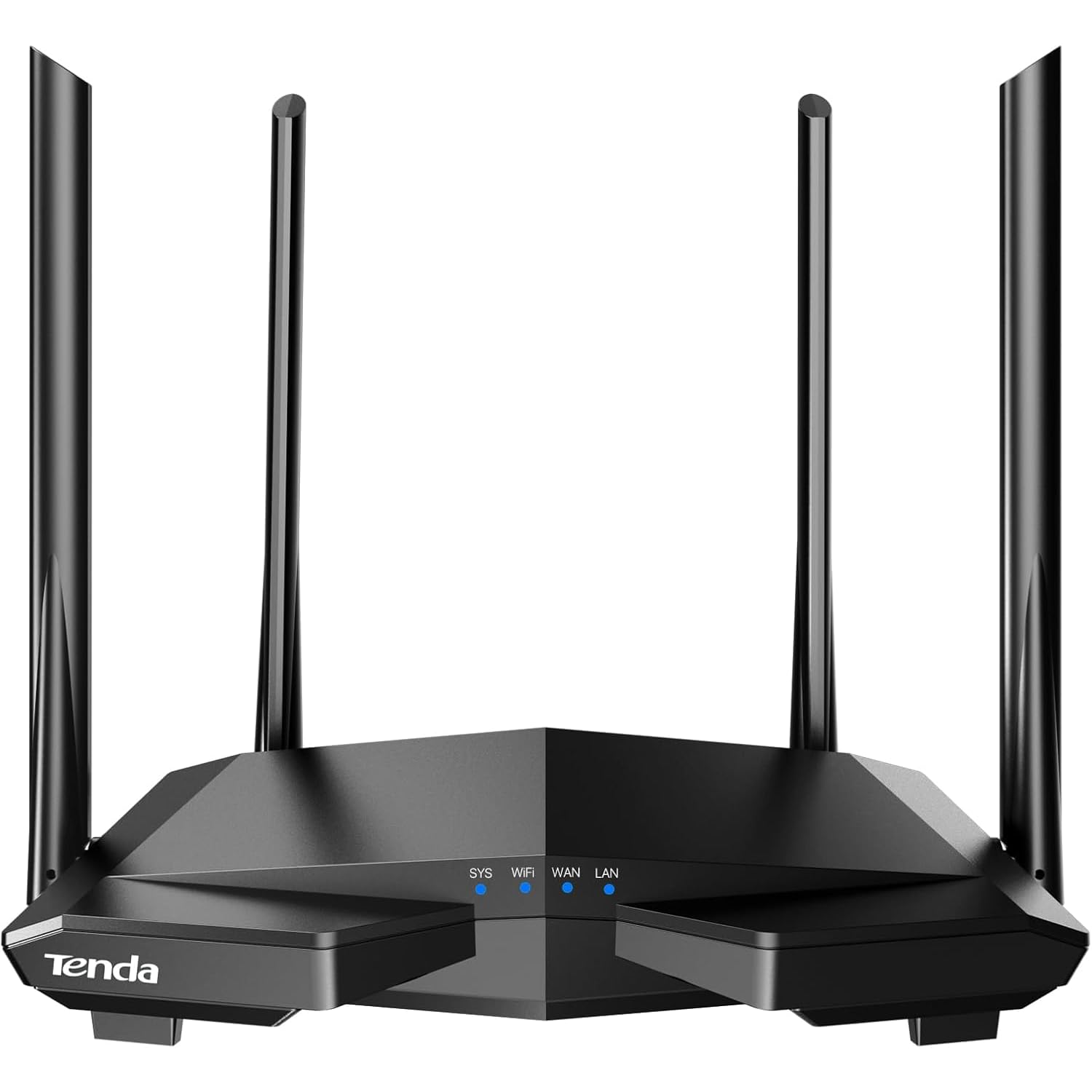
The most popular budget router on the planet, and you can see why in the first hour of use.
The Tenda AC6 is the router that nearly 19,000 people have rated — making it the absolute crowd favorite by raw numbers in this list. It delivers Wi‑Fi speeds up to 1.2 Gbps (867 Mbps on 5 GHz, 300 Mbps on 2.4 GHz) with four 6dBi antennas and beamforming, which owners say noticeably improves signal strength over older gear. Setup through the Tenda app is quick, and the MU-MIMO technology on the 5 GHz band helps keep multiple devices moving data at once.
Yet there is a serious catch that buyers need to know: the four Ethernet ports are only 100 Mbps Fast Ethernet, not Gigabit. That means any wired device — a PC, a console, a streaming box — is capped at 100 Mbps. If you have a 200 Mbps or faster internet plan, you will never see that speed on a wired connection. A small but vocal group of owners also report a severe security vulnerability (an IPV6 backdoor) that led to malware infections. This is a minority report, but it’s enough that security-conscious buyers should consider spending a few dollars more on the AX21.
Why it sells by the truckload
- Extremely fast and easy setup — among the most‑praised features by volume
- Strong Wi‑Fi signal improvement over older routers, with real-world speeds of 75 Mbps down on 5 GHz reported
- Supports Guest Wi‑Fi, parental controls, and AP mode
- Excellent value for the price, according to many thousands of owners
The real trade-offs
- Four Fast Ethernet (100 Mbps) ports; wired devices are speed-capped even if your internet plan is faster
- A minority security vulnerability report (IPV6 backdoor) is concerning for security-conscious buyers
- Entry-level router that isn’t designed for high-speed fiber connections
Perfect for wireless-only on a budget: If you only connect phones, tablets, and laptops over Wi‑Fi and have a plan under 100 Mbps, this is the cheapest reliable option.
Pass if you need Gigabit wired ports: For any wired gaming console, desktop PC, or fast fiber plan, the Tenda AC8 (above) or TP‑Link AX21 gives you proper Gigabit Ethernet for a small increase in cost.
Understanding the Specs
Wi‑Fi Standard — AC vs. AX
AC (Wi‑Fi 5) is the older standard, found on routers like the Tenda AC6 and AC8. It’s fine for basic browsing and streaming on a handful of devices. AX (Wi‑Fi 6), found on the TP‑Link AX21 and both NETGEAR models, is the newer generation. It uses OFDMA technology to talk to many devices at once without slowing down, which makes a real difference when you have smart lights, a laptop, a console, and a tablet all running at the same time.
Gigabit vs. Fast Ethernet Ports
The LAN ports on a router determine the top speed for anything you plug in with a cable. “Fast Ethernet” (100 Mbps) caps wired connections at 100 megabits per second — that’s fine for a 50 Mbps plan, but if you pay for 200+ Mbps internet, you’ll lose most of that speed on any wired device. “Gigabit” (1,000 Mbps) is the modern standard and handles any home internet plan today. This is the single biggest spec trap on budget routers.
FAQ
Do I need a separate modem with these routers?
Will a budget router work with my fiber internet plan?
How many devices can a budget router handle?
Is a renewed (certified refurbished) router safe to buy?
What is the difference between AC1200 and AX1800?
Will the TP‑Link Archer AX21 work with Spectrum or Xfinity?
How do I set up parental controls on a budget router?
Can I use these routers as an access point or extender?
Final Thoughts: The Verdict
For the majority of shoppers, the budget router winner is the TP‑Link Archer AX21 because it brings genuine Wi‑Fi 6 performance and Gigabit ports at a price that beats everything else in reliability. If you need the widest single-unit coverage for a larger home, grab the NETGEAR Nighthawk RAX30. And for a no-frills wired speed machine that costs next to nothing, the Tenda AC8 is the one to reach for.
How We Picked
We do not accept paid placement. Every pick is matched to a real buyer and a real use-case; we do not hands-on test units.
Sources & Methodology
Specifications: manufacturer listings and product documentation. Review insights: verified customer reviews, as of July 2026. Pricing: not shown on this page (it changes often); check the current price via the retailer link.
As an Amazon Associate, FitlyFast earns from qualifying purchases. This does not affect which products we feature.