
Our readers keep the lights on and the weekend projects moving. As an Amazon Associate, I earn from qualifying purchases.
Specs are compiled from manufacturer listings and verified buyer reviews and can change over time — please confirm the key details on the product page before buying.
Finding a 3D printer that doesn’t drain your wallet or your patience is the real challenge. The budget-friendly market is packed with machines that promise easy printing but deliver endless bed-leveling nightmares and failed prints. This guide cuts through the noise, focusing on the actual specs—like print speed, build volume, and auto-leveling—and the real-world owner experiences that separate a fun hobby from a frustrating paperweight.
I’m Rikta — the founder and writer behind FitlyFast. This guide is built by comparing the manufacturers’ published specifications and the patterns across verified customer reviews, so you get each pick’s real strengths and trade-offs instead of marketing spin.
Whether you are buying for a curious kid or starting your own workshop, this roundup of the best budget-friendly 3d printer models will help you spend less time tinkering and more time creating.
Our Picks at a Glance


How To Choose The Best Budget-Friendly 3D Printer
A budget-friendly 3D printer is a big step into a new hobby, so getting the right foundation matters more than saving a few dollars. You want a machine that prints reliably from the start without requiring constant upgrades to work well. Focus on these three areas to make a smart choice.
Auto Leveling: The Beginner’s Lifesaver
Manual bed leveling is the single biggest frustration for new users. A printer with automatic bed leveling uses sensors to measure the build plate and adjust the nozzle height automatically. This feature eliminates the dreaded “first layer” failure and lets you hit print with confidence. Nearly every modern budget machine includes some form of auto-leveling, but the quality varies—look for strain sensors or inductive probes rather than simple mechanical switches.
Print Speed vs. Print Quality
You get your models faster when the print head moves at higher speeds, measured in millimeters per second (mm/s). Budget printers now range from 250 mm/s up to 600 mm/s, but speed alone isn’t everything—it needs a rigid frame and vibration compensation (software that reduces wobble) to keep layers sharp. A printer running reliably at 250 mm/s often beats a faster machine that sacrifices detail. For most beginners, a stable 150-250 mm/s gives you the best balance of speed and surface finish.
Build Volume and Material Support
Your build volume determines the maximum size of a single object you can print. For figurines, toys, and small parts, a 220x220x220 mm cube is considered standard and very capable. If you plan to print functional parts or cosplay props, look for a larger volume. Also check what filaments the hotend can handle—most budget printers handle PLA and PETG, but support for flexible TPU or carbon-fiber filaments requires a direct-drive extruder and a higher temperature nozzle (around 280°C).
Quick Comparison
| Model | Best For | Print Speed | Build Volume | Auto Leveling | Amazon |
|---|---|---|---|---|---|
| Creality Ender 3 V3 SE★ Best Overall | Tinkerers & Upgraders | 250 mm/s | 8.66 x 8.66 x 9.84 in | CR Touch | Amazon |
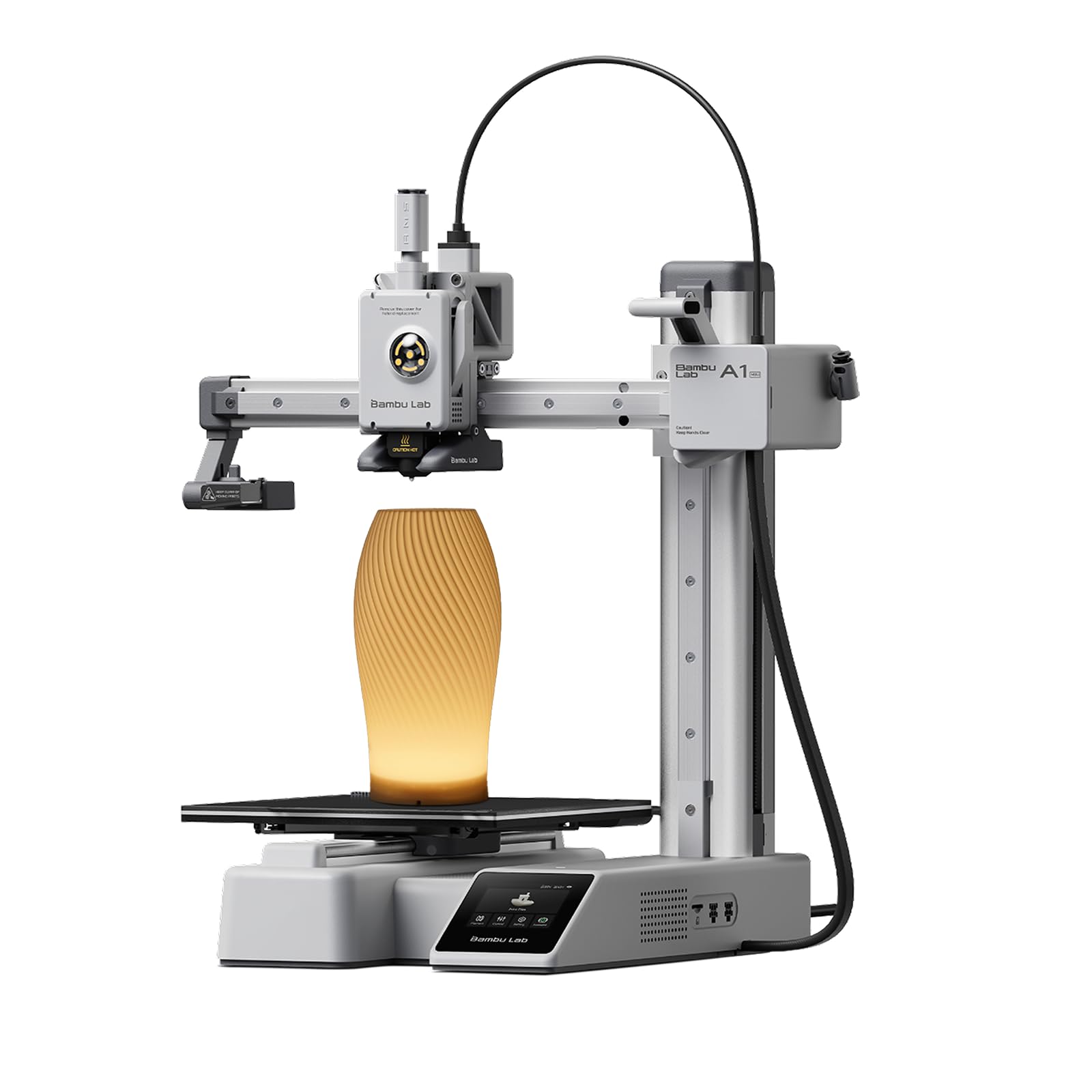
| Bambu Lab A1 miniPremium Pick | Stress-Free Beginners | High Speed | Compact | Full-Auto | Amazon |
| FLASHFORGE Adventurer 5MTop Performer | Speed & Quality Balance | 600 mm/s | 220 x 220 x 220 mm | 1-Click | Amazon |
| FLASHFORGE AD5M Pro | Enclosed & Versatile | 600 mm/s | 220 x 220 x 220 mm | 1-Click | Amazon |
| ELEGOO Mars 5 | Resin Detail Lovers | Layer Exposure | 5.65 x 3.53 x 5.91 in | One-Click | Amazon |
| ANYCUBIC Photon Mono 4 | High-Resolution Miniatures | Layer Exposure | 6.04 x 3.42 x 6.49 in | Automatic | Amazon |
| Creality K2 SE | Multicolor Projects | 500 mm/s | 220 x 215 x 245 mm | Smart Auto | Amazon |
| Hephi3d TINA2 Plus | Kids & Complete Beginners | 250 mm/s | Compact | Auto | Amazon |
| Geeetech M1 Mini | Classroom & Small Hands | 250 mm/s | 3.94 x 4.33 x 3.94 in | 16-Point | Amazon |
In‑Depth Reviews
1. Creality Ender 3 V3 SE 3D Printer
The community-favorite workhorse that rewards a little tinkering with professional-grade results.
The Ender 3 V3 SE prints at up to 250 mm/s with an acceleration of 2500 mm/s², which means you finish models faster than most other printers in this price range. It uses a CR Touch sensor for auto leveling, so you avoid the worst beginner headache—getting that first layer right. The Sprite Direct Extruder handles PLA, PETG, and TPU smoothly, and over 500,000 units shipped worldwide prove its reliability. The rigid dual Z-axis screws reduce wobble significantly, while the Y-axis uses two 8 mm linear steel shafts for steady motion.
The 32-bit silent mainboard keeps operation quiet, which is a huge plus if you run it in a home office. The PC spring steel build plate is flexible—just bend it slightly to pop off your finished prints. Auto filament loading and unloading is a one-tap affair. On the downside, the printer is the heaviest in its tier at 15.43 pounds, and assembly, while just three steps, still benefits from a YouTube guide. Buyers report that Y-axis bearings can fail after roughly 50 prints under high acceleration, sometimes requiring a linear rail upgrade.
Why It Wins
- Proven Sprite extruder with over 500k units shipped handles flexible filaments easily
- CR Touch auto leveling and dual Z-axis deliver reliable first layers every time
- Massive community of 26,000+ owners means endless troubleshooting guides and upgrades
The Trade-Offs
- Y-axis bearings wear faster under high acceleration; some owners upgrade to linear rails
- No built-in Wi-Fi or app control; you print via SD card or USB-C serial
- At 15.43 pounds, it is heavier and less portable than mini alternatives
Reach for this if: you enjoy upgrading your machine over time and want the largest community support and material flexibility for the price.
Think twice if: you want a completely hands-off, zero-tinkering experience straight from the start.
2. Bambu Lab A1 mini 3D Printer + LED Lamp Kit
The quiet, app-connected smart printer that lets you focus on creating, not troubleshooting.
The Bambu Lab A1 mini is built to make 3D printing easy from day one. Full-auto calibration handles bed leveling, flow rate compensation, and nozzle temperature without you lifting a finger. At ≤48 dB, it runs quieter than a normal conversation, so you can place it in a living room or bedroom without the constant whir. Setup takes roughly 20 minutes, and the included LED Lamp Kit adds a creative lighting project right from the start.
You manage everything through the Bambu Handy app and access a huge library of ready-to-print models on MakerWorld. Owners emphasize that it works “right from the start as advertised”—the most common praise is that prints succeed consistently with no manual intervention. The printer also supports active flow rate compensation, which keeps extrusion precise even at high speeds. The compact size is a double-edged sword: it fits easily on a desk but limits you to smaller models. An occasional rare failure is attributed to user error rather than the machine itself.
What Owners Love
- Print quality and ease of use are the two most-praised aspects (20 and 18 mentions respectively)
- Runs whisper-quiet at ≤48 dB, perfect for shared spaces
- Integrated app and MakerWorld library make finding and printing models smooth
The Limitation
- The mini build volume restricts you to smaller objects and parts
- No built-in enclosure, so printing materials like ABS requires extra care
Best for the newbie: who wants the closest thing to an appliance-like experience—unbox, connect the app, and print.
skip it if: you need a large build volume for helmets, vases, or big functional parts.
3. FLASHFORGE Adventurer 5M 3D Printer
Blazing 600 mm/s speed without sacrificing detail, wrapped in an all-metal frame that just works.
The Adventurer 5M hits a top speed of 600 mm/s thanks to its Core XY motion system and a 20,000 mm/s² acceleration rate—it goes from zero to top speed in just 0.025 seconds. The 50W nozzle heats up to 200°C in only 35 seconds, so your wait time between prints is minimal. One-click auto leveling handles the bed calibration for you, and the dual-sided PEI coating plate provides strong adhesion that releases easily when flexed.
Print quality is the most frequently praised aspect (57 mentions), and ease of use comes second (38 mentions). Owners call it a “great first 3D printer” and note that even a 14-year-old can create complex projects with minimal guidance. The printer handles PLA, PETG, and TPU from the start with the 0.4 mm nozzle, and can manage carbon-fiber filaments if you swap to a 0.6 mm nozzle. Reliability gets a mixed reception though—some owners mention firmware freezes and adhesion issues with certain beds. The open design means it needs a well-ventilated space, especially when printing more advanced materials.
Its Strengths
- Print quality leads the praise with 57 mentions—smooth, precise layers from the start
- Filament run-out sensor and power-loss recovery save failed prints automatically
- Quick-detachable 280°C nozzle makes material upgrades simple
Where It Stumbles
- Reliability is the most mixed aspect (46 mentions); some units arrive with early hardware issues
- Wi-Fi works on 5GHz only, which may cause connection problems in some homes
- The touchscreen can be sensitive and the work area is dark without a separate light
Grab this for: the best raw speed-to-quality ratio in the budget range—perfect for rapid prototyping.
Consider the Pro version if: you want an enclosed chamber and dual-layer filtration for safer material printing.
4. FLASHFORGE AD5M Pro 3D Printer

A fully enclosed CoreXY printer that brings pro-level materials and quiet operation into your home or classroom.
The AD5M Pro keeps the same 600 mm/s speed and CoreXY motion system as the Adventurer 5M but adds a fully enclosed chamber and dual-layer filtration. The enclosure stabilizes internal temperatures for more reliable prints with materials like ABS and ASA, and the filter blocks dust and smoke so you can use it in a classroom or living room safely. The 3-second quick-swap nozzle lets you switch between 0.4 mm and 0.6 mm sizes instantly, expanding your material range to carbon-fiber filaments.
You get a built-in camera for real-time monitoring, plus filament run-out detection, power-loss recovery, and auto-shutdown for hands-off printing. Owners call it a “solid beginner machine” that delivers precise prints with minimal grooves and smell. A few owners experienced extruder failure early on, though the company’s support responsiveness earns praise. Setup takes about 10 minutes thanks to the automatic bed leveling.
Pro Upgrades
- Full enclosure with dual-layer filtration enables safer printing with ABS, ASA, and carbon-fiber filaments
- Quick-swap 280°C nozzles (0.4 and 0.6 mm) give you material versatility in seconds
- App control and built-in camera let you monitor prints remotely
Pro Trade-Offs
- Heavy at 32.2 pounds, so plan a permanent spot on a sturdy desk
- Some early units had extruder failures; firmware updates are common but frequent
Get this if: you want to print high-temp materials like ABS and ASA right away without building an enclosure yourself.
Consider the base Adventurer 5M instead if: you mostly print PLA and want to keep the budget lower.
5. ELEGOO Mars 5 Resin 3D Printer

Desktop resin printing with one-click leveling and a 4K screen that captures every tiny detail.
The Mars 5 uses a 4K mono LCD with an advanced COB light source to reproduce intricate details and textures with stunning fidelity. One-click automatic leveling replaces the tedious manual calibration that usually scares beginners away from resin printers—just unbox, power on, and print. The smart mechanical sensor detects resin shortages and leveling failures, preventing waste and protecting the LCD screen from damage. A residue detection feature also stops the printer if debris is found, which saves your screen from costly punctures.
The build platform uses a flip-lock system that owners find easier than traditional screw knobs. Textured plate adhesion is excellent, and prints come off with hot water. The auto-leveling feature is the main talking point, but it gets mixed feedback—small resin bits caught under the sensor can cause issues. Some customers note that a first unit arrived with a dead UI screen or a punctured FEP film that leaked resin onto the LCD. ELEGOO’s customer service is generally responsive when handling these defects. At 14.52 pounds, it is slightly lighter than the Ender 3 V3 SE (15.43 pounds), making it easier to move around your workspace.
Resin Advantages
- 4K mono LCD delivers exceptional detail for miniatures, jewelry, and dental models
- Advanced overheat protection halts printing if LED temperature exceeds 80°C
- One-click self-check verifies all components before each print to avoid material waste
Resin Realities
- Auto-leveling is sensitive to resin debris; cleanliness is critical for reliable operation
- Windows for returns are tight; some owners experienced difficulty with out-of-warranty LCD damage
- Resin printing requires ventilation and post-processing (washing and curing) that FDM does not
Choose this for: ultra-detailed figurines, tabletop miniatures, and prototypes where layer lines are unacceptable.
Stick with FDM if: you want functional, durable parts or don’t want to handle liquid resin cleanup.
6. ANYCUBIC Photon Mono 4 Resin 3D Printer

A 10K screen that crams 9024×5120 pixels into a 7-inch panel for miniature madness.
The Photon Mono 4 is built around a 7-inch, 10K mono LCD with a resolution of 9024×5120, giving you an XY pixel size of just 17×17 microns. That is a 105% increase in print precision compared to its predecessor, which means even the smallest details on a Warhammer miniature or a jewelry mold come through crisp. The LighTurbo Matrix light source delivers stable, uniform lighting that eliminates layer lines, and single-layer exposure times drop to just 1.5 seconds. You get a large print volume of 6.04 x 3.42 x 6.49 inches, which is bigger than the Mars 5.
The re-engineered build platform uses laser-engraved patterns to hold prints firmly without warping, yet they release smoothly. Owners emphasize that this is a “good, simple, workhorse printer” that produces “high quality prints” with “simple setup” and a “great value.” The 10K resolution earns particular praise for accuracy on small parts. Reliability is a split story—some units run for months without issues, while others report LCD burn-out within three weeks. The 6-month extended LCD warranty (normally one year for the rest of the machine) covers screen replacements, which. A small number of reviewers point out complete failure after the second print, but this is not the majority experience.
Resolution Wins
- 10K resolution (9024×5120) delivers 17-micron pixel detail for professional-grade miniatures
- 1.5-second layer exposure times make prints significantly faster than previous generations
- Pre-shipped calibration means you unbox, level once, and print immediately
Resolution Risks
- LCD burn-out is a known risk; the 6-month screen warranty is shorter than the rest of the printer
- Small build volume limits you to parts under 6 inches tall
Best for detail fanatics: who want the highest resolution available at this price for small, intricate parts.
Consider the Mars 5 instead if: you prioritize automatic leveling reliability and overheat protection over raw pixel count.
7. Creality K2 SE 3D Printer

A compact powerhouse that open up up to 16-color printing with the optional CFS system.
The K2 SE hits a blazing 500 mm/s print speed and supports multicolor and multi-material printing through the Creality Color Filament System (CFS). One CFS holds four filament spools, and you can connect up to four units for a total of 16 colors—perfect for figurines, cosplay props, and educational models. The direct-drive extruder includes a quick-swap nozzle, a filament run-out sensor, and an automatic magnetic cutter for smooth filament changes with zero downtime. The build volume measures 220 x 215 x 245 mm, which is generous enough for helmets and larger props while keeping a compact desktop footprint.
The die-cast aluminum alloy frame (reinforced with gussets and crossbeams) cuts vibration so you get cleaner prints at high speed. Smart auto leveling probes only the active print area for faster calibration, and input shaping (software that reduces ringing) keeps layers crisp. Owners upgrading from older Ender machines call it “much less fuss” and praise the “fast quality prints out of box.” The main frustration is the Creality slicer software, which owners find cluttered with unclear settings and grammatical errors. Some units arrived with adhesive failures or booted in Chinese, requiring a factory reset. The printer weighs 27.5 pounds—much heavier than the Ender 3 V3 SE (15.43 pounds)—so plan a permanent desk spot.
Why It Excels
- 500 mm/s speed with input shaping ensures both speed and surface quality
- Up to 16-color printing with the CFS makes multicolor models easy
- Rigid aluminum frame reduces wobble and improves dimensional accuracy
Where It Frustrates
- Creality slicer software has a confusing interface and occasional bugs
- Some units arrive with adhesive issues or language settings errors from the start
- CFS is sold separately, adding to the total cost for multicolor capability
Buy this for: multicolor projects—no other printer at this price offers 16-color potential without modification.
Stick with the Ender 3 V3 SE if: you print single-color parts and want a lighter, simpler machine.
8. Hephi3d TINA2 Plus 3D Printer
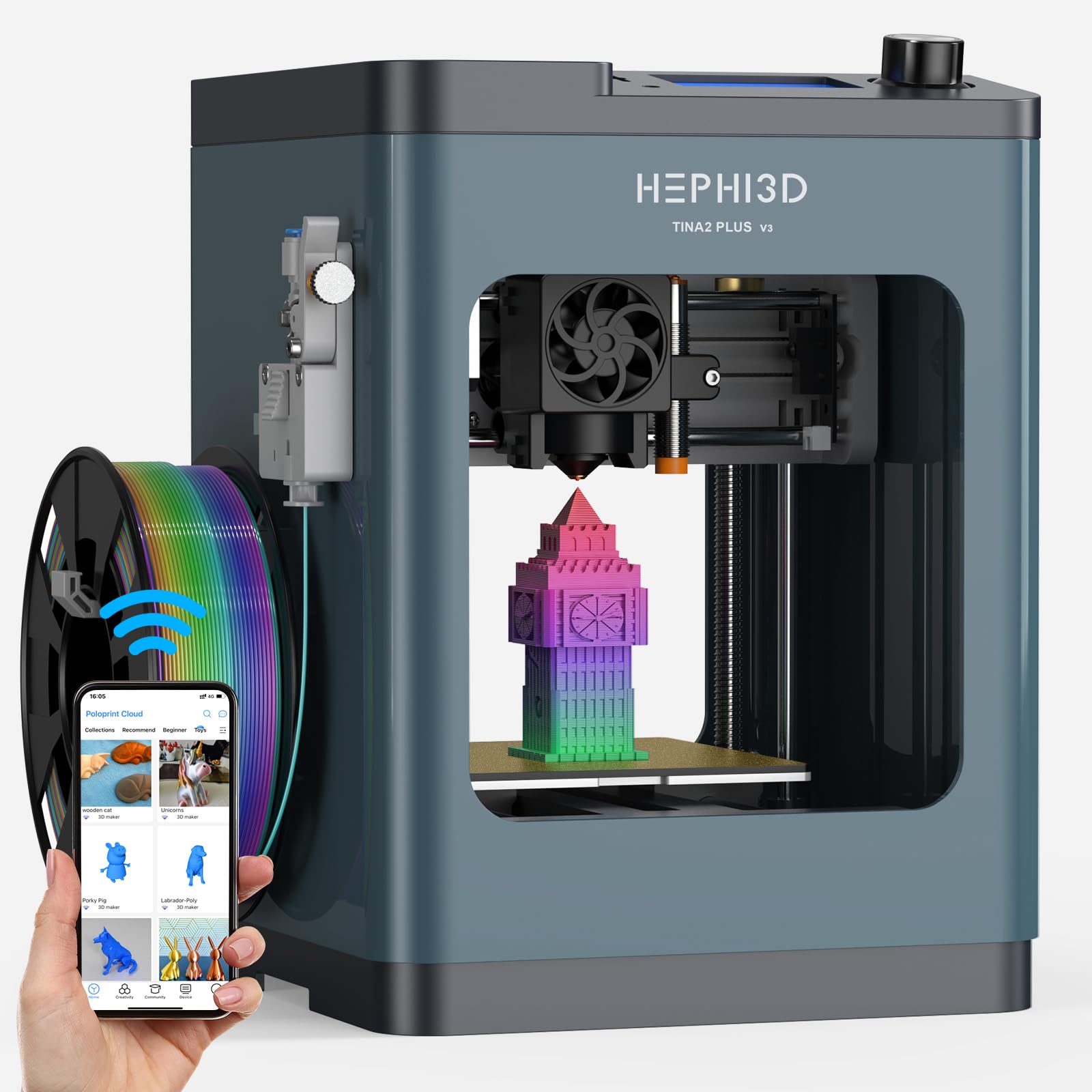
A fully assembled mini printer that kids can operate right from the start in five minutes.
The TINA2 Plus arrives fully assembled—no complicated setup, no tools. You just take it out, plug it in, and start printing within five minutes. It reaches a max speed of 250 mm/s (recommended 150 mm/s) and features auto bed leveling, so even a child can get a perfect first layer. The Poloprint Cloud app gives you wireless control and access to over 3,000 ready-to-print models and 25+ design modules for easy customization. AI and photo-generated models require just one tap, which brings ideas to life immediately.
The compact design weighs only 5.68 pounds and measures 8.27 x 8.72 x 11.42 inches, making it easy to fit on a desk or shelf. It is fully open-source and compatible with Cura, PrusaSlicer, and Simplify 3D for more advanced users. Owners love the “easy to use, fast set up” experience, and kids print “non-stop” once they get going. There are some downsides: larger prints can experience drift, and the unchangeable spaceship-like noises during printing annoy some families. A few owners also found the software workflow confusing for a 9-year-old, requiring adult help with the app and memory card system.
What Families Rave About
- Truly plug-and-play—fully assembled and ready to print in minutes
- 3,000+ model library and AI generation tools simplify the design process for kids
- At 5.68 pounds, it is the lightest printer here and easy to move around
The Kinks
- Large print drift and constant spaceship-like noises are recurring owner complaints
- Some children found the app and saving workflow frustrating without adult help
Ideal for families: with younger kids who want instant printing and a huge model library on tap.
pass on it if: you plan to print large functional parts or want a silent machine for a quiet home office.
9. Geeetech M1 Mini 3D Printer
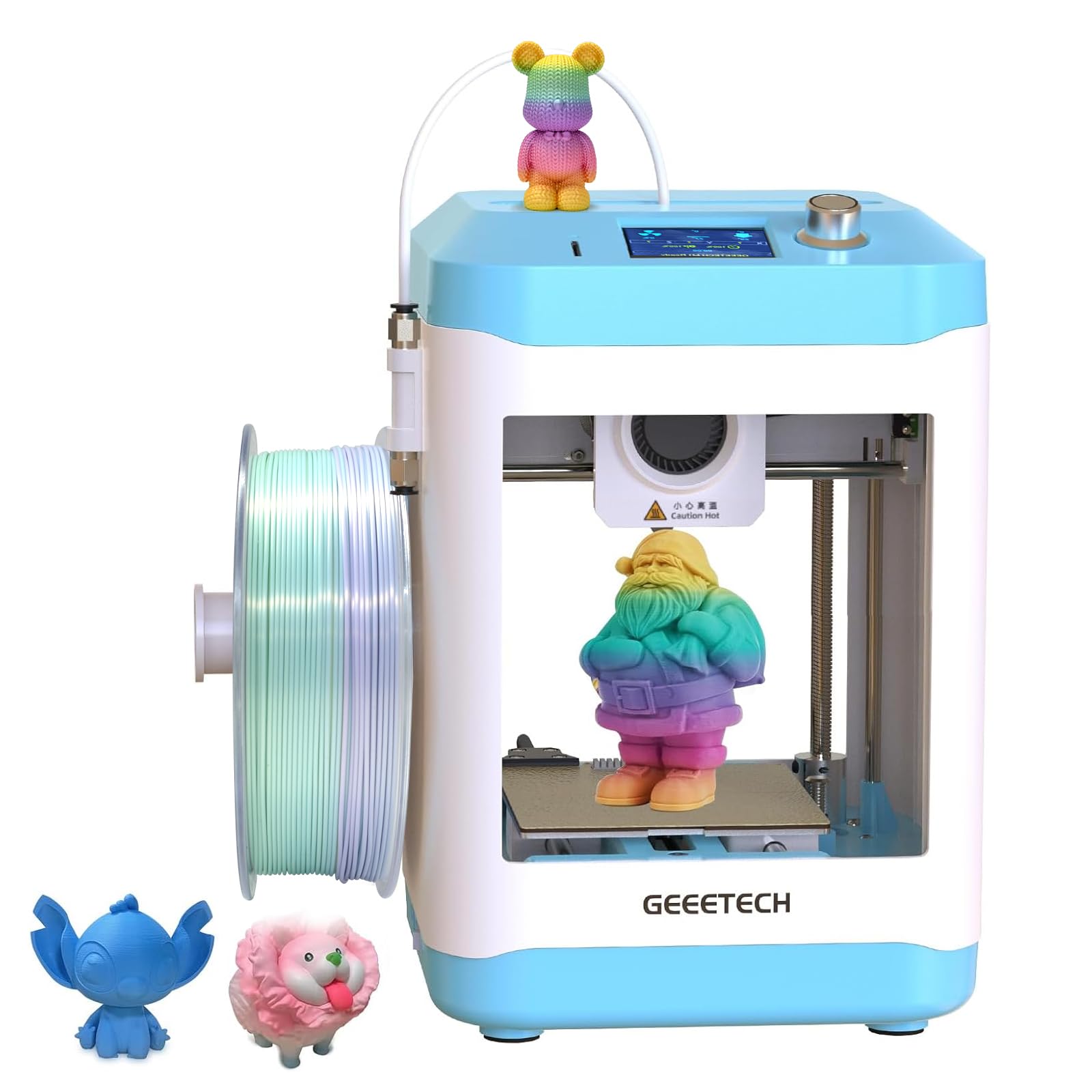
A tiny 4-inch cubed build area that is perfect for a child’s first introduction to 3D printing.
The M1 Mini has a print area of just 3.94 x 4.33 x 3.94 inches—the smallest on this list—but that is by design. It is a teaching tool for kids and beginners who need to learn the basics without wasting material on huge failed prints. It hits 250 mm/s print speed and uses a 16-point full-auto leveling system to ensure every first layer is smooth. The direct-drive extruder uses a dual-drive metal gear with a 1:5 ratio, giving it enough torque to handle PLA, PLA+, and TPU easily.
Owners call it “a great introduction to the entire 3D printing process” and note that the auto bed leveling, quiet operation, and 2.4-inch color screen make it very user-friendly. The flexible magnetic PEI build plate pops prints off with a slight bend. A few critical owners point out that it is “not kid-friendly” because of the open design and lack of an app; you have to use a slicer on a computer and transfer files via TF card. The tiny build volume also won’t fit 1 kg spools without a printable adapter, which is a step a beginner may not want to deal with right away. The printer weighs 9.63 pounds and comes fully assembled from the start.
First-Step Strengths
- 16-point auto leveling and direct-drive extruder deliver reliable first layers every time
- Fully assembled with a 2.4-inch color screen and knob control simplifies operation
- Quiet operation and small footprint make it ideal for a bedroom or classroom desk
First-Step Weaknesses
- The tiny 4-inch cubed build volume severely limits what you can print in one piece
- No app or Wi-Fi; requires manual slicing and TF card transfer for every print
- Can’t fit a standard 1 kg spool without printing an adapter separately
Choose this for: a school or home classroom—it is a safe, simple introduction to the fundamentals of FDM printing.
Look at the TINA2 Plus instead if: you want an app-based experience and a larger model library for kids.
Understanding the Specs
Print Speed (mm/s)
This number tells you how fast the print head moves while laying down plastic. A higher speed gets your models done faster, but only if the frame is rigid enough and the printer has vibration compensation (software that reduces wobble) to keep layers sharp. For most beginners, a speed of 150-250 mm/s is a comfortable balance that balances speed with quality.
Auto Bed Leveling
A sensor measures the build platform’s surface in multiple points and adjusts the nozzle height automatically. This replaces the old manual method of turning bed screws with a piece of paper. Look for strain sensors or inductive probes (like CR Touch) rather than simple mechanical switches, as they are more consistent and less prone to wear.
Build Volume
This measures the maximum size of a single object you can print, given as length x width x height. A standard 220 x 220 x 220 mm cube is enough for most toys, parts, and prototypes. Mini printers (4-inch cube) are great for kids and small parts but quickly hit limits if you want to print a helmet, a vase, or a larger cosplay prop.
Direct Drive Extruder
The motor that pushes filament sits directly above the hotend. This design gives you better control over soft filaments like TPU (flexible rubber-like material) and reduces retraction issues. Budget printers with direct drive are more versatile than Bowden-style extruders where the motor is mounted on the frame and pushes filament through a long tube.
FAQ
Do budget 3D printers come fully assembled?
What is the difference between FDM and resin 3D printing?
How fast can a budget 3D printer actually print?
Do I really need auto bed leveling?
What filaments can a budget 3D printer handle?
What is a good build volume for a first printer?
Can I print multicolor models on a budget printer?
Is a 3D printer safe for a child’s bedroom?
Final Thoughts: The Verdict
For most buyers, the best budget-friendly 3d printer winner is the Creality Ender 3 V3 SE because it combines a proven direct-drive extruder (feeds filament directly into the nozzle), CR Touch auto leveling (a sensor that measures the print bed automatically), and the largest community support—all at a price that leaves room for filament and upgrades. If you want a completely stress-free, silent experience with app control, grab the Bambu Lab A1 mini. And for the fastest speed and best balance of price and features in an open frame, the FLASHFORGE Adventurer 5M is the one to reach for.
How We Picked
We do not accept paid placement. Every pick is matched to a real buyer and a real use-case; we do not hands-on test units.
Sources & Methodology
Specifications: manufacturer listings and product documentation. Review insights: verified customer reviews, as of July 2026. Pricing: not shown on this page (it changes often); check the current price via the retailer link.
As an Amazon Associate, FitlyFast earns from qualifying purchases. This does not affect which products we feature.