
Our readers keep the lights on and the weekend projects moving. As an Amazon Associate, I earn from qualifying purchases.
Specs are compiled from manufacturer listings and verified buyer reviews and can change over time — please confirm the key details on the product page before buying.
Picking the right calculator for college is not the same as grabbing one off the shelf before high school finals. You are now walking into courses where a wrong button-press costs you points — calculus, statistics, physics, and chemistry all demand a tool that keeps up with the curriculum. The data sheets look the same to a first-time buyer, but the real difference is in the number of functions, how the display shows your work, and whether the thing is approved for the exams you will actually sit.
I’m Rikta — the founder and writer behind FitlyFast. This guide is built by comparing the manufacturers’ published specifications and the patterns across verified customer reviews, so you get each pick’s real strengths and trade-offs instead of marketing spin.
Below, you will find seven models sorted by what they handle best, from a no-frills scientific for gen-ed math to a color graphing powerhouse for STEM majors — the best calculator for college is the one that matches your specific course load and exam requirements.
Our Picks at a Glance


How To Choose The Best Calculator For College
A college calculator is a long-term investment in your grades, not just a purchase. You will use it for several years, so matching it to your specific classes — and the exams those classes require — is the single most important step. Here is what to look for.
Function Count vs. Course Level
A basic scientific calculator (around 100-130 functions) covers algebra and geometry well. Once you hit calculus, physics, or statistics, you need 280 functions or more — features like derivatives, integrals, complex numbers, and linear regression become non-negotiable. A graphing calculator goes further by drawing the actual curves so you can visualize limits and intersections.
Display Type and Readability
The biggest source of test-day error is entering the wrong number and not realizing it. A two-line display shows your input on one line and the result on the other, so you can catch mistakes before you record an answer. A “natural textbook display” goes a step further and shows fractions, powers, and square roots the same way they appear in a printed book — much harder to misread.
Exam Approval
The SAT, ACT, and AP exams all maintain approved-calculator lists. Most scientific calculators (non-graphing, non-programmable) are allowed. Graphing calculators like the TI-84 Plus CE are also permitted on the SAT and AP exams, but some college professors ban them for in-class tests. Check your syllabus before you spend on a graphing model.
Quick Comparison
| Model | Best For | Functions | Display Lines | Power Source | Amazon |
|---|---|---|---|---|---|
| TI-30XIIS★ Best Overall | Gen-ed math, SAT/ACT prep | ~100+ | 2-line | Solar + Battery | Amazon |
| IPEROT Pink 417Most Functions | Advanced math, stats, integrals | 417 | 4-line | Solar + Battery | Amazon |
| Sharp EL-506TSBBW | Engineering, matrix work | 470 | 2-line | Solar + Battery | Amazon |
| Casio fx-115ES Plus 2nd Ed | Calculus I/II, physics | 280+ | 4-line | Battery (LR44) | Amazon |
| Franklin FGC-100BK | Visual learners, intro calculus | Built-in graphing | LCD (graphics) | Battery Powered | Amazon |
| Nadex NXTE-1703 | AP/honors high school, pre-calc | 360+ | Large screen | Solar + Battery | Amazon |
| TI-84 Plus CE Python | STEM majors, 4-year programs | Graphing + Python | Color backlit | Rechargeable | Amazon |
In‑Depth Reviews
1. Texas Instruments TI-30XIIS Scientific Calculator, White
Our pick — over 4.5★ from 50,500+ verified ratings; the strongest balance of quality and price.
The classroom classic that survives a four-year degree without ever complaining.
You see this calculator in every high school math room because it prevents a common mistake: hitting the wrong key and not catching it. The 2-line display shows your typed entry on one line and the answer on the other, so you spot a missing parenthesis before it ruins your result. It handles 100+ functions including one- and two-variable statistical calculations and three angle modes (degrees, radians, and grads) — that covers algebra, geometry, trig, and stats without a steep learning curve.
Buyers report that the buttons are solid and the slide-on case protects the screen when you drop it in a backpack. The solar-and-battery power system (a solar panel and a backup battery) means the battery rarely dies mid-exam, and the 1-year limited warranty gives confidence. The recurring gripe is that the percent function is a secondary shift-key press and there is no dedicated off button — small quirks you get used to in a week. What wins people over is the build: many owners mention the same unit lasting 10 years or more.
Built to last: The TI-30XIIS draws its real strength from simplicity — it does exactly what a college intro course needs and nothing extra to confuse you. At just 4.16 ounces, it is lighter than a typical smartphone and slides into any pencil case.
The go-to pick: If you are taking general education math, pre-calculus, or preparing for the SAT/ACT, grab this one. It has the highest owner satisfaction across thousands of ratings and the most durability stories.
Think twice if: You need calculus-level features like integrals or derivatives — for that, step up to a higher-function model like the Casio fx-115ES.
2. Scientific Calculators, IPEROT Pink Solar Scientific Calculator 417Function
Four hundred and seventeen functions in a shell that costs less than a textbook.
Most budget scientific calculators stop around 130 functions and call it a day. The IPEROT Pink packs 417, including a derivative function (used to calculate slopes and rates of change), integral (to find area under a curve), complex number calculation, linear regression (to find the line of best fit in stats), and variable solving. That means it covers everything from algebra through calculus II and statistics — it even handles permutation and combination, which shows up in probability courses. The 4-line display gives you room to see the full expression and the result without scrolling.
Buyers mention the “statistics functions are working very well” and call it “good for advanced use not as a toy.” The dual solar-and-battery power (a solar panel plus a backup battery) means you never scramble for a replacement during a study session. The trade-off? The buttons are clickier than on the TI-30XIIS or a Casio — several owners note the feel is different, though nobody reports button failure. At 6 inches long and 2 inches wide, it is more compact than the TI-30XIIS (which is 6.12 by 3.23 inches).
Crowd favorite: The thing owners rave about is the sheer value — a 417-function calculator at this tier is rare, and the pink color draws compliments. As buyers put it, “it works just like the ones I would typically buy but pink.”
Reach for this if: You need advanced functions (calculus, stats, complex numbers) on a strict budget, or you want a colorful calculator that stands out in a lecture hall. Its 417 functions outpace the TI-30XIIS (100+) for the same price range.
Look elsewhere if: You prefer a muted, professional look or you are very particular about soft button travel.
3. Sharp EL-506TSBBW Engineering/Scientific Calculator, Black
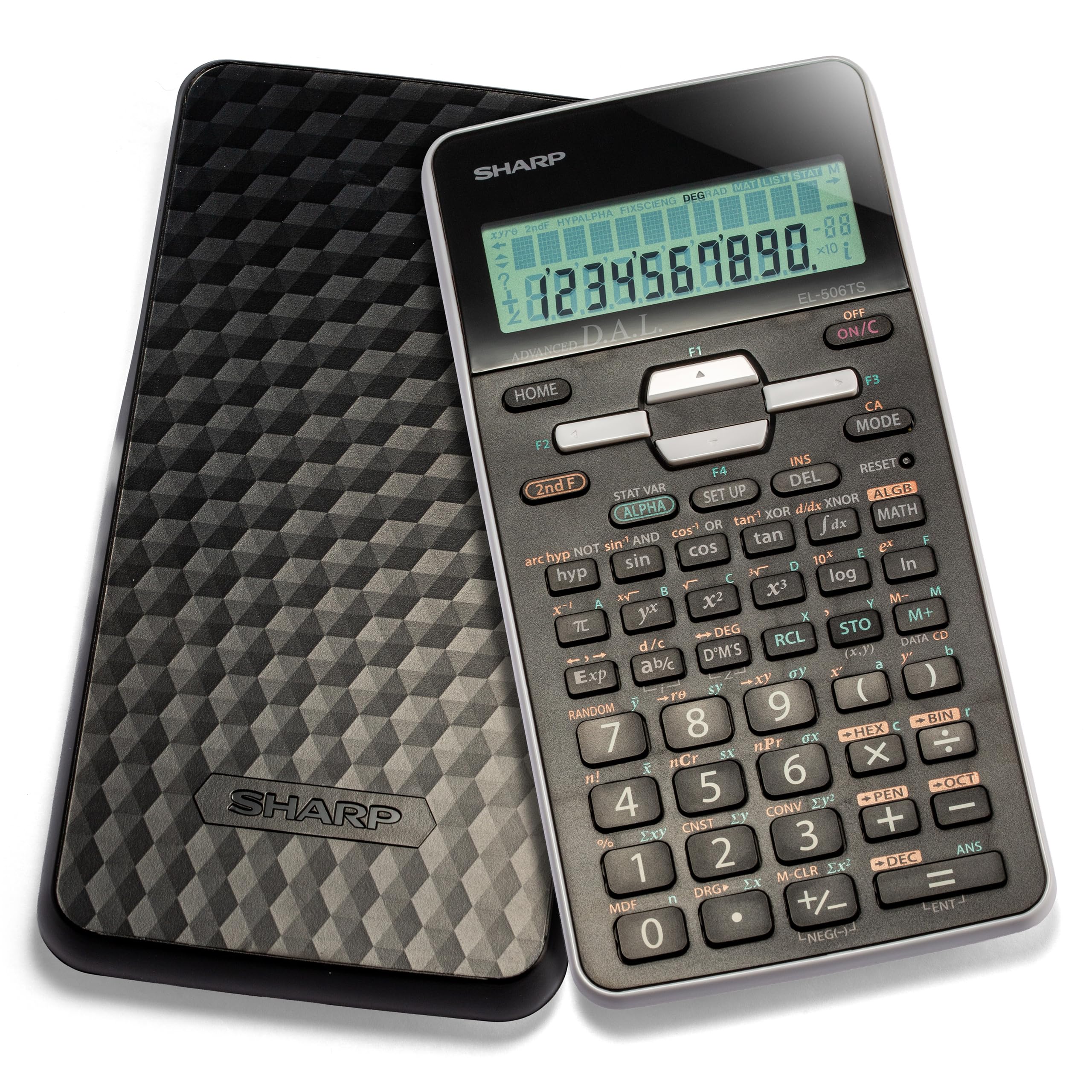
The engineering essential that does not flinch at matrix or complex calculations.
This Sharp is a different animal from the standard scientific calculator. It offers 470 functions across six modes: Normal, Stat, Equation, Complex Number, Matrix, and List. For an engineering student, that means tackling quadratic and cubic equations, performing matrix calculations (adding and multiplying grids of numbers), and working through differential and integral functions all on one device. The 12-digit, 2-line LCD (liquid crystal display) shows the entry and the result simultaneously, and the Home key clears everything from any screen — a time-saver during a long problem set.
Buyers describe it as a “calculating master machine” that handles “complex calculations for curves, bridge cambers, sags, supers, grades.” The build features a durable gloss black finish with white accents and an acrylic display protection to prevent cracks. The 3D light reflecting cover adds a modern touch. One owner notes a one-off calculation error by a factor of 10, which is a rare anomaly in an otherwise reliable unit. At 3.4 ounces it is lighter than the TI-30XIIS (4.16 ounces), so it disappears into a backpack pouch.
Top feature: The 470-function library with matrix and complex-number modes is what sets this apart from the IPEROT Pink (417 functions) — it genuinely serves an engineering curriculum where other scientific calculators run out of tools.
Best for: Engineering majors or anyone taking linear algebra, differential equations, or advanced physics. It packs serious power for the price.
Not for: Students who only need basic algebra or geometry — the extra functions will only slow you down.
4. Casio fx-115ES Plus 2nd Edition – Advanced Scientific Calculator

The textbook-style display that shows fractions the way you write them.
Casio’s Natural Textbook Display is the big draw here. It renders fractions, powers, square roots, and integrals exactly as they appear in a printed textbook — no awkward linear notation to decode. The 4-line LCD (liquid crystal display) screen (16 digits) gives you plenty of room to see the full problem and your answer at once. With 280+ functions, it covers derivatives, integrals, summation, and nine memory variables (A through F plus X, Y, and M) plus 40 built-in scientific constants.
Buyers call it the “best calculator for its money” and note it “surpasses TI-30” for calculus-level work. The fx-115ES is widely approved for SAT, ACT, and AP exams, making it a safe choice for high school seniors heading into college. The honest downsides: the screen can be harder to read in direct sunlight (small numbers, blue-on-blue contrast), and the change-sign function lives behind the Ans button rather than a dedicated key. A single LR44 battery powers it, and customers note over a year of battery life. At 6.05 ounces, it is heavier than the Sharp EL-506TS (3.4 ounces) or the TI-30XIIS.
Smart choice: The Natural Textbook Display is not a gimmick — it genuinely cuts down on input errors because you can see the equation structure before you press equals. This is better at showing complex fractions than the Sharp EL-506TS’s 2-line display.
Grab this if: You are taking calculus I or II, physics, or any course where fractions and integrals dominate the problem set. The display clarity is a real advantage.
skip it if: You want a graphing calculator — this is strictly a non-programmable scientific, so no graphs, no Python, no apps.
5. Franklin Scientific Graphing Calculator with 3 Operating Modes
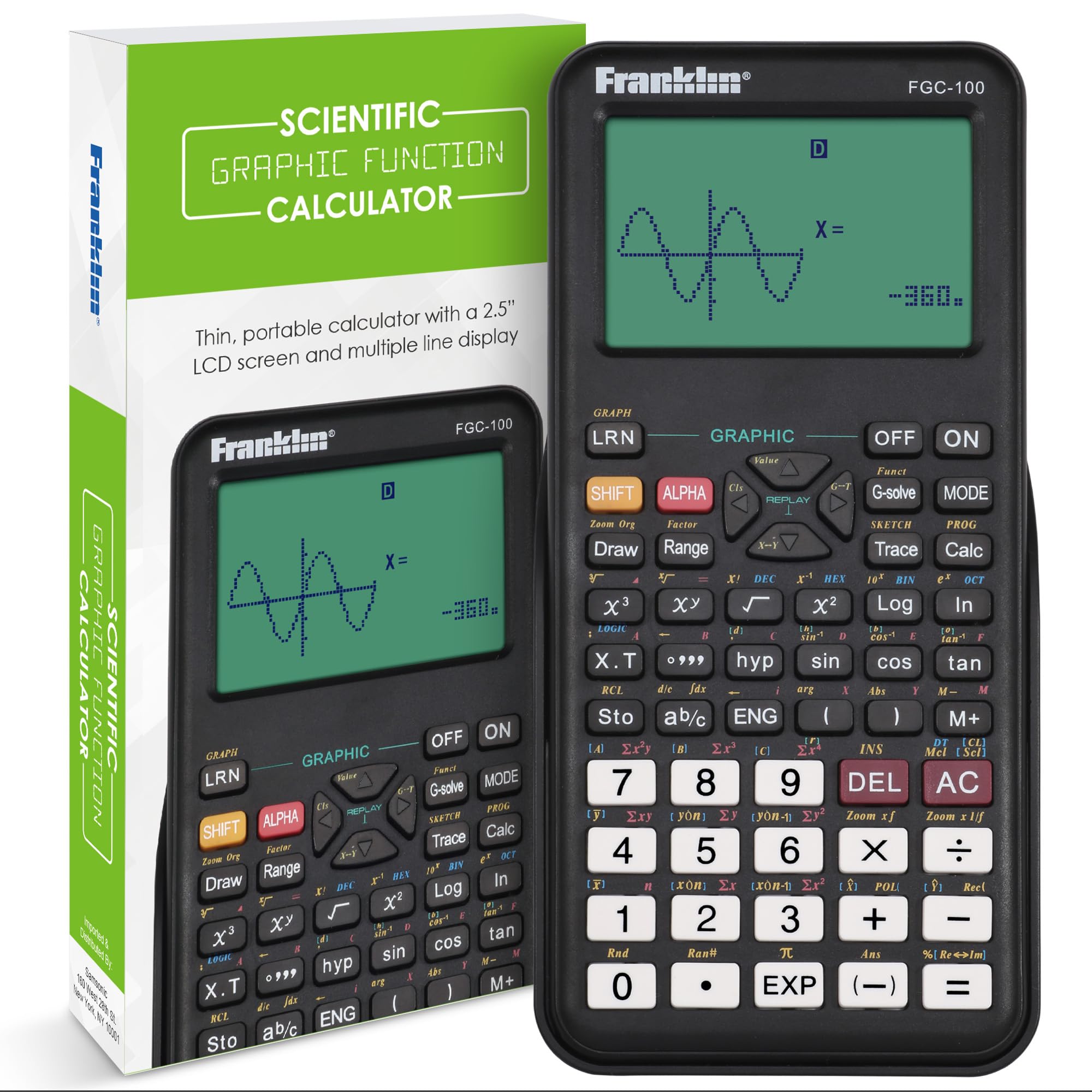
Graphing power at a price that leaves the TI-84 Plus CE in the dust.
Franklin’s FGC-100BK is a graphing calculator that costs a fraction of the premium models. It comes with 20 built-in graphs and three operating modes, making it a viable choice for visualizing equations in algebra, pre-calculus, and statistics. The 2.5-inch screen shows the curve so you can see intercepts and limits without plotting by hand. It also handles algebra simplification, fractions, and probability calculations, so it covers the first two years of a typical college math sequence.
Buyers describe it as an “affordable alternative to TI-84” and say “classmates have all purchased one” after seeing it. The protective cover is a nice touch — it keeps the screen from cracking in a crowded backpack. The honest catch: the learning curve is steeper than a standard scientific calculator, and the instruction manual uses small print. One owner notes there are “too many operating modes for the first user,” so expect to spend an afternoon with the manual. The keys themselves are easy to type on, and the device runs on standard batteries.
Value angle: If your course requires graphing but your budget cannot stretch to a TI-84 Plus CE, the Franklin delivers the essential graphing features at a noticeably lower investment.
Best for: Students who need to visualize functions (graphing parabolas, sine waves, or statistical distributions) but do not want to spend graphing-calculator money.
Not for: Anyone who wants plug-and-play simplicity — you will need the manual nearby for the first few weeks.
6. Scientific Calculator with Graph Functions for College and High School Students, Pink

Three-hundred-sixty functions and a pink shell that makes it impossible to lose.
The Nadex NXTE-1703 targets the AP/honors high school student heading into college. It packs over 360 functions, including complex number calculations, linear regression, standard deviation (a measure of data spread), permutations, and variable solving. The large screen can display equations and basic graphic visuals simultaneously, though this is not a true graphing calculator — it visualizes formulas rather than plotting full coordinate graphs. Three operating modes (Calculation, Angular Measurement, and Display) let you switch between algebra, trigonometry, and statistics without navigating deep menus.
Reviewers point out it “works great and is very useful for honors or AP math classes” and that it “comes with a booklet that tells you how to use all its different functions.” The included protective cover and one-year warranty add confidence. The mixed feedback centers on ease of use — some call it excellent, others say it is difficult to figure out right away. The sun-and-battery dual power (a solar panel plus a backup battery) keeps it running through long study sessions. A bonus replacement battery is already tucked in the chamber for when the first one dies.
The catch: The “graph functions” label has caused confusion — several buyers bought this expecting a proper graphing calculator and were disappointed. Read the description carefully: it visualizes, it does not plot custom graphs.
Reach for this if: You are in AP math or honors courses and need many advanced functions without the graphing-calculator price tag. Its 360+ functions outnumber the Casio fx-115ES (280+) for a lower cost.
Look elsewhere if: You specifically need a full graphing calculator for calculus — this one is a scientific with formula visualization, not a plotter.
7. Texas Instruments TI-84 Plus CE Python Color Graphing Calculator, Coral
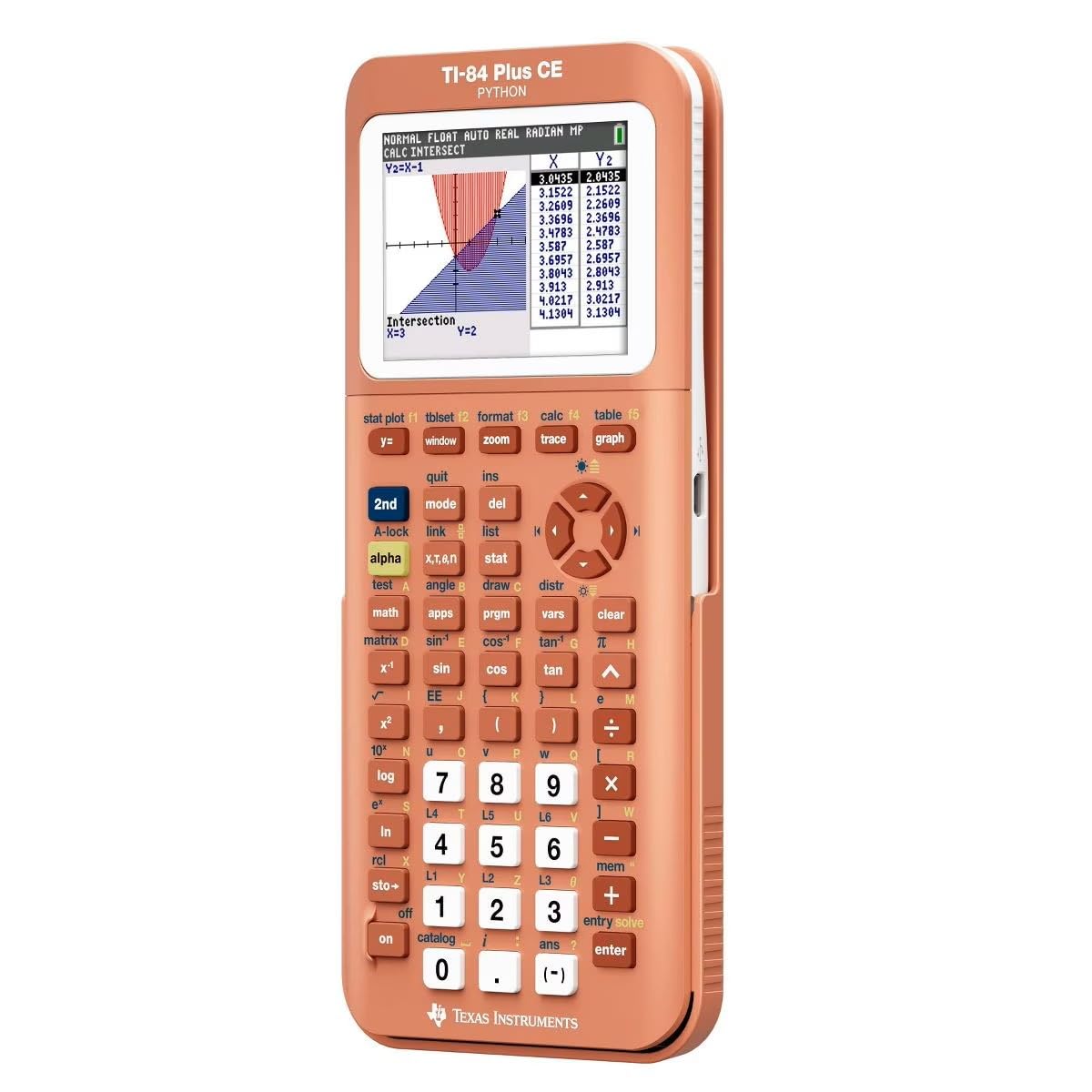
The gold-standard graphing calculator that now writes Python code.
The TI-84 Plus CE is the graphing calculator that professors and exam boards know. It features a high-resolution, full-color backlit display (140 DPI, which means dots per inch, a measure of sharpness; 16-bit color, which means over 65,000 colors) that makes graphs, tables, and the built-in periodic table look crisp. The rechargeable battery lasts through a full semester of daily use, and the sleek metal enclosure feels premium in the hand. Python programming is built in, so computer science and engineering students can write and test code directly on the calculator — a feature that no scientific-only model like the Casio fx-115ES offers.
Buyers call it “super reliable” and note the “color screen is clear, battery lasts a long time.” A chemistry major points out that “it has the periodic table on it with all the information for each element.” The coral color is a standout — one owner says it “makes the calculator easy to find” since “black calculators are ninja colored.” The honest side: at 9.6 ounces, it is the heaviest calculator in this list (heavier than the Sharp EL-506TS at 3.4 ounces), and the price reflects its flagship status. A few shoppers say that the unit does not ship fully charged, so plug it in before your first class.
The power move: Python integration means this calculator doubles as a learning tool for coding. It bridges the gap between a math device and a mini computer for logic exercises.
Make the investment if: You are a STEM major through all four years — engineering, computer science, or advanced math. The graphing, color display, and Python capability will serve you from calculus to senior projects. It is the choice for those who need full plotting, unlike the Franklin FGC-100BK’s basic graphing.
Stick with a simpler model if: You only need a calculator for gen-ed math. The TI-84 Plus CE is overkill (and over-budget) for algebra or introductory statistics.
Understanding the Specs
Number of Functions
This is the most direct measure of what a calculator can do. A basic scientific model (around 100-130 functions) handles algebra, trigonometry, and simple statistics. A mid-range scientific (280-417 functions) adds calculus tools like derivatives, integrals, and complex numbers. A graphing calculator (often 700+ functions) throws in full plotting, matrix operations, and programming. Match the function count to your highest-level math class, not your current one.
Display Lines and Natural Textbook View
A two-line display shows the equation you typed on one line and the answer on the other — simple, effective, and standard on most scientific calculators. A four-line or multi-line display lets you see a longer expression without scrolling. The “natural textbook display” (found on the Casio fx-115ES) shows fractions, integrals, and powers exactly as they appear in a printed book, which significantly reduces misreading errors during fast-paced exams.
Graphing vs. Non-Graphing
A graphing calculator (like the TI-84 Plus CE) plots functions on a coordinate grid, finds intersections, and can be used for dynamic visual learning. Many college calculus and physics courses assume you have one. A non-graphing scientific calculator cannot draw curves but is often allowed in classrooms where graphing calculators are banned. Check your syllabus and exam board rules before choosing.
Power Source
Solar-powered calculators run on ambient light and never need battery swaps — ideal for reliability during exams. Solar-plus-battery hybrids keep working when the room is dim. Battery-only models require you to keep spares handy. The TI-84 Plus CE uses a rechargeable battery that can last a full semester, but you must remember to charge it between heavy study sessions.
FAQ
Can I use a college calculator on the SAT or ACT?
What is the difference between a scientific calculator and a graphing calculator for college?
How many functions should a college calculator have?
Are graphing calculators allowed in all college classes?
What does a natural textbook display do?
Is a scientific calculator good enough for a calculus course?
Which is better for college, a Texas Instruments or a Casio?
Can a calculator save my work or formulas for an exam?
Final Thoughts: The Verdict
For most students, the calculator for college winner is the Texas Instruments TI-30XIIS because it balances durability (buyers report 10+ years of use) and exam approval for core courses. If you need calculus-level power with a textbook-style display, grab the Casio fx-115ES Plus 2nd Edition instead. And for the STEM major who wants graphing, color display, and Python coding all in one, the TI-84 Plus CE Python in Coral is the endgame pick.
How We Picked
We do not accept paid placement. Every pick is matched to a real buyer and a real use-case; we do not hands-on test units.
Sources & Methodology
Specifications: manufacturer listings and product documentation. Review insights: verified customer reviews, as of July 2026. Pricing: not shown on this page (it changes often); check the current price via the retailer link.
As an Amazon Associate, FitlyFast earns from qualifying purchases. This does not affect which products we feature.