
Our readers keep the lights on and the weekend projects moving. As an Amazon Associate, I earn from qualifying purchases.
Specs are compiled from manufacturer listings and verified buyer reviews and can change over time — please confirm the key details on the product page before buying.
Picking a gaming monitor on a tight budget means you face a real trade-off: you can chase the silky-smooth 144Hz refresh rate for competitive shooters, or you can prioritize a sharper QHD (2560 x 1440) resolution for richer single-player worlds. The trick is finding a screen that delivers both without blowing your budget — and the right choice depends on the games you play most.
I’m Rikta — the founder and writer behind FitlyFast. This guide is built by comparing the manufacturers’ published specifications and the patterns across verified customer reviews, so you get each pick’s real strengths and trade-offs instead of marketing spin.
If you want a fast, tear-free gaming experience without emptying your wallet, this roundup of the best budget 144hz gaming monitor options will help you zero in on the right panel for your setup and your style of play.
Our Picks at a Glance

How To Choose The Best Budget 144Hz Gaming Monitor
Picking the right monitor on a budget depends on finding the best compromise between resolution, refresh rate, and panel type for *your* games. Here are the three specs to focus on.
Resolution: 1080p vs. 1440p (QHD)
For a smooth 144Hz experience on a budget, you need to match the resolution to your graphics card’s power. A 1080p (Full HD) monitor is the easiest to drive, meaning you can hit high frame rates with a mid-range GPU. Moving up to 1440p (QHD) gives you a noticeably sharper image with more screen real estate, but it demands a much stronger video card to maintain 144 FPS on newer titles. If you play fast-paced shooters, 1080p is safer; if you love rich visuals and can dial down settings, 1440p is a huge upgrade.
Refresh Rate & Response Time
A 144Hz refresh rate (on its own) is the baseline for smooth motion. Look for a monitor that can actually achieve that via its DisplayPort connection — many budget monitors only hit 144Hz on DisplayPort while being capped at 120Hz on HDMI. Response time (measured in milliseconds) is how fast a pixel can change colors; a 1ms (MPRT or GtG) response time minimizes ghosting, while an ultra-fast 0.3ms response time is nearly imperceptible to the human eye but can give a slight edge in visibility during fast movement.
Panel Type and Adaptive Sync
IPS panels offer the best color accuracy and viewing angles, making them ideal for both stunning visuals and gaming. VA panels have better contrast (deeper blacks) but can suffer from black-level smearing in dark scenes — something to be aware of if you play a lot of horror or dark moody games. Adaptive Sync technologies like AMD FreeSync and NVIDIA G-Sync help eliminate screen tearing and stuttering by matching the monitor’s refresh rate to your graphics card’s output, so your game feels smooth.
Quick Comparison
| Model | Best For | Resolution | Refresh Rate | Response Time | Amazon |
|---|---|---|---|---|---|
| ASUS TUF Gaming VG249QML5A★ Best Overall | Competitive 1080p Esports | 1920 x 1080 | 240Hz | 0.3ms | Amazon |
| Samsung Odyssey G5 G53FBest Value | Balanced 1440p Gaming | 2560 x 1440 | 200Hz | 1ms | Amazon |
| CRUA 27″ QHD 240HzBudget Champ | High-Refresh 1440p on a Tight Budget | 2560 x 1440 | 240Hz | 1ms | Amazon |
| Dell 27 Plus S2725DSM | Office & Casual Gaming | 2560 x 1440 | 144Hz | 1ms | Amazon |
| Acer Nitro XV272U W2bmiiprx | High-Refresh 1440p with Ergonomic Stand | 2560 x 1440 | 240Hz | 0.5ms | Amazon |
| Alienware AW2725DM | Premium 1440p with G-Sync | 2560 x 1440 | 180Hz | 1ms | Amazon |
| Z-Edge UG32 | Large rich 1440p Screen | 2560 x 1440 | 200Hz | 1ms | Amazon |
| Samsung Odyssey G5 G51F | VA Contrast for Dark Games | 2560 x 1440 | 180Hz | 1ms | Amazon |
| LG 27GL83A-B | Trusted All-Rounder 1440p | 2560 x 1440 | 144Hz | 1ms | Amazon |
In‑Depth Reviews
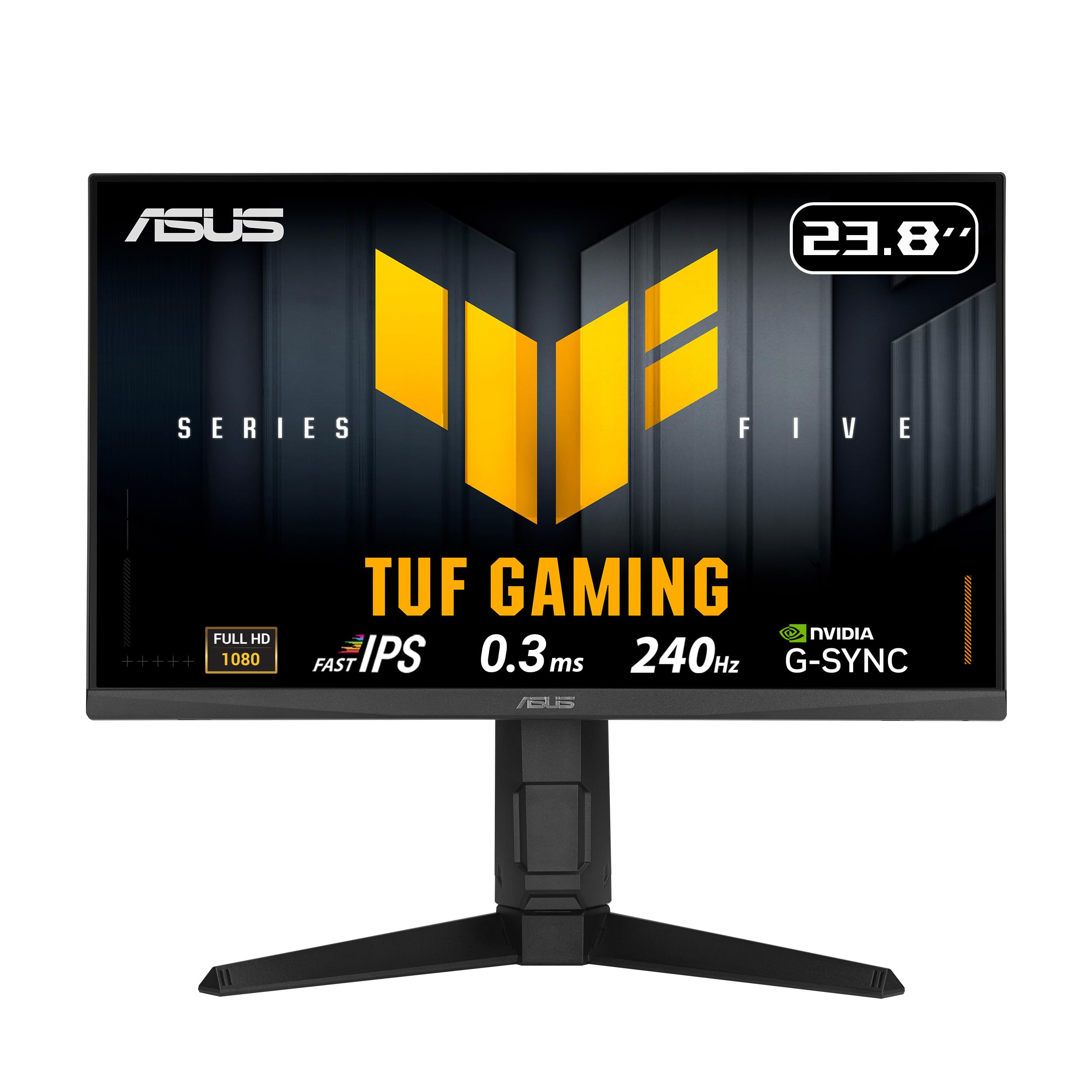
1. ASUS TUF Gaming Series 5 23.8” 1080P Monitor (VG249QML5A)
The esports warrior that swaps raw resolution for blistering speed.
This 23.8-inch ASUS is built for one thing: winning. Its 240Hz refresh rate (way above the 144Hz floor) and a 0.3ms response time — the fastest on this list — mean that every mouse flick and enemy peek appears with zero ghosting. Buyers report it “makes a huge difference” in fast-paced shooters, and the 1080p resolution means even a mid-range graphics card like an 8GB model can push high frame rates without stuttering.
The extra features seal the deal. It supports both FreeSync Premium (for AMD cards) and G-Sync Compatible (for NVIDIA cards), so you get a tear-free experience no matter your GPU brand. The 99% sRGB color gamut (a measurement of color coverage) keeps games looking vibrant, and the height-adjustable stand is a rare perk at this price point. Against the similarly-priced Samsung G53F, the ASUS leads on pure speed (0.3ms vs 1ms), though you trade the larger 27-inch screen and QHD resolution for that responsiveness.
The honest downside is backlight bleed. A few owners note visible light pooling in the corners during dark scenes, and the built-in speakers are weak — plan on using a headset. If you play cinematic, story-driven games, the 1080p resolution on a 23.8-inch panel feels a little cramped compared to the QHD picks below. But at this price, the frame-rate headroom is class-leading.
Why it dominates competitive gaming
- 240Hz refresh rate and 0.3ms response time for ultra-smooth, tear-free motion in shooters
- Works with both FreeSync Premium and G-Sync Compatible GPUs
- Height-adjustable stand with DisplayWidget software for easy settings control
The trade-offs to know
- Backlight bleed can be noticeable in dark corners of a scene
- Built-in speakers are poor; plan on using a headset or external speakers
- 1080p resolution at 23.8-inch means less screen real estate than a 27-inch QHD
Reach for this if: you live in competitive shooters like Valorant or Overwatch and want the fastest possible motion clarity for the lowest price.
Look elsewhere if: you play open-world RPGs or strategy games where a bigger, sharper screen (QHD) would improve immersion more than raw speed.
2. SAMSUNG 27” Odyssey G5 G53F QHD Resolution Gaming Monitor
The QHD ticket that splits the difference between speed and sharpness.
With a 27-inch QHD (2560 x 1440) IPS panel, a 200Hz refresh rate, and a 1ms response time, this Samsung hits the balance for gamers who want both a crisp image and smooth motion. The QHD resolution has 1.7 times the pixel density of 1080p, so text looks sharper and game worlds feel more detailed — a real upgrade over the ASUS above for anyone playing rich titles. The IPS panel ensures colors stay vibrant and accurate from a 178-degree viewing angle, so you can sit off-center without washed-out hues.
The G53F earns high marks for value. Owners consistently praise the “beautiful and vibrant” colors and note it works great for both work and gaming. A 1ms response time (MPRT — a measure of pixel transition speed) keeps motion clear, while AMD FreeSync Premium (a technology that syncs frame rates between your GPU and the monitor) prevents screen tearing. The Black Equalizer feature is a practical bonus: it brightens dark areas in games so you can spot enemies hiding in shadows.
The main critique is the stand. It allows tilt adjustment but feels cheap, and its cable management loop is flimsy. A small number of owners mention units failing after a few months, though the vast majority are happy. Compared to Dell S2725DSM below, the Samsung offers a higher 200Hz refresh rate (versus 144Hz) but lacks the height-swivel-pivot ergonomics, making it a better pure gaming monitor than an office workhorse.
Sharp and speedy for the price: QHD resolution offers a noticeable clarity boost over 1080p, and the 200Hz refresh rate keeps fast action smooth. The biggest compromise is the basic stand — you get tilt-only adjustment and a cheap-feeling base, so consider a VESA mount if ergonomics matter.
Grab the G53F if: you want the biggest visual upgrade from a 1080p monitor without spending over, and you prioritize image sharpness over the fastest possible refresh rate.
Think twice if: you need a fully height-adjustable stand for long work sessions, or if you’re sensitive to occasional QA issues — buy from a retailer with easy returns.
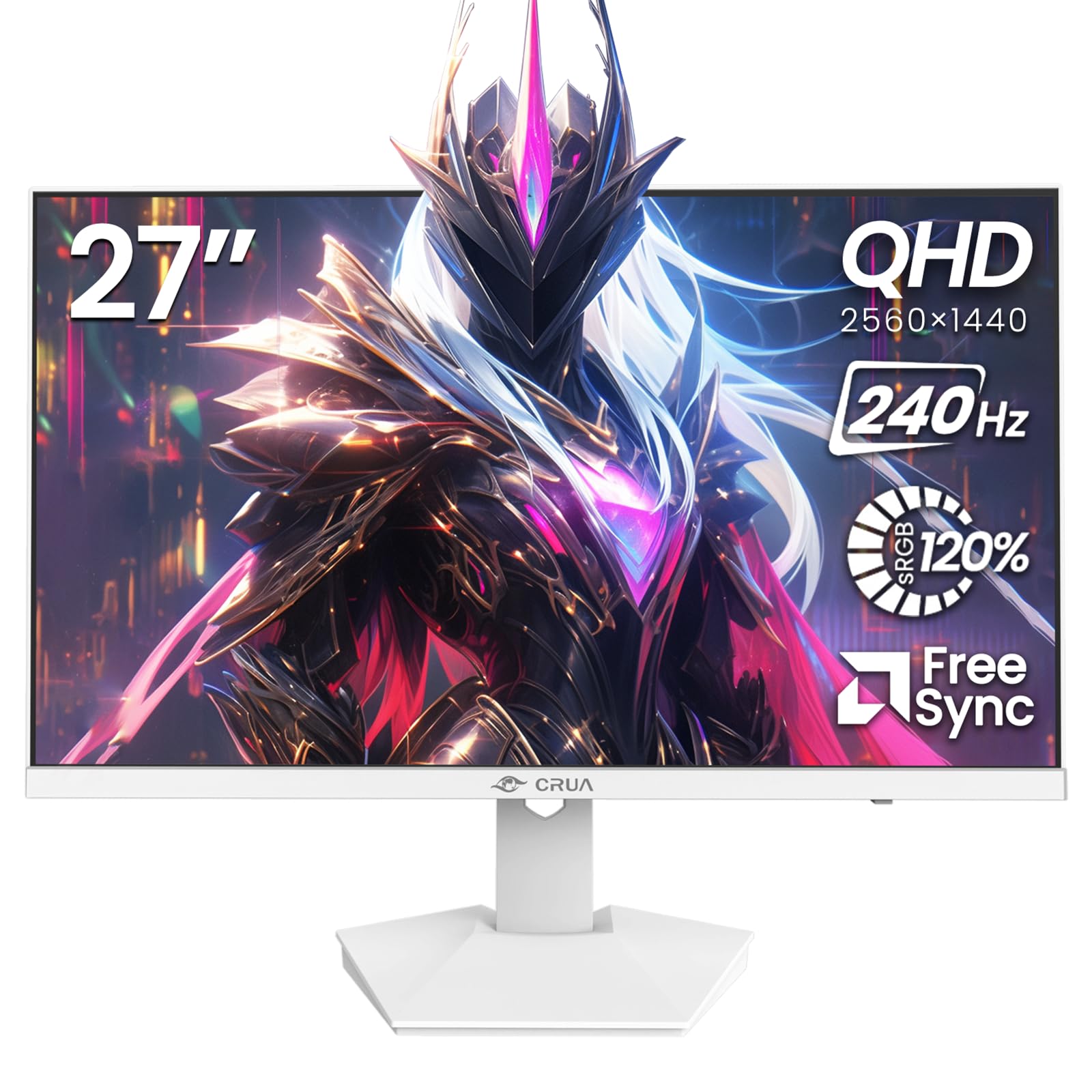
3. CRUA 27″ QHD 2560×1440 240Hz IPS Gaming Monitor
The spec-sheet monster that dares to undercut the big brands.
On paper, this CRUA looks unbeatable: a 27-inch QHD IPS panel with a 240Hz refresh rate, 120% sRGB color gamut (a wider-than-standard color range for richer reds and greens), and a sleek white design — all at a price that undercuts most 1080p 144Hz monitors. AMD FreeSync support (a technology that reduces screen tearing by syncing frame rates) is included, and the 1ms response time should handle fast-paced action. For gamers on a strict budget who want 1440p resolution and high refresh, the specs scream “buy me.”
The reality is messier. While some units are perfectly fine, a meaningful number of customers note dead pixels, aggressive oversaturated colors that can’t be fully corrected, and a short lifespan — one buyer says it “worked great for 7 months” before randomly dying. The built-in speakers are weak, and the instructions are vague. You’re taking a chance on quality control that the big brands (Samsung, Dell, LG) have largely eliminated.
That said, the value is still real for the patient buyer. If you can test the unit immediately for dead pixels and are comfortable with the return window, the QHD-to-240Hz ratio here is class-leading. It beats the Acer Nitro XV272U on price (at a similar spec) but has way more negative reviews on reliability. A high-risk, high-reward pick.
What the spec sheet promises
- 240Hz refresh rate and 2560×1440 resolution for under — class-leading on paper
- 120% sRGB color gamut for vibrant, wide color coverage
- Sleek white design that stands out on a desk
What buyers actually report
- Significant risk of dead pixels — test immediately on arrival
- A few units die or develop issues within months; reliability is a gamble
- Colors can be overly saturated and hard to calibrate to natural tones
Consider this if: your budget is extremely tight, you are comfortable with Amazon’s return process, and you want a 1440p 240Hz monitor more than a reliable brand.
skip it if: you can’t afford downtime or a return hassle — pay a little more for the Samsung G53F or Dell below for confidence.
4. Dell 27 Plus QHD Monitor – S2725DSM

The office-chair champion that also holds its own in a game.
The Dell S2725DSM is a rarity: a monitor that excels at spreadsheets and spreadsheets *and* makes your games look good. Its 27-inch QHD IPS panel offers a sharp 2560 x 1440 resolution for crisp text and detailed visuals, while a 144Hz refresh rate and 1ms (MPRT — a technology for reducing motion blur) response time keep gameplay smooth and responsive for casual to mid-level gaming. The 1500:1 contrast ratio (compared to the more common 1000:1) provides deeper blacks, making dark scenes in games and movies feel more rich.
Where this Dell truly shines is its build quality and ergonomics. The stand offers height, tilt, pivot, and swivel adjustments — you can dial in your perfect viewing angle for a full workday. The dual 3W built-in speakers are actually decent for a monitor, providing a wider range of frequencies than the single-speaker solutions on most budget panels. Owners who have purchased it multiple times for clients call it an “excellent value.” Plus, it’s a 4-star TÜV-certified low-blue-light display, reducing eye strain during long sessions.
The main trade-off is the 144Hz refresh rate. For competitive esports players aiming for 200Hz+, this feels slower than the Samsung G53F or Acer Nitro. It’s also slightly more expensive than the pure gaming alternatives. But if you need a monitor that works for 8 hours of code or spreadsheets and then transitions smoothly into an evening session, this Dell is arguably the most well-rounded pick in the budget-to-mid-range tier.
The most balanced build on the list: a fully adjustable stand, great built-in speakers, and a high-quality QHD IPS panel make this the best dual-purpose monitor here. The 144Hz refresh rate is enough for most players, but competitive gamers will want a faster panel.
Perfect for: anyone who works from home half the day and games the other half, and values a premium, ergonomic stand and reliable build quality.
Not the best fit for: hardcore competitive players who need 200Hz+ refresh rates and a minimal response time for an edge in fast-paced shooters.
5. Acer Nitro 27″ WQHD 2560 x 1440 PC Gaming IPS (XV272U W2bmiiprx)

For the player who demands 240Hz smoothness at a true 1440p resolution.
This Acer Nitro is the balance for the serious gamer who wants it all: a sharp 27-inch QHD (2560 x 1440) IPS panel, a blistering 240Hz refresh rate (via DisplayPort 1.4), and an impressive 0.5ms response time (G to G — a measurement of how fast a pixel changes from one gray tone to another). That combination of high refresh, fast response, and detailed resolution makes it a direct, more affordable rival to premium gaming monitors, beating the ASUS on resolution and the Samsung G53F on speed.
The ergonomic stand is a major plus. It offers a 4.7-inch height adjustment range, 360-degree swivel, 90-degree pivot (for portrait mode), and tilt — everything you need for a comfortable, multi-monitor setup. The DisplayHDR 400 certification (a standard for high-dynamic-range brightness and contrast) means highlights look brighter, though HDR performance is modest on a budget panel. The 99% sRGB color gamut ensures accurate, vivid colors for both gaming and content creation.
The most common complaint is backlight bleed. A few reviewers point out noticeable light pooling in the corners of the screen on dark backgrounds. Others note that the HDMI 2.0 ports are capped at 144Hz, so you *must* use DisplayPort to open up the full 240Hz. If you get a clean unit, this Acer is one of the best bang-for-buck 1440p high-refresh monitors available — outperforming the CRUA on build quality while matching its spec sheet.
Why it’s a top performer
- 240Hz refresh rate and 0.5ms GtG response time for elite smoothness in competitive gaming
- Fully ergonomic stand with height, swivel, pivot, and tilt adjustments
- DisplayHDR 400 certification and 99% sRGB color for strong visual quality
Where it cuts corners
- Backlight bleed is a common quality-control issue in the corners of the panel
- HDMI 2.0 ports are capped at 144Hz — DisplayPort is required for full 240Hz
- HDR performance is a modest improvement over standard SDR, not a standout
Get this if: you play competitive shooters at 1440p and want the speed of a 240Hz monitor without paying premium Alienware or LG prices.
Think twice if: you are sensitive to backlight bleed or want a monitor that is perfectly uniform from the start — you may need to test and exchange a unit.
6. Alienware 27 Gaming Monitor – AW2725DM

The 1440p workhorse that justifies its premium with a flawless G-Sync experience.
The Alienware AW2725DM is built for the gamer who wants a polished, high-fidelity 1440p experience without chasing the absolute highest refresh rate. Its 27-inch QHD IPS panel delivers a buttery-smooth 180Hz refresh rate (up from 144Hz) and a 1ms gray-to-gray response time (how fast a pixel transitions between gray shades, a standard for minimizing ghosting). The real star is the DCI-P3 95% color coverage (a wide color standard that produces richer reds and greens than sRGB), making games and movies look incredibly vibrant.
It is officially certified for NVIDIA G-Sync Compatible, meaning the screen tearing and stutter you might see in other monitors is virtually eliminated if you have an NVIDIA card. AMD FreeSync is also supported. The build quality is excellent — a stable, fully adjustable stand with height, swivel, pivot, and tilt — and the slim, iconic Alienware design looks great on any desk. Shoppers say that using the DisplayPort 1.4 cable (included) is necessary to hit the full 180Hz; HDMI is capped at 144Hz.
Compared to the Acer Nitro above, the Alienware costs more for a lower 180Hz vs. 240Hz refresh rate. You’re paying for a more reliable quality-control process (fewer rejected units), better out-of-box color accuracy, and a stronger, more durable brand. The main grumble from owners is that there is no USB-C port for modern laptops, and a few report intermittent screen flashing that may require a firmware update. It’s the premium pick for buyers who value consistency over peak spec sheets.
Refined, not raw: the Alienware offers a superb 1440p experience for 90% of gamers. The 180Hz refresh rate is still very fast, and the DCI-P3 95% color coverage is a noticeable visual upgrade over sRGB panels. You trade the absolute speed of a 240Hz monitor for guaranteed quality and a top-tier stand.
Buy this if: you want a reliable, high-quality 1440p monitor with smooth motion, great colors, and a premium stand — perfect for all-around PC and console gaming.
Skip this if: you are a competitive shooter player who demands a 240Hz+ refresh rate and minimal response time over all other features.
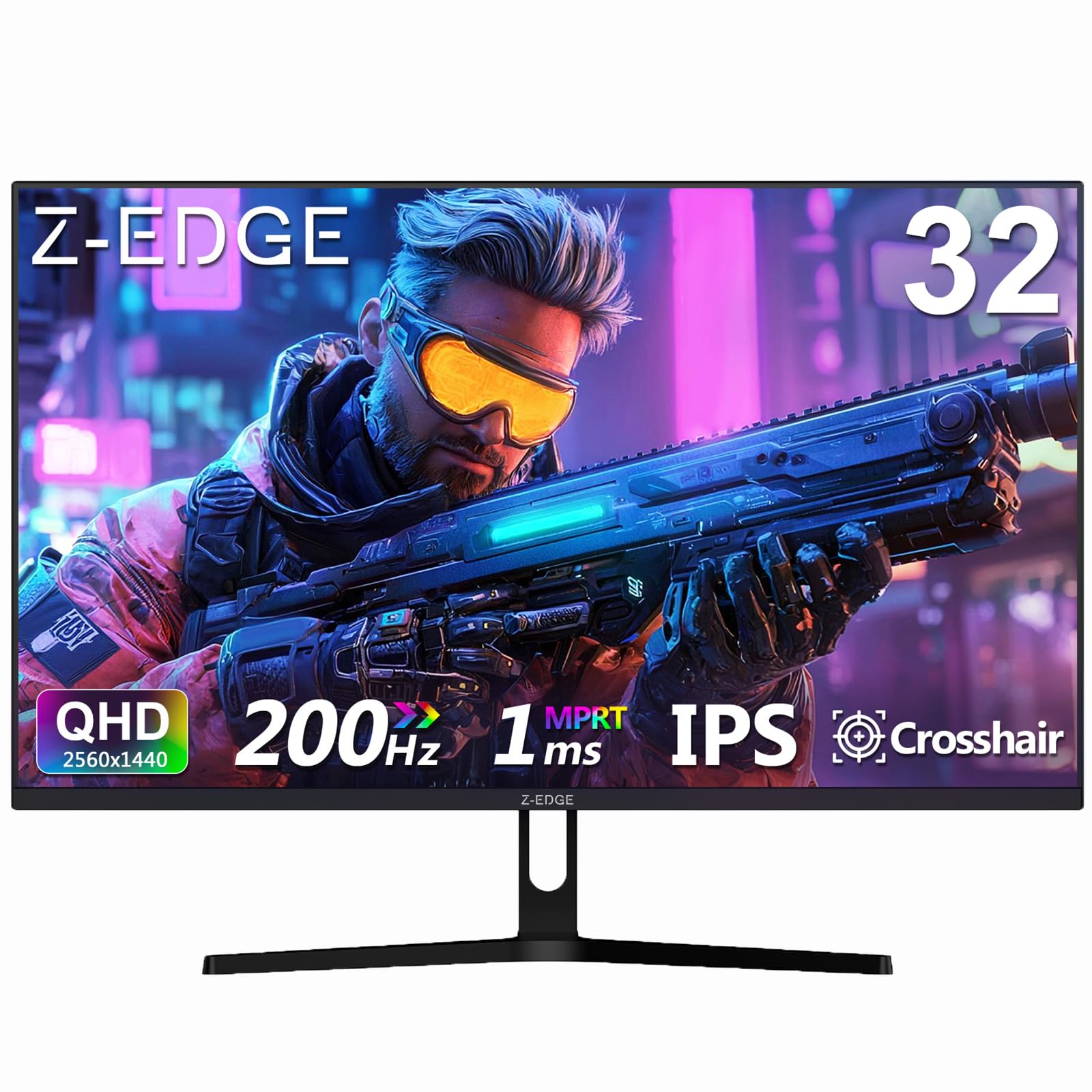
7. Z-Edge 32 inch IPS Gaming Monitor, QHD 1440P 200Hz (UG32)
The big-screen immersion specialist for gamers who want a commanding view.
If you want a massive 32-inch screen without sacrificing a high refresh rate, the Z-Edge UG32 is a strong contender. Its QHD (2560 x 1440) IPS panel delivers a 200Hz refresh rate (via DisplayPort) and a 1ms response time, making it one of the largest “budget” monitors that still feels fast for competitive play. The 1200:1 contrast ratio (a step above the common 1000:1) helps deliver slightly deeper blacks, and the three-sided frameless design minimizes visual distractions for a more rich setup.
For buyers coming from a 24-inch or 27-inch screen, the jump to 32 inches is a major upgrade for immersion in games like Cyberpunk 2077 or Elden Ring. The UG32 includes built-in FPS and RTS game modes that quickly tweak the picture for different genres. It also ships with two DisplayPort and two HDMI inputs (HDMI is capped at 144Hz), giving you plenty of connectivity for a PC and a console simultaneously. One long-term owner reported their first Z-Edge unit lasted 5 years, which suggests decent durability for a budget brand.
The main downside is screen quality control. A few buyers report dead pixels from the start, and the included stand is described as “super cheap” — plan on using a VESA 100x100mm mount or arm for better stability. Colors are good but not as accurate as the Dell or LG picks; it’s tuned for vibrancy, not professional color grading. If you want a budget-friendly giant that still plays fast, this Z-Edge delivers, but be prepared to test your unit.
Bang for the buck on size: a 32-inch QHD panel with a 200Hz refresh rate is a rare combination at this price. The color quality is good for gaming, and the wide connectivity is a bonus. Just be aware of the cheap stand and the need to inspect the panel for dead pixels on arrival.
Get this if: you want the biggest screen possible for cinematic games and can accept a basic stand, planning to use a VESA mount.
Pass on this if: you need a small desk footprint (32 inches is big) or you require professional-grade color accuracy for design work.
8. Samsung 27″ Odyssey G5 (G51F) Gaming Monitor

The VA-panel champion that hides enemies in the deepest shadows.
This Samsung Odyssey G5 (G51F) uses a VA (Vertical Alignment) panel instead of the IPS panels found on most of this list. The payoff is a significantly higher 3000:1 contrast ratio (three times that of typical IPS panels), which means blacks are much deeper and dark scenes in games like Resident Evil or Alan Wake feel richer and more atmospheric. The QHD (2560 x 1440) resolution, 180Hz refresh rate, and 1ms response time (MPRT) keep the gameplay fast and sharp for competitive and cinematic titles alike.
It comes with a fully ergonomic stand — tilt, pivot, and height adjustments — making it comfortable for long sessions. AMD FreeSync (a technology that synchronizes the monitor’s refresh rate with your GPU) keeps motion tear-free. The Black Equalizer (a tool that brightens dark areas of a game to reveal hidden enemies) is a useful in-game assist for spotting opponents in shadows, and the Virtual Aim Point feature adds a crosshair overlay for games that lack one. Write-ups confirm it works “perfectly for fps and cinematic games.”
The trade-off is VA panel quirks. Some owners mention “black smearing” — a faint ghosting trail behind fast-moving objects in dark scenes — though one reviewer notes they “didn’t see any ghosting” in their unit. The viewing angles are narrower than IPS, so colors shift if you sit very far off-center. Power light on the standby is distractingly bright, according to some. If you can accept these minor drawbacks for deeper blacks, this is the best pick for atmospheric gaming on a budget.
Why it excels at cinematic gaming
- 3000:1 contrast ratio delivers deeper blacks and better shadow detail than IPS monitors
- Fully ergonomic stand with height, pivot, and tilt adjustments
- 180Hz refresh rate and 1ms response time for smooth motion
The VA panel reality check
- Black smearing can occur on fast-moving objects in dark scenes
- Narrower viewing angles than IPS — colors shift if you aren’t centered
- Very bright power light on the front can be distracting in a dark room
Choose this if: you play a lot of dark, atmospheric games or watch movies on your monitor and prioritize deep blacks over wide viewing angles.
Pass if: you sit off-center at a desk with others, or you are very sensitive to motion blur in dark areas during fast gameplay.
9. LG 27GL83A-B 27-Inch Ultragear QHD IPS Gaming Monitor

The legacy crowd-pleaser that set the standard for budget 1440p 144Hz gaming.
Years after its release, the LG 27GL83A-B remains the benchmark that most budget 1440p monitors are measured against. It features a 27-inch QHD (2560 x 1440) IPS panel with a 144Hz refresh rate and a 1ms response time (GtG — the industry standard for measuring pixel transition speed). The 99% sRGB color gamut ensures accurate, vibrant colors right from the start, and the 3-sided virtually borderless design keeps the focus on the screen in a multi-monitor setup.
It is officially G-Sync Compatible (certified by NVIDIA to eliminate screen tearing and stutter with GeForce GPUs) and also supports AMD FreeSync Premium, making it among the most versatile adaptive-sync monitors available. The stand offers tilt, height, and pivot adjustments, providing a comfortable viewing angle for long work sessions or gaming marathons. The on-screen joystick control is intuitive and easy to use. Owners overwhelmingly praise its “sharp resolution and excellent color accuracy,” calling it a “fantastic value.”
The main knock is the basic HDR10 support — don’t expect a dramatic visual upgrade when you flip it on. The contrast ratio is listed at 700:1, which is below the 1000:1 average for IPS panels, meaning blacks can look a little grayish in a dark room. It also lacks built-in speakers. But if you want a reliable, well-tested 144Hz experience with zero gimmicks, this LG is the proven choice that still earns near-perfect scores from tens of thousands of buyers.
The standard for a reason: excellent color accuracy, fast 1ms response time, and official G-Sync support make this a flawless all-rounder. The 700:1 contrast ratio means blacks aren’t the deepest, but for 99% of gaming scenarios, this monitor delivers a premium feel at a mid-range price.
Buy this if: you want the most widely-recommended, tried-and-true 1440p gaming monitor that just works, no matter what GPU you own.
pass on it if: you must have deeper blacks for an rich dark-room experience (look at the Samsung G51F instead) or if built-in speakers are essential.
Understanding the Specs
Refresh Rate (Hz)
A monitor’s refresh rate, measured in Hertz (Hz), tells you how many times per second the image on the screen is completely redrawn. A 144Hz monitor redraws 144 times a second, which makes motion appear much smoother than a standard 60Hz screen. For competitive shooters, a higher refresh rate (like 200Hz or 240Hz) can give you a noticeable advantage in tracking fast-moving opponents, while a 144Hz rate is already a huge upgrade for most players. To take full advantage, your graphics card needs to be powerful enough to output frames at that speed — you’ll need a DisplayPort cable for anything above 144Hz.
Response Time (ms)
This is the time it takes for a pixel to change from one color to another, measured in milliseconds (ms). A lower number means less “ghosting” — the blurry trail behind fast-moving objects. A 1ms response time (typically MPRT or GtG) is the standard for good gaming monitors; a 0.3ms or 0.5ms response time (found in the fastest IPS panels) is even snappier. You likely won’t notice the difference between 1ms and 0.3ms in most games, but competitive players on high-refresh monitors can appreciate the clarity during rapid flicks and turns.
Resolution: 1080p vs. QHD (1440p)
Resolution determines how many tiny dots (pixels) make up the picture. 1080p (Full HD, 1920 x 1080) is the most common for budget monitors and is easier for your graphics card to render at high frame rates. QHD (2560 x 1440) packs 1.7 times as many pixels, resulting in a noticeably sharper image — text is crisper, and game worlds look more detailed. However, it demands a stronger GPU to maintain the same frame rates. A QHD 144Hz monitor is the balance for many mid-range builds, while 1080p remains the king for budget competitive gaming.
Panel Type: IPS vs. VA vs. TN
The “panel type” determines the viewing angle, color accuracy, and contrast of your monitor. IPS panels offer the best color reproduction and wide 178-degree viewing angles, meaning the picture looks the same whether you’re sitting in front or off to the side. VA panels provide much deeper blacks (higher contrast ratio) for a more cinematic look in dark scenes, but they can suffer from black-level smearing and have narrower viewing angles. TN panels are the oldest tech and offer the fastest response times but have poor color quality — they are rare in modern budget monitors.
FAQ
Do I need a 240Hz refresh rate or is 144Hz enough for gaming?
Can I run a 144Hz QHD monitor on my current graphics card?
What is the difference between FreeSync and G-Sync?
Can I use a 144Hz monitor with my laptop?
How do I enable 144Hz or 200Hz on my new monitor?
Is a 27-inch 1440p monitor too big for competitive gaming?
What does VESA mount compatibility mean?
Does a 144Hz monitor improve performance in single-player story games?
Final Thoughts: The Verdict
For most buyers, the best budget 144hz gaming monitor is the ASUS TUFGaming VG249QML5A because its 240Hz refresh rate and 0.3ms response time offer unbeatable speed for competitive shooters at a price that won’t break the bank. If you want the best balance of visual sharpness and smoothness for a wider range of games, the Samsung Odyssey G5 G53F delivers a stunning QHD picture with a 200Hz refresh rate for a fantastic all-around experience. And for a premium, reliable work and play setup, the Dell 27 Plus S2725DSM is the one to reach for.
How We Picked
We do not accept paid placement. Every pick is matched to a real buyer and a real use-case; we do not hands-on test units.
Sources & Methodology
Specifications: manufacturer listings and product documentation. Review insights: verified customer reviews, as of July 2026. Pricing: not shown on this page (it changes often); check the current price via the retailer link.
As an Amazon Associate, FitlyFast earns from qualifying purchases. This does not affect which products we feature.