
Our readers keep the lights on and the weekend projects moving. As an Amazon Associate, I earn from qualifying purchases.
Specs are compiled from manufacturer listings and verified buyer reviews and can change over time — please confirm the key details on the product page before buying.
Dropped frames, waiting forever for a timeline to render, and realizing your current card just can’t handle 4K ProRes — that is the pain driving every editor to this search. This guide cuts straight to the eleven graphics cards that actually deliver the smooth scrubbing and quick exports you need for 4K video editing, without the overhype.
I’m Rikta — the founder and writer behind FitlyFast. This guide is built by comparing the manufacturers’ published specifications and the patterns across verified customer reviews, so you get each pick’s real strengths and trade-offs instead of marketing spin.
Whether you edit in Premiere Pro, DaVinci Resolve, or Final Cut, the right 4k video editing graphics card decides if your timeline feels instant or laggy. Here are the best picks for every budget and workload.
Our Picks at a Glance


How To Choose The Best 4K Video Editing Graphics Card
Choosing a graphics card for 4K editing depends on three things: how much video memory (VRAM — the dedicated memory your card uses to store frames and effects) it has, how fast that memory runs, and which editing software you use. Here is what matters.
VRAM — The Single Biggest Factor for 4K Timelines
Editing 4K footage, especially with color grades, effects, or multiple layers, eats up VRAM very quickly. 8GB is the absolute minimum for light 4K work. If you work with high bitrate ProRes, RAW, or long timelines, 16GB is a much safer bet. A card with 16GB gives you breathing room and prevents stuttering when scrubbing.
Memory Type and Bus Width — How Fast Data Moves
GDDR7 is the latest and fastest memory standard, offering higher bandwidth than GDDR6 — meaning your GPU can access large 4K textures faster. The memory bus width (128-bit vs 256-bit) also matters. A 256-bit bus moves more data per clock cycle, which directly improves how quickly 4K frames load into the card.
NVIDIA vs AMD — It Depends on Your Software
NVIDIA cards use CUDA cores, which are heavily tune in Adobe Premiere Pro and After Effects, along with features like NVENC for faster video encoding exports. AMD cards often offer better raw value with more VRAM for the same price-class, and work excellently in DaVinci Resolve and other OpenCL-based apps. Check which platform your NLE (non-linear editor) favors.
Quick Comparison
| Model | Best For | VRAM | Memory Type | Boost Clock | Amazon |
|---|---|---|---|---|---|
| GIGABYTE GeForce RTX 5060★ Best Overall | Best Overall Value | 8 GB | GDDR7 | 2512 MHz | Amazon |
| ASUS Dual RTX 5060Best Value | SFF Builds | 8 GB | GDDR7 | 2535 MHz | Amazon |
| AMD Radeon Pro W7500Pro Workstation | Multi-Monitor Workstation | 8 GB | GDDR6 | — | Amazon |
| ASUS Dual RX 9060 XT | High VRAM Value | 16 GB | GDDR6 | 3250 MHz | Amazon |
| ASRock RX 9060 XT Challenger | Compact Performance | 16 GB | GDDR6 | 3290 MHz | Amazon |
| PNY RTX 4060 Ti 8GB | Entry-Level 4K Editing | 8 GB | GDDR6 | 2535 MHz | Amazon |
| PNY RTX 5060 Ti 16GB | AI & Creative Workloads | 16 GB | GDDR7 | 2692 MHz | Amazon |
| PowerColor RX 9070 XT | Silent 1440p/4K Gaming | 16 GB | GDDR6 | 2400 MHz | Amazon |
| Sapphire Pulse RX 9070 XT | Top-Tier Cooling | 16 GB | GDDR6 | 2970 MHz | Amazon |
| GIGABYTE RX 7800 XT | Local LLM & Stable Value | 16 GB | GDDR6 | 2565 MHz | Amazon |
| MSI RTX 5070 Ti Ventus | High-End 4K All-Rounder | 16 GB | GDDR7 | 2497 MHz | Amazon |
In‑Depth Reviews
1. GIGABYTE GeForce RTX 5060 WINDFORCE OC 8G
Our pick — over 4.5★ from 350+ verified ratings; the strongest balance of quality and price.
The card that gives you next-gen performance while staying affordable.
This is the card that makes the biggest splash for the widest range of editors. At its core is the NVIDIA Blackwell architecture and DLSS 4, which use AI to boost frame rates and improve image quality — a real help when previewing complex timelines. The WINDFORCE cooling system keeps the card quiet and cool even during long renders, which buyers report as a standout feature.
With 8GB of GDDR7 memory on a 128-bit interface, it handles 1080p and 1440p editing with ease, and it can manage lighter 4K projects. The performance is the most-praised aspect, and owners say it delivers excellent value for money. Some note that the 8GB VRAM means you will need to manage settings for heavier 4K workloads, but for the price, the trade-off is clear.
What wins people over
- DLSS 4 and Blackwell architecture for AI-enhanced performance
- Quiet and effective WINDFORCE cooling system
- Excellent value for the performance tier
The one consideration
- 8GB VRAM means you may need to dial back settings on complex 4K timelines
Reach for this if you want the best balance of modern features and price for lighter 4K editing and gaming.
Think twice if you regularly edit long, multi-layer 4K ProRes or RAW footage — you will want a 16GB card.
2. ASUS Dual NVIDIA GeForce RTX 5060 8GB GDDR7 OC Edition
A compact powerhouse that fits into small builds without sacrificing performance.
If you are building a smaller PC but refuse to compromise on editing power, this is your card. It is an SFF-Ready Enthusiast GeForce Card, meaning it is designed to fit into small-form-factor cases. The Axial-tech fan design pushes more air downward for better cooling, and the 0dB technology stops the fans entirely under light loads for silent operation when browsing or doing light office work.
The 8GB GDDR7 memory runs on a PCIe 5.0 interface, which gives you the bandwidth headroom for future systems. Owners mention that its raster performance is near that of the 2080 Ti or 3070, which is impressive for its class. It runs efficiently, drawing about 150W TDP, and stays cool even when overclocked. The card handles 1080p natively and about 80% of 1440p titles easily. A bit more compact than the GIGABYTE above at 1.4 pounds, it is the pick for tight spaces.
Why it stands out
- SFF-Ready design fits small cases easily
- 0dB technology for silent everyday use
- Efficient 150W TDP keeps power bills and heat low
The main trade-off
- 8GB VRAM is the same limitation as the standard 5060 for heavy 4K projects
Best for editors building a compact, high-efficiency workstation that still handles 1440p editing and lighter 4K projects.
skip it if you need 16GB of VRAM for complex, multi-layer 4K timelines.
3. AMD Radeon Pro W7500 8GB
The professional-grade card that drives four displays with total reliability.
This is not a gaming card — it is a dedicated workstation GPU designed for professionals who need rock-solid stability in multi-monitor setups. With four DisplayPort outputs, it can drive up to four 4K displays simultaneously, which is a dream for editors who need a timeline on one screen and color reference on another. It is a full-height, single-slot card that runs on PCIe 4.0 x4, meaning it sips power and stays cool.
One owner reports using it on Linux for four months straight “not even a hiccup on X11,” and another praises instant page rendering for 2D CAD. It is a pick for those who value stability over raw gaming frames. The 8GB GDDR6 is fine for 2D editing and lighter 3D work, but it is behind the consumer cards for heavy 4K rendering. It is also noticeably larger than the others at 12 inches long.
What pros love
- Rock-solid stability for professional workstation use
- Four DisplayPort outputs for multi-monitor workflows
- Low power draw, single-slot design
The limitation
- Not built for high-end 4K rendering or gaming; designed for 2D/light 3D professional work
Ideal for professionals running a stable, multi-monitor setup for 2D video editing and CAD work.
Not for editors who need intensive 4K rendering power or want to game on the side.
4. ASUS Dual Radeon RX 9060 XT 16GB

The 16GB of VRAM here is the real story — future-proofing your 4K timeline.
This is the card that answers the VRAM question definitively. With 16GB of GDDR6 memory, it gives you the headroom to stack layers, apply heavy color grades, and work with high-bitrate 4K footage without stuttering. The GPU clock runs at 3250 MHz, giving it a real edge in raw processing speed.
The 16GB of VRAM is the most-praised feature, with owners calling it “huge” and “future-proofing.” It runs cool and quiet thanks to the Axial-tech fan design and 0dB technology. It handles 1440p gaming easily and lighter 4K rendering well. Customers note excellent price-performance ratio, making this a very strong mid-range value pick for editors who want today’s VRAM headroom without paying premium prices.
What everyone raves about
- 16GB VRAM is a standout for 4K timelines
- Highest boost clock of any card here at 3250 MHz
- Quiet and cool operation under load
The trade-off
- GDDR6 memory is a step behind the GDDR7 found on newer NVIDIA cards
Perfect for editors who need 16GB of VRAM now for serious 4K work but want to stay in a very reasonable price range.
Look elsewhere if your workflow relies heavily on CUDA-accelerated plugins in Adobe software.
5. ASRock Radeon RX 9060 XT Challenger 16GB OC

A compact, powerful 16GB card that keeps things quiet and cool.
This card from ASRock packs the same 16GB of GDDR6 memory as the ASUS above but pushes the boost clock even higher to 3290 MHz. It uses the next-gen AMD RDNA 4 architecture with 3rd Gen Ray Tracing and 2nd Gen AI Accelerators, making it a strong performer for both editing and gaming. The dual-fan design features 0dB Silent Technology, so the fans stop completely under low load for silent operation during casual use.
The most-praised aspects are its performance and card quality. Owners love that it is compact and lightweight compared to three-fan versions from other brands. One buyer replaced their 3060 and said it “runs games perfectly, pushing 165 fps on high settings, and it’s ultra quiet.” It runs cool, handles 1440p flawlessly, and the metal backplate adds structural rigidity. The 2-slot card measures just 249mm long, fitting into more compact cases.
Why it wins fans
- 3290 MHz boost clock — among the highest here
- Compact 249mm length fits smaller builds
- RDNA 4 architecture with AI accelerators
The caveat
- Requires a 550W power supply; confirm your PSU is up to the task
Pick this if you want a compact, high-performing card with 16GB VRAM and the latest AMD architecture for 1440p editing and gaming.
Consider the ASUS if you prefer a slightly different cooler design or prioritize a known brand for warranty support.
6. PNY GeForce RTX 4060 Ti 8GB Verto Dual Fan

A cost-effective way to get into 4K editing with NVIDIA’s efficiency.
If you are stepping up from an older card like a GTX 1660, this is a solid entry point into 4K work. It uses the ultra-efficient Ada Lovelace architecture with DLSS 3, which uses AI to boost performance. The card has 4352 CUDA processing cores and up to 288GB/sec of memory bandwidth. It runs at a boost clock of 2535 MHz.
Reviewers point out that it is a big improvement for 4K video editing export times in Premiere Pro. One reviewer noted “big improvement in 4K video editing export times in Premiere. Would buy again.” The dual 90mm fans and 2 heat pipes keep it cool, though some note the fans can get loud under full load. The 8GB VRAM is fine for entry-level 4K with mixed settings, but it will struggle with heavy timelines.
What you get
- DLSS 3 and Ada Lovelace architecture for AI-enhanced performance
- Measurable improvement in Premiere Pro export times
- 4352 CUDA cores for solid 1080p/1440p performance
The downsides
- 8GB VRAM is the bare minimum for 4K editing
- Fans can be loud under heavy loads
Best for editors on a very tight budget who are upgrading from a much older card and want NVIDIA’s efficient architecture for lighter 4K projects.
Not for heavy 4K workflows with high bitrate footage and complex effects.
7. PNY NVIDIA GeForce RTX 5060 Ti OC Dual Fan 16GB
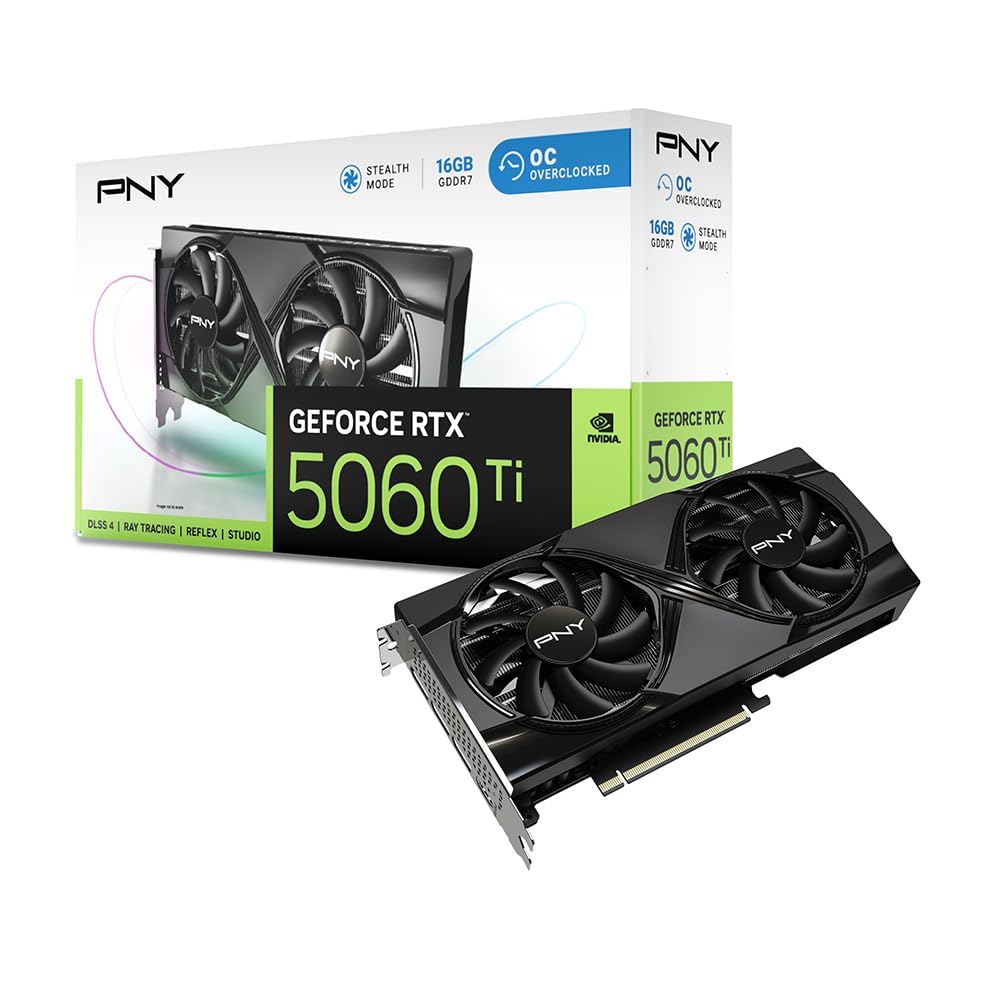
the balance for creators who need 16GB of VRAM and NVIDIA’s AI-powered tools.
This card bridges the gap perfectly. It offers 16GB of the latest GDDR7 memory, giving you the VRAM headroom for 4K timelines while also benefiting from NVIDIA’s Blackwell architecture and DLSS 4. The boost clock runs at 2692 MHz, and it features Fifth-Gen Tensor Cores and Fourth-Gen Ray Tracing Cores. It is SFF-Ready, so it can fit into compact builds.
Shoppers say this is an ideal card for entry-level AI workloads in addition to gaming and editing, praising its balanced price and great VRAM value. One owner upgraded from a 2080 Super and saw significant gains in 1440p gaming. The card stays remarkably cool under high loads and is easy to install. It draws around 150W during gaming, making it very power-efficient for its class.
What makes it special
- 16GB GDDR7 memory — the perfect match for NVIDIA’s AI and editing tools
- DLSS 4 and Fifth-Gen Tensor Cores
- Power-efficient design at ~150W under load
The trade-off
- Noise levels get mixed feedback — some find it quiet, others say it is a little noisy
Ideal for editors who need 16GB of VRAM and want to leverage NVIDIA’s AI tools for creative workflows without moving to a top-tier card.
Consider a higher-end card if you need raw rasterization power for heavy gaming alongside editing.
8. PowerColor Reaper AMD Radeon RX 9070 XT 16GB
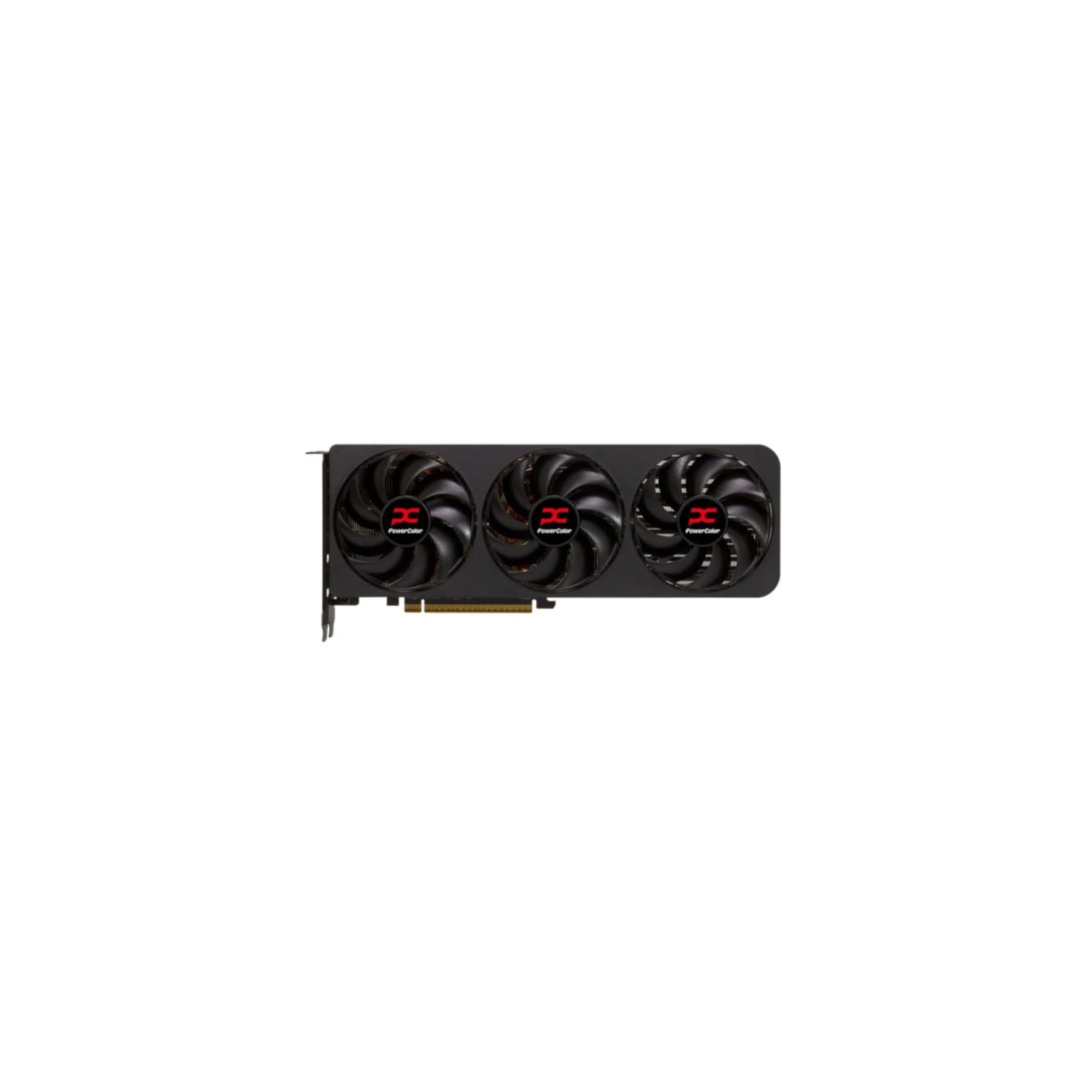
A true 2-slot card that runs dead silent while delivering 1440p excellence.
For editors who prioritize a quiet workspace, this card is a standout. The PowerColor Reaper uses a true 2-slot design with dual 8-pin power connectors, making it easier to fit into standard cases. It requires a 750W power supply minimum. The card runs at a 2400 MHz clock and features 16GB of GDDR6 memory on a 256-bit bus.
Owners are blown away by how quiet this card is, describing it as “dead silent.” One owner replaced an unstable ASUS 5070 Ti and found the Reaper perfectly stable and silent. The card runs cool, with one owner noting temperatures around 50°C under load. Its compact size at 289mm long is a plus for smaller cases.
What buyers love
- Remarkably quiet operation, even under load
- True 2-slot design for better compatibility
- Excellent 1440p performance with great thermals
What to know
- Noise level gets mixed feedback — while most find it quiet, a few report audible clicking
- Requires a beefy 750W PSU
Reach for this if a silent, stable, and powerful card for 1440p editing and gaming is your top priority.
Look at the Sapphire Pulse if you need more raw clock speed for rendering tasks.
9. Sapphire Pulse AMD Radeon RX 9070 XT 16GB

A cooler-running beast that stays under 50°C while gaming or editing.
This is the card that will make you forget you even have a GPU running. It has a 256-bit GDDR6 memory interface and a boost clock of 2970 MHz, giving it a significant edge in memory bandwidth for loading high-res footage. The card runs remarkably cool, staying under 50°C during gaming and idling at just 32°C, according to owners. Performance is the most-praised aspect, with one owner calling it a “beastly performance.”
It handles everything on ultra settings and is “very quiet” as users put it. The memory clock runs at 20 GHz, and it outputs via 2 x HDMI and 2 x DisplayPort. The Sapphire Pulse is a respected brand among AMD fans for reliability. The card is larger than expected, so measure your case carefully. It is also heavier at 1.86 kg, so a good case and strong PCIe slot are recommended.
What makes it top-tier
- Exceptionally cool — under 50°C during gaming, 32°C at idle
- 256-bit memory bus for faster 4K data loading
- 2970 MHz boost clock offers serious raw speed
Consider this
- Larger size (289mm) may not fit all cases without careful measurement
- Heavier build demands a well-supported PCIe slot
Best for editors who want the coolest-running card with a 256-bit bus and proven Sapphire reliability for serious 4K workloads.
Pick the PowerColor if you need a true 2-slot card in a smaller space.
10. GIGABYTE Radeon RX 7800 XT Gaming OC 16GB

A triple-fan 16GB card that offers quiet stability for local AI and editing.
This card from GIGABYTE brings a triple-fan Windforce cooling system with 7 composite copper heat pipes, making it one of the best-cooled cards here. It has a boost clock of 2565 MHz and 16GB of GDDR6 memory on a 256-bit bus. It supports AMD RDNA 3 architecture with advanced ray tracing and AI accelerators, along with AV1 encoding for efficient streaming and recording.
Owners praise its performance and quiet operation. One buyer uses it with local LLMs via Ollama. It is noted for being a solid choice for 1440p gaming, delivering excellent performance with smooth frame rates. The card runs quiet and offers good OC headroom. It is a strong, stable pick for editors who also run local AI models.
What it delivers
- 256-bit memory bus for solid 4K data throughput
- Triple-fan Windforce cooling with 7 heat pipes
- Excellent for local AI and LLM workloads
The trade-off
- Larger card may not fit smaller cases as easily as dual-fan models
Ideal for editors who need a stable, well-cooled 16GB card for 1440p work and local AI tasks.
Consider a more compact card if space in your case is at a premium.
11. MSI RTX 5070 Ti Ventus 3X OC 16GB

The high-end card that outperforms pricier rivals, even beating last-gen flagships.
If you want the best of everything — fast rendering, high FPS in games, and excellent cooling — this is the card. It features a 256-bit GDDR7 memory interface, a boost clock of 2497 MHz, and NVIDIA Blackwell architecture with DLSS 4. The TORX Fan 5.0 design uses linked fan blades to stabilize and maintain high-pressure airflow, keeping the card under 65°C during heavy loads.
Buyers report that it beats the last-generation RTX 4080 Super in benchmarks, even without overclocking. It delivers 120-140 FPS in 4K on games like Tarkov and DayZ, and over 200 FPS in Battlefield 6. It is also praised for being quiet, with no jet engine noise. The card includes a support bracket for its larger size. The mixed feedback on noise level is note — some find it quiet, others find it loud.
what separates it
- 256-bit GDDR7 memory bus for top-tier 4K bandwidth
- Outperforms last-gen 4080 Super in benchmarks
- Excellent thermals, stays under 65°C under load
Consider this
- Noise level receives mixed feedback — some find it quiet, others loud
- Larger size (15.2 inches long) requires a roomy case
Reach for this if you want the best all-around high-end card for 4K editing and high-FPS gaming with NVIDIA’s latest tech.
Think twice if you are sensitive to noise or have a smaller case — check dimensions carefully.
Understanding the Specs
VRAM — Video Memory
The memory on your graphics card is where it stores the frames and textures it is processing. For 4K video editing, 8GB is the absolute floor for light projects. 16GB is the safe zone for multi-layer timelines, heavy color grading, and high bitrate footage like ProRes or RAW. More VRAM means less stuttering and faster scrubbing.
Memory Bus Width
This is the number of bits the card can move in one clock cycle. A 128-bit bus is common for budget and mid-range cards. A 256-bit bus moves twice the data per cycle, which is better for loading high-resolution textures and 4K video frames. For 4K editing, a 256-bit bus has a real advantage.
GDDR7 vs GDDR6 Memory
GDDR7 is the newest memory standard and offers significantly higher bandwidth than GDDR6. This means the GPU can access data faster, which helps when scrubbing through 4K timelines or applying effects. GDDR6 is still very capable, but GDDR7 gives you a performance boost for future-proofing.
CUDA Cores / Stream Processors
These are the processing units inside the GPU that do the actual work. NVIDIA cards use CUDA cores, while AMD cards use Stream Processors. More cores generally mean faster rendering. If you use Adobe Premiere Pro, NVIDIA’s CUDA cores are particularly beneficial for hardware-accelerated effects and encoding.
FAQ
Will an 8GB card work for 4K video editing?
What is the difference between GDDR6 and GDDR7 memory?
Does NVIDIA or AMD work better for Premiere Pro?
What does the memory bus width (128-bit vs 256-bit) mean for editing?
Can I use a gaming graphics card for professional video editing?
How important is a high GPU clock speed for editing?
What is DLSS and should I care about it for editing?
How do I know if the card will fit inside my PC case?
What power supply do I need for these graphics cards?
Is 16GB of VRAM future-proof for 4K editing?
Final Thoughts: The Verdict
For most editors, the 4k video editing graphics card to buy is the GIGABYTE GeForce RTX 5060. It balances modern Blackwell architecture (NVIDIA’s latest chip design), DLSS 4 (AI upscaling that boosts frame rates), and quiet cooling at a price that makes it the crowd favorite. If you need 16GB of VRAM for heavy 4K timelines without paying a premium, pick the ASUS Dual RX 9060 XT. And for a silent, high-end card that outperforms last-gen flagships, the MSI RTX 5070 Ti Ventus is the one to reach for.
How We Picked
We do not accept paid placement. Every pick is matched to a real buyer and a real use-case; we do not hands-on test units.
Sources & Methodology
Specifications: manufacturer listings and product documentation. Review insights: verified customer reviews, as of July 2026. Pricing: not shown on this page (it changes often); check the current price via the retailer link.
As an Amazon Associate, FitlyFast earns from qualifying purchases. This does not affect which products we feature.