
Our readers keep the lights on and the weekend projects moving. As an Amazon Associate, I earn from qualifying purchases.
Specs are compiled from manufacturer listings and verified buyer reviews and can change over time — please confirm the key details on the product page before buying.
Finding a prebuilt PC on a tight budget can feel like walking through a minefield of misleading specs and disappearing customer support. You want something that actually plays the games you love without crashing, lagging, or needing a degree in IT to fix on day one. This guide cuts past the marketing noise to focus on what matters at this price point: real-world gaming performance, upgrade potential, and the honest truth about longevity.
I’m Rikta — the founder and writer behind FitlyFast. This guide is built by comparing the manufacturers’ published specifications and the patterns across verified customer reviews, so you get each pick’s real strengths and trade-offs instead of marketing spin.
After analyzing hundreds of owner experiences, we’ve sorted through the noise to find the best budget prebuilt pc options that deliver reliable performance while staying affordable.
Our Picks at a Glance

How To Choose The Best Budget Prebuilt PC
The biggest mistake people make when buying a budget gaming PC is focusing entirely on the CPU speed while ignoring the graphics card and the type of RAM inside. A flashy case with lots of RGB fans won’t save you from a system that stutters the moment you load into a game. You need to look past the lights and check three core components: the GPU, the motherboard platform, and the memory standard. An older platform like DDR3 limits your ability to upgrade later, and a weak GPU means you will be stuck at low settings or unplayable frame rates in modern titles.
Graphics Card: The Heart of Your Gaming Experience
For gaming, the dedicated graphics card (GPU) is the single most important part. An AMD Radeon RX 550 or RX 560, or an NVIDIA GeForce RTX 3050, will let you play popular titles like Fortnite, Rocket League, and GTA V at smooth frame rates. Integrated graphics (built into the CPU) are fine for office work and web browsing, but they will struggle with almost any modern 3D game.
Motherboard Platform and Upgrade Path
Pay attention to whether the PC uses DDR3 or DDR4 memory. DDR4 is the current standard and allows for faster speeds and better performance. System often use older server-grade CPUs that are paired with DDR3 RAM. This makes them cheap upfront but harder and more expensive to upgrade later, since you would need to replace the entire motherboard and RAM to move to a modern platform.
Storage: SSD vs. HDD
A solid-state drive (SSD) is non-negotiable for modern computing. Every PC on this list uses a 512GB or larger SSD, which means Windows boots in seconds and games load quickly. An NVMe SSD is faster than a standard SATA SSD, but both are miles ahead of old mechanical hard drives.
Quick Comparison
| Model | Best For | GPU | RAM & Type | Storage | Amazon |
|---|---|---|---|---|---|
| STGAubron Xeon E5 + RX 550★ Best Overall | Budget Alternative / RGB Focus | RX 550 4GB | 16GB DDR3 | 512GB SSD | Amazon |
| ZYNEEX Ryzen 5 + RTX 3050Also Great | Best Overall / 1080p Gaming | RTX 3050 6GB | 16GB DDR4 | 1TB NVMe SSD | Amazon |
| LXZ Ryzen 5 4500 + RX 560Best Value | Best Value / Solid 1080p | RX 560 4GB | 16GB DDR4 | 512GB NVMe SSD | Amazon |
| suevery Ryzen 5 + RTX 3050 | Premium Pick / Modern GPU | RTX 3050 6GB | 16GB DDR4 | 512GB PCIe SSD | Amazon |
| suevery Ryzen 5 5500 + RX 6500 XT | Best for 4K Display / Aesthetics | RX 6500 XT 4GB | 16GB DDR4 | 512GB SSD | Amazon |
| YAWYORE Ryzen 5 5600GT | Best for Upgrade / 1TB Storage | Integrated Vega | 16GB DDR4 | 1TB NVMe SSD | Amazon |
| abytespark i5 + RX 550 | Best Budget / Entry-Level | RX 550 4GB | 16GB DDR4 | 512GB SSD | Amazon |
| STGAubron i5 + RX 560 | Mid-Range / Wi-Fi 6 | RX 560 4GB | 16GB DDR4 | 512GB SSD | Amazon |
| ZER-LON i5 + R7 350 | Budget Pick / Starter | Radeon R7 350 4GB | 16GB RAM | 512GB SSD | Amazon |
In‑Depth Reviews
1. STGAubron Gaming PC Desktop (Xeon E5 + RX 550)
An old-server CPU in a white case, promising 60 FPS but mixed results.
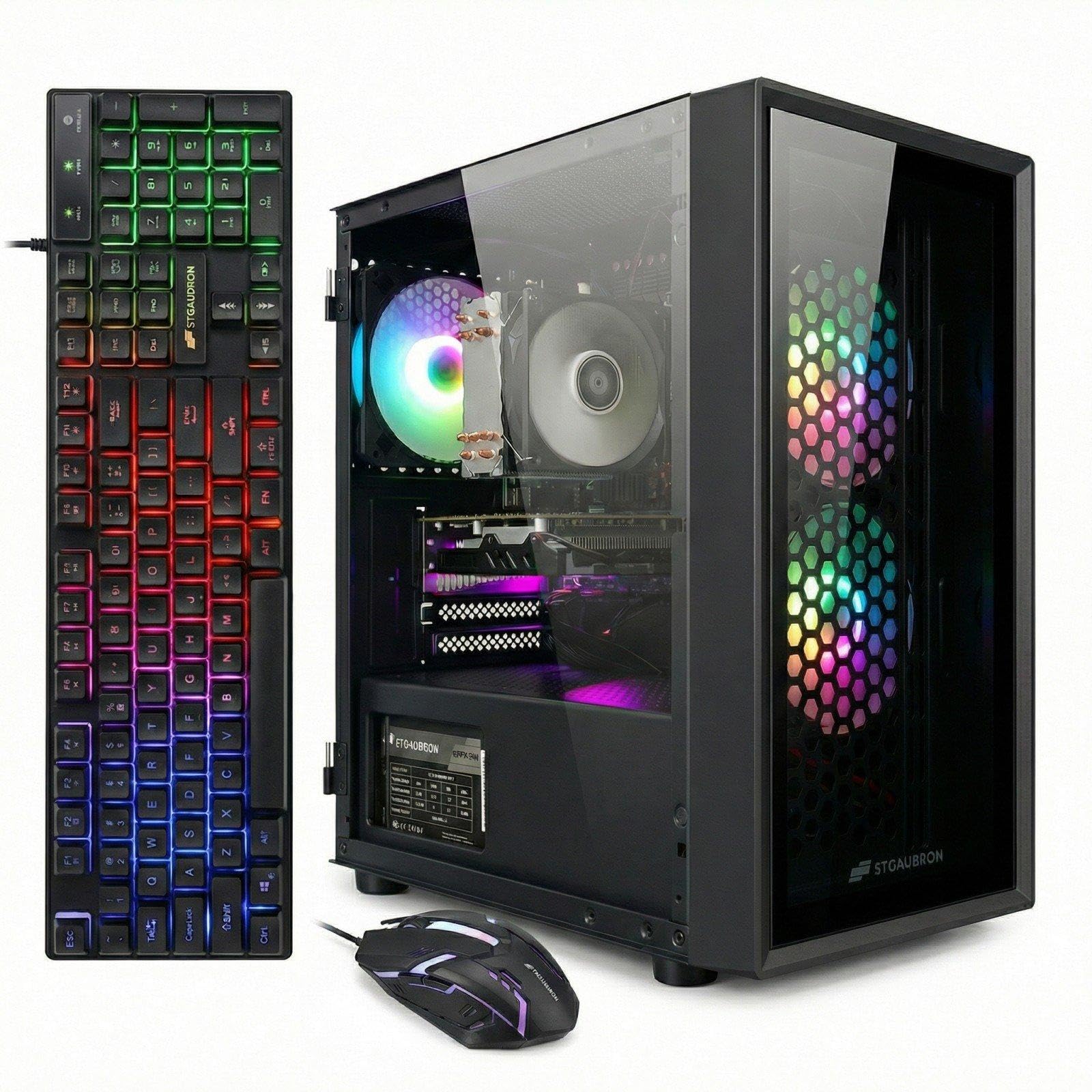
This STGAubron is the cheapest option on the list, and it shows in the hardware choices. It uses an old Intel Xeon E5 server processor (up to 3.3GHz) paired with an AMD Radeon RX 550 4G graphics card, 16GB of RAM, and a 512GB SSD. The marketing claims it can run a wide range of popular games at 60+ FPS, including Fortnite, GTA V, and Elden Ring. The case is white with three RGB fans and comes with an RGB gaming keyboard and mouse.
The crowd consensus is split. Some owners find it a fast, good-looking PC for everyday use and light gaming, calling it a great starter for a 13-year-old. Others have a very different experience, with one owner reporting nothing but problems, constant crashing, and having to factory reset every week just to get the Wi-Fi working. The fundamental issue here is the Xeon E5 platform: it uses older DDR3 memory and a server motherboard that limits your future upgrade options significantly.
Compared to the ZER-LON above, this STGAubron has a similar price and risk profile but offers a slightly more powerful GPU (RX 550 vs R7 350). It is a gamble for the absolute lowest entry point.
What the data says: The RX 550 4GB is a real dedicated graphics card, so it can play games at low settings, and the 16GB RAM helps with multitasking.
The bottom line: The old Xeon platform and DDR3 RAM make this a dead end for upgrades, and the reliability is very mixed, with a high chance of problems.
Buy this only if: Your absolute maximum budget is around and you are okay with a computer that may need troubleshooting or may fail entirely.
Strongly consider saving more for: The abytespark or LXZ above, which offer a much better user experience and modern upgrade paths.
2. ZYNEEX Prebuilt Gaming Desktop PC (Ryzen 5 5500 + RTX 3050)
The crowd favorite that actually delivers 1080p gaming without the headache.
If you want a budget prebuilt that genuinely handles modern games at high settings, this is the one. It pairs an AMD Ryzen 5 5500 processor (6 cores, up to 4.2GHz) with a dedicated GeForce RTX 3050 6GB graphics card. That GPU is a serious step up from the RX 550 and RX 560 cards found in cheaper models, and it shows in games like World of Warcraft, where buyers report running everything at max settings without any stuttering. The 16GB of DDR4 3200MHz RAM and 1TB NVMe SSD mean you have plenty of fast storage and memory for multitasking and modern game installs.
The build quality and cooling setup are also better than what you typically see at this level. It uses a quad-copper-pipe air cooler with multiple ARGB case fans to keep temperatures in check during long sessions. The built-in Wi-Fi handles wireless networking, and the port selection (HDMI, DisplayPort, DVI, and USB) gives you flexibility for multiple monitors. While a handful of owners mentioned an initial boot quirk that was resolved with a simple reset, the overwhelming consensus is that this PC just works right from the start.
At a 4.6 rating across a strong batch of reviews, this is the safest bet for anyone who wants to play games like Fortnite, GTA V, or Sims 4 with heavy mods without needing to open the case for upgrades right away. It beats the cheaper picks below by offering a modern GPU that can handle 1080P gaming without breaking a sweat.
Why it wins: The RTX 3050 6GB gives you real, playable performance in modern titles at high settings — something the budget RX 550-based PCs simply cannot match.
The one caveat: A few units arrive needing a minor keyboard-based fix to enable mouse clicks, but this is a one-time setup snag, not a recurring defect.
Reach for this if: You want a reliable, modern, entry-level gaming PC that can play current games on high settings without needing immediate upgrades.
Look elsewhere if: Your budget is strictly below — you will have to sacrifice GPU power significantly.
3. LXZ Gaming PC Desktop (Ryzen 5 4500 + RX 560)
the balance where a modern CPU meets a capable budget GPU.
This LXZ machine uses a Ryzen 5 4500 processor (6 cores, up to 4.1GHz) paired with an AMD Radeon RX 560 4GB dedicated GPU. That is a noticeable step up in graphics power compared to the RX 550 in the cheapest options — and owners consistently say it handles mainstream esports titles like LOL, CS2, and PUBG without issue. The 16GB of DDR4 RAM and 512GB NVMe SSD are the modern foundation you want, and the system is ready to play right after plugging in.
What stands out about this build is its versatility. The crowd favorite use case here is an office workstation that can also game, or a starter PC for kids. One owner noted it runs three screens easily after adding a second monitor card, and another upgraded the RAM to 64GB for streaming multiple platforms. The case is compact, which helps it fit on any desk, though a few owners mention it is a bit tight inside for tinkering. Performance is rated positively by the majority of buyers, and the system runs cool at around 55°C under medium gaming load.
Compared to the ZYNEEX above, this LXZ trades a slightly weaker GPU (RX 560 4GB vs RTX 3050 6GB) for a much lower entry point, making it the best choice if you are on a tighter budget but still want a modern CPU platform that won’t become obsolete overnight.
The standout trait: The Ryzen 5 4500 processor is a modern, upgrade-friendly platform, unlike the older Xeon or i5 chips found at a similar price.
The honest trade-off: The RX 560 is a capable 1080p card for esports, but do not expect to run heavy AAA titles at max settings.
Best suited for: Gamers on a strict budget who want a modern, upgradeable platform that can handle League of Legends, CS2, and GTA V without lag.
Not for you if: You need to play the latest AAA games at high settings on day one — you will need to invest in a stronger GPU down the line.
4. suevery Pre-Built Gaming PC Tower (Ryzen5 + RTX 3050)

A sleek white RTX 3050 build that looks as good as it games.
This suevery machine takes the premium route in the budget space by offering a white chassis with an RTX 3050 6GB graphics card and 16GB of DDR4 3200MHz high-speed memory. The 512GB M.2 PCIe NVMe SSD loads games at lightning speeds. It also includes Wi-Fi 6, which is a significant upgrade for wireless connectivity, offering lower latency and more stable connections than older Wi-Fi standards.
The design is a major talking point here. The white, sleek chassis with customizable RGB lighting makes it a centerpiece for any desk, and owners say it is a solid beginner system with plenty of room for upgrades later. The RTX 3050 handles games like Marvel Rivals, Planet Zoo, and Fortnite without issues at medium to high settings, and the cooling system keeps noise levels low. A few owners did note that the CPU cooler came slightly bent but still worked fine, and some expressed a desire for more storage from the start.
Compared to the LXZ above, this suevery offers a much stronger GPU (RTX 3050 vs RX 560) and modern Wi-Fi 6, but at a higher price point. It is the ideal pick if you want a machine that is ready for more demanding games and expect to keep it for a few years without touching the internals.
The headline feature: The RTX 3050 6GB GPU and Wi-Fi 6 make this the most future-proofed option in the mid-range tier.
The honest catch: 512GB of storage can fill up fast with modern games, and the CPU cooler may need a minor check on arrival.
Buy this if: You want a stylish, modern PC that can handle 1080p gaming and streaming without needing any immediate upgrades, and you value a fast wireless connection.
skip it if: You need more than 512GB of storage for a large game library right away.
5. suevery Desktop Computer Prebuilt Gaming PC (Ryzen 5 5500 + RX 6500 XT)
The only budget tower that promises a 4K display output right from the start.
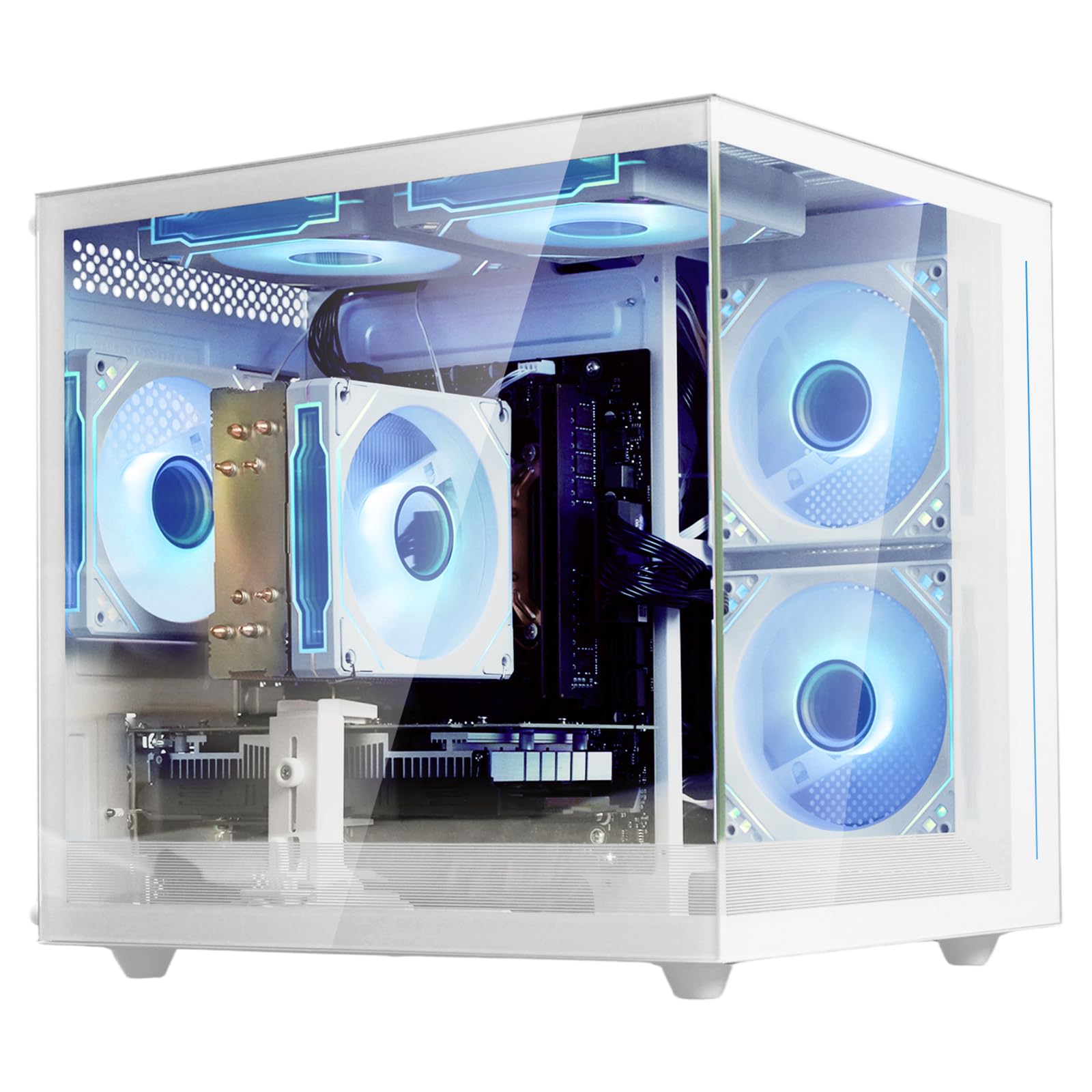
This suevery build stands out for one clear reason: it is rated for a display resolution of up to 3840×2160, meaning it can drive a 4K monitor for desktop use, video playback, and lighter games. Under the hood sits an AMD Ryzen 5 5500 processor (up to 4.2GHz) and an RX 6500 XT graphics card with 4GB of VRAM. The 16GB of DDR4 memory and 512GB SSD ensure fast boot times and smooth multitasking.
Owners consistently praise its appearance and value for money, with many calling it a great starter PC. It runs games like Apex Legends at over 150 FPS and handles titles like Arc Raiders and No Man’s Sky on high or ultra settings without issue. The five RGB fans and tempered glass side panel create a mesmerizing light show that owners love. However, reliability is a point of mixed feedback, with a small number of units arriving with defects. This is not a pattern, but it is something to be aware of when ordering.
Compared to the previous suevery model, this one trades the RTX 3050 for an RX 6500 XT, which is a side-grade in performance but allows for native 4K output. It also has a slightly higher price point.
Where it shines
- Can output a 4K signal for desktop use and video
- Five RGB fans and a tempered glass panel look fantastic on any desk
- Runs popular esports titles at high frame rates
Where it stumbles
- Reliability feedback is mixed, with a few owners receiving defective units
- RX 6500 XT is not powerful enough for true 4K gaming at high settings
Choose this for: A visually stunning budget PC that can handle 4K desktop use, esports titles, and light creative work.
Think twice if: You cannot tolerate any risk of a defective unit, or if you want a GPU that can actually play demanding games at 4K.
6. YAWYORE Gaming PC Desktop (Ryzen 5 5600GT + 1TB)

The blank canvas that comes with a 1TB drive and a real 80PLUS power supply.
This YAWYORE PC is built for people who want a solid foundation today and plan to add a dedicated graphics card later. It uses an AMD Ryzen 5 5600GT processor (6 cores, up to 4.6GHz) with integrated Radeon Vega graphics. That integrated GPU is good enough for 1080p mainstream games at quality frame rates, but the real story here is everything around it. You get 16GB of DDR4 3200MHz RAM, a massive 1TB M.2 NVMe PCIe SSD for storage, and a 550W 80PLUS Bronze certified power supply — all on an MSI A520M-A PRO motherboard.
The MSI motherboard and quality power supply are rare finds at this price point. They mean the system is stable, energy-efficient, and ready to accept a dedicated GPU (like an RX 580 or RTX 3050) when you are ready to upgrade. The case is larger than some owners expected, but that extra space makes for easier tinkering and better airflow. The five 12cm ARGB fans keep everything cool and quiet. Performance is the most-praised aspect, with owners calling it a great starter PC.
Compared to all the other picks, this YAWYORE is the only one that prioritizes upgrade foundation over immediate gaming GPU power. It is the smart choice if you are on a budget but want a PC that can genuinely grow into a powerful machine over time.
The smartest spec: The 550W 80PLUS Bronze power supply and MSI motherboard are a premium foundation that most budget prebuilts skip entirely.
The one thing to know: The integrated GPU is fine for games like Fortnite at around 30 FPS, but you will want to budget for a used graphics card to get the full gaming experience.
Ideal for: The tinkerer who wants a modern, quality foundation today and plans to add a GPU in the next few months.
Not ideal for: Anyone who wants to play demanding games at high settings immediately without any additional purchases.
7. abytespark Prebuilt Gaming PC Desktop (i5 + RX 550)

A well-rated surprise that runs VR on a budget and looks good doing it.
This abytespark PC is one of the best-rated budget options, and it earns that reputation by delivering on its promises. It packs an Intel Core i5 processor (up to 3.2GHz), an AMD Radeon RX 550 4GB dedicated graphics card, 16GB of RAM, and a 512GB SSD. The RX 550 is an entry-level gaming card, but owners are clear: it handles games like Destiny 2 at 1080p medium settings without issues. One owner even reported it runs BONEWORKS in VR, which is surprising for a machine at this price.
The case features five RGB fans and RGB case lighting, making it a cool-looking centerpiece for a desk setup. Setup is fast, taking about an hour, and the system is quiet and reliable. However, a small number of owners noted that the actual hardware inside can vary — one report mentions receiving a 2013-era i7-4770 processor instead of the advertised i5, which was incompatible with Windows 11. This is a notable risk, so it is worth checking the hardware on arrival.
Compared to the ZER-LON and STGAubron below, this abytespark has a higher average rating (3.9) and a better cooling setup with five fans. The trade-off is a slightly slower CPU than advertised in some units, but for many budget buyers, the actual performance is still strong.
What wins people over: The performance and value are praised, with owners finding it runs games smoothly and looks great with its RGB lighting.
The caution: The internal components may not always match the listing exactly, so inspect the CPU and motherboard on arrival.
Best for: The budget shopper who wants a flashy, functional gaming PC that can play popular titles at medium settings today, and is okay verifying the internals upon delivery.
Avoid if: You need guaranteed exact specs and cannot risk any component variation.
8. STGAubron Prebuilt Gaming PC Desktop (i5 + RX 560)

The most-reviewed option here, offering Wi-Fi 6 and a reliable RX 560 GPU.
This STGAubron is the volume pick of the bunch, with hundreds of owners weighing in. It is built around an Intel Core i5 processor (up to 3.6GHz) and an AMD Radeon RX 560 4GDDR5 video card. The RX 560 offers a solid jump in performance compared to the cheaper RX 550. The system has 16GB of memory, a 512GB SSD, and runs Windows 11 Home. Notably, it is the only mid-range option here with Wi-Fi 6 and Bluetooth 5.0, making it a great choice for wireless connectivity.
Buyers are generally happy with the value for money and the RGB lighting on the fans, keyboard, and mouse. One owner reported getting a full 240 FPS on Rocket League with high quality and no lag on day one. However, the longer-term reliability is a point of contention. A few owners mention that the PC stopped working after a few months, citing cheap generic parts and a no-name power supply that can lead to overheating. The manufacturer offers a one-year warranty and free lifetime tech support, but getting a replacement can be a hassle if the unit fails.
Compared to the abytespark above, this STGAubron offers faster Wi-Fi 6 and a slightly stronger GPU, but it has a lower average rating due to the longevity concerns. It is a calculated gamble for the price.
The highlights
- Wi-Fi 6 and Bluetooth 5.0 for fast, modern wireless connectivity
- RX 560 can run Rocket League at 240 FPS on high quality
- Comes with a full RGB keyboard and mouse set
The risks
- Long-term reliability is a concern, with some units failing after a few months
- Uses generic, non-upgrade-friendly PSU and cooling parts
Reach for this if: You need Wi-Fi 6 and a modern GPU for under, and you are willing to take a chance on a mass-market budget builder.
pass on it if: Reliability is your top priority and you cannot afford a machine that might fail within the first year.
9. ZER-LON Gaming PC Desktop Computer (Core i5 + R7 350)
The cheapest option that actually treats beginners well — if you are lucky.
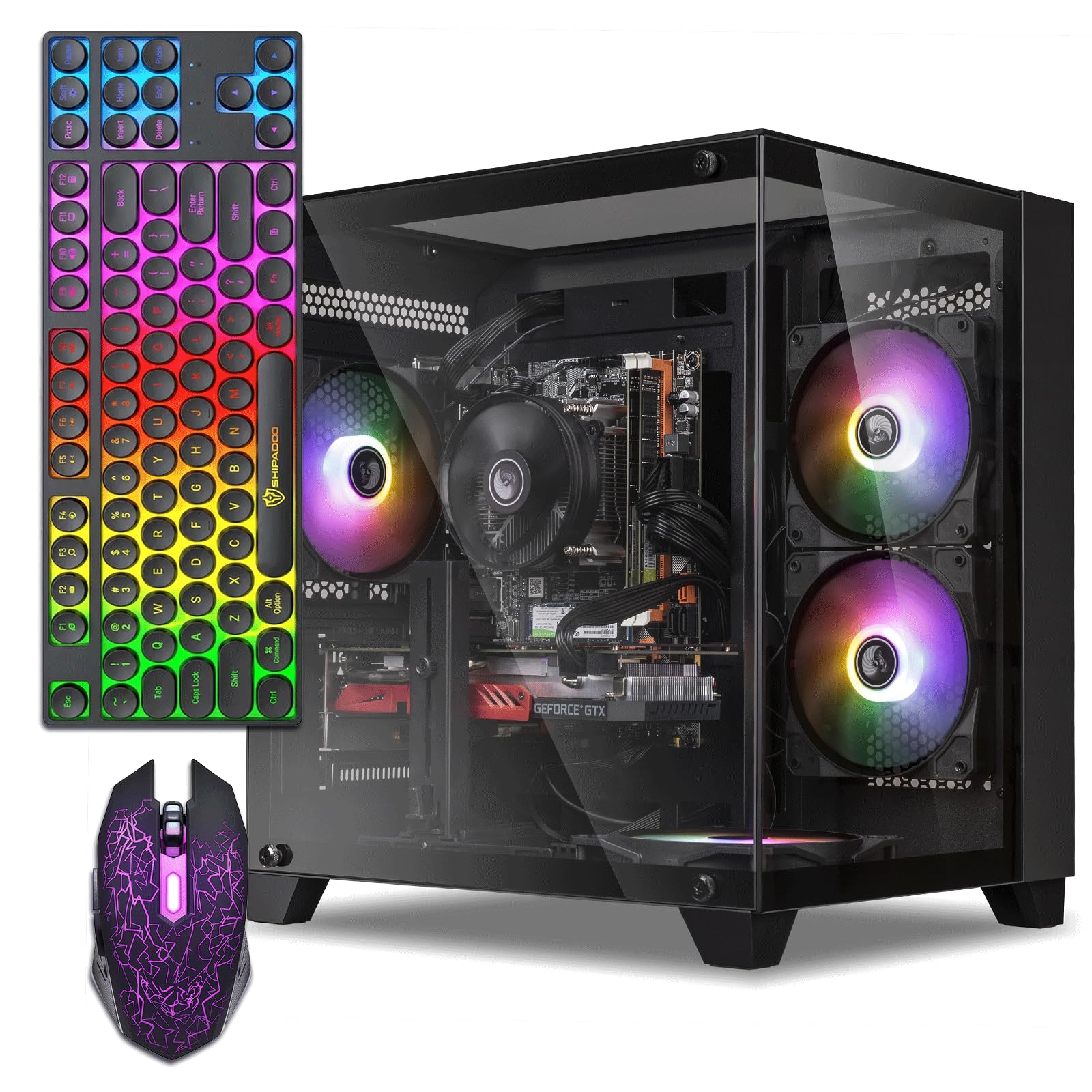
This ZER-LON PC is among the most affordable ways to get a dedicated gaming GPU. It uses an Intel Core i5 processor (up to 3.6GHz) and an AMD Radeon R7 350 4GB graphics card, paired with 16GB of RAM and a 512GB SSD. The set also includes a gaming keyboard, a mouse, a mouse pad, and a graphics card holder — everything you need for a complete starter desk. The most-praised aspect is that it is beginner-friendly, with owners finding it easy to set up and a great value for the price.
However, there is a sharp split in owner experience. Many call it a great starter PC that runs smoothly and looks good with its RGB fans. But a significant number of customers note serious reliability issues, including the dreaded “AMERICAN MEGATRENDS” boot screen that can mean an unpredictable lifespan ranging from one hour to one year. This level of risk is higher than the other picks, making it a true budget gamble.
Compared to the STGAubron Xeon above, both are similar in price and risk, but the ZER-LON gets points for its beginner-friendly accessory bundle and slightly better customer satisfaction among those who receive a working unit.
The main appeal: The entire bundle — PC, keyboard, mouse, and pad — is ready to go for a first-time gamer on a very tight budget.
The hard truth: The reliability is unpredictable; a notable number of reviewers point out the PC failing to boot or dying within a short time.
Best for: Someone who has a very low budget and is willing to accept a high risk of failure for the chance at a cheap gaming setup.
Not recommended if: You need a machine that will reliably work for school or work, as the failure rate is too high to depend on.
Understanding the Specs
Dedicated Graphics Card (GPU)
This is the most important part for gaming. A dedicated GPU has its own video memory (VRAM) and processor, so it does not steal resources from your system RAM. Cards like the RX 550, RX 560, or RTX 3050 are all dedicated. The number after the name (like “4GB”) is the VRAM, which helps the card handle higher resolutions and textures. Integrated graphics, found in the CPU itself, are much weaker and should be avoided for gaming beyond very simple 2D titles.
RAM Generation: DDR3 vs. DDR4
The type of RAM in a PC determines how fast it can access data and how upgradeable it is long-term. DDR4 is the modern standard and offers higher speeds and better efficiency than DDR3. Many of the cheapest budget PCs use older server CPUs (like the Xeon E5) that are only compatible with DDR3. While 16GB of DDR3 is still usable today, you will be stuck with an outdated platform that is hard and expensive to upgrade later, since you would need a new motherboard and RAM sticks.
Storage Type: SSD and NVMe
A solid-state drive (SSD) is essential for a modern PC. It makes Windows boot in seconds and games load much faster than an old mechanical hard drive (HDD). The fastest type is an NVMe SSD, which connects directly to the motherboard via the PCIe interface. The next step down is a SATA SSD, which is still very fast but uses an older connection. Every PC on this list comes with at least a 512GB SSD, which is a good starting point for a few large games and your operating system.
Power Supply Unit (PSU) Quality
The PSU is the component that delivers power to everything inside your PC. It is often the cheapest part in a budget prebuilt, and a poor-quality PSU can cause crashes, instability, and even damage other parts. Look for models that mention an 80 PLUS certification (like 80PLUS Bronze). This indicates the PSU is at least somewhat efficient and reliable. A quality PSU also makes it safer to upgrade your graphics card later, as it can handle the higher power draw.
FAQ
Can a budget prebuilt PC run Fortnite and Rocket League?
What is the difference between an Xeon E5 processor and a Core i5?
How long does a budget gaming PC typically last?
Will these PCs play AAA games at high settings?
Is it easy to upgrade a budget prebuilt PC later?
Do these PCs come with Windows installed?
What does the number of RGB fans tell me about cooling?
Why do some of these PCs have a “1 Year parts & labor” warranty?
Can I use a budget prebuilt PC for video editing or streaming?
What is the most important spec to check for a budget gaming PC?
Final Thoughts: The Verdict
Across the board, the budget prebuilt pc winner is the ZYNEEX Ryzen 5 + RTX 3050 because it delivers a modern GPU and a 1TB SSD in a reliable package that actually plays modern games on high settings without immediate upgrades. If you want the best value, grab the LXZ Ryzen 5 4500 for its modern upgrade-friendly platform. And for the tinkerer planning a gradual build, the YAWYORE Ryzen 5 5600GT is the one to reach for, offering a quality motherboard and power supply that will happily accept a future GPU upgrade.
How We Picked
We do not accept paid placement. Every pick is matched to a real buyer and a real use-case; we do not hands-on test units.
Sources & Methodology
Specifications: manufacturer listings and product documentation. Review insights: verified customer reviews, as of July 2026. Pricing: not shown on this page (it changes often); check the current price via the retailer link.
As an Amazon Associate, FitlyFast earns from qualifying purchases. This does not affect which products we feature.