
Our readers keep the lights on and the weekend projects moving. As an Amazon Associate, I earn from qualifying purchases.
Specs are compiled from manufacturer listings and verified buyer reviews and can change over time — please confirm the key details on the product page before buying.
If you are staring down an algebra test with fractions, exponents, and equations to solve, the last thing you need is a calculator that makes you hunt for basic functions. This guide breaks down the real choices — from classroom-approved basics to graphing-capable powerhouses — so you grab the one that actually fits your math load.
I’m Rikta — the founder and writer behind FitlyFast. This guide is built by comparing the manufacturers’ published specifications and the patterns across verified customer reviews, so you get each pick’s real strengths and trade-offs instead of marketing spin.
Solving for x in algebra class or plotting functions later in calculus, the right calculator for algebra saves you time, frustration, and a whole lot of backup battery hunting.
Our Picks at a Glance


How To Choose The Best Calculator For Algebra
Picking the right tool for algebra depends on three things: what your school or exam allows, the kind of math you actually do, and how much time you want to spend learning button sequences instead of problem-solving. A standard scientific model is fine for most high school algebra, but once you start graphing functions or solving systems of equations, a model with a larger screen and dedicated graph functions saves serious headaches.
Test Approval and Classroom Rules
Before you buy, check what your school or testing board permits. The SAT and ACT allow most scientific and graphing calculators, but models with a Computer Algebra System (CAS) — a system that manipulates algebraic symbols — like the TI-Nspire CAS are banned. Stick to calculators marked as test-friendly, and keep the manual handy so you know which mode to use during an exam.
Screen Size and Display Type
A single-line display forces you to scroll through long expressions. A multi-line screen — four lines or more — shows your equation, the result, and previous steps all at once. That alone cuts down on entry mistakes. Graphing calculators go further with a pixel-based screen that displays function plots and tables, which helps you visualize a parabola or a linear equation as you work.
Function Count vs. Real Need
More functions sound better, but for standard algebra (solving equations, working with fractions, basic statistics) a calculator with 250-360 functions is more than enough. The real value comes from how easy those functions are to reach. A machine that buries its solvers under six menu levels slows you down more than a simpler model with dedicated keys.
Quick Comparison
| Model | Best For | Display Type | Power Source | Weight | Amazon |
|---|---|---|---|---|---|
| Texas Instruments TI-30XS MultiView★ Best Overall | Classroom-tested all-rounder | 4-line LCD | Solar + battery | 5.12 oz | Amazon |
| Casio fx-115ES Plus 2nd EditionBest Value | Advanced math features at low cost | 4-line LCD | Battery (1x LR44) | 6.05 oz | Amazon |
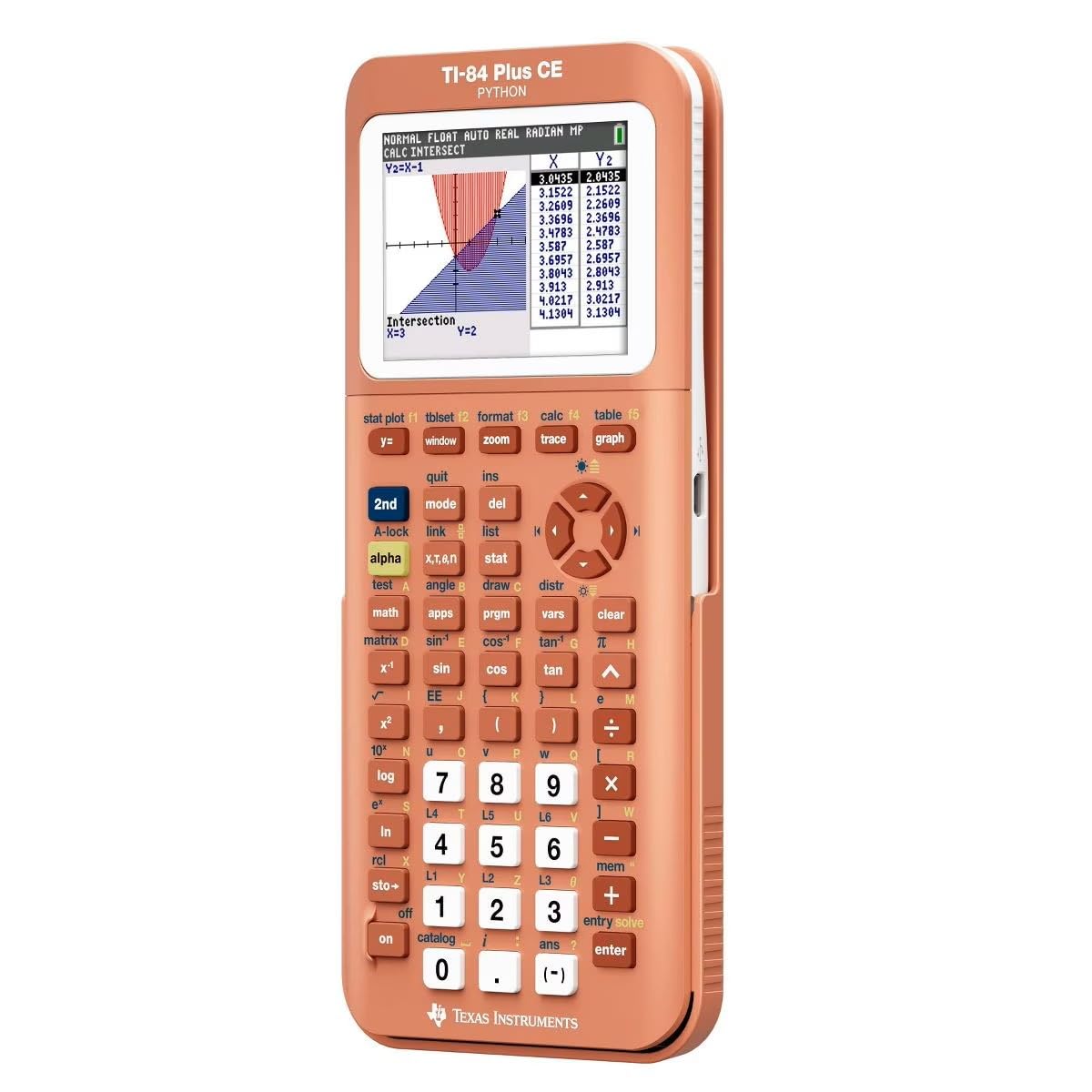
| TI-84 Plus CE PythonPremium Pick | Full-color graphing with coding | 3.2-inch color backlit | Rechargeable | 9.6 oz | Amazon |
| iPepul 10-Mode Graphing | Entry-level graphing on a budget | 128 x 64 pixel | 4x AAA | — | Amazon |
| iPepul Pink with Notepad | Note-taking while calculating | 5-line LCD | Type-C + solar | — | Amazon |
| Franklin Scientific Graphing | Budget-friendly graphing for beginners | LCD | Battery | — | Amazon |
| TOVO TS-259 | Large-screen graphing for visual learners | 3.3-inch LCD | Battery | — | Amazon |
| Nadex Scientific Graphing | AP and honors math prep | 2.5-inch LCD | 1x LR44 (spare included) | — | Amazon |
In‑Depth Reviews
1. Texas Instruments TI-30XS MultiView Scientific Calculator
Our pick — over 4.5★ from 39,500+ verified ratings; the strongest balance of quality and price.
The classroom staple that quietly outlasts every flashy alternative.
The TI-30XS MultiView is the calculator nearly 40,000 buyers trust for algebra, and the reason is simple: it shows your work on a four-line screen (a 4-line LCD) so you see the equation, the result, and previous steps all at once. That stops the “did I type that right?” second-guessing that eats up test time. The MultiView display supports up to four lines and lets you compare results and explore patterns side by side — a real help when you are checking a function table for (x,y) values.
What wins people over is the build quality. Owners consistently call it reliable and sturdy, with an easy-to-learn layout that works straight from the start. The blue-and-white body is compact enough to toss in a backpack, and the dual-power setup (solar plus battery) means one buyer reports getting five-plus years out of theirs. You also get math expressions and stacked fractions displayed exactly as they appear in textbooks, so there is no awkward translation to a technical syntax. It is approved for the SAT, ACT, and AP exams, which removes the risk of a calculator ban on test day.
The honest trade-off: the TI-30XS cannot do graphing, and it lacks the advanced calculus functions (integrals, derivatives, matrix operations) that the Casio fx-115ES Plus offers at about the same price. If your algebra class runs through pre-calc and into calculus, you may outgrow this machine by sophomore year. But for general math, Pre-Algebra, Algebra 1 and 2, Geometry, Statistics, general science, Biology, and Chemistry, it is exactly the tool most students need — nothing more, nothing wasted.
Owners rave about
- Four-line screen makes checking work easy
- Dual-power (solar + battery) lasts for years
- Intuitive layout — usable right from the start
- Approved for SAT, ACT, and AP exams
The catch
- No graphing or calculus-level (integrals/derivatives) functions
- Casio fx-115ES gives more advanced math features at a similar price
Stick with it if: You need a durable, test-approved scientific calculator for high school algebra, geometry, and statistics — and you want the one teachers trust most.
Think twice if: Your coursework already includes calculus or you will need to graph functions; step up to a graphing model instead.
2. Casio fx-115ES Plus 2nd Edition – Advanced Scientific Calculator
The under-valued calculator that tackles calculus — and still crushes algebra.
The Casio fx-115ES Plus 2nd Edition packs 252 functions into a white body that weighs 6.05 ounces — compared to the TI-30XS at 5.12 ounces but with features that stretch well beyond algebra. The Natural Textbook Display (a screen that shows fractions, square roots, and integrals the same way they appear in your textbook) removes the mental translation step. That is a subtle but huge gain when you are checking your work on a long algebra or pre-calc problem.
One reviewer summed it up: “BEST CALCULATOR FOR ITS MONEY. WORKS ON INTEGRALS.” At about the same price as the TI-30XS, the Casio adds derivatives, integrals (up to Calc I and II), matrix operations, and 40 built-in physical constants. It also stores nine memory variables (A-F, X, Y, M), which is a lifesaver when you are juggling multiple values in an equation. The 16-digit, 4-line display keeps your inputs readable, and the single included LR44 battery lasts well over a year under normal use. What wins buyers over is the sheer capability — it handles algebra, calculus, physics, statistics, and engineering without skipping a beat, and the menu system is intuitive enough to figure out without the manual for most tasks.
The honest catch: the screen is smaller and has lower contrast than the TI-30XS, and glare can be an issue under direct light. The buttons also lack a dedicated change-sign key, which means you use the Ans button for sign inversion — an annoyance when you are working through negative coefficients fast. But for the student who needs more than basic algebra but is not ready to drop cash on a graphing calculator, this is the machine that buys you two years before you hit its limits.
One-two punch: Does derivatives and integrals that the TI-30XS cannot touch, while costing the same. The display is a bit dimmer, but the function library is a level up.
Grab this for: Algebra through Calculus I/II, physics, and engineering prep — the most advanced scientific calculator under the price of a graphing model.
Skip it for: A screen that is easy to read in dim rooms; the TI-30XS has a brighter display if that matters more than extra functions.
3. Texas Instruments TI-84 Plus CE Python Color Graphing Calculator
The gold standard for graphing — now with a full-color screen and Python coding.
The TI-84 Plus CE Python is the calculator that algebra students graduate into when they hit pre-calc and beyond. It packs a 3.2-inch high-resolution color backlit display with 140 DPI (dots per inch, a measure of sharpness) and 16-bit color, so graphs, equations, and tables are crisp and easy to read even in dim lecture halls. The rechargeable battery is a genuine upgrade — no scrambling for LR44s before a final. It weighs 9.6 ounces, which is heavier than a scientific model but expected for a graphing machine with this much screen real estate.
Owners consistently say it is reliable and handles everything from basic algebra through calculus, statistics, and chemistry. One chemistry major specifically pointed out that it includes a color periodic table with element data — a detail that shows how far this machine goes beyond just solving for x. The unit supports Python coding, which is increasingly expected in high school and college STEM courses. The color screen is also a practical advantage: the coral metallic finish makes it easy to spot in a crowded backpack, and the display stays charged for a long time between charges.
The honest trade-off: at a premium price point, it is a real investment. Reliability and battery life have drawn mixed feedback from some buyers — a few owners wished for better value for the money. If you only need algebra and never plan to graph, this is overkill. But if you are aiming for AP Calculus, college STEM, or any course that expects you to visualize functions and write basic scripts, the TI-84 Plus CE Python is the one that will carry you through four years without needing an upgrade.
What the crowd loves
- High-res color display makes graphs and tables instantly readable
- Rechargeable battery — no more last-minute battery swaps
- Python coding support for modern STEM curricula
- Durable enough to survive drops without a scratch
Real talk
- Premium price is a real investment — not for casual algebra-only use
- Battery life and long-term reliability get a few mixed reviews
Buy it for: College-bound students in AP Calculus, physics, chemistry, or any course that requires graphing and coding.
Pass if: Your math needs stop at algebra and geometry — a scientific calculator will do the same job for much less.
4. Scientific Calculators with Graphing Functions, IPepul 10 Modes Math C

A graphing-capable calculator that costs less than most scientific-only models.
The IPepul graphing calculator brings 10 built-in modes — Calculate, Complex, Statistics, Base-N, Equation, Table, Matrix, Vector, Graphic, and G-Solve — to a machine that costs about the same as a basic scientific model. The 128 x 64 high-resolution screen (a pixel-based display that draws function curves) plots Cartesian equations, conic curves, polar functions, and parametric equations, which is enough to visualize most algebra and pre-calc problems. At 7.16 inches by 3.89 inches, the keys are well-spaced and easy to press — helpful during timed exams.
As buyers report: “It does have solvers and does most everyday engineering math.” That is the core strength here — it handles equation solving and function graphing without the price tag of a TI-84. Owners use it for high school math and even find it sufficient for college-level calculus and trigonometry. The four AAA batteries are included, and the auto power-off kicks in after 6 minutes to save energy. The hard plastic (ABS) body feels durable enough for daily backpack duty.
The honest limit: the graphing depth is not as deep as a TI or Casio graphing model. The manual is reportedly confusing for first-time users, so expect a learning curve if you are new to scientific calculators. But if you need basic graphing for algebra and geometry homework without spending graphing-calculator money, this is the workable middle ground. You can see the graph of y = x² for checking homework, but you will not get the fine detail of a TI-84.
Best for the money if: You want to see equation graphs on screen but cannot justify a premium graphing calculator. The manual could be clearer — budget a few hours to learn the menu layout.
Reach for it if: You are in high school algebra or geometry and need a graphing-capable tool on a tight budget. It does solvers and everyday engineering math, according to reviewers.
Look elsewhere if: You need deep graphing features for advanced calculus or engineering; a TI or Casio graphing model will outperform it.
5. IPepul Pink Scientific Calculator with Notepad

The cute calculator that writes notes so you never lose a step.
The IPepul Pink calculator packs 552 functions into a compact body that also includes a built-in notepad for jotting down formulas, steps, and answers as you go. The 5-line display shows expressions and results simultaneously — more screen real estate than most scientific models — and the keyboard is organized with commonly used math symbols and function keys that make algebra entry straightforward. It is powered by Type-C charging and solar energy, reducing the need for battery swaps during long study sessions.
What owners love is the combination of function and cuteness. One college physics student said: “I love that I can jot down what’s most important to know on the pad side.” The writing tablet includes a lock key to prevent accidental erasing, which is a thoughtful touch when you are mid-problem. The 552 functions cover algebra, geometry, trigonometry, statistics, calculus, matrices, vectors, fractions, and complex numbers — enough for high school through early college math.
The honest catch: the notepad surface does not glow, so it is hard to see in dark rooms. A few buyers found the screen dim in low light overall. It also requires an initial charge from the start, so budget some time before your first use. But for students who value an all-in-one study tool — calculator plus scratch pad — this is a clever package that keeps your desk clear.
Why it stands out: The writing pad is a genuine productivity boost for algebra — jot down intermediate steps without a separate notebook. The display is not the brightest, so keep a desk lamp handy.
Ideal for: Students who want a rechargeable, pretty calculator with a scratch pad built in — great for homework sessions. You get 552 functions covering pre-algebra to calculus.
Not for: Low-light environments or anyone who prefers a larger, brighter screen; the display has limited visibility in dim rooms.
6. Nadex Scientific Calculator with Graph Functions

Built for AP math prep, with over 360 functions and a built-in backup battery.
The Nadex Scientific Calculator is designed specifically for PSAT/NMSQT, SAT, ACT, and AP exam prep, with over 360 functions covering complex number calculations, fractions, linear regression, standard deviation, permutations, and variable solving. It includes three operating modes — Calculation Mode, Angular Measurement Mode, and Display Mode — so you can toggle between what you need without digging through submenus. The large screen shows equations and graphic visuals at the same time, making it easier to check that your function graph matches the equation you typed.
Owners find it very useful for honors and AP math classes. One review specifically notes: “Works great and very useful for honors or AP math classes in school.” The body is built with plastic and steel components, which adds a little heft but makes it feel solid in the hand. The calculator comes with a protective cover and includes a spare LR44 battery in the chamber — a rare convenience that means you are not hunting for a replacement the night before a test. At 11 inches by 2 inches, it is on the longer side, so check that it fits your pencil case.
The honest caveat: ease of use and quality get mixed responses. Some buyers found the layout confusing at first, and a few called it difficult to figure out without the booklet. The screen is 2.5 inches, which is smaller than the 3.3-inch TOVO or the TI-84’s color display. If you are comfortable reading a manual and learning a new button map, it is a solid value for AP-level math — especially with the spare battery already included. Think of it as a capable machine if you are willing to study the manual first.
Exam-ready essential: Spare battery in the chamber is a small detail that matters big on test day. The interface takes some learning, but the function set is right for advanced algebra and statistics.
Best for: Students taking AP math, SAT, ACT, or PSAT tests who want a calculator with exam-specific functions and a backup battery. It does not require you to find a replacement battery the night before a test.
skip it if: You prefer a more intuitive layout from the start; the learning curve is real.
7. Franklin Scientific Graphing Calculator

An affordable graphing alternative that one high school geometry class all switched to.
The Franklin Scientific Graphing Calculator is a white-bodied machine with 20 built-in graph functions and a design that is designed to simplify algebra, calculus, and statistics. It includes three operating modes — Calculation Mode, Angular Measurement Mode, and Display Mode — and the screen is larger than many scientific calculators, which helps when you are looking at multi-line equations. The protective cover is included, so it can handle daily backpack wear without the screen getting scratched.
Value for money is the top thing owners praise — one buyer called it an “affordable alternative to TI-84” and said her daughter’s geometry classmates all bought one after seeing it. The keys are easy to type on, and the calculator handles exact calculations for stats and algebra without issue. It is designed for both beginner and advanced courses, covering Pre-Algebra through Calculus according to the brand. The plastic body keeps the weight down, and the dimensions (7.12 x 4.5 inches) are manageable for most desk spaces.
The honest limit: the manual is printed in very small font, and there are no instructional videos that match this specific model, so new users have to read the micro-print to learn the menu layout. As one frank review put it, “there are too many operating modes for the first user.” If you already know your way around a scientific calculator, the learning curve is manageable. If you are brand new to graphing calculators, plan to spend an afternoon with the manual before you really get moving. Compared to the IPepul 10-Mode, the Franklin emphasizes simpler entry but has fewer graphing modes.
Classroom buzz factor: High schoolers actually recommend this to each other — a real sign the value hits. The tiny manual is the biggest hurdle; keep the booklet in your bag.
Reach for this if: You want a graphing calculator for geometry or algebra without spending TI-84 money, and you are comfortable learning from a manual. Students in one geometry class all bought one after seeing a classmate’s.
Think twice if: You have never used a scientific calculator before; the menus are dense for a true beginner.
8. TOVO Scientific Calculator with Graphic Functions TS-259
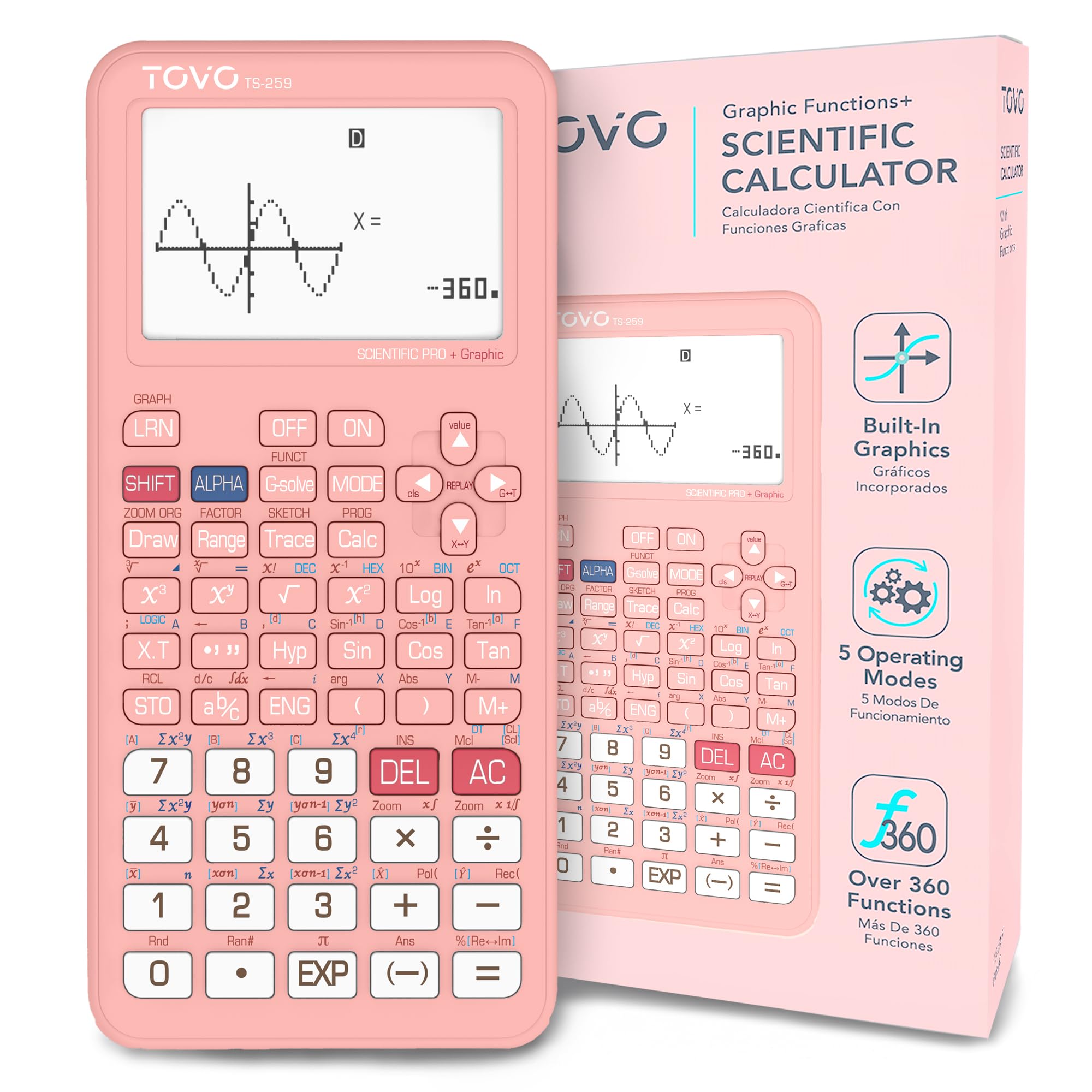
A massive 3.3-inch screen that makes graphs and multi-line formulas easy on the eyes.
The TOVO TS-259 is built around its standout feature: a 3.3-inch LCD screen. That extra real estate is a genuine advantage when you are working through multi-line algebra problems or looking at an introductory graph — you see the whole equation without scrolling. The improved navigation D-Pad (a directional pad for menu scrolling) makes menu scrolling and graph movement smoother than older models, and the reinforced anti-drop body is built for daily backpack life.
With over 360 built-in functions covering fractions, complex numbers, statistics, and equation solving, the TS-259 covers high school and early college math. It supports essential function plotting and graph analysis, making it a natural bridge between a basic scientific calculator and a full graphing device. The sliding hard cover protects the large screen from scratches and impacts, and the ergonomic 7 x 3.3-inch body slides into most backpacks without trouble.
The honest trade-off: while the value for money and build quality get consistent praise, functionality and accuracy have drawn mixed feedback. Some users found the graph performance less precise than a TI or Casio graphing model. If you need deep, professional-grade graphing for engineering or advanced calculus, the TI-84 is a safer bet. But for algebra, geometry, and introductory STEM coursework where screen size and ease of use matter more than exacting graph resolution, the TS-259 delivers a lot of screen for the money.
Biggest win: The 3.3-inch screen reduces eye strain dramatically during long study sessions. The graph accuracy is not TI-level, but for algebra visualization it is more than capable.
Best for: Students who want a large-screen graphing tool for algebra and pre-calc without spending premium money — the visibility is a real upgrade.
Hesitate if: You rely on precise graph analysis for advanced calculus or engineering; look to the TI-84 for higher accuracy.
Understanding the Specs
Display Type and Lines
The display is your window to the work. A single-line screen shows only the current entry, forcing you to scroll back to check your previous step. A multi-line display — four lines or more — shows your equation, the result, and earlier calculations at the same time. That helps when you are solving multi-step algebra problems or cross-referencing a table of values. Graphing calculators use a pixel-based screen that can draw function plots, which is essential for visualizing parabolas, linear equations, and conic sections.
Function Count and Mode Variety
More built-in functions sound better, but for standard algebra through pre-calc, 250 to 360 functions are plenty. What matters more is how accessible those functions are. Look for calculators with dedicated keys for fractions, square roots, exponents, and equation solvers rather than buried menu options. Mode variety matters too — having separate modes for calculation, statistics, table generation, and graphing means you spend less time toggling and more time solving.
FAQ
Can I use a graphing calculator for algebra classes?
What is the difference between a scientific calculator and a graphing calculator for algebra?
How many functions do I need for algebra?
Are these calculators allowed on the SAT and ACT?
What does a multi-line display do for me?
Is a rechargeable calculator better than one that uses batteries?
Can I solve systems of equations with a scientific calculator?
How long does the average algebra calculator last?
Final Thoughts: The Verdict
For most students, the best calculator for algebra winner is the Texas Instruments TI-30XS MultiView because it balances classroom approval, lasting build quality, and the four-line display that makes algebra entry straightforward. If you want graphing capability without a premium price, the IPepul 10-Mode Graphing Calculator delivers function plots at a scientific-calculator price. And for the student who plans to go through calculus and beyond, the TI-84 Plus CE Python is the long-term investment that handles everything from algebra to coding with a color screen that stays readable in any light.
How We Picked
We do not accept paid placement. Every pick is matched to a real buyer and a real use-case; we do not hands-on test units.
Sources & Methodology
Specifications: manufacturer listings and product documentation. Review insights: verified customer reviews, as of July 2026. Pricing: not shown on this page (it changes often); check the current price via the retailer link.
As an Amazon Associate, FitlyFast earns from qualifying purchases. This does not affect which products we feature.