
Our readers keep the lights on and the weekend projects moving. As an Amazon Associate, I earn from qualifying purchases.
Specs are compiled from manufacturer listings and verified buyer reviews and can change over time — please confirm the key details on the product page before buying.
You need a scanner, but you do not need to spend a fortune or wade through a glossary of jargon. The real question is which style fits the stack of papers, photos, or receipts sitting on your desk — a flatbed for delicate photos, a portable sheet-fed for receipts on the go, or a wand for speed. This guide cuts straight to the picks that earn their keep without emptying your wallet.
I’m Rikta — the founder and writer behind FitlyFast. This guide is built by comparing the manufacturers’ published specifications and the patterns across verified customer reviews, so you get each pick’s real strengths and trade-offs instead of marketing spin.
Whether you are digitizing family photo albums or organizing tax documents, these are the best budget scanner options that deliver reliable scans while staying affordable.
Our Picks at a Glance


How To Choose The Best Budget Scanner
The right scanner depends entirely on what you plan to digitize. Photos demand a gentle flatbed. Receipts and single-page documents call for a fast sheet-fed portable. Books require an overhead camera-style unit. Skip the features you will never use and focus on the one that matches your daily stack.
Flatbed vs sheet-fed: Which one for which job?
A flatbed scanner lets you lay items flat on a glass plate — perfect for photos, fragile documents, or odd-shaped items like books and magazine clippings. A sheet-fed scanner pulls individual pages through a slot; it is faster for multi-page stacks but cannot handle anything rigid, thick, or precious. If you mostly scan single sheets, a sheet-fed unit saves desk space. If you are digitizing old photo albums, stick with a flatbed.
DPI — what is enough?
DPI stands for “dots per inch.” It tells you how fine the detail is in your scan. For everyday documents and receipts, 300 DPI is crisp and keeps file sizes small. For photos you might want to enlarge or print later, 600 DPI gives you room to crop. Going above 600 DPI (like 1200 or 4800) creates huge files and very slow scans — you will only need that for tiny original artwork or negatives. More DPI is not always better; bigger is often just slower.
Connectivity and power
Most budget scanners connect via USB and draw power straight from your computer. That means no extra wall outlet needed — just plug into your laptop or PC and go. Some older models require a separate power adapter, so check before buying if you want a truly cable-minimal setup. Wireless models exist, but they cost more and add setup steps that often frustrate first-time users.
Quick Comparison
| Model | Best For | Type | Max Resolution | Weight | Amazon |
|---|---|---|---|---|---|
| Canon CanoScan LiDE 300★ Best Overall | Home photo & document digitizing | Flatbed | 4800 DPI | 3.6 lbs | Amazon |
| Visioneer 7900Photo Plus | Photo scanning with tagging software | Flatbed | 1200 DPI | 2.4 kg | Amazon |
| Plustek S410 PlusPortable Pro | Portable on-the-go document scanning | Sheet-fed | 600 DPI | 0.41 kg | Amazon |
| VuPoint Magic Wand | Fast batch photo scanning | Wand | 1200 DPI | 1.4 lbs | Amazon |
| Epson WorkForce ES-50 | Quick single-page document scanning | Sheet-fed | — | 9.44 oz | Amazon |
| Brother DS-640 | High-speed office paperwork | Sheet-fed | 300 DPI | 1 lb | Amazon |
| HP PS100 | Lightweight travel companion | Sheet-fed | 1200 DPI | — | Amazon |
| Plustek PS186 | Multi-page batch document scanning | Sheet-fed with ADF | 600 DPI | 3.7 lbs | Amazon |
| CZUR Shine Ultra | Book scanning without damaging the spine | Overhead camera | ~340 DPI (A4) | 4 lbs | Amazon |
In‑Depth Reviews
1. Canon CanoScan LiDE 300
The flatbed champion for home photo and document digitizing that just works.
This is the crowd-favorite for a reason — it keeps things simple. The Canon CanoScan LiDE 300 is a USB-powered flatbed that digitizes documents and photos with a maximum resolution of 4800 DPI. That high DPI setting, however, demands a trip into the ScanGear software to enable a “large image scans” setting, and even then the max output is limited to 6.7 by 9.2 inches due to a 4GB or 50,000-pixel limit. For everyday work at 300 to 2400 DPI it flies, and the color reproduction wins consistent praise. The lid feels flimsy and the lock slide is stiff — a few owners mention treating it with care — but the scanning performance at this price point is hard to fault. It is a full 14.5 inches deep, so it needs a bit of desk real estate, but its 3.6-pound weight and USB-only power mean you can tuck it away when not in use.
The biggest real-world limitation: this is an older model. Its included CD is pre-Windows 11, and Canon no longer offers drivers for the latest Mac operating systems. That makes it a fantastic bargain for Windows 7 through 10 users or Linux owners willing to run VueScan, but a risky pick if you are on the newest macOS. For the right setup, it beats most competitors in pure image quality and sheer value.
Compact USB scanner
- Massive 4800 DPI resolution for detailed scans
- Lightweight and USB-powered, no wall outlet needed
- Excellent color reproduction at everyday resolutions
Slow scanning speed
- No driver support for the latest Mac operating systems
- Flimsy lid and stiff lock slide require careful handling
- Deep footprint (14.5″) takes up desk space
Budget home pick: You run Windows 7-10 or Linux and want a reliable flatbed for crisp photos and documents at a budget price.
Heavy users: You are on the newest macOS or need a scanner that works from the start with Windows 11 without a driver hunt.
2. Visioneer 7900
A rare flatbed that bundles facial-recognition photo-tagging software.
The Visioneer 7900 is built for anyone with a sprawling collection of loose photos. It delivers a true 1200 DPI optical resolution using a CCD sensor (the more expensive, higher-quality sensor type), so scans maintain their clarity even when enlarged. what separates it is the included one-year subscription to Tag That Photo — software that uses automated facial recognition to sort your scans by person, event, or custom keyword. That saves hours of manual filing if you are digitizing family albums. The hinged lid lifts high enough for thick books or documents, something owners consistently praise. It weighs in at 2.4 kg, noticeably heavier than the portable competitors, but that weight reflects a more solid build. Some users report a red tint on scans, though it is correctable with photo-editing software and is not a deal-breaker.
The biggest hurdle here is software support. Drivers for Windows 10 and 11 are not easy to find on Visioneer’s website — the included CD is outdated — and a few buyers report that the first unit they received had driver problems. The crowd consensus is that the second unit works fine, but the initial setup can test your patience. It is a powerful tool once running, but less tech-savvy buyers may find the process frustrating.
Fast document feeder
- CCD sensor for superior image quality at 1200 DPI
- Liftable lid accommodates thick books and documents
- Includes facial-recognition photo tagging software
Large desktop footprint
- Software setup can be tricky; drivers are not easily found online
- Heavier than most portable scanners at 2.4 kg
- Occasional red tint in scans requires post-processing
Office workhorse: You have stacks of old photos to digitize and want software that helps you automatically tag faces and organize them.
Small desks: You want a plug-and-play experience without any driver-hunting or troubleshooting.
3. Plustek Mobile Scanner S410 Plus
Weighing less than a pound, it is the easiest portable for desk-to-desk scanning.
The Plustek S410 Plus is the definition of grab-and-go. At 0.41 kg and just over an inch thin, it slides into a laptop bag alongside your notebook with no fuss. It is a button-free sheet-fed scanner — plug it into your computer via USB and it automatically starts scanning and saving documents to a designated folder. The built-in OCR (optical character recognition) converts your scans into editable Word or Excel files, a feature usually reserved for pricier units. It handles paper sizes from business cards up to legal, and owners consistently praise its functionality and ease of use above all else. The real bottleneck is that it relies on a wired USB connection; some owners mention they wish they had bought a cordless model instead. A notable but rare complaint: one unit stopped working after about a month and six uses, which is a risk with any budget portable, not a plague on this model. For most users, it delivers exactly what a portable scanner should — quick, lightweight, and effective.
The key trade-off is its 600 DPI resolution, which is about half the top-end of the flatbeds in this list. For receipts, invoices, and standard documents it is perfectly crisp. For high-detail photo work, you will want the CanoScan or Visioneer above. It is tune for text and forms, not art prints.
Portable business scanner: This scanner is designed for the mobile worker who needs to digitize receipts, forms, and ID cards on the go. If your scanning stack is mostly paper documents, this is your pick.
Mobile worker: You need an ultra-light, USB-powered sheet-fed scanner for documents and receipts when traveling or working from a laptop.
High volume: You need high-resolution scans of photos or artwork — the 600 DPI ceiling won’t satisfy that need.
4. VuPoint Magic Wand PDSDK-ST470-VP

A wand scanner that rips through thousands of photos in a single afternoon.
The VuPoint Magic Wand is the speed specialist. Instead of feeding pages through a slot, you slide the wand over the document or photo. One owner reports scanning 2000 photos in a single day — about 6 seconds per scan. It stores images directly onto a microSD card (up to 32GB), so you do not need a computer attached. The included auto-feed dock can handle loose sheets when you prefer a traditional pass-through. It delivers 1200 DPI resolution, and the detail captured is impressive: the weave of canvas canvas and fibers in rug textures show up clearly. The biggest praise from owners is its scanning performance, with 137 mentions calling it out positively. The biggest catch is reliability. Some units ship with quirks that require a power cycle to fix, or need a specific speed-calibration step that is not in the manual. A few owners experienced complete failure after a small number of scans, but this issue was often resolved by upgrading to a Class 10 SD card. For large projects where speed matters more than perfection, this is a formidable tool.
One honest fit-note: the image quality is described by many as a “95% solution” — good enough for document and photo archiving, but not what you would turn in for professional print work. The wand technique also takes a few tries to get right; streaks can appear if you do not wipe the scanning head every 50 photos. It is a trade-off of raw throughput for absolute pixel perfection.
Handheld wand scanner
- Blazing speed — thousands of photos in a few hours
- Stores directly to microSD card, no computer needed
- 1200 DPI captures fine texture detail
Manual feed needed
- Needs calibration and a quality SD card for reliable operation
- Image quality is great for archiving, not for pro printing
On-the-go use: You have hundreds or thousands of photos to digitize and want to finish the job in days, not weeks.
Precision work: You need consistent, drop-in scanning of loose sheets — the wand technique has a learning curve.
5. Epson WorkForce ES-50
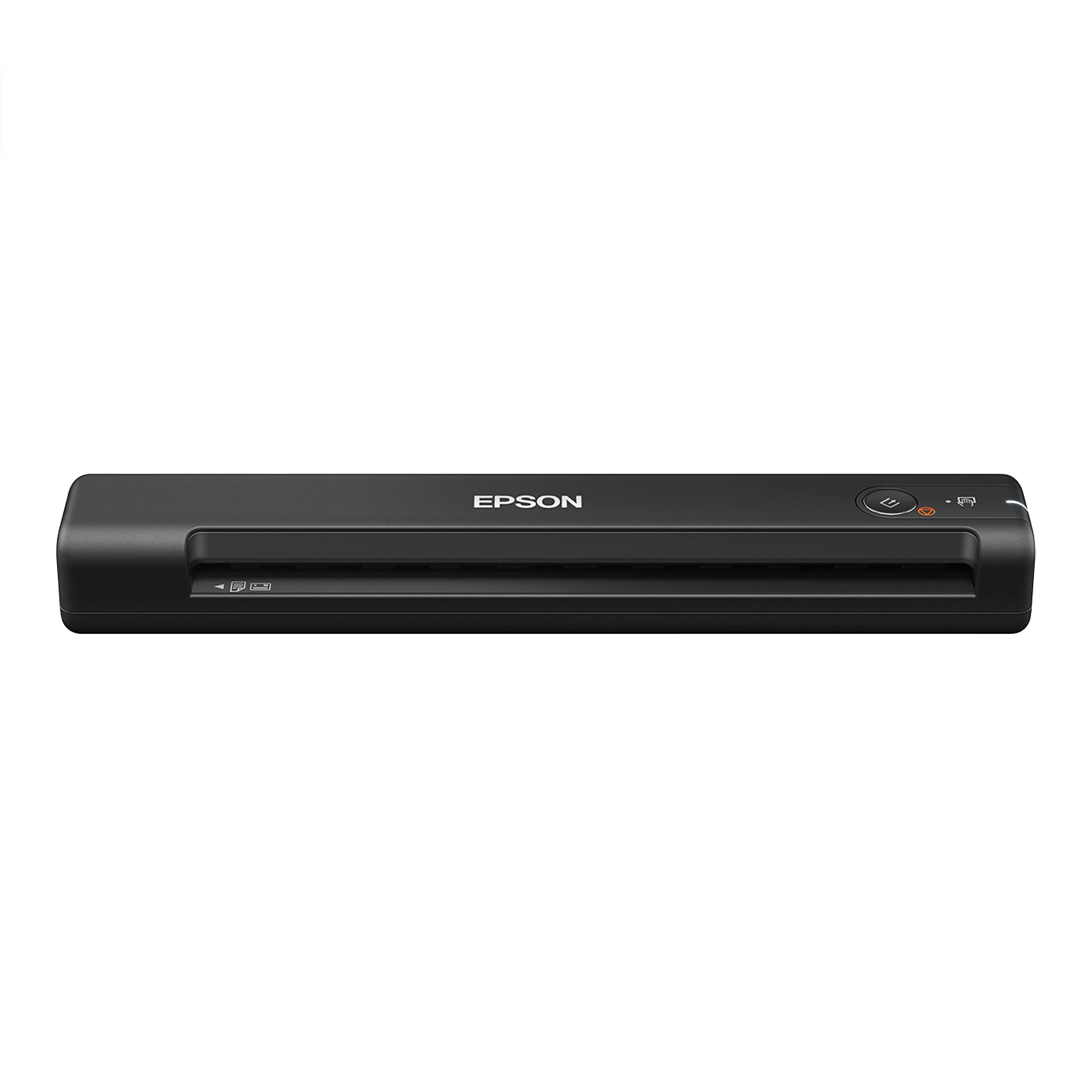
The lightest and fastest single-sheet-fed scanner in its class at just 9.44 ounces.
The Epson WorkForce ES-50 is made for the person who scans one page at a time, quickly. It handles a single page in about 5.5 seconds and accepts documents up to 8.5 by 72 inches — think long medical reports or waxed-paper receipts. It is powered entirely via USB, so no battery or wall plug is needed. The included Epson ScanSmart software turns your scans into searchable PDFs and editable Word and Excel files using OCR. The biggest selling point from the owner community is its ease of use (276 positive mentions) and consistent scan quality (262 positive mentions). Setup is fast: download the driver, plug it in, and start scanning. The main limitation for some owners is its single-sheet feeder — there are no paper guides, so you need to load each page carefully to ensure a straight feed. It also only scans one side of the page at a time, so duplex scanning requires you reinsert the page. For small-batch tasks like tax receipts or one-off contracts, this is a brilliant companion.
The durability category sits as the most-reported negative aspect, but that does not mean the scanner is fragile. Some customers note that after heavy daily use, the rollers can wear faster than expected. If you average fewer than 20-30 pages a day, this should not be a concern. The 9.44-ounce weight makes it genuinely pocketable — it fits inside a laptop bag compartment with zero bulk, unlike many bulkier sheet-fed models. It is the perfect match for the remote worker who needs a scanning solution that takes up almost no space.
Ultra-compact design: The ES-50 lacks an automatic document feeder (ADF) and paper guides. You feed one sheet at a time by hand. If you scan in batches of more than 10 pages regularly, a model with an ADF will save you time.
Travel companion: You are a remote worker who occasionally scans single documents or receipts and values a truly lightweight, compact device.
Batch scanning: You scan multi-page stacks daily — you will want a model with an automatic document feeder for the speed.
6. Brother DS-640

A compact mobile scanner that matches color and black-and-white speeds at 16 pages per minute.
The Brother DS-640 is built for speed. It scans up to 16 pages per minute in both color and black-and-white — the color speed does not drop, which is rare at this price. It uses a micro USB 3.0 connection for power and data, so you can run it from a laptop without an outlet. The unit is just under a foot long and about 1.5 pounds, making it easy to toss into a laptop backpack. The free Brother iPrint&Scan software lets you send scans to your PC, network folder, cloud service, or email. It also supports Linux, which many business users appreciate. Owners who have kept it for years report it still works flawlessly — one mentions 2.5 years and roughly 5000 documents with only the occasional paper jam (fixed by lifting the top cover). The key limitation is that it uses a single-sheet feed at 300 DPI, and the max scan length is approximately 14 inches. For most office documents, invoices, and letters, this is perfectly adequate.
The one hardware quirk: it requires a direct USB-A connection. Using a USB-C hub often fails to provide enough power for the scanner to operate, so if you have a newer laptop with only USB-C ports, you may need a separate USB-A adapter or a direct connection. This is a minor hurdle but one that catches buyers off guard. Overall, the praise for its reliability over years of use is the most common theme among reviews — it is the scanner that just keeps working.
Duplex scanning speed
- Color and black-and-white scans at the same 16 ppm speed
- Long-term reliability — many report years of trouble-free use
- Supports Windows, Mac, and Linux
Noisy operation
- Requires USB-A connection; may not work with USB-C hubs
- Max scan length of about 14 inches limits extra-long documents
Quick double-sides: You need a fast, reliable single-sheet scanner for daily office paperwork and want the same speed for color and B&W scans.
Silent rooms: Your laptop has only USB-C ports and you do not want to carry an adapter — the direct USB-A requirement can be a hassle.
7. HP PS100

A slim, USB-powered sheet-fed scanner ready to slip into a briefcase.
The HP PS100 is a single-sided (simplex) portable scanner designed for small- to medium-batch jobs. It runs at 15 pages per minute (about 4 seconds per page) and accepts paper sizes from as small as 2 by 2.9 inches up to 8.5 by 14 inches. That means it handles everything from tiny receipts to legal-size documents. The HP WorkScan software handles auto-scan, auto-crop, and background cleanup — all from a free download. The unit is only 2 inches deep, so it takes up almost no desk space. Owners consistently praise its ease of use (31 positive mentions) and performance (30 positive mentions). It is particularly popular for tax season, home office work, and travel. The biggest complaint from a small number of owners is that the software can be finicky to set up, with some reporting connectivity issues that require a specific boot sequence. This seems to be a rare occurrence rather than a widespread problem, but note that the reliability score is mixed, with 41 mentions.
A practical limitation: this is a simplex scanner — it only scans one side of the paper at a time. If you need to digitize double-sided documents, you have to flip and re-feed each page. For most home users scanning stacks of single-sided receipts or contracts, this is not an issue. For an office processing back-to-back printed reports, a duplex model (like the Brother DS-640 or Plustek PS186) would be a better fit. The PS100 hits a balance of portability and speed for the home user.
Simple plug-and-play
- Fast 15 ppm speed for small batch scanning
- Ultra-slim and portable design for travel
- Auto-scan and auto-crop software simplifies workflow
Basic software suite
- Simplex only — you must manually flip pages for duplex scanning
- Occasional software and connectivity issues reported
First-time user: You want a bag-ready scanner for occasional home or travel use and mostly scan single-sided documents.
Advanced edits: Your workflow frequently involves double-sided pages — the manual flipping process will slow you down.
8. Plustek PS186

The desktop scanner with a 50-page auto document feeder for real batch jobs.
The Plustek PS186 is the pick when you need to feed a stack of papers, not just one at a time. Its 50-page automatic document feeder (ADF) lets you load a pile of documents and walk away. It scans both sides in a single pass (duplex) at 600 DPI and includes OCR to create searchable PDFs and editable Word files. The “Info Barcode” function automatically sorts and names files based on barcodes — a genuine time-saver in an office that processes invoices or forms by barcode. The unit itself is compact, folding into a dust-proof form about the size of a loaf of bread. Owners consistently praise it for scanning speed — they report that even 100+ page duplex runs finish flawlessly. The biggest drawback is the software experience. Multiple owners mention that the Plustek software is glitchy to load, with a confusing download process. Once set up, it works fine, but the initial setup requires a computer-savvy user. A few owners also report that color scans can show faint lines even at 600 DPI, though black-and-white document scanning is consistently excellent.
The main trade-off: this scanner is Windows-only. There is no Mac or Linux support. For a Windows office, it is a powerhouse at its price. For a mixed-OS home, it could be a non-starter. The 3.7-pound weight also makes it a desktop resident, not a travel companion. If you regularly scan multi-page contracts or medical records, the ADF here saves you hours over manual single-feed scanning.
High-resolution output
- 50-page ADF for hands-off batch scanning
- Fast duplex scanning of both sides in one pass
- Barcode-based auto naming for organized filing
Bulky build
- Windows-only — no Mac or Linux support
- Software setup is glitchy and requires patience
Detail-oriented: You run a Windows office and need to feed 50-page stacks of documents through a fast duplex scanner daily.
Limited space: You need Mac compatibility or want a scanner that is truly plug-and-play without software headaches.
9. CZUR Shine Ultra

A 13MP overhead camera that flattens curved book pages without touching the spine.
The CZUR Shine Ultra is not a traditional scanner — it is a 13MP (4160 by 3120) CMOS camera mounted on a height-adjustable neck. You place a book or document face-up under the camera and press a foot pedal (included). The patented software flattens curved book pages and auto-crops the image. It captures up to A3 size at about 1 second per page, and with the foot pedal, you can scan roughly 300 pages in 10 minutes. The software performs OCR in over 180 languages and exports to Word or searchable PDF. Owners consistently praise the scanning performance and scan quality, with 67 and 60 positive mentions respectively. It is particularly effective for thin books, magazines, and fragile documents that cannot be pressed flat on a traditional flatbed. The main caveat: the page-flattening technology is designed for thinner books; CZUR recommends its ET series for thicker tomes. Setup is straightforward for most users (about 5-10 minutes), but some find the instructions unclear. The unit is lightweight at 4 lbs and folds down to a 90-degree angle for storage.
The biggest limitation is that it is a camera-based system, not a contact scanner. Glossy pages can reflect the overhead light, creating glare in scans. The software’s finger removal tool works well for most people but requires consistent hand positioning. And while the foot pedal makes scanning fast, the quality of each scan depends on your lighting conditions and camera alignment. It is a trade-off: you get incredible speed and the ability to scan books without damaging the spine, but you lose the consistent, shadow-free perfection of a contact flatbed scanner. For digitizing a library of thin books or old documents, it is a standout.
Book edge scanning
- Ultra-fast scanning — about 1 second per page, with foot pedal for hands-free speed
- Patented page-flattening technology for curved book pages
- Scans up to A3 size, ideal for books and large documents
Curved page issues
- Glossy pages can produce glare; best for matte paper
- Page-flattening less effective on thick books; better for thin ones
Document preservation: You need to digitize a collection of thin books, magazines, or fragile documents quickly without damaging the spine.
Flat sheets: You scan mostly standard glossy photos or thick hardcovers — the camera struggles with glare and thick-book curvature.
Understanding the Specs
DPI (Dots Per Inch)
This measures how much detail your scanner captures. For everyday documents (text, receipts, forms), 300 DPI is perfectly crisp and keeps file sizes manageable. For photos you plan to enlarge or print, 600 DPI gives you room to crop. 1200 DPI and above produces huge files and very slow scans — you will only need that if you are scanning tiny original artwork or film negatives. More is not always better; it just takes longer and fills your hard drive faster.
Flatbed vs Sheet-fed vs Camera
A flatbed scanner has a glass plate — you lay the item flat and the scanning head moves underneath. It is gentle on photos and handles odd shapes. A sheet-fed scanner pulls each page through a slot; it is faster for stacks of sheets but cannot handle anything thick, rigid, or fragile. A camera-style scanner (like the CZUR) snaps a photo from above — it is the fastest for books and large documents but can have glare issues with glossy pages. Match the type to your main task.
ADF (Automatic Document Feeder)
An ADF lets you load a stack of paper and scan them automatically, one by one, without manually feeding each page. The capacity tells you how many pages it holds at once — common sizes are 20, 50, or 100 pages. If you scan multi-page documents regularly, an ADF is a must-have for saving time. Without one, you have to load each sheet by hand, which gets tedious after about 5 pages.
OCR (Optical Character Recognition)
OCR software turns a scanned image of text into actual, editable text you can search, copy, and paste into Word documents. Without it, your scan is just a picture of a document. If you ever need to find a keyword in a scanned contract or invoice, OCR saves you from re-typing everything. Most budget scanners include basic OCR, but the accuracy varies — look for models that offer “searchable PDF” export if this matters to you.
FAQ
Can I scan photos with a sheet-fed scanner?
What is the difference between 600 DPI and 1200 DPI for scanning?
Can a USB-powered scanner work without being plugged into a computer?
Will a budget scanner work with my Mac?
How long does a budget scanner typically last?
What does “duplex scanning” mean and why does it matter?
Can I scan a receipt or ID card with a flatbed scanner?
Is a wand scanner better than a flatbed for speed?
Do I need scanning software or is it built into the operating system?
What is the best budget scanner for scanning books without damaging the spine?
Final Thoughts: The Verdict
For most people, the best budget scanner is the Canon CanoScan LiDE 300 because it delivers excellent 4800 DPI flatbed quality at a price that undercuts everything else — just make sure you are on a compatible operating system. If you need a portable document scanner for tax receipts and contracts, grab the Epson WorkForce ES-50 for its 9.44-ounce weight and 5.5-second page speed. And for digitizing a library of old books or a thousand family photos in a day, the CZUR Shine Ultra and VuPoint Magic Wand are the speed champions to reach for.
How We Picked
We do not accept paid placement. Every pick is matched to a real buyer and a real use-case; we do not hands-on test units.
Sources & Methodology
Specifications: manufacturer listings and product documentation. Review insights: verified customer reviews, as of July 2026. Pricing: not shown on this page (it changes often); check the current price via the retailer link.
As an Amazon Associate, FitlyFast earns from qualifying purchases. This does not affect which products we feature.