
Our readers keep the lights on and the weekend projects moving. As an Amazon Associate, I earn from qualifying purchases.
Specs are compiled from manufacturer listings and verified buyer reviews and can change over time — please confirm the key details on the product page before buying.
If you want to read for hours without your eyes aching or your wrist getting tired, the screen technology matters more than any other spec. An LCD tablet works for apps and video, but a dedicated e-reader with an E Ink (a paper-like screen that reflects light instead of shining it in your face) screen is what lets you read in direct sunlight and fall asleep reading without blue light keeping you awake. The real question is if you need a full tablet for reading and browsing, or a focused e-reader that does one thing brilliantly.
I’m Rikta — the founder and writer behind FitlyFast. This guide is built by comparing the manufacturers’ published specifications and the patterns across verified customer reviews, so you get each pick’s real strengths and trade-offs instead of marketing spin.
if you want a dedicated device or a multitasking screen, these are the best options for anyone searching for the best budget tablet for reading — from glare-free e-readers to compact LCD tablets that handle books, comics, and video without breaking your budget.
Our Picks at a Glance

How To Choose The Best Budget Tablet For Reading
Picking the right reading tablet is not about specs on a page — it is about how the screen treats your eyes, how long the battery lasts, and whether you can hold it in one hand without your fingers cramping. Focus on screen type, weight, battery life, and storage — those specs determine real-world reading comfort.
E Ink vs LCD: The Screen Choice Is Everything
An E Ink display (a screen that uses tiny microcapsules of pigment to form text, like paper) has no backlight — it is illuminated by a front light that shines down onto the page. That means zero glare in sunlight and no blue light blasting at your eyes. An LCD tablet (like the Fire HD 8 or a standard Android screen) uses a bright backlight behind the pixels. LCD is better for video, comics, and browsing, but it will tire your eyes faster during long reading sessions, especially at night.
Weight and One-Handed Reading
The heaviest e-readers in this list weigh roughly 6 to 7 ounces — the same as a small paperback. An 8-inch LCD tablet weighs closer to a pound. If you read in bed or on the train, the lighter device keeps your wrist comfortable. A tablet is better if you need to prop it on a table or use a folio stand.
Battery Life: Weeks vs Hours
E Ink screens consume power only when turning a page, so an e-reader battery lasts weeks on a single charge. An LCD tablet screen is always lit, so you get roughly 8 to 13 hours of reading before you need an outlet. If you read daily, the e-reader wins on convenience. If you need a device that also runs games, video, and apps, plan to charge every night.
Storage and Expandability
A 16 GB e-reader holds thousands of books (text files are tiny). An LCD tablet with 32 GB or 64 GB and a microSD slot lets you store comics, PDFs, and video files. Check whether the device supports a memory card — not all do — if you plan to load a large library of image-heavy content.
Quick Comparison
| Model | Best For | Screen Size | Storage | Battery Life | Amazon |
|---|---|---|---|---|---|
| Amazon Fire HD 8 (Renewed)★ Best Overall | Cheap video & reading combo | 8″ | 32 GB | 13 hours | Amazon |
| Amazon Kindle (2024)Also Great | Pure reading, no distractions | 6″ | 16 GB | Up to 6 weeks | Amazon |
| Kindle Paperwhite (newest)Waterproof Upgrade | Waterproof reading anywhere | 7″ | 16 GB | Up to 12 weeks | Amazon |
| Kindle Essentials Bundle | All-in-one reading kit | 6″ | 16 GB | Up to 6 weeks | Amazon |
| TECLAST T65 | Large sheet music / comics | 13.4″ | 128 GB | 11 hours | Amazon |
| Samsung Galaxy Tab A9+ | Family multitasking & reading | 11″ | 128 GB | 13 hours | Amazon |
| Lenovo Tab One | Budget Android w/ case | 8.7″ | 64 GB | 12.5 hours | Amazon |
| Samsung Galaxy Tab A 8 (Renewed) | Tiny, cheap Android reader | 8″ | 16 GB | 14 hours | Amazon |
In‑Depth Reviews
1. Amazon Fire HD 8 (Renewed, 2024)
The cheapest way to get a color screen for reading, video, and apps without paying for a full Android license.
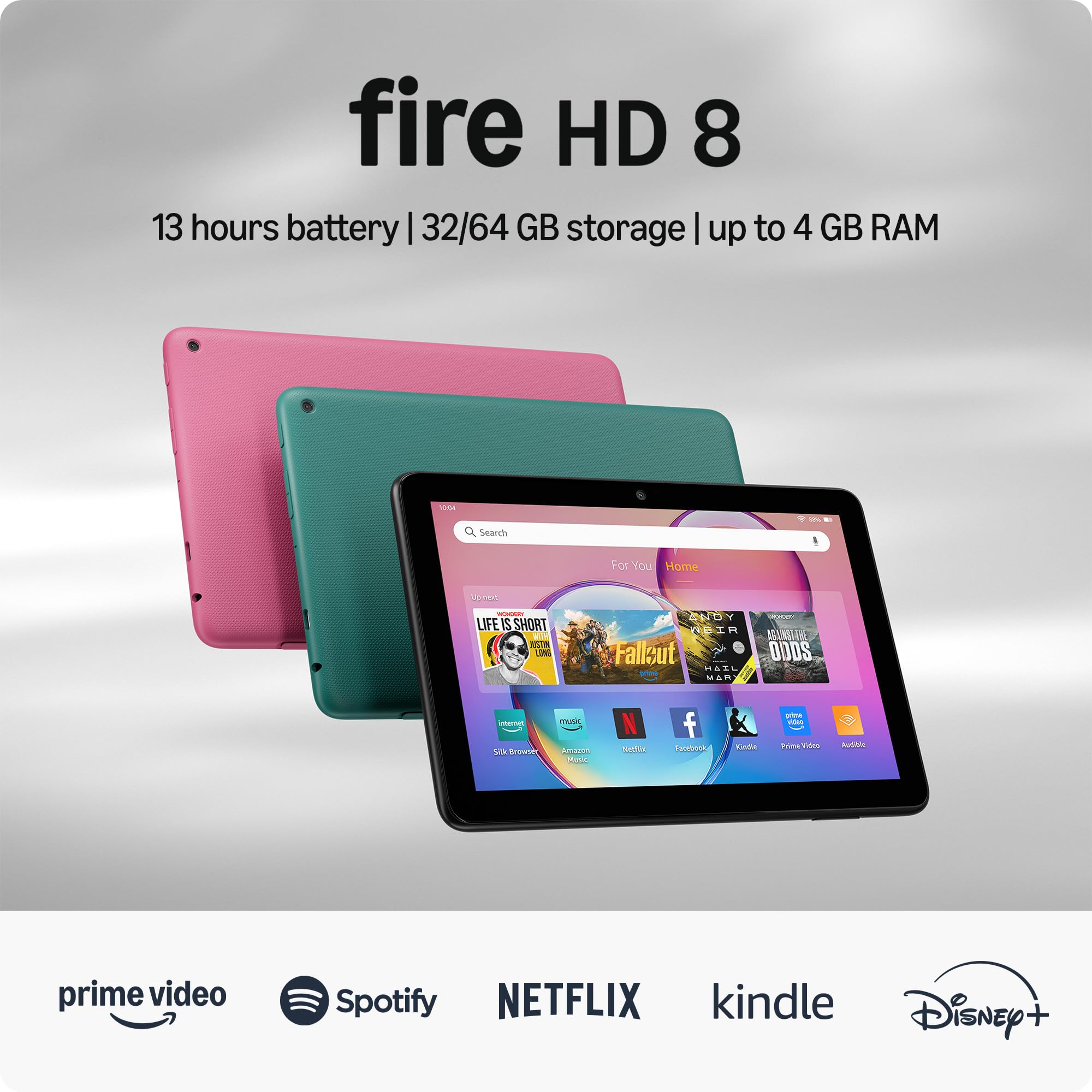
The Fire HD 8 is the rock-bottom entry point into a color reading tablet. The 8-inch HD display (1280×800 resolution at roughly 189 PPI, which is perfectly fine for reading text and watching video at arm’s length) paired with 3 GB of RAM makes it noticeably more responsive than the 2022 model — the RAM bump means apps and web pages reload less often. The battery is rated for up to 13 hours of mixed reading and browsing, which beats the Lenovo Tab One’s 12.5 hours by a slim margin but matches it in real-world use. The 32 GB of internal storage is the tightest in this lineup, though you can expand it up to 1 TB via a microSD card slot.
The big limitation here is the operating system. The Fire HD 8 runs Fire OS (Amazon’s modified version of Android) and uses Amazon’s Appstore, not Google Play. That means you cannot install Google’s reading apps like Google Play Books or the standard Kindle app works differently than on a full Android tablet. If your reading apps are Kindle, Audible, Comixology, or web-browser-based, you will be fine. If you rely on apps from the Google Play Store, you will hit compatibility walls. For the price, it delivers strong performance and durability — shoppers say it is “small and functional” with “great quality for the affordable price.”
Price saver: The absolute lowest budget for a color reading screen. If you live inside Amazon’s ecosystem (Kindle books, Prime Video, Audible) and want the cheapest way to get a decent 8-inch display, this is it.
App restrictions: Anyone who needs Google Play apps or a pure reading experience. The app store limitation is real, and the Fire OS interface is more advertising-heavy than a standard Android tablet.
2. Amazon Kindle 16 GB (newest model)
The lightest Kindle ever made, and that lightness changes how long you want to read for.
This is the purest dedicated reading device in the lineup. At just 6 inches, with a 16 GB capacity that holds thousands of books, it is built for one thing: reading without interruptions. There are no notifications, no app badges, no temptation to open a game — just the text in front of you. The glare-free (a screen finish that scatters light instead of reflecting it, so you can read in direct sunlight without squinting) display works brilliantly at the beach, on a park bench, or in a sunny window. The adjustable front light is now 25% brighter at max setting than the previous generation, which makes the page pop in low light without washing out contrast.
What wins people over is the weight — the thing everyone raves about is how it disappears in one hand. It is noticeably lighter than a typical smartphone with a case on it, and the compact footprint lets you slip it into a coat pocket or a small purse. The battery life means you charge it roughly once a month and then forget about chargers entirely — up to 6 weeks on a single charge, as buyers report. The contrast ratio is also improved over the last model, so text looks sharper and inkier against the white background, which reduces eye strain over long stretches.
There is no warm light mode (the Paperwhite has it), so if you are sensitive to cool-toned light at night, you may want to look at the step-up. For straight book reading on a budget, this is the device every other pick is trying to beat.
Crowd-favorite Kindle
- At just over 5 ounces, it is the lightest and most compact Kindle — easy to hold for hours
- The 6-inch glare-free display means zero reflections in direct sunlight
- 16 GB storage holds thousands of books, so your entire library goes wherever you do
- A single charge delivers up to 6 weeks of reading, so you never stress about battery
Basic trade-off
- No warm light adjustment — the front light is cool-toned only, which some find harsh for night reading
- No waterproofing, so keep it away from the bath or poolside splashes
Budget reader: Anyone who reads daily — at lunch, in bed, on the commute — and wants a device that gets out of the way. The combination of weight, battery, and a screen designed for text makes this the purest reading tool on the list.
No frills: You want adjustable warm light for midnight reading sessions in a dark room, or you need a device that does not mind getting splashed. For those cases, the Paperwhite is a better fit.
3. Amazon Kindle Paperwhite 16GB (newest model)
The faster, waterproof paperwhite that makes reading in the bath as normal as reading on the couch.
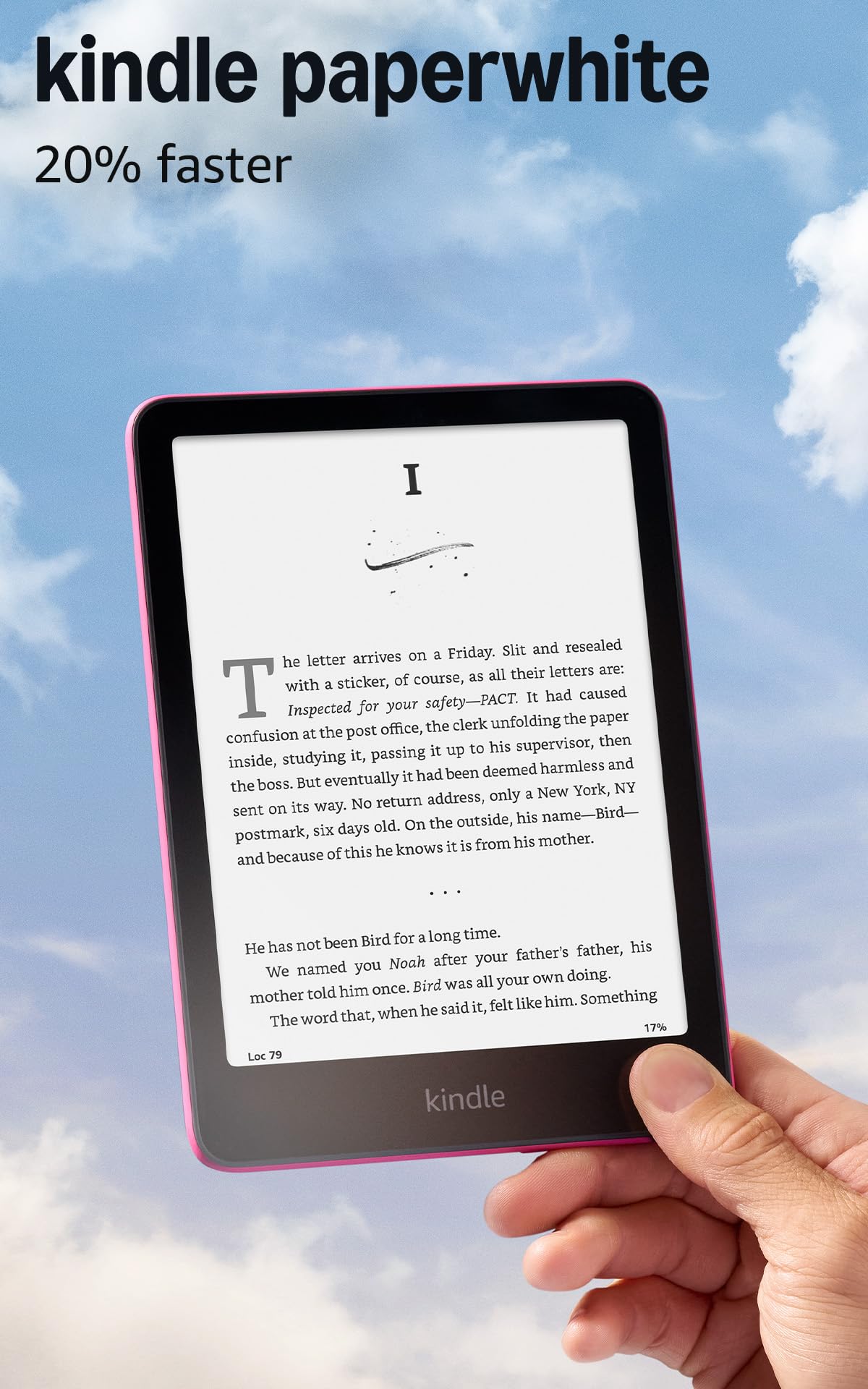
The Paperwhite builds on the base Kindle with a larger 7-inch display, adjustable warm light, and waterproofing — upgrades that justify the price for frequent readers. The 7-inch glare-free display is larger than the standard Kindle at 6 inches, yet still fits comfortably in one hand. It is 25% faster at turning pages than the previous model, and owners mention the text is noticeably crisper. The adjustable warm light is the big difference: you can shift the screen from cool white to amber tones for night reading, which is much easier on the eyes in a dark bedroom. The battery life is the best in the lineup — a single charge via USB-C lasts up to 12 weeks, meaning you can go an entire season without plugging in.
The waterproofing (IPX8 rated, meaning it can survive immersion in up to 2 meters of fresh water for 60 minutes) is what separates it from the standard Kindle. You can read by the pool, in the bath, or on a rainy bus without worrying about splashes. That gives the Paperwhite a durability edge the base model lacks. The 16 GB storage holds thousands of books, and the device is still thin and light enough that it disappears into a purse or a beach bag. Owners praise the Paperwhite’s reading comfort: high contrast, adjustable warm light, and a paper-like feel that reduces eye strain.
There is no lockscreen ad on this version (the “Without lockscreen ads” model), which keeps the screen clean. For the price jump over the base Kindle, you get the larger display, the warm light, and the waterproofing — three features that matter if you read every day, everywhere.
Durable reader: If you read at night, in the bath, or on the go, the warm light and waterproofing are genuinely transformative. The 12-week battery means you never carry a charger. It is the most complete dedicated e-reader on the list.
Costly upgrade: If you barely read in low light or near water, the base Kindle gives you the same core reading experience for less. The Paperwhite is the upgrade, not the starting point.
4. Kindle Essentials Bundle (2024 Release)

The grab-and-go package that hands you everything you need to start reading the day it arrives.
This bundle packages the entry-level Kindle (2024 release) with a matching fabric cover and a 9W power adapter in one box, saving you the hassle and cost of buying separately. The Kindle itself is identical to the first pick — the lightest and most compact model Amazon makes, with a 6-inch glare-free display, adjustable front light (now 25% brighter at max setting, meaning the text looks crisp even in dim rooms), and enough battery for up to 6 weeks of reading on a single charge. The 16 GB storage holds thousands of books, so you can load up your entire library without ever thinking about space.
The fabric cover is the key addition — it fits perfectly, looks clean, and protects the screen during travel. Buyers consistently highlight the battery life — one owner called it “amazing” for daily use — and the convenience of having everything in one box. At just over 5 ounces, the Kindle is light enough to slip into a back pocket without notice. The bundle is the easiest option for gift-givers or anyone who wants a reading-ready device with no extra shopping.
New user kit: The first-time Kindle buyer or the gift-giver. Having the cover and charger included means no separate shopping and no delay — it arrives ready to read.
Not for veterans: If you already have a Kindle cover or a USB-C charger (the adapter is a convenience, not a necessity), the standalone Kindle is the more budget-friendly path.
5. TECLAST T65 13.4″ Android 16 Tablet
The massive screen that transforms sheet music and PDFs into something you can actually read without zooming.
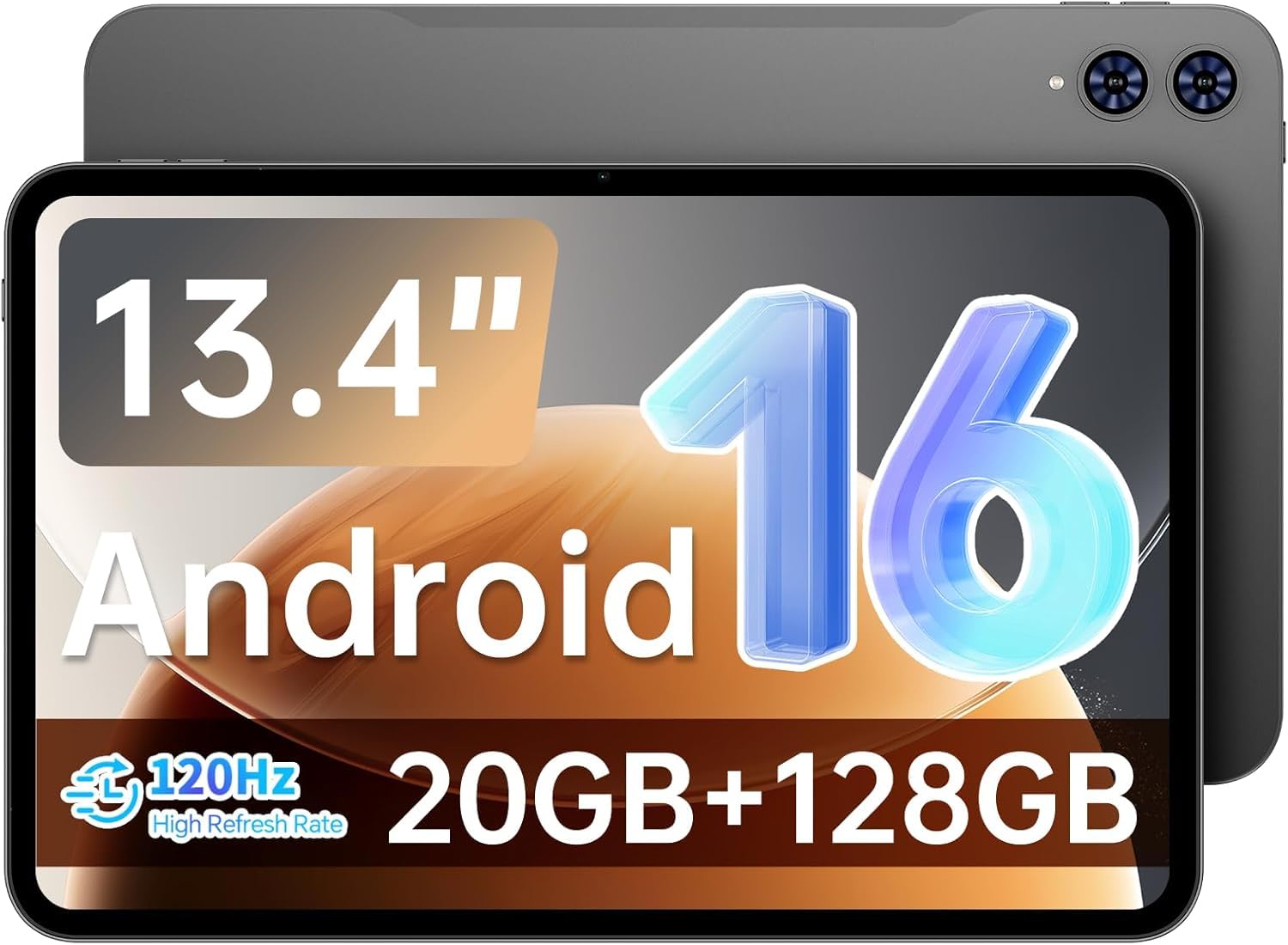
If you read music, academic PDFs, magazines, or comics, the TECLAST T65 is a different kind of reading tablet — its 13.4-inch 1920×1200 IPS display is more than twice the size of a standard e-reader, giving you a full-page view of sheet music or a spread without pinching and scrolling. The 120Hz refresh rate (120 full screen redraws per second, meaning scrolling and page turns are buttery smooth) makes browsing fast and eliminates the stutter you get on 60Hz tablets. Owners note that the screen is bright and clear, with one classical musician calling it “excellent for sheet music reading” thanks to the large touchscreen and compatibility with Bluetooth pedals for hands-free page turning.
The 8000mAh battery (a high-capacity lithium-ion pack) delivers roughly 11 hours of continuous use, so you can teach, practice, or binge-read comics all day without hunting for an outlet. The 128 GB of built-in storage is supplemented by a microSD slot that accepts cards up to 1 TB, giving enormous room for libraries of PDFs, scores, and video. The tablet runs Android 16 and supports 4G LTE, dual-band WiFi, and GPS. It comes with a factory-installed tempered glass screen protector, and the slim 8.5mm, 720g body is manageable given the screen size.
The LCD backlight cannot match the eye comfort or battery life of an E Ink e-reader. For text-only novels, an e-reader is still the better choice. For large-format reading, music, and everything else, this is the best specialized reader on the list.
Large Android screen
- 13.4-inch display shows full-page sheet music, PDFs, and magazine spreads without zooming
- 120Hz refresh rate makes scrolling and page turns fluid with no stutter
- 128 GB internal storage plus microSD support up to 1 TB — enormous room for a media library
- 4G LTE connectivity means you can read outside of WiFi range
Heavy build
- LCD backlight is not as easy on the eyes as E Ink during long night-time reading sessions
- Battery life of 11 hours is a fraction of what an e-reader delivers — you will charge it every day or two
Media tablet: You read music, academic papers, comics, or any content where page size matters. The screen real estate changes how you work with documents.
Portability issues: You only read plain-text novels. E Ink is lighter on the eyes and the battery lasts weeks instead of hours.
6. Samsung Galaxy Tab A9+ 11″ (Renewed)
The family-sized screen that handles reading, video, homework, and games without making anyone wait their turn.
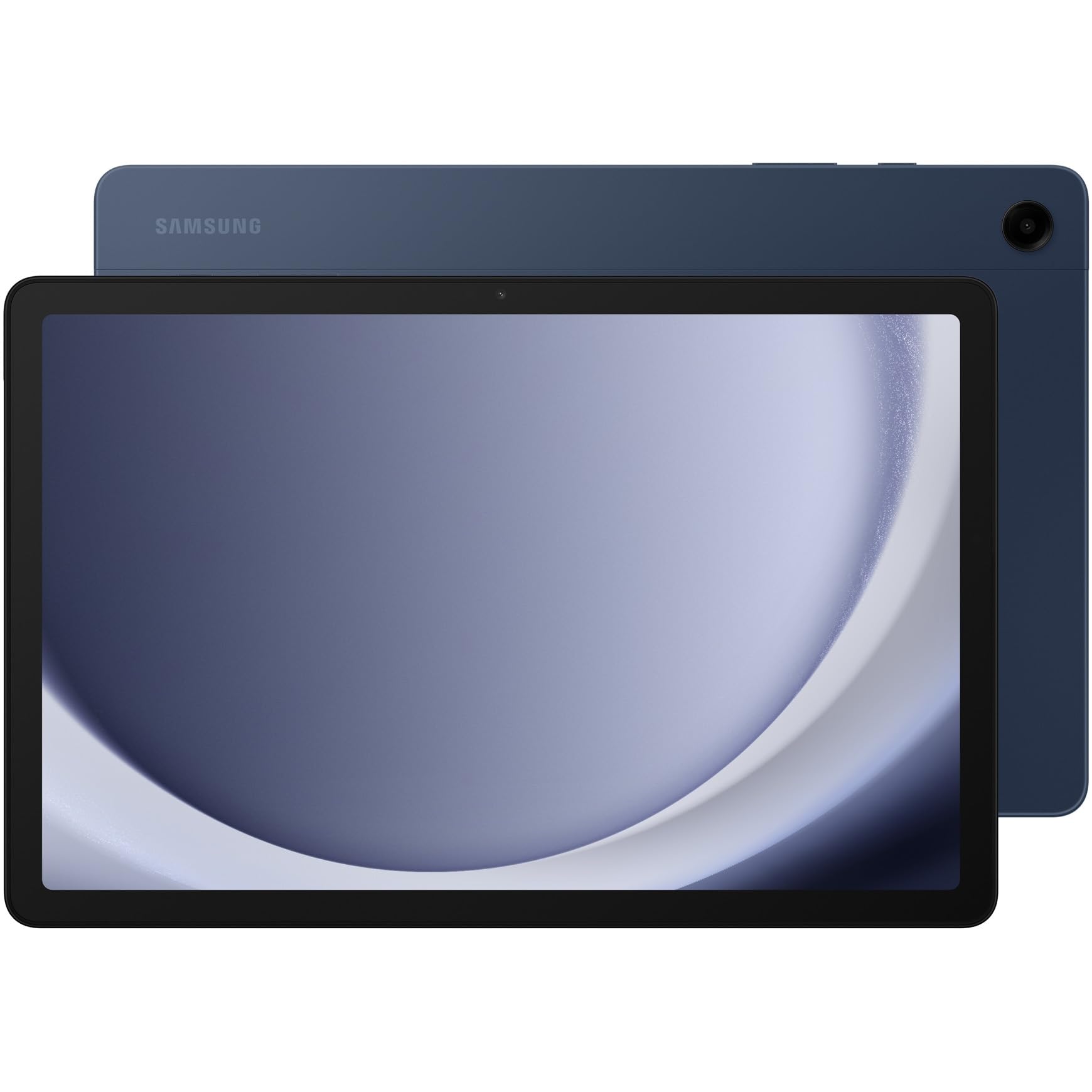
The Galaxy Tab A9+ is an 11-inch LCD tablet that covers reading and everything else — it is a true multitasking device. The 90Hz refresh rate (90 screen updates per second, which makes scrolling through a long article or web page feel smooth and responsive) keeps every interaction fluid, whether you are flipping through a PDF, browsing the web, or watching a movie on the quad speakers tuned by Dolby Atmos. The screen is bright, the bezels are slim, and the 13-hour battery life means you can read all day without hunting for a charger. The upgraded chipset handles multitasking well, and Samsung’s Multi Window lets you read an e-book on one side of the screen while taking notes on the other.
The storage configuration supports up to 128 GB plus a microSD slot, enough for a hefty library of books, comics, and video files. Customers note the screen quality is impressive for the price range — one owner observed it is “almost like a laptop display.” The Samsung Kids app gives parents control over content, making this a natural choice for a household where parents read and kids need supervised screen time. The refurbished unit is tested and certified to work like new, which keeps the price accessible.
The LCD panel is less gentle on the eyes than E Ink for long reading sessions, and at roughly a pound it is heavier than a dedicated e-reader. For a family that needs one device for reading, video, homework, and games, this is the most versatile choice.
Budget Samsung: A household that uses one tablet for everything — reading, streaming, homework, video calls, and kids’ content. The quad speakers and big screen make it a multimedia hub, not just a reading slate.
Battery concerns: Your primary use is reading novels in bed for hours. An E Ink device weighs less, has better battery life, and is gentler on your eyes.
7. Lenovo Tab One 8.7″

The budget Android tablet that comes with a case built in — one less thing to buy and one less thing to worry about.
The 64 GB of internal storage offers more storage than the Fire HD 8’s 32 GB, and you can expand via microSD for any size library. The MediaTek Helio G85 processor and 60Hz refresh rate keep browsing and reading fluid. Owners describe it as an “excellent budget Kindle alternative” thanks to the crisp screen and excellent battery life — it delivers up to 12.5 hours of YouTube streaming, which suggests even longer for less intensive reading.
The dual Dolby Atmos speakers produce impressive depth for a tablet this size, which matters if you listen to audiobooks or watch video. The included folio case provides all-around protection and a built-in stand for hands-free reading or viewing. The 8.7-inch screen is roomier for PDFs, magazines, and comics, yet still small enough to fit in a purse or backpack easily. The Android 14 operating system comes with 2 years of security patches. For a compact Android reading tablet that does not require a separate case purchase and offers expandable storage, this is the strongest value pick.
Kid-friendly: The reader who wants an Android tablet with a bigger screen than a phone but does not want to spend iPad money. The included case and microSD slot make it a complete package from the start.
Underpowered: It is preloaded with some apps you may not want (bloatware) — a few minutes to disable them makes the tablet feel faster. The LCD screen is not as eye-friendly as E Ink for late-night reading.
8. Samsung Galaxy Tab A 8.0″ (Renewed)

The tiny Samsung that is faster than a Nook and still runs full Android — if you can live with older software.
This is a refurbished 2017 model of the Galaxy Tab A with an 8-inch 1280×800 LCD display, 16 GB of internal storage, and a 5000mAh battery that owners say lasts days and charges quickly. It runs Android 9, which means it has full access to the Google Play Store — a key advantage over the Fire HD 8’s limited app ecosystem. It is lightweight, thin, and one owner noted it is “faster and more versatile than a Nook or Fire.” The battery life is rated at up to 14 hours, which is the best endurance of any LCD tablet in this lineup. The microSD slot means you can expand the storage, and the device supports Bluetooth devices, USB OTG accessories, and stylus pens.
The catch is the age. Android 9 is now several versions behind, and some modern apps simply will not install — one buyer flagged that the Kobo reading app would not run on this tablet. If your reading apps are all older or you stick to web-based reading, this is a very capable mini tablet. For the price of a refurbished unit, you get a good-quality screen, full Android flexibility, and Samsung’s solid build in the smallest, lightest form factor. If app compatibility is not a concern, this is a smart way to get a full Android reading tablet at a rock-bottom price.
Basic tasks: The cost-conscious buyer who wants a small, lightweight Android tablet for reading basic apps, browsing the web, and maybe a few older games. The 8-inch screen is easy to hold in one hand.
Outdated hardware: Anyone who needs the latest version of a modern reading app. The Android 9 OS is the limiting factor — check compatibility before you buy. If your reading list is straightforward, it is a great deal.
Understanding the Specs
E Ink vs LCD Displays
E Ink (a screen type that uses charged microcapsules to form text, so it looks like real paper) has no backlight — a front light shines down onto the page, which means zero glare in sunlight and no blue light keeping you awake. LCD screens (like a phone or computer monitor) use a bright backlight that passes through color filters. LCD is sharper for video, comics, and web browsing, but it will tire your eyes faster during long reading sessions. For pure text, E Ink wins every time. For mixed use, LCD is the more versatile choice.
Refresh Rate and Reading
Standard tablets run at 60Hz (the screen redraws 60 times per second, which is fine for text). A 90Hz or 120Hz screen redraws 50% to 100% more often, which makes scrolling through long articles, web pages, and PDFs feel smoother and more responsive. For a dedicated e-reader like a Kindle, refresh rate matters less because it only redraws the screen when you turn a page — the text is static between pages. For an LCD tablet, a higher refresh rate makes the whole reading and browsing experience feel faster.
Battery Life: Weeks vs Hours
E Ink screens consume power only when the page changes — a static page uses zero electricity. That is why a Kindle can last up to 6 to 12 weeks on one charge. An LCD screen’s backlight is on for the entire time the device is awake, so battery life is measured in hours (roughly 8 to 14 hours depending on brightness and usage). If you read every day, an e-reader saves you from ever thinking about battery. If you need one device for reading, video, and apps, plan to charge every night.
Warm Light and Night Reading
Some reading devices let you shift the screen from a cool white to a warm amber tone. This reduces blue light emission, which can disrupt your sleep cycle if you read in bed. The entry-level Kindle has a cool-toned adjustable front light only. The Kindle Paperwhite and many LCD tablets include an adjustable warm light. If you read in the dark every night, warm light is a genuinely useful feature for eye comfort and sleep quality.
FAQ
Can I read Kindle books on a Lenovo or Samsung tablet?
How much storage do I need for reading books?
Is the Amazon Fire HD 8 good for reading?
Can I read outside in direct sunlight with an LCD tablet?
What is the difference between the Kindle and Kindle Paperwhite?
Can I read free library e-books on these devices?
Is a higher refresh rate (90Hz / 120Hz) important for reading?
Do these tablets support audiobooks from Audible?
Which device is best for PDF reading?
Can I use parental controls on these tablets for kids’ reading?
Final Thoughts: The Verdict
For the majority of shoppers, the best budget tablet for reading winner is the Amazon Kindle (2024) because it combines an impossibly light 6-inch E Ink screen with weeks of battery and a price that undercuts everything else in the dedicated-reading space. If you want a waterproof, warm-lit reading experience that works by the pool or in the bath, grab the Kindle Paperwhite. And for large-format reading — sheet music, comics, academic PDFs — the TECLAST T65 with its 13.4-inch 120Hz screen is the specialized tool that nothing else here beats.
How We Picked
We do not accept paid placement. Every pick is matched to a real buyer and a real use-case; we do not hands-on test units.
Sources & Methodology
Specifications: manufacturer listings and product documentation. Review insights: verified customer reviews, as of July 2026. Pricing: not shown on this page (it changes often); check the current price via the retailer link.
As an Amazon Associate, FitlyFast earns from qualifying purchases. This does not affect which products we feature.