
Our readers keep the lights on and the weekend projects moving. As an Amazon Associate, I earn from qualifying purchases.
Specs are compiled from manufacturer listings and verified buyer reviews and can change over time — please confirm the key details on the product page before buying.
You know that spinning wheel of doom when you step into the back bedroom or the garage. You do not need to spend a fortune to fix it. A well-chosen budget WiFi extender can rescue your streaming, your Zoom calls, and your connection for pocket change. This buying guide finds the affordable models that actually deliver real results.
I am Rikta — the writer behind FitlyFast. This guide compares each extender’s published specs and verified customer reviews to show real strengths and trade-offs, not marketing claims.
We have matched up the specs and over a hundred thousand owner experiences to find the best budget wifi extender that can actually handle your home’s dead zones without draining your wallet.
Our Picks at a Glance


How To Choose The Best Budget WiFi Extender
Picking the right extender is more than finding the cheapest box. You need one that matches your home’s layout, your router’s age, and how many gadgets you have fighting for a signal. Here are the three things to get right before you click buy.
Speed Rating: AC1200 vs AX3000
The “AC” or “AX” number tells you the Wi-Fi generation. AC1200 means it is Wi-Fi 5, which is plenty for HD streaming and browsing in a typical home. AX3000 is Wi-Fi 6, which handles more devices at once and is generally faster. For a strict budget, AC1200 extenders are the balance — they are cheap and work reliably with older routers.
Coverage Claims vs Real-World Range
Manufacturers advertise numbers like “up to 2,150 sq. ft.” but that is in an open, perfect environment. In a real home, walls, floors, and appliances cut that range significantly. Look for an extender with external antennas or a high-gain design if you need to punch through several walls to a garage or basement.
The Ethernet Port Matters More Than You Think
Not all budget extenders include a port. But having that one Ethernet jack lets you plug a gaming console, smart TV, or desktop directly into the extender for a wired-speed connection. It also often allows you to switch the extender into Access Point (AP) mode, which turns it into a new WiFi hotspot if you can run a cable to it.
Quick Comparison
| Model | Best For | Total Bandwidth | Coverage Claim | Max Devices | Amazon |
|---|---|---|---|---|---|
| TP-Link RE315★ Best Overall | Best Overall Value | 1.2 Gbps | 1,600 sq. ft. | 32 | Amazon |
| TP-Link RE550Top Performer | Max Speed for Large Homes | 1.9 Gbps | 2,200 sq. ft. | 32 | Amazon |
| NETGEAR EX5000 | Ultra-Compact Simplicity | 1200 Mbps | 1,000 sq. ft. | 15 | Amazon |
| NETGEAR EX6120 | Larger Home Coverage | 1.2 Gbps | 1,500 sq. ft. | 25 | Amazon |
| Intelbras Extender | Highest Budget Rating | 1200 Mbps | 2,150 sq. ft. | 35 | Amazon |
| JoyLantern AX3000 | Massive Coverage & Capacity | 3000 Mbps | 18,999 sq. ft. | 150+ | Amazon |
In‑Depth Reviews
1. TP-Link AC1200 WiFi Extender (RE315)
The budget champ that delivers a whole-home signal fix from a tiny white box.
This TP-Link RE315 wins because it supports 32 devices at once — more than the NETGEAR EX5000’s 15 devices — and buyers report it actually reaches a detached garage 40 feet away. It delivers a total bandwidth of 1.2 Gbps (867 Mbps on the 5 GHz band and 300 Mbps on the 2.4 GHz band), which is enough to stream 4K video and handle video calls without a hitch. The two adjustable external antennas push coverage up to 1,600 sq. ft.
What wins people over is how reliable it feels. One buyer reports it “extends WiFi to detached garage 40ft away with clear line of sight,” solving a hard-to-reach spot that cheaper extenders often fail at. The Fast Ethernet port (10/100 Mbps, so wired speeds top out at 100 Mbps) lets you plug a TV or game console directly into the extender for a stable connection. And because it supports EasyMesh (a standard that lets your extender and router create a single, smooth network name), you can pair it with a compatible router so your phone switches between them automatically as you move around.
Setup takes under 10 minutes via the Tether app, and a built-in signal indicator helps you find the perfect outlet spot. The trade-off? Like all extenders, it improves coverage but can reduce raw speed — some owners note about a 20% speed drop at the far end, but the stability more than makes up for it. If you have a FiOS router, you may face compatibility glitches initially.
What owners love
- Reliability is praised by thousands — the extender keeps a steady connection once configured.
- Setup is simple and fast; the Tether app guides you through in minutes.
- Strong signal that reaches detached garages and outbuildings.
- EasyMesh compatibility for future whole-home mesh expansion.
The honest limits
- Some mixed experiences with FiOS routers — not all ISPs play nice immediately.
- Extenders improve coverage, not increase speed; you may see a speed drop at the edge.
Your best bet if: you want the highest-rated, most-trusted extender that handles a busy house with multiple devices and still costs very little.
Think twice if: your router is exceptionally old or you have a FiOS connection that needs careful compatibility checking first.
2. TP-Link AC1900 WiFi Range Extender (RE550)
The heavy lifter that turns a dead zone into a 4K streaming zone with a proper wired connection.
When your home needs more than just a basic boost, the RE550 steps up. It delivers a total bandwidth of 1.9 Gbps (1300 Mbps on the 5 GHz band and 600 Mbps on the 2.4 GHz band), which is a serious step up from the standard AC1200 extenders like the RE315. The three adjustable external antennas push coverage up to 2,200 sq. ft., and the Gigabit Ethernet port (1,000 Mbps) is a big deal — it lets you plug a gaming PC or streaming box directly into the extender for near-wired speeds, unlike the Fast Ethernet port on the RE315 which is capped at 100 Mbps.
Owners mention strong results. One buyer says it boosted a dead zone from 1–2 Mbps to 12–15 Mbps in extender mode, and when used as an access point via the Gigabit Ethernet port, it jumped to 300–400 Mbps. Another reviewer notes it “replaces expensive Nighthawks; better performance” and reliably reaches a shed 100 feet away. The EasyMesh compatibility lets you build a smooth whole-home network if your router supports it, and the Smart Adaptive Roaming hands your phone off to the strongest signal automatically.
The honest catch? Setup can be slightly more involved — some owners turned to YouTube guides to get it right. And the extender itself is noticeably larger and heavier (8.16 ounces) than compact plug-in units like the NETGEAR EX5000, taking up more outlet space.
Owners agree: once configured, the RE550 is a rock-solid performer that beats cheaper models in speed and range.
The real trade-off: it requires more technical patience to set up than one-button WPS extenders, and it is bulkier.
Reach for this if: you need to cover a large home (up to 2,200 sq. ft.) and want the fastest wired connection possible for a gaming console or smart TV via the Gigabit port.
Look elsewhere if: you want the absolute simplest plug-and-forget setup, or you have a very small apartment under 1,000 sq. ft.
3. Intelbras WiFi Extender Signal Booster
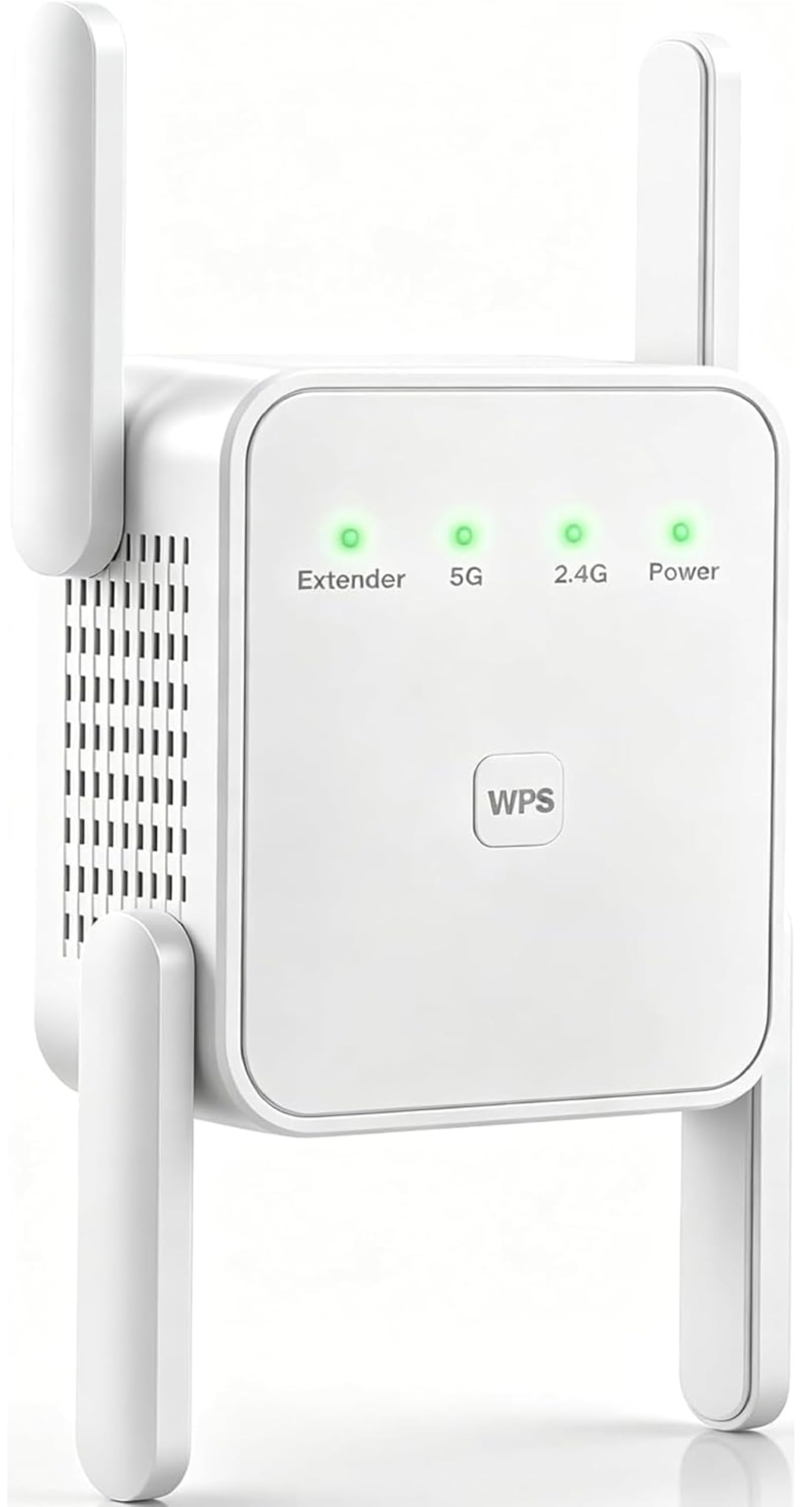
The highest-rated sleeper that delivers giant coverage from a tiny price with four antennas.
This Intelbras extender is the surprise packet of the list. It claims coverage up to 2,150 sq. ft., which beats both the TP-Link RE315 (1,600 sq. ft.) and the NETGEAR EX6120 (1,500 sq. ft.) on paper. It delivers a total bandwidth of 1200 Mbps (867 Mbps on 5 GHz + 300 Mbps on 2.4 GHz), but the real standout is the four external antennas — they give better signal penetration through cement walls compared to the two-antenna RE315. The LAN port also supports an Access Point (AP) mode, which lets you convert a wired Ethernet wall jack into a fresh WiFi hotspot without the wireless speed penalty.
Customers note it solved a weak signal for a smart thermostat and boosted TV speeds by 30–50+ Mbps through cement walls. One buyer puts it simply: “It was a little hard to connect, but it is amazing. It works very well.” The extender is listed as compatible with Ring doorbell and Google Nest, making it a practical choice for smart home users. The setup tips in the manual are refreshingly direct — turning off mobile data before starting solves most issues.
The honest downside is the setup process. While many find it simple, some note the manual’s print is too small for older eyes, and the initial connection can take a couple of tries. There is also no dedicated app — you configure it through a web browser, which is less modern than the TP-Link’s Tether app.
What stands out
- Exceptional coverage claim (2,150 sq. ft.) that beats similarly priced models.
- AP mode turns any Ethernet wall jack into a powerful WiFi point.
- Four external antennas give better signal penetration through thick walls.
- High owner satisfaction — the average rating is near-perfect.
What to watch for
- Setup can be finicky and requires mobile data to be turned off for first connection.
- No dedicated smartphone app for management — web interface only.
Best for: buyers who need to cover a larger area (a two-story house or a home with cement walls) and are comfortable with a browser-based setup process.
Not ideal if: you want the simplest, app-driven experience and prefer a brand name you already know.
4. NETGEAR WiFi Range Extender (EX6120)

The reliable workhorse that fits in your palm and covers up to 1,500 sq. ft.
The NETGEAR EX6120 is a classic for a reason. It offers AC1200 dual-band speeds (up to 300 Mbps on 2.4 GHz and 900 Mbps on 5 GHz) and covers up to 1,500 sq. ft., making it a direct competitor to the TP-Link RE315 but in a much smaller body. At just 1.54 inches deep, 2.17 inches wide, and 4.64 ounces, it is 2.3 times more compact than the TP-Link RE315 — it plugs directly into the wall and practically disappears. It can handle up to 25 devices, which is enough for a busy family home.
One buyer calls it “easy setup via Netgear page; eliminated buffering in mobile home bedrooms.” The extender uses a single Fast Ethernet port (10/100 Mbps), which is the main hardware limitation — it is not Gigabit, so wired speeds top out at 100 Mbps. Another catch: it creates a new SSID (network name) rather than extending your existing one, which can be annoying if you have smart home devices that prefer the same name everywhere.
The main recurring gripe is the setup experience. While the WPS button (Wi-Fi Protected Setup, a one-touch pairing method on your router) works for many, a notable number of users found the web interface timing out at step 11 or failing to connect. If you hit that, the advice is to try the WPS method first or use a smartphone browser rather than a desktop one.
Owner consensus: for the price, it works as advertised. A good, no-frills extender that is easy to place discreetly.
The real catch: the non-Gigabit Ethernet port caps wired connections at 100 Mbps, and a minority find setup frustrating when WPS fails.
Pick this if: you need a very compact extender that disappears on the wall and you do not need Gigabit wired speeds.
skip it if: you rely on Gigabit Ethernet for a gaming PC or NAS, or you want a single smooth network name throughout your home.
5. NETGEAR WiFi Mesh Range Extender (EX5000)

The tiny plug-in that solves a small home’s dead zone in two button presses — no Ethernet port at all.
The EX5000 is the smallest extender here by volume, measuring just 2.55 x 2.85 x 2.85 inches. It is designed for focused coverage — up to 1,000 sq. ft. — and connects up to 15 devices, far fewer than the RE315’s 32 devices. That makes it ideal for an apartment, a single-floor home, or just one problem room at the far end of the house. The top praise from owners is the setup: “Incredibly easy to setup — literally pressed 2 buttons and the extender was working.”
The WPS button and the NETGEAR WiFi Analyzer app for optimal placement make it about as close to plug-and-play as extenders get. One buyer notes it “improved the wifi reception enough for a small house” with no complaints. The compact wall-plug design means it does not block the second outlet on a duplex socket.
The honest limit is simplicity. It has no Ethernet port at all, so you cannot wire a console or TV into it. And for some, the setup via the web interface was a nightmare — one frustrated owner reported it took 2 hours and failed repeatedly. The recurring advice is to use the WPS button method and skip the browser setup entirely.
What stands out
- Fast, two-button WPS setup that genuinely works for most people.
- Very compact wall-plug design that does not block the second outlet.
- Works with any wireless router or gateway.
What is missing
- No Ethernet port for wired connections.
- Limited to 15 devices and 1,000 sq. ft. — not for large homes or heavy device loads.
This is your pick if: you rent an apartment or have a small, single-story home and want the absolute simplest extender that just works.
Pass it by if: you need to wire a gaming console or TV, or if your home is larger than 1,000 sq. ft.
6. JoyLantern WiFi Extender AX3000
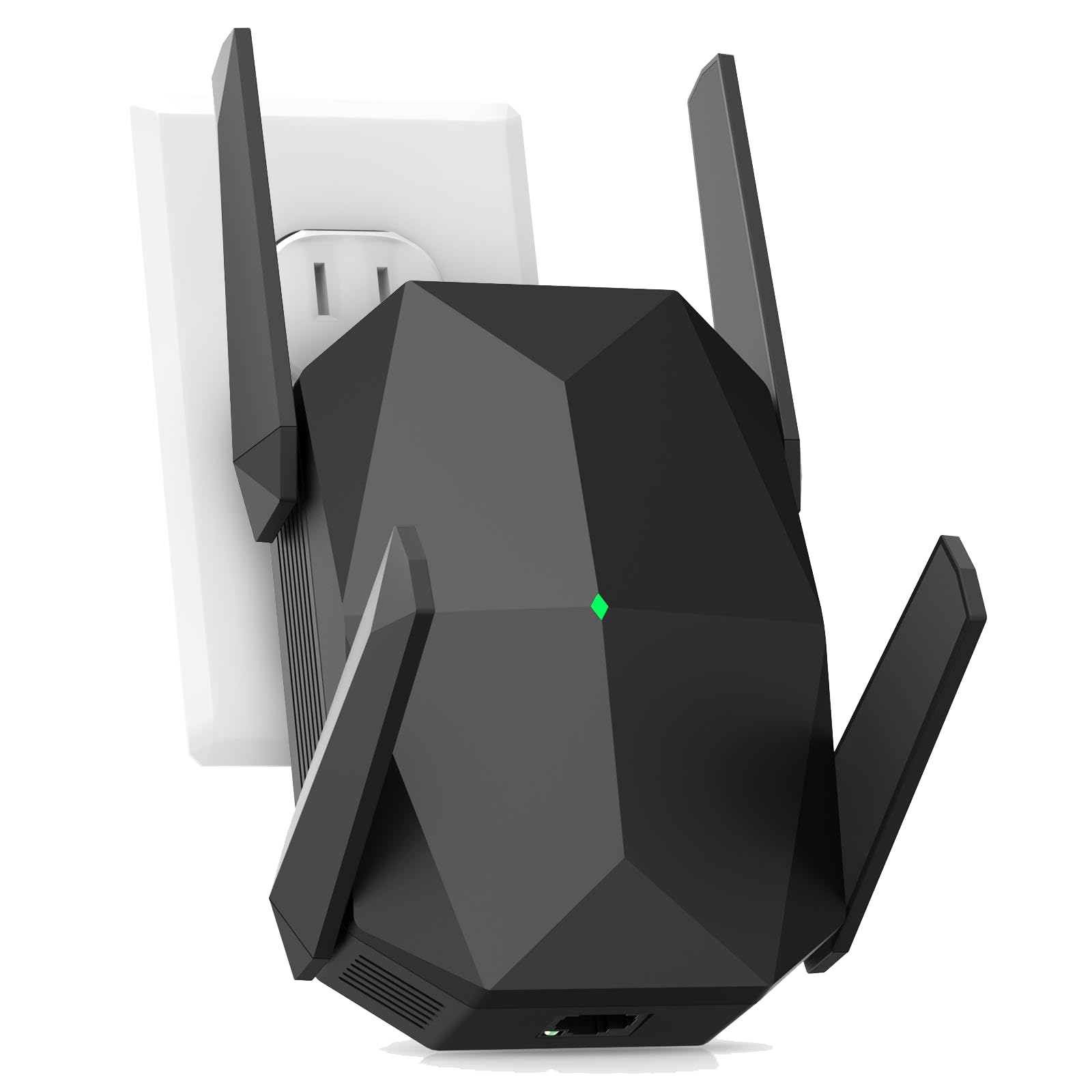
The wild card that promises to cover an entire property — including the neighbors — but comes with real risks.
The JoyLantern makes the boldest claims on the list: coverage up to 18,999 sq. ft. and support for 150+ devices simultaneously. It is an AX3000 Wi-Fi 6 extender with speeds up to 2400 Mbps on the 5.8 GHz band and 600 Mbps on the 2.4 GHz band. The Gigabit Ethernet port is marketed as “20x faster than standard Ethernet,” which refers to the speed leap from old Fast Ethernet standards (100 Mbps). It is compatible with 99.99% of routers according to the brand, and uses WPA/WPA2-PSK security (the common encryption standard for home WiFi).
Real-world owners are surprisingly happy for a newer brand. One non-tech buyer calls it easy to set up and notes “instant difference in the house” across a 2,100 sq. ft. home. Another says it expanded coverage throughout the property and eliminated all lag. The setup appears genuinely fast — one owner was up and running in about 2 minutes.
The honest reality: the coverage claim of 18,999 sq. ft. is almost certainly an open-field ideal, not a real-world number through walls. More critically, the extender has only 98 ratings at the time of this data, and a small group had the opposite experience: one owner reports losing connection to the extender just 10 feet away, forcing the phone back to the main router 40 feet away. The warranty is just 3 months, which is very short compared to the TP-Link RE315’s typical 2-year warranty.
The upside
- Wi-Fi 6 technology with massive claimed coverage and device capacity.
- Very fast setup — many reviewers point out it working within minutes.
- Gigabit Ethernet port for wired connections.
The risk
- Very new product with few reviews — long-term reliability is unproven.
- A few shoppers say the extender drops signal very close to the unit.
- Only a 3-month warranty, which is unusually short.
Consider it if: you need to cover a very large property (think acreage or a long ranch house) and are willing to gamble on a newer brand with impressive specs.
Stick with a safer pick if: you prefer a proven brand with tens of thousands of reviews and a longer warranty track record.
Understanding the Specs
AC1200 vs AX3000 (Wi-Fi Generation)
The number after AC (like AC1200) or AX (like AX3000) tells you the theoretical maximum speed in Mbps. AC1200 is Wi-Fi 5, which is still plenty for most homes — it handles HD streaming, browsing, and video calls easily. AX3000 is Wi-Fi 6, which is faster and handles more devices at once. If your router is Wi-Fi 6, an AX extender is worth the extra cost. If your router is older, AC is perfectly fine.
Coverage Claims (Sq. Ft.)
Manufacturers test in open, perfect conditions with no walls. In a real home, expect 40–60% of the advertised range. A claim of 1,500 sq. ft. might realistically cover a large room or a floor of a small house. A claim of 2,150 sq. ft. (like the Intelbras) is better suited for two-story homes, but still expect signal drops through concrete floors.
Ethernet Port: Fast vs Gigabit
Many budget extenders include a Fast Ethernet port, which tops out at 100 Mbps. That is fine for streaming video but will bottleneck a gaming PC or NAS. A Gigabit Ethernet port (like on the TP-Link RE550) supports up to 1,000 Mbps, which is the standard for modern wired networks. If you plan to plug a console or computer into the extender, look for Gigabit.
EasyMesh and OneMesh
Mesh compatibility lets your extender and router work together to create a single, smooth WiFi network. Your phone automatically switches to the strongest signal as you move around. EasyMesh (TP-Link) and OneMesh (TP-Link) are the common standards. Not all extenders and routers support this, so check compatibility if you want a single network name throughout your home.
Dual-Band vs Single-Band
Dual-band extenders operate on both the 2.4 GHz and 5 GHz frequencies. The 2.4 GHz band travels further through walls but is slower and more congested. The 5 GHz band is faster but has a shorter range. A good dual-band extender uses one band to talk to your router (the backhaul) and the other to broadcast to your devices, improving overall speed and stability.
External vs Internal Antennas
External antennas (like on the TP-Link RE315 or Intelbras) can be adjusted to tune signal direction. They generally offer better penetration through walls and floors. Internal antennas (like on the NETGEAR EX5000) keep the extender small and tidy but may have slightly weaker range. For homes with thick walls or awkward layouts, external antennas are a clear advantage.
FAQ
Will a budget WiFi extender work with my existing router?
How many devices can a budget WiFi extender actually handle?
Does a WiFi extender reduce my internet speed?
Is it better to use the WPS button or a web browser to set up the extender?
Can I plug a gaming console into a budget WiFi extender?
What is the difference between an extender and an Access Point (AP) mode?
Will a WiFi extender work in a garage or outdoor building?
How do I find the best location for my WiFi extender?
Is a used or renewed WiFi extender a good idea?
What does EasyMesh compatibility mean for my home network?
Final Thoughts: The Verdict
For most buyers, the budget wifi extender winner is the TP-Link RE315 because it hits a strong balance of price, reliability, and capacity — it handles 32 devices, covers 1,600 sq. ft., and has a higher average rating across a massive number of owners than any other budget contender. If you need to cover a larger home and want the fastest wired connection, grab the TP-Link RE550 with its Gigabit port and 1.9 Gbps bandwidth. And for the smallest, simplest fix for a single dead zone in a compact home, the NETGEAR EX5000 sets up in two button presses and disappears on the wall.
How We Picked
We do not accept paid placement. Every pick is matched to a real buyer and a real use-case; we do not hands-on test units.
Sources & Methodology
Specifications: manufacturer listings and product documentation. Review insights: verified customer reviews, as of July 2026. Pricing: not shown on this page (it changes often); check the current price via the retailer link.
As an Amazon Associate, FitlyFast earns from qualifying purchases. This does not affect which products we feature.