
Our readers keep the lights on and the weekend projects moving. As an Amazon Associate, I earn from qualifying purchases.
Specs are compiled from manufacturer listings and verified buyer reviews and can change over time — please confirm the key details on the product page before buying.
You want the smooth, responsive gameplay that HDMI 2.1 delivers — the connection standard that lets your console or PC send 4K video at 120 frames per second (fps) with no screen tearing — but you do not want to spend a lot of money. The good news: you do not have to. HDMI 2.1 has trickled down to budget territory over the last couple of years. The options now cover everything from a room-filling 65-inch panel to a sharp 43-inch model that doubles as a great PC monitor.
After digging through the manufacturers’ published specs and what real buyers report about each set, these five televisions stand as the best current crop when you are hunting for a truly good budget tv with hdmi 2.1.
Our Picks at a Glance

How To Choose The Best Budget TV With HDMI 2.1
Not every port labeled “HDMI 2.1” is the same. A budget TV might have the connector, but lack the full bandwidth — the data capacity — needed for 4K at 120Hz. The sections below walk you through the three specs that really define whether a cheap TV will handle your PS5, Xbox Series X, or gaming PC well.
Panel Refresh Rate and VRR
The big number here is the native refresh rate — how many times per second the screen redraws a full image. A native 120Hz or 144Hz panel can actually show you the high frame rates a console or PC pushes, so fast motion looks fluid. When the TV also supports Variable Refresh Rate (VRR), it syncs the screen’s refresh to your game’s frame output, killing screen tearing and stutter without having to turn on V-Sync. For budget models, make sure the product page explicitly says “native 120Hz” or “native 144Hz.”
Local Dimming and Contrast Ratio
This determines how good blacks and bright highlights look side-by-side. Full-array local dimming (FALD) or Mini-LED backlighting divides the screen into zones that can light up independently. The higher the contrast ratio number — the difference between the brightest white and darkest black — the deeper the blacks and the more “pop” you get from bright objects. A 100,000:1 contrast ratio is outstanding at this price; 6,000:1 is still good.
Port Quantity and Features
You want at least two HDMI 2.1 ports if you plan to hook up a console and a soundbar, or a console and a PC. Some budget TVs offer only one full-bandwidth HDMI 2.1 port and label the others as eARC or standard 4K/60. Check the fine print for which ports support what — especially the 4K@120Hz and 4K@144Hz bandwidth — to avoid a frustrating bottleneck later.
Quick Comparison
| Model | Best For | Screen Size | Contrast Ratio | Native Refresh | Amazon |
|---|---|---|---|---|---|
| Westinghouse 50″ Mini LED 4K★ Best Overall | Best Overall Value | 50″ | 100,000:1 | 60Hz (with MEMC) | Amazon |
| Panasonic W70 65″ 4KBig Screen Bargain | Big Screen Bargain | 65″ | — | 60Hz (with MEMC) | Amazon |
| iFFALCON 55″ MiniLED 4K | Serious Console Gaming | 55″ | 6,000:1 | 144Hz | Amazon |
| Sony BRAVIA 3 II 43″ 4K | Premium Picture & PS5 | 43″ | — | 120Hz | Amazon |
| VIZIO M50QXM-K01 50″ 4K | PC Monitor + Console Mix | 50″ | — | 120Hz (4K) / 240Hz (1080p) | Amazon |
| Hisense 50E7 Cinema Series | Motion-Clarity Obsessed | 50″ | High | 144Hz | Amazon |
In‑Depth Reviews
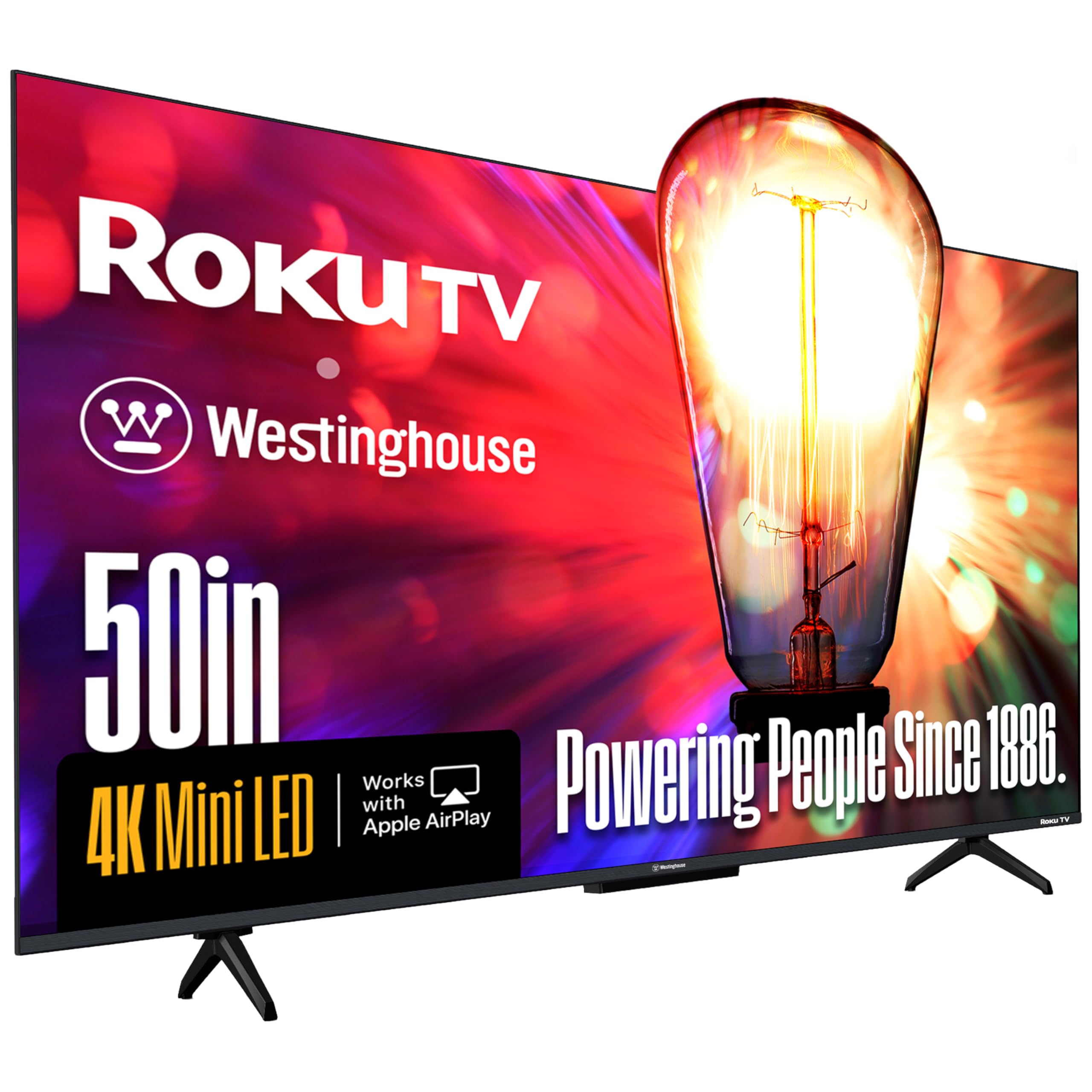
1. Westinghouse 50 Inch Mini LED 4K UHD Roku TV
The Mini-LED contrast king that proves you do not need OLED to get deep, inky blacks.
This Westinghouse delivers a contrast ratio of 100,000:1 — a figure that is 16.7 times higher than the iFFALCON Mini-LED on this list — and it does it at a price that makes you do a double-take. The secret is the Mini-LED backlight combined with high-density local dimming zones. Thousands of tiny LEDs light up independently, so you get a truly dark space for a shadowy game and searing bright highlights for an explosion without the usual light bleed. Owners call the picture quality “tremendous,” noting the contrast and deep blacks are outstanding for the price.
You also get four full HDMI 2.1 ports, which means you can connect your gaming console, a soundbar via eARC, a streaming box, and a PC all at once without having to swap cables. Roku TV is the built-in interface, and it is widely praised as one of the fastest and simplest smart TV platforms. The built-in speakers are loud enough to skip a soundbar in a bedroom, though the midrange is described as a bit muddy — decent for the money. At 50 inches, it is a strong size for a living room or a large bedroom that is not a dedicated home theater.
Picture Quality Wins
- 100,000:1 contrast ratio delivers incredible depth and black levels for the price
- Mini-LED local dimming minimizes clouding and light bleed seen on cheaper edge-lit sets
- Roku OS is snappy, simple, and among the most user-friendly platforms available
Honest Trade-Offs
- Native panel is 60Hz, so serious 120Hz console gamers should look at the iFFALCON or Sony below
- Built-in sound is loud but lacks clarity in the midrange — not great for dialogue-heavy movies
Grab for: The best possible picture quality on a budget, especially for HDR movies and slower-paced games where contrast matters most.
Think twice if: You demand a native 120Hz or 144Hz panel for competitive twitch shooters at high frame rates.
2. Panasonic W70 Series (2025 Model) 65″ LED 4K Ultra HD Smart Fire TV
The cheapest way to get a 65-inch screen with an HDMI 2.1 port into your living room.
Panasonic is back in the US TV game, and this 65-inch set is the brand’s play for value-minded buyers who want a big canvas. It uses a 60Hz panel with MEMC motion smoothing — a feature that estimates and inserts extra frames to reduce blur — so it is better for watching sports and movies than for hardcore 120Hz gaming. The single HDMI 2.1 port means your console can still communicate at the full bandwidth it needs. The HDR Bright Panel powered by the 4K Studio Color Engine delivers crisp, clear pictures, and the Fire TV built-in OS keeps everything convenient — including hands-free Alexa voice control via the remote.
The catch is consistency. Screen reliability is the biggest point of concern, with some owners reporting units that failed within a month. The sound quality is also mixed, with some praising it as clear and others calling it poor. This is a good pick if you want the absolute cheapest path to a large screen with HDMI 2.1, but it is one you should buy with a good return policy and maybe an extended warranty handy.
Size & Price Advantage
- 65-inch screen is 18% larger than the 55-inch models here for a truly rich viewing area
- Fire TV includes Alexa voice remote, free live TV channels, and a wide app library
- HDR10+ and Dolby Vision support for richer colors and better brightness in compatible content
Compromises
- Screen reliability is a known issue, with a minority of units failing early on
- Only one HDMI 2.1 port, so you cannot easily connect a console and a soundbar at full bandwidth
Reach for this if: Your top priority is the biggest possible screen size for your dollar and you only need one HDMI 2.1 device connected.
Look elsewhere if: You want a set you can rely on for years without worry, or you need multiple high-bandwidth ports for a full gaming setup.
3. iFFALCON 55″ 4K MiniLED Smart TV | PS5 & Xbox Ready, 4X HDMI 2.1

Built for the console gamer who wants 144Hz smoothness, four ports, and Dolby Vision Gaming without the premium price tag.
This is the pick that punches hardest at the “budget” tag. The iFFALCON is a subsidiary of TCL, and it borrows heavily from the same Mini-LED DNA. You get a native 144Hz panel with VRR up to 240Hz and FreeSync Premium Pro certification — an AMD standard that synchronizes the refresh rate to prevent tearing. That means your PS5 or Xbox Series X can push 4K at 120Hz with no tearing, and if you are on PC, you can even get 144Hz. The contrast ratio of 6,000:1, backed by local dimming and up to 1,000 nits of peak brightness, makes HDR games look vivid and punchy.
Where this TV really beats the competition is connectivity. All four HDMI ports are version 2.1, with two running at full 4K@144Hz for your console and PC, and two at 4K@60Hz for streaming boxes or a soundbar. It also includes a 50W 2.1-channel audio system with Dolby Atmos and DTS Virtual:X, which owners say produces surprisingly good sound for a built-in setup — enough to create an rich gaming environment without an external soundbar. The wide-set legs on the stand require a large table, and the VA panel (vertical alignment, a type that gives deep blacks) has narrow viewing angles — colors wash out if you sit off to the side. If you sit dead center, this is a spectacular gaming TV at a budget price.
Gaming Firepower
- Native 144Hz panel with VRR up to 240Hz for butter-smooth competitive play
- Four HDMI 2.1 ports — enough for a console, PC, soundbar, and streaming stick simultaneously
- 50W 2.1-channel audio with Dolby Atmos fills a room without extra speakers
Realities
- VA panel means colors wash out at wide viewing angles — best for direct center seating
- Wide-set stand legs require a large TV stand or a wall mount
Ideal for: The gamer who wants the full HDMI 2.1 feature set — 144Hz, VRR, ALLM, and multiple port slots — without jumping to a premium flagship.
Not for: Family rooms where people sit far off to the side and need consistent color from every angle.
4. Sony 43 Inch BRAVIA 3 II LED 4K HDR Smart Google TV with Gemini K-43XR30M2

Sony’s AI-driven picture processing and a 120Hz panel tuned for the PlayStation 5.
The 43-inch BRAVIA 3 II is proof that Sony’s picture magic — the XR Processor, a chip that uses artificial intelligence to analyze and improve every frame — is now available in its most budget-friendly line. The result is a picture that owners call “superb,” with natural colors and excellent black levels that far exceed what raw specs would suggest. The 120Hz native refresh rate with Motionflow XR keeps fast-moving sports and action games clear and blur-free, and the TV includes exclusive PS5 features like Auto HDR Tone Mapping and Auto Genre Picture Mode that make setup easy for console owners.
The trade-off? At 43 inches, this is the smallest screen on the list, so you are paying for processing power, not size. Sound quality gets mixed feedback — some find it good, others disappointing. A few owners also ran into software glitches with casting, so if you plan to stream strictly via the built-in apps, you are in safer territory. Google TV with Gemini voice search is a pleasure to use, and you also get 5 movie credits for Sony Pictures Core. For a desktop PC monitor or a bedroom gaming setup where space is limited, this Sony is a smart, premium-feeling choice.
Sony’s Signature Processing
- XR Triluminos Pro reproduces over a billion colors for lifelike, natural image quality
- PlayStation 5 exclusive features like Auto HDR Tone Mapping make console setup smooth
- 120Hz Motionflow XR keeps fast action clear without introducing a soap-opera effect
Know Before You Buy
- 43-inch screen is the smallest option here — not ideal if you need a large living room centerpiece
- Sound quality is mixed; you will likely want a soundbar for movies and games
Best suited for: A PS5 owner who wants the best picture processing in a compact size for a desk or a small room, and values Sony’s color science and motion handling.
Skip if: You need a larger than 50-inch screen, or you want to save money by getting a set with a simpler OS.
5. VIZIO 50-inch Quantum Pro 4K 120Hz QLED HDR10+ Smart TV, M50QXM-K01

The 50-inch QLED that doubles as a blazing-fast PC monitor with up to 240Hz at 1080p.
Vizio’s Quantum Pro series has carved a loyal following among buyers who use their TV as a computer monitor. The 120Hz native panel goes up to 240Hz when you drop the resolution to 1080p, which is a huge win for PC gamers who play competitive shooters at lower resolutions for max frame rates. It also has AMD FreeSync Premium Pro certification, so screen tearing and stutter are eliminated during gameplay. Owners describe the display as “vibrant” and “bright” after calibration, with decent viewing angles up to about 45 degrees thanks to the QLED quantum dot color — tiny particles that produce more saturated colors.
The remote is a common frustration — buttons are too small and the layout is awkward — but the RF (radio frequency) remote works from any angle. The VIZIO OS is familiar and fast. Some owners mention that the local dimming software can produce an overprocessed image, so you may want to leave it off for casual viewing and turn it on for movie night. This is a solid all-arounder that handles both a console and a gaming PC equally well, and the WiFi 6E support keeps streaming smooth on a modern router.
Multi-Device Flexibility
- 240Hz at 1080p is a rare feature for a budget TV — ideal for PC competitive gaming
- Active Full Array backlight with local dimming and Dolby Vision HDR for punchy HDR content
- WiFi 6E built-in for faster, more reliable wireless streaming with a compatible router
What Owners Flag
- Remote button layout is poor according to many owners, with power next to streaming buttons
- Local dimming can produce an overprocessed, artificial look in some content
Great for: The PC gamer who wants a secondary monitor that pulls double duty as a living room TV, with the high refresh rates needed for flick-shooters.
Not the best if: You want a set that looks perfect straight from the start without spending time on calibration and tweaking settings.
6. Hisense 50″ E7 Cinema Series Hi-QLED Mini-LED 4K UHD Smart Fire TV (50E7SF, 2026 NEW)

Hisense packs Mini-LED, a native 144Hz panel, and AI motion smoothing into a single budget-friendly package.
The E7 Cinema Series is Hisense’s answer to the question: what do you get when you combine Mini-LED precision with a panel that natively runs at 144Hz? You get a TV that handles fast-paced sports and cinematic games with easy clarity. The Hi-QLED Mini-LED backlight uses thousands of precise light zones to deepen shadows and brighten highlights, while the AI Picture system analyzes every scene in real time to tune brightness and contrast automatically. Owners are impressed, calling the picture “sharp” and “vivid” with deep blacks and smooth motion — ideal for gaming and sports content.
It supports Dolby Vision IQ and HDR10+ Adaptive, so both common HDR formats are covered, and the Dolby Atmos sound is surprisingly capable for built-in speakers. The Fire TV platform makes navigation zippy and simple. The biggest headache reported by some owners is quality control — a few units exhibit Wi-Fi connectivity dropouts, random remote pairing failures, and black screen crashes that require a hard unplug. It is a minor problem for most, but one that means you should buy from a seller with a good return policy. If you get a good unit, the picture-to-price ratio is tough to beat.
Motion & Contrast
- Native 144Hz panel for the smoothest possible gaming and sports motion at this price
- AI Smooth Motion with MEMC reduces blur on fast-moving content effectively
- Hi-QLED Mini-LED backlight with local dimming provides deep blacks and bright highlights
Caveats
- Quality control inconsistencies: some owners face Wi-Fi dropouts and black screen crashes
- Built-in Wi-Fi is only Wi-Fi 5, so streaming 4K at high bitrates on a crowded network may stutter
Choose this if: You demand the absolute smoothest motion handling and Mini-LED contrast, and you are comfortable with a potential return process for a defective unit.
Pass on it if: Reliability is your number one concern and you prefer a set with a proven track record across thousands of owners.
Understanding the Specs
HDMI 2.1 Bandwidth
This port standard is the key to modern gaming. It carries enough data to send a 4K image at 120 frames per second (or even 144Hz) without compression, along with features like Variable Refresh Rate (VRR) that syncs the screen to your console to kill stutter. A “budget” TV might have an HDMI 2.1 port but not support the full 48Gbps bandwidth — always check the product description for what specific combos of resolution and frame rate it actually handles on each port.
Local Dimming and Contrast Ratio
Contrast ratio is the difference between the brightest white and the darkest black a TV can show at the same time. A higher number (like 100,000:1 versus 6,000:1) means shadow details stay visible without looking gray, and bright highlights really pop. Full-array local dimming or Mini-LED backlighting divides the screen into zones that can light up independently, which makes that high contrast ratio actually visible in real-world content instead of just being a lab measurement.
Refresh Rate and VRR
The native refresh rate (60Hz, 120Hz, or 144Hz) tells you how many times the screen redraws a full image each second. A 120Hz or 144Hz panel can show the high frame rates that the PS5 and Xbox Series X push, making motion look fluid and reducing eye strain. Variable Refresh Rate lets the screen change its refresh rate on the fly to match whatever frame rate your game is outputting at that moment, which eliminates the tearing and stutter you get when the two are out of sync.
HDR Formats
HDR (High Dynamic Range) expands the range of brightness and color beyond what standard video can show. Dolby Vision and HDR10+ are the two main dynamic formats — they adjust brightness and contrast scene-by-scene, rather than using one fixed setting for the whole movie. A budget TV that supports both Dolby Vision and HDR10+ gives you the most flexibility, since different streaming services and Blu-ray discs use different formats, and you want your set to handle whichever one the content was mastered in.
FAQ
Does every HDMI 2.1 port on a budget TV support 4K at 120Hz?
Is a 60Hz TV with HDMI 2.1 worth buying for a PS5 or Xbox Series X?
How noticeable is the difference between a 6,000:1 and a 100,000:1 contrast ratio?
Can I use a budget HDMI 2.1 TV as a computer monitor?
What is the difference between Mini-LED and regular LED backlighting?
Do I need a soundbar if I buy a budget HDMI 2.1 TV?
What does eARC on an HDMI 2.1 port let me do?
Is FreeSync Premium Pro the same as G-Sync?
Should I worry about the panel type (VA vs IPS) on a budget gaming TV?
How long can I expect a budget HDMI 2.1 TV to last?
Final Thoughts: The Verdict
Across the board, the budget tv with hdmi 2.1 winner is the Westinghouse 50 Inch Mini LED 4K because it delivers a contrast ratio of 100,000:1 and four HDMI 2.1 ports at a price that undercuts the competition, making it the best all-around value. If you want a true 120Hz+ panel for serious console gaming and four full-bandwidth ports, grab the iFFALCON 55″ MiniLED. And for the ultimate big-screen bargain with HDMI 2.1 support and Fire TV built-in, the Panasonic 65-inch W70 is the one to reach for — just buy it with a good return policy in hand.
How We Picked
We do not accept paid placement. Every pick is matched to a real buyer and a real use-case; we do not hands-on test units.
Sources & Methodology
Specifications: manufacturer listings and product documentation. Review insights: verified customer reviews, as of July 2026. Pricing: not shown on this page (it changes often); check the current price via the retailer link.
As an Amazon Associate, FitlyFast earns from qualifying purchases. This does not affect which products we feature.