
Our readers keep the lights on and the weekend projects moving. As an Amazon Associate, I earn from qualifying purchases.
Specs are compiled from manufacturer listings and verified buyer reviews and can change over time — please confirm the key details on the product page before buying.
If your stream looks like a blurry potato, your audience is gone in five seconds. The fix is not a mirrorless body — it is finding a budget streaming camera that actually delivers crisp motion without emptying your bank account. This guide cuts through the noise and compares the real options side-by-side, from all-in-one starter kits to premium 4K sensors, each picked for its actual value at a sub- price point.
I’m Rikta — the founder and writer behind FitlyFast. This guide is built by comparing the manufacturers’ published specifications and the patterns across verified customer reviews, so you get each pick’s real strengths and trade-offs instead of marketing spin.
You want a budget streaming camera that makes you look good on stream while staying affordable. The right one delivers clear video, smooth motion, and decent sound to keep viewers engaged.
Our Picks at a Glance

How To Choose The Best Budget Streaming Camera
Not every webcam is built for live broadcasting. A solid streaming camera needs smooth motion, decent low-light handling, and a clean audio path. These three specs separate a good stream from a grainy mess.
Frame Rate: The Smoothness Factor
Your stream’s motion is described in frames per second (fps) — how many individual pictures the camera captures each second. Standard 30 fps works for talking heads and meetings, but for gaming or fast hand movements, 60 fps keeps everything buttery and blur-free. Many budget options top out at 30 fps; if your content is high-motion, you want a model that hits 60 fps even if it drops to 720p resolution to get there.
Sensor Size and Low-Light Performance
The physical size of the image sensor inside the camera (measured in inches) directly determines how much light it can gather. A larger sensor, like a 1/1.3-inch chip, produces a cleaner image in dim rooms without adding grain. Many entry-level cams use tiny sensors that need bright studio lighting to look good — if you stream at night or in a room with windows, prioritize a more capable sensor.
Autofocus vs Manual Focus
Autofocus (AF) automatically keeps your face sharp as you move closer or farther from the lens. It is essential for dynamic streams where you lean in for reaction shots. Manual focus, however, locks to one distance and never hunts or drifts — ideal for fixed-position cameras aimed at a single spot. Some streaming cameras in the budget range offer a manual 10x zoom lens, which is fantastic for close-up detail work but requires you to adjust focus every time you zoom.
Quick Comparison
| Model | Best For | Resolution | Frame Rate | Connectivity | Amazon |
|---|---|---|---|---|---|
| Abel Gaming Kit★ Best Overall | First-Time Streamers | FHD 1080p | 30 fps | USB | Amazon |
| Logitech C922xAlso Great | All-Around Streaming | FHD 1080p | 30 fps / 60 fps (720p) | USB | Amazon |
| Elgato Facecam MK.2 | Software Control | FHD 1080p | 60 fps (uncomp.) | USB 3.0 | Amazon |
| IFWATER 10X Zoom | Close-Up / Fixed Cam | UHD 4K (USB) | 30 fps | HDMI + USB | Amazon |
| Insta360 Link 2C Pro | High-End Image Quality | 4K | — | USB-C | Amazon |
| EMEET PIXY Wireless | Wireless / Multi-Cam | UHD 4K | — | USB, Wi-Fi | Amazon |
In‑Depth Reviews
1. Webcam Streaming Kit with USB RGB Microphone & LED Light
One box delivers the whole starter studio — cam, mic, and adjustable light.
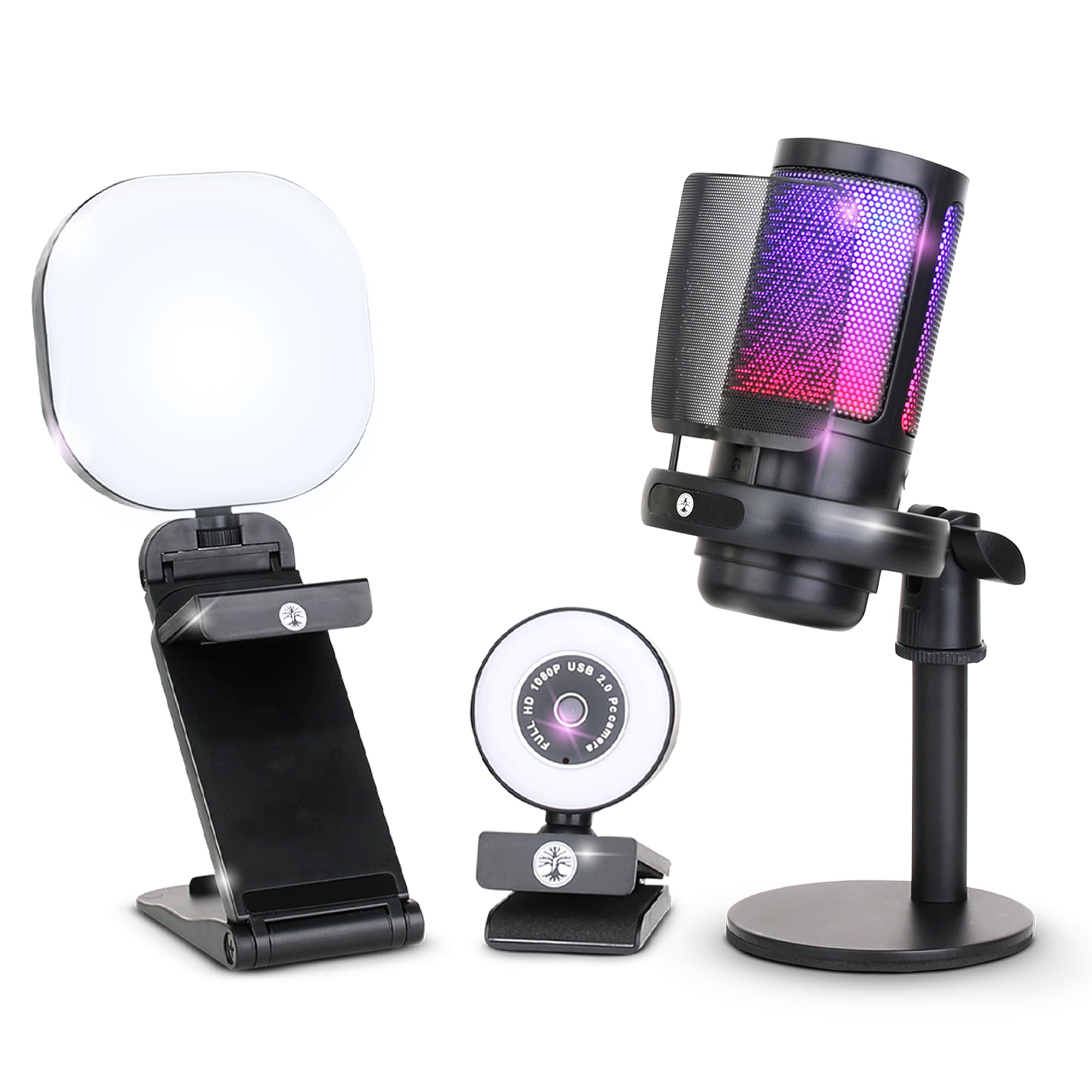
If you are starting from scratch, this Abel Gaming kit removes the guesswork. You get a 1080p webcam that outputs 30 fps, a noise-cancelling USB microphone with an RGB breathing light, and a battery-powered LED lamp with warm, cool, and mixed modes — everything plugs into your PC and works within minutes. Camera quality is the single most praised feature (34 owners call it out), and the value for money ranks second, making it the smartest entry point for under.
Setup takes about 10 to 15 minutes according to buyers, and it is compatible with Windows, Mac, Android, and iOS. The catch is that reliability and the microphone performance both draw mixed reactions — the mic is decent for a starter but louder than a dedicated condenser, and occasional units arrive with connection quirks. This is clearly a budget bundle for absolute beginners, not a long-term pro rig.
Kit strength: the three-piece bundle costs less than many standalone webcams and includes a real adjustable light.
Reservation: the microphone is workable but not studio-grade, and reliability can vary from unit to unit.
Ideal for first-time streamers with a tight budget: you get usable video, audio, and lighting in a single purchase.
skip it if you already own a mic or light: the standalone Logitech above delivers a better camera for a small premium.
2. Logitech C922x HD Pro PC Webcam
The crowd-tested workhorse balances sharp video with true 60 fps smoothness.
Over 17,000 owners have rated this camera, and its big advantage is versatility. You get Full HD 1080p video at 30 fps for crisp talking-head streams, and you can switch to 720p at 60 fps when your content gets fast — gaming, unboxing, or hands-on demos. The HD light correction (a sensor that automatically adjusts exposure in dim rooms) and a reliable autofocus keep the image from washing out or going soft as you move.
The dual stereo mics capture natural sound without an extra USB mic, and the included 3-month XSplit VCam license lets you blur or remove backgrounds without a green screen. Buyers consistently report a sharp, vibrant picture with easy plug-and-play setup. On the flip side, it lacks a privacy shutter, and the autofocus can hunt occasionally in low light — the main trade-off for a camera that otherwise delivers everything a new streamer needs.
Stream-Ready Highlights
- 720p at 60 fps for smooth live motion
- Automatic light and focus adjustments handle changing conditions
- Clear dual mics eliminate the need for a separate starter mic
Honest Trade-offs
- No built-in privacy shutter
- Autofocus can drift in very low light
- 2016 model design feels dated
Best for established streamers and office pros: you get the most refined 1080p experience under with real 60 fps capability.
Think twice if you need 4K or a privacy shutter today: this cam maxes out at 1080p and omits the slide cover the Elgato and EMEET include.
3. Elgato Facecam MK.2, Premium Full HD Webcam, HDR

The software-tuned webcam brings DSLR-style image control to a USB body.
Where most budget streaming cameras lock down their image processing, the Elgato Facecam MK.2 hands you the keys. Its Camera Hub software lets you adjust shutter speed, white balance, and ISO just like a mirrorless camera, and the HDR mode at 1080p30 handles harsh mixed lighting beautifully. The uncompressed video over USB 3.0 reaches up to 1080p at 60 fps, giving you that silky-smooth motion that beats the Abel kit’s 30 fps while keeping every detail crisp.
The built-in sliding privacy shutter is a welcome touch, and low-light performance is widely praised — owners upgrading from Logitech products call it a leap forward for dim rooms. Picture quality is a mixed bag in the reviews, however; some find it excellent after tweaking the settings, while others see softness at default. The quality control also gets an occasional black mark (a dead pixel reported by a few). Overall, it is the go-to pick if you want pro-grade control software without paying mirrorless prices.
Advanced Control
- Uncompressed 1080p60 video over USB 3.0
- Full manual exposure settings via Camera Hub
- Built-in privacy shutter
Watch For
- Picture quality needs manual tuning for best results
- USB-C cable not included
- Occasional dead pixels reported
Perfect for streamers who tweak every setting: the software suite beats everything else in the budget range hands down.
Not for plug-and-play simplicity seekers: you will need to invest time in the Camera Hub to get the best image.
4. IFWATER HDMI 4K USB Camera 10X Variable Focus

The purpose-built close-up camera brings 10x optical zoom to the streaming table.
This is a different beast from the standard webcam. It uses a manual 5-50mm lens with a 2x digital zoom on top of a 10x optical zoom, letting you capture extreme detail from across the room — think circuit board soldering, cooking demos, or bird feeder watching. It outputs 4K at 30 fps over USB (2160p) and 1080p over HDMI simultaneously, meaning you can feed a monitor and your stream PC from one device.
UVC compliance means true plug-and-play: Windows, Mac, Android, and Raspberry Pi recognize it without extra drivers. Buyers call the visual quality “amazing” for the price and note it works great with OBS. The clear downside is that focus is entirely manual and must be re-adjusted after zooming — it is strictly for fixed-camera setups, not for dynamic streams where you move. A few owners also report USB disconnection issues, so pair this with a powered hub for reliability.
Strength: the 10x manual zoom delivers impressive detail for static close-up streaming.
Weakness: manual focus and occasional disconnects mean this is not a set-and-forget camera for general use.
Best for technical demos, fixed teaching positions, and zoom-heavy content: no other budget streaming camera gets this close physically.
Avoid if you need autofocus or plug-and-play simplicity: the Logitech or Insta360 serve general streaming far better.
5. Insta360 Link 2C Pro – 4K Webcam for PC/Mac
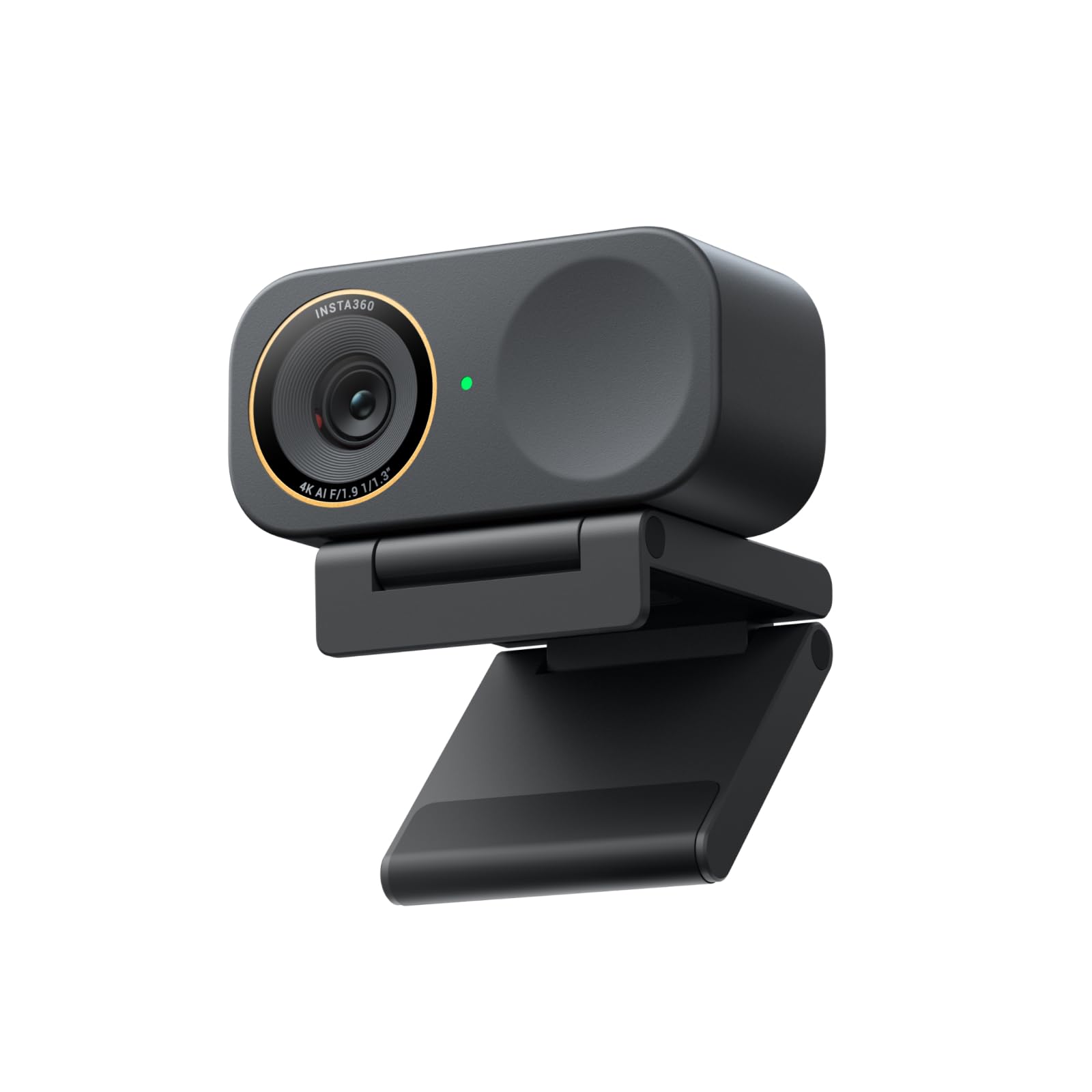
A big sensor turns dim rooms into broadcast-ready sets without extra lighting.
If image quality is your top priority, this is the budget streaming camera that punches highest. The 1/1.3-inch sensor (significantly larger than typical webcam chips) captures sharp 4K video with a natural bokeh effect — a DSLR-style blurred background that makes you pop out from your space. Its low-light performance is the standout feature here; owners consistently call it the best in its class, and it even beats premium models like the Logitech Brio in dim conditions.
The AI auto-framing system follows your movement automatically, and gesture control lets you zoom in or start tracking with a hand wave. It integrates with Elgato Stream Deck for switching modes and presets, and the dual-mic array uses beamforming to reduce background noise. Whiteboard Mode and DeskView make it versatile for teachers and presenters. The main caveats: it does not support Windows Hello face recognition, and the magnetic mount lacks a tripod thread.
Low-Light Champion
- Large 1/1.3-inch sensor for clean 4K in dim settings
- Natural bokeh effect without a mirrorless camera
- Gesture and smartphone control for hands-free operation
Considerations
- No Windows Hello face recognition
- Magnetic mount has no standard tripod thread
- Currently not compatible with ARM-based Windows systems
Perfect for streamers who value image quality over everything: the low-light 4K with bokeh (a blurred background effect) is class-leading in the budget segment.
Not ideal if you rely on Windows Hello or need standard tripod mounting: the Logitech offers broader compatibility there.
6. EMEET PIXY Wireless 4K Dual-Lens AI Tracking PTZ Streaming Camera
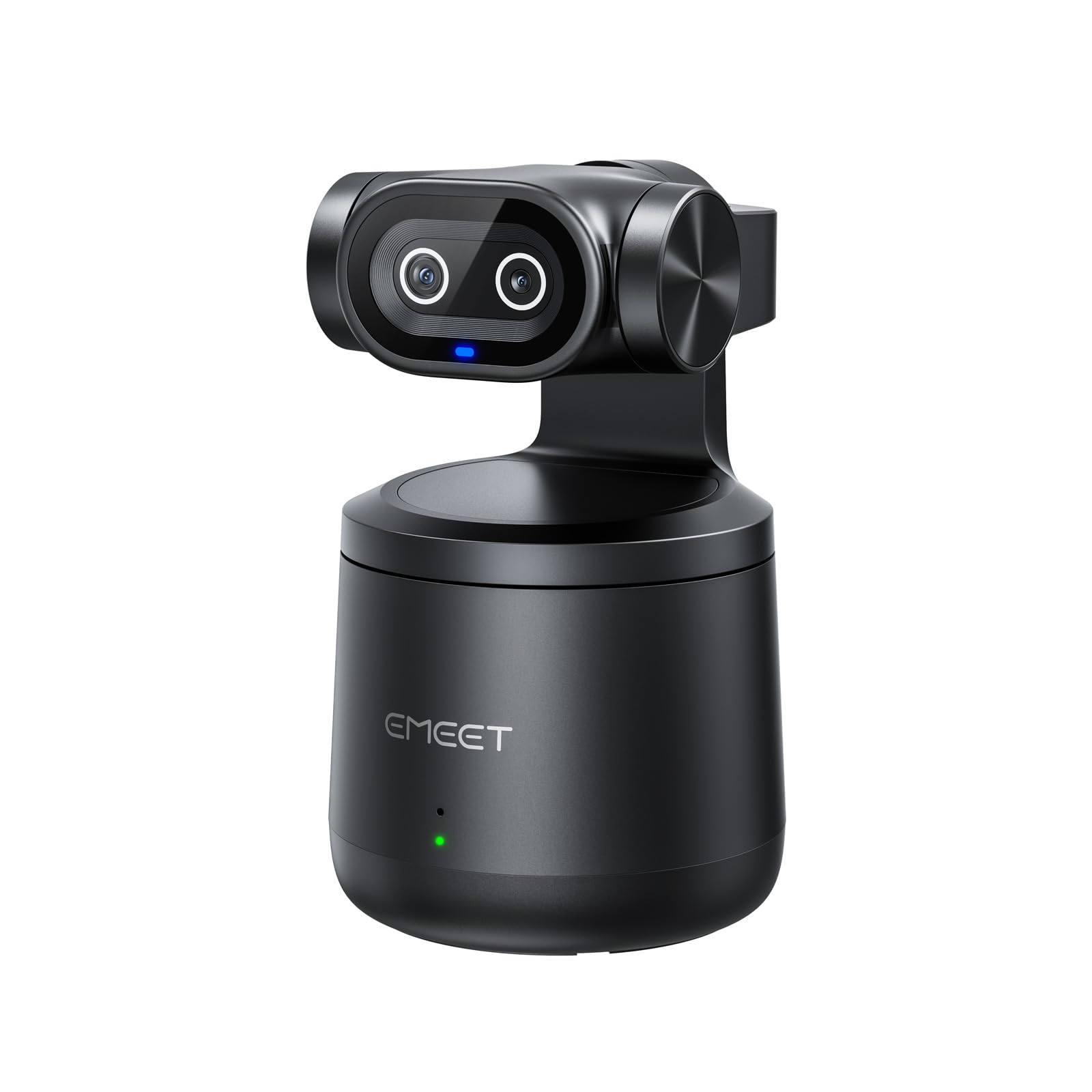
The first wireless streaming camera that tracks your movement without any cable tether.
This is the only option here that cuts the cord completely. The PIXY uses a dual-camera system — one 4K video lens and one dedicated AI tracking lens — that follows you around the room, all over Wi-Fi with no USB cable needed. An 8-hour built-in battery means you can stream a full shift or an all-day conference without hunting for an outlet. The 97-degree field of view is wide enough for sports demos and large whiteboard sessions, and HDR preserves detail in highlight-heavy backdrops.
Multi-camera support is a real bonus: you can set up several PIXY units and switch between them from your phone for multi-angle streams to YouTube, Twitch, or Facebook simultaneously via the EMEET STUDIO app. The built-in 48kHz microphone captures decent audio on its own, and a 3.5mm jack lets you attach a better mic. Connectivity is the most mixed aspect — several buyers report trouble pairing with computers, and some find the tracking “hit or miss.” The wireless recording is also capped at 1080p/30fps, not the 4K the box advertises.
Freedom factor: wireless streaming with AI tracking and an 8-hour battery makes it unique in this list.
Stability warning: connectivity issues and tracking glitches mean this is a promising but not polished product yet.
Great for solo content creators who need hands-free movement: the wireless tracking is genuinely liberating for active presenters.
Not recommended if reliability is your top concern: the Logitech or Elgato are far more predictable for daily live streaming.
Understanding the Specs
Frame Rate (fps)
Measured in frames per second, this tells you how many still images the camera captures each second to create the illusion of motion. 30 fps (standard video) looks fine for talking heads and meetings. 60 fps is noticeably smoother and eliminates blur in fast-moving content like gaming or product demos. Some budget streaming cameras drop their resolution to 720p to achieve 60 fps — a worthwhile trade-off for motion-heavy streams.
Sensor Size and Low-Light Quality
The image sensor is the camera’s light-gathering chip, measured fractionally in inches (for example, 1/1.3-inch is a large webcam sensor). A bigger sensor collects more light, so your image stays clean and grain-free in dim rooms. Small sensors push the gain (ISO) in low light, adding visible noise. If your environment is not perfectly lit, prioritize a camera with a larger sensor or explicit low-light performance mentions in its specs.
Uncompressed vs Compressed Video
Uncompressed video means the camera sends raw sensor data over the cable with minimal processing, offering maximum detail and lowest latency. It typically requires USB 3.0 bandwidth. Compressed video (common on USB 2.0 cameras) looks softer and can add a slight delay. Higher-end budget streaming cameras offer uncompressed modes at 1080p60, which makes a visible difference in live broadcast quality.
Auto Framing and AI Tracking
Auto framing uses the camera’s computer vision to detect your face or body and automatically zoom or pan to keep you centered. AI tracking is a more advanced version that follows your movement across the room. Both features are useful for solo streamers who work hands-free, but their reliability varies widely — some systems are smooth, while others lose you during quick movements or require specific lighting.
FAQ
Can I use a budget streaming camera for gaming on console like PS5 or Xbox?
What is the difference between 1080p 30fps and 720p 60fps for streaming?
Do I need a separate microphone with a budget streaming camera?
What is uncompressed video and why does it matter for my stream?
Can I use these cameras for meetings on Zoom, Teams, or Google Meet?
What does HDR do on a streaming camera?
Is a 4K budget streaming camera worth it if my stream only outputs 1080p?
How long do budget streaming cameras last?
Final Thoughts: The Verdict
For most buyers, the budget streaming camera winner is the Logitech C922x because it delivers proven 1080p quality, a genuine 60 fps mode at 720p, and excellent auto light correction at a price that undercuts many less-capable rivals. If you want pro-style software control with adjustable shutter and white balance, grab the Elgato Facecam MK.2. And for the absolute lowest entry cost with everything included — cam, mic, and light in one box — the Abel Gaming Streaming Kit is the one to reach for.
How We Picked
We do not accept paid placement. Every pick is matched to a real buyer and a real use-case; we do not hands-on test units.
Sources & Methodology
Specifications: manufacturer listings and product documentation. Review insights: verified customer reviews, as of July 2026. Pricing: not shown on this page (it changes often); check the current price via the retailer link.
As an Amazon Associate, FitlyFast earns from qualifying purchases. This does not affect which products we feature.