
Our readers keep the lights on and the weekend projects moving. As an Amazon Associate, I earn from qualifying purchases.
Specs are compiled from manufacturer listings and verified buyer reviews and can change over time — please confirm the key details on the product page before buying.
Building a solid 1440p gaming rig on a tighter budget means cutting through the hype around flashy new tech and focusing on what actually delivers smooth, high-resolution frames. The real divide among budget 1440p GPUs is VRAM capacity versus raw clock speed—get the balance wrong and your card will choke on modern textures within a year.
I’m Rikta — the founder and writer behind FitlyFast. This guide is built by comparing the manufacturers’ published specifications and the patterns across verified customer reviews, so you get each pick’s real strengths and trade-offs instead of marketing spin.
We’ve sorted through the current GPU landscape to find the best cards that let you play modern titles at 2560×1440 without draining your savings, highlighting the budget 1440p gpu that delivers the most performance per dollar for today and tomorrow.
Our Picks at a Glance


How To Choose The Best Budget 1440P GPU
Picking a budget 1440p GPU isn’t about grabbing the lowest price. You need a card that pushes enough pixels to make 1440p look sharp in demanding games. The two biggest factors are VRAM capacity and memory architecture, which directly impact how long a card stays relevant.
VRAM: The Headroom You Need
Modern games at 1440p consume more video memory than ever. While 8GB is the basic entry point, several new titles already benefit from 12GB or more for high-quality textures. Choosing a budget 1440p GPU with 12GB or 16GB of VRAM gives your system more breathing room and delays your next upgrade.
Memory Generation: GDDR6 vs GDDR7
GDDR7 memory offers higher bandwidth, which helps with frame rates at higher resolutions. However, GDDR6 in a card with more VRAM (like 12GB on a wide 192-bit bus) can outperform a GDDR7 card with less memory. Always look at the balance between the total VRAM amount and the memory bus width.
Architecture and Upscaling
NVIDIA’s DLSS 4 and AMD’s FSR 4 use AI or advanced algorithms to upscale lower resolutions, giving you more frames without sacrificing much visual quality. On a budget 1440p GPU, this technology is a massive performance multiplier, especially in graphically heavy titles like Cyberpunk 2077.
Quick Comparison
| Model | Best For | VRAM | Memory Type | Boost Clock | Amazon |
|---|---|---|---|---|---|
| ASRock Intel Arc B580 Challenger 12GB★ Best Overall | VRAM Value Leader | 12 GB | GDDR6 | 2740 MHz | Amazon |
| GIGABYTE RTX 5060 Windforce OC 8GBlackwell Value | Nvidia Blackwell Value | 8 GB | GDDR7 | 2512 MHz | Amazon |
| GIGABYTE RTX 5060 Gaming OC 8GTriple-Fan Cool | Quiet Triple-Fan Cooling | 8 GB | GDDR7 | — | Amazon |
| ASUS Dual RTX 5060 OC | SFF Builds & Efficiency | 8 GB | GDDR7 | 2565 MHz | Amazon |
| PNY RTX 5060 Epic-X ARGB OC | Triple-Fan RGB Bling | 8 GB | GDDR7 | 2280 MHz | Amazon |
| ASRock RX 7700 XT Challenger 12GB | AMD Raster Power | 12 GB | GDDR6 | 2584 MHz | Amazon |
| EVGA RTX 3070 XC3 Ultra Gaming | Proven Last-Gen Value | 8 GB | GDDR6 | 1770 MHz | Amazon |
| PowerColor Reaper RX 9060 XT 16GB | Compact 16GB Power | 16 GB | GDDR6 | 2620 MHz | Amazon |
| XFX Swift RX 9060 XT OC 16GB | High Boost Clock 1440p | 16 GB | GDDR6 | 3320 MHz | Amazon |
| XFX Swift RX 9060 XT OC 16GB (B7) | Quiet 1440p Gaming | 16 GB | GDDR6 | 3320 MHz | Amazon |
| Sapphire Nitro+ RX 9070 XT | Top-Tier 1440p/4K Performance | 16 GB | GDDR6 | 3060 MHz | Amazon |
In‑Depth Reviews
1. ASRock Intel Arc B580 Challenger 12GB OC Graphics Card
The 12GB budget card that outperforms pricier rivals at 1440p.
For a budget 1440p GPU, the amount of VRAM is the first thing to check. This ASRock card gives you 12GB of GDDR6 memory on a 192-bit bus, which is a 50% memory capacity advantage over the 8GB options from the RTX 5060 series. That extra memory means you can crank up texture quality in demanding titles without stuttering. The GPU clock runs at a speedy 2740 MHz, and the Intel Xe2-HPG architecture handles 1440p high settings gaming surprisingly well.
The dual-fan cooling system with 0dB Silent technology keeps the card quiet when you are just browsing, and the metal backplate adds durability. Buyers report that the performance is fantastic for the price, calling it “1440p high settings gaming” capable. It beats the Steam Machine performance in some tests and runs cool even during long sessions. The catch is that it requires Resizable BAR (Base Address Register, a feature that lets the CPU access the full GPU memory) for optimal performance, meaning it works best with a 10th-gen Intel CPU or newer.
The VRAM Advantage
- 12GB GDDR6 memory is 50% more than 8GB rivals, giving you more headroom for modern textures.
- GPU clock of 2740 MHz delivers smooth frame rates at 1440p high settings.
- 0dB Silent Cooling means the fans stop completely under light loads, making it truly quiet.
A Few Things to Note
- Needs Resizable BAR support from your CPU and motherboard to open up full performance.
- Driver quality gets mixed feedback, and some owners note future support is uncertain.
- Compatibility with some pre-built systems may require checking power supply and chassis space first.
Pound-for-pound 1440p champion: If you want the most VRAM for your money and have a compatible system, this is the smartest buy for future-proof 1440p gaming.
Think twice if: You are running an older system without Resizable BAR, or you rely heavily on Nvidia-specific features like CUDA for creative work.
2. GIGABYTE GeForce RTX 5060 WINDFORCE OC 8G Graphics Card
Nvidia’s newest architecture for under, built for high frame rates.
If you want the latest NVIDIA Blackwell architecture and GDDR7 memory, this GIGABYTE card is your entry ticket. The RTX 5060 here uses 8GB of the newer, faster GDDR7 memory on a 128-bit bus. While the VRAM count is lower than the Arc B580, the memory generation is a step newer, which helps with bandwidth. The real star is DLSS 4 (Deep Learning Super Sampling, an AI-powered feature that boosts frame rates by rendering at a lower resolution and smartly upscaling), which owners say is a key upgrade. One buyer reports getting “Over 250 FPS in games like Cyberpunk and DOOM,” which is a massive number for a budget card.
The WINDFORCE cooling system uses a dual-fan design that runs quiet and keeps temperatures low. It is a compact 7.83 inches long, so it fits in most mid-tower cases easily. The GPU clock sits at 2512 MHz. This is a card for the gamer who wants the very latest features (like DLSS 4 and ray tracing) without spending RTX 5070 money. The biggest trade-off is the 8GB VRAM, which means you will need to manage texture settings in the heaviest games to avoid hitting the memory limit.
Next-Gen Features
- GDDR7 memory provides higher bandwidth than previous generations, boosting frame rates in supported games.
- DLSS 4 delivers a massive performance uplift, especially in ray-traced titles like Cyberpunk.
- Very quiet dual-fan cooler that handles the 150W TDP (Thermal Design Power, the heat the cooling system must manage) easily.
The Memory Cap
- 8GB of VRAM is the baseline for 1440p and may require turning down textures in the latest releases.
- The 128-bit memory bus is narrower than some competing cards, which affects raw bandwidth.
- Some buyers had to run a display driver uninstaller (DDU) first when swapping from an old card to prevent driver conflicts.
Great for DLSS devotees: If you play games that support DLSS 4, this card’s frame rate potential is outstanding and the install is straightforward.
Look elsewhere if: You play VRAM-hungry games like modded Skyrim or want more headroom for future releases without dialing down textures.
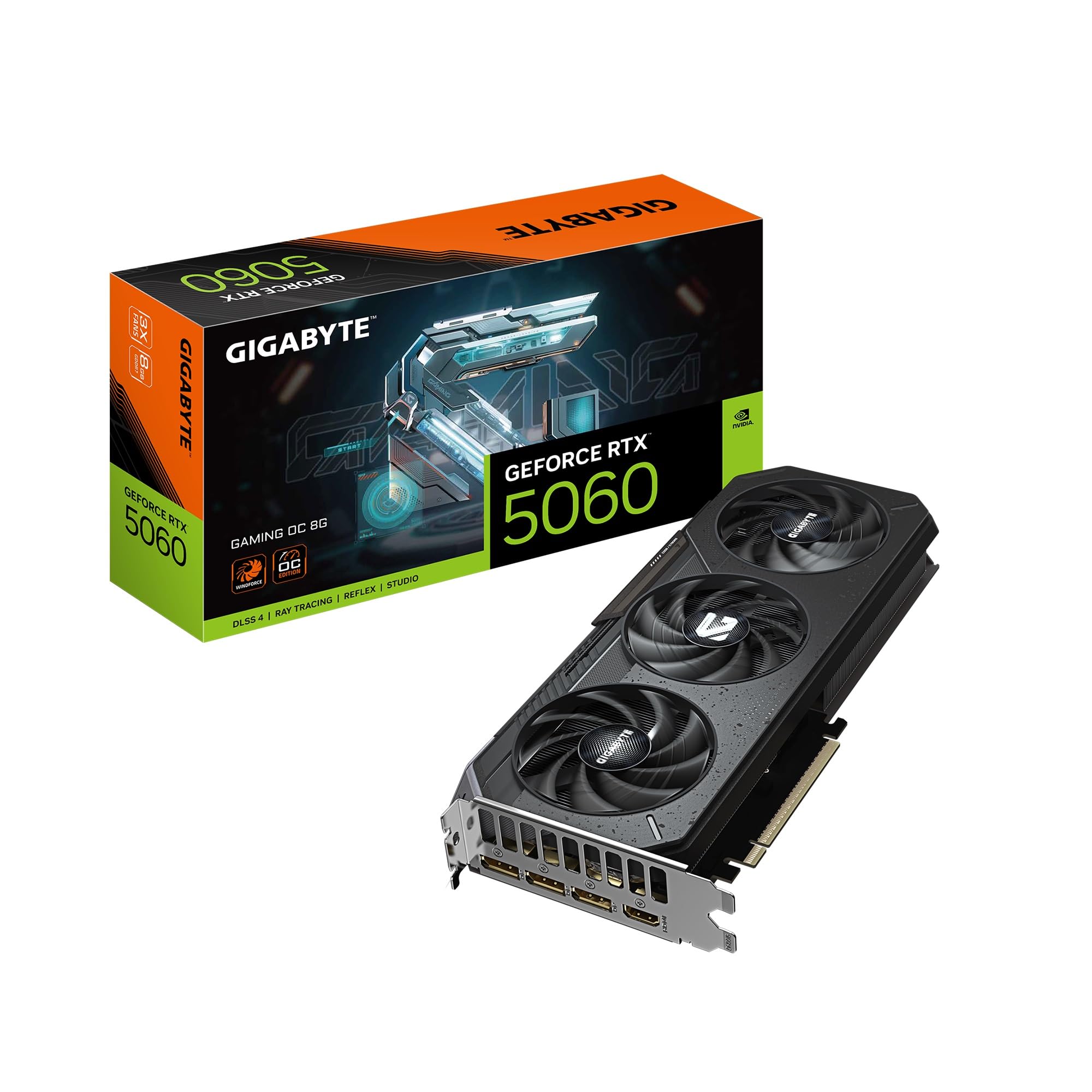
3. GIGABYTE GeForce RTX 5060 Gaming OC 8G Graphics Card
A three-fan 5060 that runs whisper-quiet and looks the part.
This is the bigger, cooler sibling of the Windforce 5060. It packs the same 8GB GDDR7 memory and NVIDIA Blackwell architecture but uses a larger three-fan WINDFORCE cooling setup. The card measures 11.06 inches long, so it is significantly larger, but that extra size pays off in thermal performance. Buyers call it a “budget card” that is “high quality, looks great, cost effective,” noting that with DLSS 4 you get high frame rates and great picture quality. Its performance is tuned for 1080p and solid 1440p, making it a reliable step up from older GPUs.
The build quality feels premium, with a clean design that doesn’t rely on flashy RGB (Red Green Blue, customizable lighting) to look good. One owner upgrading from an RTX 3050 laptop GPU described it as a “huge step up” and confirmed the 8GB of VRAM hasn’t felt limited yet. However, the memory is still 8GB, and for the most demanding ray-traced games, another reviewer pointed out that the “8gb of ram it cannot do ray-tracing smoothly.” This is a great pick if you want the coolest and quietest RTX 5060 available.
Cool and Collected: The triple-fan setup keeps the card running very cool and almost silent, making it an excellent choice for a quiet gaming PC. The performance jump from an older card (like an RTX 3050 or 3060) is dramatic.
The VRAM Reality: As the review data clearly shows, 8GB is fine for today’s 1080p and most 1440p gaming, but if ray tracing is your main goal, the limited memory can cause performance stutters. Best for gamers who prefer high frame rates in standard rasterization over ray tracing.
Ideal for silent builders: If you value a cool, quiet PC and want a strong upgrade from an older Nvidia card, this three-fan cooler is one of the best you can get at this price tier.
Not the pick for: Heavy ray tracing at 1440p, where the memory capacity can become a bottleneck on the most demanding settings.
4. ASUS Dual NVIDIA GeForce RTX 5060 8GB GDDR7 OC Edition

A compact 9-inch card that brings Blackwell power to small form factor builds.
ASUS designed this RTX 5060 specifically to be SFF-Ready (Small Form Factor, meaning it fits properly in compact cases). It measures just 9 inches by 4.8 inches, a 2.5-slot design that slips into tight spaces without sacrificing performance. It uses GDDR7 memory and features an OC mode pushing the clock to 2565 MHz, with a default mode of 2535 MHz. The Axial-tech fan design uses a smaller hub for longer blades, which increases downward air pressure to keep the card cool. One buyer summed it up perfectly: “Rasterization ≈ 2080 Ti/3070. 150W TDP, very efficient.”
It also features 0dB technology, meaning the fans stop completely when the card is under low load. The build quality feels premium, and the design is clean without excessive RGB. The only real limitation is the 8GB VRAM, which is the standard for this new generation. If you are building a compact machine and want modern features like DLSS 4, this ASUS card is the best fit in its class.
Perfect for compact PCs: At 9 inches and a 150W TDP, it requires a modest 650W power supply and fits in most ITX (miniature motherboard standard) cases. Owners call it a “great card for playing games” that “runs relatively cool.” It’s a smooth upgrade from a 4GB card, described as “another world.”
The capacity ceiling: As a 1440p card, it hits an 80% mark according to reviewers, meaning in the absolute heaviest games you might need to tweak settings. Not a flaw for budget builders, but worth knowing if you want maximum texture quality in every title.
Best for small builds: If you are cramming a powerful GPU into a SFF case, this is the most compact, efficient RTX 5060 you can install.
Pass on this if: You need more than 8GB of VRAM for modded gaming or professional creative work with large texture packs.
5. PNY NVIDIA GeForce RTX 5060 Epic-X ARGB OC Triple Fan

A showpiece 5060 with flashy lights and a third fan for extra thermal headroom.
If you care about how your PC looks, this PNY Epic-X card delivers with its ARGB (Addressable RGB, customizable per-LED lighting) triple-fan design. The 8GB GDDR7 memory and NVIDIA Blackwell architecture give you the same core performance as other RTX 5060 cards, but the triple-fan cooler offers more surface area for better temperatures, especially in cases with good airflow. The boost clock is set at 2280 MHz. Buyers found it to be a “solid card for the price” that “handles most modern games well enough” and runs cool.
The card is 2-slots wide, making it SFF-Ready, but at 1.01 kg (about 2.2 lbs), it has some heft to it. It supports PCIe 5.0 (the latest generation of the expansion slot interface, doubling the bandwidth of PCIe 4.0) and uses DisplayPort 2.1 outputs. Reviewers specifically praised its graphics quality, with one noting impressive frame generation in games, and another calling it a “beautiful upgrade to my creative work station” for rendering and photo editing. The value for money is a strong point, but the 8GB VRAM limit is the same story as other cards in this tier.
Show and go: The triple-fan cooler and ARGB lighting make this the most visually striking RTX 5060. It runs cool and quiet, and owners find it performs well with AI-assisted programs. One buyer got “74fps on PC” with just a driver update.
The standard trade-off: Like all RTX 5060 cards, you get 8GB VRAM. This is fine for 1440p in most titles today, but demanding ray-traced games at high resolutions will push against that ceiling. If you want the flashiest cooler for the price, this is it.
Great for the RGB crowd: If your build is behind a glass panel and you want a card that matches your light show, this PNY card delivers excellent cooling and style.
Not for you if: You want a minimal, non-RGB design and prioritize VRAM capacity over visual flair. The Arc B580 offers more memory for a similar price.
6. ASRock AMD Radeon RX 7700 XT Challenger 12GB GDDR6

AMD’s 12GB answer to the budget 1440p question, with strong raster performance.
The RX 7700 XT is AMD’s direct competitor to the RTX 5060 series, and it comes with a key advantage: 12GB of GDDR6 memory on a 192-bit bus, just like the Arc B580. It runs on the RDNA 3 architecture (AMD’s third-generation graphics architecture, focusing on efficiency and performance) and boasts a Game Clock of 2226 MHz and a Boost Clock of 2584 MHz. Owners mention it runs “everything smoothly at 1440p,” making it a “massive upgrade from my 3060.” The value for money is frequently highlighted, especially given the 12GB VRAM capacity.
The dual-fan Challenger cooler uses Striped Ring Fans and Ultra-fit Heatpipe technology to manage thermals efficiently. It also features 0dB Silent Cooling, so the fans stop when temperature is low. The card supports 3 x DisplayPort 2.1 and 1 x HDMI 2.1. Owners love the performance, noting it sends “70+ FPS max settings” in most AAA games. However, reliability gets a mixed note from the summary, with some reports of early failure. The white LED indicator is also a minor complaint for those wanting a fully blacked-out build, as it cannot be changed.
The VRAM + Speed Combo
- 12GB of GDDR6 memory provides excellent headroom for 1440p high textures without the 8GB cap.
- 2584 MHz boost clock and RDNA 3 architecture deliver strong raw rasterization performance.
- 0dB Silent Cooling and dual-fan design keep the card quiet during normal use and cool under load.
Things to Consider
- Reliability gets mixed feedback from owners, with a small number of units reportedly failing early.
- The white LED indicator cannot be turned off or changed, which may annoy builders with a specific color scheme.
- Ray tracing performance is weaker than Nvidia’s comparable cards, so it is better for standard gaming.
Best pure 1440p rasterizer: If you don’t care about ray tracing and just want the most raw performance and VRAM for the price, this AMD card is a fantastic choice.
Skip if: You want DLSS upscaling or strong ray tracing performance, or you are wary of the mixed reliability reports in the data.
7. EVGA 08G-P5-3755-KR GeForce RTX 3070 XC3 Ultra Gaming

The EVGA RTX 3070 remains a 1440p champ, even in the new GPU generation.
An RTX 3070 from EVGA is a proven quantity. It packs 8GB of GDDR6 memory and a real boost clock of 1770 MHz, built on the older Ampere architecture. Despite being a generation behind, its raw power is still perfect for 1440p. Customers note that it handles AAA games at 4K and delivers “150+ FPS in standard gaming,” with “Cyberpunk 2077 runs great at 2K with RT Medium.” The triple HDB fan iCX3 cooling technology is legendary for being quiet and efficient, keeping temperatures around 62-65°C at low fan speeds.
EVGA is a beloved brand for its build quality and customer support, and this card features an all-metal backplate and adjustable ARGB lighting. The main drawback is that it is an older card, so you miss out on modern features like DLSS 4, frame generation, and the efficiency of the Blackwell architecture. The 1770 MHz boost clock is also notably lower than the ~2500 MHz+ clocks on the newer cards. If you can find it at a good price, it is still a very capable budget 1440p GPU, but the newer cards offer better features and power efficiency.
Still a rock-solid performer: The RTX 3070 is a known quantity — it delivers great 1440p and even entry-level 4K performance. The cooler is excellent, keeping the card quiet under load. It’s a good option if you stumble on a deal.
The age gap shows: You lose DLSS 4, GDDR7 memory, and the power efficiency of the RTX 50 series. The 8GB VRAM is also feeling tight for the most modern games. Best for someone who finds a great price and doesn’t need the latest upscaling tech.
Great for the nostalgia investor: If you want an EVGA card (the brand stopped making GPUs) with proven cooling and don’t care about the newest features, this is a solid pick for 1440p.
Better options exist: For roughly the same price or less, the newer RTX 5060 and Arc B580 offer better features, more VRAM, or higher efficiency. Only buy this if it’s deeply discounted.
8. PowerColor Reaper AMD Radeon RX 9060 XT 16GB GDDR6

A tiny 200mm card with a massive 16GB of memory for the budget conscious.
The PowerColor Reaper RX 9060 XT is a small-form-factor dream. It measures only 200mm in length and requires just a single 8-pin power connector and a 500W power supply. Despite the small size, it packs 16GB of GDDR6 memory and a boost clock of 2620 MHz. This is the perfect budget 1440p GPU for anyone building a compact PC who doesn’t want to compromise on VRAM. Reviewers consistently praise its “compact size” and “quiet operation,” calling it “the strongest price to performance” starting point for PC gaming.
It uses RDNA 4 architecture, which enables frame generation and FSR 4 (FidelityFX Super Resolution, AMD’s upscaling technology). Buyers upgrading from much older cards like the RX 580 or GTX 1080 call it a “great product,” noting the “16GB VRAM was crucial” for running games at wide 5120×1440 resolution. It runs very cool, with GPU temps around 72-75°C under load. The only catch reported is that some older games may have compatibility issues due to the newer architecture, and the AMD drivers are still being polished in some areas.
16GB in a tiny package: For its size and power draw, this card offers an insane amount of memory. It is ideal for SFF builds and runs very quiet. Owners say it is “powerful enough to run games well” and runs Windows games on Steam OS smoothly.
The driver frontier: Some users noted that drivers “need work” in certain scenarios, and some ultra-old games might not be compatible. It’s a minor trade-off for the incredible value and memory capacity.
Top choice for compact builds: If you are building a small PC and want the most VRAM you can get without spending more, this PowerColor card is the one to buy.
Skip this if: You need Nvidia’s CUDA (Compute Unified Device Architecture, for AI and creative apps) capability, as this AMD card is weaker for AI workloads despite having more VRAM.
9. XFX Swift AMD Radeon RX 9060 XT OC Triple Fan Gaming Edition 16GB

A massive 16GB card with a sky-high 3320 MHz boost clock for serious performance.
This XFX Swift card takes everything good about the RX 9060 XT and pushes the clock speed to an impressive 3320 MHz boost. It uses 16GB of GDDR6 memory running at 20 GHz, providing lots of bandwidth for 1440p. The triple-fan cooling solution is sturdy, keeping the card at a “max GPU temp 50°C” even in tropical heat conditions, according to one buyer. This is a 1440p beast that also “maxes 4K graphics at 70+ fps,” making it a great choice for future-proofing your build.
Reviewers are very happy with the performance. One owner upgraded from an RTX 3060 and called the XFX Swift a “great card for 2026,” noting it handles 1440p to 4K ultra in most games. It is a large card, so you need to check your case dimensions. The biggest downside is that its native resolution target is 3840×2160, but it truly shines at 1440p, where it can consistently deliver high frame rates. While some reviewers point out it’s a “bang for buck 16gb card,” the flat price is higher than the RTX 5060 options, placing it in the upper end of the budget range.
High clocks, high frames: The 3320 MHz boost clock is significantly higher than most cards in this budget range, translating to excellent raw performance. The cooler is overkill in a good way, keeping it silent and ice-cold.
Size and price note: This card is “huge” and needs a support bracket. Perfect if you can stretch your budget.
Ideal for high-performance 1440p: If you want a card that can max out 1440p with high frame rates and even dip into 4K, this XFX Swift card delivers the most raw speed in this price segment.
Not for you if: You need a small card for an ITX case or you are strictly limited to the cheapest budget options. This is a performance-first pick that demands case space.
10. XFX Swift AMD Radeon RX 9060 XT OC Triple Fan Gaming Edition 16GB (B7)
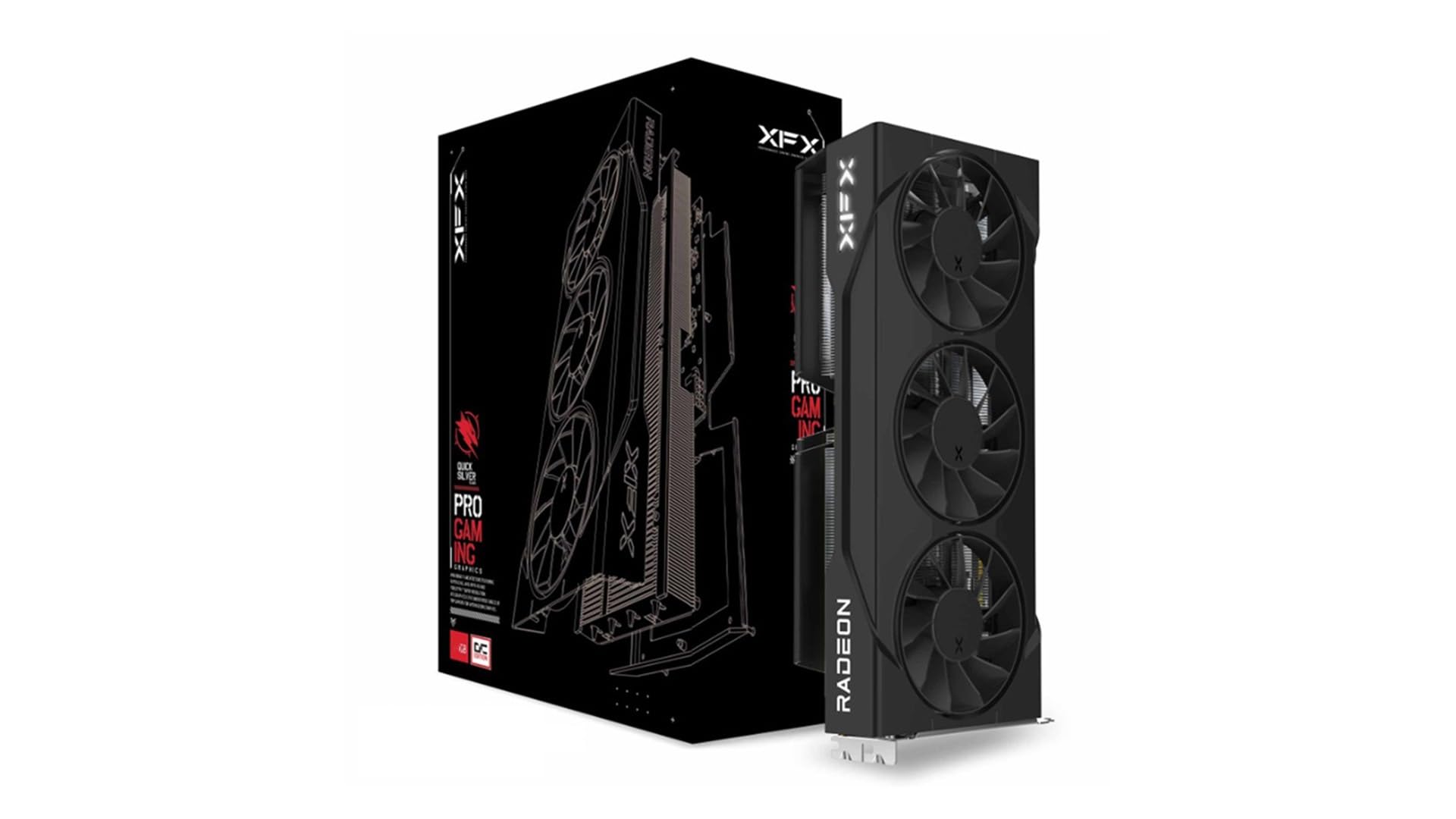
Another 16GB XFX Swift, built for silence and smooth 1440p medium settings.
This is a very similar card to the previous XFX Swift, with the same 16GB GDDR6 memory and a Boost Clock up to 3320 MHz. The key difference noted in the data is that buyers emphasize its quietness. One owner said, “I’ve been using it for a few months now, and I never had an issue. Surprisingly quiet.” It is a “perfect card to fit anyone’s needs” for a budget build, as it “crushes 1440p medium” and handles anything at 1080p without issue. The triple-fan XFX SWFT cooling solution is clearly effective at keeping things cool and quiet.
The card is quite large at 11.42 inches long and weighs 1.5 kg, so it needs a spacious case and a good support bracket to prevent sagging. It runs on a PCI-Express x16 interface. For VR gamers, one buyer confirmed that a PC built specifically with this card “runs really well” and stays cool. It represents excellent value for a card with 16GB of VRAM, but the base clock is 1900 MHz, which is lower than some competitors. The overall performance is very strong for 1440p, especially in standard (non-ray-traced) games.
Silence is golden: The standout feature from owners is how quiet this card is. Combined with 16GB of VRAM, it is a silent killer for 1440p. Buyers also praise it for VR gaming.
Large footprint: At 11.42 inches, it is a long card. The base clock of 1900 MHz is lower than the boost clock of the ASRock RX 7700 XT. It relies on its high boost clock to deliver performance. Good for 1440p medium, but may not max out the most demanding titles completely.
Excellent quiet 1440p choice: If you want a massive 16GB buffer and a card that won’t make a peep, this XFX Swift is a fantastic option for medium-high 1440p gaming.
Consider the other Swift first: If you need the absolute maximum factory performance, check the other XFX Swift model (Product 9) which might have a different bin or cooling setup.
11. Sapphire 11348-01-20G Nitro+ AMD Radeon RX 9070 XT Gaming OC 16GB

The premium Sapphire Nitro+ that sets the gold standard for 1440p gaming on a budget stretch.
The Sapphire Nitro+ RX 9070 XT is the most powerful card on this list, sitting at the top end of what a “budget” stretch can get you. It features 16GB of GDDR6 memory on a 256-bit bus and a massive boost clock of 3060 MHz. Built on AMD RDNA 4 architecture, it is an “absolute monster of a GPU” according to owners, who call it “quiet, cool, and ridiculously fast.” It is designed to handle excellent 1440p and 4K performance, with one buyer calling it a “major leap from 6750 XT.”
The build quality is top-tier, with a “rear connect 12V HPWR” connector hiding under the backplate for a super clean installation. The card is whisper-quiet even when overclocked. Performance-wise, it is “60-90% faster than 6750 XT” and handles everything at peak fps. It is a 3-slot card and over 300mm long, so it requires a large case and a strong 850W power supply. This is the definitive pick if you want the absolute best performance you can get while still staying in the broader “budget” mindset, exceeding all 1440p expectations easily.
The Ultimate Performance
- 16GB VRAM on a 256-bit bus provides immense bandwidth and texture headroom for 1440p and 4K.
- 3060 MHz boost clock and RDNA 4 deliver excellent performance, with owners reporting no coil whine.
- Premium build with a hidden power connector for a clean look and whisper-quiet operation.
The Price of Power
- It is a massive card (3+ slots, >300mm) that may not fit in standard mid-tower cases without planning.
- Ray tracing is improved but still behind the Nvidia competitors at this price tier.
- The included support bracket is insufficient for the card’s weight; buyers recommend an additional brace to prevent sagging.
For the 1440p purist: If you want to max out every game at 1440p with high frame rates and have the space in your case, this is the best card you can buy that still fits the value-minded shopping mission.
If your budget is strictly at the entry-level tier of RTX 5060 or Arc B580 pricing, this stretches too far.
Understanding the Specs
VRAM (Video Random Access Memory)
This is the dedicated memory on your graphics card. It stores the textures and geometry of your game world. For a budget 1440P GPU, 8GB is the minimum you need to run modern games at that resolution. 12GB or 16GB gives you much more room for high-resolution textures, mods, and future releases. Cards like the ASRock Arc B580 and RX 7700 XT offer 12GB, which is a huge advantage over 8GB rivals.
GPU Clock Speed (MHz)
Measured in megahertz (MHz), this number tells you how fast the graphics processor can perform calculations. A higher boost clock (like 2740 MHz on theArc B580 or 3320 MHz on the XFX Swift) directly translates to higher frame rates, especially in less demanding games. However, clock speed alone doesn’t tell the whole story—architecture and memory speed are just as important.
DLSS & FSR (Upscaling Technology)
These are NVIDIA’s DLSS (Deep Learning Super Sampling) and AMD’s FSR (FidelityFX Super Resolution). They are clever technologies that render your game at a lower resolution (which is faster) and then use AI or advanced algorithms to smartly upscale it to your monitor’s full resolution. This gives you a huge performance boost, allowing a budget 1440P GPU to run demanding games at higher settings and frame rates than it could on its own.
PCIe Generation (4.0 vs 5.0)
This is the connection standard between your GPU and motherboard. PCIe 5.0 offers double the bandwidth of PCIe 4.0. While most modern budget 1440P GPUs like the RTX 5060 series support PCIe 5.0, they rarely need that full bandwidth to perform well. The real-world performance difference is minimal for gaming, but having a PCIe 5.0 card ensures future compatibility with newer motherboards.
FAQ
What is the minimum VRAM for a budget 1440P GPU?
Will a 650W power supply work for these budget GPUs?
Is it better to have more VRAM or a faster clock speed for 1440p?
Do I need PCIe 5.0 for these budget GPUs to work?
Is an AMD or Nvidia budget card better for 1440p gaming?
Will these budget GPUs fit in a small form factor (SFF) case?
How important is a dual BIOS switch on a budget GPU?
Can these GPUs handle VR gaming at 1440p?
Final Thoughts: The Verdict
For most people, the budget 1440p gpu winner is the ASRock Intel Arc B580 Challenger because it offers the smartest balance of VRAM capacity and performance, giving you 12GB of memory that outpaces all the 8GB cards in its price bracket. If you insist on having the latest Nvidia features like DLSS 4, grab the GIGABYTE RTX 5060 Windforce OC for its incredible frame rate potential with upscaling. And for the ultimate performance while staying affordable entirely, the Sapphire Nitro+ RX 9070 XT is the one to reach for if you want to max out every 1440p title.
How We Picked
We do not accept paid placement. Every pick is matched to a real buyer and a real use-case; we do not hands-on test units.
Sources & Methodology
Specifications: manufacturer listings and product documentation. Review insights: verified customer reviews, as of July 2026. Pricing: not shown on this page (it changes often); check the current price via the retailer link.
As an Amazon Associate, FitlyFast earns from qualifying purchases. This does not affect which products we feature.