
Our readers keep the lights on and the weekend projects moving. As an Amazon Associate, I earn from qualifying purchases.
Specs are compiled from manufacturer listings and verified buyer reviews and can change over time — please confirm the key details on the product page before buying.
You know the pain: you unzip your laptop bag, reach for the mouse, and the tiny USB receiver is gone — lost somewhere in the car, under the desk, or swallowed by a couch cushion. A Bluetooth mouse without a USB receiver eliminates that problem entirely. These mice pair directly through your computer’s built-in Bluetooth radio, so there is nothing to lose, nothing to plug in, and no port to sacrifice.
I’m Rikta — the founder and writer behind FitlyFast. This guide is built by comparing the manufacturers’ published specifications and the patterns across verified customer reviews, so you get each pick’s real strengths and trade-offs instead of marketing spin.
The search for the perfect bluetooth mouse without usb receiver depends on battery life, ergonomics, and connection reliability — three specs that separate the daily drivers from the desk clutter.
Our Picks at a Glance

How To Choose The Best Bluetooth Mouse Without USB Receiver
Ditching the USB receiver means you depend solely on Bluetooth pairing.
Battery Life: The Real-World Number
A Bluetooth mouse running 12 to 36 months on a single AA battery lets you forget battery swaps for a year or more. Rechargeable models lasting 2 months need plugging every few weeks — fine for a desk, annoying for travel.
DPI (Dots Per Inch): Cursor Speed and Surface Smarts
DPI determines cursor distance per inch of mouse movement — higher DPI means faster cursor travel with less hand motion. A 1600 DPI sensor handles most desks and mouse pads smoothly. An 8000 DPI sensor (like on the Logitech MX Master 3S) tracks on glass, eliminating the need for a mouse pad.
Ergonomics and Button Count
A mouse with an ambidextrous shape fits lefties without a fight. A vertical design (57-degree angle) relieves wrist pressure for all-day workers. More buttons — 4, 6, or 7 — mean fewer trips to the keyboard for common tasks like back/forward navigation or switching desktop spaces.
Quick Comparison
| Model | Best For | Battery Life | DPI | Buttons | Amazon |
|---|---|---|---|---|---|
| Microsoft Bluetooth Mouse★ Best Overall | Everyday travel & simplicity | 12 months | — | 3 | Amazon |
| Lenovo 350 Silent ClickSilent Marathon | Quiet, long-life workstation | 36 months | 1000 / 1600 / 2400 | 6 | Amazon |
| Incase (by Microsoft)Laptop Traveler | Compact laptop companion | 12 months | — | 4 | Amazon |
| SHUNJINRUN M272 | Budget ergonomic with side buttons | 18 months | 1600 | 6 | Amazon |
| Macally Rechargeable | Mac users wanting USB-C future | 2 months per charge | 800 / 1200 / 1600 | 3 | Amazon |
| Incase Ergonomic (Glacier) | All-day comfort with thumb rest | 15 months | — | 4 | Amazon |
| Logitech Lift for Mac | Wrist-saving vertical design | 24 months | — | 4 | Amazon |
| Microsoft Surface Arc | Ultra-portable folding travel | — | — | 3 | Amazon |
| Logitech MX Master 3S | Power users with glass tracking | 70 days (rechargeable) | 8000 | 7 | Amazon |
In‑Depth Reviews
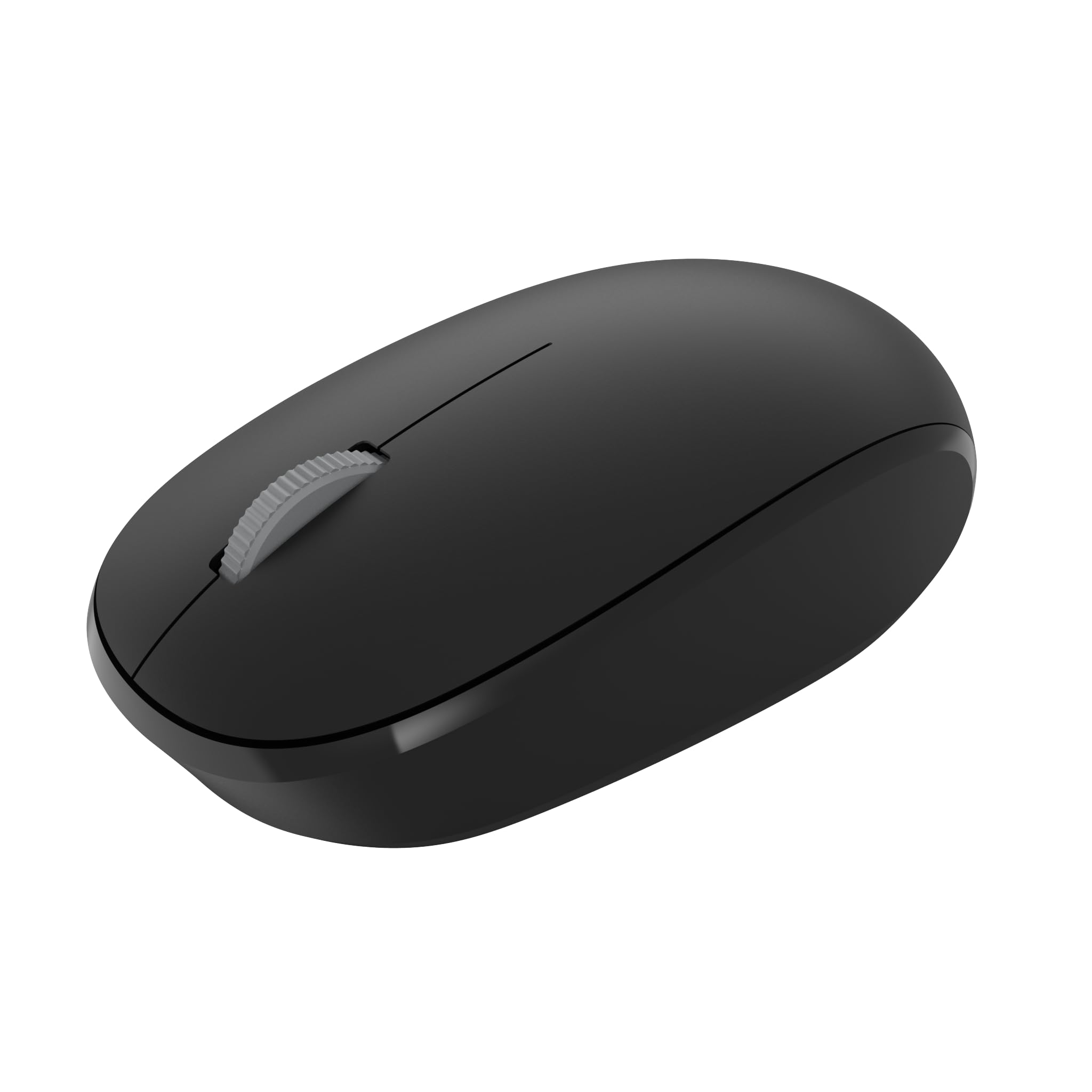
1. Microsoft Bluetooth Mouse – Black
Our pick — over 4.5★ from 12,500+ verified ratings; the strongest balance of quality and price.
No dongle, no drama — this mouse has earned its reputation with thousands of buyers for a reason.
This mouse makes you wonder why anyone bothers with a receiver at all. It connects to your Windows 10 laptop via Bluetooth 5.0 LE (Low Energy, meaning it sips battery from the single AA inside) and supports Swift Pair so you can start clicking seconds after you pull it out of the bag — no receiver slot occupied, no tiny plastic plug to keep track of. The 12-month battery life on a single AA means you change it roughly once a year, and that is it.
What wins people over is reliability — reviewers call it the most-praised feature by a clear margin. The tracking sensor works on most surfaces, so you are not hunting for a mouse pad at a coffee shop or hotel desk. The mouse is compact but the ambidextrous (dual-hand) shape fits both hands. A few owners note it is quite small for larger palms; if you have big hands, consider it a travel-only companion rather than your main desk driver. A couple of buyers who mention connection dropouts report it is “reliable 98% of the time” with occasional brief dropouts — not a dealbreaker for everyday browsing and document work. It stands out against the Lenovo 350 for absolute simplicity: fewer buttons, faster initial pairing, and a price that makes it the easy overall winner.
Your everyday co-pilot: If you want one mouse that pairs instantly, lives on a single battery for a year, and never asks about a receiver, this is it. The trade-off is the size — compact enough for a pocket, but not a full-palm grip for large hands.
Reach for this if: You want a no-fuss, grab-and-go Bluetooth mouse with proven reliability and a rock-solid price-to-performance ratio.
Look elsewhere if: You need a full-size ergonomic shape or you plan to switch between two computers throughout the day.
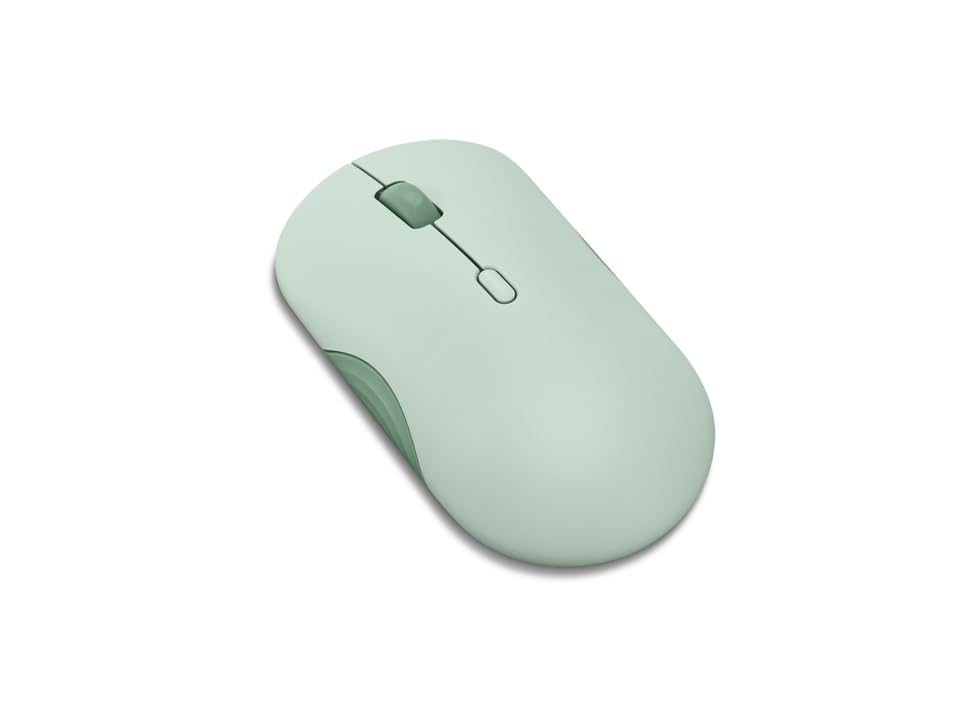
2. Lenovo 350 Wireless Bluetooth Mouse, Silent Click, 3 Level DPI
A 36-month battery on a single AA — that is three times the life of the Microsoft Bluetooth Mouse.
Compare this to the Microsoft Bluetooth Mouse’s 12-month battery life, and the Lenovo 350 stretches a single AA battery to three times that span — a 36-month run you can genuinely set and forget until the next presidential election. It uses Bluetooth 5.3 (the newest standard for low-power connections) for strong, secure connections across two paired devices, so you can flip between your work laptop and personal tablet without re-pairing.
The silent clicks earn the most praise here — reviewers sum it up: “silent clicks, 3-level DPI, dual-device pairing, 36-month battery life.” You get six buttons total (left, right, scroll click, DPI button, mode switch, and a power slide) plus three DPI settings (dots per inch, controlling cursor speed) at 1000, 1600, and 2400 for adjusting how fast the cursor moves on the fly. At 4.52 inches long and 2.43 inches wide, it is a touch larger than the Microsoft mouse. The Breeze Moss color adds some personality to your desk without screaming for attention. Not a rechargeable device — you feed it AAs only.
low-maintenance champ: If you hate changing batteries, this mouse removes the chore from your calendar for nearly three years — and the quiet operation keeps it welcome in shared offices and libraries.
Best for: Anyone who values not thinking about battery swaps for years and wants click-free quiet in a shared workspace.
Think twice if: You need a rechargeable mouse — this runs on a single AA with no USB-C port to top it up.
3. Incase Bluetooth Mouse – Designed by Microsoft
The same compact shape as the Microsoft classic, but at a noticeably smaller dent in your wallet.
If the Incase mouse looks familiar, that is the point — it is designed by Microsoft and is nearly identical to the Microsoft Bluetooth 3600 mouse, as buyers report: “great mouse, very comparable to the Microsoft bluetooth 3600 mouse and much less expensive.” It measures 4.1 inches long and 2.3 inches wide, a compact profile that slides easily into a laptop sleeve pocket. The Bluetooth 5.0 LE (Low Energy) connection pairs quickly with Windows 11/10 machines, and the four-feature buttons (left, right, wheel, and power) cover all the essentials.
Battery life runs up to 12 months on a single AA, matching the Microsoft Bluetooth Mouse. The fast tracking sensor handles varied surfaces — one owner calls it “perfect for carrying with a laptop” and confirms it works on “just about every surface I’ve used.” What buyers praise most across the board is overall functionality and quality; nothing flashy, just reliable performance at a price that undercuts the Microsoft badge. If you prefer the proven reliability of the Microsoft brand name and want it in a colour option, stick with the #1 pick — but if you want the identical shape for less, this is your mouse.
Simple, affordable, identical shape: If you like the feel of the Microsoft Bluetooth Mouse but want to spend less, this is the same ergonomic package with a different logo and a gentler price tag.
Reach for this if: You want a proven compact design for laptop travel without paying the premium for the Microsoft name.
Look elsewhere if: You need a larger, palm-filling mouse for all-day desktop use — this one is built for portability first.
4. SHUNJINRUN M272 Bluetooth Silent Ergonomic Mouse
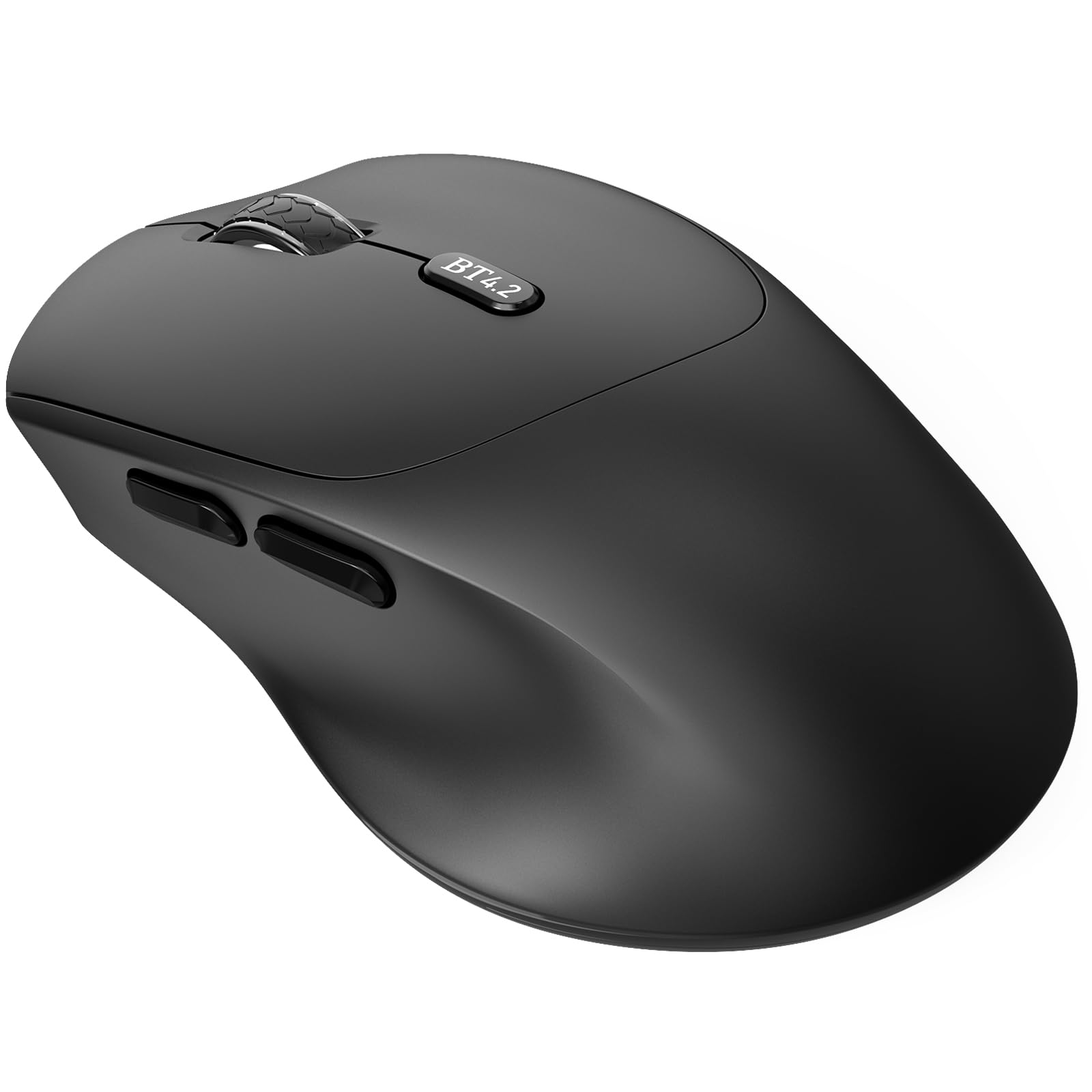
Ergonomic contours and side buttons for under twenty dollars — no receiver, no fuss.
This mouse uses Bluetooth 4.2 with a 10-meter range (about 33 feet), which is an older standard than the Bluetooth 5.0 or 5.3 you will see on pricier picks, but it still delivers a stable connection. The 1600 DPI (dots per inch, or cursor speed setting) optical sensor tracks smoothly across desks, tables, and even soft materials. It runs on a single AA battery (not included) with an energy-efficient design that drops into low-power sleep after 3 seconds of inactivity and deep sleep after 30 minutes — a red LED on the scroll wheel flashes when the battery is low so you never get caught mid-task.
Owners praise the ergonomic shape and quiet clicks. One reports “no need to shut it off, battery still 100% after 1 month,” which lines up with the 18-month battery life claim. The side buttons (back-and-forward navigation) are a welcome addition at this price point, but note: they do not work in Mac OS, so Windows, Chrome OS, and Android users get the full six-button experience. A few owners note it is slightly large for ultra-compact travel bags, but ideal for work trips where you want a real palm grip rather than a travel-sized nub. It lacks the 3-year battery of the Lenovo 350, but it costs significantly less for a similar button count.
Feature-heavy for the money: Side buttons, silent clicks, ergonomic shape, and multi-OS compatibility for a price that barely registers — just know the Bluetooth version is a generation behind and Mac users lose the side buttons.
Best for: Budget-conscious buyers who want ergonomics and extra buttons without stepping up to a premium price bracket.
Think twice if: You use a Mac (side buttons go silent) or you need the fastest Bluetooth handshake with instant multi-device switching.
5. Macally Wireless Bluetooth Mouse

A rechargeable Bluetooth mouse that pairs beautifully with Mac hardware — but charges via micro-USB.
This mouse is built with Mac and iPad users in mind, though it also works with Windows, Chrome OS, and Android devices. It packs a 300 mAh (milliamp-hour) internal rechargeable battery that delivers roughly 2 months of runtime with average use (8 hours per day), so you are plugging it in every couple of months rather than swapping AAs. The ambidextrous (dual-hand) shape suits both hands, and the silicone membrane buttons reduce 90% of click noise — your library neighbors will not hear a thing.
What everyone raves about is how well it works from the start: “easy to use, reliable,” and owners note the battery “stays charged for a long time.” You get a DPI switch (dots per inch, controlling cursor speed) with three settings (800, 1200, 1600) to adjust speed without diving into system settings. The catch — and it is a meaningful one — is that it charges via micro-USB, not USB-C, which means carrying a separate cable if your laptop has already moved to USB-C. A few buyers also note it only remembers the last paired Mac, so switching between two MacBooks requires a quick re-pair. If you already carry a separate micro-USB cable for other gadgets, this is a quiet, reliable daily driver for your Mac.
Great for single-device Mac users: Silent, rechargeable, and comfortable — the micro-USB charging port is the one compromise you will notice every time you reach for a cable.
Reach for this if: You want a rechargeable mouse for your Mac or iPad with quiet clicks and a simple, reliable pairing experience.
Look elsewhere if: You have already switched to USB-C across your devices and do not want to keep a micro-USB cable around.
6. Incase Bluetooth Ergonomic Mouse – Designed by Microsoft (Glacier)
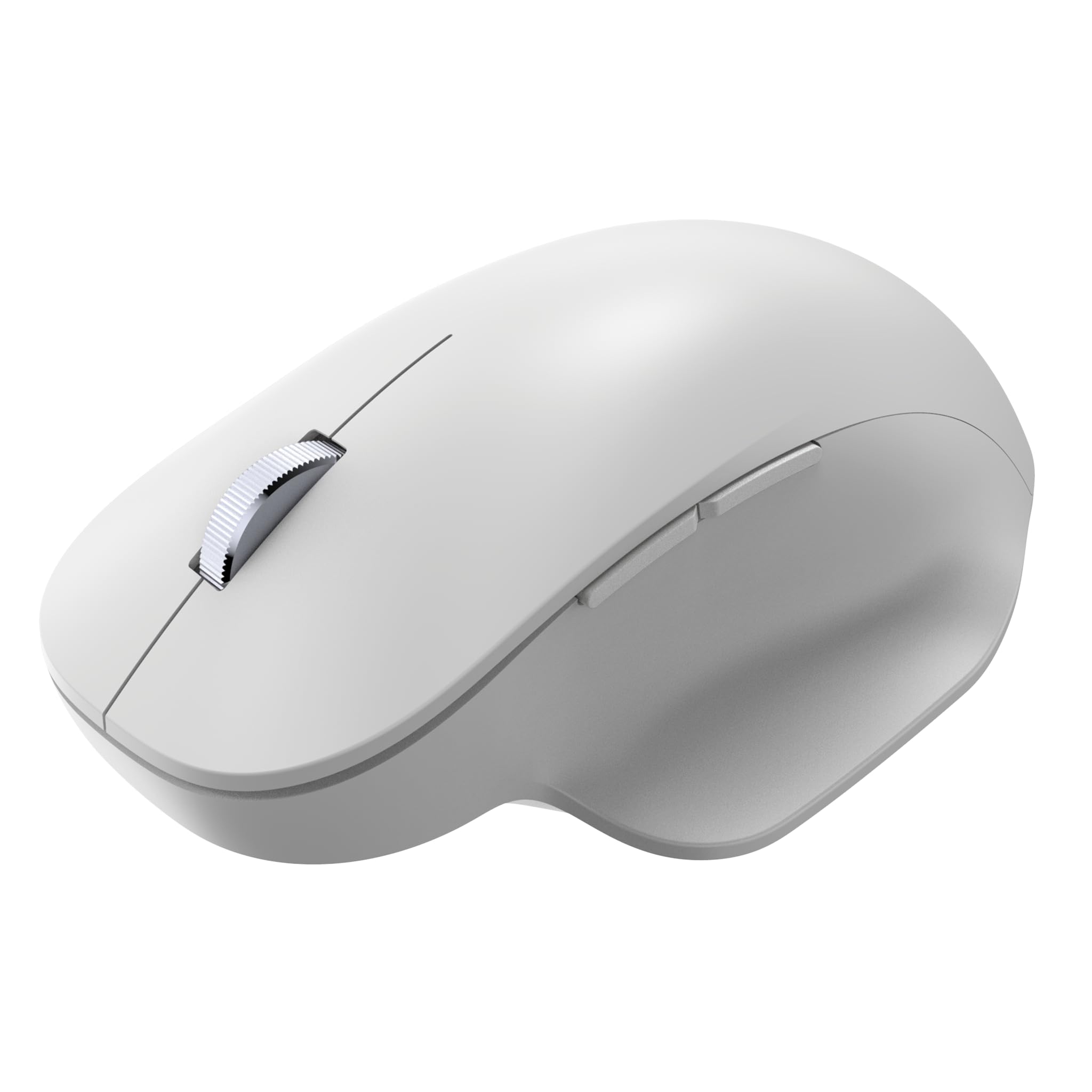
A sculpted thumb rest and machined aluminum scroll wheel make this the all-day comfort pick.
This mouse puts ergonomics front and center: a neutral hand position, an easy-to-grip thumb rest, and a Teflon base that glides across desks. The machined aluminum scroll wheel feels premium under your finger and offers precise control. You can pair up to three devices via Bluetooth and switch between them smoothly — a huge plus if you work across a desktop, a laptop, and a tablet throughout the day.
Battery life stretches to 15 months on two AAA batteries, so you are not hunting for spares often. The four buttons (left, right, wheel click, and a power button) cover the basics, though the build quality gets mixed feedback — some owners love the feel while others describe it as lighter than expected. The most-discussed aspect here is the comfort, with buyers noting it is “very comfortable” even for those with arthritis. At 4.7 inches long and 3 inches wide, it is a noticeably larger mouse that fills the palm better than the compact Incase or the Microsoft Bluetooth Mouse. It is a stronger ergonomic match than the Incase budget pick for all-day workers who need thumb support.
Comfort-first desk companion: The thumb rest and three-device pairing make this a solid choice for multi-device workers who value hand comfort, but the plastic construction does not feel as premium as the price suggests.
Best for: People who switch between three computers daily and want an ergonomic shape that supports the thumb through long sessions.
Think twice if: You want a solid, weighty build — the mixed feedback on build quality suggests checking the return policy.
7. Logitech Lift for Mac Vertical Ergonomic Wireless Mouse

The vertical mouse that makes flat mice feel like a hand-cramp waiting to happen.
The Lift for Mac tilts your hand to a 57-degree angle — essentially a handshake position — which relieves pressure on your wrist and forearm. It is designed specifically for small to medium hands and works with Mac, iPad, and Windows via Bluetooth Low Energy. There is no USB receiver anywhere in the box; it is Bluetooth only, exactly what this category demands. The 2-year battery life on a single AA battery means you will likely forget it even takes batteries.
The clicks are whisper-quiet, and the magnetic SmartWheel scrolls silently and smoothly. You get four customizable buttons that you can program via the Logitech Options+ app for app-specific shortcuts — uniquely powerful customization for a vertical mouse. The most-praised aspect here is ergonomics — owners with arthritis and wrist pain report significant relief, with some calling it “the mouse I didn’t know I needed.” The plastic body includes 54% post-consumer recycled plastic. The trade-off is the price and the fact that it is a right-hand-only design, so lefties are out of luck. It is more affordable than the MX Master 3S and a clear pick over it for anyone who prioritises wrist posture over raw button count.
Wrist-saver with real longevity: If you spend eight-plus hours at a computer and feel wrist fatigue creeping in, the angled design and 24-month battery make this a smart investment in your daily comfort.
Reach for this if: You already feel wrist strain from a traditional mouse and want an ergonomic solution designed for small to medium hands.
Look elsewhere if: You are left-handed (this is right-hand only) or you prefer a traditional flat mouse shape.
8. Microsoft Surface Arc Mouse

A mouse that snaps flat for travel and curves into shape when you need it.
The Surface Arc Mouse is a shape-shifter: it folds completely flat for storage in a laptop sleeve or backpack pocket, then snaps into a curved shape with a satisfying magnetic click when you are ready to work. It is ultra-slim and portable, making it a favorite for travelers who want the smallest possible footprint. The design gets positive feedback for being clever and space-efficient — “folds flat and stows away easily,” as owners put it.
Reliability is the most-praised aspect, with buyers saying it works well and connects smoothly to Surface devices and other Windows PCs. The smooth matte finish feels durable in the hand. That said, connectivity and ergonomics get mixed feedback — a few owners mention disconnection issues after computer updates, and the flat arch shape takes some getting used to compared to a traditional palm-filling mouse. It is a right-hand-only design and uses standard batteries. It is far less ergonomic than the Logitech Lift for Mac, but no other mouse here packs as flat for a jeans pocket.
Genius for travel, unique shape: If you prioritize packability above all else — slipping a full mouse into a jeans pocket is remarkable — this is the most portable option in the list, but the unusual grip and mixed connectivity reviews mean it is a specialist tool, not a universal daily driver.
Best for: Frequent travelers who want the smallest possible mouse that still functions as a real pointer, not a laptop trackpad.
Think twice if: You need a traditional palm grip or you rely on rock-solid Bluetooth reconnection after every computer sleep or restart.
9. Logitech MX Master 3S Bluetooth Mouse – No USB Receiver

8000 DPI (dots per inch) — enough sensitivity to track on a glass coffee table without a mouse pad.
This Bluetooth-only edition of the MX Master 3S removes the USB receiver entirely — there is no Logi Bolt dongle in the box, just pure Bluetooth connectivity across up to three devices on Windows, macOS, Chrome OS, and Linux. The headline spec is the 8000 DPI sensor that tracks on any surface, including glass (minimum 4mm thickness). That means you can work from a glass coffee table, a polished marble desk, or a glossy conference room surface without a mouse pad.
The MagSpeed electromagnetic scroll wheel toggles between ratchet mode (precise line-by-line scrolling) and free-spin mode (flick it and it spins for 7+ seconds). Logitech claims it is 90% faster in free-spin and 87% more precise in ratchet mode. The seven buttons are fully customizable via Logi Options+ for app-specific profiles — you can set the gesture button to switch desktops, the thumb wheel to zoom in Adobe, and the forward/back buttons to navigate folders. The rechargeable battery lasts 70 days on a full charge, and a quick 1-minute charge gives you 3 hours of use. The quiet clicks cut click noise by 90% according to Logitech, while keeping the tactile feedback.
The most-praised aspect is overall quality and comfort — owners describe it as “smooth as butter” with excellent ergonomics that prevent wrist strain. The trade-offs: the price is the highest on this list, the battery life (70 days) is shorter than the AA-powered mice that last a year or more, and some customers note mixed experiences with Bluetooth reliability (occasional disconnects that a firmware update usually resolves). If you need the glass tracking or the 7-button programmability, nothing else here comes close — for simple browsing on a standard desk, the Microsoft Bluetooth Mouse does the same job for much less.
What makes it the flagship
- 8000 DPI sensor tracks on glass — no mouse pad needed, ever
- MagSpeed scroll wheel is fast, precise, and satisfyingly quiet
- 7 programmable buttons with app-specific profiles via Logi Options+
- FLOW cross-computer control lets you move cursor and files between Mac and PC
The honest trade-offs
- Higher price than any other pick on this list
- 70-day rechargeable battery means you still plug it in every couple of months
- Right-hand only — lefties miss out on the sculpted shape
- Bluetooth reliability gets mixed feedback from some owners
Best for: Power users who work across multiple computers, need glass-surface tracking, and want every button programmable for their specific workflow.
Think twice if: You prefer a simple no-charge AA-powered mouse or you are on a tighter budget — the MX Master 3S earns its premium with features you only need if you actually use them.
Understanding the Specs
Battery Life: Months vs Years
A Bluetooth mouse’s battery life is measured in months of typical use (8 hours a day, 5 days a week). A 12-month mouse needs one AA battery swap per year. A 36-month mouse (like the Lenovo 350) stretches that to nearly three years. Rechargeable mice (like the MX Master 3S) use internal lithium batteries measured in days per charge — 70 days is strong, but you still plug it in every couple of months. AA-powered mice never need a charging cable, which some travelers prefer.
DPI: Dots Per Inch
DPI measures how many pixels the cursor moves per inch of physical mouse movement. Higher DPI means the cursor zips across the screen with a small hand motion — great for large ultrawide monitors. Lower DPI means more precise, slower cursor movement — better for detailed design work. Adjustable DPI (like 1000/1600/2400 on the Lenovo 350) lets you toggle between speeds on the fly. The MX Master 3S goes up to 8000 DPI, which is overkill for most users but essential for tracking on glass surfaces.
Bluetooth Version: 4.2 vs 5.0 vs 5.3
Bluetooth version matters for range, power efficiency, and connection stability. Bluetooth 5.0 and 5.3 offer longer range (up to 30 feet or more), lower power consumption, and faster pairing than Bluetooth 4.2. For a desk mouse, the difference is minimal — 4.2 is perfectly stable within 10 meters (about 33 feet). The real-world impact is battery life: newer Bluetooth versions sip less power, helping AA-powered mice reach those 12-to-36-month claims.
Button Count and Customization
More buttons mean fewer trips to the keyboard. A basic 3-button mouse (left, right, scroll wheel click) covers browsing and clicking. Adding forward/back thumb buttons (5-6 total) lets you navigate web pages and folders without reaching for the keyboard. Seven buttons (like the MX Master 3S) add a gesture button and a thumb scroll wheel for horizontal scrolling in spreadsheets or video timelines. Not all buttons work on every operating system — always check Mac compatibility for side buttons.