
Our readers keep the lights on and the weekend projects moving. As an Amazon Associate, I earn from qualifying purchases.
Specs are compiled from manufacturer listings and verified buyer reviews and can change over time — please confirm the key details on the product page before buying.
Buying DDR5 RAM on a budget used to mean settling for the slowest entry-level sticks and hoping for the best. That is no longer true. A handful of genuinely fast 16GB and 32GB kits have dropped into a price range where you get genuine next-gen speed — 4800MHz to 6000MHz — without the premium markup. The trick is knowing which spec trade-offs actually hurt performance and which ones you will never notice. This guide singles out the eight best-value DDR5 sticks right now, from no-frills workhorses to tight-latency gaming kits that punch well above their sticker.
I’m Rikta — the founder and writer behind FitlyFast. This guide is built by comparing the manufacturers’ published specifications and the patterns across verified customer reviews, so you get each pick’s real strengths and trade-offs instead of marketing spin.
Whether you are building your first DDR5 rig or just want to wake up a newer motherboard without overspending, these are the real-world picks for the best budget ddr5 ram you can buy right now.
Our Picks at a Glance

How To Choose The Best Budget DDR5 RAM
DDR5 has been out long enough that the early adopter tax is fading. Budget-friendly sticks now deliver genuinely fast speeds, but a few specs separate the real bargains from the ones that will leave performance on the table. Here is the short version of what to watch.
Frequency and Latency — The Balancing Act
Higher frequency (measured in MHz) means data moves faster. Lower CAS latency (the CL number next to the MHz — how many clock cycles the RAM needs to respond to a request) means the RAM responds quicker. the balance for a budget build is often 5600MHz or 6000MHz with a CL in the 30s. A 4800MHz stick with a high CL40 will feel noticeably slower in games and heavy multitasking, even though it is technically DDR5.
Single Stick vs Dual Channel — Why Two Sticks Win
A 16GB single stick leaves half the memory bandwidth on the table because DDR5 runs dual-channel best when you fill two slots. A 2x8GB kit will outperform a single 16GB stick even if the MHz and CL numbers are identical. For any build meant for gaming or creative work, go dual-channel from the start.
Compatibility — XMP, EXPO, and Your Motherboard
Intel motherboards use XMP (Extreme Memory Profile), and AMD uses EXPO (Extended Profiles for Overclocking) to reach the rated speed. Many sticks now support both, but it is worth checking the spec page for your motherboard model before buying. Some boards are picky about high-speed kits, especially at 6000MHz and above. A quick check on the motherboard’s memory QVL list saves you a return.
Quick Comparison
| Model | Best For | Total Capacity | Max Speed | CAS Latency | Amazon |
|---|---|---|---|---|---|
| Crucial 4800MHz★ Best Overall | Entry-level DDR5 value | 16GB (1x16GB) | 4800 MHz | 40 | Amazon |
| Crucial 5600MHzAlso Great | Rock-solid daily driver | 16GB (1x16GB) | 5600 MHz | Amazon | |
| TEAMGROUP T-Create ExpertTop Performer | Tightest timings at 6000MHz | 32GB (2x16GB) | 6000 MHz | 30 | Amazon |
| Corsair Vengeance CL30 | Premium AMD-friendly build | 32GB (2x16GB) | 6000 MHz | 30 | Amazon |
| TEAMGROUP T-Force Vulcan | Reliable 32GB for gaming | 32GB (2x16GB) | 6000 MHz | 38 | Amazon |
| A-Tech 4800MHz | Budget pick for finicky Dells | 16GB (1x16GB) | 4800 MHz | 40 | Amazon |
| Corsair Vengeance 5200MHz | Compact, low-clearance kit | 16GB (2x8GB) | 5200 MHz | 40 | Amazon |
In‑Depth Reviews
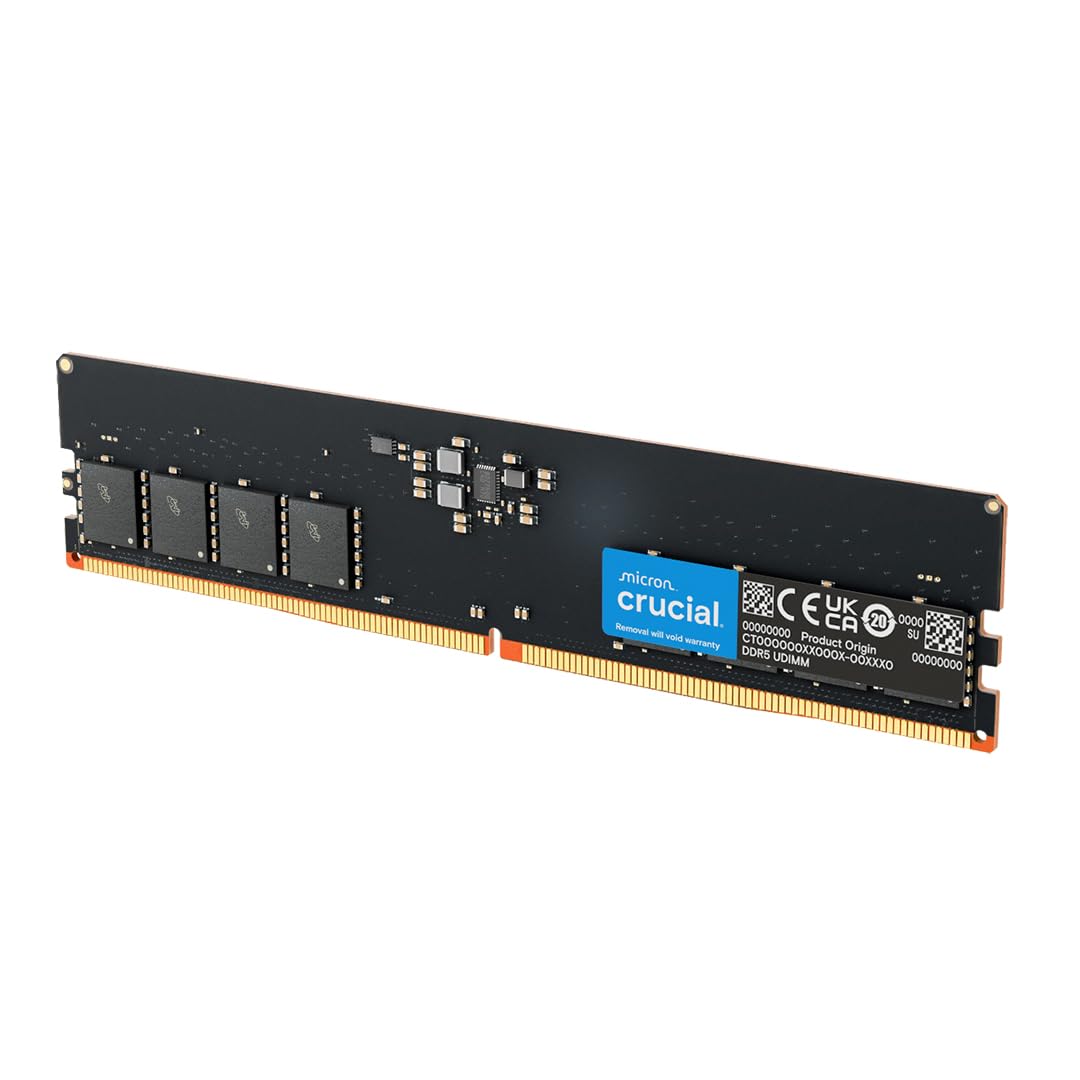
1. Crucial 16GB DDR5 4800MHz CL40
The most affordable DDR5 stick that still carries Micron’s reliability and a 4.5-star average.
At 4800MHz with a CL40 latency and 1.1V voltage, this is the baseline DDR5 speed. It is not the fastest option here by a long shot, but it is the cheapest way to get a DDR5 upgrade into an older 12th Gen Intel or AMD Ryzen 7000 system. Compatibility is the most-praised aspect — 18 owners call it out positively — and buyers confirm it works with Dell Optiplex 3030s and XPS 8950 towers. One owner upgraded from 32GB to 64GB for Hyper-V use, noting the Crucial modules are actually Micron Technology underneath.
The lack of a heatsink means this stick is not ideal for systems with poor airflow or overclocking. Owners describe it as “plain aesthetics” and note the no-frills design keeps cost down. Value for money (8 positive mentions) and quality (5) round out the feedback. The 4800MHz speed falls 800MHz short of the Crucial 5600MHz stick above, but at this price, it still delivers DDR5’s efficiency and bandwidth advantages over DDR4.
If you are building a budget workstation that does not need fast gaming memory, this Crucial stick offers the same Micron-backed reliability as the higher-speed versions for less money.
Why it is here: It is the cheapest DDR5 stick from a name-brand manufacturer with genuine Micron silicon inside.
The limit: 4800MHz and no heatsink means it is best for general office work, light multitasking, or budget server builds.
Reach for it if: You need the absolute lowest cost of entry to DDR5 compatibility.
Pass it by if: You plan to game or do any creative workload — the 5600MHz Crucial is worth the small jump.
2. Crucial 16GB DDR5 5600MHz
The 5600MHz sweet-spot that makes entry-level speeds feel like yesterday’s news.
This Crucial stick runs at 5600MHz — a full 800MHz faster than the base 4800MHz modules you usually find at this price tier. That extra speed translates directly to snappier app launches and smoother multitasking without any overclocking fuss. The trust in its 1.1V JEDEC standard voltage and 42 years of Micron engineering is why 308 owners give it a near-perfect collective rating.
What owners praise most is the real-world performance bump — 18 separate buyers call that out specifically. A buyer using a Dell slim PC notes it works great in tight spaces, which makes sense given the stick’s lightweight, heatsinkless design. For pure gaming responsiveness, the TEAMGROUP T-Create Expert below delivers tighter timings, but for everyday speed and sheer value, this Crucial stick is the one to beat.
It also offers flexible downclocking if your motherboard is older, plus both Intel XMP 3.0 and AMD EXPO support on the same module. One buyer summed up the value line neatly: “the ram prices now” are climbing, making this 5600MHz pick a smart grab before they rise further.
Why it wins: 5600MHz speed at a voltage and price that beats most budget competitors — backed by a 4.8-star consensus from 300+ owners.
Reach for it if: You want the best balance of speed and cost for a general-use or creative-work desktop.
Look elsewhere if: You are chasing every last FPS in competitive titles and need tight sub-CL36 timings.
3. TEAMGROUP T-Create Expert CL30 32GB (2x16GB) 6000MHz
Tight CL30 timings at 6000MHz — the speed-latency balance AM5 owners dream about.
This kit delivers a CL30 CAS latency at 6000MHz, which is significantly tighter than the CL36 and CL38 kits that are common at this speed. Lower latency means the processor spends less time waiting for data, so games load faster and frame pacing is smoother. The 60-gram weight hints at a low-profile heat spreader; owners confirm it clears even large air coolers with just 1mm of extra height. Performance is the most-praised feature, with 62 positive mentions from owners, and 37 call out the memory capacity as a plus for multitasking workloads.
On AMD AM5 systems, this kit seems to hit 6000MHz automatically with EXPO (AMD’s one-click overclocking profile) enabled — one owner coming from an ASUS B650E-I board reports it was the only kit detected as EXPO rather than DOCP and ran stably without manual tweaking. Stability scores a mixed 19 mentions, meaning a small number of buyers found the advertised EXPO settings unstable on their specific board. The understated design lacks RGB, which suits all-black professional builds.
Versus the Corsair Vengeance CL30 stick below, this TEAMGROUP kit costs less while offering the exact same speed and latency profile. At 817 ratings with a 4.7 average, it is among the most trusted picks in this roundup.
The tight-timings edge
- Excellent CL30 latency at 6000MHz beats almost everything in this price range
- Passed MemTest86 across multiple testers with zero errors
- Low-profile design fits under big air coolers easily
The stability asterisk
- Advertised EXPO settings do not work on every motherboard — check the QVL
- No RGB for those who want lighting in their build
Go for it if: You are building on AM5 and want 6000MHz CL30 without paying a premium.
skip it if: Your motherboard is not on the QVL for this specific model — instability is rare but documented.
4. CORSAIR Vengeance DDR5 32GB (2x16GB) 6000MHz CL30

The 6000MHz CL30 kit from a household name that just works — and does so for thousands of owners.
This is the same speed and latency combo as the TEAMGROUP T-Create above, but from CORSAIR — the brand many builders trust without checking the QVL first. The 6000MHz CL30-36-36-76 timings at 1.40V are perfectly tuned for AMD AM5 systems, and the 2500+ ratings give it the largest owner consensus in this entire lineup. Buyers consistently call out flawless EXPO operation at 6000MHz without manual tweaking.
The low-profile gray heatsink is the same compact design as the other Vengeance sticks — no interference with even the biggest air coolers. Performance (39 positive mentions) and memory performance (24) lead the owner feedback, while stability (11) is called positive. The lack of RGB gets a mixed verdict from 6 owners, so if you need lights in your windowed case, factor that in. One buyer using an AMD system calls it “the balance for AMD” and notes the install is straightforward as long as you hear the click.
Compared to the TEAMGROUP T-Create Expert, this CORSAIR kit costs a little more but offers a slightly larger performance-and-social-proof margin — 2507 ratings at 4.8 versus 817 at 4.7. For confidence from a brand with wide motherboard compatibility, that premium often pays for itself.
Why owners love it
- Flawless out-of-the-box EXPO support on most AMD 600 and 800 series boards
- Very low CL30 latency at 6000MHz for snappy gaming
- Ultra-consistent at rated speed — stability gets high marks
What to consider
- No RGB for those who want lighting
- Slightly pricier than the equivalent TEAMGROUP T-Create kit
Buy it if: You want a 6000MHz CL30 kit with the widest mother-board compatibility and a brand you already trust.
Think twice if: Every dollar counts — the TEAMGROUP T-Create delivers the same speed for less.
5. TEAMGROUP T-Force Vulcan 32GB (2x16GB) 6000MHz CL38

The 32GB dual-channel kit that gives you nearly flagship capacity at a mid-range price.
At 6000MHz with a CL38 latency, the Vulcan is not the tightest-timing kit in this list, but it is among the most reliable and affordable ways to get 32GB of DDR5-6000 into a build. Reliability scores 65 positive mentions — the highest single aspect count of any product here — meaning owners trust this kit to just work at its rated speed day after day. The reinforced structure and Power Management IC (PMIC) provide stable, efficient power usage even during long gaming sessions.
One owner using the kit in demanding games reports a noticeable improvement in frame pacing, and 13 separate buyers mention how easy installation is. The 4.6 rating across 764 ratings gives it a wide consensus of approval. The catch versus the Corsair CL30 and TEAMGROUP T-Create kits is the CL38 latency, which means slightly higher response times in CPU-bound tasks.
Cooling is handled by effective heat spreaders that owners say keep the sticks cool under load. If you are building a system that will run 32GB of fast memory while staying affordable, this Vulcan kit is the one to reach for.
The strength: Reliability is the most-praised feature by a wide margin — 65 owners mention it positively.
The trade-off: CL38 latency is not as tight as the CL30 kits above, so competitive gamers should budget up for those.
Best for: Anyone who wants 32GB of fast DDR5-6000 and values rock-solid stability over the very last percentage of latency.
Not ideal if: You care more about single-digit latency numbers than total capacity; consider the 16GB TEAMGROUP T-Create above.
6. A-Tech 16GB DDR5 4800MHz CL40

The go-to pick for finicky Dell workstations — passed 10-hour MemTest86 with zero errors.
This A-Tech stick targets the upgrade crowd that runs Dell Precision workstations and other prebuilt business PCs. Owners mention it works flawlessly with the notoriously picky Dell EBT2250 after a BIOS reboot, passing a full 10-hour MemTest86 with zero errors. It operates at the JEDEC standard 4800MHz and 1.1V, with a CL40 latency. The single 16GB module is Non-ECC Unbuffered (UDIMM), which is what most consumer desktops expect.
Customer support gets high marks: when one 16GB stick failed after 5 months, a replacement and return label arrived within 5 minutes of calling support. The Limited Lifetime Warranty backs that responsiveness. The 4.4 rating across 147 ratings suggests a solid, if not exceptional, experience. The biggest caveat is the same as the Crucial 4800MHz — base speed and no heatsink limit overclocking potential. For a straight drop-in upgrade into a Dell Precision, Optiplex, or similar workstation, this is a reliable option.
Versus the Crucial 4800MHz above, the A-Tech costs a bit more but offers faster customer support response and a lifetime warranty. For home users building from scratch, the Crucial is the better value.
What stands out
- Proven compatibility with Dell EBT2250 and Precision 3680
- Customer support replaced a failed stick in minutes
- Limited Lifetime Warranty included
What to expect
- Base 4800MHz speed is not for gaming
- Some customers note an occasional defective stick — warranty works well
Best for: Upgrading Dell business workstations that need a guaranteed-compatible DDR5 stick.
Not for: A new custom build — the Crucial 5600MHz stick offers better performance at a similar price.
7. CORSAIR Vengeance DDR5 16GB (2x8GB) 5200MHz CL40
A dual-channel 5200MHz kit in a compact package — Intel-only compatibility keeps it focused.
This CORSAIR kit runs at 5200MHz with CL40 latency, giving you dual-channel performance (2x8GB) at a speed modestly above the 4800MHz baseline. The compact form-factor ensures wide clearance for even the largest CPU coolers, and the onboard voltage regulation through iCUE gives you some overclocking control. At 1.28 ounces per stick, it is among the lightest kits here. Owners rate it 4.4 across 124 ratings, with most calling it a “solid ram upgrade” that works from the start.
The catch is the Intel-only compatibility — this kit uses Intel XMP 3.0 (Intel’s one-click overclocking profile) and is not AMD EXPO certified, so it is not the right pick for an AM5 build. One buyer received a defective stick that prevented boot, though the return was authorized, and replacement sticks worked fine. The 5200MHz speed sits between the 4800MHz entry-level and the 5600-6000MHz balance, making it a solid middle-ground option for Intel builders who want a reliable CORSAIR dual-channel kit.
Versus the 6000MHz CL36 Vengeance above, this 5200MHz stick is a step down in performance headroom. But for a budget Intel build where 5200MHz is sufficient and dual-channel is the priority, this kit fits the bill.
The strength: Dual-channel 2x8GB at 5200MHz in a low-clearance, compact package.
The limit: Intel-only and not for AMD systems; occasional defective sticks reported.
Best for: An Intel-based budget build where dual-channel 5200MHz is enough and you value CORSAIR’s build quality.
pass on it if: You are building on AMD or want speeds above 5200MHz without overclocking.
Understanding the Specs
Frequency (MHz)
This is the speed the RAM runs at, measured in megahertz. Higher numbers mean the memory can transfer more data per second. 4800MHz is the standard DDR5 baseline. 5600MHz and 6000MHz offer a noticeable improvement in system responsiveness, especially when paired with fast CPUs. The jump from 4800MHz to 6000MHz is felt most in games and heavy multitasking — office apps may not show a difference.
CAS Latency (CL)
This number tells you how many clock cycles the RAM needs to respond to a request. Lower CL means less delay. A CL30 stick is snappier than a CL40 stick at the same frequency. The ideal budget DDR5 kit balances a moderately high frequency (6000MHz) with a moderate latency (CL30–CL38). A 4800MHz CL40 stick is the slowest combination; a 6000MHz CL30 kit is the balance for gaming and creative work.
Single Stick vs Dual Channel (Kit)
A single 16GB stick can work in a system, but it only uses half the memory bandwidth. A dual-channel kit (two sticks) lets the CPU talk to both sticks simultaneously, doubling bandwidth. That bandwidth boost matters for gaming and video editing. Budget buyers should always prioritize a 2x8GB or 2x16GB kit over a single larger stick, even if the total capacity is the same.
XMP and EXPO
These are overclocking profiles stored on the RAM. XMP (Extreme Memory Profile) is used on Intel motherboards. EXPO (Extended Profiles for Overclocking) is the AMD equivalent. Many budget DDR5 sticks now support both. When you install a kit, you may need to enable the profile in your motherboard BIOS to reach the rated speed — otherwise the RAM runs at a slower default speed (usually 4800MHz).
FAQ
Is budget DDR5 RAM slower than premium DDR5?
Can I use budget DDR5 RAM with an Intel 12th Gen or AMD Ryzen 7000 CPU?
What speed should I pick: 4800MHz, 5200MHz, 5600MHz, or 6000MHz?
Is 16GB enough or do I need 32GB?
Does budget DDR5 RAM need a heat spreader?
Can I overclock budget DDR5 RAM?
Does the brand of budget DDR5 RAM matter?
What is the voltage difference between budget and expensive DDR5?
Is there a big difference between DDR4 and budget DDR5?
Final Thoughts: The Verdict
If you want one dependable pick, the winner for the budget ddr5 ram category is the Crucial 16GB 5600MHz because it delivers the best speed-per-dollar balance backed by Micron’s reliability and a near-flawless 4.8-star rating across 300+ owners. If you want the absolute tightest gaming performance at 6000MHz on a budget, the TEAMGROUP T-Create Expert CL30 gives you low-latency speed without the premium price tag. And for a dual-channel 32GB build that prioritizes rock-solid stability, the TEAMGROUP T-Force Vulcan 32GB CL38 is the one to reach for.
How We Picked
We do not accept paid placement. Every pick is matched to a real buyer and a real use-case; we do not hands-on test units.
Sources & Methodology
Specifications: manufacturer listings and product documentation. Review insights: verified customer reviews, as of July 2026. Pricing: not shown on this page (it changes often); check the current price via the retailer link.
As an Amazon Associate, FitlyFast earns from qualifying purchases. This does not affect which products we feature.