
Our readers keep the lights on and the weekend projects moving. As an Amazon Associate, I earn from qualifying purchases.
Specs are compiled from manufacturer listings and verified buyer reviews and can change over time — please confirm the key details on the product page before buying.
A 10-inch tablet under a certain ceiling used to mean one thing: a painfully slow, blurry-screened frustration you regretted the moment the box opened. That has changed. The current crop of budget tablets packs genuinely usable performance, sharp enough screens for streaming, and storage that doesn’t fill up after two app downloads — if you know which specs actually matter and which are just marketing numbers. This guide cuts through the noise to find the tablets that genuinely deliver a smooth everyday experience without demanding a premium price.
I’m Rikta — the founder and writer behind FitlyFast. This guide is built by comparing the manufacturers’ published specifications and the patterns across verified customer reviews, so you get each pick’s real strengths and trade-offs instead of marketing spin.
The key is knowing where to focus: a weak processor or skimpy RAM ruins the whole experience, no matter how big the screen is. Here is where we lay out the honest picks for a budget 10 inch tablet that actually feels fast enough for video, browsing, and light work.
Our Picks at a Glance

How To Choose The Best Budget 10 Inch Tablet
Not all 10-inch tablets are equal, and a few pounds difference in price can mean a huge difference in daily usability. Focus on these four areas to avoid a frustrating purchase.
RAM & Processor: The Real Speed Engine
RAM (Random Access Memory) is what lets you switch between apps without reloading them. A tablet with 3GB of physical RAM is a minimum for smooth browsing and video; anything less will stutter. Many budget tablets now advertise much higher numbers by including “virtual” or “expansion” RAM that borrows storage space. That helps, but the physical RAM count is the one that actually keeps things snappy. Look for an octa-core processor — it handles multiple tasks far better than a quad-core chip.
Display Quality & Streaming Certifications
The resolution (1280×800 is the most common at this level) determines sharpness, but a certification called Widevine L1 is what open up HD streaming on services like Netflix, Prime Video, and Disney+. Without it, you are stuck watching in standard definition on a big screen — a common gotcha on very cheap models. IPS panels are better than standard LCDs for color and viewing angles when you are watching with someone else.
Battery Life: Capacity vs. Efficiency
A 6000mAh battery is standard, but how long that charge lasts depends heavily on the processor’s efficiency. An 8000mAh battery will obviously last longer, but a well-tune 6000mAh tablet can still give you a full day of mixed use. Look for the manufacturer’s stated battery life in hours as a more reliable guide than the mAh number alone.
Storage & Expansion
Internal storage (64GB or 128GB is the balance) fills up fast with apps and offline movies. The ability to add a microSD card (TF card) for more space is almost essential on a budget tablet. Cards up to 1TB are now affordable, so a tablet that supports 1TB expansion gives you room to grow without spending more upfront.
Quick Comparison
| Model | Best For | RAM / Storage | Battery | Display & Cert | Amazon |
|---|---|---|---|---|---|
| Aobante 10″★ Best Overall | Best Overall Value | 18GB / 128GB | 6000mAh | 1280×800 IPS / L1 | Amazon |
| Jeazans 10.1″Best Bundle | 2-in-1 Bundle | 24GB / 64GB | — | 1280×800 LCD | Amazon |
| Gleeso A10Top Performer | Fastest Performance | 24GB / 64GB | 6000mAh | 1280×800 LCD / L1 | Amazon |
| URAO 10.1″ | Large RAM / Storage | 36GB / 128GB | 6000mAh | 1280×800 IPS | Amazon |
| WXUNJA Kids | Kids Ages 2-12 | 21GB / 64GB | 8000mAh | 1280×800 IPS | Amazon |
| ZIOVO 10.1″ | All-Day Battery | 30GB / 128GB | 8000mAh | 1280×800 IPS / L1 | Amazon |
| AOC 10.1″ | Smooth 120Hz Display | 4GB / 128GB | 6000mAh | 1280×800 IPS / L1 | Amazon |
| Fire HD 10 Kids Pro | Kid-Proof & Parental Controls | — / 32GB | 13-hr | 10.1″ HD | Amazon |
| Fire HD 10 | Premium Entertainment | 3GB / 64GB | 13-hr | 10.1″ 1080p FHD | Amazon |
In‑Depth Reviews
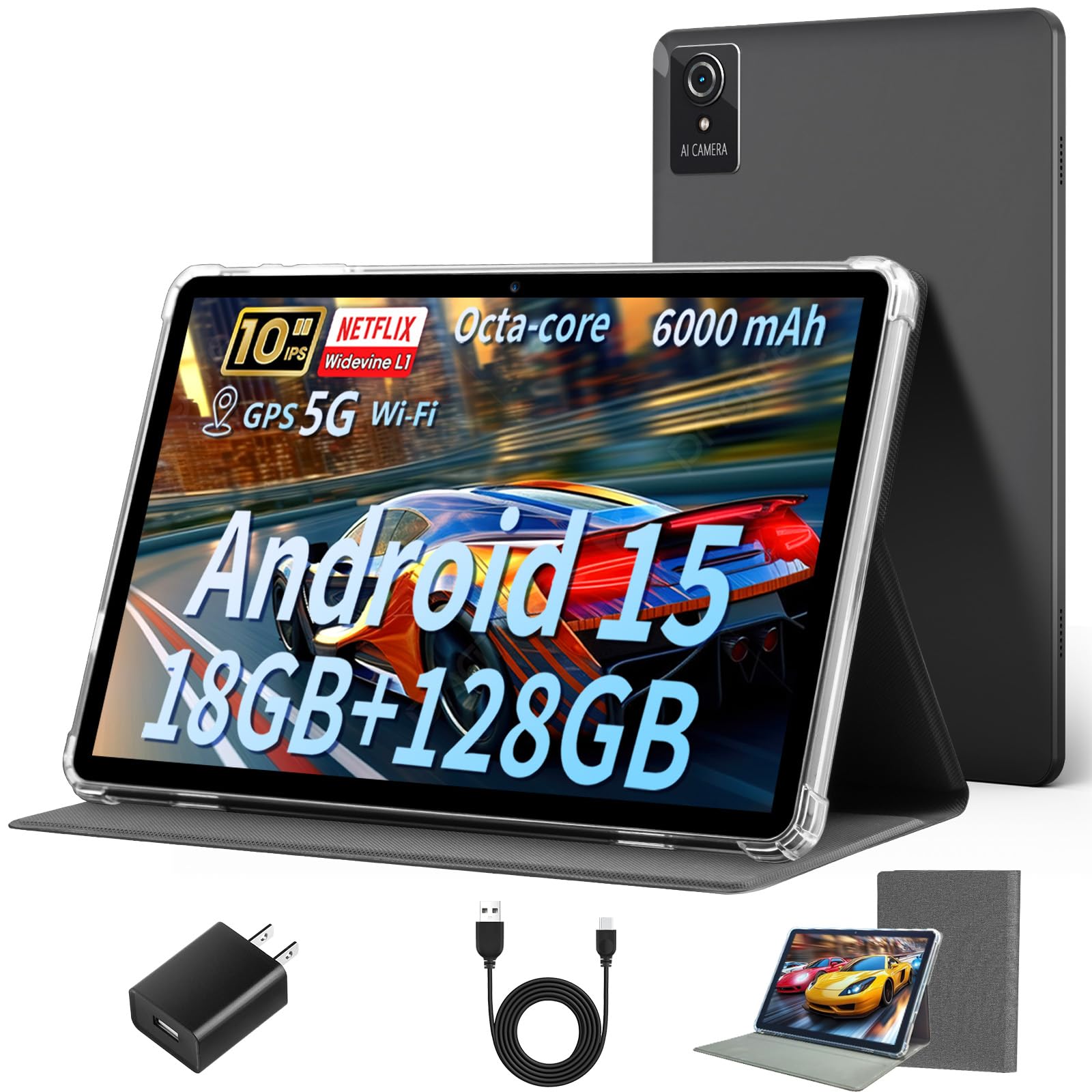
1. Aobante 10″ Tablet (Widevine L1, 18GB+128GB)
The entry-level tablet that proves 18GB of RAM is not a typo for this price tier.
What wins people over here is the sheer speed-to-value ratio. The 18GB of RAM (6GB physical plus 12GB of intelligent expansion) makes this feel far more responsive than its price suggests — app switching stays fluid, and Widevine L1 certification ensures crisp HD on Netflix. The built-in storage is 128GB, and you can add up to 1TB more via a microSD card. Setup is famously painless; as buyers report, it “took less than 5 minutes to connect to WiFi and complete setup.”
The 6000mAh battery delivers about 6 hours of mixed use, which is adequate for a day of casual browsing and video but falls short of all-day models. The display, a 1280×800 IPS panel with a 16:9 aspect ratio, is clear and viewable from most angles. A few long-term owners note that after several months of consistent use, the tablet can develop minor glitches during heavier gaming, and an occasional unit experiences a power failure. That is the honest trade-off at this price — you get excellent everyday speed, but the long-term durability is not that of a premium slate.
Speed Champion for the Price: The combination of 18GB RAM, 128GB storage, and Widevine L1 is practically unheard of in this range. You get a genuinely fast device for streaming, browsing, and document work.
The Honest Catch: The 6-hour battery is middling, and durability over a year or more is not guaranteed — treat it as a very capable daily driver, not a decade-long investment.
Best for: Anyone who wants the fastest-feeling budget tablet for video streaming, web browsing, and light productivity, and values internal storage and HD certification over all-day battery.
Think twice if: You need 10+ hours of battery or plan to play demanding 3D games for hours every day — the performance is there, but the battery and long-term build may not keep up.
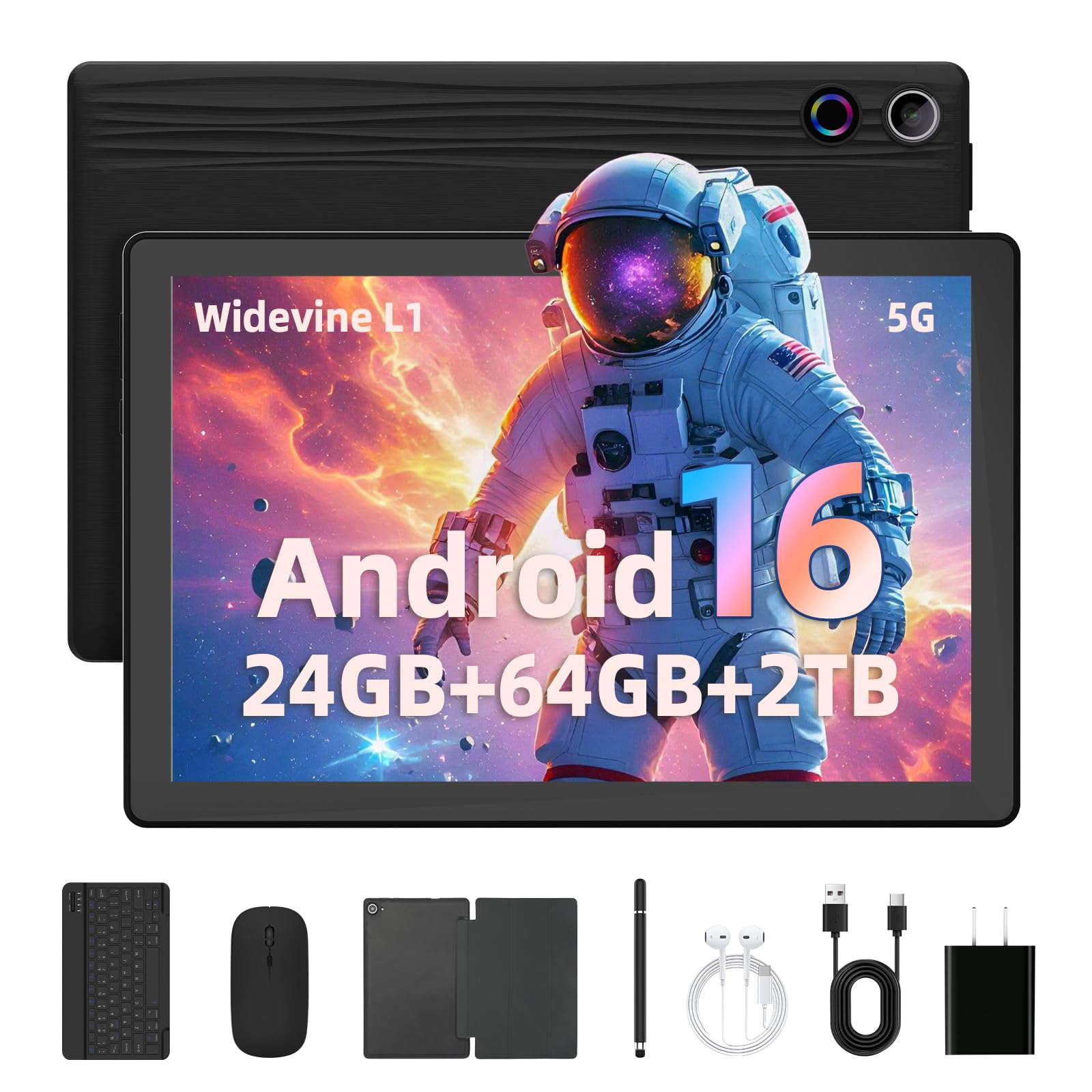
2. Jeazans Android 16 Tablet 10.1″ (2-in-1 Bundle with Keyboard & Mouse)
A tablet that transforms into a laptop, and everything you need is already in the box.
The standout feature of this package is the sheer completeness. You get not just the tablet, but a Bluetooth keyboard, a wireless mouse, a stylus pen, and a protective leather case — turning it into a functional mini-laptop for students or professionals. The Android 16 operating system keeps things feeling current, and the 24GB of RAM (3GB physical plus 21GB expansion) handles email, web, and video without stutter. The internal storage is 64GB, which is half of the Best Overall pick, though you can expand up to 1TB. The display is a bright 10.1-inch LCD at 1280×800 resolution, well-suited for video and social media.
The catch, surfaced most in the feedback, is battery life. As one owner put it, “so far battery runs out way to quick but have only had it 3 days and hoping charge will stay longer.” This echoes a pattern — the battery is reliable for moderate use but noticeably weaker than the premium picks here. The 64GB of internal storage also means you will likely need a microSD card from day one if you download many apps or movies. Still, for someone who needs a compact workstation for travel or the classroom, the bundled accessories alone could justify the choice.
Complete Workstation: The included keyboard, mouse, stylus, and case mean you do not need to buy anything extra — a rarity at this price.
Battery Caution: Owners consistently mention the battery drains faster than expected; plan for a top-up by mid-afternoon with heavier use.
Reach for this if: You are a student or remote worker who needs a portable typing setup with tablet flexibility, and you value a full accessory bundle over raw performance specs.
Look elsewhere if: All-day battery is your top priority, or you need more than 64GB of internal space from the start.
3. Gleeso A10 Android 16 Tablet (24GB+64GB, 6000mAh)
The fastest budget tablet you can buy, with a spec list that punches far above its weight.
With a 24GB RAM configuration (3GB physical plus 21GB expansion), the Gleeso A10 has 24GB total RAM compared to the Best Overall’s 18GB, and up to 2TB storage expansion versus 1TB — supporting TF cards up to a massive 2TB. That is more than enough for any media library. The Android 16 OS is paired with a 6000mAh battery, and owners consistently describe the performance as “super snappy” and the battery as “reliable full-day” for mixed use. The Widevine L1 certification ensures HD streaming, and the dual cameras (5MP front, 8MP rear) handle video calls well. Face ID biometrics add a convenient open up method without a fingerprint sensor.
The thing everyone raves about is how fluid it feels for daily tasks. Whether it is handing off to a kid for long drives — many buyers use it exactly for this — or using it as a secondary device for browsing, the experience is consistently described as “a steal” and “worth the price.” The included bundle adds a keyboard, mouse, stylus, and protective case, mirroring the Jeazans package but with a higher-rated display and slightly beefier performance profile. The main trade-off is that internal storage starts at 64GB, so you will want a large microSD card if you plan to store heavy media locally.
What Wins People Over
- 24GB RAM with 2TB expandable storage — class-leading space for files and media
- Face ID open up and Widevine L1 streaming make it feel modern
- Complete bundle (keyboard, mouse, stylus, case) ready from the start
A Real Consideration
- 64GB internal storage fills quickly; a microSD is practically essential
- Battery life is reliable but not exceptional — expect a full day of moderate use, not two days
Perfect for: Power users on a budget who want the absolute highest expandable storage and smoothest multitasking, especially for media hoarding or family use where multiple profiles will be loaded.
Not ideal for: Anyone who wants 128GB of internal space without buying a card — the internal storage here is half of what the Best Overall pick offers.
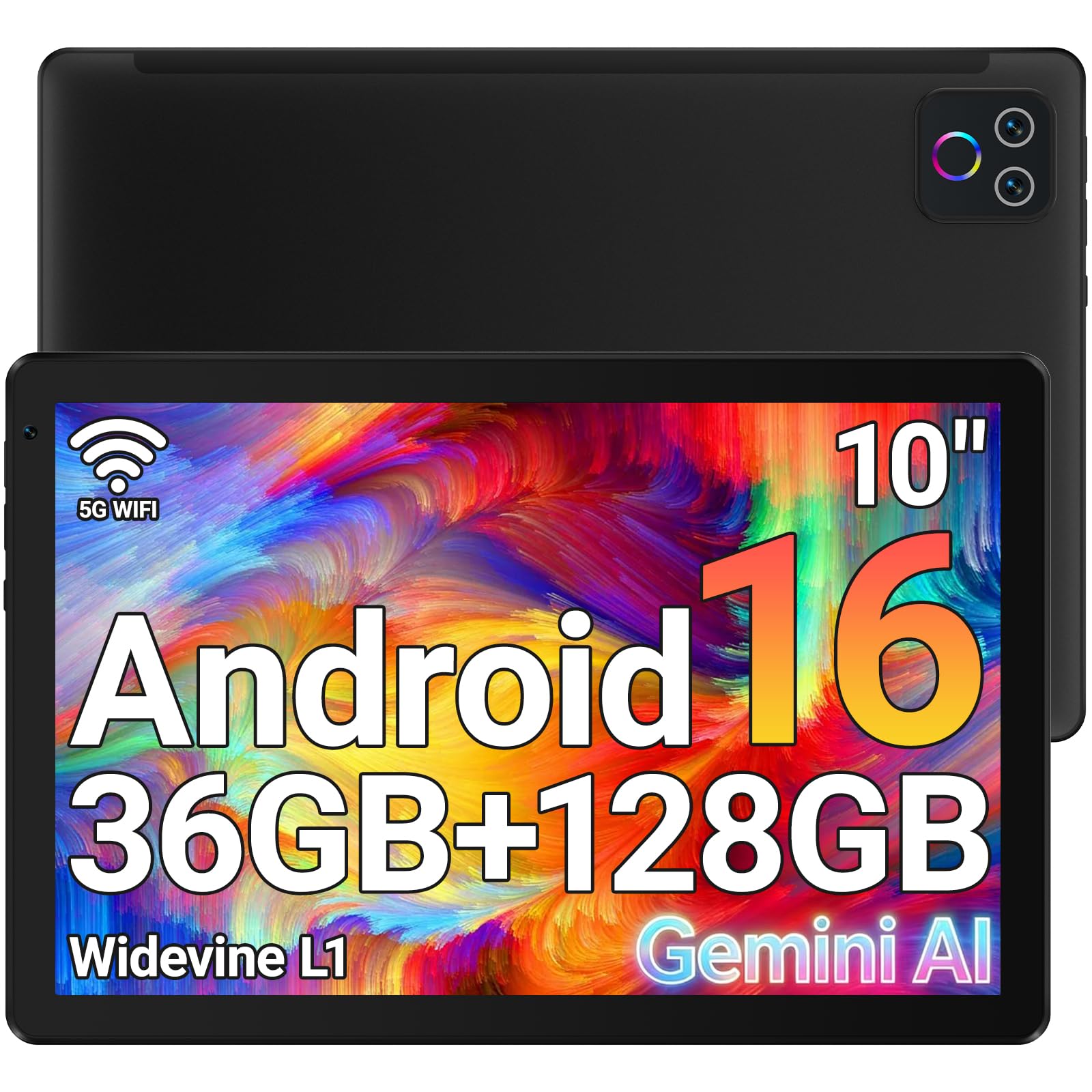
4. URAO Android 16 Tablet 10.1″ (36GB+128GB)
The biggest RAM number you will find in this class, and the battery life to match.
36GB of RAM (6GB physical plus 30GB expansion) is a headline number that grabs attention, and in practice it means this tablet handles app juggling with ease — you can swap between email, a video call, and a document without any reload delay. The internal storage of 128GB matches the Best Overall pick, giving you room for plenty of apps and offline content without needing a card immediately. The 1280×800 IPS display includes low blue light technology, which makes a real difference during long reading sessions at night. Owners consistently note the “smooth everyday performance” and “bright clear screen” as highlights.
The battery life is rated at 8 hours, which is a meaningful step up from the 6-hour tablets in this tier. In real-world use, that translates to a full workday of mixed browsing, email, and video. The tablet itself is described as “thin and light weight” by buyers, making it genuinely portable. Unlike some budget tablets, the URAO also includes Wi-Fi 6 and Bluetooth 5.4 for modern connectivity. One honest note from the data: the tablet does not have built-in GPS, so you cannot use it for turn-by-turn navigation without a hotspot connection. The build quality is plastic, but the overall feedback is very positive for the price.
Impressive Spec for the Money: 36GB of combined RAM and 128GB of storage, plus an 8-hour battery and low-blue-light display, make this a genuine daily workhorse.
Missing GPS: The lack of a GPS sensor means mapping apps will not give you real-time navigation — a rare omission for this price range.
Best for: Students or professionals who want the largest RAM number for multitasking, value an 8-hour battery, and do not need built-in GPS.
skip it if: You use your tablet for car navigation or want the absolute smoothest screen for gaming — the 60Hz panel is standard, not high-refresh.
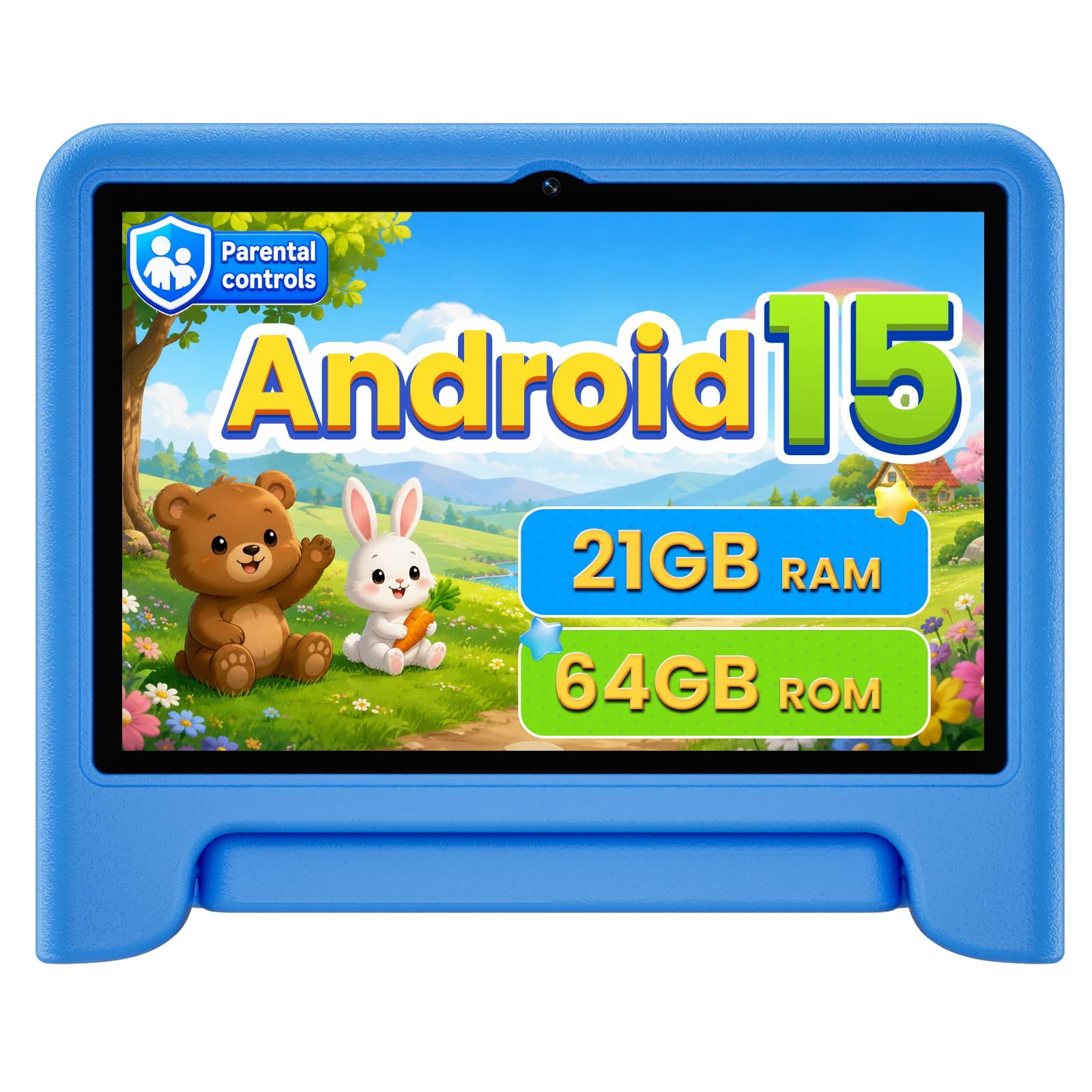
5. WXUNJA Android 15 Kids Tablet (10.1″, 21GB+64GB, Blue)
A durable, parent-friendly tablet that keeps your child’s screen time safe and fun for ages 2 through 12.
The defining feature here is the built-in parental controls and Google Kids Space profile system. You can set screen time limits, block adult content, and approve apps from your own phone, all before handing the tablet over. The included silicone case with an adjustable stand is durable and designed for drops — one owner noted it survived several “tumbles from bed to carpet.” The 8000mAh battery is a standout at this price, offering around 9 hours of use — enough for a full day of road trips or multiple school commutes. The 21GB of RAM (3GB physical plus 18GB expansion) and 64GB storage, expandable to 1TB, provide solid performance for kids’ apps, videos, and games.
The screen is a 10.1-inch HD IPS panel with low blue light eye protection, making it suitable for reading and video. The octa-core processor is clocked at 2.0 GHz, and reviewers note that it delivers smooth performance. However, the crowd of owners notes that durability is mixed. While the case is strong, an occasional internal screen can break from a fall onto carpet, and a few units have stopped working after a couple of months. The 5-year warranty from the manufacturer adds some confidence, but the data suggests the build quality is not universally sturdy. This is a capable kids’ tablet for the money, not an indestructible one.
Why Parents Choose This
- 9-hour battery life on an 8000mAh pack — one of the best in this class for all-day kid use
- Full parental controls via Google Kids Space and a 5-year warranty
- Included silicone case and adjustable stand for drop protection
The Durability Trade-off
- Despite the case, some screens can break from a short fall — not military-grade
- 64GB internal storage is fine for kids but may require a card for heavier media users
Perfect for: Parents who want a complete, safe, and long-battery tablet for their 2-12 year old, with easy remote controls and a protective case included.
Consider carefully if: Your child is rough on electronics — a few owners mention screen breakage from falls, so a very durable case is still recommended.
6. ZIOVO 2026 Android 15 Tablet (30GB+128GB, 8000mAh, Metal Body)
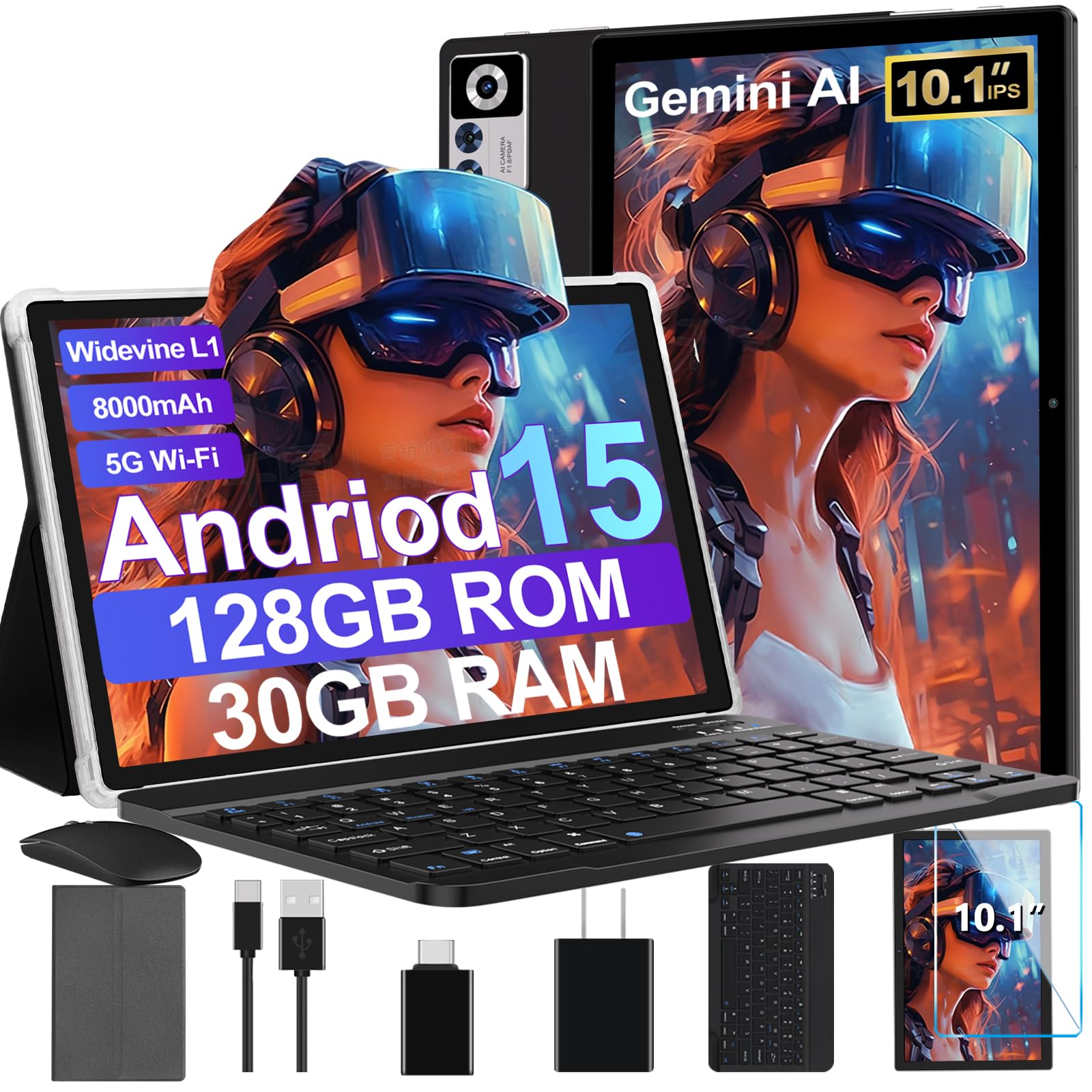
An 8000mAh powerhouse in a sleek metal body that outlasts almost everything else on this list.
Battery life is the star here. The 8000mAh capacity, combined with the efficient T310 octa-core processor, delivers up to 8 hours of mixed use — enough to get through a full day of school, work, or travel without hunting for an outlet. The metal body gives it a noticeably more premium feel than the plastic competitors, and the included bundle (Bluetooth keyboard, protective case, and mouse) makes it a complete laptop replacement setup. The 30GB of RAM (8GB physical plus 22GB expansion) and 128GB of internal storage (expandable to 1TB) put it in the top tier of performance. Widevine L1 certification keeps your streaming in HD.
Buyers consistently praise the “sharp graphics” and “great screen,” and note that the keyboard and mouse work well for light productivity. The 2.0GHz processor handles games surprisingly well, though split-screen multitasking is more comfortable on a larger display. The main consideration is that the internal storage is generous at 128GB, so you may not need the 1TB expansion immediately. The tablet also supports 5G WiFi, Bluetooth 5.0, and GPS, making it among the most feature-complete options in the mid-range. A few owners note that the bundled keyboard case could be better for tilt angles, but the overall value is consistently rated as excellent.
All-Day Endurance: The 8000mAh battery is a legitimate standout — you can leave the house in the morning and still have charge for an evening movie.
Premium Feel: The metal body and complete bundle (keyboard, mouse, case) make it feel like a more expensive device than it is.
Best for: Anyone who prioritizes battery life above all other specs — students, travelers, or professionals who need a device that lasts from morning to night without a charge.
Think twice if: You want the absolute largest RAM number — the 30GB total is excellent but the URAO offers 36GB for similar money.
7. AOC 10 Inch Android 16 Tablet (120Hz, 4GB+128GB)
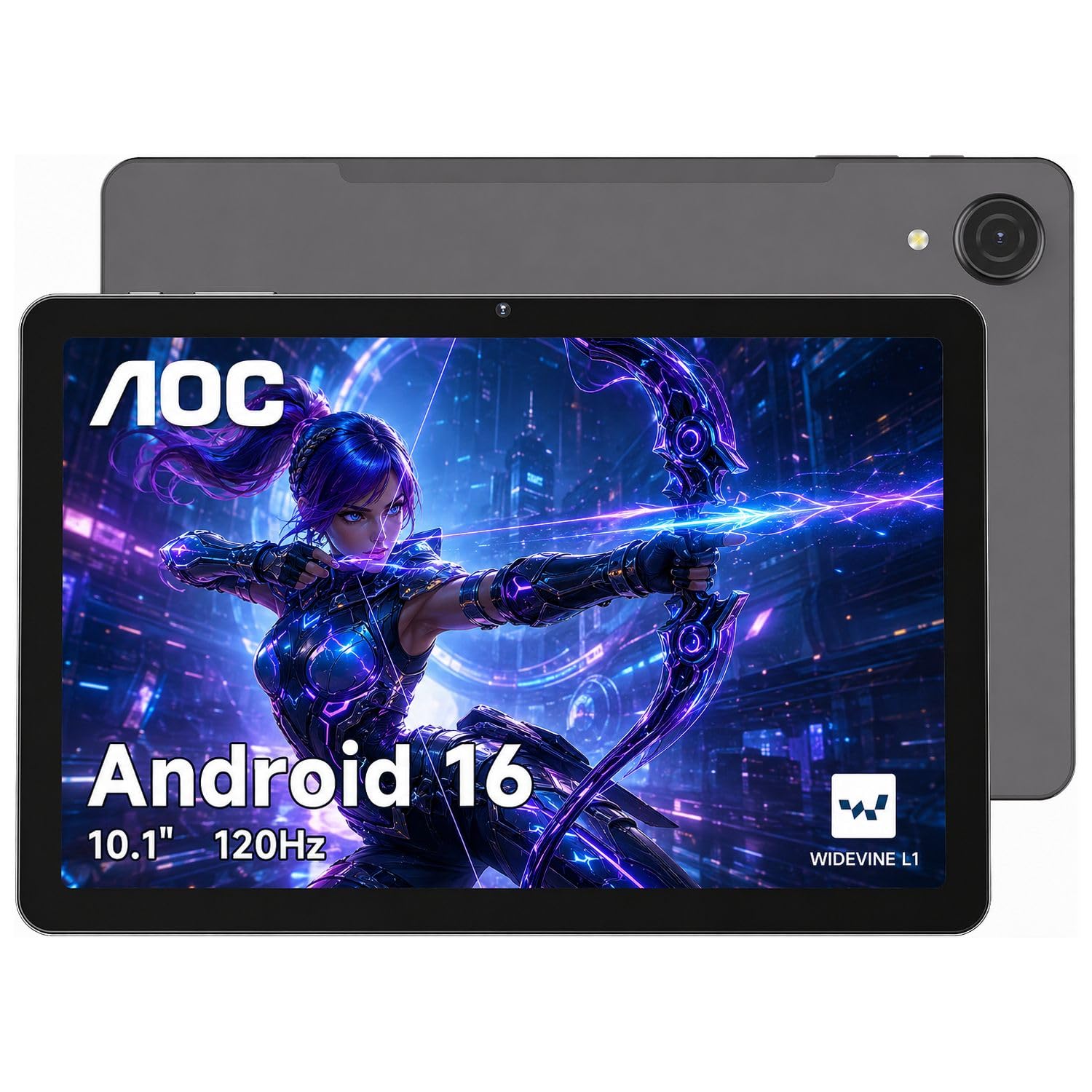
The first budget tablet that makes scrolling and video feel genuinely fluid, thanks to a 120Hz screen.
While most budget tablets stick to a standard 60Hz panel, the AOC’s higher refresh rate makes every swipe, scroll, and interface transition feel noticeably smoother — closer to a premium tablet experience. The Helio G88 octa-core processor is known for capable gaming performance, and paired with 4GB of physical RAM (plus up to 16GB of smart expansion for a total of 20GB smooth operation), it handles casual gaming and split-screen multitasking with confidence. The 1280×800 IPS display is also high-brightness, which means it stays viewable in outdoor daylight — a practical detail for reading or navigation outside. Widevine L1 certification ensures HD streaming.
The 6000mAh battery is rated for 10 hours, a strong showing for this capacity, and the ultra-slim metal body feels premium. Face ID open up adds convenience. The main trade-off is the starting storage: 128GB is generous, but the physical RAM of 4GB is lower than the “expanded” numbers seen on other budget picks (though real-world performance suggests the Helio G88’s efficiency compensates well). A few owners have reported burn-in marks on the screen after extended use, though this is not a widespread pattern. For anyone who values a smooth visual experience above raw RAM numbers, this is a compelling choice.
The Smooth Advantage
- 120Hz refresh rate makes scrolling and UI feel premium — a rare feature at this price
- High-brightness IPS display with Widevine L1 for outdoor readability and HD streaming
- 10-hour battery, metal body, and Face ID open up feel like a higher-tier device
A Few Notes
- 4GB physical RAM is lower than some competitors, though the Helio G88 is efficient
- Occasional reports of screen burn-in over time — not a pattern, but worth noting
Best for: Media consumers and casual gamers who want the smoothest-feeling screen for video, scrolling, and light gaming without paying flagship prices.
Not for: Heavy multitaskers who need 36GB of RAM — the physical RAM is lower, and the value is in the display, not the memory count.
8. Amazon Fire HD 10 Kids Pro (Newest Model, 10.1″ HD, 32GB)

The most trusted kids’ tablet on the market, with a 2-year low-maintenance guarantee that backs its durability claims.
This is the tablet that parents cite as “lasted 4+ years” and “outlasted 5 other non-Fire tablets.” The Fire HD 10 Kids Pro is built for ages 6-12, and its defining strength is the ecosystem: a full year of Amazon Kids+ is included, delivering ad-free books, videos, and games from Disney, Marvel, LEGO, and Mr. Beast. The sturdy parental controls — awarded “Best Parental Controls” by Parents Magazine — let you set screen time limits and monitor activity remotely from your phone. The slim Kid-Proof Case with a built-in stand protects against drops, and if anything does go wrong, the 2-year low-maintenance guarantee means Amazon replaces it, no questions asked.
The hardware itself is powerful: their largest HD display (10.1 inches), a 13-hour battery that genuinely lasts through travel days, and an octa-core processor with 3GB of RAM. The 32GB of storage is less than some Android competitors, but Amazon’s cloud integration and expandable storage options (up to 1TB via microSD) make that less of a problem. The consensus among thousands of owners is that this is “the one to get” if you want a tablet that survives the rough-and-tumble of daily kid life without constant replacements. The catch is that it locks you into Amazon’s ecosystem — you cannot easily install Google Play apps, and the tablet’s features are designed around Amazon services.
Why Families Swear By It
- 2-year low-maintenance guarantee — Amazon replaces the tablet if it breaks
- 13-hour battery, 10.1″ HD screen, and included Kid-Proof Case with stand
- 1 year of Amazon Kids+ included with ad-free, age-appropriate content
The Ecosystem Reality
- Locked to Amazon’s app store — no native Google Play support (requires workarounds)
- 32GB storage is modest; a microSD card is recommended for media-heavy kids
Best for: Parents who want the most durable, most parent-friendly, and best-supported kids’ tablet on the market, with a guarantee that makes breakage a non-issue.
Consider other options if: You need free access to the Google Play Store, or you prefer a tablet that does not push you towards Amazon subscriptions and services.
9. Amazon Fire HD 10 (Newest Model, 10.1″ Full HD, 64GB)

The entertainment tablet that defines the category — a 1080p screen and 13-hour battery that no budget Android tablet matches.
The Fire HD 10 is the benchmark that every other budget 10-inch tablet is measured against, and for good reason. The 10.1-inch 1080p Full HD display delivers a genuinely sharp, vibrant picture that is noticeably clearer than the 1280×800 screens on the rest of this list. The 13-hour battery life is exceptional — you can stream video for most of a transatlantic flight without needing a power bank. The upgraded octa-core processor with 3GB of RAM provides smooth performance for streaming, reading, and casual gaming. The built-in Alexa hands-free voice control is a convenient bonus for smart home users.
Owners consistently praise the “gorgeous video quality” and “bright screen,” with many noting it is their go-to for Kindle reading and Prime Video. The tablet is also surprisingly durable — the strengthened aluminosilicate glass backs that up. The catch is the locked-down Fire OS, which is based on Android but blocks easy access to the Google Play Store. You can install it via a workaround, but it is not straightforward. The 64GB storage (expandable to 1TB) is generous, and the 5MP front-facing camera handles video calls well. For pure entertainment value, this remains the king.
Entertainment King: A 1080p Full HD display, 13-hour battery, and octa-core performance make this the best choice for video, reading, and casual use.
The Big Limitation: Fire OS does not support Google Play natively, so if you rely on Gmail, Google Docs, or other Google apps, you will need to side-load them.
Best for: Anyone whose primary use is streaming video, reading, browsing, and light app use — and who is comfortable within the Amazon ecosystem (Prime Video, Kindle, Alexa).
Not ideal for: Android purists who need the Google Play Store from the start, or anyone who wants access to apps that are not available on Amazon’s app store.
Understanding the Specs
RAM: Physical vs. Virtual Expansion
RAM (Random Access Memory) is the short-term memory your tablet uses to keep apps running in the background. A higher number means you can switch between more apps without them reloading. Many budget tablets advertise very high totals, like 24GB or 36GB, by combining a smaller amount of physical RAM (usually 3GB to 8GB) with “virtual” or “expansion” RAM that borrows space from the storage. Virtual RAM helps, but physical RAM is what truly determines smoothness. For a smooth experience, look for at least 3GB of physical RAM; for heavy multitasking, 6GB or more is better.
Widevine L1: What It Means for Streaming
Widevine is a digital rights management system used by streaming services like Netflix, Prime Video, and Disney+. It has different security levels: L3 (standard definition), L2, and L1 (HD and 4K). If a tablet has Widevine L1 certification, you will get crisp 1080p HD playback. Without it, those same apps will deliver a noticeably blurrier, lower-resolution picture on the same screen. It is a crucial spec to check if you plan to watch a lot of video — and one that is often hidden in the fine print of cheaper tablets.
FAQ
Is a budget 10-inch tablet good enough for watching Netflix?
How much RAM do I really need in a budget tablet?
Can I use a budget tablet for video calls and online classes?
How important is the refresh rate on a tablet?
Will a cheap 10-inch tablet work for gaming?
What is the difference between an Android tablet and a Fire tablet?
How long do budget tablets typically last?
Can I use a budget tablet as a laptop replacement?
Final Thoughts: The Verdict
For the majority of shoppers, the budget 10 inch tablet winner is the Aobante 10″ because it delivers the best balance of genuine speed (18GB RAM, 128GB storage, Widevine L1) at a price that undercuts nearly everything else — a crowd favorite backed by thousands of satisfied owners. If you want the smoothest possible screen for video and casual gaming, grab the AOC with its 120Hz display. And for a durable, kid-safe tablet that the whole family can use with a 2-year no-questions guarantee, the Amazon Fire HD 10 Kids Pro is the one to reach for.
How We Picked
We do not accept paid placement. Every pick is matched to a real buyer and a real use-case; we do not hands-on test units.
Sources & Methodology
Specifications: manufacturer listings and product documentation. Review insights: verified customer reviews, as of July 2026. Pricing: not shown on this page (it changes often); check the current price via the retailer link.
As an Amazon Associate, FitlyFast earns from qualifying purchases. This does not affect which products we feature.