
Our readers keep the lights on and the weekend projects moving. As an Amazon Associate, I earn from qualifying purchases.
Specs are compiled from manufacturer listings and verified buyer reviews and can change over time — please confirm the key details on the product page before buying.
If you’re reading this, your wrist probably already knows why. A flat mouse forces your forearm into a twist that aches by lunchtime, and the fix is a vertical shape that keeps your hand in a natural handshake position. The real question is which budget pick actually delivers relief without breaking or driving you crazy with battery swaps.
I’m Rikta — the founder and writer behind FitlyFast. This guide is built by comparing the manufacturers’ published specifications and the patterns across verified customer reviews, so you get each pick’s real strengths and trade-offs instead of marketing spin.
You’ll see exactly which features matter for daily comfort and which ones are just noise. budget ergonomic mouse options vary wildly in tilt angle, button count, and battery life, so here is the plain-English breakdown.
Our Picks at a Glance

How To Choose The Best Budget Ergonomic Mouse
An ergonomic mouse’s whole job is to stop your wrist from bending sideways against the desk. The tilt angle, the hand size fit, and how it connects to your computer are the three decisions that actually shape your daily comfort.
Match the Tilt Angle to Your Hand
Vertical mice tilt your hand anywhere from about 57° to 65° off the desk, and that angle is the core of the ergonomic benefit. A steeper tilt feels more like a true handshake, but it also takes longer to get used to — most people need 1-2 weeks to adapt. If you have small-to-medium hands, check the fit notes carefully, because a mouse designed for larger grips will force your fingers to overstretch.
Decide Between Rechargeable and Battery-Powered
Rechargeable models have a built-in battery you top up with a USB-C cable, saving you from buying AAA batteries forever. Battery-powered models are lighter and never need to be plugged in, but you’ll swap cells every few weeks. If you hate cable clutter, a rechargeable with a long battery life is the smoother daily partner.
Count the Buttons and Check Connectivity
Basic ergonomic mice have 5 buttons, while more feature-packed ones offer 6 or 8 with forward/back navigation and a side scroll wheel. For connectivity, a simple 2.4 GHz USB receiver is plug-and-play, while Bluetooth lets you switch between a laptop, tablet, and phone without unplugging anything. Just remember that side buttons often stop working on macOS.
Quick Comparison
| Model | Best For | Connectivity | DPI Levels | Buttons | Amazon |
|---|---|---|---|---|---|
| Anker Vertical Ergonomic★ Best Overall | Proven daily office work | 2.4G USB Receiver | 3 (800/1200/1600) | 5 | Amazon |
| Uineer A06SBest Value | Multi-device switching | Bluetooth 5.0 + 2.4G | 4 (800/1200/1600/2400) | 6 | Amazon |
| Uineer A9 | Lightweight daily use | Dual Bluetooth + 2.4G | 4 (800/1200/1600/2400) | 6 | Amazon |
| PHILIPS SPK7628 | Small hands and quiet work | 2.4GHz USB | 3 (800/1200/1600) | 6 | Amazon |
| TECKNET RGB | Customization and style | Bluetooth 5.0 + 2.4G | 6 (800 to 4800) | 6 | Amazon |
| Lekvey Vertical | Long battery marathons | 2.4G USB Receiver | 3 (800/1200/1600) | 6 | Amazon |
| Acer OMR290 | Office multitasking | Bluetooth 5.2 + 2.4G | 4 (1200 to 4000) | 8 | Amazon |
In‑Depth Reviews
1. Anker 2.4G Wireless Ergonomic Mouse
The veteran that’s still proving a 65° handshake design can outlast a decade of office hours.
This is the crowd favorite for a simple reason: it just works, year after year. The vertical body promotes a neutral handshake wrist position, and its 800/1200/1600 DPI optical tracking glides across nearly any surface except glass. It runs on 2 AAA batteries (not included) and connects through a tiny 2.4G USB receiver stored in the mouse’s bottom.
The real proof lies in long-term durability. Buyers report it’s “Flawless after 5 years daily office use,” and Several owners mention dramatic relief from carpal tunnel and arthritis pain after a 3-day adjustment period.. People who switched from a premium Evoluent model found the Anker fit their grip better, with more intuitive buttons and tracking that didn’t demand a special mousepad.
The honest trade-offs: the pinky can drag on the desk, the clicks are on the stiff side, and the sleep mode needs a button press to wake. One owner’s older model developed a scroll wheel failure after roughly 1.5 years, while the newer version has a noticeably better wheel and lighter clicks.
Why it wins
- Proven longevity — reports of 5 years of daily use without a hitch
- Comfort that actually relieves wrist and arm pain for many
- 18-month low-maintenance warranty backs the -ish investment
Know before you buy
- Requires 2 AAA batteries you must supply yourself
- No Bluetooth — USB receiver only
- Pinky rest is missing, and clicks feel stiff at first
The anchor pick: If you want a proven, no-fuss vertical mouse for daily office work, this is the one to beat.
Think twice if: You need Bluetooth for a tablet or you hate pressing a button to wake the mouse from sleep.
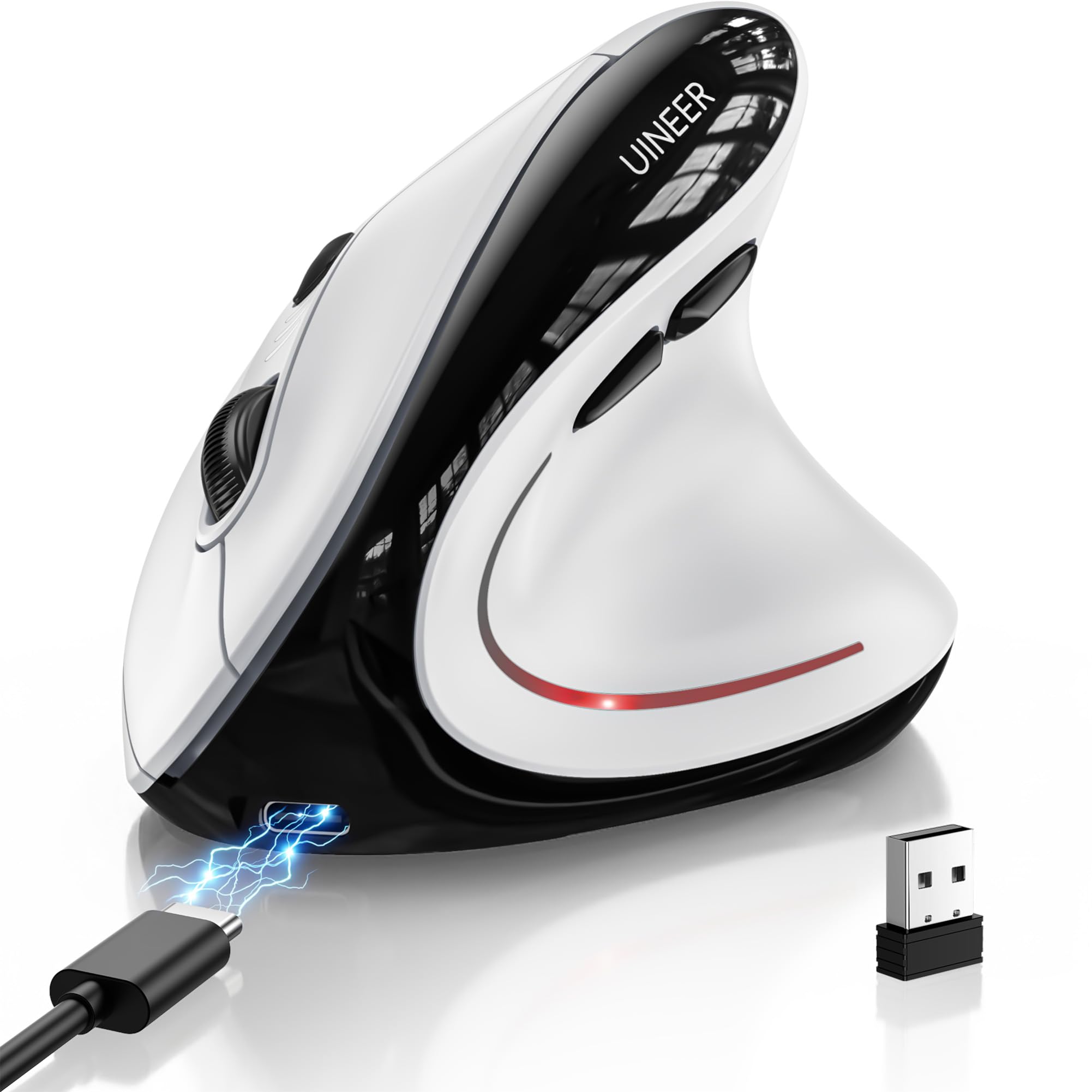
2. Uineer Ergonomic Wireless Vertical Mouse
A featherlight 105-gram vertical mouse with tri-mode switching and a battery that lasts weeks.
This one solves the battery problem outright. A built-in 500mAh rechargeable battery runs for weeks on a typical 8-hour workday and refills in about 2 hours over USB-C, so you never hunt for AAA cells again. It weighs just 105 grams and pairs with up to three devices through Bluetooth 5.0, Bluetooth 4.0, or the included 2.4G USB receiver.
The thing everyone raves about is the ergonomics — Over 30 owners highlight wrist relief, with several crediting it for easing carpal tunnel pain.. The silent left and right buttons are a gift for shared offices and libraries, and the 4-level DPI (800/1200/1600/2400) covers everything from spreadsheets to casual gaming. At 6 buttons with forward/back navigation and a side scroll wheel, it’s packed for the money.
The battery life is where opinions split — some owners get a full month by powering it off daily, while one called a 10-day stretch and wake-up lag unacceptable. The 7-color RGB lights are fun, but they do draw power, so expect to charge more often if you leave them on full brightness.
What owners love
- Rechargeable design beats disposable batteries for daily use
- Tri-mode connectivity switches between work and personal devices easily
- Silent clicks and a grippy, responsive scroll wheel
The real catch
- Battery life varies — expect closer to 10 days with heavy RGB use
- Wake-up lag frustrates some owners
Reach for this if: You juggle a laptop, tablet, and desktop and want one rechargeable mouse for all three.
Look elsewhere if: You can’t tolerate any delay when the mouse wakes from sleep mode.
3. Uineer Vertical Ergonomic Mouse A9

A 71-gram featherweight that disappears into a laptop bag and still relieves wrist strain all day.
At just 71 grams, this is the lightest mouse in the lineup, and that weight is exactly why it’s such a great travel companion. The handshake grip keeps your wrist straight and forearm relaxed, and Owners consistently report reduced wrist pain for small-to-medium hands. — the fit note is right in the listing, so measure before you order. Dual Bluetooth plus a 2.4G dongle lets you sync up to three devices without re-pairing.
What wins people over is the responsiveness. The 4 adjustable DPI levels (800/1200/1600/2400) track smoothly on varied surfaces, and the crisp left/right clicks feel precise for both work and casual gaming. Battery life is strong too — customers note 1 to 2 weeks per charge on light use, with a smart sleep mode and low-battery LED reminder. The 7-color ambient lighting adds a fun accent to the desk.
The main complaint is the same as its biggest strength: the extreme lightness. Fans of weighted gaming mice find it too insubstantial, and the thumb-rest lighting doesn’t fully illuminate. There’s also a minor note that side buttons don’t work on macOS systems, so Mac users lose some navigation shortcuts.
Lightweight daily driver: This is the pick for people who carry their mouse between home and office — 71 grams makes it nearly unnoticeable in a backpack, and the tri-connect keeps your devices synced.
The fit caveat: It’s explicitly sized for small-to-medium hands, so larger grips will feel cramped, and the featherlight body won’t satisfy weight lovers.
4. PHILIPS SPK7628 Ergonomic Mouse
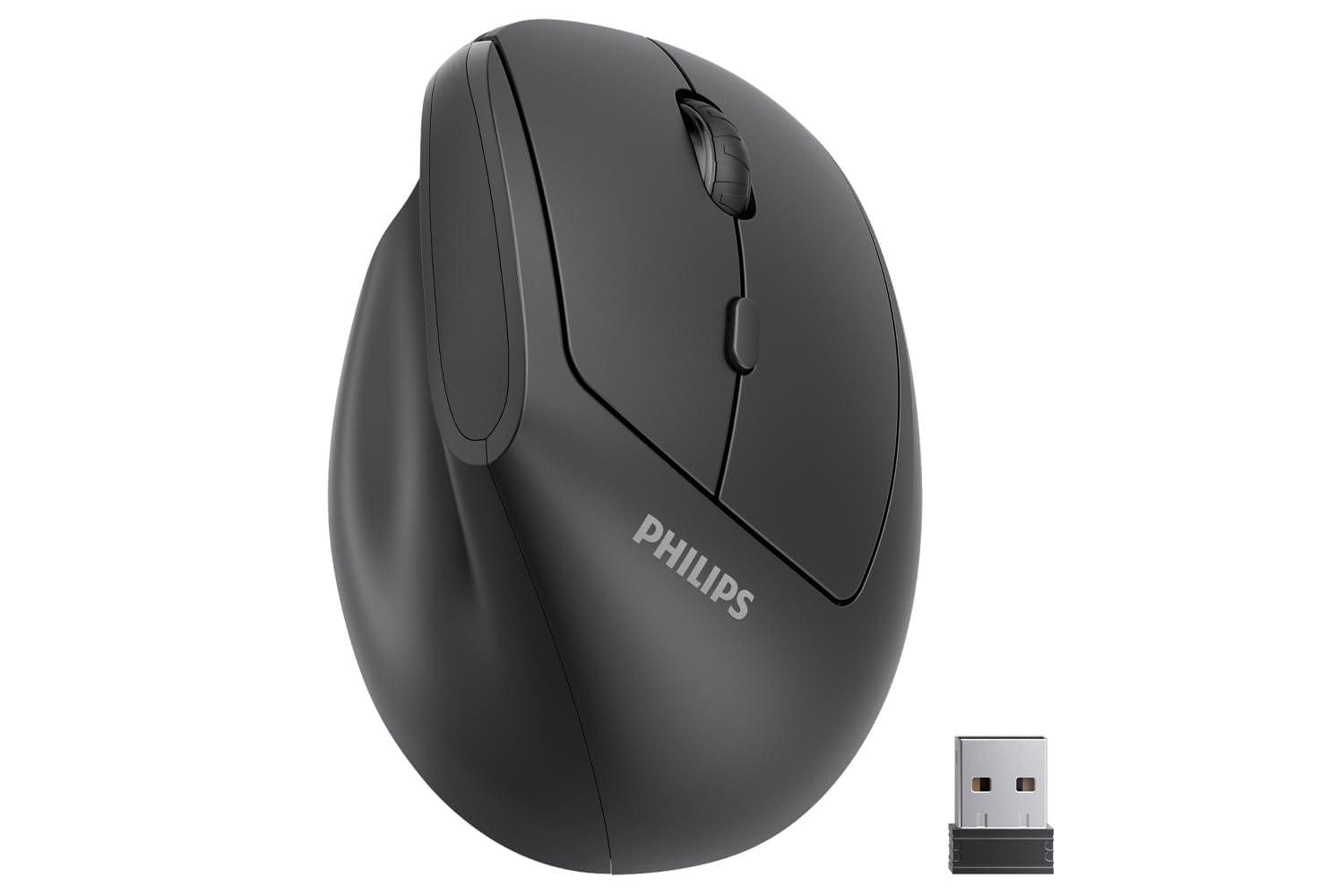
A 57° tilt built for hands up to 7 inches, with silent clicks for shared desks.
This is the mouse for smaller hands and quiet environments. Philips shaped it for hand lengths up to 7 inches, so petite grips won’t overstretch, and the 57° upright angle keeps your wrist in a relaxed handshake posture. The silent left and right buttons cut the clicking noise to nearly nothing — a genuine relief in libraries, classrooms, and late-night work sessions.
Owners consistently describe the build as sturdy and minimalist, with smooth movement and responsive buttons. The 2.4GHz connection is truly plug-and-play with no drivers required, and the adjustable 800/1200/1600 DPI covers the daily spreadsheets, browsing, and document editing. A smart sleep mode kicks in during inactivity to stretch battery life, and the whole thing weighs just 0.15 kg for easy travel.
The quality concerns sit mostly around QC — a few owners hit defective units with erratic pointer movement, and some received batteries that were dead on arrival. It’s also note the included batteries arrive wrapped in plastic film that you must remove first. And while it’s positioned for small hands, one petite user still found the fit on the smaller side.
Where it shines
- Silent clicks perfect for shared or quiet workspaces
- Sized for small-to-medium hands up to 7 inches
- True plug-and-play 2.4GHz with no drivers needed
Watch out for
- Occasional QC issues with erratic tracking
- Dead batteries on arrival reported by some
The quiet companion: If you work in a shared office or library and have small-to-medium hands, this silent 57° mouse fits the bill.
skip it if: You need Bluetooth — this is USB receiver only, and a USB-C adapter is required for newer MacBooks.
5. TECKNET RGB Bluetooth Ergonomic Mouse
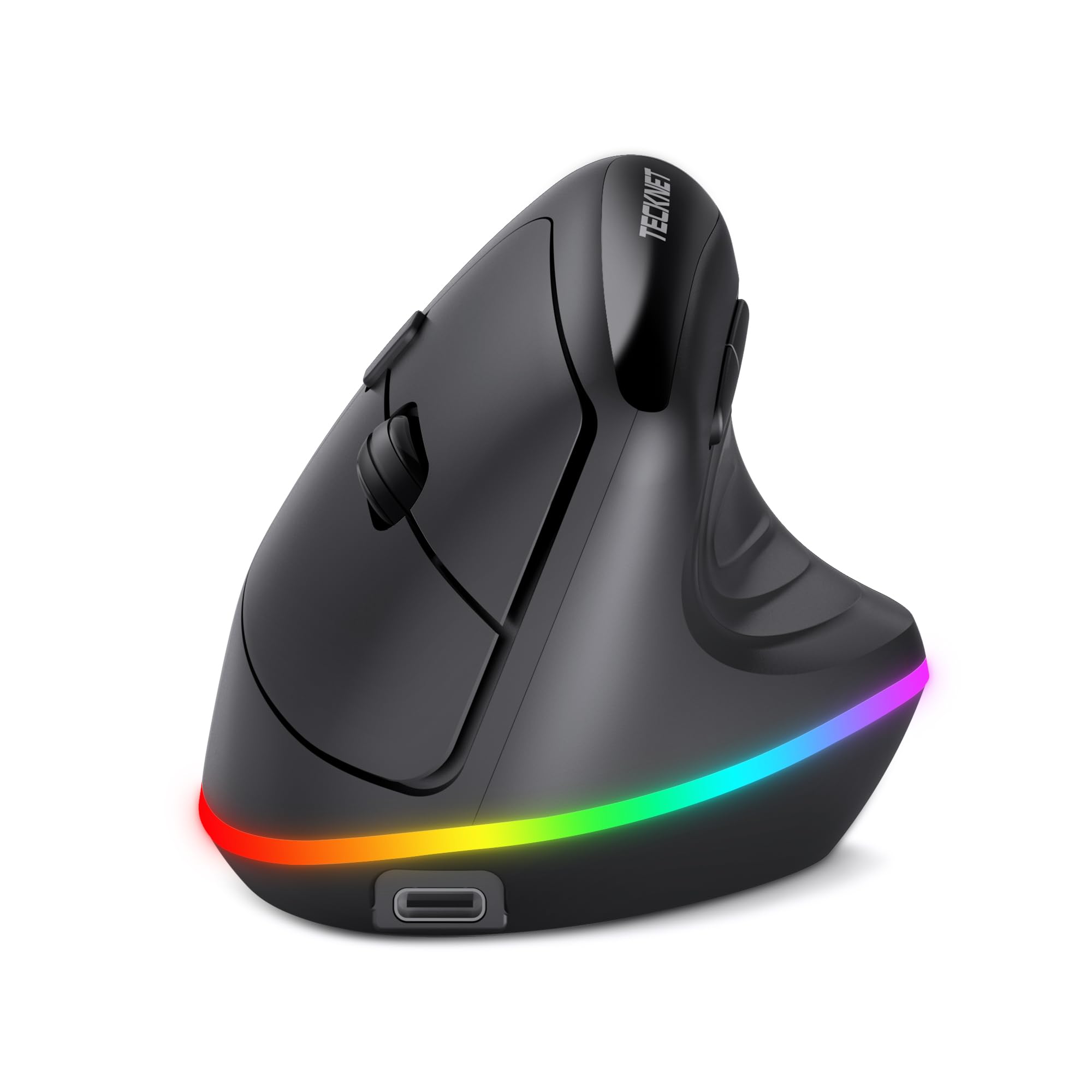
A 4800 DPI vertical mouse that matches your desk aesthetic while keeping your wrist pain-free.
If you want your ergonomic mouse to look as good as it feels, this is the one. The 11 RGB backlight modes — 4 patterns, 7 solid colors, and off — switch by pressing the scroll wheel and forward button together, letting you match your setup. Beyond the lights, the 6-level DPI reaching up to 4800 makes it the most versatile in the lineup for both detailed design work and faster-paced gaming.
The comfort story is strong: Owners consistently report relief from wrist pain and even tennis elbow., and the 800mAh battery holds a charge for a long time — several report going days or more without topping up. The dual-mode connection (2.4G USB and Bluetooth 5.0) switches between up to 3 devices, and the smart sleep mode turns the RGB off after just 10 seconds of inactivity to save power.
The trade-offs are minor but real. The side buttons don’t work on macOS, and the fit leans toward medium hands — one owner with medium-size hands found it a good match. There’s also a 1-2 week adjustment period as your hand adapts to the vertical angle, so don’t judge it on day one.
Why it stands out
- 6 DPI levels up to 4800 for design and gaming
- 11 RGB modes you can switch or shut off entirely
- 800mAh battery lasts through long work stretches
Keep in mind
- Side buttons are not compatible with macOS
- Best for medium hands, with a 1-2 week adjustment period
Style meets function: Grab this if you want a rechargeable vertical mouse with the highest DPI range and lights that match your desk.
Not for you if: You’re on a Mac and rely on side navigation buttons daily.
6. Lekvey Ergonomic Mouse

A rechargeable workhorse promising over 150 hours per charge and a 36-month warranty.
This is the endurance pick. The built-in battery delivers over 150 hours of continuous use on a single charge — reviewers point out 3 to 4 weeks of daily work between top-ups — and it refills via a 150cm USB-C cable. The 2.4G USB receiver plugs in and works instantly with no pairing or drivers, and the 3 DPI levels (800/1200/1600) cover standard office tasks comfortably.
People who’ve owned this for years are genuinely loyal — several have bought multiple units to keep one at each workstation. The vertical handshake design keeps your wrist and forearm in a healthy position, and Shoppers say reduced shoulder and elbow strain, not just wrist pain.. The 36-month manufacturer’s warranty is the longest in this lineup and a real safety net.
The durability record is mixed, and it’s honest to say so. Some buyers report the internal switches develop double-click or sticking issues after about 8 months, and the feet pads can wear down. It also tips over easily because it’s top-heavy, and the secondary buttons are awkwardly placed. The mouse fits medium-to-large hands best, with a 3-5 day adjustment period.
The marathon runner: If you hate charging devices, the 150-hour battery life and USB-C convenience make this a low-maintenance daily partner.
The durability question: Long-term switch wear is the recurring note — the generous 36-month warranty is there for a reason, so keep your receipt handy.
7. Acer Ergonomic Mouse OMR290

An 8-button vertical mouse with a 59° tilt and a side scroll wheel that boosts office multitasking.
This is the most button-packed option here. The 8-button layout includes a 3-in-1 side scroll wheel — one click cycles between window toggle, zoom in/out, and horizontal scrolling — which is a genuine productivity boost for spreadsheet work. The 59° vertical design keeps your hand in a natural handshake posture, and the 4-level DPI reaches up to 4000 for finer cursor control.
Owners who use it for long shifts — including 12-hour days — Owners mention it prevents wrist pain and stays comfortable on both Windows and Mac.. The dual-mode connectivity (Bluetooth 5.2 and 2.4G) switches between three devices by double-clicking the DPI button, and the featherlight 87g body glides easily across the desk. The scroll wheel is especially responsive, which owners love.
The most common complaints are about the click and wheel volume — this is not a silent mouse. Some also find the connection drops after idle, requiring a jiggle to wake it, and a few note the fit runs slightly large for truly small hands despite the “small to medium” sizing. It’s not rechargeable, so you’ll need AAA batteries, and the side wheel demands careful thumb placement to avoid accidental scrolling.
What makes it special
- 8 buttons with a 3-in-1 side scroll wheel for serious multitasking
- Bluetooth 5.2 + 2.4G switches between 3 devices easily
- Featherlight 87g with 4000 DPI max sensitivity
Fair warnings
- Clicks and wheel are noticeably loud, not silent
- Some units drop connection after brief idle periods
The productivity tool: If you live in spreadsheets and switch between multiple devices, the 8-button layout and side scroll wheel earn their keep.
Think twice if: You need a silent mouse or you have very small hands — this one leans toward medium or larger grips.
Understanding the Specs
DPI Sensitivity
DPI measures how far the cursor moves for every inch you move the mouse. Lower DPI (800) gives precise, slow movement for detailed tasks, while higher DPI (4000-4800) lets you sweep across a large screen with a tiny wrist motion. Budget mice typically offer 3-4 selectable levels, which is plenty for office work.
Vertical Tilt Angle
The tilt is the heart of an ergonomic mouse. A stance around 57°-65° keeps your forearm in a neutral handshake position instead of twisted flat. Steeper angles feel more natural but take longer to adapt to — plan for a 1-2 week adjustment window before judging any vertical mouse.
FAQ
How long does it take to get used to a vertical ergonomic mouse?
Will a vertical mouse work with my MacBook or tablet?
Are rechargeable ergonomic mice better than battery-powered ones?
What DPI setting should I use for office work?
Can a vertical mouse really help with carpal tunnel or wrist pain?
Why do side buttons stop working on macOS?
What’s the difference between 2.4G wireless and Bluetooth?
How do I know if a vertical mouse fits my hand size?
Final Thoughts: The Verdict
For most people, the budget ergonomic mouse winner is the Anker 2.4G Wireless Ergonomic Mouse because it pairs proven 5-year reliability with genuine wrist relief at an entry-level price. If you want multi-device freedom and a rechargeable battery, grab the Uineer Ergonomic Wireless Vertical Mouse. And for the highest DPI range plus eye-catching RGB style, the TECKNET RGB Bluetooth Ergonomic Mouse is the one to reach for.
How We Picked
We do not accept paid placement. Every pick is matched to a real buyer and a real use-case; we do not hands-on test units.
Sources & Methodology
Specifications: manufacturer listings and product documentation. Review insights: verified customer reviews, as of July 2026. Pricing: not shown on this page (it changes often); check the current price via the retailer link.
As an Amazon Associate, FitlyFast earns from qualifying purchases. This does not affect which products we feature.