
Our readers keep the lights on and the weekend projects moving. As an Amazon Associate, I earn from qualifying purchases.
Specs are compiled from manufacturer listings and verified buyer reviews and can change over time — please confirm the key details on the product page before buying.
You don’t need to spend a fortune to get a TV that makes your PS5 or Xbox Series X look incredible. The secret is knowing which specs actually matter for gaming—refresh rate, variable refresh rate, and input lag—and which ones are just marketing noise. This guide cuts through the jargon to find the budget 4k gaming tv that delivers silky-smooth motion and vibrant HDR without the flagship price.
I’m Rikta — the founder and writer behind FitlyFast. This guide is built by comparing the manufacturers’ published specifications and the patterns across verified customer reviews, so you get each pick’s real strengths and trade-offs instead of marketing spin.
We’ve picked ten 4K gaming TVs that deliver real 120Hz+ refresh rates, VRR, and low input lag without the flagship price.
Our Picks at a Glance



How To Choose The Best Budget 4K Gaming TV
Gaming TVs are not the same as regular living-room TVs. A TV that looks great for movies can feel sluggish and blurry for fast-paced shooters. Before you click buy, there are three core gaming specs you need to understand, because they decide whether your games look sharp or smeared in motion.
Refresh Rate: The Heartbeat of Your Games
Refresh rate, measured in Hertz (Hz), is how many times your TV redraws the image every second. A standard TV runs at 60Hz (60 redraws per second). A gaming TV bumps that to 120Hz or even 144Hz. The result is drastically smoother camera pans, less motion blur on fast-moving objects, and a real competitive advantage in online multiplayer. For PS5 and Xbox Series X, a 120Hz panel lets you play compatible titles at 120 frames per second—a huge leap in fluidity.
VRR: No More Screen Tearing
Variable Refresh Rate (VRR) syncs your TV’s refresh rate to the console’s frame output in real time. When your game momentarily drops from 120fps to 110fps, a VRR TV adjusts itself to match, so you never see that horizontal “tear” line across the screen. Look for TVs with AMD FreeSync Premium—it’s the most common VRR standard on budget-friendly sets and works great with both major consoles.
HDMI Ports: Connect Everything
Not all HDMI ports are equal. For full 4K at 120Hz or 144Hz gaming, you need HDMI 2.1 ports—they have the bandwidth to carry that massive amount of data. Some TVs label one port as “eARC,” which is for connecting a soundbar; check that at least one or two of the others support 4K at high refresh rates. Many budget gaming TVs offer 2x HDMI 2.1 for consoles and 2x HDMI 2.0 for streaming boxes—that’s an ideal setup.
Quick Comparison
| Model | Best For | Refresh Rate | Backlight | Gaming Features | Amazon |
|---|---|---|---|---|---|
| Samsung M70H★ Best Overall | Everyday value + casual gaming | 60Hz (DLG 120Hz) | Mini-LED | Game Mode, Motion Xcelerator | Amazon |
| Roku Plus SeriesBest Value | Streaming + simple gaming UI | 60Hz | Mini-LED QLED | Game Mode, VRR, Dolby Vision | Amazon |
| TCL T7Gamer’s Choice | Bright room gaming & sports | 120Hz (up to 144Hz) | Direct LED QLED | Game Mode, 240Hz VRR | Amazon |
| iFFALCON 55U85 | Next-gen console perfection | 144Hz (up to 240Hz) | Mini-LED | FreeSync Premium Pro, ALLM, 4x HDMI 2.1 | Amazon |
| Samsung M80H | Color accuracy + AI upscaling | 120Hz (144Hz Motion) | Mini-LED | Game Mode, VRR, Game Hub | Amazon |
| TCL Q7 | Deep blacks + HDR movies | 120Hz (up to 240Hz) | LED with 200+ zones | Game Accelerator, FreeSync | Amazon |
| Hisense U6 Pro | Glare-free bright rooms | 144Hz native | Hi-QLED Mini-LED | Game Mode, Dolby Vision Gaming | Amazon |
| Hisense U7 | Competitive esports + audiophiles | 165Hz native | Mini-LED Pro, 3000 zones | Game Booster 330 VRR, ALLM | Amazon |
| Toshiba Z670R | Bright room + bass-heavy audio | 144Hz native | Mini-LED QLED | Game Mode Pro, FreeSync Premium, ALLM | Amazon |
| Amazon Ember | Premium gamer with deep pockets | 144Hz native | Mini-LED, 512 zones | FreeSync Premium Pro, ALLM | Amazon |
In‑Depth Reviews
1. Samsung 55-Inch M70H (Mini LED, 4K)
A Mini-LED panel that delivers crisp, vibrant 4K at a price that won’t strain your wallet.
Right from the start, this Samsung delivers what most owners call “excellent quality” and “crisp” picture with sharp contrast—the kind of crispness you usually have to spend far more to get. The Mini LED Processor 4K pushes brighter highlights and deeper blacks, so night-time game scenes stay readable while neon Cyberpunk streets pop with intense color. Its Pure Spectrum Color technology generates one billion true-to-life shades, meaning a kaleidoscope of vibrant, accurate color right on your wall.
For gamers, the Motion Xcelerator + DLG 120Hz technology analyzes fast motion and keeps scenes sharp and fluid, so racing games and shooters feel more responsive. The built-in Gaming Hub pulls your console games, cloud services, and gaming apps into one clean home screen, with personalized recommendations for what to play next. Setup reviews are glowing—apps install and sign in quickly, and the smart interface stays snappy, with several buyers noting the sound quality is better than expected for a slim TV.
At 60Hz native, this won’t be the top pick for hardcore competitive players chasing 120fps on console. But for the price, it’s a balanced all-rounder for movies, streaming, and everyday gaming where clear picture and easy setup matter most. Its Bluetooth 5.3 keeps wireless headphones paired reliably for late-night sessions.
What wins people over
- Mini LED delivers bright, deep, richly-colored 4K images
- Quick setup and responsive smart interface
- Built-in Gaming Hub organizes consoles and cloud games
The trade-offs
- 60Hz panel, so no native 120fps gaming
- Only 3 HDMI ports (drops legacy devices)
- Remote control gets mixed feedback, and a few owners call it awful
Reach for this if: you want a well-rounded Mini LED TV with easy setup and solid gaming extras at a friendly price.
Look elsewhere if: you have a PS5 or Xbox Series X and need native 120Hz gameplay—this panel tops out at 60Hz.
2. Roku 55-Inch Plus Series (QLED Mini-LED)
A budget-friendly 4K TV with a simple Roku interface and solid gaming features for everyday play.
This Roku Plus Series is the budget gamer’s wonder—it is genuinely “great for gaming! Both on Xbox and PlayStation,” as owners rave. The Mini-LED backlighting paired with QLED and Dolby Vision technology delivers “deep blacks” and “vibrant colors” that make 4K content look terrific. Its excellent contrast and deep blacks add drama to dark, moody games like horror titles and space adventures, keeping details hidden in shadows visible.
Where this TV truly shines is its user-friendliness. Roku’s interface is famously simple to navigate, with a customizable home screen that gets you to your apps fast. The “super friendly UI” is a highlight in countless reviews, and the physical remote feels intuitive. It also features Variable Refresh Rate (VRR) support to cut screen tearing, plus Bluetooth headphone mode for private late-night listening—a feature rarely found at this level.
While the refresh rate tops out at 60Hz (no 120Hz gaming here), the fast, fluid experience in everyday games makes it a brilliant all-rounder. The “metal feet” add a premium feel that belies its price. For a secondary TV or a primary gaming set on a strict budget, this is a fan favorite.
The verdict: Deep blacks, gorgeous Dolby Vision color, and a dead-simple interface make this the best pure value 4K gaming TV on the list.
One caveat: 60Hz max means you miss out on high-refresh-rate console gaming, which is the main reason to look elsewhere.
3. TCL 55″ T7 4K QLED Google TV
A 120Hz panel with 240Hz VRR for smooth, tear-free gaming at an affordable price.
The TCL T7 is a serious gaming contender built on a native 120Hz panel—a massive upgrade over the 60Hz sets above. Its Game Mode and 240Hz Variable Gaming Refresh Rate mean when you plug in a PC or next-gen console, motion stays ultra-smooth and blur-free. Buyers confirm it shines with “PC gaming (Crimson Desert) no lag/blur; PS5 (Ghost of Yotei) amazing,” making this a versatile pick across all platforms.
Visually, the T7 uses QLED Quantum Dot Technology to cover “nearly the entire DCI-P3 color space,” translating to rich, vibrant, lifelike colors. The TCL AIPQ Pro Processor intelligently tune color, contrast, and clarity for a refined 4K HDR experience, while supporting Dolby Vision, HDR10+, HDR10, and HLG for maximum format compatibility. Owners note “Dolby Atmos Audio” works well and is “better than expected” for built-in speakers—a real plus for rich gaming soundtracks.
There is a learning curve: the Google TV interface “takes getting used to after Roku,” and a few buyers report it “shuts off randomly” or has USB connectivity quirks. It’s also note some buyers found a slight glare in bright rooms, so position it away from direct light. For the price, the combination of 120Hz, extensive HDR support, and 4 HDMI inputs (including eARC) is exceptional.
Gaming strengths
- True 120Hz panel with up to 240Hz VRR
- 4 HDMI inputs including eARC for consoles + soundbar
- Superb 4K HDR color with Dolby Vision support
Watch-outs
- Google TV interface takes time to learn
- A few buyers hit random power-offs or USB issues
- Requires internet/Google setup before HDMI use
Buy it for: silky 120Hz gaming and vibrant QLED color at a price that undercuts most rivals.
skip it if: you want a simple plug-and-play interface—Google TV adds an initial setup hurdle.
4. iFFALCON 55″ 4K MiniLED (55U85)

A native 144Hz Mini-LED with 4x HDMI 2.1 and ALLM for plug-and-play next-gen console gaming.
If you own a next-gen console, this iFFALCON is built exactly for you. Its native 144Hz panel with Variable Refresh Rate (4K@48–144Hz, up to 240Hz) and the highest-tier FreeSync Premium Pro technology dramatically reduces screen tearing and lowers input lag during intense gameplay. Owners call it “incredible,” “very smooth,” and note it’s “smoother/more responsive than Samsung/LG.” For competitive shooters, the 144Hz refresh means fast action stays sharp and fluid, giving you a real advantage.
The 4 x HDMI 2.1 ports solve a common modern headache: “connect PS5, Xbox, PC, and soundbar all at once.” Two ports run 4K@144Hz for next-gen consoles and gaming PCs, while two more handle 4K@60Hz for streaming boxes or Blu-ray players. Auto Low Latency Mode (ALLM) flips the TV into game mode instantly—no menu diving, just pure responsiveness. The picture is equally impressive: up to 1000 nits of bright HDR luminance, local dimming, and a 6,000:1 contrast ratio bring vibrant neon worlds to life.
Audio keeps pace with a powerful 2.1-channel 50W system (2x15W tweeters + 20W woofer) offering Dolby Atmos passthrough and DTS Virtual:X. Owners rave that the sound “never distorts” and feels rich during gameplay. The built-in Google TV with Alexa and Google Assistant gives you hands-free voice control. Note that iFFALCON is a TCL subsidiary, sharing TCL’s QM5K specs at a more accessible price point—though a rare defective unit had a poor support experience, so buy with a good return window.
My assessment: For pure next-gen console gaming at a mid-range price, this is arguably the best-specced TV on the entire list—144Hz, VRR, ALLM, and 4x HDMI 2.1 are exactly what current consoles need.
The honest catch: A small number of owners hit random defects and support was slow; your mileage may vary, so keep the receipt handy.
5. Samsung 55-Inch M80H (Mini LED, 144Hz)
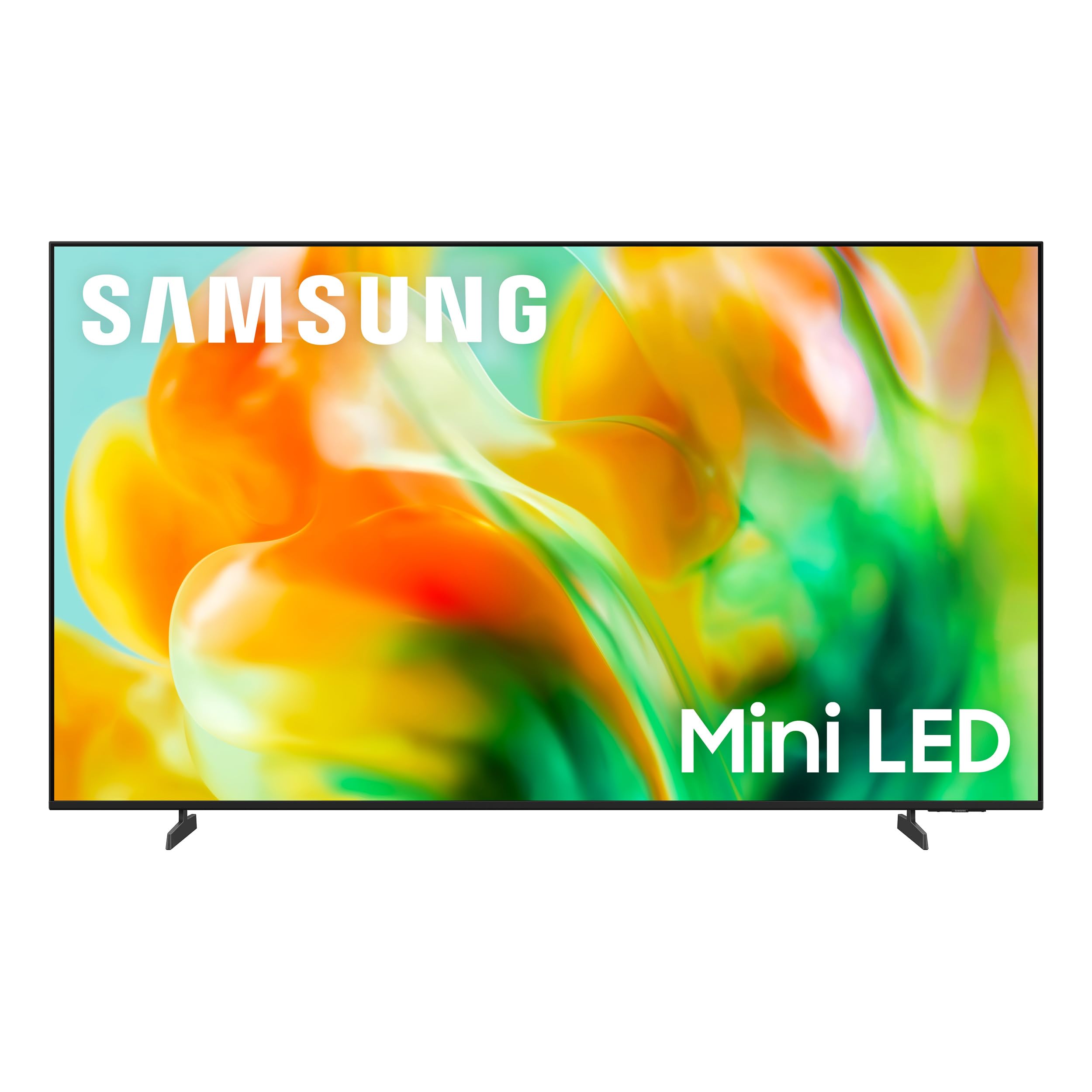
Samsung’s AI upscaling sharpens older games, while the 144Hz panel keeps motion fluid.
This is the Samsung that “makes video games look great,” as owners confidently report. The Motion Xcelerator 144Hz delivers ultra-smooth 144Hz performance for fast-paced games and sports, with Variable Refresh Rate dynamically matching the display to your game to eliminate stutter and tearing when you need responsiveness most. It’s a step up in smoothness from the M70H, making it a better match for high-frame-rate gaming.
The real star is the NQ4 AI Gen2 Processor, which analyzes and enhances content in real time. Its 4K AI Upscaling upgrades your favorite shows and older games to near-4K clarity, so older content looks sharper than on most TVs. Auto HDR Remastering intelligently transforms SDR (standard) content into HDR-like quality with brighter highlights and more vibrant colors—meaning even non-HDR games get a visual boost. The Pure Spectrum Color delivers one billion true-to-life colors with Mini-LED precision.
Reviews highlight easy setup, excellent color, and great value, though a handful of owners mention occasional crashes when switching channels and mixed reliability. It’s also one of the lightest Samsung sets, making wall-mounting easier. As a premium-feeling gaming TV with a sturdy AI toolkit, it justifies its place for gamers who also watch a lot of streamed content.
Why it impresses
- 144Hz Motion Xcelerator plus VRR for tear-free play
- AI upscaling breathes new life into older games and shows
- Lightweight design and easy setup
Worth noting
- A few owners saw app-switching crashes
- Forced Samsung account sign-in can be finicky
- Premium price for the feature set
Choose this if: you want Samsung’s best AI upscaling plus 144Hz smoothness in a lightweight, easy-to-mount design.
Consider another pick if: you dislike mandatory account sign-ins or want the most reliable software experience possible.
6. TCL 55-Inch Q7 QLED (55Q750G)

Over 200 local dimming zones deliver near-OLED contrast for rich HDR gaming on a budget.
This TCL Q7 is a favorite for gamers who care as much about visual depth as speed. It uses Full Array PRO Local Dimming with over 200 individual dimming zones—each zone dynamically adapts to on-screen content for deep blacks without image blooming. Owners consistently rave about its “near-OLED HDR” performance and “100,000:1 contrast,” which makes dark, cinematic games look spectacular while keeping bright highlights punchy. It “beats LG QNED90,” per one impressed owner.
For gaming, it’s equally capable. The native 120Hz panel runs up to 240Hz VRR powered by AMD FreeSync, giving responsive gameplay without lag—perfect for keeping you at the top of a leaderboard. Its Motion Rate 480 with MEMC frame insertion combines multiple motion enhancement technologies for top-tier motion clarity. The QLED Quantum Dot Technology serves up over a billion colors, and Dolby Vision IQ, HDR10+, HDR10, and HLG support ensure whatever you watch—or play—looks its best.
Setup is straightforward, and while the Google TV interface comes with some ads, most owners find its picture clarity, “100+ zones,” and over 98% DCI-P3 color coverage far outweigh that annoyance. The impressive “brightness” with 200 local dimming zones means HDR highlights really stand out without washing out dark scenes. A few veterans advise disabling motion smoothing and maxing out the backlight for the best game image—a quick settings tweak worth doing.
Bottom line: If you want the deepest blacks and richest HDR in the budget tier, the Q7’s 200+ local dimming zones deliver near-OLED contrast that rivals sets costing far more.
But know this: The smart interface shows ads, and a few users had reliability niggles after heavy use.
7. Hisense 55″ U6 Pro (Mini-LED, 144Hz)
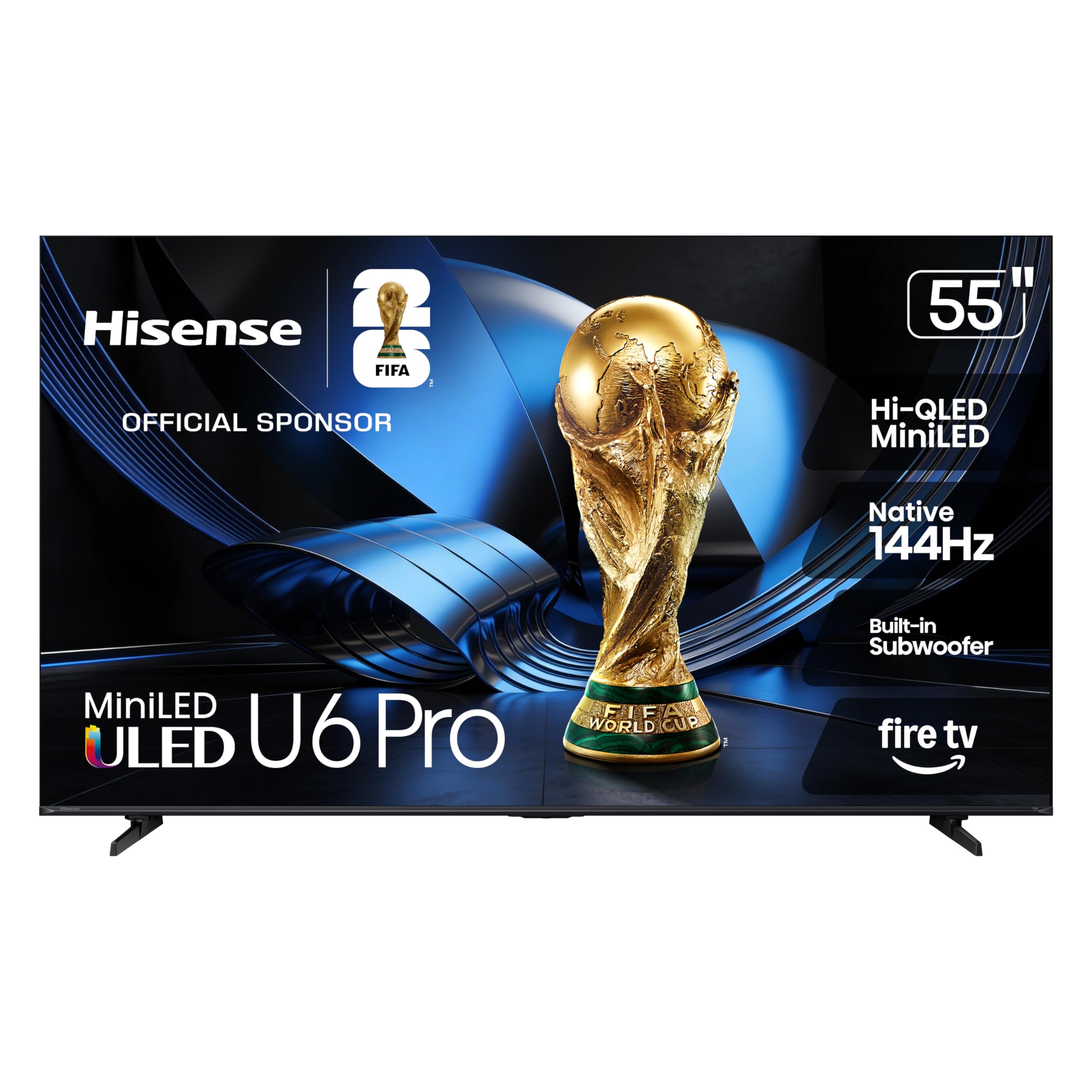
A glare-free 144Hz panel with a built-in subwoofer for bright rooms and bass-heavy gaming.
The Hisense U6 Pro tackles two of the most common gaming TV frustrations head-on: brightness reflections and weak audio. Its anti-reflection and glare-free display “keeps your view clean and distraction-free,” with owners confirming the anti-glare “near windows” is highly effective. For daytime gaming in a sunny living room, this is a standout. The Hi-QLED MiniLED backlighting uses hundreds of precise light zones to enhance contrast, while PANTONE validation ensures natural, accurate color—from team uniforms to richly detailed game environments.
Gaming performance is top-tier with a native 144Hz refresh rate that “keeps every frame crisp and fluid.” The quick response helps you stay in control during competitive gaming, and with Dolby Vision IQ, HDR10+ Adaptive, HDR10, and HLG, it handles every HDR format flawlessly. The “Hi-View AI Engine” continuously adapts the picture to whatever you’re watching—movies, sports, or gaming—so everything looks consistently better. Owners praise its “incredible brightness” and “stunning picture quality,” with sports scenes “absolutely stunning in 4K.”
Sound is where it surprises. The built-in subwoofer delivers “deep, resonant bass” that, as one reviewer described, pulls you into the heart of an explosion with richer audio than typical slim TVs. Total audio is a 2.1-channel setup that several customers note is good enough to skip a soundbar. As a Fire TV, setup is a breeze and the interface is snappy, with Alexa+ built-in for hands-free controls.
Standout features
- Anti-glare screen ideal for bright rooms
- Native 144Hz with Dolby Vision Gaming support
- Built-in subwoofer for room-filling bass
Minor notes
- Narrow viewing angle off-center
- Side-firing bass might need external sub for bassheads
Perfect for: gamers in bright, sunlit rooms who want effective bass without buying a soundbar.
Consider the U7 instead if: you sit off-angle often or need even higher peak brightness for HDR.
8. Hisense 55″ U7 (Mini-LED, 165Hz)
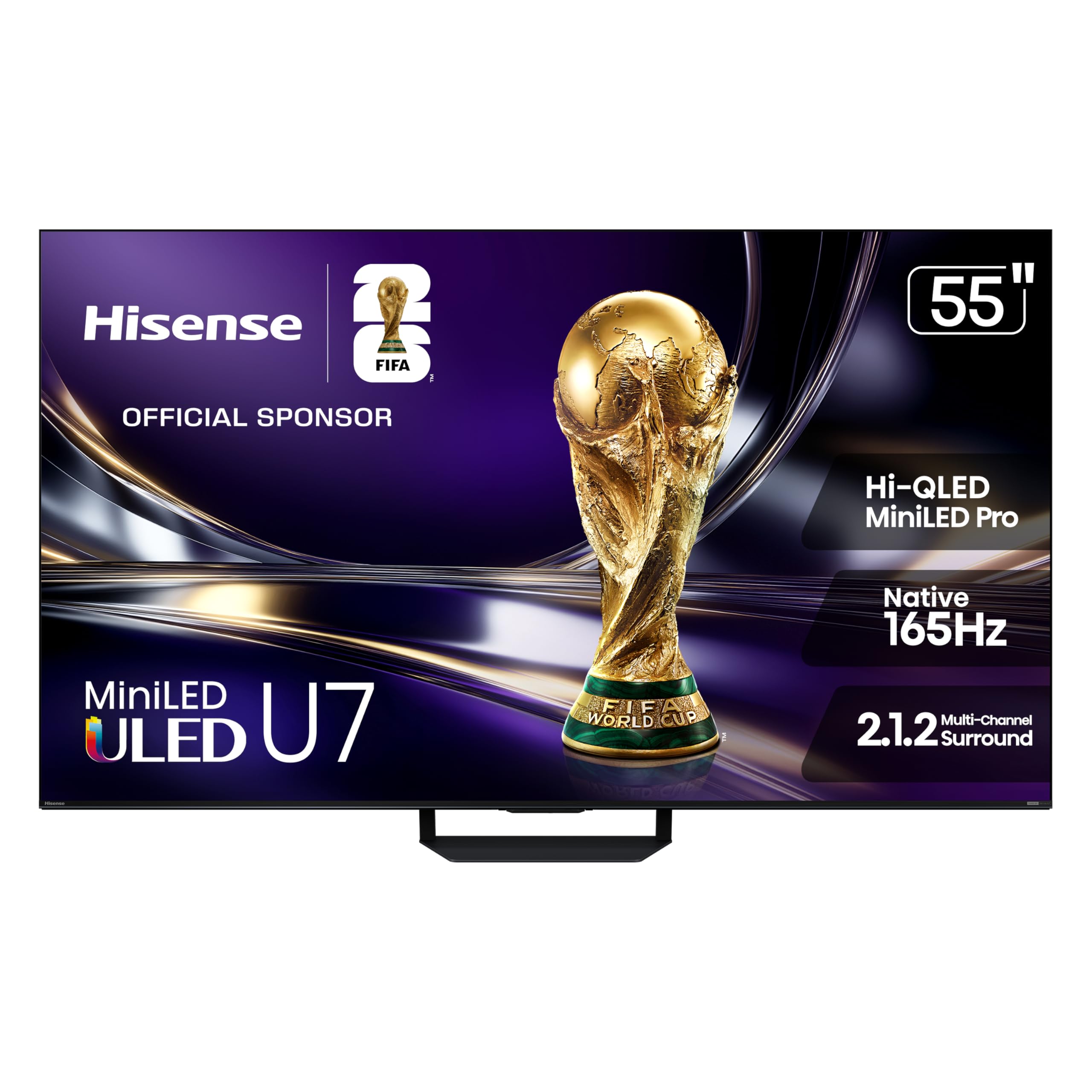
The fastest panel here—165Hz native with 330Hz VRR—built for players who measure reactions in milliseconds.
This is the most gaming-focused TV on our list, and the specs back it up. Its native 165Hz refresh rate handles gaming, sports, and action at high speeds with “no blur, lag or smeared frames.” The Game Booster 330 open up enhanced refresh rates up to 330Hz VRR for ultra-responsive gameplay with reduced input lag, while the Game Bar lets you monitor FPS, VRR, HDR, and settings in real time without leaving the game. For competitive esports, this is a serious edge—and the reviews confirm it: “great for PS5 gaming, smooth high-end experience.”
Visually, it’s a beast. Up to 3000 local dimming zones and up to 3000 nits of peak brightness deliver pinpoint precision—bright areas shine brilliantly while dark scenes stay deep and detailed. The Hi-QLED MiniLED Pro array and PANTONE-validated color bring out the full spectrum with incredible accuracy and intensity. Its dual-layer anti-reflection treatment goes beyond standard designs, minimizing glare in any lighting. Owners call the picture “stunning,” “beautiful,” and note it works great outdoors on a patio thanks to that high brightness.
Audio is a genuine standout. The 2.1.2 multi-channel surround system, tuned by Devialet, delivers rich, full sound “from all angles,” with a dedicated subwoofer and up-firing drivers for height effects. This is rare at this price. Google TV with Gemini interactive AI offers personalized recommendations across 10,000+ apps and lets you chat naturally to find content. With Bluetooth 5.4 and clean styling, it’s a premium package.
My take: The U7 is the ultimate budget-adjacent gaming TV—165Hz native, 330Hz VRR, 3000 local dimming zones, and Devialet-tuned sound that beats almost anything near its price.
The honest catch: This is the most expensive tier on our list, though still well under flagship OLED pricing; it’s for gamers who want the best without spiraling costs.
9. Toshiba 55″ Z670R (Mini-LED, 144Hz)

Engineered in Japan and tuned by Toshiba’s REGZA brain—a 144Hz panel with a bass woofer that shakes the room.
This Toshiba Z670R brings Japanese engineering to the budget gaming space with the REGZA Engine ZRi Gen3, which uses advanced AI to tune clarity, contrast, and audio performance scene by scene. The Mini LED with Full Array Local Dimming delivers deeper blacks and brighter highlights, “stunning” picture quality, and “better-than-expected contrast” that owners consistently praise. For everyday watching and gaming, it’s rock solid, with buyers noting excellent colors and a “premium feel.”
Gaming is handled beautifully by the native 144Hz refresh rate and Game Mode Pro. It includes AMD FreeSync Premium, VRR 144Hz, and ALLM (Auto Low Latency Mode) for responsive, tear-free gameplay—”perfect for next-gen consoles and PC gaming,” as the specs promise and owners confirm with “low input lag via Game Mode Pro.” Dolby Vision IQ and HDR10+ Adaptive adjust the picture to your room’s lighting, so daytime and nighttime sessions both look great. The AI Light Sensor Pro further reduces eye strain by automatically matching brightness to your environment.
Audio is a hidden weapon: the REGZA Power Audio Pro with Bass Woofer delivers “deep, resonant bass that shakes the room,” while dual clear direct speakers keep vocals perfectly clear. Owners describe the built-in audio as “better than expected” and “rich.” As a Fire TV, setup is fast (boots in ~2 seconds) and Alexa is built-in. The adjustable legs fit stands up to 70″ wide, a thoughtful touch for unusual setups. For a well-rounded, bright-room-friendly gaming TV with a subwoofer built in, this is a compelling mid-pick.
What stands out
- 144Hz native with FreeSync Premium + ALLM
- REGZA Bass Woofer for room-shaking audio
- Anti-glare matte finish, fast Fire TV boot
Watch-outs
- Controls get mixed feedback mention-wise
- Fewer HDMI 2.1 ports than some rivals
Pick this if: you want a Japan-tuned 144Hz panel with genuinely good built-in bass and a bright-room-friendly matte finish.
Think twice if: you need maximum HDMI 2.1 bandwidth for multiple next-gen consoles—look at the iFFALCON instead.
10. Amazon Ember 55″ Mini-LED (Fire TV)

Amazon’s most ambitious TV—1,400 nits of peak brightness, 512 dimming zones, and a 144Hz gaming mode.
The Amazon Ember is the premium end of the Fire TV lineup, and it’s clearly designed to impress gamers. Its 144Hz gaming mode is AMD FreeSync Premium Pro-certified, delivering “the most smooth transitions, tear-free visuals, and fluid motion during intense gameplay.” Owners who paired it with Switch 2, PS5, Xbox Series X, and Apple TV 4K report it “works flawlessly” with every console. The lightning-fast 144Hz refresh plus VRR makes it genuinely competitive for serious play.
Picture quality is stunning. The 4K QLED mini-LED display pushes up to 1,400 nits of peak brightness—enough to make HDR highlights really pop—with over a billion lifelike colors and Dolby Vision IQ + HDR10+ Adaptive support. Its 512 dimming zones deliver “higher, more captivating contrast” and near-OLED black levels, as owners rave: “near-OLED black levels, bright, great contrast.” Fire TV Intelligent Picture uses a powerful processor to auto-tune the image scene-by-scene, adapting to your room’s light and color.
Unique to Amazon, the Ambient Experience with Omnisense technology wakes the display when you walk in to show artwork or let you start watching in a snap—no remote needed. Audio is sturdy with 2.1 Dolby Atmos (crisp dialog, dramatic bass). However, reliability is the mixed note: some owners deal with “constant app crashes with Netflix” or a laggy interface after updates, and the smart home is ad-heavy. If you’re deep in the Amazon ecosystem (with Blink cameras, Eero WiFi, etc.), this becomes the easiest smart TV here.
The appeal: 1,400 nits, 512-zone dimming, FreeSync Premium Pro, and deep Alexa integration make this a powerhouse for Amazon-loyal gamers who want premium HDR.
The reality check: Software reliability gets genuinely mixed reviews—a few units suffer app crashes—so weigh the smart features against the stability of rival platforms.
Understanding the Specs
Refresh Rate & VRR
Refresh rate (Hz) is how often the screen redraws per second. 60Hz is standard; 120Hz is smooth; 144Hz and 165Hz are elite. VRR (Variable Refresh Rate) syncs the TV to your console’s output, eliminating screen tearing when frame rates fluctuate. ALLM (Auto Low Latency Mode) automatically switches to game mode for minimal input lag.
Mini-LED & Local Dimming
Mini-LED uses thousands of tiny LEDs for backlighting, enabling precise local dimming zones. More zones mean better contrast—deep blacks in dark scenes, bright highlights without “blooming” (halos around bright objects). This dramatically improves HDR gaming, especially in neon-lit or night-time games.
FAQ
Is a 60Hz TV okay for PS5 or Xbox Series X gaming?
What is the difference between VRR and ALLM?
Do I need HDMI 2.1 ports for 4K 120Hz gaming?
How many local dimming zones do I really need?
Is QLED or Mini-LED better for gaming?
What is input lag and why does it matter?
Can I use a 4K gaming TV as a PC monitor?
Is Dolby Vision important for gaming?
Should I buy a soundbar with a budget gaming TV?
How much should I spend on a decent gaming TV?
Final Thoughts: The Verdict
For the majority of shoppers, the budget 4k gaming tv winner is the Samsung M70H because it delivers crisp Mini LED picture quality, easy setup, and built-in gaming extras at a price that’s tough to top—the crowd favorite with a 4.2-star average across hundreds of owners.owners. If you want a faster 120Hz or 144Hz screen for competitive play, grab the TCL T7. And for a glare-free 144Hz panel with room-shaking built-in bass that suits bright rooms, the Hisense U6 Pro is the one to reach for. Every pick here is a genuinely strong gaming TV—your job is simply to match the one with the right refresh rate and HDR skills for the games you actually play.
How We Picked
We do not accept paid placement. Every pick is matched to a real buyer and a real use-case; we do not hands-on test units.
Sources & Methodology
Specifications: manufacturer listings and product documentation. Review insights: verified customer reviews, as of July 2026. Pricing: not shown on this page (it changes often); check the current price via the retailer link.
As an Amazon Associate, FitlyFast earns from qualifying purchases. This does not affect which products we feature.