
Our readers keep the lights on and the weekend projects moving. As an Amazon Associate, I earn from qualifying purchases.
Specs are compiled from manufacturer listings and verified buyer reviews and can change over time — please confirm the key details on the product page before buying.
You don’t have to settle for a dim, washed-out picture just because you’re on a budget. A Budget QLED TV gives you the vivid, saturated colors that made QLED famous—thanks to quantum-dot technology (tiny particles that produce pure, bright colors)—without the high price of an OLED. The real question is which model gives you the most for your money without frustrating software. Here’s the short answer: the Roku 65-Inch Select Series is the best all-around pick for bright rooms, while the Amazon Ember 65" Mini-LED is the best for HDR movie fans who want deep blacks.
I’m Rikta — the founder and writer behind FitlyFast. This guide is built by comparing the manufacturers’ published specifications and the patterns across verified customer reviews, so you get each pick’s real strengths and trade-offs instead of marketing spin.
These are the budget QLED TVs that earn their place in your living room, ranked by real owner experience and the specs that actually matter for everyday watching, gaming, and sports.
Our Picks at a Glance


How To Choose The Best Budget QLED TV
Buying a budget TV in 2026 is less about hunting for a bargain and more about knowing which compromises to accept. Every model here makes a trade somewhere, and your job is to pick the one whose trade-offs you’ll never notice.
Match the platform to your habits
The operating system is what you’ll touch every single night — Roku, Fire TV, and Google TV all have different feels. Roku is famously simple and fast; Fire TV leans into Alexa voice control and Amazon content; Google TV does the same for Google Assistant and Chromecast. Choose the ecosystem you already live in.
Don’t chase refresh rate you won’t use
A 60Hz panel is perfectly smooth for movies, TV shows, and casual streaming — the content itself is locked to 24 or 30 frames per second. High refresh rates like 120Hz or 144Hz only matter if you play fast-paced console or PC games, or you watch a lot of live sports. Pay for the speed only if you’ll actually feel it.
Look past the resolution to the HDR
Every set here is 4K, so resolution is table stakes. What separates the good from the great is HDR — the technology that controls brightness and contrast in bright and dark scenes. Look for support for Dolby Vision, HDR10+, or both, since that’s what makes colors and highlights actually pop on a QLED panel.
Quick Comparison
| Model | Best For | Refresh Rate | Screen Size | Smart Platform | Amazon |
|---|---|---|---|---|---|
| Roku 65″ Select Series★ Best Overall | Plug-and-play simplicity with the biggest screen for the money | 60Hz | 65″ | Roku | Amazon |
| TCL 55″ T7Best for Gaming | Gamers who want 144Hz frame rates without a premium tag | 120Hz | 55″ | Google TV | Amazon |
| TOSHIBA 55″ M450Solid Daily Driver | Fire TV loyalists who want a solid, no-fuss 55-inch daily driver | 60Hz | 55″ | Fire TV | Amazon |
| Hisense 55″ E7 | Mini-LED contrast and native 144Hz for under | 144Hz | 55″ | Fire TV | Amazon |
| TCL 55″ QM64L | Brilliant brightness for bright rooms and patio use | 120Hz (144Hz) | 55″ | Fire TV | Amazon |
| Samsung 55″ Neo QLED QN70F | AI upscaling and premium Samsung processing at a mid-range price | 144Hz | 55″ | Samsung Tizen | Amazon |
| Samsung 65″ Q70C | Big-screen 4K with Quantum HDR and gaming extras | 120Hz | 65″ | Samsung Tizen | Amazon |
| Amazon Ember 65″ Mini-LED | Deep blacks and 1,400 nits from Amazon’s top-tier Fire TV | 144Hz | 65″ | Fire TV | Amazon |
In‑Depth Reviews
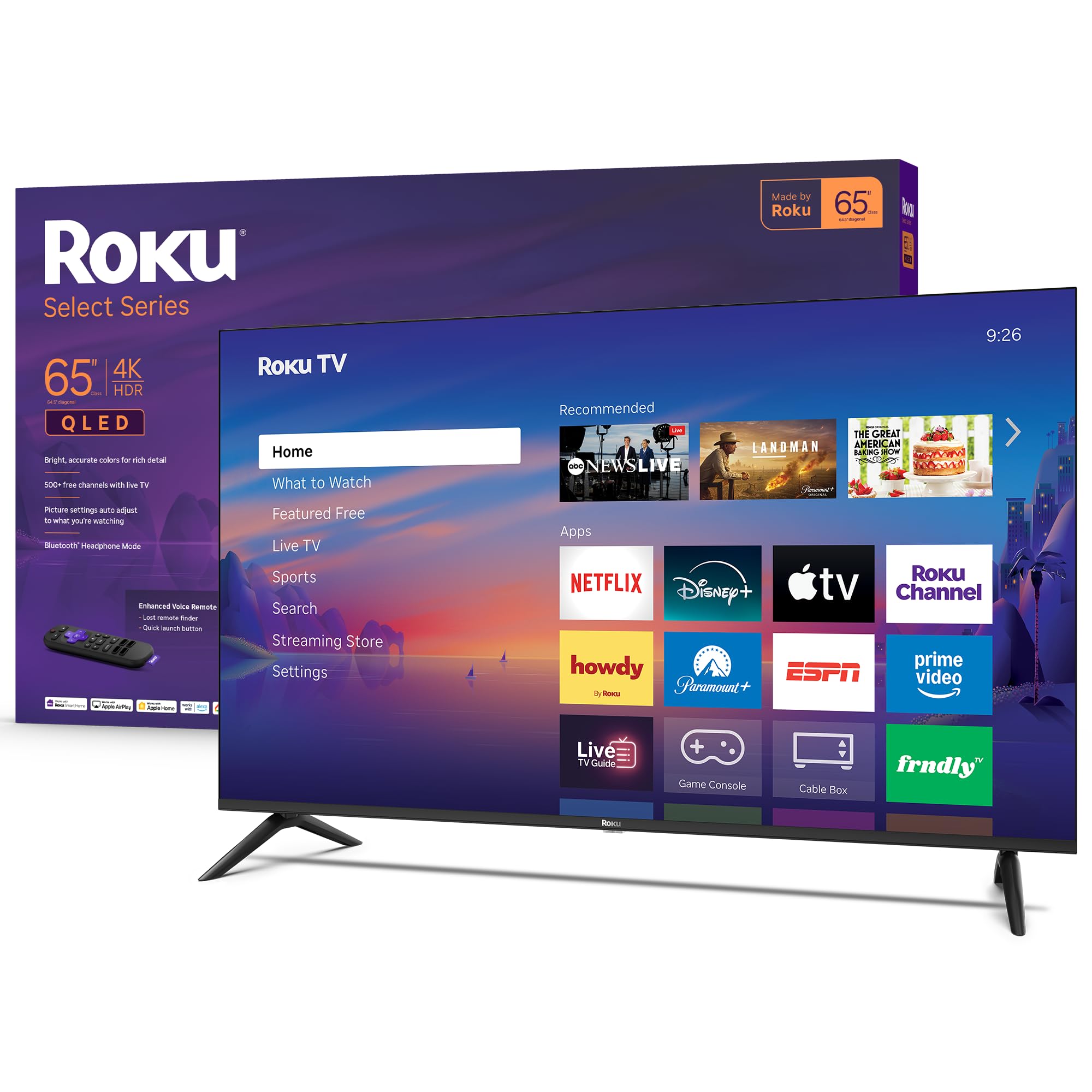
1. Roku 65-Inch Select Series 4K QLED TV
The biggest, easiest, most crowd-pleasing screen you can mount for the money.
The Roku Select Series turns budget pricing into a selling point. Its 65-inch QLED panel (a screen that uses quantum dots for brighter, more accurate colors) with HDR10 (a high-dynamic-range format that boosts contrast) delivers the bright, accurate colors that define the category. Buyers specifically rave about how sharp the 4K picture looks—the thing everyone praises most is the picture quality, with deep blacks and smooth motion in a bright room with zero glare.
Setup is the a neat extra here. Roku’s platform is famously simple, with a home screen that’s easy to navigate and a remote that does everything you need — plus voice search and a lost-remote finder for the deepest couch cushions. You get Bluetooth headphone mode for late-night watching without waking the house, and Apple AirPlay for casting from your iPhone. Buyers report its Roku platform makes other smart systems feel complicated.
It holds a 4.5-star average across 800+ ratings, with owners praising picture quality that exceeds expectations for the price. The one thing to keep in mind: the panel runs at 60Hz, which is perfect for movies and shows but not the pick for competitive gamers chasing frame rates. If you’re a casual streamer who wants a huge, gorgeous screen with zero fuss, this is your TV.
Why owners choose it
- Picture quality is the #1 praise — vibrant colors, sharp 4K, no glare in bright rooms
- Dead-simple Roku setup, preloaded apps, and an uncluttered remote
- 65 inches of screen for the same money as smaller premium sets
Know before you buy
- 60Hz refresh means serious gamers should look at a 120Hz/144Hz model
- Built-in sound is decent, but a soundbar still improve it
Perfect for: streamers and movie watchers who want maximum screen for minimum hassle — this is the one to grab.
Not for: competitive gamers chasing 120Hz+ frame rates; the 65″ Q70C below adds that speed.
2. TCL 55″ T7 4K QLED Google TV
A 120Hz panel that gamers actually feel — at a price that doesn’t punish you.
Here’s the head-to-head that matters: the TCL T7 has a 120Hz panel, while the Roku Select Series above has a 60Hz panel. At 55 inches versus the Roku’s 65, you give up screen size — but you gain motion clarity that makes fast games and sports look dramatically smoother. Owners mention “no lag/blur” on PS5 and PC gaming, which is exactly what you want to hear.
The picture is powered by the TCL AIPQ Pro Processor and HDR PRO+ with Dolby Vision, HDR10+, and HDR10. That means the color is rich and vibrant — owners specifically call out how well it balances brightness with color. The 4 HDMI inputs include one with eARC, so connecting a soundbar or AV receiver is straightforward. Google TV brings Chromecast built-in and works with Alexa, Google Assistant, and Apple HomeKit.
The trade-off buyers mention most is reliability: a few customers note the TV shutting off randomly, and some flag USB connectivity quirks. Those are real but not universal — the overwhelming verdict from the 4.4-star average across 600+ ratings is a fast, colorful, responsive set at a “more than fair price,” as the review pages put it. If gaming is your priority, this is the budget pick that keeps up.
The gamer’s math: at 55 inches this is 10 inches smaller than the Roku above, but at 120Hz versus the Roku’s 60Hz — for fast action, that trade wins.
The catch: a small share of owners hit random shutdowns or USB quirks; treat the panel gently and update firmware early.
3. TOSHIBA 55″ M450 Series QLED 4K Smart Fire TV
Engineered in Japan, powered by Alexa, and priced for the real world.
This Toshiba is built around the REGZA AI Engine ZRi Gen3, which upscales lower-resolution content toward near-4K quality while cleaning up noise. The REGZA QLED Color delivers the rich, lifelike color you expect from the category, and the dual “clear direct speakers” with REGZA Power Audio aim to make dialog crisp without needing a soundbar. At 22 lbs and with a minimalist design “designed in Japan,” it looks more premium than its tier suggests.
Fire TV is the brain here, with smart recommendations, watchlists, and Alexa voice control built into the remote — just press and ask to find shows, adjust volume, or check sports scores. Dolby Vision and Dolby Atmos combine for solid HDR performance. The big tip from owners: change the factory settings, which default to an energy-saving mode that dulls the picture. Once you flip that, they call the visuals “amazing.”
There’s a caveat worth knowing: the panel is a 60Hz refresh rate, so this is a streaming-and-cable set, not a gaming rig. Reviewers point out the Fire TV interface can feel a touch sluggish at times, and an occasional unit has missed advertised inputs or hit setup snags. But the 4.2-star average across 100+ ratings, with picture quality and easy setup as the top praises, tells the real story — it’s a dependable, affordable living-room TV for Fire TV households.
Best for: Fire TV and Alexa households who want a dependable 55-inch daily driver with strong upscaling for older content.
skip it if: you need a gaming refresh rate — the 60Hz panel won’t satisfy fast-paced play.
4. Hisense 55″ E7 Cinema Series Hi-QLED Mini-LED
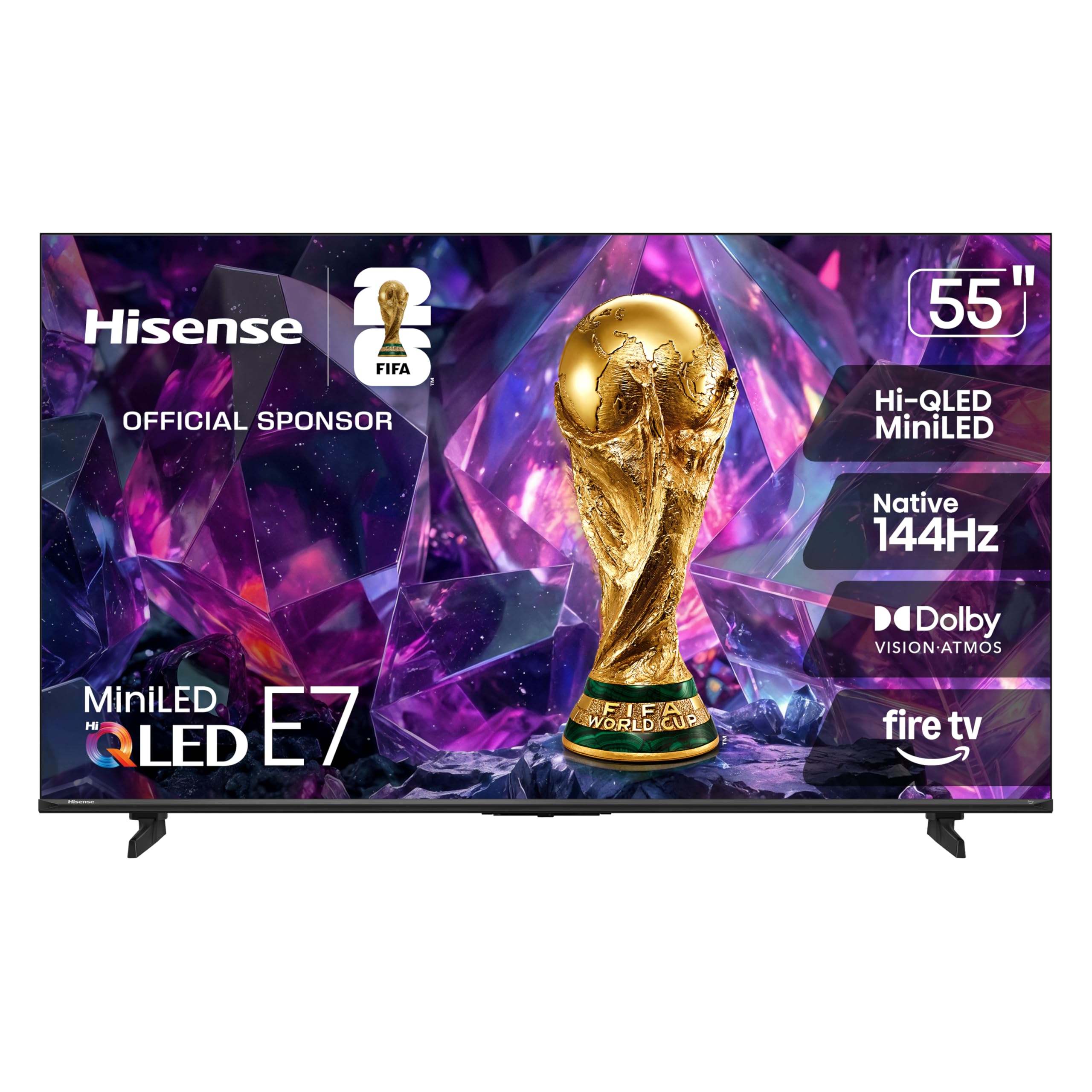
Mini-LED contrast and a native 144Hz panel that punches far above its tier.
This is the set that brings premium Mini-LED technology — thousands of precise light zones that deepen shadows and brighten highlights — into the budget conversation. The result, as owners describe it, is a picture with rich colors, deep blacks, and high detail that stays clear even during fast-paced action scenes. That’s the Hi-QLED Mini-LED backlight doing real work.
For gamers, the headline spec is the native 144Hz Game Mode, which keeps fast movement fluid and sharp while reducing blur. It’s the same refresh-rate territory as premium sets, at a noticeably friendlier price. Dolby Vision IQ and Dolby Atmos handle the cinematic side, and AI Picture automatically adjusts brightness, contrast, and color scene-by-scene so you don’t have to fiddle with settings. The AI Light Sensor even adapts to your room’s ambient light.
On the Fire TV side, owners find the OS simple and fast, and the Alexa remote with voice control is a genuine help — one visually impaired buyer called it a standout. There is a reliability flag in the data: some shoppers say Wi-Fi drops or remote pairing failures requiring resets. It’s a recurring theme, not a certainty — the 4.4-star average across 200+ ratings, led by praise for picture quality and smooth performance, shows a lot of happy buyers. But if you demand flawless software from the start, budget a little patience.
What wins people over
- Native 144Hz keeps gaming and live sports fluid and blur-free
- Mini-LED delivers deep blacks and bright highlights at a budget price
- Dolby Vision IQ and Dolby Atmos for a cinematic living-room feel
What to watch
- A share of owners hit Wi-Fi drops or remote pairing glitches
- Fire TV interface occasionally feels less snappy than Roku
5. TCL 55 Inch QM64L Series Mini LED QLED Fire TV
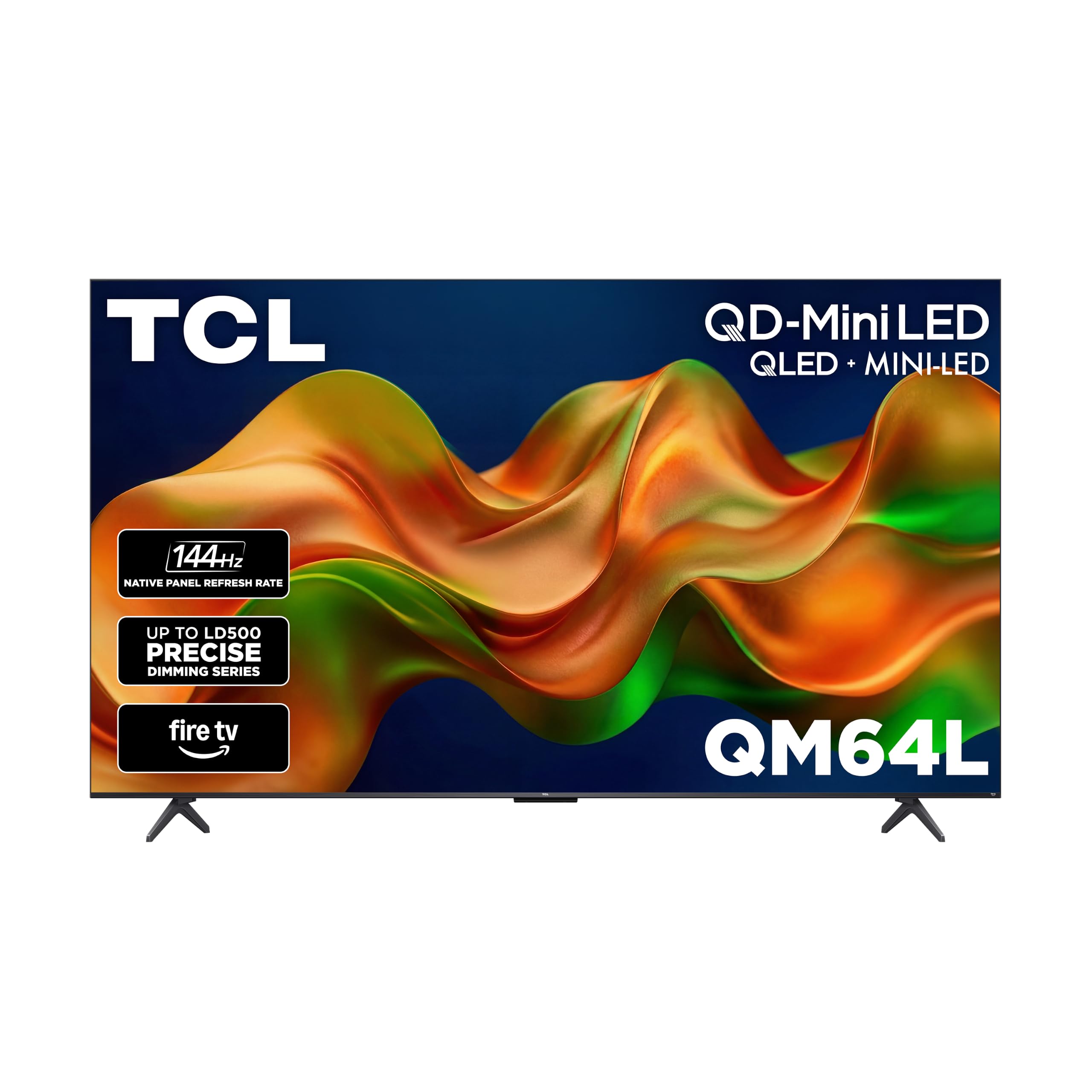
The set that shrugs off sunlight — a bright-room specialist that keeps its nerve.
This TCL is built around the TCL Halo Control System, a suite of technologies including a High Contrast HVA Panel and “High Brightness Pro” that keep the picture visible even in tough lighting. Owners confirm it: one bought it for a covered patio and found it bright enough to watch in full sunlight with the out-of-box settings. If your living room floods with daylight, this is the budget QLED that won’t wash out.
The QD-Mini LED panel with Local Dimming Pro dynamically adapts to on-screen content for deep blacks and strong contrast, and the Enhanced QLED uses more vibrant quantum crystals to reproduce nearly all the DCI-P3 Hollywood color standard. Fire TV gives you access to Prime Video, Netflix, Disney+, and more, plus free channels like Pluto TV and Tubi. The Alexa+ voice remote lets you search, control smart home devices, and see live camera feeds hands-free.
Owner feedback is split: buyers love the brightness, vibrant colors, and picture quality for gaming, but a notable share report units shutting down after about 2 minutes of playback. That reliability flag is real—the summary calls it “mixed feedback.” The 4.4-star average across 170+ ratings suggests most units are great, but test yours hard during the return window. For bright rooms, though, nothing else in this list handles sunlight like this one—it’s noticeably brighter than the Amazon Ember 65" Mini-LED in direct light.
Standout spec: High Brightness Pro and a High Contrast HVA Panel make this the clear pick for sun-drenched rooms and patios.
The honest flag: a small share of buyers report shutdowns after a couple of minutes — verify your unit early.
6. Samsung 55-Inch Neo QLED QN70F 4K Mini LED Smart TV

Samsung’s AI brains in a Mini LED body — the thinking-man’s budget QLED.
This is what you get when you step up to Samsung’s Neo QLED line: the NQ4 AI Gen2 Processor uses the power of 20 neural networks to upscale content to 4K and tune sound for everything you watch. Precision-controlled Mini LEDs deliver the sharp, accurate contrast that owners describe as deep blacks, bright highlights, and vibrant colors with minimal blooming. The AI-upscaling here is genuinely noticeable with HD content.
The motion side is serious: Motion Xcelerator delivers up to 4K 144Hz for VRR gaming, making it a strong choice for next-gen consoles. Samsung TV Plus throws in 2,700+ free channels, including 400+ premium ones, so you can cut the cord without losing the channel-surfing feel. Its 4.5-star average across 500+ ratings, led by praise for picture clarity and built-in sound, makes it the highest-rated pick.
The trade-offs are Samsung quirks rather than flaws. The rechargeable remote needs periodic charging, and some owners find the small volume controls fiddly. There’s mention that the sound excels without extra speakers, which is high praise in this category. If you want the polish of Samsung’s picture processing and a genuinely fast, bright panel without jumping to flagship pricing, this is the balance. pass on it if you need a set that never turns off unexpectedly—that shutdown issue is a real gamble.
The Samsung edge
- NQ4 AI Gen2 upscales HD content toward 4K using 20 neural networks
- Mini LED delivers deep blacks and bright highlights with minimal blooming
- Highest owner rating on this list at 4.5 stars
Setup notes
- Rechargeable remote needs periodic charging
- Small volume controls take getting used to
7. Samsung 65-Inch QLED 4K Q70C Series

A 65-inch Quantum HDR screen with gaming muscle for the big-screen lover.
This is the set for anyone who wants a large 65″ canvas with the color punch of Quantum Dot technology. The Quantum Processor upscales content to 4K, while Quantum HDR goes beyond standard formats to create deep blacks and impressive contrast. Samsung’s Dual LED backlights blend warm and cool tones for balanced color, and the 100% Color Volume with Quantum Dot means a billion shades of vivid, lifelike color at any brightness level.
Gamers get Motion Xcelerator Turbo+ with 4K at 120Hz, plus AMD FreeSync Premium Pro to cut tearing, stuttering, and lag. The AirSlim Design makes the set nearly blend into the wall, and the SolarCell Remote charges from light — no batteries to hunt for. Samsung Gaming Hub pulls console and streaming games into one place for easy access.
The long-term owner verdict is genuinely good: some report the TV “still looking great” two years in, praising the picture quality for shows, movies, and games. But there are real flags in the data: the display quality gets mixed feedback with a few reporting dark areas on screen, and a portion of owners saw failures within the first 16 months. The software also tends to slow down over time when apps aren’t closed. At this tier, the picture is the draw — just know the longevity is split.
The big-screen pick: 65 inches of Quantum HDR color and 120Hz gaming motion, wrapped in Samsung’s AirSlim frame.
Think twice if: longevity is your top worry — durability gets mixed owner feedback here.
8. Amazon Ember 65″ Mini-LED Series with Fire TV

Amazon’s flagship Mini-LED brute — raw brightness and dimming zones that punch up.
The Amazon Ember 65" Mini-LED sits at the top of the Fire TV line, and the numbers explain why. Its 4K QLED Mini-LED display (a screen with tiny LEDs for precise backlight control) delivers over a billion lifelike colors, Dolby Vision IQ (a format that adjusts HDR picture based on your room’s light), HDR10+ Adaptive (a similar dynamic HDR format), and up to 1,400 nits of peak brightness—that’s the kind of brightness that makes HDR highlights genuinely pop in a bright room. With 512 dimming zones, the Mini-LED backlight produces higher contrast and detail even in the smallest areas of the screen, so you’ll see more depth in dark scenes.
Gaming is a headline feature here: 144Hz that’s AMD FreeSync Premium Pro-certified, meaning tear-free, fluid motion during intense gameplay. The 2.1 Dolby Atmos audio system — 2 speakers plus a subwoofer — delivers room-filling sound with clear dialog and dramatic bass. The custom Omnisense technology wakes the display with built-in sensors when you walk in the room, showing artwork or ready to watch instantly. A privacy switch electronically disconnects the microphones.
But the owner experience is genuinely split. On the positive side, buyers call the picture “stunning” with deep blacks and bright HDR, and note the high refresh rate and low input lag make it great for gaming. On the other side, a meaningful share of owners mention software issues: an interface that gets laggy and slow after updates, apps that crash, and sound that continues after the TV is off. It’s a pattern the 4.0-star average across 680+ ratings reflects — brilliant hardware, sometimes frustrating software. If you’re patient with Fire TV or willing to use a streaming stick, the panel itself is exceptional.
The hardware high
- Up to 1,400 nits peak brightness and 512 dimming zones for deep contrast
- 144Hz with FreeSync Premium Pro certification for tear-free gaming
- 2.1 Dolby Atmos audio with real bass, no soundbar required
The software low
- Interface can get laggy after updates; apps occasionally crash
- Sound sometimes continues after the TV powers off
Understanding the Specs
Refresh Rate and Why It Matters
Refresh rate is how many times per second your TV redraws the image, measured in Hertz (Hz). A 60Hz panel updates 60 times a second, which is smooth for movies and TV shows since most content runs at 24 or 30 frames per second. Higher rates like 120Hz or 144Hz matter for fast-paced gaming and live sports, where quick camera pans can otherwise look blurry. The rule: budget for speed only if you’ll actually play games or watch lots of sports.
HDR Formats and Brightness
HDR, or High Dynamic Range, controls the contrast between the brightest highlights and the darkest shadows in a scene. QLED panels excel at brightness, which makes them great HDR performers. Dolby Vision and HDR10+ are the two premium HDR formats — Dolby Vision is common in streaming, HDR10+ in broadcast and some discs. Brightness is measured in nits; more nits means better visibility in bright rooms and more effective HDR. For budget sets, HDR support matters more than the nit count on a spec sheet.
Mini-LED vs Standard QLED
Standard QLED uses a single backlight layer that’s lit from behind the quantum-dot layer. Mini-LED takes that further by shrinking the LED lights so hundreds — or even thousands — can fit across the back of the panel. More, smaller lights mean the TV can dim specific zones independently, creating deeper blacks and brighter highlights in the same scene. It’s a real upgrade over plain QLED for contrast, and it’s increasingly affordable in budget territory.
Smart TV Platforms
The platform is the operating system that runs your apps — it’s what you’ll interact with every single night. Roku is known for its simple, fast interface that’s easy for anyone to navigate. Fire TV, from Amazon, leans into Alexa voice control and integrates deeply with Prime Video. Google TV does the same for Google Assistant and Chromecast. Samsung’s Tizen is clean but occasionally quirky. Pick the ecosystem that matches your existing habits and devices.
FAQ
Is QLED better than regular LED for a budget TV?
Do I need a 120Hz or 144Hz refresh rate on a budget QLED?
Is Mini-LED worth the extra cost on a budget QLED?
What is the difference between Dolby Vision and HDR10+?
Will a 55-inch budget QLED work well in a bright room?
Should I get a budget QLED or save up for an OLED?
How long should a budget QLED TV last?
Is Roku, Fire TV, or Google TV the best smart platform?
Do I need a soundbar with a budget QLED TV?
Final Thoughts: The Verdict
For the majority of shoppers, the best budget qled tv is the Roku 65-Inch Select Series because it delivers the biggest screen with the simplest, most loved smart platform at a price that’s hard to argue with. If you’re a gamer chasing high frame rates, grab the TCL 55″ T7 with its 144Hz gaming mode. And for a sun-drenched living room, the TCL QM64L is the one to reach for with its High Brightness Pro panel.
How We Picked
We do not accept paid placement. Every pick is matched to a real buyer and a real use-case; we do not hands-on test units.
Sources & Methodology
Specifications: manufacturer listings and product documentation. Review insights: verified customer reviews, as of August 2026. Pricing: not shown on this page (it changes often); check the current price via the retailer link.
As an Amazon Associate, FitlyFast earns from qualifying purchases. This does not affect which products we feature.