
Our readers keep the lights on and the weekend projects moving. As an Amazon Associate, I earn from qualifying purchases.
Specs are compiled from manufacturer listings and verified buyer reviews and can change over time — please confirm the key details on the product page before buying.
The hardest part of shopping for a budget television isn’t finding one — it’s trusting that a screen won’t leave you squinting at a washed-out picture with crackly speakers a month later. Today’s entry-level sets deliver sharp 4K resolution, smart platforms loaded with free streaming, and surprisingly punchy sound. This guide cuts through the spec-sheet noise to tell you exactly which sets are worth your money and which corners they cut to get there.
I’m Rikta — the founder and writer behind FitlyFast. This guide is built by comparing the manufacturers’ published specifications and the patterns across verified customer reviews, so you get each pick’s real strengths and trade-offs instead of marketing spin.
You’ll leave with a clear verdict on the budget-friendly tv that fits your room size, your streaming habits, and your tolerance for tinkering with settings.
Our Picks at a Glance


How To Choose The Best Budget-Friendly TV
Before you sort by price, sort by your room and your habits. A 43-inch set in a small bedroom beats a 55-inch model you have to sit too close to, and someone who only streams Netflix cares about different specs than a console gamer chasing low input lag.
Resolution: Full HD vs. 4K UHD
The cheapest sets still ship with 1080p Full HD resolution (1920 x 1080 pixels), which is perfectly watchable in small rooms. Step up a few dollars and 4K UHD (3840 x 2160) quadruples the pixel count, making text crisper and fast camera pans smoother. If you sit within about six feet of the screen, 4K is the upgrade you’ll actually notice.
Smart Platform: Your daily driver
The operating system is what you touch every time you turn the TV on. Roku is the favorite for its dead-simple menus and endless free channels. Fire TV (Amazon’s system) puts Alexa front and center and bundles well if you live in the Amazon ecosystem. Google TV shines at aggregating your subscriptions and recommending what to watch next. Pick the interface you find least annoying — you’ll live with it daily.
Panel Tech: LED, QLED, and Mini-LED
Standard LED is the budget baseline — fine for bright rooms. QLED adds a quantum-dot layer for richer, more saturated colors, often for just a little more money. Mini-LED, usually reserved for pricier sets, uses thousands of tiny backlights for deeper blacks and more precise contrast. For a genuinely budget pick, a good QLED is often the balance between price and pop.
Quick Comparison
| Model | Best For | Resolution | Smart Platform | Refresh Rate | Amazon |
|---|---|---|---|---|---|
| Westinghouse 43″ Roku TV★ Best Overall | Simple, budget-friendly 1080p viewing | 1080p FHD | Roku | — | Amazon |
| INSIGNIA 55″ F50 4K Fire TVBest Value | Big-screen 4K on a tight budget | 4K UHD | Fire TV | — | Amazon |
| TOSHIBA 43″ M450 QLEDBest Color | QLED color with Dolby Vision | 4K UHD | Fire TV | 60 Hz | Amazon |
| Roku 55″ Select Series QLED | Best Roku experience in a 55-inch QLED | 4K QLED | Roku | 60 Hz | Amazon |
| Westinghouse 50″ 4K Roku TV | Larger 4K screen with Roku simplicity | 4K UHD | Roku | — | Amazon |
| Samsung 55″ U8000H Crystal UHD | Brand-name reliability and upscaling | 4K UHD | Samsung Tizen | 60 Hz | Amazon |
| Samsung 55″ M70H Mini LED | Mini-LED contrast without flagship cost | 4K UHD | Samsung Tizen | 60 Hz (Motion Xcelerator + DLG 120Hz) | Amazon |
| TCL 43S435 4K Roku | Proven entry-level 4K with Roku | 4K UHD | Roku | 60 Hz | Amazon |
| TCL 55″ T7 QLED Google TV | Gamers wanting 120Hz and low lag | 4K QLED | Google TV | 120Hz panel | Amazon |
| Hisense 50″ E7 Mini-LED | Cinema-grade contrast at 144Hz | 4K UHD | Fire TV | 144Hz native | Amazon |
| Hisense 55″ A7 Google TV | Smart Google TV with wide color | 4K UHD | Google TV | 60 Hz | Amazon |
In‑Depth Reviews
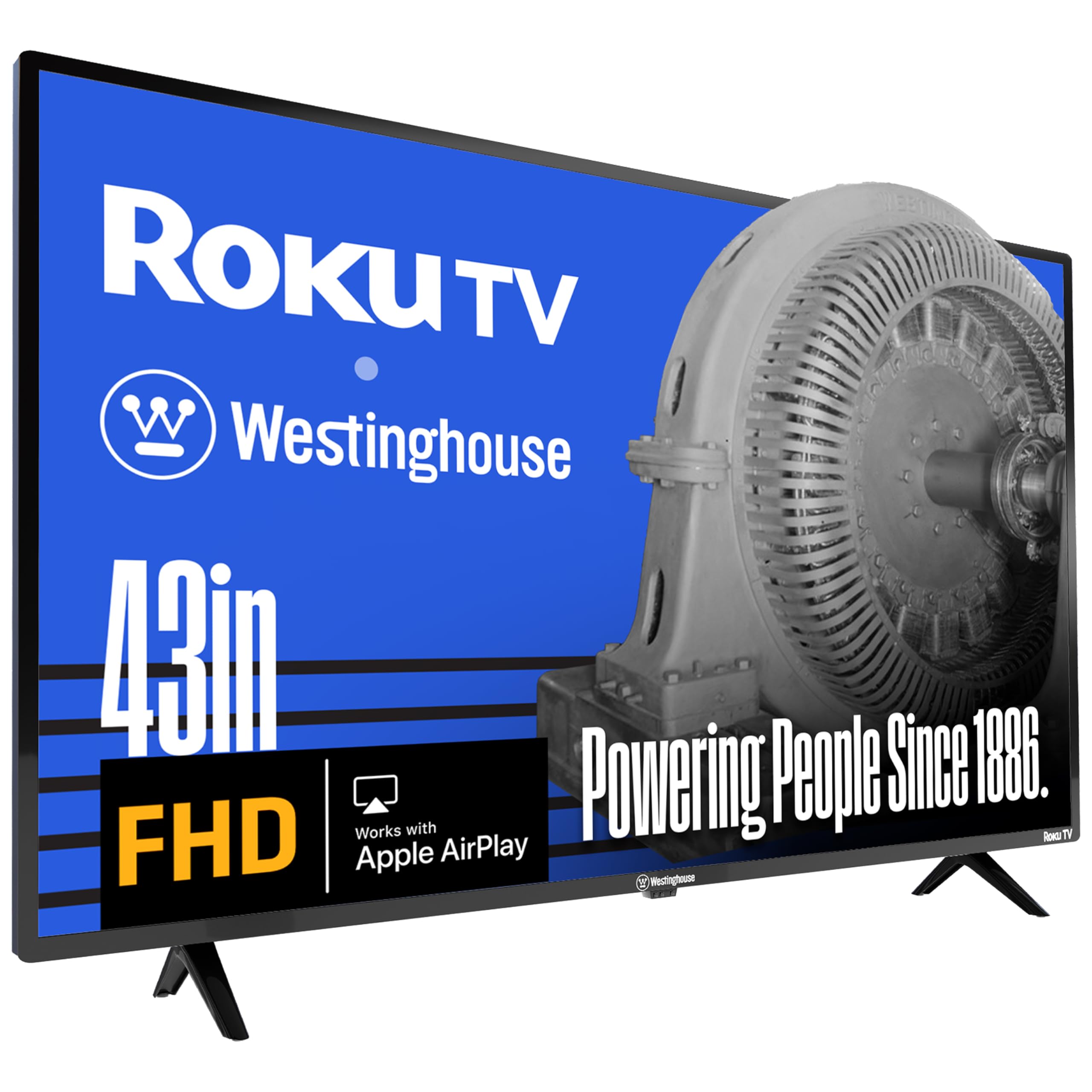
1. Westinghouse 43-Inch Roku TV
The pick for anyone who wants Roku’s famously simple interface without paying 4K prices.
This 43-inch flat screen runs 1080p resolution (1920 x 1080 pixels) — double the detail of traditional HD — which lands around 2 million pixels for a smoother, cleaner picture in a 16:9 shape. For bedrooms, dorms, or kitchen counters, that’s plenty of clarity, and buyers report the panel delivers a full-screen image that’s “easy to set up” and nice and light to move around.
What wins people over here is the whole package: owners praise the quality, the picture, and the value, with setup taking minutes and the Roku platform offers 350+ free live TV channels and thousands of apps. like Netflix, Prime Video, and Disney+ one click away. It also plays nice with your smart home — you can command it with Alexa, Google Assistant, or Siri, and cast from your phone using the Roku Mobile App or Apple AirPlay 2. Connectivity is generous for the price, with 3 HDMI inputs, a composite video port, and an optical digital audio output for hooking up a sound bar or game console.
The honest trade-off is in the audio: some owners find the sound quality thin and a few report reliability hiccups, so it’s worth treating the built-in speakers as a starting point.
What earns its keep
- Roku’s dead-simple interface with 350+ free channels built in
- Compatible with Alexa, Google Assistant, and Apple HomeKit
- 3 HDMI ports plus optical audio for connecting all your gear
Where it cuts corners
- Only 1080p — not 4K, so sit closer for best detail
- Sound quality gets mixed reviews; a sound bar helps a lot
Reach for this if: you want the least-friction smart TV experience for a smaller room and don’t need 4K.
Look elsewhere if: you sit far from the screen or want the sharpest modern detail — a 4K panel will serve you better.
2. INSIGNIA 55-inch F50 Series 4K Fire TV
The crowd’s giant-screen 4K bargain, with a 55-inch panel at a price that feels like a typo.
This is the set that dominates the budget conversation for one simple reason: you get a full 55 inches of 4K Ultra HD (2160p resolution) — four times the pixels of Full HD — plus HDR10 for brighter whites and deeper blacks. For a small apartment or a living room on a budget, owners call the clarity “excellent” and the quality for the price a “great deal.”
The picture quality is the thing everyone raves about here, and the Fire TV platform is the glue — it pulls in apps like Prime Video, Netflix, Disney+, and Hulu, plus free channels like Pluto TV and Tubi, with access to over 1 million free movies and episodes.. The included Alexa Voice Remote handles the searching for you. Sound gets a boost from DTS Virtual:X, which fakes a three-dimensional audio field from the built-in speakers, and HDMI eARC lets you pass full-resolution audio to a sound bar. Three HDMI ports, a USB port, and Ethernet round out the connections.
The catch is reliability: a chunk of owners mention issues down the line, though the sheer number of happy buyers dwarfs the complaints. This 55-inch set leads with raw value — more screen for less money than nearly anything else in this guide.
The upside
- 55-inch 4K panel with HDR10 for under a typical mid-range price
- DTS Virtual-X sound from the built-in speakers
- Access to 1 million+ free movies and shows
The trade-off
- Long-term reliability is a mixed bag across owner reports
- Sound quality gets mixed feedback — plan for a sound bar
Who it’s for: families and apartment-dwellers who want maximum screen size for the least cash.
Think twice if: you demand the most dependable hardware — a pricier brand set may last longer.
3. TOSHIBA 43″ M450 Series QLED Fire TV
A 43-inch QLED panel that brings Dolby Vision and Atmos movie-night magic to the budget aisle.
For the price, the M450 packs serious picture tech: REGZA QLED Color delivers rich, lifelike hues, and the REGZA Engine ZR processor (an AI chip tuned by Toshiba’s picture experts) analyzes each frame to boost clarity. It supports both Dolby Vision and HDR10+ — two of the most common high-dynamic-range formats — so streaming movies look punchier than on a plain LED set.
Owners consistently call the picture crisp and clear with good sound and easy setup, and the Fire TV brain (with Alexa voice control) makes finding content painless. Game Mode adds ALLM (Auto Low Latency Mode) and VRR (Variable Refresh Rate) to keep console play smooth, while the 60Hz refresh rate handles standard TV without drama. Sound comes from dual “clear direct speakers” tuned by REGZA Power Audio, and Dolby Atmos support adds a sense of height to the audio stage.
The recurring advice from owners: change the factory “energy saving” picture mode, which ships dim and dull. One crisp tip — adjust the settings on day one and the QLED vibrancy arrives. The main caveat is input variety: it’s light on analog connections, so plan around HDMI for everything.
What stands out
- QLED color with both Dolby Vision and HDR10+ support
- Gaming features: ALLM, VRR, and eARC in Game Mode
- REGZA Engine ZR AI processing for cleaner images
What to know
- Factory picture mode looks dull until you tweak the settings
- Minimal analog inputs — HDMI is the main path
Pick it for: movie lovers who want HDR pop and Dolby Atmos without a premium price tag.
Pass on it if: you need lots of legacy ports for old AV gear.
4. Roku 55-Inch Select Series QLED

A 55-inch QLED with Roku’s top-tier OS, and a Bluetooth headphone trick late-night viewers will love.
Roku built this Select Series to be the easiest large-screen TV you’ll own, and the reviews back it up: setup takes minutes, the home screen stays uncluttered, and owners rave about the “stunning” color and contrast on the 4K QLED panel with HDR10. One person even swapped out a problematic smart TV for this one and called it faster with zero issues.
The 60Hz panel handles standard streaming beautifully, and Roku’s Smart Picture cleans up incoming TV signals automatically so even older content looks its best. What really sets this apart is Bluetooth Headphone Mode — pair any wireless headphones and listen without waking the house. The enhanced voice remote adds a lost-remote finder (no more flipping couch cushions) and personal shortcuts for your favorite apps. It plays nicely with Apple AirPlay, so you can beam content from your iPhone in seconds.
Owners describe the sound as clear and loud enough to skip a sound bar, and the frameless design looks more expensive than it is. The trade-off? It’s a 60Hz panel, so hardcore gamers will want the pricier 120Hz sets — but for everything else, this is the most polished Roku experience in the guide.
Why it shines
- Bluetooth Headphone Mode for private late-night listening
- Lost-remote finder on the voice remote
- Fast, intuitive Roku OS with personalized picks
The trade-off
- 60Hz refresh — not ideal for competitive gaming
- Long-term durability is still an open question for owners
Grab this if: you want the smoothest Roku experience and private headphone listening in a 55-inch QLED.
Skip it for: serious console gaming where a 120Hz panel matters more.
5. Westinghouse 50-Inch 4K Roku TV
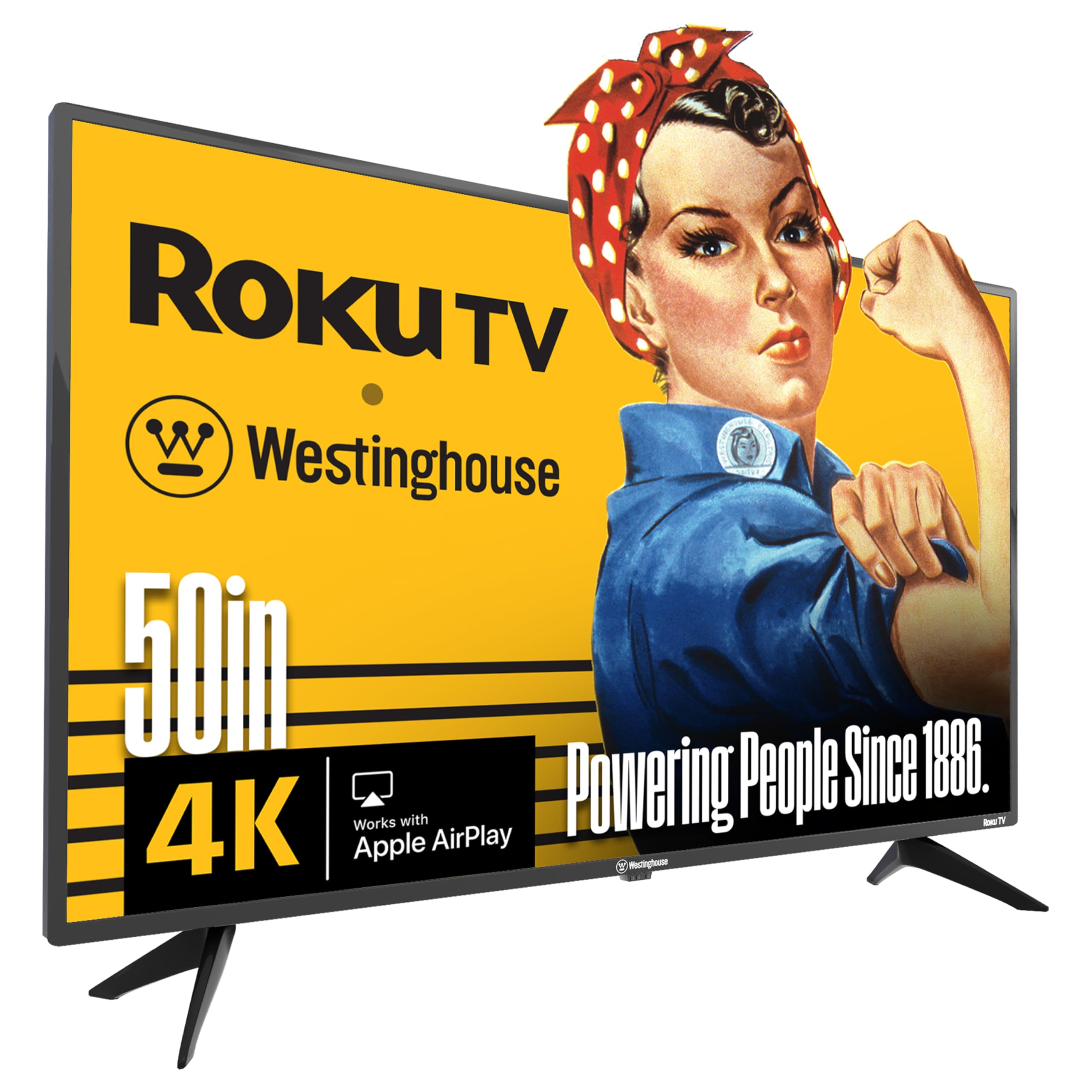
A bigger 50-inch 4K canvas with the same Roku ease as our top pick, for a modest step up in price.
This is the Westinghouse formula from the 43-inch model, scaled up: same Roku platform with 350+ free live channels and thousands of apps, same Alexa/Google Assistant/Siri compatibility, same Apple AirPlay 2 casting — but now on a 50-inch 4K UHD panel that packs four times the pixels of a traditional HD TV. HDR expands the contrast, so brights get brighter and darks get darker.
The early reviews are glowing: a month in, customers note a sharp picture on HD, UHD, and 4K content, an adjustable equalizer for the built-in sound, and working antenna broadcast reception for free local channels.
The two honest gripes: some owners find the built-in sound just okay, and there are scattered reports of screens breaking within two years — so a wall mount or a stable stand is worth the money. For a main living-room set on a budget, the size-to-price ratio here is genuinely tough to top.
The strong points
- 50-inch 4K with HDR for brighter, deeper contrast
- 4 HDMI ports — the most flexible connectivity in its tier
- Roku’s free live TV and easy casting via AirPlay 2
The bumps
- Sound quality gets mixed marks from owners
- Screen durability has occasional negative reports within two years
Choose it for: a bright, large living-room screen with room to connect every device you own.
Consider a step up if: built-in audio quality is a top priority for you.
6. Samsung 55-Inch U8000H Crystal UHD

A trusted name brand that upscales everything you watch to crisp 4K, with 2,700+ free channels on tap.
When the budget gets tight, many buyers still want the Samsung badge — and the U8000H earns it. The Crystal Processor 4K powers two tricks that matter daily: it sharpens colors and details for a vibrant 4K picture, and its 4K Upscaling upgrades lower-quality sources so old shows and YouTube clips look noticeably crisper. Owners describe the picture as “breathtaking” and the setup as painless.
For sports and gaming, Motion Xcelerator smooths fast scene transitions at up to 4K 60Hz, and Color Booster pumps up the saturation for fiery reds and deep blues. The free-content story is strong: Samsung TV Plus offers 2,700+ free streaming options, including 750+ subscription-free channels. covering news, sports, and movies. Sound quality earns praise as “superb” for a built-in system, and the slim-bezel design looks sleek on any stand.
The friction point is the remote — a recurring complaint among owners who find it under-buttoned and awkward for scrolling. Connectivity is also mixed, with some reporting hiccups pairing Apple TV. If you can live with the remote, this is the safest brand-name bet in the budget tier.
The highlights
- Crystal Processor 4K upscales lower-res content to near-4K
- 2,700+ free streaming options with no subscription
- Motion Xcelerator for smooth sports and gaming
The drawbacks
- Remote control gets frequent owner complaints
- Connectivity with some devices (like Apple TV) is mixed
Ideal for: buyers who want a trusted brand and automatic picture upgrades for all their old content.
Be prepared for: a minimalist remote that takes getting used to.
7. Samsung 55-Inch M70H Mini LED

Mini-LED precision brings flagship-level blacks and highlights to a set that still respects a budget.
This is the step-up Samsung for people who notice the difference between good contrast and great contrast. The Mini LED Processor 4K uses thousands of tiny backlights to deliver brighter highlights and deeper blacks, and Supreme Mini LED Dimming refines that control further. Pure Spectrum Color renders one billion true-to-life colors for vivid, accurate hues. — and owners confirm the panel renders rich reds, deep blues, and vibrant greens with serious punch.
The 60Hz panel gets a boost from Motion Xcelerator + DLG 120Hz for gaming and sports, so fast action stays fluid and sharp. The Gaming Hub pulls your consoles, cloud services, and gaming apps into one place with personalized recommendations. Sound quality earns positive owner feedback, and the Titan Black finish looks premium on a stand. For sports fans, Soccer Mode claims 40% clearer motion and 30% more vibrant greens for sports viewing.
The weak spot is the same as the U8000H: the remote earns genuine frustration from owners who miss HDMI switching and input memory. A few also note the interface can feel sluggish. If you can pair this with a better remote or a streaming box, you’re getting Mini-LED performance at a fraction of flagship cost.
What impresses
- Mini-LED backlighting for deep blacks and bright highlights
- One billion colors via Pure Spectrum Color
- Gaming Hub plus Motion Xcelerator + DLG 120Hz
What frustrates
- Remote control is a recurring owner complaint
- Only 3 HDMI ports — plan your connections
Worth it for: contrast enthusiasts and sports fans who want Mini-LED quality on a budget.
Give it a miss if: you need many HDMI ports or rely heavily on the included remote.
8. TCL 43S435 4K Roku TV

The classic entry-level 4K Roku TV that thousands trust as their first step into ultra HD.
Over 500,000 movies and TV episodes are accessible through the simple Roku interface., the 43S435 has become the default starter 4K TV for good reason. The 3840 x 2160 panel resolution (that’s 4K UHD) pairs with High Dynamic Range (HDR) for lifelike color and contrast, and owners describe the picture as “crisp” — one even bought two of them. Setup takes about 15 minutes, and the Roku platform needs no hidden fees or payments.
The port selection is a highlight: 3 HDMI 2.0 inputs (one with HDMI ARC for sound bars), a USB media player port, RF input, composite, a headphone jack, and optical audio out. Voice control works with Amazon Alexa and Google Assistant. The 200mm x 200mm VESA pattern makes wall mounting straightforward, and the direct-lit LED keeps the price low. It draws just 75 kWh annually, keeping energy costs low.
The honest limitations: no Bluetooth, no voice remote, and dark scenes can look too dark for some owners. Reliability is a mixed bag over the long haul, though the sheer volume of satisfied buyers tells the real story. For a first 4K TV, this is the safe, proven choice.
Solid ground
- 4K UHD with HDR at a genuine entry-level price
- 3 HDMI ports with ARC for easy sound bar hookup
- Low energy draw at 75 kWh annually
Known limits
- No Bluetooth and no voice remote included
- Dark scenes can appear too dark without tweaks
Start here if: you’re new to 4K and want the most-trusted budget Roku experience.
Move up if: Bluetooth audio or voice control are must-haves for you.
9. TCL 55″ T7 QLED Google TV

A QLED gamer’s dream with a 120Hz panel and 4 HDMI ports, without the flagship markup.
If gaming is your primary hobby, this TCL rewrites the budget rulebook. The 120Hz panel refresh rate (listed as a 144Hz gaming TV in the product name) delivers ultra-smooth motion in fast games and live sports, and Motion Rate 480 with MEMC frame insertion works to eliminate blur. The QLED panel covers nearly the entire DCI-P3 color space — the standard used in film production — so colors look rich and accurate. Owners gaming on a PC and PS5 report “no lag or blur.”
The TCL AIPQ Pro Processor tune color, contrast, and clarity for a 4K HDR experience, and HDR PRO+ supports Dolby Vision, HDR10+, HDR10, and HLG — essentially every major HDR format. Dolby Atmos audio adds spatial depth, and the 4 HDMI inputs (one with eARC) give you room for a console, sound bar, and more. Google TV ties it all together with hands-free voice control, built-in Chromecast, and Apple AirPlay 2 for easy phone casting.
Owners call the picture “stunning” and the sound superior to past TVs. The trade-offs: some report the TV occasionally shuts off randomly, and USB connectivity has a few complaints. For gamers who want low lag and high refresh without spending flagship money, this is the one.
Game-ready
- 120Hz panel with MEMC for blur-free motion
- Full HDR suite: Dolby Vision, HDR10+, HDR10, HLG
- 4 HDMI inputs including one with eARC
Watch for
- Occasional random shutdowns reported by owners
- USB connectivity has scattered complaints
Buy it for: console and PC gamers who want 120Hz smoothness and rich QLED color.
Pick something else if: you only stream TV and don’t need the high refresh rate.
10. Hisense 50″ E7 Cinema Series Mini-LED

Mini-LED depth and a native 144Hz panel make this the budget set that punches far above its price.
The E7 is the spec-sheet monster of this list. Its Mini-LED backlighting uses thousands of precise light zones to reveal deeper shadows and brighter highlights — Hollywood-level contrast that owners describe as “deep blacks, high detail.” The native 144Hz Game Mode keeps fast movement fluid and sharp, reducing blur during gameplay and live sports, so rapid camera cuts in shows stay easy to follow.
Dolby Vision IQ adapts HDR to your room’s lighting, while Dolby Atmos fills the space with rich sound. The AI Picture processor analyzes content scene by scene and adjusts brightness, contrast, and color in real time — no manual fiddling. AI Sports Mode automatically boosts motion smoothness and crowd audio when it detects sports, and Filmmaker Mode preserves the director’s original framing and colors.
Owners call it “perfect for movies and gaming,” praising the rich colors and slick Fire TV interface. The one sour note is quality control: a small number report Wi-Fi drops and remote pairing failures. But for the price, the combination of Mini-LED, 144Hz, and AI processing is a genuine bargain for enthusiasts.
The firepower
- Mini-LED with thousands of light zones for deep contrast
- Native 144Hz refresh for ultra-smooth gaming
- Dolby Vision IQ plus Dolby Atmos for cinema sound
The risk
- Quality control issues reported by a minority of owners
- Wi-Fi stability has occasional complaints
Perfect for: cinephiles and gamers who want Mini-LED depth and 144Hz speed without flagship prices.
Proceed with care if: you’ve had bad luck with budget electronics in the past.
11. Hisense 55″ A7 Series Google TV

A wide-color 55-inch Google TV that brings Chromecast and DTS Virtual:X sound to the budget crowd.
This Hisense A7 leans into color: special phosphor technology expands the color spectrum beyond a regular LED TV, delivering more brilliant and truer hues. The 4K AI Upscaler works hard on classic movies, home videos, and broadcast TV — sharpening details and reconstructing textures so older content approaches 4K quality. Owners rave about the crisp, clear 4K resolution and amazing contrast.
Google TV organizes all your streaming apps and subscriptions into one interface with recommendations based on your interests, and Chromecast is built in so you can beam content from your phone in seconds. DTS Virtual:X simulates “rear” and “height” channels for a surround-like sound field without extra speakers — owners call the built-in audio “magnificent” and “clear and powerful.” Game Mode Plus bundles a 60Hz panel, variable refresh rate, and auto low latency mode for next-gen consoles.
The catch: reliability is mixed, with some owners reporting the set stopped working after three months and others enjoying two years of flawless service. The Google TV operating system also draws complaints for occasional sluggishness. If you get a good unit, this is a feature-packed 55-inch for the money.
What you get
- Wide color gamut for truer, more brilliant hues
- DTS Virtual:X simulated surround sound
- Built-in Chromecast and Google TV aggregation
What to weigh
- Reliability reports are genuinely split
- Google TV interface can feel slow at times
Choose it for: a feature-dense 55-inch Google TV with great color and simulated surround.
Look for a warranty if: long-term reliability is your biggest concern.
Understanding the Specs
4K UHD Resolution
4K UHD means the screen has 3840 x 2160 pixels — roughly four times the detail of a 1080p Full HD panel. You’ll notice the difference in crisp text, detailed landscapes, and smoother edges on large screens. For a 55-inch TV, 4K is the standard worth buying; for a small 32-inch bedroom set, 1080p may be plenty.
Refresh Rate (Hz)
The refresh rate tells you how many times per second the TV redraws the image — 60Hz means 60 times, 120Hz means 120. Higher numbers mean smoother motion in fast scenes and gaming. Budget sets usually ship at 60Hz, which is fine for TV and streaming; gamers and sports fans should consider a 120Hz panel.
HDR (High Dynamic Range)
HDR expands the range between the brightest whites and the darkest blacks, adding detail in shadows and highlights. Formats like HDR10, HDR10+, and Dolby Vision each handle this differently. If you stream movies, HDR support — especially Dolby Vision — makes a visible difference in picture depth.
QLED vs. Mini-LED
QLED uses a quantum-dot layer to produce richer, more saturated colors than standard LED. Mini-LED refines the backlight into thousands of small zones, giving better control over contrast — deeper blacks and brighter highlights. QLED brightens color; Mini-LED sharpens contrast; the best budget sets use one or the other.
FAQ
Is 4K worth it on a budget TV, or should I stick with 1080p?
Which smart TV platform is easiest for a non-tech-savvy person?
Do budget TVs work well for gaming?
Can I mount these TVs on the wall?
How many HDMI ports do I really need on a budget TV?
Is the built-in sound on budget TVs good enough, or do I need a sound bar?
Will my antenna get free local channels on these TVs?
What does HDMI ARC or eARC mean, and why should I care?
Are QLED budget TVs actually better than regular LED ones?
How long should a budget TV last before it needs replacing?
Final Thoughts: The Verdict
For most people, the budget-friendly tv winner is the Westinghouse 43-inch Roku TV because it nails the two things that matter most on a budget — an easy smart experience and a picture that looks great for the money. If you want a big 4K screen for your living room, grab the INSIGNIA 55-inch F50, the value king of this list. And for gamers chasing smooth motion and rich color, the TCL 55″ T7 QLED is the one to reach for while staying affordable.
How We Picked
We do not accept paid placement. Every pick is matched to a real buyer and a real use-case; we do not hands-on test units.
Sources & Methodology
Specifications: manufacturer listings and product documentation. Review insights: verified customer reviews, as of August 2026. Pricing: not shown on this page (it changes often); check the current price via the retailer link.
As an Amazon Associate, FitlyFast earns from qualifying purchases. This does not affect which products we feature.