
Our readers keep the lights on and the weekend projects moving. As an Amazon Associate, I earn from qualifying purchases.
Specs are compiled from manufacturer listings and verified buyer reviews and can change over time — please confirm the key details on the product page before buying.
Editing raw photo files on a tight budget is a battle between two forces: the processor that must crunch every adjustment and the RAM that holds your entire project at once. The machines that win that battle for you are refurbished business desktops and modern mini PCs, not shiny new towers that blow the budget. This guide separates the ones that genuinely handle layers, masks, and 4K exports from the ones that will make you watch a loading spinner all night.
I’m Rikta — the founder and writer behind FitlyFast. This guide is built by comparing the manufacturers’ published specifications and the patterns across verified customer reviews, so you get each pick’s real strengths and trade-offs instead of marketing spin.
Your budget computer for photo editing needs at least 32GB of RAM and a fast solid-state drive to keep Photoshop responsive on large files.
Our Picks at a Glance



How To Choose The Best Budget Computer For Photo Editing
Shopping for an editing rig on a budget forces you to prioritize. You want the machine that keeps your brush strokes lag-free and your history states plentiful, without spending new-PC money. Here is exactly where to put your cash.
RAM Is Non-Negotiable At 32GB
Photo editing software like Photoshop is a memory hog. A 32GB DDR4 system lets you keep a dozen high-resolution layers open while your browser sits in the background. Dropping to 16GB means you will close applications to avoid slowdowns on large projects.
An SSD Transforms Your Workflow
The difference between a mechanical hard drive and a solid-state drive (SSD) is night and day. An SSD makes your computer boot in minutes instead of crawling, and it loads your catalog of images almost instantly. Storage size matters too — a 1TB SSD holds a massive library of raw files.
Processor Cores And Speed
Filters and export tasks use every core they can find. A modern six-core or eight-core processor handles these jobs far better than an old dual-core. Look for boost speeds near 4.6GHz for snappy preview rendering when you zoom and pan.
Quick Comparison
| Model | Best For | Processor | RAM | Storage | Amazon |
|---|---|---|---|---|---|
| Dell Optiplex 7050 SFF★ Best Overall | Overall value | i7-7700 (3.60 GHz) | 32GB DDR4 | 1TB SSD | Amazon |
| Dell Optiplex 5060Top Performer | Hexa-core power | i7 (3.4 GHz) | 32GB DDR4 | 1TB SSD | Amazon |
| HP ProDesk 600G4 TowerExpandable Pick | Full-size expansion | i7-8700 (3.4 GHz) | 32GB DDR4 | 1TB SSD | Amazon |
| Beelink SER5 MAX | Compact desk setup | Ryzen 7 7735U (2.7GHz) | 16GB LPDDR5 | 500GB NVMe | Amazon |
| BOSGAME P3 Mix | Modern efficiency | Ryzen 5 7640HS (5.0 GHz) | 32GB DDR5 | 1TB PCIe SSD | Amazon |
| BOSGAME P6 | 8-core multitasking | Ryzen 9 6900HX (4.9GHz) | 24GB LPDDR5X | 1TB PCIe4.0 SSD | Amazon |
| Getorli Mini PC | Quad-display editing | Ryzen 7 8745HS (4.9GHz) | 16GB DDR5 | 1TB PCIe 4.0 SSD | Amazon |
| GEEKOM A6 | Premium build quality | Ryzen 7 6800H (4.7 GHz) | 32GB DDR5 | 1TB PCIe 4.0 SSD | Amazon |
| GEEKOM GT13 MAX | 8K video editing | Intel Ultra 9 185H | 16GB DDR5 | 1TB SSD | Amazon |
| HP Pro Tower 290 G9 | New warranty coverage | i5-12500 (4.6GHz) | 16GB DDR4 | 512GB SSD | Amazon |
| STGAubron Gaming PC | Dedicated GPU | Core i7 (3.9G) | 32GB RAM | 1TB SSD | Amazon |
In‑Depth Reviews
1. Dell Optiplex 7050 SFF Desktop PC
The small-footprint desktop that stuffs 32GB of RAM into a space-saving chassis.
Picture a photo editing workspace that doesn’t devour your entire desk. This renewed Dell uses a Small Form Factor (SFF) case that hugs your monitor’s side, yet it runs a quad-core Intel Core i7-7700 at 3.60GHz. That processor, paired with a full 32GB of DDR4 RAM, handles layered compositions and raw-file adjustments without the sluggishness that plagues lesser machines.
Storage comes from a 1TB Solid State Drive (SSD) — a fast storage chip that boots Windows 11 Pro in seconds and loads your image library without the old hard-drive grinding. Buyers report the operating system installs in half an hour, and the machine runs fast afterward. The included wired keyboard and mouse, plus wireless USB WiFi, mean you can start editing the moment it arrives.
The crowd favorite here — 4 stars across 700+ ratings — shows most buyers feel they got a lot for the money. The honest caveat is the small case: it needs a shelf spot rather than a floor position, and airflow is limited by design. An occasional unit arrives with a dead DVD drive, though the vendor usually makes it right.
Why editors pick this
- 32GB RAM keeps heavy layers and history states flowing
- 1TB SSD offers fast boot and room for a big catalog
- Dual monitor support via HDMI and DisplayPort
Watch out for
- Small form factor means limited room for future upgrades
- Integrated graphics lack dedicated GPU power for heavy filters
Grab this if: you want the most editing muscle per dollar in a compact desk footprint.
Look elsewhere if: you plan to add a full-size graphics card later — the chassis is too tight.
2. Dell Optiplex 5060 Desktop Computer
The hexa-core workhorse that boots in about a minute, not fifteen.
This Dell jumps a generation ahead of the 7050 with its 8th Generation Hexa-Core Intel i7 processor. Six physical cores mean export tasks and filter renders spread across more workers, cutting the wait for batch processing. Owners mention the boot time is a revelation — roughly 1-2 minutes compared to the 10-15 minutes they were used to.
It matches the 32GB DDR4 RAM and 1TB SSD standard of our top pick, and adds modern ports that photographers appreciate. You get USB 3.0 x5, USB 2.0 x4, a single USB Type-C port, and dual DisplayPort outputs for a crisp dual-monitor editing setup. The 4K support (3840×2160) is a major upgrade for reviewing fine details in high-resolution images.
What wins people over is the out-of-box experience: it runs glitch-free and needs no upgrades to start editing. The reliability feedback is mixed, though — most units run extremely well, while a few arrive DOA. Owners also note the small case restricts airflow, so keep it somewhere cool and clean.
Editor’s take: The hexa-core i7 gives this a real performance edge over quad-core rivals for the same money.
Fair warning: It weighs 12 pounds and runs warm — give it breathing room.
Choose this one when: your workflow involves heavy batch exports that punish fewer cores.
Skip it for: a silent, cool-running workspace — the compact case runs warm under load.
3. HP ProDesk 600G4 Tower Desktop Computer
The full-size tower that leaves room to grow your editing rig over time.
Unlike the compact SFF options, this HP uses a full-size tower chassis. That extra space matters if you foresee adding internal drives or a dedicated graphics card. Inside sits another 8th Generation Hexa-Core Intel i7-8700 with 32GB DDR4 RAM and a 1TB SSD, so the core editing experience matches our top two picks.
It runs fast and quiet. Buyers describe it as fast and snappy, with Windows 11 running intuitively. The port selection is generous: USB 3.0 x6, USB 2.0 x4, one USB Type-C, and dual DisplayPorts. Note that the rear panel uses DisplayPort rather than HDMI, so you may need a DisplayPort-to-HDMI adapter for older monitors.
The trade-off is in the refurbishing lottery. While the majority find it an impressive machine, a couple of customers note units that shut down permanently after 45-60 minutes with loud PSU noise and won’t restart. This is the risk of any renewed purchase — check the warranty coverage and be ready to test it thoroughly in the first week.
The upside of a tower
- Full-size case allows easy internal upgrades
- 6x USB 3.0 ports handle all your card readers and drives
- Includes a built-in DVD drive
The refurb reality
- Rear ports are DisplayPort, not HDMI — adapter may be needed
- An occasional unit arrives with serious hardware faults
Best for: editors who want expansion room and a built-in optical drive.
Consider alternatives if: you want plug-and-play HDMI without buying adapters.
4. Beelink SER5 MAX Mini PC

A palm-sized PC that drives three 4K monitors for a multi-screen editing layout.
For editors with limited desk space, this mini PC is a revelation. It runs an AMD Ryzen 7 7735U with 8 cores and 16 threads, boosting up to 4.75GHz. The integrated AMD Radeon 680M graphics (12 cores at 2200MHz) can drive a triple display setup — via Type-C, HDMI, and DP — letting you keep your canvas, layers panel, and reference images all visible at once.
It ships with 16GB of LPDDR5 RAM and a 500GB M.2 SSD. That is enough RAM for light to moderate editing, but you may feel the limit on very large projects. The storage expansion is a strong point: an additional M.2 PCIe 4.0 slot supports up to 4TB more, so your library can grow.
Performance earns the most praise from owners, who find it fast and quiet. The reliability picture is mixed — some units work flawlessly while others suffer random shutdowns. The preinstalled Windows 11 Pro license has also been flagged in a few cases as needing updates to activate fully.
Compact perk: It slips behind a monitor on a VESA mount, erasing the tower entirely.
Reality check: 16GB RAM is the floor for serious editing — know your project sizes.
Reach for it if: a tiny desk footprint and triple 4K monitors are your priority.
Think twice if: you rely on the preinstalled Windows license working perfectly from day one.
5. BOSGAME P3 Mix Mini PC
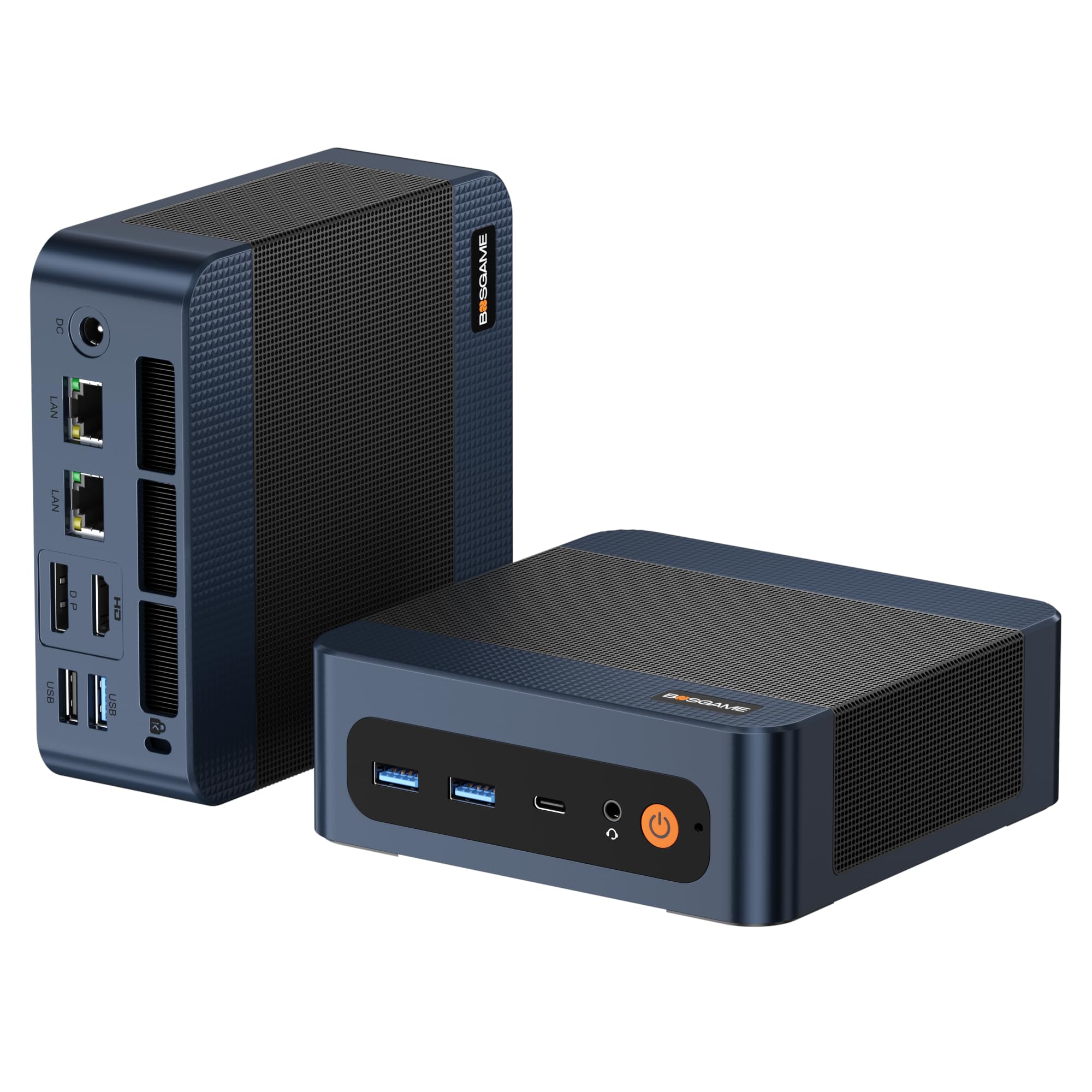
Modern DDR5 memory and a 5.0 GHz boost speed pack serious editing punch.
This mini PC brings newer technology to the budget tier. The AMD Ryzen 5 7640HS boosts up to 5.0 GHz, and its integrated Radeon 760M graphics handle 4K video editing and rendering tasks. It pairs a full 32GB of DDR5 4800MHz RAM with a 1TB PCIe 4.0 SSD, giving you the memory headroom editors need plus fast storage.
Connectivity is a highlight, with dual 2.5G LAN ports, Wi-Fi 6E, and Bluetooth 5.2. The triple display support via HDMI 2.0, DP, and USB4 means you can build a rich multi-monitor workspace. The USB4 port also allows for future expansion, like connecting an external GPU if your needs grow.
Owners rave about the quiet operation and compact size, calling it a great value that handles heavy browsing and streaming flawlessly. The biggest recurring gripe involves the preinstalled Windows, which some found made simple tasks sluggish — a few switched to Linux and saw huge improvements. An occasional unit stops working after two months, so test yours hard early.
Modern advantages
- 32GB DDR5 RAM is fast and future-proof
- Dual 2.5G LAN ports for a fast, stable network
- USB4 port opens the door to external GPUs
Owner frustrations
- Preinstalled Windows can feel laggy — some reformat
- Reliability varies from perfect to failing after two months
Best for: editors wanting the newest memory tech and a fast network connection.
Beware if: you expect the factory Windows install to be flawless from the start.
6. BOSGAME P6 Ryzen 9 6900HX Mini PC

An 8-core Ryzen 9 that quietly handles Photoshop and a triple 4K monitor setup.
This is the performance king of the mini PCs here. The AMD Ryzen 9 6900HX brings 8 cores and 16 threads, boosting to 4.9GHz. That raw power translates directly to smooth 1080p video editing and easy photo editing, with the integrated Radeon 680M graphics driving three 4K displays simultaneously via HDMI, DisplayPort, and USB-C.
Memory is 24GB of fast LPDDR5X RAM at 4800MT/s, paired with a 1TB M.2 NVMe PCIe 4.0 SSD that boots instantly. Storage expands up to 8TB with an additional M.2 drive, so your photo library has serious room to grow. It runs a remarkably low under 36 decibels, making it a quiet desk companion.
You get snappy performance for everyday photo editing, and buyers call it “little but mighty” for its speed, easy setup, and value. It runs dual monitors and even old games through a Windows XP virtual machine (a software emulation of an older operating system) without lag. The 24GB RAM (your working memory for open files and layers) sits slightly below the 32GB balance, but the processor’s power handles most editing tasks smoothly.
Power verdict: The 8-core Ryzen 9 gives you the most processing headroom on this list.
Minor trade-off: 24GB RAM, not 32GB — run fewer background apps on huge projects.
Pick this for: serious multitaskers who edit photos while running other heavy apps.
Look past it if: you want the maximum 32GB RAM for giant multilayered files.
7. Getorli Mini PC Ryzen 7 8745HS
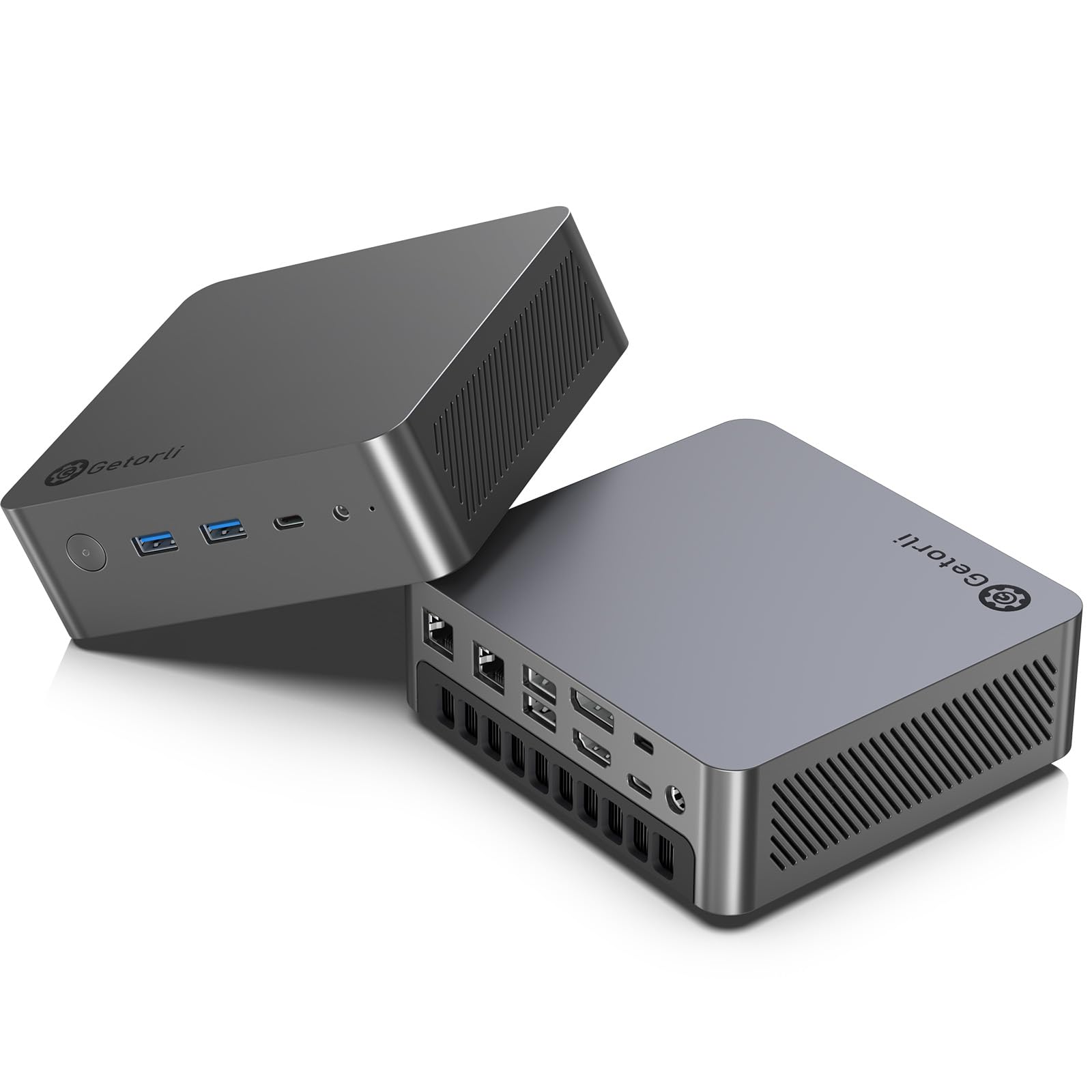
The mini PC built for a wall of monitors, supporting four 4K screens at once.
If your editing workflow thrives on screen real estate, this is your machine. The AMD Ryzen 7 8745HS (8 cores, up to 4.9GHz) pairs with the Radeon 780M — the strongest integrated graphics on this list — to drive up to four simultaneous 4K displays. You get dual USB4, HDMI 2.1, and DP 1.4 ports for that expansive workspace.
It ships with 16GB of DDR5 RAM (4800MHz) and a 1TB PCIe 4.0 NVMe SSD. The RAM is a single module, but the second slot is free, so you can expand to dual-channel and up to 256GB as your projects grow. Storage also expands via a second M.2 2280 slot, up to 4TB total.
Buyers praise it as a great budget machine “from the start,” noting the 780M graphics compare well to much older dedicated cards. A few owners hit initial setup bumps, like blue screens or an undetected NVMe drive, usually fixed by reseating parts. One unit arrived with a bad power supply — test everything on arrival.
Screen real estate
- Quad 4K display support is class-leading in this price range
- Dual USB4 ports add future eGPU potential
- Dual copper heat pipes keep it cool and quiet
Getorli quirks
- 16GB single-channel RAM — expect to add a stick
- Occasional factory defects like a bad power supply
Who it’s for: editors who live on a multi-monitor grid and want a top integrated GPU.
Who it’s not for: buyers wanting zero assembly — this rewards a bit of tinkering.
8. GEEKOM A6 Mini PC

A scratch-resistant aluminum mini PC that runs a full 45W for sustained editing power.
This GEEKOM stands out for two reasons: build quality and sustained performance. The premium aluminum alloy chassis resists scratches and helps cooling, unlike the plastic cases on budget rivals. Inside, the AMD Ryzen 7 6800H maintains a stable 45W TDP (thermal design power — the sustained wattage it can use) without thermal throttling, so your exports don’t slow down mid-render.
It’s loaded with the full 32GB of dual-channel DDR5 RAM and a fast 1TB PCIe Gen4 NVMe SSD, both upgradable. The memory expands to 64GB via dual slots, a future-proofing feature that soldered RAM options can’t match. The next-gen Radeon 680M graphics handle 4K video editing and casual gaming smoothly.
Buyers find it performs flawlessly for work, praising its compact size, ease of setup, and “great collection of onboard connectors.” The 2.5Gbps Ethernet port and Wi-Fi 6E keep file transfers fast. The one mixed note is fan noise — it’s quiet most of the time but occasionally audible under load.
GEEKOM advantages
- Full 32GB RAM — the editing balance
- Premium aluminum build enhances cooling and durability
- 3-year warranty beats the typical 1-year coverage
Minor notes
- Fan is audible under heavy load
- Premium pricing sits above the pure budget tier
Choose it for: durable construction and the full 32GB RAM that serious editors want.
Skip it for: absolute minimum spend — you pay a premium for the build quality and brand.
9. GEEKOM GT13 MAX Mini PC
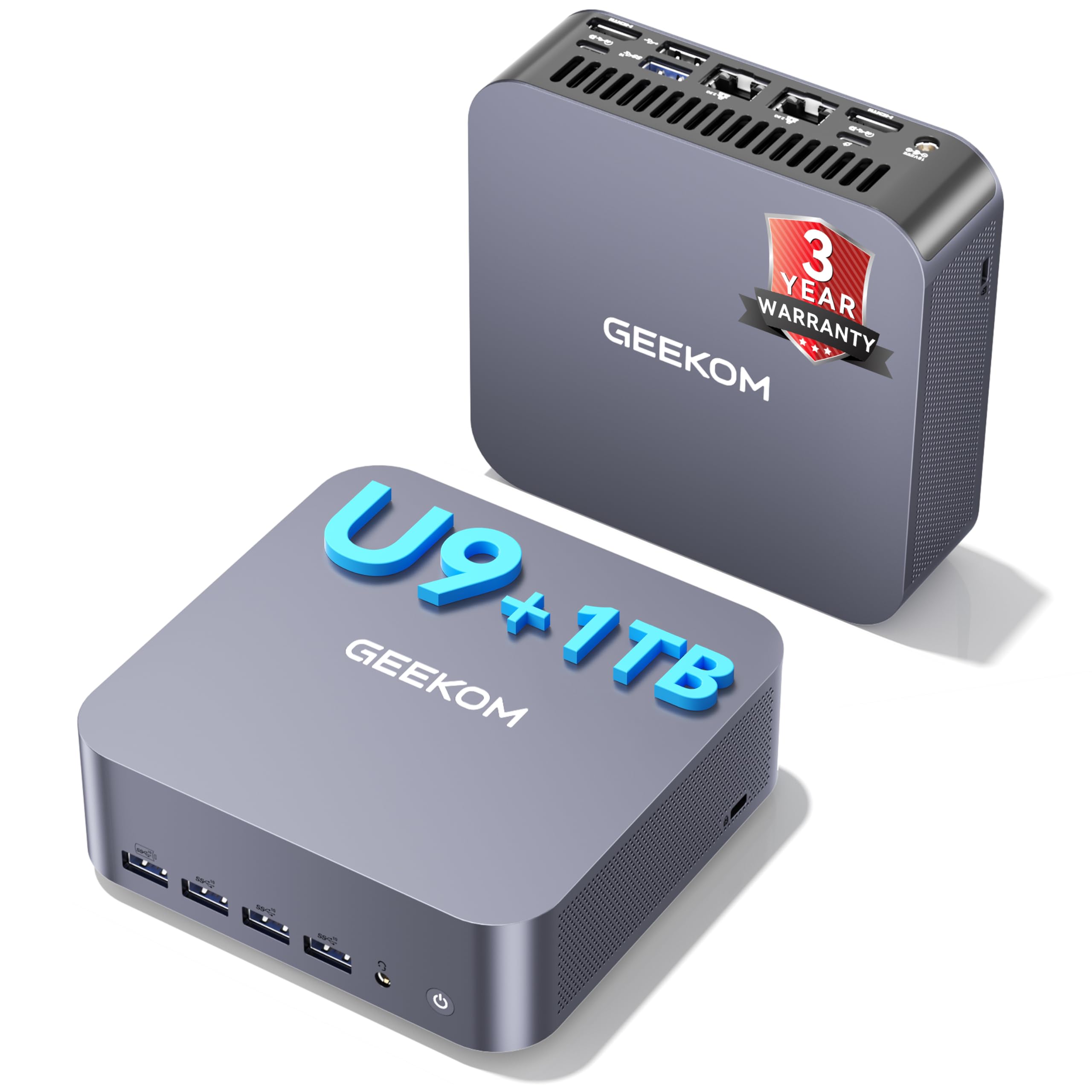
An Intel Ultra 9 with built-in AI acceleration for next-level photo editing tools.
This is the most future-forward machine on the list. The Intel Core Ultra 9 185H packs 16 cores and 22 threads, plus a dedicated AI Boost NPU (neural processing unit) delivering up to 13 TOPS of AI compute power. That NPU accelerates AI features inside photo editing software, making precise selections and high-resolution processing noticeably faster.
It supports up to four simultaneous displays — two 8K and two 4K — via dual USB4, dual HDMI 2.0, and Mini DP 1.4. The Intel Arc integrated graphics handle ray tracing and demanding creative apps. It comes with 16GB of dual-channel DDR5 RAM (expandable to 128GB) and a 1TB SSD (expandable to 6TB), covering your needs for years.
Connectivity is bleeding-edge with Wi-Fi 7 and Bluetooth 5.4, plus dual 2.5G LAN ports. Buyers call it a great little machine — complete, quiet, and fast — noting the VESA mount and easy upgrade path. The main gripes are the 16GB RAM (the lower end for heavy work) and occasionally slow support responses.
Future-proof choice: AI acceleration and 8K output put it a generation ahead.
The 16GB catch: You’ll want the memory upgrade for large multi-layer files.
Invest here if: you use AI-powered editing tools and want 8K-ready output.
Reconsider if: 16GB RAM doesn’t match your current project sizes — budget for more.
10. HP Pro Tower 290 G9 Business Desktop

A brand-new tower with a 12th Gen processor and a full manufacturer warranty.
Choose this HP if you prefer a brand-new machine over a refurbished one. Its 12th Gen Intel Core i5-12500 processor (6 cores, up to 4.6GHz Turbo) is modern and efficient, with 18MB of cache (fast onboard memory for quick data access), so it runs demanding business apps and content creation smoothly. However, its 16GB DDR4 RAM (a type of working memory) is lighter than ideal for heavy photo editing, so you may need to close background apps on large projects.
The 512GB PCIe NVMe SSD provides lightning-fast boot times, though it’s half the storage of our top picks. What you trade in RAM and storage, you gain in the new-product experience: a full warranty, TPM 2.0 security chip, and an 80 Plus Gold efficient power supply. The compact tower design (11.92″ x 6.1″ x 13.27″) fits on a desk without dominating it.
Buyers appreciate the brand reliability, calling it a “perfect PC for home use” that runs Windows 11 smoothly. The WiFi connectivity earns mixed feedback, so you may want a wired Ethernet connection for large file transfers. Performance is the top praise, but the 16GB RAM will have you closing apps on large projects.
New-buy benefits
- Full manufacturer warranty on a brand-new unit
- Modern 12th Gen processor is efficient and fast
- TPM 2.0 security chip for business-grade protection
Editing limits
- 16GB RAM is the minimum for serious editing
- 512GB storage fills fast with a raw photo library
Go new here if: warranty coverage and zero refurb risk are worth more than raw specs.
Pick a refurb instead if: you need 32GB RAM and 1TB storage at a lower price.
11. STGAubron Gaming PC Desktop

The only pick here with a dedicated NVIDIA RTX 3050 for GPU-accelerated editing.
This tower is the single choice on our list with a dedicated graphics card — the NVIDIA GeForce RTX 3050 6G GDDR6. For photo editing, that means GPU-accelerated filters, faster previews, and smoother handling of large canvases in software that offloads work to the graphics card. It’s a step up from the integrated graphics found elsewhere.
This model pairs its graphics card with 32GB of RAM and a 1TB SSD (solid-state drive for fast storage), hitting the memory balance for photo editing. The Intel Core i7 processor boosts to 3.9GHz, and six ARGB fans (colorful, addressable RGB cooling fans) keep it cool during long edits. You get Wi-Fi 6 (latest wireless standard) and Bluetooth 5.0, plus HDMI and DisplayPort outputs for dual monitors. An RGB gaming keyboard and mouse are included in the box.
Reviewers point out it’s a great entry-level machine that runs Davinci Resolve and light AI tasks, with good 1080p gaming performance on high settings. The gripes are real, though: some units arrive dead or develop GPU connection issues causing “No Signal” blackouts, and the included RAM and WiFi antenna have drawn mixed reviews. The older DDR3 memory in some units is a meaningful limitation.
GPU advantage
- Dedicated RTX 3050 accelerates editing filters and previews
- 32GB RAM and 1TB SSD hit the editing balance
- 6 RGB fans provide excellent cooling
Assembly risks
- Quality control varies — some units arrive with faults
- Some configurations use older DDR3 memory
- Cheap keyboard, mouse, and WiFi antenna included
Buy it for: GPU-accelerated editing that integrated graphics can’t match.
Think twice if: you want a plug-and-play machine with zero tinkering — test everything early.
Understanding the Specs
Processor (CPU)
This is the brain doing all the math on your adjustments and filters. More cores and a higher boost speed mean faster exports and smoother previews. A modern six-core or eight-core chip like an 8th Gen i7 or a Ryzen 7 handles your workflow far better than an older dual-core, so it’s worth checking the generation.
RAM
RAM is your working memory — it holds open files, layers, and undo history. For photo editing, 32GB is the balance, letting you keep large projects open without slowdowns. With 16GB, you’ll manage but may need to close background apps on big files. If you can expand RAM later, that’s a bonus for future-proofing.
SSD Storage (Solid State Drive)
Your computer’s long-term memory for the operating system and your photo library. An SSD is a fast storage chip, and it’s essential — it boots your system in seconds and loads your catalog instantly. A 1TB SSD gives you a fast boot drive and plenty of room for a large library of raw files.
Integrated vs Dedicated Graphics
This handles the visuals on your screen. Integrated graphics are built into the processor, and modern ones are strong enough for most photo editing. A dedicated graphics card (GPU) has its own memory and speeds up heavy filters and large canvases. It’s a nice-to-have, not a must, for most photographers.
FAQ
How much RAM do I really need for photo editing on a budget?
Is a refurbished business desktop good for photo editing?
Do I need a dedicated graphics card for Photoshop?
Can a mini PC handle photo editing as well as a desktop tower?
Is 16GB of RAM enough to start photo editing?
What’s the difference between an SSD and a hard drive for editing?
Will a budget computer handle 4K photo editing?
How many monitors can I use for photo editing with these computers?
Why is a solid-state drive (SSD) important for my photo library?
Is Windows 11 better than Windows 10 for photo editing?
Final Thoughts: The Verdict
Across the board, the budget computer for photo editing winner is the Dell Optiplex 7050 SFF because it delivers the full 32GB RAM and 1TB SSD that editors need in a compact, affordable package. If you want the extra processing cores of a hexa-core chip, grab the Dell Optiplex 5060. And if desk space is tight, the Beelink SER5 MAX mini PC is the one to reach for a triple-monitor setup in a palm-sized box.
How We Picked
We do not accept paid placement. Every pick is matched to a real buyer and a real use-case; we do not hands-on test units.
Sources & Methodology
Specifications: manufacturer listings and product documentation. Review insights: verified customer reviews, as of August 2026. Pricing: not shown on this page (it changes often); check the current price via the retailer link.
As an Amazon Associate, FitlyFast earns from qualifying purchases. This does not affect which products we feature.