
Our readers keep the lights on and the weekend projects moving. As an Amazon Associate, I earn from qualifying purchases.
Specs are compiled from manufacturer listings and verified buyer reviews and can change over time — please confirm the key details on the product page before buying.
Note-taking tablets are finally affordable, with active styluses and student-friendly bundles now starting under. The real differences among these budget tablets come down to battery life, screen quality, and stylus accuracy. This guide focuses on tablets that genuinely support handwriting, PDF annotation, and drawing, not just streaming with a basic capacitive pen.
I’m Rikta — the founder and writer behind FitlyFast. This guide is built by comparing the manufacturers’ published specifications and the patterns across verified customer reviews, so you get each pick’s real strengths and trade-offs instead of marketing spin.
Weighing display tech, stylus pressure sensitivity, and battery capacity against how you actually take notes, these are the most reliable budget note taking tablet picks that won’t waste your money or your margins in the margins.
Our Picks at a Glance


How To Choose The Best Budget Note Taking Tablet
When you are shopping on a budget, the first thing to check is the stylus. A tablet that does not support an active pen — one with pressure sensitivity — will feel like you are writing with a blunt crayon on a phone screen. Look for specs like “4096 levels” or “active capacitive” in the description.
Display Refresh Rate and Resolution
A 60Hz screen (the standard refresh rate) is fine for reading, but a 120Hz display like the TECLAST P30T refreshes twice as fast. That means the ink appears on screen almost instantly as you write, with less lag between your hand and the digital line. Resolution also matters: a 1280×800 screen is workable, but an FHD 1920×1200 or higher gives you sharper text when you zoom into your notes.
Battery Capacity and Real-World Longevity
Bigger milliampere-hours (mAh) numbers generally mean longer use, but the chipset and screen brightness also drain power. A 6000mAh battery in a tablet with a dim 60Hz screen might outlast an 8000mAh tablet with a bright 120Hz display. Read the “battery average life” figure on the spec sheet, but remember that heavy note-taking with the stylus and screen on will always pull more power than light streaming.
Quick Comparison
| Model | Best For | Display | Battery | Storage | Amazon |
|---|---|---|---|---|---|
| Jeazans 10.1″★ Best Overall | Value bundles | 1280×800 LCD | Not Specified | 64GB + 1TB | Amazon |
| TECLAST P30TBest Display | Smooth writing | 120Hz IPS | 6000mAh | 128GB + 1TB | Amazon |
| EITOMIN 10″Bundle Champion | Big bundles | FHD IPS | 7000mAh | 128GB + 1TB | Amazon |
| Relndoo T901 | Large storage | 1280×800 IPS | 8000mAh | 256GB + 2TB | Amazon |
| TABWEE T90 | Sharp FHD screen | 11″ FHD 1920×1200 | 8000mAh | 128GB + 2TB | Amazon |
| TECLAST Artpad Pro | Drawing | 12.7″ 2K 2176×1600 | 10000mAh | 256GB + 1TB | Amazon |
| Callsky-Pro 14″ | Large screens | 14″ FHD 1920×1200 | 10000mAh | 256GB | Amazon |
| TCL NXTPAPER 11 | Eye comfort | 11″ 2K 1920×1200 | 8000mAh | 128GB + 1TB | Amazon |
| Lenovo Idea Tab 11 | Sharp 2.5K | 11″ 2.5K 2560×1600 | 5100mAh | 128GB | Amazon |
| Samsung Tab S6 Lite | S Pen experience | 10.4″ 2K 2000×1200 | 14 hrs | 64GB + 64GB SD | Amazon |
| Lenovo Idea Tab Pro | Performance | 12.7″ 3K 2944×1840 | 10200mAh | 128GB | Amazon |
In-Depth Reviews
1. Jeazans Android 16 Tablet 10.1 Inch
The complete note-taking kit that turns your tablet into a laptop the moment you need to type.
The Jeazans bundle is the rare budget pick that skips the upsell — it arrives with a Bluetooth keyboard, wireless mouse, stylus, and a 360-degree protective leather case right in the box. That makes it the single most practical choice for a student who needs to handwrite notes in class and type up an essay in the library without carrying extra gear.
It runs Android 16 with 24GB RAM, though the spec sheet explains that as 3GB physical plus 21GB virtual expansion. The 64GB internal storage is modest, but the microSD slot expands it up to 1TB — a 2x gap in base storage compared to the TECLAST P30T’s 128GB. For note-taking apps, PDFs, and a few lecture recordings, that is usually plenty.
Owners most praise the build quality and value for money, with hundreds of buyers highlighting both. Buyers report it handles streaming beautifully, with good color and picture quality on the 1280×800 LCD, though it is “just a bit slow on games.” The capacitive stylus is fine for quick jots and annotations, but if you want pressure-sensitive line weight in drawing apps, you should look further up this list.
What the bundle gives you
- Keyboard, mouse, stylus, and leather case all included
- 64GB storage expands to 1TB via microSD
- Dual HD cameras for video classes and calls
Where it cuts corners
- Standard capacitive stylus, no pressure sensitivity
- 1280×800 resolution is lower than FHD rivals
- Transitional performance in 3D games
Grab it for: anyone who wants one box that covers handwriting, typing, and streaming at the lowest entry cost.
Look past it if: you plan to draw with line-weight control or play demanding games.
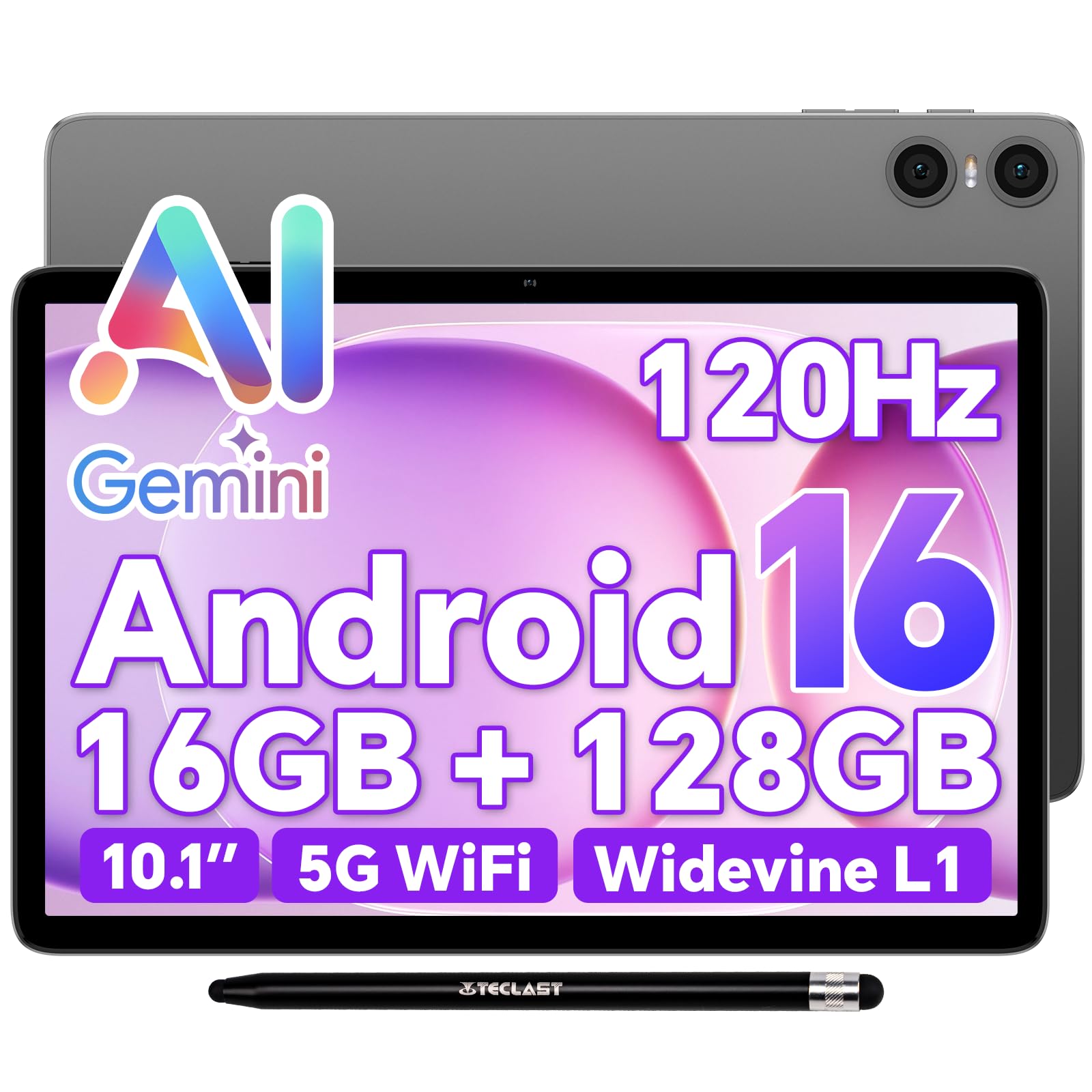
2. TECLAST 10.1″ P30T Android 16 Tablet
A 120Hz refresh rate at a budget price makes this feel twice as responsive as most rivals.
Write on the TECLAST P30T and you will feel the difference immediately: the 120Hz IPS display refreshes twice as fast as a standard 60Hz screen, which means the ink follows your stylus with barely any trace of lag. When you flip it back to 60Hz mode, the battery sips power instead of gulping it, which is a clever trick for long reading sessions.
Inside, the UNISOC T7250 octa-core processor pairs with 16GB of total RAM — 3GB physical plus 13GB virtual — to keep note apps, streaming, and split-screen multitasking running without stutter. The 128GB base storage is double what the Jeazans offers, and the microSD slot pushes it to 2TB. Owners also appreciate the Widevine L1 certification, which open up full HD playback on Netflix and Prime Video.
At 446g and 8.8mm thin, this is the lightest metal-body pick here, and it slips into a crossbody bag without weighing you down. Owners mention it is “sleek and slim,” starts up fast, and has a screen “big enough for my elderly mom to use.” The 6000mAh battery supports 10 hours of video playback, though the included stylus is a simple passive pen rather than a pressure-sensitive active one.
Why the screen wins
- 120Hz adaptive refresh for smooth writing
- 178° viewing angles for sharing notes
- Widevine L1 for HD streaming
What to know
- Stylus is basic, not pressure-sensitive
- No cellular option, Wi-Fi only
- 5V/2A charging is slower than rivals
Best directed at: students who obsess over screen smoothness and want a featherlight tablet for carrying between classes.
Mind the limit: serious digital artists will outgrow the passive stylus quickly.
3. EITOMIN Android 16 Tablet 10 Inch
A keyboard, mouse, case, and stylus bundle with an FHD screen that punches above its price.
EITOMIN packs the box to the brim: tablet, Bluetooth keyboard, wireless mouse, protective case, touch pen, OTG adapter, and a spare screen protector. For a student setting up their first study station, that means almost nothing else to buy. The 10.1-inch FHD IPS display is visibly sharper than the 1280×800 panels on cheaper rivals, which helps when you are squinting at dense lecture slides.
Functionality is the aspect owners praise most, and the 16GB RAM (8GB physical plus 8GB virtual) keeps word processing, remote desktop, and graphics apps moving smoothly. The 7000mAh battery is rated at up to 12 hours on a charge, backed by the MTK8183 octa-core processor clocked at 2.0GHz. There is honest feedback mixed in too: battery life draws mixed opinions, and the camera quality disappoints some despite the 13MP+8MP dual setup.
Unlike the Jeazans above, the EITOMIN has 128GB of storage from the start — the same 128GB the TECLAST carries — and expands to 1TB via microSD. The touch pen is useful for quick annotations and note-taking, though customers note finger drawing accuracy is mediocre. There are a few longevity concerns in the review history, so the 1-year after-sales service is worth keeping in mind.
What the price buys
- Full FHD screen for crisp text
- Complete accessory bundle included
- 128GB storage expandable to 1TB
The honest trade-offs
- Battery life gets mixed owner reports
- Camera quality disappoints some
- Passive pen, no pressure levels
Reach for this when: you want the most complete kit without moving into a higher price tier.
Be aware that: longevity reports vary, so keep the warranty details handy.
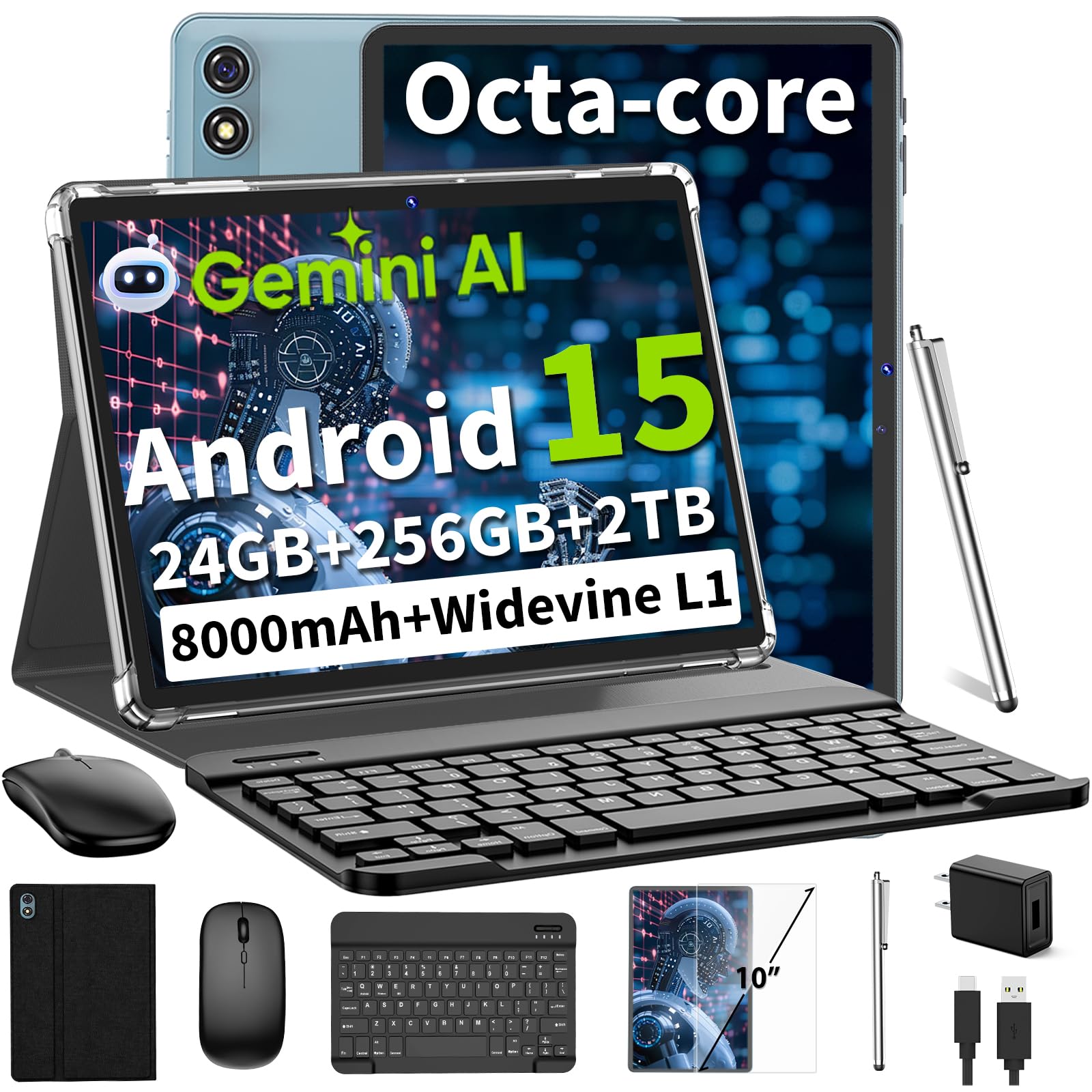
4. Relndoo T901 Android 15 Tablet 10 Inch
Massive 256GB internal storage plus 2TB expansion for hoarders of PDFs and lecture recordings.
If your note library is already bulging, the Relndoo T901 gives you 256GB of internal storage — double the 128GB common on rivals — plus microSDXC expansion up to 2TB. That is enough room for years of handwritten notes, scanned textbooks, and offline videos without ever thinking about deleting anything.
The 24GB RAM figure is built from 6GB physical plus 18GB virtual, which keeps the 10-inch Android 15 system feeling snappy during split-screen work. Owners most praise the build quality and speed, and the 1280×800 IPS display offers good viewing angles for class notes. The 8000mAh battery is rated at 12 hours, and the bundle includes a keyboard, mouse, case, and stylus.
Streaming is well covered thanks to Widevine L1 certification, open up HD on Netflix and Disney+. Reviewers point out the screen looks beautiful and setup is flawless via a USB-C-to-USB-C transfer cable. The honest caveats: battery life and Wi-Fi connectivity both draw mixed feedback, with some owners hitting connection drops, and the stylus and cameras are described as basic.
Storage freedom
- 256GB base storage, expandable to 2TB
- 13MP rear and 5MP front cameras
- Widevine L1 for HD streaming
Watch these points
- Wi-Fi stability has mixed owner reports
- Battery life varies by usage
- Resolution stays at 1280×800
Pick this if: you refuse to manage storage and want one place for all your course materials.
Think twice if: you need a rock-solid Wi-Fi connection in a dead-zone dorm.
5. TABWEE T90 Android 16 Tablet 11 Inch

The 11-inch FHD screen at 1920×1200 makes dense PDF annotations genuinely comfortable to read.
The TABWEE T90 steps up where budget screens usually cut corners — its 11-inch fully laminated display hits 1920×1200 resolution with 380-nit brightness. Text on scanned lecture notes stays crisp when you zoom in, and the 84.9% screen-to-body ratio means a bigger view in a frame not much larger than a 10-inch tablet.
Android 16 brings Gemini AI 3.5 to the table, letting you summarize notes, translate text, and organize ideas through the included stylus. The 24GB RAM (8GB physical plus 16GB virtual) keeps the Unisoc T615 octa-core busy across note apps and streaming, while the 8000mAh battery supports up to 11 hours of video playback. Shoppers say the battery “lasts for days” in light use and that the device is fast and intuitive.
Like most in this tier, the stylus is a basic touch pen for markup rather than a pressure-sensitive artist’s tool. Buyers are blunt that the bundled keyboard feels flimsy and the camera is weak, though the display earns consistent praise for being “crisp.” It ships with a case, screen protector, keyboard, mouse, and stylus, plus a 2-year warranty.
The screen advantage
- 11″ FHD display at 1920×1200
- 2TB TF card expansion
- 2-year warranty included
What owners flag
- Bundled keyboard feels cheap
- Rear camera quality is weak
- No auto-brightness control
Choose it for: a sharp, easy-to-read screen for long annotation sessions without eye strain.
Expect to: swap in a better keyboard if you type a lot.
6. TECLAST Artpad Pro 12.7″ Android 15 Tablet

The first pick where the stylus actually earns the “drawing tablet” label, with 4096 levels of pressure.
This is the budget line’s real artist: the TECLAST Artpad Pro pairs its T-Pen stylus with 4096 levels of pressure sensitivity, so line weight responds to how hard you press — the essential feel for sketching and handwriting that the passive pens above simply cannot deliver. The 12.7-inch 2K IPS screen (2176×1600) offers 20% more display area than typical 16:10 tablets, giving you room to spread out notes and drawings.
Power comes from a G99 octa-core processor at 2.2GHz with 20GB RAM (8GB physical plus 12GB virtual) and 256GB UFS storage expandable to 1TB. The 10000mAh lithium cobalt oxide battery supports 30W fast charging, and the quad speakers with a 9CC sound chamber make this a genuinely good media machine too. Owners describe the screen as “super crisp and clean,” perfect for reading sheet music and watching videos.
The honest feedback centers on the pen: it can feel skippy on light, fast strokes, and some buyers report the palm rejection is weaker than expected. The 4:3-friendly 12.7-inch layout is praised as perfect for 8.5×11 PDF pages, and cameras are mediocre — a trade-off for the drawing focus. It also supports other USI 2.0-compatible active styluses if you want to upgrade later.
Built for creativity
- 4096-level pressure stylus included
- 12.7″ 2K display with narrow bezel
- 10000mAh battery with 30W fast charge
The artist’s caveats
- Pen skips on light, fast strokes
- Palm rejection needs work
- Cameras are mediocre
Built for: sketchers and note-takers who want pressure-sensitive line weight without a premium price.
Not for: anyone expecting a flawless pen experience from the start.
7. Callsky-Pro 14 Inch Android 15 Tablet

A genuine 14-inch canvas that turns sheet music, recipes, and split-screen notes into something you can actually see.
Screen size is the defining spec here — at 14 inches with a 1920×1200 FHD+ edge-to-edge display, this tablet shows a full page of sheet music or a two-column note layout without squinting. Owners in concert bands specifically praise it for sheet music via the Mobile Sheets app, calling it a rival to far pricier 13-inch tablets for that job.
The T616 octa-core processor at 2.0GHz pairs with 16GB RAM and 256GB ROM, while the 10000mAh battery drives up to 12 hours of use. It also has built-in 4G LTE, so you can stay connected without hunting for Wi-Fi. The Flip case folds three ways for hands-free viewing, and the stylus handles basic markup and note-taking.
Owners most praise the build quality, screen size, and battery life, with one noting the stylus “is great quality” and the device being “perfect” for vision struggles. The two honest flags: reliability draws mixed feedback — a portion of owners mention devices stopping after about a month — and picture clarity on some videos falls short of expectations. It ships at 2.2 lbs, so it is portable for its size but heavier than the 446g TECLAST P30T.
Why size wins
- 14″ FHD+ display for readable notes
- 10000mAh battery with 18W USB-C
- 4G LTE for on-the-go connection
Consider carefully
- Reliability has mixed owner reports
- Heavier than most 10-11″ tablets
- Video clarity varies
Ideal for: musicians reading scores or anyone who wants an expansive canvas with cellular backup.
Weigh the risk: reliability reports vary enough that the warranty matters.
8. TCL NXTPAPER 11 Gen 2 Android Tablet

A paper-like screen that feels easier on tired eyes during hours of reading and writing notes.
The TCL NXTPAPER 11 Gen 2 earns its name: the NXTPAPER 4.0 display uses TÜV-certified low blue light, an anti-glare coating, and DC dimming to cut flicker and eye strain. Flip into Ink Paper Mode and the screen transforms into an e-reader-like display — customers note long comfortable reading sessions that feel close to a Kindle, with modes for vivid media and soft color art.
A 4096-level T-PEN stylus comes in the box, delivering pressure-sensitive strokes for note-taking and sketching. Inside, the MediaTek Helio G80 processor pairs with 8GB plus 8GB RAM, and the 8000mAh battery supports reverse charging so you can top up your phone. At just 1.1 lbs and 0.29 inches thin, the aluminum body is easy to hold one-handed.
Owners most praise the build quality, performance, battery, and writing experience, calling it ideal for students and readers. The mixed feedback is honest: screen and build quality draw divided opinions, with some reporting flickering issues, and there is no headphone jack or Android update guarantee. The case feels flimsy to some, and touchscreen glitches can appear while charging.
The paper feel
- Anti-glare paper-like 2K display
- 4096-level T-PEN stylus included
- 8000mAh battery with reverse charging
The trade-offs
- No headphone jack
- Mixed screen quality feedback
- Case feels flimsy to some
Perfect for: readers and students who spend hours on screen and want the eye comfort of paper.
Keep in mind: some units show flickering and there is no update timeline.
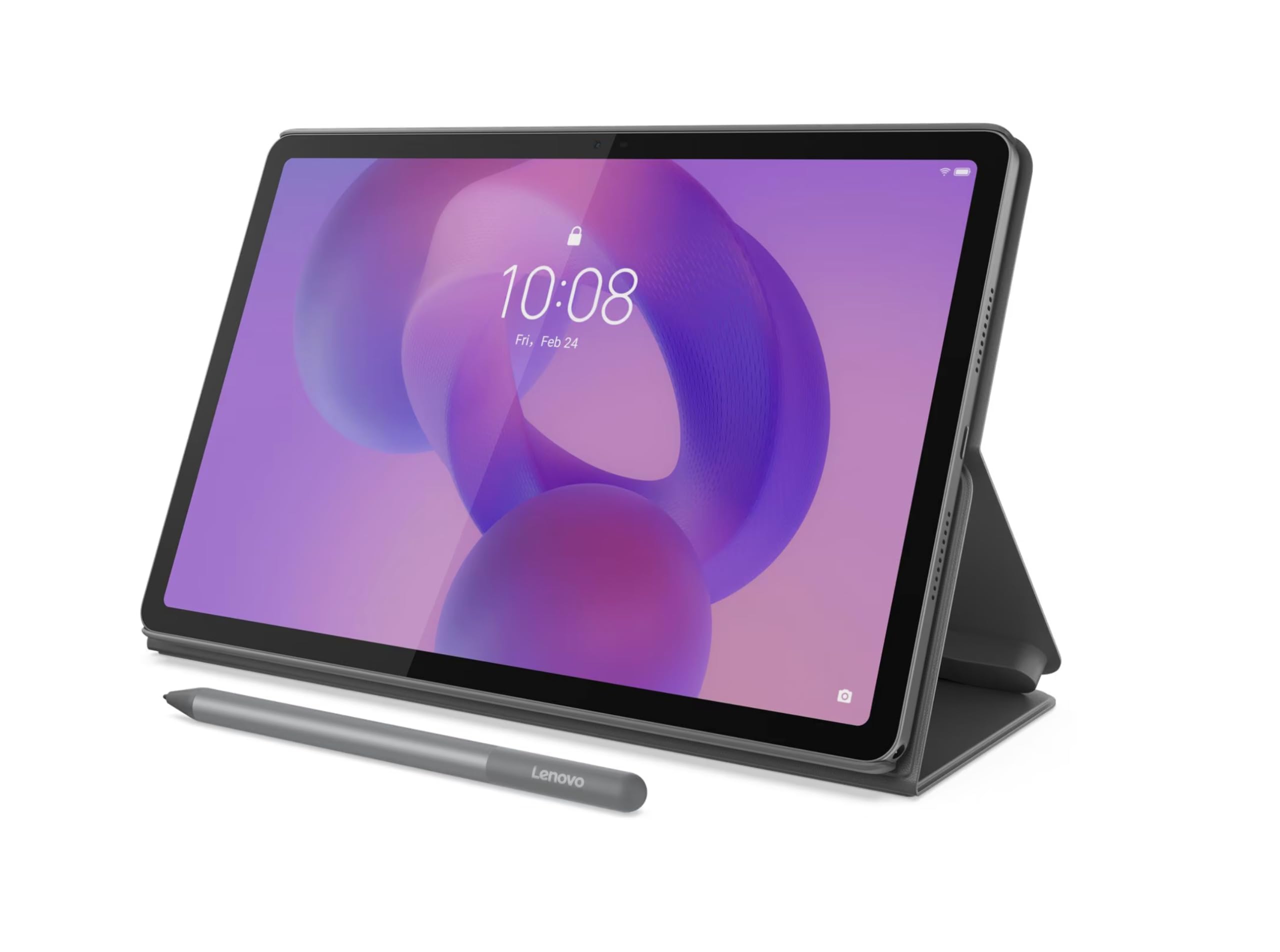
9. Lenovo Idea Tab 11″ with Pen & Folio Case
The sharpest 11-inch panel in the budget tier, with a 2.5K resolution that makes text look printed.
The Lenovo Idea Tab 11 is the resolution champion of this list: its 11-inch display hits 2560×1600, well above the 1920×1200 FHD standard on rivals like the TABWEE. At that pixel density, small fonts in PDFs and handwritten notes stay razor-sharp, and the 90Hz refresh rate keeps the screen feeling fluid as you write.
Inside, the Dimensity 6300 processor runs at 2.4GHz with 8GB of physical RAM — no virtual expansion padding here — and 128GB of storage. The Lenovo Tab Pen and folio case come included, keeping the package complete. Android 15 provides the foundation, and the 5100mAh battery is the smallest in this lineup, though owners describe battery life as average to excellent.
This is a brand-name option at an entry-level price, and the feedback reflects that trust: owners call it “a good value for the cost,” love the pre-installed programs, and find the touch screen “great.” One parent notes their son loves it, and another flatly prefers it over an iPad. Durability gets praised too, making this a solid pick for a younger student — the trade-off is the smaller battery than the 8000mAh packs elsewhere.
Name-brand strengths
- 2.5K 2560×1600 sharp display
- 90Hz refresh for smooth writing
- Lenovo Tab Pen and case included
The limits
- 5100mAh battery is smaller than rivals
- No cellular option
- Wi-Fi only connectivity
Go with Lenovo if: screen sharpness and a trusted brand matter more than raw battery capacity.
Plan around: the smaller 5100mAh battery for shorter days away from an outlet.
Baseline reality: everything here is an Android LCD panel; the Lenovo earns its spot on resolution density and refresh, not on OLED contrast or ink-black darks.
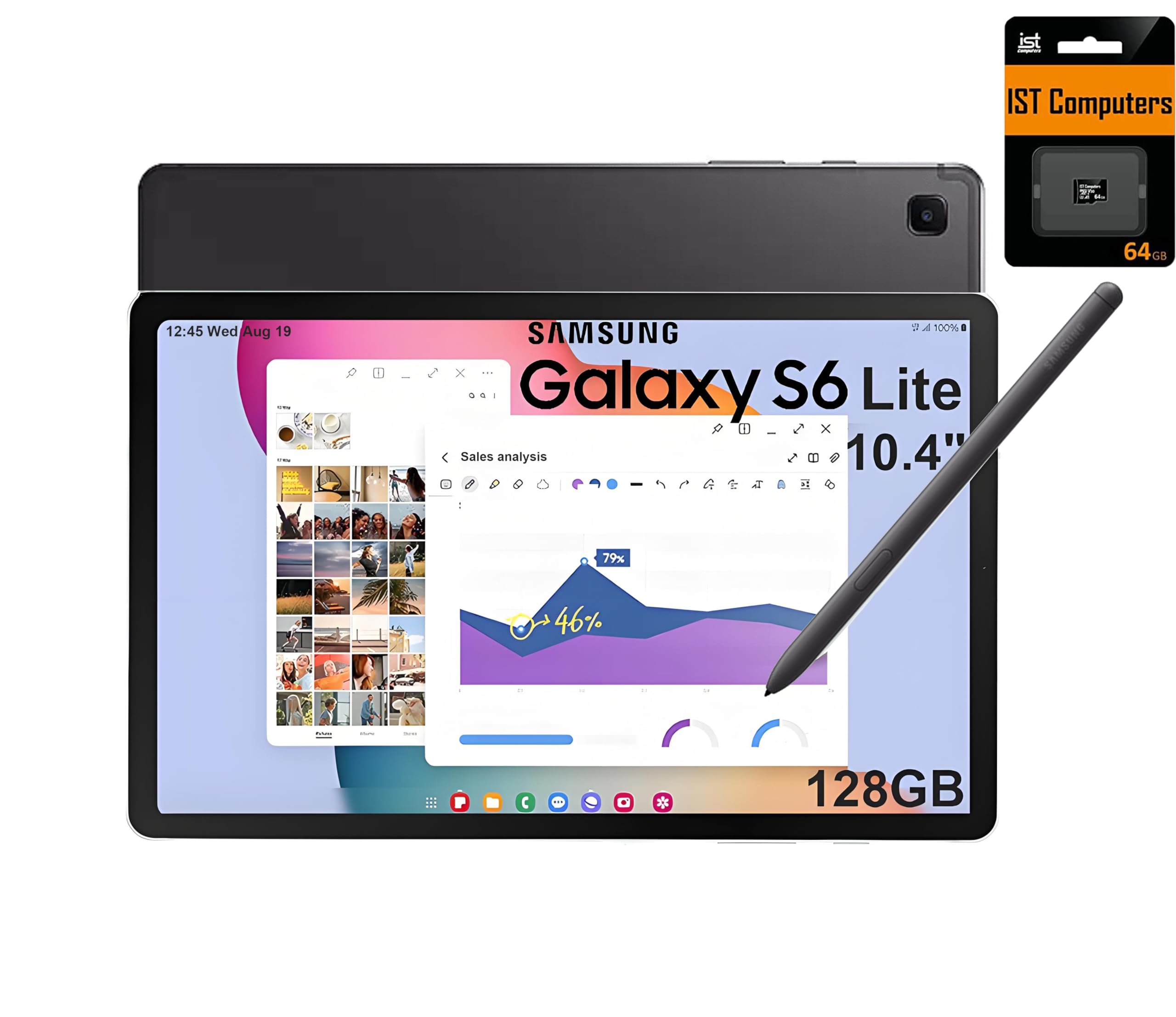
10. Samsung Galaxy Tab S6 Lite 10.4″
The famous S Pen experience in a slim body, with battery life that outlasts a full day of lectures.
The Samsung Galaxy Tab S6 Lite brings the S Pen — the same stylus genie that made the flagship Galaxy Tabs famous — and it needs no charging at all. Owners call it the standout feature, writing “the stylus pen works great and requires no charging,” making it a dependable everyday companion for note-taking and sketching. It pairs with the slim 10.4-inch 2K (2000×1200) screen for a genuinely premium feel.
The Exynos 1280 processor at 2.4GHz runs Android efficiently, and the 14-hour battery life with fast charging covers long days of classes and meetings. Storage comes as 64GB built-in plus a 64GB microSD card included, and the AKG-tuned dual speakers with Dolby Atmos deliver studio-grade sound for study breaks. Samsung DeX turns the tablet into a PC-like desktop when you need to type.
Owners most praise the performance, with build quality close behind. The honest caveat: some owners note “the processor is on the slower side” and would not recommend it for serious multitasking — this is a focused note-taking tool, not a gaming rig. The NA version ships with a 2-year extended warranty from the seller, and the S Pen’s no-charge design means one less thing to keep topped up.
The S Pen magic
- S Pen included with no charging needed
- 14-hour battery with fast charging
- AKG-tuned speakers with Dolby Atmos
The honest limits
- Processor is slower for heavy multitasking
- Charger not included in the box
- 64GB base storage is modest without the SD card
Choose Samsung for: the unbeatable S Pen feel and all-day battery in a slim, travel-friendly body.
skip it if: you need raw processing power for heavy multitasking or gaming.
11. Lenovo Idea Tab Pro with Google Gemini

The performance king of the budget tier, with a 3K display and a processor that laughs at multitasking.
The Lenovo Idea Tab Pro is the closest this list gets to a flagship experience without the flagship price. Its 12.7-inch 3K LCD display (2944×1840) is the highest resolution here, and the quad JBL Dolby Atmos speakers make lecture videos and study breaks sound genuinely rich. A 360Hz touch sampling rate means the included Tab Pen Plus responds almost instantly to your strokes.
Under the hood, the MediaTek Dimensity 8300 processor is the fastest chip on this list, supported by 8GB of physical RAM and 128GB of storage. Owners note it runs Fortnite smoothly and handles MIDI, movies, and freelance work without breaking a sweat. The 10200mAh battery supports 11 hours of streaming, and 45W quick charge gets you back in action fast — though owners caution it needs that 45W PD charger to charge at full speed.
Google Gemini AI is baked in, helping you summarize notes and organize ideas, and Circle to Search works with the Tab Pen Plus for instant lookups. Owners most praise the build quality and value, calling the screen “crisp” and the note-taking experience “excellent.” The honest trade-offs: it is heavy for a tablet, battery life draws mixed reports including fast drain for some, and there is no GPS — location relies on the network.
Flagship feel
- 12.7″ 3K display at 2944×1840
- Fast Dimensity 8300 processor
- Google Gemini AI and Circle to Search
The compromises
- Heavy for one-handed use
- Battery drain varies by owner
- No GPS; location needs network
Buy this if: you want the best performance, screen, and AI features the budget tier can offer.
Accept that: it is bulkier than lighter note-taking slates and prefers the 45W charger.
12. Samsung Galaxy Tab S6 Lite 10.4″
The famous S Pen experience in a slim body, with battery life that outlasts a full day of lectures.
The Samsung Galaxy Tab S6 Lite brings the S Pen — the same stylus genie that made the flagship Galaxy Tabs famous — and it needs no charging at all. Owners call it the standout feature, writing “the stylus pen works great and requires no charging,” making it a dependable everyday companion for note-taking and sketching. It pairs with the slim 10.4-inch 2K (2000×1200) screen for a genuinely premium feel.
The Exynos 1280 processor at 2.4GHz runs Android efficiently, and the 14-hour battery life with fast charging covers long days of classes and meetings. Storage comes as 64GB built-in plus a 64GB microSD card included, and the AKG-tuned dual speakers with Dolby Atmos deliver studio-grade sound for study breaks. Samsung DeX turns the tablet into a PC-like desktop when you need to type.
Owners most praise the performance, with build quality close behind. The honest caveat: some owners note “the processor is on the slower side” and would not recommend it for serious multitasking — this is a focused note-taking tool, not a gaming rig. The NA version ships with a 2-year extended warranty from the seller, and the S Pen’s no-charge design means one less thing to keep topped up.
The S Pen magic
- S Pen included with no charging needed
- 14-hour battery with fast charging
- AKG-tuned speakers with Dolby Atmos
The honest limits
- Processor is slower for heavy multitasking
- Charger not included in the box
- 64GB base storage is modest without the SD card
Choose Samsung for: the unbeatable S Pen feel and all-day battery in a slim, travel-friendly body.
skip it if: you need raw processing power for heavy multitasking or gaming.
13. Lenovo Idea Tab Pro with Google Gemini
The performance king of the budget tier, with a 3K display and a processor that laughs at multitasking.
The Lenovo Idea Tab Pro is the closest this list gets to a flagship experience without the flagship price. Its 12.7-inch 3K LCD display (2944×1840) is the highest resolution here, and the quad JBL Dolby Atmos speakers make lecture videos and study breaks sound genuinely rich. A 360Hz touch sampling rate means the included Tab Pen Plus responds almost instantly to your strokes.
Under the hood, the MediaTek Dimensity 8300 processor is the fastest chip on this list, supported by 8GB of physical RAM and 128GB of storage. Owners note it runs Fortnite smoothly and handles MIDI, movies, and freelance work without breaking a sweat. The 10200mAh battery supports 11 hours of streaming, and 45W quick charge gets you back in action fast — though owners caution it needs that 45W PD charger to charge at full speed.
Google Gemini AI is baked in, helping you summarize notes and organize ideas, and Circle to Search works with the Tab Pen Plus for instant lookups. Owners most praise the build quality and value, calling the screen “crisp” and the note-taking experience “excellent.” The honest trade-offs: it is heavy for a tablet, battery life draws mixed reports including fast drain for some, and there is no GPS — location relies on the network.
Flagship feel
- 12.7″ 3K display at 2944×1840
- Fast Dimensity 8300 processor
- Google Gemini AI and Circle to Search
The compromises
- Heavy for one-handed use
- Battery drain varies by owner
- No GPS; location needs network
Buy this if: you want the best performance, screen, and AI features the budget tier can offer.
Accept that: it is bulkier than lighter note-taking slates and prefers the 45W charger.