
Our readers keep the lights on and the weekend projects moving. As an Amazon Associate, I earn from qualifying purchases.
Specs are compiled from manufacturer listings and verified buyer reviews and can change over time — please confirm the key details on the product page before buying.
If you are hunting for a budget graphics tablet, the real question is never about size or price — it is about the pen. A cheap tablet with a sluggish, finicky stylus will frustrate you for years. The good news is that the budget tier has caught up, with battery-free pens and high pressure sensitivity now common even at entry-level prices.
I’m Rikta — the founder and writer behind FitlyFast. This guide is built by comparing the manufacturers’ published specifications and the patterns across verified customer reviews, so you get each pick’s real strengths and trade-offs instead of marketing spin.
Your first budget drawing tablet should feel natural in your hand, and this guide to the best budget graphics tablet choices breaks down the specs that actually matter for beginners and hobbyists.
Our Picks at a Glance


How To Choose The Best Budget Graphics Tablet
Walking into the budget tablet world can feel like a sea of nearly identical black slabs. The differences that matter are the ones you will feel every single stroke: the pen, the surface, and the buttons. Here is what separates a tablet you will love from one you will abandon in a drawer.
Pressure sensitivity is your line quality
This number tells you how many levels of pressure the pen can detect. A higher number — like 8192 or 16384 — means your light touches make thin, faint lines and your hard presses make bold, dark ones. The gap between these levels is where the magic happens. You want the pen to respond naturally from the very lightest touch, not feel like a switch that clicks on and off.
Battery-free pens remove the friction
Most modern budget tablets ship with passive or battery-free pens. This means you never have to charge the stylus, ever. There is no mid-sketch panic when the pen dies. You simply pick it up and draw, and it works because the tablet powers the pen through its surface. This is a feature you will appreciate immediately.
Express keys are your shortcuts
These are physical buttons on the side of the tablet that you can program. You might set one to undo, another to zoom, and a third to switch between pen and eraser. Having 4 to 12 of these under your left hand (or right hand, depending on your setup) means you stop reaching for your keyboard constantly. It keeps your focus on the canvas.
Quick Comparison
| Model | Best For | Pressure Levels | Active Area | Express Keys | Amazon |
|---|---|---|---|---|---|
| GAOMON S620★ Best Overall | Portable beginners | 8192 | 6.5″ x 4″ | 4 | Amazon |
| HUION HS64Best for Students | Students & tutors | 8192 | 6.3″ x 4″ | 4 | Amazon |
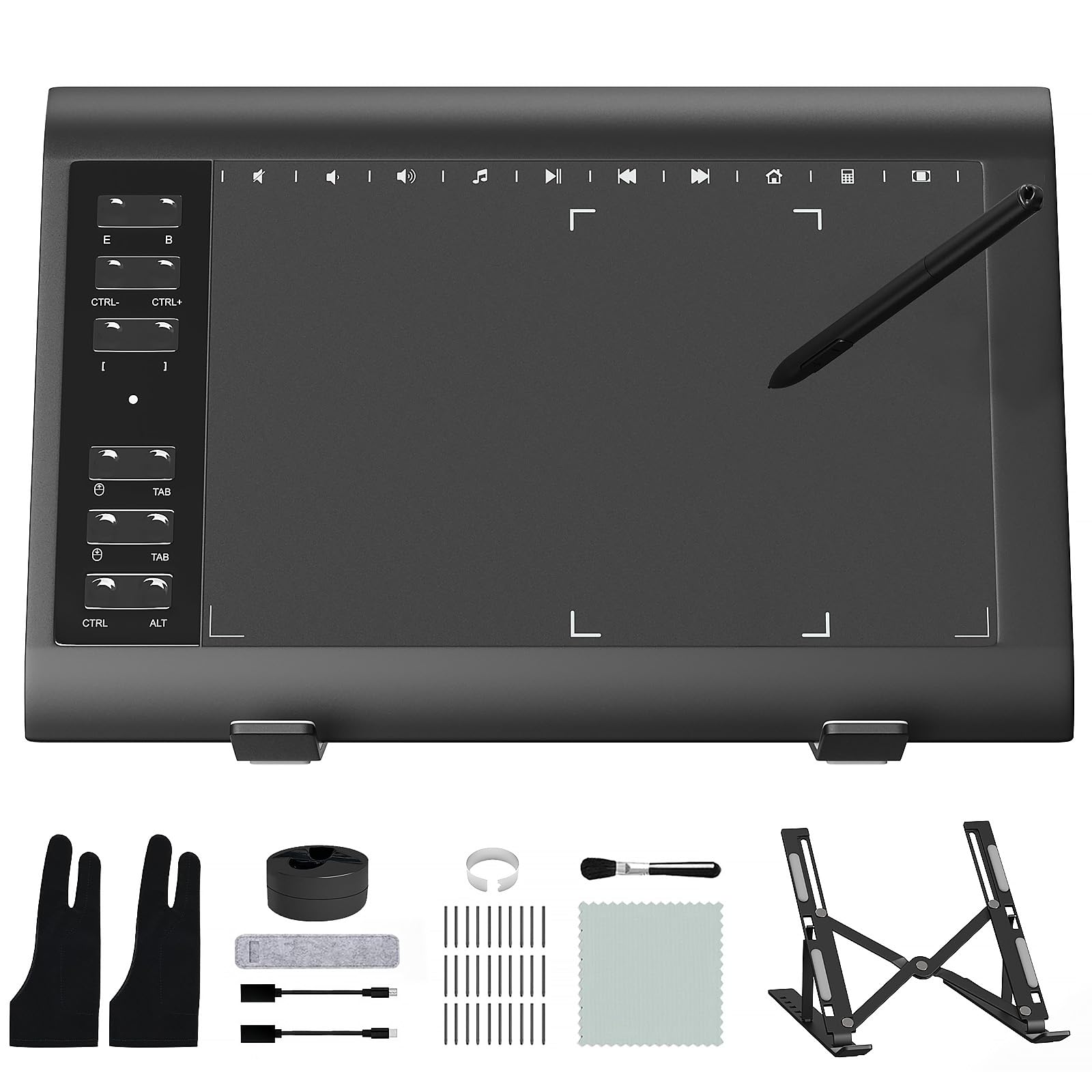
| ienRon IES1060Shortcut King | Shortcut lovers | 8192 | 10″ x 6.25″ | 12 | Amazon |
| UGEE M708 | Large canvas work | 16384 | 10″ x 6″ | 8 | Amazon |
| Wacom Intuos Small | Brand-name trust | 4096 | 6″ x 3.7″ | 4 | Amazon |
| XPPen Deco 01 V3 | High pressure needs | 16384 | 10″ x 6.25″ | 8 | Amazon |
| HUION H950P | Balanced all-rounder | 8192 | 8″ x 5″ | 8 | Amazon |
| XPPen Deco mini7W | Wireless freedom | 8192 | 7″ x 4″ | 8 | Amazon |
In‑Depth Reviews
1. GAOMON S620
A crowd-favorite budget slab that proves you do not need a name-brand price tag for a responsive drawing experience.
Reliability is the first thing owners rave about here, and it is easy to see why. This tablet delivers a solid, dependable drawing experience without the premium cost, making it the natural starting point for anyone exploring digital art for the first time. The battery-free pen with 8192 pressure levels gives you fine control, so your light strokes stay light and your firm presses lay down bold lines.
You can slip this tablet into a laptop bag for classes or travel, thanks to its 6.5 x 4 inch active area (the drawing surface), yet it still gives you room for real painting and note-taking. The 4 customizable express keys let you set up undo and brush-size shortcuts without touching your keyboard. It works with Windows 7 or later and macOS 10.12 or later, and it supports Photoshop, Clip Studio, Krita, and more — but it will not work with an iPad or iPhone, so check that before you buy.
Owners have called it “cheap, works as well as Wacom Intuos,” which captures the value pitch perfectly. It is best for beginners and teachers who want a portable, fuss-free tool. The trade-off is that the pen requires a slightly harder press after an hour or two of use, so it is not ideal for full-time professional work.
compact budget pick
- Battery-free pen means zero charging breaks mid-sketch
- Left-handed mode via a 180-degree rotation setting in the driver
- Scratch-resistant surface holds up to daily practice
small active area
- Pen needs a firmer press after extended use
- No iPad or iPhone support at all
reach for this if: you want a proven, portable first tablet that thousands of beginners already trust.
look elsewhere if: you are a working professional producing art all day and need a larger canvas.
2. HUION HS64
An ultra-slim, featherlight companion that turns an Android phone into a digital sketchbook in seconds.
Quality is the top talking point among owners, and the build backs it up. At just 4.8 ounces, this is one of the lightest tablets here, and it is easy to toss into a bag. The standout trick is its Android support: plug in the included OTG adapter and your phone or tablet becomes a canvas, which is a feature the GAOMON above simply does not offer.
The battery-free PW100 stylus delivers 8192 pressure levels with virtually no lag, and the side buttons flip between pen and eraser instantly. It works with Windows, Mac, Linux, and Android 6.0 or later, making it the most versatile connectivity story in this list. The 6.3 x 4 inch active area fits small desks, and 4 programmable hot keys streamline your workflow.
Owners say it is “excellent for online tutoring, not just art,” highlighting its strength for annotating documents, teaching on whiteboards, and taking notes in Zoom. The included anti-smudge glove is a thoughtful extra. The main adjustment is the compact size — if you are coming from a bigger tablet, your strokes will feel a bit confined at first.
perfect for: students, tutors, and remote workers who want a tiny tablet that works with their phone and laptop.
consider another if: you need a large drawing surface for sweeping, full-arm strokes.
3. ienRon IES1060
A shortcut-loaded workhorse that brings 22 programmable buttons and tilt control to the budget tier.
If you hate reaching for your keyboard, this is the tablet for you. The ienRon IES1060 packs 12 customizable shortcut keys plus 10 soft multimedia keys — far more than any other pick here — so you can build a personalized command center. The battery-free stylus adds 60-degree tilt recognition, letting you shade and angle your lines just like a real pencil.
Broad compatibility covers Windows XP through 11, Android 5.0 and above, and Mac OS 10.7.0 and later. Owners praise the “amazing accessories” — you get 30 replacement nibs, a cleaning cloth, a glove, and an aluminum alloy stand included in the box. That stand is a rarity at this price and keeps the tablet propped at a comfortable angle.
The catch is the software. While the tablet itself works fine and responds well to pen commands, the setup program has been described as “a little clunky” and could be more user-friendly. It is an excellent value for beginners who love customization, but if you want a truly plug-and-play experience, the GAOMON above is smoother.
grab this if: you want maximum shortcut keys and a bundled stand for a minimalist desk setup.
think twice if: you are not comfortable tinkering with driver software to get things running.
4. UGEE M708
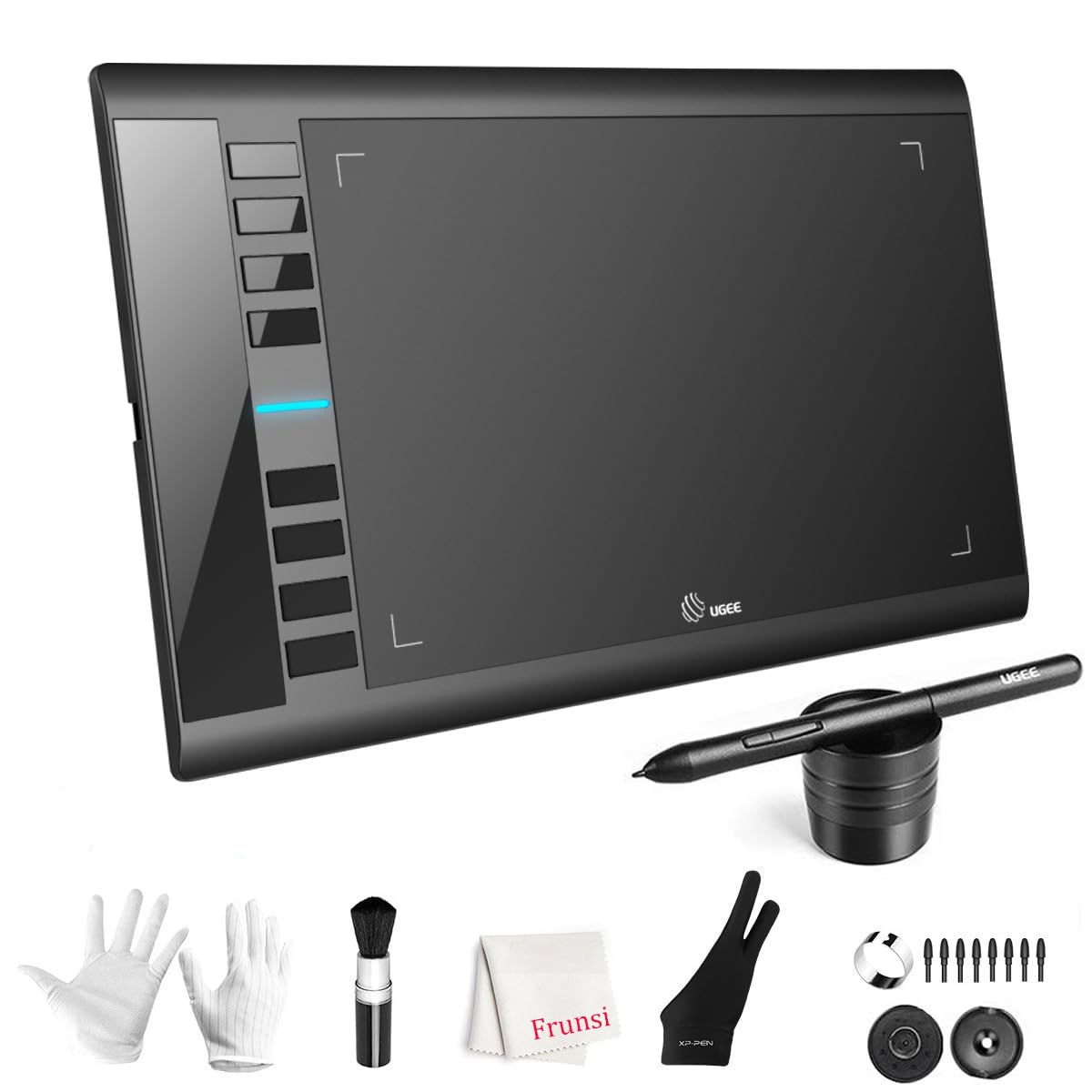
A generously sized drawing surface with double the pressure sensitivity of most entry-level rivals.
Owners highlight quality and ease of use, and the large 10 x 6 inch active area is the first thing you will notice. This is real-estate that lets you draw with your whole arm, not just your wrist. The papery-textured surface gives a natural friction that feels closer to a physical sketchbook.
Under the hood, the passive stylus offers a massive 16384 pressure levels — a 2x gap over the 8192 found on the GAOMON S620 and HUION HS64. That extra resolution means noticeably finer control over line weight and opacity, so shading gradients look smoother and more professional. The 8 customizable express keys handle eraser, zoom, scroll, and undo duties.
Compatibility is impressively broad: Windows 11/10/8/7, Mac OS X 10.10 or later, Android 10.0 or later, Chrome OS 88 or later, and Linux. One owner uses it happily with Blender 3D software. There is a learning curve for the hand-eye coordination, and the stylus hover detection range is short, but for a budget practice tablet, the value is hard to match.
generous surface
- 16384 pressure levels give pro-level line control
- Large active area suits full-arm drawing strokes
- USB-C connectivity with adapters for easy setup
build feels cheap
- Stylus hover range is short for cursor navigation
- An occasional unit is reported to stop working entirely
best suited for: beginners and hobbyists who want a big canvas and high pressure sensitivity without spending premium money.
not ideal if: you need trouble-free reliability above all else — this one has mixed feedback on long-term durability.
5. Wacom Intuos Small
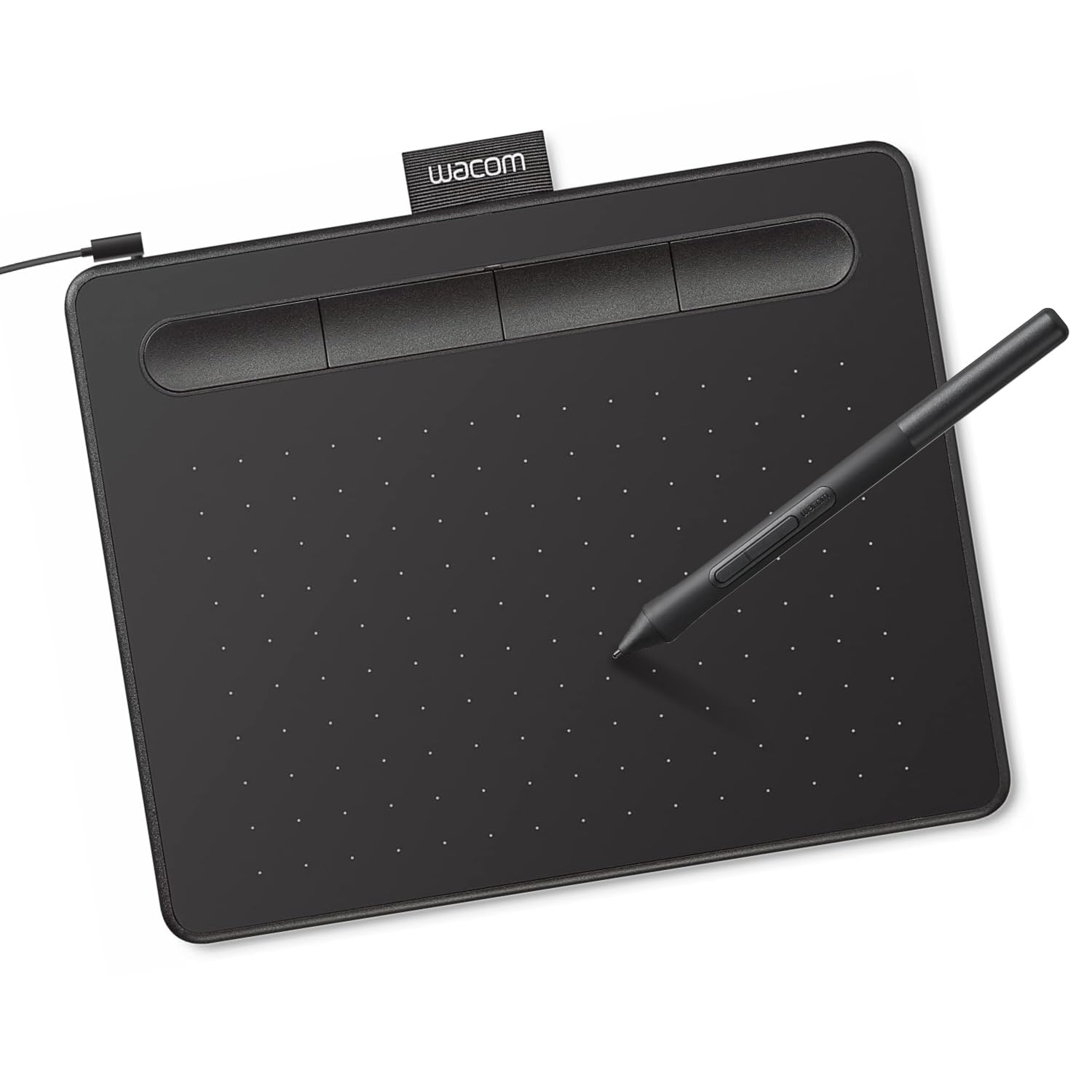
The name professionals trust, now a reliable and scratch-resistant entry point for curious beginners.
Wacom is the global leader in drawing tablets, and the Intuos Small brings that pedigree to the budget shelf. Owners consistently praise its functionality, noting it feels “almost like drawing on paper” thanks to the matte surface and EMR battery-free technology. The pen needs no charging and offers a satisfying resistance as you draw.
The active area is 6 x 3.7 inches, which is compact — about the size of a paperback book. That makes it incredibly portable, though it is noticeably smaller than the 10 x 6 inch UGEE M708 above. The 4 ExpressKeys are clicky and responsive, and the tablet works plug-and-play with Chromebook, Mac, and Windows machines.
Instead of a high pressure count, Wacom leans on the quality of its pen technology. Owners note the “premium feel” and near-zero input delay. The main drawback is that the nibs (the pen tips) wear down quickly, so plan to buy replacements in bulk. It is a great way to experiment with digital art without a big commitment, but the smaller surface might feel limiting as you improve.
trusted brand feel: A dependable, easy-to-use entry tablet from the industry’s most trusted name — just keep spare nibs on hand.
pricey for size: The pen-to-paper feel and brand reliability beat the sheer spec numbers of cheaper rivals.
6. XPPen Deco 01 V3

A 16K-pressure powerhouse that pairs a huge canvas with a battery-free, tilt-sensing stylus for serious beginners.
Owners rank this among the best-value budget tablets, and the spec sheet explains why. The upgraded stylus delivers a full 16,384 levels of pressure sensitivity plus 60 degrees of tilt support. That tilt means you can shade like you would with a real pencil held at an angle — a feature that transforms how natural your digital sketches feel.
The 10 x 6.25 inch active area gives you a generous drawing space, and the whole device is just 8 mm thin. Owners on Linux praise its “from the start” support with configurable GUI, which is rare in this tier. It also connects to Android 10.0 and above with the XPPen Tools app for accurate screen mapping.
The “squishy pen tip with wiggle” is the recurring quibble, and some buyers report the wire disconnects on occasion. But the responsive pen, large surface, and high pressure resolution make it a favorite for Linux users, virtual teachers, and hobbyists. It beats the HUION H950P on pressure levels — 16384 versus 8192 — and the gap is noticeable in fine shading work.
pick this if: you are on Linux or want near-pro pressure sensitivity and tilt control on a budget.
skip it if: fragile USB ports worry you — treat the connection point gently.
7. HUION Inspiroy H950P

A well-rounded 8 x 5 inch canvas that feels like a natural pen and works on everything from Windows to Android.
Owners describe the PW100 stylus as feeling “like a standard pen,” which is the highest compliment a drawing tablet can earn. With 8192 pressure levels and 60-degree tilt support, the H950P handles both delicate line work and broad shading with confidence. The pen side buttons flip between pen and eraser instantly.
You get an 8 x 5 inch active area (the drawing surface) that is larger than the compact 6.5 x 4 inch GAOMON S620 but more portable than the 10-inch slabs. At 0.3 inches thick and 1.76 lbs, it slides into a bag without weighing you down. It works with Mac, Windows, Linux, and Android 6.0 or later, and it is available for left-handed users.
Owners use it for Blender 3D modeling, MediBang Paint, and even PNGTuber art, praising the responsive pen and smooth lines. The 8 programmable hot keys speed up workflow. The occasional glitch is that shortcut bindings reset to default now and then — an easy fix in the driver. It is a solid, dependable choice for beginners and hobbyists who want a bit more room than the smallest tablets offer.
midrange versatility: The larger-than-entry surface and natural pen feel make it a comfortable daily driver for art and note-taking.
wobbly stylus: Slightly small for seasoned pros, and button bindings occasionally need re-setting.
8. XPPen Deco mini7W

The only truly wireless pick here, freeing your canvas from the desk with a simple USB dongle connection.
Freedom of movement is the headline feature. A 2.4 GHz wireless dongle connects this tablet to your PC or laptop, so you can draw from the couch, present from across the room, or teach without being tethered. Owners with 25+ years of experience call it “a great purchase with high value to price ratio,” praising the excellent pressure sensitivity and easy setup.
The battery-free stylus offers 8192 pressure levels with tilt-response and smooth tracking. The 7 x 4 inch active area is compact yet adequate for sketching and note-taking. It works with Windows 7 and above, Mac OS X 10.10 and higher, Android 6.0 and higher, and Chrome OS — a broad compatibility list that includes USB-C to USB-C connections.
The wireless does come with a caveat: some owners mention slight lag over Bluetooth in heavy 3D programs like Maya or ZBrush, and the fix is to switch to the wired USB-C connection. A few also found the nibs wore out quickly. But for business presentations, online teaching, and casual drawing, the freedom this tablet offers is class-leading at this tier.
choose this for: teaching, presenting, or drawing anywhere in the room without a cable holding you back.
prefer another if: you work in demanding 3D software all day — the wired connection is more stable there.
Understanding the Specs
Pressure Sensitivity Levels
This spec tells you how finely the pen detects changes in how hard you press. A tablet with 8192 levels can tell the difference between a whisper-light touch and a firm press, translating that into line thickness. Jump to 16384 levels and the control gets even finer, letting you create smoother gradients and more subtle shading. For a beginner, 8192 is plenty; for a serious hobbyist, the higher count is worth the small upgrade.
Active Area Size
This is the drawing surface you actually work on, measured in inches. A compact 6 x 4 inch tablet fits easily in a bag but forces you to draw mostly with your wrist. A large 10 x 6 inch surface lets you draw from the elbow or shoulder, which feels more natural and is easier on your hand over long sessions. Bigger is not always better — it takes more desk space and costs more to carry around.
FAQ
What is the difference between a battery-free and a battery-powered pen?
Do I need 8192 or 16384 pressure levels as a beginner?
Will a budget graphics tablet work with my Android phone?
How long does a pen nib last on a budget tablet?
Is a larger active area always better?
Can I use a budget drawing tablet for online teaching?
What is tilt support and why does it matter?
Do budget tablets work with Photoshop and Clip Studio?
Is a Wacom tablet worth the extra cost over a generic brand?
Final Thoughts: The Verdict
The crowd favorite for the budget graphics tablet crown is the GAOMON S620 because it pairs rock-solid reliability with a portable size and a battery-free pen at a friendly price. If you want Android support and the lightest carry, grab the HUION HS64. And for the highest pressure sensitivity with a generous canvas, the UGEE M708 is the one to reach for.
How We Picked
We do not accept paid placement. Every pick is matched to a real buyer and a real use-case; we do not hands-on test units.
Sources & Methodology
Specifications: manufacturer listings and product documentation. Review insights: verified customer reviews, as of August 2026. Pricing: not shown on this page (it changes often); check the current price via the retailer link.
As an Amazon Associate, FitlyFast earns from qualifying purchases. This does not affect which products we feature.